
Picking a gaming desktop under a thousand dollars means navigating a minefield of aging CPUs, proprietary components, and GPUs that can barely handle modern ray tracing. The difference between a smooth 60 FPS experience and a stuttering mess comes down to understanding the real architecture behind the marketing—not just the core count listed on a spec sheet.
I’m Mohammad Maruf — the founder and writer behind Drink4Good. I’ve spent countless hours dissecting prebuilt configurations, analyzing benchmark data, and cross-referencing component tiers so you don’t have to guess whether that RTX 3050 is actually worth buying today.
This guide walks you through every critical spec and hidden compromise, helping you choose the right gaming computer under $1000 for your needs without falling for inflated CPU names or outdated graphics hardware.
How To Choose The Best Gaming Computer Under $1000
When the budget cap sits at a grand, every dollar spent on flashy RGB or a high core-count CPU is a dollar stolen from the graphics card. The most common mistake in this price bracket is over-indexing on a ten-core processor while pairing it with a weak GPU, resulting in a system that cannot push modern titles past 30 FPS. You need to prioritize the graphics card first, then the CPU, then memory speed and storage type.
GPU Generation Matters More Than VRAM
An RTX 3050 with 6GB of VRAM sounds adequate on paper, but the underlying Ampere architecture lacks hardware-accelerated ray tracing cores and efficient DLSS upscaling. The newer RTX 5060, built on Blackwell, delivers roughly 30 percent more raster performance and allows you to play modern AAA titles with ray tracing enabled at playable frame rates. If the build sheet says RTX 3060 or RX 6600, it is already two generations behind.
CPU Naming Traps in Prebuilts
Many prebuilt listings advertise an “Intel Core i7” without specifying the generation, knowing that a 4th-gen i7 from 2014 is vastly weaker than a modern i3. Always look for the specific model number—Ryzen 5 5600 or Intel i5-14400F are solid mid-range chips that will not bottleneck an RTX 5060. Avoid anything with an “F” suffix on a budget board if you need integrated graphics for troubleshooting.
Memory Configuration vs Capacity
Sixteen gigabytes of RAM is the sweet spot for gaming under $1000, but the configuration is what actually affects performance. A single stick of 16GB runs in single-channel mode, cutting memory bandwidth in half. Two 8GB sticks running in dual-channel mode can deliver up to 15 percent more FPS in CPU-bound scenarios. Always confirm the kit is sold as a matched pair, not a single DIMM with an empty slot.
Quick Comparison
On smaller screens, swipe sideways to see the full table.
| Model | Category | Best For | Key Spec | Amazon |
|---|---|---|---|---|
| Thermaltake LCGS Quartz i1460 | Premium | Ray Tracing 1080p | RTX 5060 + i5-14400F | Amazon |
| Max Gaming PC (AVGPC) | Premium | High FPS Esports | RTX 5060 + 5600X | Amazon |
| ViprTech Stryker 4.0 | Premium | Liquid Cooling Fan | RTX 5060 + Ryzen 7 3700X | Amazon |
| AEXPXO Prebuilt | Premium | 8-Core + RTX 5060 | RTX 5060 + 5700X | Amazon |
| NOVATECH Titan Pro | Premium | 1440p Ready Build | RTX 5060 + Ryzen 5 5500 | Amazon |
| SKYESEV Gaming Desktop | Premium | 32GB RAM Workflow | RTX 3050 + Ryzen 5 5600 | Amazon |
| STGAubron RTX 2060 | Mid-Range | Legacy GPU Power | RTX 2060 + Ryzen 7 5700G | Amazon |
| Skytech Archangel | Mid-Range | Reliable USA Build | RTX 3050 + Ryzen 5 5500 | Amazon |
| NINGMEI Gaming PC | Mid-Range | GTX 1660 Super Value | GTX 1660 Super + Ryzen 5 5500 | Amazon |
| STGAubron RTX 3050 | Entry-Level | Budget 1080p Gaming | RTX 3050 + i7 4th Gen | Amazon |
| WIWB Gaming PC | Entry-Level | White Aesthetic Build | RX 6500 XT + Ryzen 5 5500 | Amazon |
| ALCPOK Gaming PC | Entry-Level | Integrated GPU Starter | Vega 8 + Ryzen 7 5700G | Amazon |
| Lenovo Legion Tower 5i | Premium | DDR5 Future Proofing | RTX 5060 Ti + Core Ultra 7 | Amazon |
In‑Depth Reviews
1. Thermaltake LCGS Quartz i1460

This build from Thermaltake sidesteps the usual prebuilt pitfalls by using an Intel B760 chipset motherboard rather than some proprietary OEM board, meaning you can swap the PSU, RAM, or GPU down the line without compatibility headaches. The i5-14400F is a solid 10-core hybrid chip (6 P-cores plus 4 E-cores) that handles modern games without bottlenecking the RTX 5060, and the 16GB of DDR4 3600MHz RAM comes as a matched dual-channel kit.
The star here is the RTX 5060, which brings Blackwell architecture features like fourth-gen ray tracing cores and DLSS 3.5 frame generation. You can run Cyberpunk 2077 at 1080p with ray tracing set to medium and still hold above 60 FPS, something the older RTX 3050 and 3060 simply cannot manage. The 1TB NVMe SSD is a Gen4 drive, delivering load times under five seconds in most modern titles.
Thermaltake includes their own ARGB tower air cooler and a full-length PSU shroud for clean cable management. The 3mm tempered glass side panel adds weight but feels premium. Some users have noted the case fans are audible under load, but the noise profile is a low whoosh rather than the high-pitched whine common in cheaper builds.
Why it’s great
- True dual-channel DDR4 at 3600MHz
- Standard B760 board for easy upgrades
- RTX 5060 delivers proper ray tracing at 1080p
Good to know
- Fan noise is noticeable under sustained load
- Only 16GB RAM may need an upgrade for heavy multitasking
2. Max Gaming PC (AVGPC)
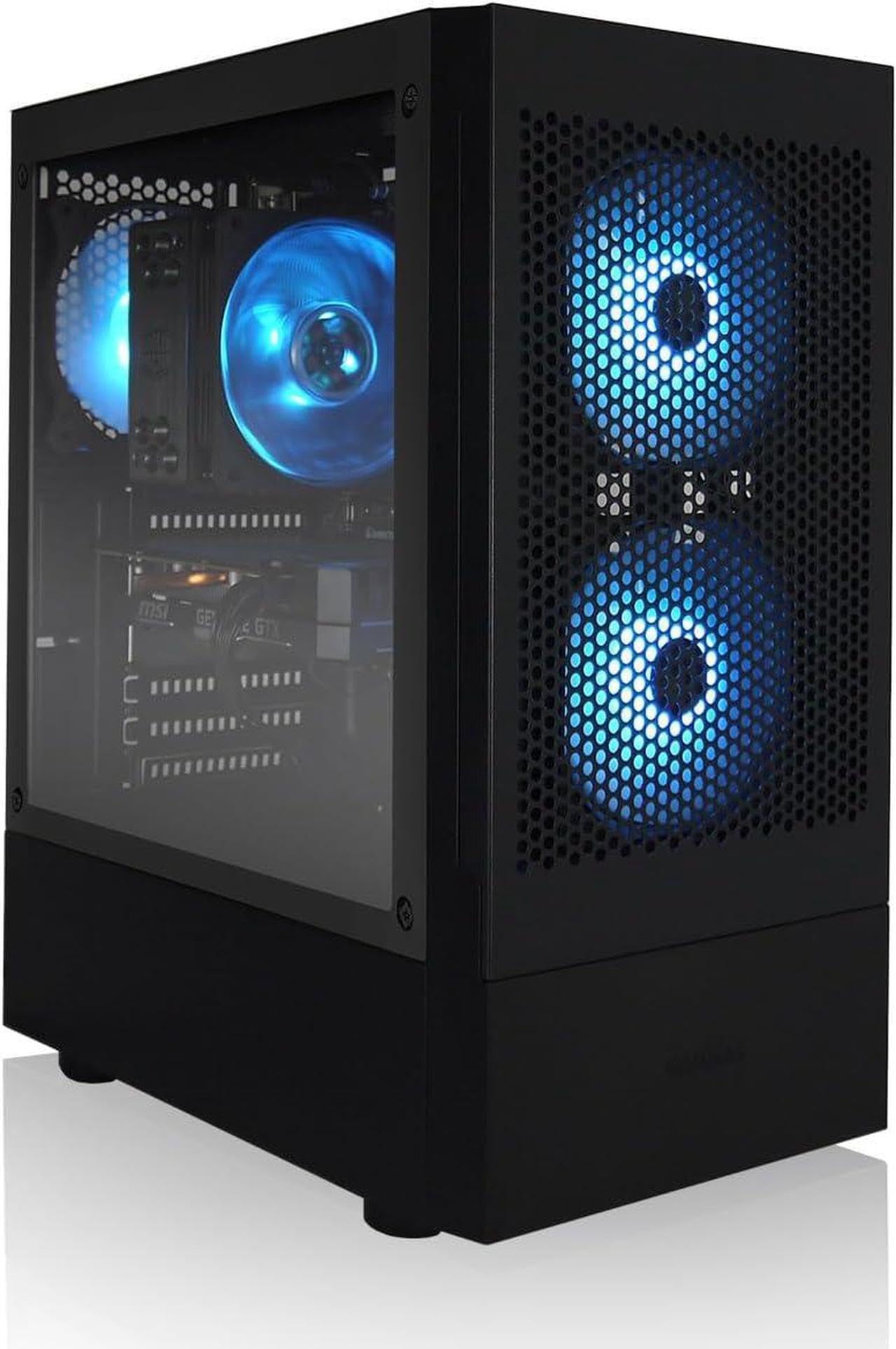
The Max Gaming PC from AVGPC pairs the RTX 5060 with the Ryzen 5 5600X, a 6-core chip that still trades blows with Intel’s 12th-gen i5 in gaming benchmarks thanks to its low-latency Zen 3 architecture. The 650W Gold-rated power supply gives you enough headroom for overclocking the CPU or upgrading to a higher TDP GPU later. The 1TB M.2 NVMe SSD is a Gen4 drive, matching the Thermaltake build for loading speeds.
The 5600X runs cooler than Intel’s 14th-gen parts under load, and the included heat-pipe RGB cooler keeps temperatures below 80°C during extended sessions. The B550 motherboard supports PCIe 4.0 for both the GPU and SSD, ensuring you get full bandwidth from both. The case is a mesh-front M-ATX design from AVGPC’s Max Airflow line, which provides positive pressure and keeps dust buildup low.
Build quality is solid with no rattling panels or sharp edges on the interior. The included keyboard and mouse are usable but basic—expect to replace them within the first month. Some customers have reported DOA units, but AVGPC’s lifetime tech support and US-based assembly team respond quickly with replacements. The 5600X may bottleneck the RTX 5060 in highly CPU-bound games like Valorant at low settings, but at 1080p high, the GPU is the limiting factor.
Why it’s great
- Ryzen 5 5600X runs cool and efficient at 65W TDP
- 650W Gold PSU gives upgrade headroom
- B550 motherboard with PCIe 4.0 support
Good to know
- Some units arrive DOA requiring a return
- Peripherals are low quality and should be replaced
3. ViprTech Stryker 4.0

The ViprTech Stryker 4.0 is one of the few sub-$1000 builds to ship with a genuine 120mm AIO liquid cooler, keeping the Ryzen 7 3700X well under 70°C during gaming loads. That CPU is an 8-core Zen 2 chip from 2019, which lags behind modern 6-core parts in single-threaded performance, but its multi-core muscle helps in streaming and video rendering scenarios where you need eight threads.
The RTX 5060 is the current-generation hero here, delivering the same Blackwell features as the Thermaltake and AVGPC builds. The 16GB DDR4 RAM runs at 3200MHz in dual-channel mode, and the 700W power supply provides extra headroom over the 650W units found in competitors. The white braided cable extensions included in the case add a clean look that photography does not fully capture.
The main trade-off is the aging CPU—if you play esports titles like Apex Legends or Overwatch 2 at competitive settings, the 3700X will hold back the RTX 5060, resulting in lower 1% lows compared to a Ryzen 5 5600X build. Some customers report sleep/wake issues where the monitor does not detect a signal after the PC goes into standby mode, requiring a hard power cycle. Support is responsive for replacement units.
Why it’s great
- 120mm AIO liquid cooler included stock
- 700W PSU provides extra wattage headroom
- White braided cables and clean aesthetic
Good to know
- Ryzen 7 3700X is Zen 2 and slower in games than modern 6-core chips
- Sleep/wake issues reported by multiple users
4. AEXPXO Prebuilt Gaming PC Desktop

The AEXPXO build pairs the RTX 5060 with the Ryzen 7 5700X, an 8-core Zen 3 chip that offers substantially better single-threaded performance than the 3700X found in the ViprTech unit. This makes it the best option in this price range for gamers who also stream or run Discord, OBS, and Chrome in the background while playing demanding titles. The 5700X’s 3.4GHz base clock with a 4.6GHz boost keeps frame times consistent.
The cooling solution uses a 4-copper-pipe ARGB air cooler plus an additional rear ARGB fan, which is sufficient for the 65W TDP of the 5700X. The 550W Bronze power supply is the weak link here—it meets the minimum requirement for an RTX 5060, but leaves almost no headroom for overclocking or future GPU upgrades. The 1TB NVMe SSD is a solid PCIe 3.0 drive, adequate for boot and game loads but slower than the Gen4 drives in the Thermaltake or AVGPC builds.
The case design is standard black with a glass side panel and pre-installed RGB lighting. Some buyers have noted that the fans feel budget-level, with slightly audible bearing noise at idle. Customer support is responsive and the one-year warranty is clearly stated, though the 550W PSU should be the first upgrade you make if you plan to add a higher-end GPU in the future. Preset Windows account may require a factory reset to set up a fresh user.
Why it’s great
- Ryzen 7 5700X offers 8 Zen 3 cores for streaming workloads
- 4-copper-pipe air cooler keeps thermals in check
- RTX 5060 provides modern Blackwell features
Good to know
- 550W Bronze PSU has no upgrade headroom
- Fans feel budget and may produce bearing noise
5. NOVATECH Titan Pro

The Titan Pro from NOVATECH is one of the few builds in this guide that explicitly markets 1440p gaming capability, and the RTX 5060 can actually back that claim for most titles at medium to high settings. The Ryzen 5 5500 is a budget 6-core chip based on Cezanne (Zen 3), but with a cut-down L3 cache of 16MB compared to the 32MB on the 5600X, which can cost you around 5 to 10 percent in CPU-bound scenes.
Storage is a 1TB M.2 NVMe SSD, though the controller runs at PCIe 3.0 speeds, so loading times are competitive with other budget builds. The 16GB of DDR4 RAM comes in a dual-channel kit at 3200MHz, which is exactly the sweet spot for the Ryzen 5 5500’s infinity fabric. The case features vibrant RGB fans on the front intake and one on the rear exhaust, controlled by a button on the top panel.
The one-year warranty includes a US-based support team that handles DOA units promptly, though some customers have reported dead-on-arrival units with no power output at all. The RTX 5060 in this build uses a reference-style cooler, which can run louder under sustained load compared to larger dual-fan designs. The included keyboard and mouse are basic membrane units, but the value proposition at this price is strong if you already have peripherals.
Why it’s great
- Advertised and capable of 1440p gaming
- Dual-channel 16GB DDR4 at 3200MHz
- US-based support for warranty claims
Good to know
- Ryzen 5 5500 has half the L3 cache of a 5600X
- Reference GPU cooler can be loud under load
6. SKYESEV Gaming Desktop

The SKYESEV build stands out for including 32GB of DDR4 RAM at 3200MHz, which is double the standard 16GB found in most sub-$1000 prebuilts. The drawback is that the money for that extra memory had to come from somewhere, and it came from the GPU—this system uses the RTX 3050 6GB, a cut-down Ampere card that lacks proper ray tracing hardware and struggles to maintain 60 FPS in modern AAA titles at medium settings.
The Ryzen 5 5600 is a solid 6-core Zen 3 chip that pairs well with the RTX 3050, and the MSI A520M-A PRO motherboard offers a clean upgrade path to a 5000-series Ryzen 7 later on. The 1TB NVMe M.2 SSD provides fast storage, and the 550W Bronze power supply is adequate for the current configuration. The case includes five ARGB 120mm fans with a remote control for lighting effects, which is a nice touch for aesthetic-focused users.
If your workflow involves heavy multitasking with Discord, browser tabs, and game streaming simultaneously, the extra 16GB of RAM will make a noticeable difference in 1% low FPS. However, for raw gaming performance, the RTX 3050 is a significant bottleneck. Some users have reported needing to remove internal foam packing that is left in the case during shipping, so check thoroughly before first boot.
Why it’s great
- 32GB dual-channel RAM for heavy multitasking
- Five ARGB 120mm fans with remote control
- MSI A520M motherboard for reliable upgrade path
Good to know
- RTX 3050 6GB lacks ray tracing performance
- GPU will bottleneck the CPU in modern titles
7. STGAubron RTX 2060 Gaming PC
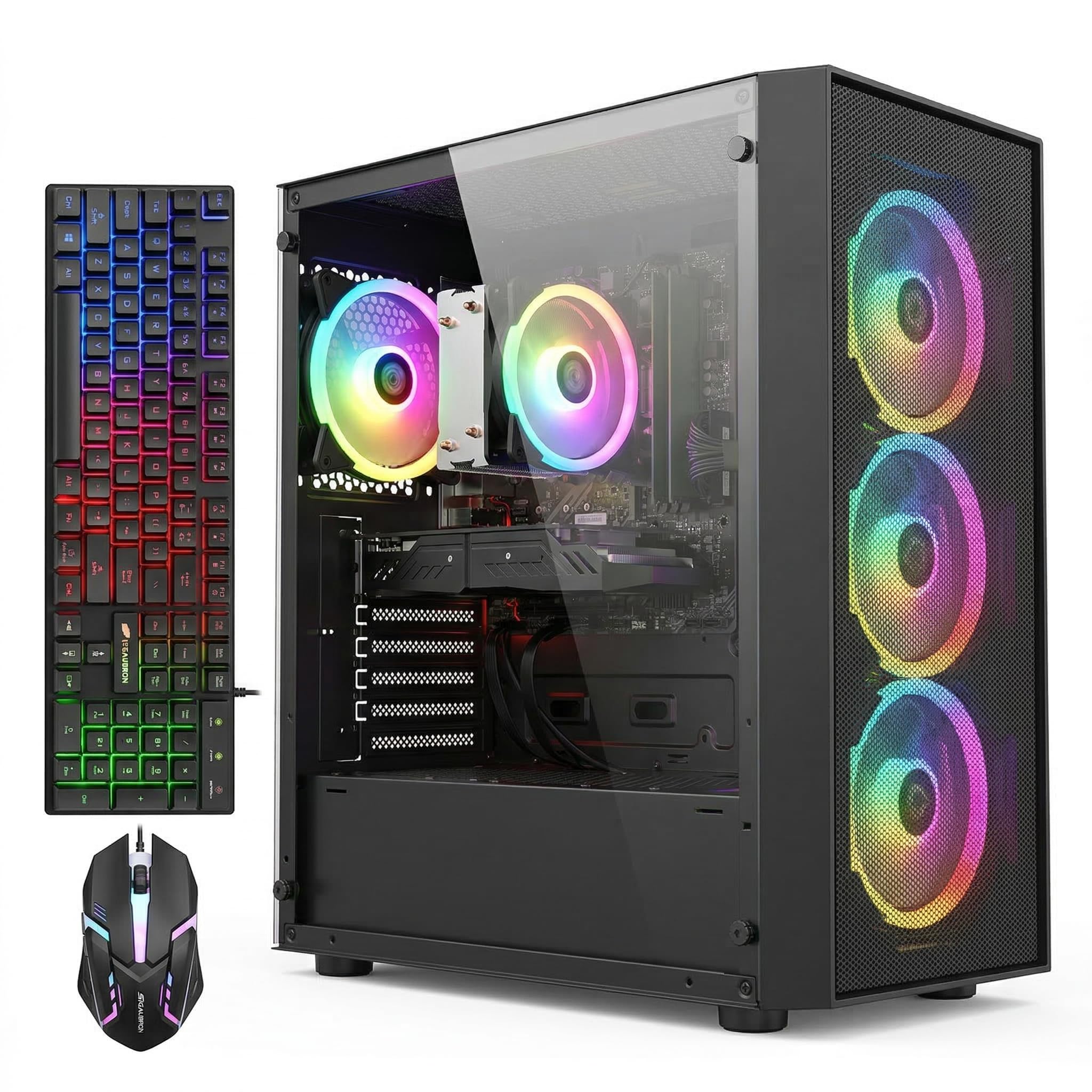
This STGAubron configuration pairs the Ryzen 7 5700G APU with a dedicated RTX 2060 6GB, giving you 8 CPU cores plus a Turing-era GPU that can still handle 1080p gaming without relying on integrated graphics. The RTX 2060 is a generation older than the 30-series, but it offers proper ray tracing cores and DLSS 2.0 support, making it a better choice than a 3050 for titles like Control or Metro Exodus Enhanced Edition.
The 5700G is a unique chip—it has integrated Vega 8 graphics that effectively become redundant when a discrete GPU is installed, but it provides a fallback if the GPU fails. The 16GB DDR4 memory runs at standard 3200MHz, and the 1TB SSD is a SATA-based drive rather than NVMe, which means game load times are around 30 percent slower than the NVMe builds in this list. The system includes four RGB fans with a remote for color control.
A common complaint is that the CPU cooler lacked thermal paste from the factory, causing temperatures to hit 90°C under gaming loads. This appears to be a manufacturing quality control issue rather than a design flaw. The included keyboard and mouse are functional but low-end. For the price, the RTX 2060 offers better gaming performance than the 3050 in most titles, even if it lacks the newer features of the 40-series cards.
Why it’s great
- RTX 2060 outperforms the RTX 3050 in rasterization
- Ryzen 7 5700G has 8 cores and falls back to integrated graphics
- Four RGB fans with remote control included
Good to know
- Thermal paste may be absent from factory cooler
- 1TB SSD is SATA, not NVMe, resulting in slower game loads
8. Skytech Archangel Gaming PC

Skytech is one of the more recognizable names in the prebuilt gaming space, and the Archangel model reflects that with a clean white case design and a focus on zero bloatware. The Ryzen 5 5500 and RTX 3050 6GB combination is a reliable 1080p high-settings pairing for games like Fortnite, Valorant, and Apex Legends, though ray tracing remains a performance killer on this Ampere-class GPU.
The 650W Gold power supply is a standout feature at this tier—most budget builds ship with Bronze-rated units, and the Gold efficiency means less heat waste and lower electricity bills over time. The 1TB NVMe SSD is a Gen3 drive, which is standard for the price. The case has a front mesh panel with three ARGB fans pre-installed, offering good airflow right out of the box. The included keyboard and mouse are surprisingly usable for free peripherals.
Some users have reported that the power cord connection to the PSU is loose and can disconnect if the case is bumped, so it is worth checking that the connector is fully seated before cable management. The fans are quiet at idle but become audible under gaming load, though they never reach the volume of a jet engine. Skytech offers a one-year warranty on parts and labor with lifetime tech support.
Why it’s great
- 650W Gold PSU provides reliable power delivery
- Zero bloatware out of the box
- White case design with mesh front for airflow
Good to know
- RTX 3050 cannot handle ray tracing at playable FPS
- Power cord connection can be loose from factory
9. NINGMEI Gaming PC Desktop

The NINGMEI build uses the GTX 1660 Super, a 6GB Turing card without ray tracing or DLSS, but with raw rasterization performance that still beats the RTX 3050 in most games by around 10 percent. This makes it a smart pick for buyers who exclusively play competitive esports titles where ray tracing is irrelevant and raw FPS matters most. The Ryzen 5 5500 pairs well here, with no CPU bottleneck at 1080p.
The 1TB Gen4 NVMe SSD is a genuine upgrade over the Gen3 drives found in most other budget builds, providing faster load times in open-world games like Red Dead Redemption 2. The 650W Bronze PSU is standard fare, and the case includes six ARGB fans that can be color-adjusted via a button on the case. The motherboard is a B450M chipset, which supports PCIe 3.0 for the GPU but is compatible with Ryzen 5000 series CPUs.
The system includes a free oversized mouse pad, which is a nice touch, but the case has no USB-C port on the front panel. Some customers have reported that the GPU slot on the B450M board may require the removal of a metal bracket for larger graphics cards. The 1660 Super is getting long in the tooth for 2025 releases, but for Fortnite, Valorant, CS2, and Overwatch 2, it delivers a smooth 144Hz experience at high settings.
Why it’s great
- GTX 1660 Super outperforms RTX 3050 in pure raster FPS
- Gen4 NVMe SSD for faster load times
- Six ARGB fans for excellent airflow
Good to know
- No ray tracing or DLSS support on the GPU
- B450M chipset limits to PCIe 3.0 for the GPU slot
10. STGAubron RTX 3050 Gaming PC

This STGAubron listing is a cautionary tale of CPU name inflation. The “Intel Core i7” here is a 4th-gen Haswell chip from 2014, which is two entire platform generations behind modern entry-level CPUs. In single-threaded performance, this i7-4790 is roughly half as fast as a current i3-14100F, meaning it will bottleneck the RTX 3050 in every CPU-bound scenario, from Valorant to Minecraft with shaders.
The RTX 3050 6GB is the same Ampere card found in other budget builds, but paired with a CPU that old, you will rarely see it fully utilized. The 16GB of DDR3 RAM (not DDR4) runs at slower frequencies, further kneecapping performance. The 512GB SSD is a SATA drive, and the system includes six RGB fans plus a keyboard and mouse. The WiFi 6 and Bluetooth 5.0 support are surprisingly modern given the rest of the hardware.
On the positive side, the system runs older titles and less demanding games just fine, and the RGB lighting package is extensive for the price. The CPU bottleneck means a GPU upgrade would not yield significant FPS gains until the processor is also replaced, which would require a new motherboard and RAM. This is a true entry-level machine for very casual gaming or a child’s first PC, not a system for modern AAA titles.
Why it’s great
- Extensive RGB lighting with six fans and peripherals
- WiFi 6 and Bluetooth 5.0 support
- Plays older titles and esports games adequately
Good to know
- CPU is a 4th-gen i7 from 2014, bottlenecking the GPU
- DDR3 RAM limits performance further
11. WIWB Gaming PC Desktop
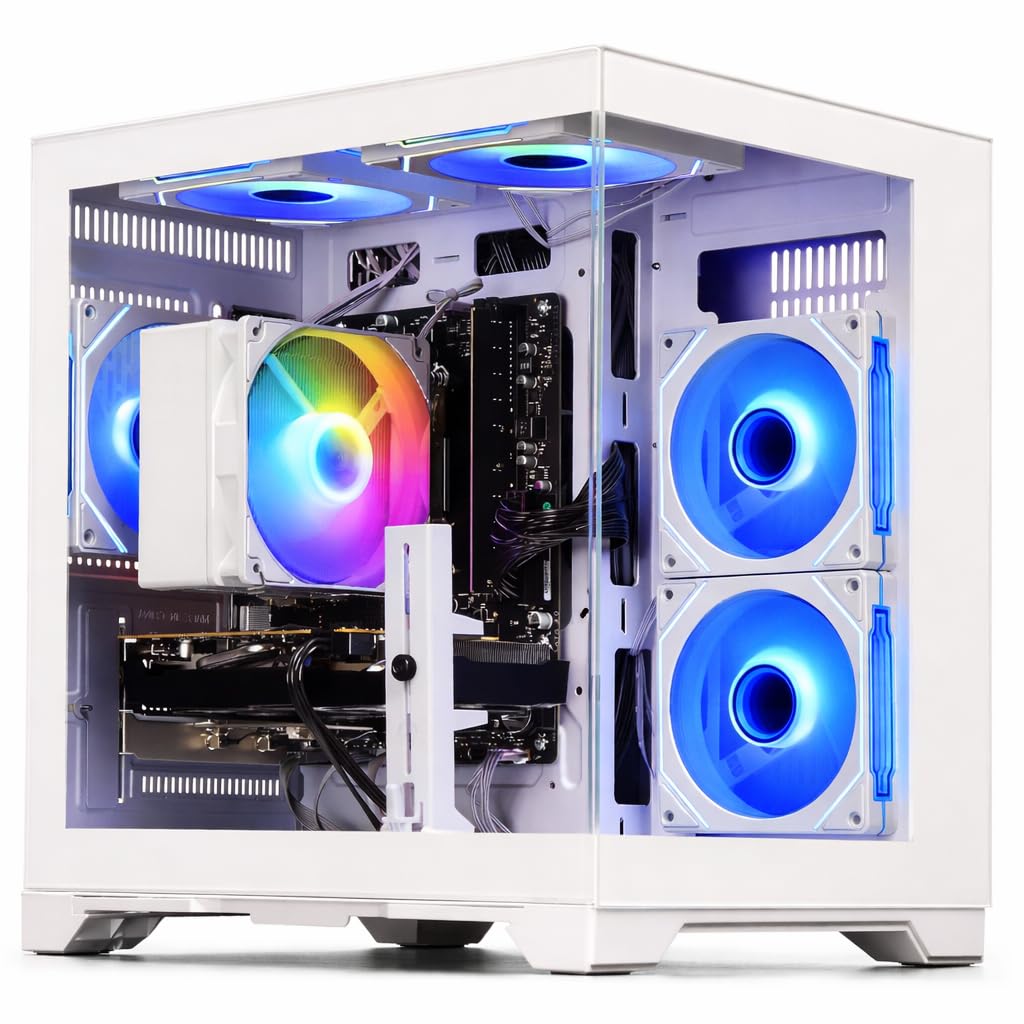
This WIWB build is the only white-themed option in the budget tier, featuring a clean white case with white internal components. The Radeon RX 6500 XT is the weakest discrete GPU in this entire guide—it lacks hardware encoding for streaming, has only 4GB of VRAM, and operates on a PCIe 4.0 x4 interface that bottlenecks further on PCIe 3.0 boards. This GPU is genuinely not suitable for modern AAA games at 1080p even at low settings.
The Ryzen 5 5500 is a capable CPU that is wasted on this GPU pairing. The 16GB DDR4 RAM and 512GB NVMe SSD are standard entry-level specs, and the system runs quietly due to the low heat output of the components. For competitive esports games like Valorant and League of Legends, the RX 6500 XT can push high frame rates, but for any game released in the last three years at medium settings, you will struggle to hold 60 FPS.
Some users have reported that the system initially felt laggy but smoothed out after drivers were updated and Windows finished its background indexing. The case lacks USB-C on the front panel, and the motherboard is a basic A520 chipset. If the white aesthetic is a non-negotiable for your setup, this build delivers on looks, but the GPU choice severely limits its gaming potential compared to other options at a similar budget point.
Why it’s great
- Full white aesthetic for matching setups
- Ryzen 5 5500 is a solid modern CPU
- NVMe SSD for fast boot and load times
Good to know
- RX 6500 XT is the weakest GPU in this guide
- Only 4GB VRAM, lacks hardware encoding for streaming
12. ALCPOK Gaming PC Desktop

The ALCPOK build is a hybrid approach—it ships without a dedicated graphics card, relying on the Radeon Vega 8 graphics integrated into the Ryzen 7 5700G APU. This system is designed as a upgrade-ready foundation: the 550W Bronze power supply includes PCIe power connectors, and the motherboard has extra RAM and M.2 slots, so you can drop in an RTX 3060 or RX 6600 later. The 16GB of DDR4 RAM comes as a single stick, which hurts integrated GPU performance.
The 1TB NVMe SSD provides ample storage, and the five ARGB fans create a visually striking setup. The Ryzen 7 5700G itself is a powerful 8-core CPU that handles multitasking, office work, and photo editing with ease. For gaming, the Vega 8 can run League of Legends and CS2 at 1080p low settings around 60 FPS, but modern AAA titles are unplayable. The system comes with Windows 10 pre-installed, which auto-upgrades to Windows 11.
Cooler may arrive slightly crooked from shipping due to heatpipe weight, but this is a cosmetic issue. The lack of a dedicated GPU from the factory means you need to factor that cost into your total budget. For buyers who want a solid CPU platform and plan to add a GPU immediately, this can be a cost-effective route, but you have to be comfortable with a hands-on upgrade process.
Why it’s great
- 8-core Ryzen 7 5700G CPU for heavy multitasking
- 550W PSU with PCIe connectors for GPU upgrade
- 1TB NVMe storage and 5 ARGB fans
Good to know
- No dedicated GPU included
- Single stick of RAM runs in single-channel mode, hurting iGPU performance
13. Lenovo Legion Tower 5i

The Lenovo Legion Tower 5i pushes slightly past the budget cap, but it earns its place as the only system in this guide to feature DDR5 memory and the new Intel Core Ultra 7 265F with its integrated AI compute engine. The RTX 5060 Ti is a step up from the standard 5060, offering higher CUDA core counts and faster GDDR6 memory that can handle 1440p gaming at higher detail settings without dropping frames.
The 16GB of DDR5 5600MHz memory is a clear generational advantage over DDR4 builds, providing higher bandwidth that benefits both gaming and content creation. The tool-less side panel and transparent design make upgrading a breeze. The 2.5G Ethernet and WiFi 6E provide the fastest network connectivity in this guide, ideal for competitive online gaming. Lenovo includes a 3-month Xbox Game Pass subscription, adding immediate value.
While the system sits above the strict $1000 ceiling, its DDR5 foundation, AI-enhanced CPU, and the stronger RTX 5060 Ti make it the most future-proof option for buyers who can stretch their budget. The 180W air-cooling solution keeps noise levels low even under sustained gaming loads. Some users have reported that the system runs all modern titles smoothly at medium-to-high settings, including demanding VR applications and video rendering in DaVinci Resolve.
Why it’s great
- DDR5 memory provides superior bandwidth for gaming and creation
- RTX 5060 Ti offers higher performance than standard 5060
- Tool-less side panels for easy upgrades
Good to know
- Price exceeds the strict $1000 budget cap
- 16GB of DDR5 may need expansion for heavy workstation loads
FAQ
Is 16GB of RAM enough for gaming in 2025?
Should I buy a prebuilt or build my own gaming PC under $1000?
Can a gaming PC under $1000 run 1440p games?
Final Thoughts: The Verdict
For most users, the gaming computer under $1000 winner is the Thermaltake LCGS Quartz i1460 because it pairs the current-gen RTX 5060 with a modern Intel i5-14400F on a standard B760 board, leaving no upgrade hurdles. If you want the highest raw FPS for competitive esports, grab the Max Gaming PC from AVGPC with its Ryzen 5 5600X and Gold-rated PSU. And for liquid cooling fans who prioritize aesthetics and multi-core streaming, nothing beats the ViprTech Stryker 4.0.