
Driving a 1440p monitor at a silky 240Hz is a demanding task that separates mid-range graphics cards from the true contenders. You need a GPU that can consistently push high frame rates in competitive shooters while also handling the visual fidelity of modern AAA titles without stuttering.
I’m Mohammad Maruf — the founder and writer behind Drink4Good. I analyze GPU benchmarks, power efficiency, and cooling solutions to find the cards that deliver the raw performance needed for high-refresh-rate 1440p gaming.
After comparing over a dozen options, I’ve identified the top contenders that can reliably hit 240 fps at 1440p. This guide breaks down the gpu for 1440p 240hz market, covering everything from raw rasterization to ray tracing and VRAM capacity, so you can make a confident purchase for your next build.
How To Choose The Best GPU For 1440p 240Hz
Selecting the right graphics card for a 1440p 240Hz monitor isn’t just about picking the most expensive model. You need to balance raw compute power, memory bandwidth, and smart upscaling technologies to keep frame rates consistently high. Here are the three critical factors I evaluate.
VRAM Capacity and Memory Bandwidth
At 2560×1440 resolution with high texture detail, modern games easily consume 10-12GB of video memory. A card with 16GB of GDDR6 or GDDR7 provides the necessary headroom for texture streaming and future titles. Memory bandwidth, measured in GB/s, determines how fast the GPU can access this data — look for at least 500 GB/s to avoid stuttering at high refresh rates.
Upscaling and Frame Generation Technologies
Reaching 240 fps in demanding games often requires intelligent upscaling. NVIDIA’s DLSS 4 and AMD’s FSR 4 can boost frame rates by 30-50% while maintaining image quality. For competitive shooters, you may also want to evaluate Reflex (NVIDIA) or Anti-Lag (AMD) for reduced system latency. DLSS 4, available on RTX 5000 series cards, offers the most advanced frame generation for hitting those triple-digit targets.
Cooling Solution and Power Requirements
A GPU under sustained 240Hz load generates serious heat. Triple-fan designs with large heatsinks and vapor chambers are standard on cards in this tier. Check the card’s length and width to ensure it fits your case, and verify your power supply can handle the peak draw — most premium options require 750W or more. The 0dB fan mode on many modern cards is a nice bonus for quiet desktop use.
Quick Comparison
On smaller screens, swipe sideways to see the full table.
| Model | Category | Best For | Key Spec | Amazon |
|---|---|---|---|---|
| MSI RTX 5070 Ti Ventus 3X OC | Premium | Best price-to-performance 16GB | 16GB GDDR7, 256-bit | Amazon |
| PowerColor Reaper RX 9070 XT | Mid-Range | Silent 1440p gaming | 16GB GDDR6, 289mm | Amazon |
| ASUS TUF RTX 5070 Ti OC | Premium | Military-grade durability | 16GB GDDR7, 2610 MHz | Amazon |
| Sapphire Pulse RX 9070 XT | Premium | Reliable all-rounder | 16GB GDDR6, 2970 MHz | Amazon |
| GIGABYTE RTX 5070 AERO OC | Mid-Range | White aesthetic builds | 12GB GDDR7, 2600 MHz | Amazon |
| ASRock RX 9070 XT Challenger | Mid-Range | OC performance | 16GB GDDR6, 2970 MHz | Amazon |
| PNY RTX 5070 Epic-X ARGB OC | Mid-Range | Compact and quiet | 12GB GDDR7, 2685 MHz | Amazon |
| GIGABYTE RX 9070 XT Gaming OC | Premium | High boost clock | 16GB GDDR6, 3060 MHz | Amazon |
| XFX Swift RX 9060 XT OC | Budget | Entry-level 1440p | 16GB GDDR6, 3320 MHz | Amazon |
| MSI RTX 4070 Ti Gaming X Trio | Premium | Quiet operation | 12GB GDDR6X, 2760 MHz | Amazon |
| ASUS ROG Strix RTX 3060 V2 OC | Budget | Secondary or entry rig | 12GB GDDR6, 1912 MHz | Amazon |
In‑Depth Reviews
1. MSI Ventus 3X OC GeForce RTX 5070 Ti 16GB

The MSI Ventus 3X OC RTX 5070 Ti represents the sweet spot in the current GPU generation for 1440p 240Hz. Equipped with 16GB of GDDR7 memory on a 256-bit bus, it delivers memory bandwidth above 700 GB/s — enough to stream high-resolution textures at ultra settings without choking. The NVIDIA Blackwell architecture brings fourth-gen Tensor Cores and DLSS 4 frame generation, which can push frame rates in demanding titles like Cyberpunk 2077 from 90 fps to well over 160 fps at 1440p.
TORX Fan 5.0 technology uses ring-linked fan blades to stabilize high-pressure airflow, keeping the card under 65°C during prolonged gaming sessions. The nickel-plated copper baseplate captures heat from the GPU die and memory modules efficiently, while the Core Pipe square design maximizes contact area. Many users report that this card beats the last-gen RTX 4080 Super in raw performance and DLSS-enabled titles, without the premium price tag.
At roughly 15% less performance than the RTX 5080 but costing about 33% less, the Ventus 3X offers the best price-to-performance ratio for high-refresh 1440p. It’s SFF-ready, runs quiet under load, and includes an adjustable support bracket to prevent sag. This is the card I recommend for most buyers building a 1440p 240Hz system today.
Why it’s great
- Excellent price-to-performance ratio vs RTX 5080
- 16GB GDDR7 provides VRAM headroom for years
- Stays under 65°C with quiet fans
- Adjustable support bracket included
Good to know
- Large: 15.2 inches long, may not fit small cases
- No RGB lighting for aesthetic builds
2. PowerColor Reaper AMD Radeon RX 9070 XT 16GB
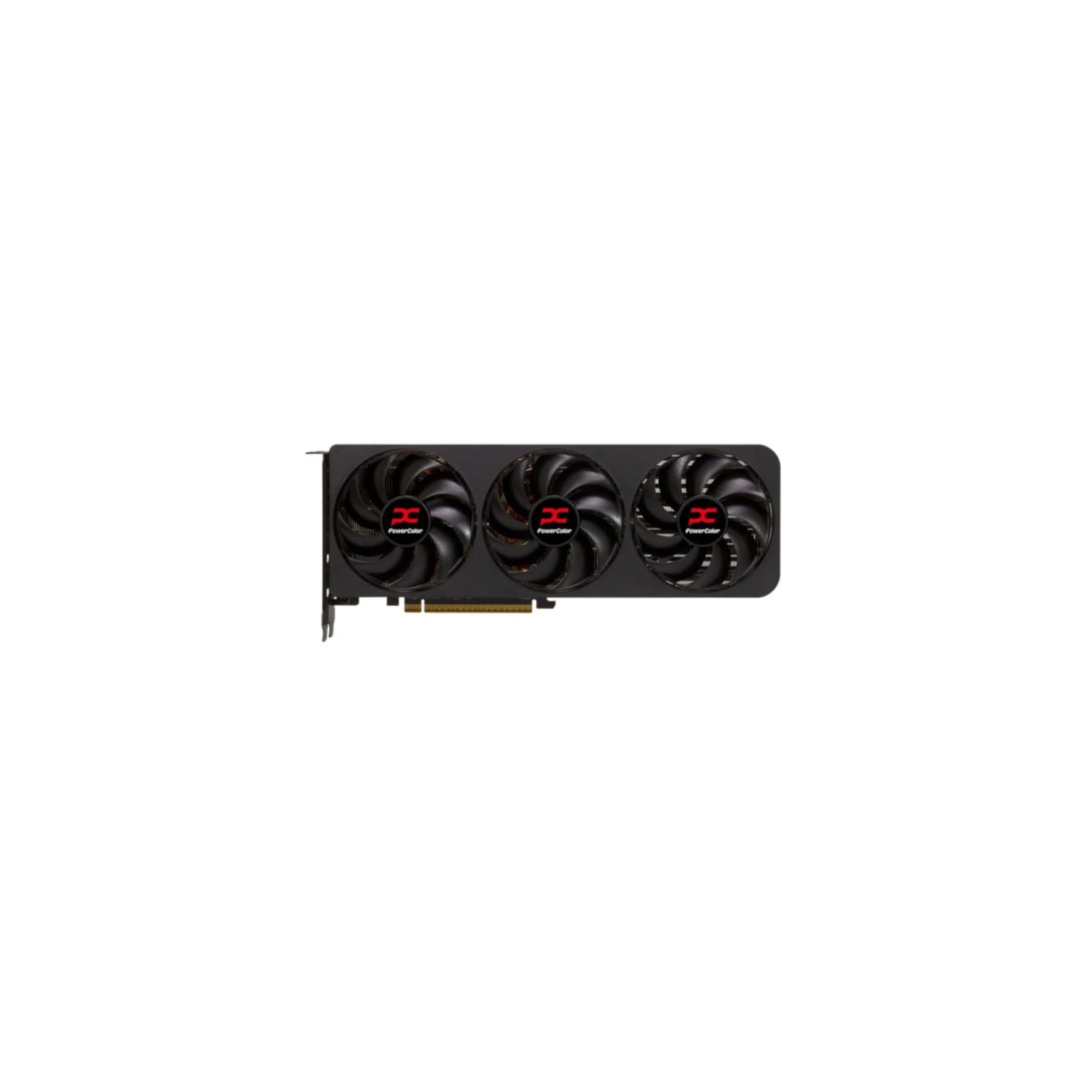
The PowerColor Reaper RX 9070 XT is a standout for those who prioritize a silent system. This card is a true 2-slot design measuring 289mm long — slimmer than most competitors — and uses two 8-pin PCIe power connectors instead of the bulky 12V-2×6 standard. The RDNA 4 architecture with 16GB GDDR6 and a boost clock of 2970 MHz delivers rasterization performance that rivals NVIDIA’s RTX 5070 Ti in most 1440p games without relying on upscaling.
Users consistently report dead-silent operation even under full load, with temperatures staying low. The card has a sleek, understated look without RGB, making it ideal for stealth or professional builds. On AMD’s Adrenalin software, you can easily undervolt or overclock to fine-tune performance — many users report TimeSpy scores in the 19,000-20,000 range after a mild OC.
One former NVIDIA user switched from a 5060 Ti to the PowerColor Reaper 9070 XT after driver issues with an ASUS 5070 Ti. They praised the AMD card for its stability, quiet fans, and seamless 1440p gaming. If you’re looking for a reliable, cool-running GPU that doesn’t scream for attention, the Reaper is a top choice.
Why it’s great
- Dead silent under load
- True 2-slot, fits more cases
- Excellent rasterization for 1440p
- Good overclocking headroom
Good to know
- Less effective ray tracing than NVIDIA rivals
- Limited RGB or aesthetic options
3. ASUS TUF Gaming GeForce RTX 5070 Ti 16GB OC Edition

The ASUS TUF Gaming RTX 5070 Ti OC is built for longevity. Its 3.125-slot design houses a massive fin array cooled by three Axial-tech fans, with a phase-change GPU thermal pad that outperforms traditional thermal paste under sustained heavy loads. The protective PCB coating guards against moisture, dust, and debris — a meaningful addition for systems in less-than-ideal environments. With 16GB GDDR7 and a boost clock of 2610 MHz, it’s a true 1440p 240Hz monster.
At 3440×1440 (ultrawide) at 240Hz, this card delivers smooth, tear-free gameplay thanks to its strong memory bandwidth and OC potential. Users have noted it can be overclocked to near RTX 5080 performance levels. The build quality is exceptional: a metallic shroud, minimal RGB, and a bundled GPU holder and Velcro straps. The dual BIOS switch lets you toggle between quiet and performance modes.
One potential caveat: the card uses the newer 12V-2×6 power connector, and some users report needing a dedicated PCIe 5.0 cable from their PSU instead of the included adapter. The card is also large at 13 inches long and 3.6 pounds, so double-check your case dimensions before purchasing. Despite this, for those wanting premium durability and top-tier 1440p performance, the TUF is a compelling choice.
Why it’s great
- Military-grade components and PCB coating
- Phase-change thermal pad for longevity
- Dual BIOS for quiet or performance mode
- Excellent overclocking headroom
Good to know
- Very large and heavy
- 12V-2×6 connector may require specific PSU cable
4. Sapphire Pulse AMD Radeon RX 9070 XT 16GB

Sapphire has built a reputation for reliable AMD cards, and the Pulse RX 9070 XT continues that tradition. With 16GB of GDDR6 memory clocked at 20 GHz and a 256-bit bus, it delivers consistent 1440p performance. The dual HDMI and dual DisplayPort outputs offer flexibility for multi-monitor setups — a rarity among current GPUs that typically include only one HDMI port.
Thermal performance is excellent: users report chip temperatures around 56°C at 120 fps and 64°C at 180 fps in demanding titles. The card is consistently described as the quietest and smoothest GPU owners have used. Even without upscaling, it handles modern AAA games at 1440p with ease. For ultrawide 5120×1440, it stays above 60 fps in the most demanding titles and exceeds 120 fps in older ones.
One user on Arch Linux praised its compatibility with ROCm 6.3.3 for rendering workloads. The card’s build quality feels premium, and its size is manageable at 1.86 kg. While AMD’s FSR 4 isn’t as refined as NVIDIA’s DLSS 4, the raw performance of the 9070 XT means you often don’t need upscaling to hit high frame rates at 1440p.
Why it’s great
- Excellent thermal performance, runs cool
- Very quiet under load
- Dual HDMI outputs for multi-monitor
- Reliable Sapphire build quality
Good to know
- FSR 4 lags behind DLSS 4 in image quality
- Some driver setup effort on Linux
5. GIGABYTE GeForce RTX 5070 AERO OC 12GB

The GIGABYTE RTX 5070 AERO OC is the standout choice for all-white PC builds, offering a clean aesthetic that matches white-themed cases perfectly. Powered by the NVIDIA Blackwell architecture and DLSS 4, this card punches above its weight for high-refresh 1440p gaming. It delivers 160 fps in competitive shooters and maintains 90-100 fps in demanding simulators like MSFS 2024 at 1440p.
The WINDFORCE cooling system — with three fans and a large heatsink — keeps the card idling at 35°C and maxing out around 60°C under load. Users note that the fans are barely audible during regular gaming and only spin up noticeably during heavy benchmarks. The card includes a sag bracket, which is essential given its 12.75-inch length. GIGABYTE also offers a 4-year warranty, providing extra peace of mind.
With 12GB of GDDR7 memory on a 192-bit bus, this card has sufficient VRAM for current 1440p titles, though future games pushing higher texture detail may approach that limit. Still, as a mid-range GPU with DLSS 4 support and exceptional cooling, it’s a top contender for anyone building a visually cohesive system that doesn’t compromise on performance.
Why it’s great
- Premium white AERO aesthetic
- Excellent cooling and quiet fans
- Effective sag bracket included
- 4-year warranty
Good to know
- 12GB VRAM may limit future 1440p textures
- 192-bit bus is narrower than competition
6. ASRock Radeon RX 9070 XT Challenger 16GB OC

The ASRock RX 9070 XT Challenger OC is built with overclockers in mind, featuring a boost clock of 2970 MHz out of the box. The triple-fan design uses Striped Axial Fan technology and a 0dB silent cooling mode that stops fans entirely during low-load scenarios for zero noise. A physical LED switch lets you control lighting without proprietary software — a small but appreciated touch for users frustrated by buggy RGB apps.
Reviews consistently highlight this card as a beast for 1440p max settings, especially when paired with a Ryzen 7600X3D or similar CPU. Users report smooth gameplay even in VR titles like No Man’s Sky, with frame rates well above the 1440p 240Hz target in most titles. Undervolting through AMD Adrenaline can actually yield better sustained performance by lowering temperatures and allowing higher boost clocks.
Some purchasers noted that the LED lighting doesn’t change color, which can be frustrating for white builds. Additionally, the ASRock RGB software has been described as buggy. But for raw 1440p performance, excellent cooling, and a reasonable price, the Challenger is a strong contender.
Why it’s great
- High 2970 MHz boost clock
- 0dB silent cooling under low load
- Physical LED switch for lighting control
- Great 1440p max settings performance
Good to know
- LED does not change colors
- RGB software can be buggy
7. PNY NVIDIA GeForce RTX 5070 Epic-X ARGB OC 12GB

The PNY RTX 5070 Epic-X ARGB OC delivers strong 1440p performance in a compact package that fits mini towers better than most competitors. With 12GB of GDDR7 and a 192-bit bus, it offers a 2685 MHz boost clock and is built on the Blackwell architecture. The triple-fan setup runs notably quiet and cool — one user reported significantly lowered case temperatures after installing it.
Performance-wise, this card is a sweet spot for 1440p high-FPS gaming, especially with DLSS and frame generation enabled. Users confirm it consistently beats the RTX 4070 Super in rasterization and ray tracing. The ARGB lighting adds visual flair without being overbearing, and the included power adapter (12-pin to 2x 8-pin) works seamlessly with 750W PSUs.
One reviewer noted that it has the full 80 ROPs — a concern in some early RTX 5000 series rumors — and that it performs well above expectations. While it’s not typically sold at MSRP, the performance and small footprint make it a worthy mid-range option for those who want 1440p 240Hz capabilities without the bulk of larger cards.
Why it’s great
- Compact size fits mini towers
- Quiet and cool under load
- Strong 1440p performance with DLSS
- Full 80 ROPs
Good to know
- Often above MSRP
- 12GB VRAM limited for 240Hz texture detail
8. GIGABYTE Radeon RX 9070 XT Gaming OC 16G

The GIGABYTE RX 9070 XT Gaming OC boasts the highest boost clock in this lineup at 3060 MHz, making it a formidable contender for 1440p 240Hz. The WINDFORCE cooling system with Hawk fans and server-grade thermal conductive gel maintains steady temperatures below 65°C even during extended sessions.
One user who downgraded from an RTX 5090 to this card found the gaming experience equivalent or better, citing lower latency and over 300 fps in Call of Duty using Fidelity CAS. The card’s compact design at 11.34 inches makes it easier to fit than many RTX 5000 series models. Subtle RGB lighting adds a touch of style without being distracting.
The only common criticism is that it runs slightly hotter than some rival 9070 XT cards, with a higher edge-to-junction delta. Undervolting through AMD Adrenaline resolves this effectively. Additionally, it requires a PSU with three 2×6 PCIe connectors, so ensure your power supply is compatible. For the raw performance and reasonable build dimensions, the Gaming OC is a strong performer.
Why it’s great
- Highest boost clock at 3060 MHz
- Excellent 1440p AAA performance
- Subtle RGB design
- Compact length at 11.34 inches
Good to know
- Runs slightly hotter than rival 9070 XT cards
- Requires 3 x 2×6 PCIe power connectors
9. XFX Swift AMD Radeon RX 9060 XT OC 16GB

The XFX Swift RX 9060 XT OC offers incredible value for those entering the 1440p 240Hz space on a tighter budget. With 16GB of GDDR6 memory and a boost clock of 3320 MHz, it delivers strong rasterization performance that can handle 1440p at high settings in most modern titles. The SWFT Dual Fan cooling solution keeps temperatures around 60°C under load, as reported by users.
Although it’s an RDNA 4 card, it sits below the RX 9070 XT in the hierarchy, meaning you’ll need to rely more on FSR upscaling to reach 240 fps in demanding AAA games. However, for competitive shooters and less graphically intense titles, it easily drives 1440p at high frame rates. The dual DisplayPort and single HDMI output are adequate for most setups, though multi-monitor users may need to use the motherboard’s HDMI for a fourth display.
User reviews consistently praise its price-to-performance ratio, calling it a “budget beast” and “perfect GPU for the price.” While it lacks the VRAM bandwidth of higher-end cards, its 16GB capacity ensures you won’t hit memory limits in current games. For a cost-effective entry into 1440p high-refresh gaming, the XFX Swift is a solid choice.
Why it’s great
- Exceptional price-to-performance value
- 16GB VRAM for future-proofing
- Excellent thermals around 60°C
- Power efficient
Good to know
- Limited to 3 outputs (2 DP, 1 HDMI)
- Needs FSR for 240 fps in AAA games
10. MSI Gaming GeForce RTX 4070 Ti Gaming X Trio 12G

The MSI Gaming X Trio RTX 4070 Ti remains a strong contender for 1440p 240Hz despite being a previous-generation card. Its Tri-Frozr 3 cooling system with three fans delivers whisper-quiet operation — the fans often stay completely off under light loads. With a boost clock of 2760 MHz and 12GB of GDDR6X memory, it delivers around 90-100 fps in Cyberpunk 2077 with path tracing enabled at 1440p.
For competitive shooters, this card easily exceeds the 1440p 240Hz threshold thanks to DLSS 3 frame generation. The massive heatsink ensures temperatures rarely exceed 66°C, even during extended sessions. Users upgrading from older cards like the RTX 2060 report a transformative experience, with games running at max settings stutter-free.
The main drawback is the 12GB VRAM capacity — at , it’s priced high while lacking the VRAM headroom of newer 16GB cards. The 192-bit memory bus also limits memory bandwidth compared to 256-bit competitors. For those who need the absolute quietest operation and already own one, it’s still a great 1440p GPU, but newer alternatives offer better value and longevity.
Why it’s great
- Extremely quiet Tri-Frozr 3 cooling
- Fans often off at idle/low load
- Strong ray tracing and DLSS 3 performance
- Excellent thermals below 66°C
Good to know
- Higher price for previous-gen card
- 12GB VRAM limits future 1440p performance
- 192-bit memory bus is narrow
11. ASUS ROG Strix NVIDIA GeForce RTX 3060 V2 OC Edition 12GB

The ASUS ROG Strix RTX 3060 V2 OC is the most budget-friendly entry in this guide, but it’s important to set proper expectations: this card cannot reliably drive 1440p 240Hz in modern AAA titles. With a boost clock of 1912 MHz and 12GB of GDDR6, it’s best suited for 1080p high-refresh gaming or as a secondary/streaming rig. That said, its Axial-tech fan design with reversed center fan rotation delivers excellent cooling and quiet operation.
For older or less demanding games like CS2, Valorant, or Rocket League, the RTX 3060 can push 1440p at respectable frame rates. The Ampere architecture still supports DLSS 2, which can help maintain smoother performance. The ROG Strix build quality is top-tier, with a metal backplate and stunning RGB lighting.
Users praise its cool and quiet operation, with one noting it shipped in a plastic bag (Amazon packaging issue) but the card itself performed flawlessly. If your goal is a true 1440p 240Hz experience in modern games, you’ll need to invest in a higher-tier GPU. The 3060 is a capable card for its era, but it’s outclassed by the demands of 240Hz at 1440p.
Why it’s great
- Excellent build quality and RGB
- Runs extremely cool and quiet
- Great entry-level or secondary GPU
- Smooth 1080p high-refresh performance
Good to know
- Insufficient for 1440p 240Hz in modern games
- 12GB VRAM but bandwidth limited by 192-bit bus
- Last-gen Ampere architecture
FAQ
Is a 12GB GPU enough for 1440p 240Hz gaming?
Does ray tracing drastically affect frame rates at 1440p 240Hz?
What is the difference between DLSS 4 and FSR 4 for high-refresh gaming?
Will PCIe 5.0 make a difference for 1440p 240Hz gaming?
How much power supply wattage do I need for a 1440p 240Hz GPU?
Final Thoughts: The Verdict
For most users, the gpu for 1440p 240hz winner is the MSI Ventus 3X OC RTX 5070 Ti because it delivers the best price-to-performance ratio with 16GB GDDR7, excellent cooling, and DLSS 4 support — a true sweet spot for high-refresh 1440p. If you want a silent, compact AMD option with great rasterization, grab the PowerColor Reaper RX 9070 XT. And for a premium build with military-grade durability and top-tier overclocking potential, nothing beats the ASUS TUF Gaming RTX 5070 Ti OC.