
A timeline that stutters after two layers of 4K footage is a workflow killer, and a GPU that can’t keep up with compressed codecs like H.264 and HEVC turns every render into a coffee break. For editors working in DaVinci Resolve, Premiere Pro, or Final Cut, the graphics card is the single component that determines whether scrubbing is instant or a slideshow.
I’m Mohammad Maruf — the founder and writer behind Drink4Good. I’ve spent years analyzing GPU architectures, VRAM requirements, and codec acceleration support specifically for non-linear editing workflows, separating real editing performance from gaming benchmarks that don’t translate to the timeline.
After reviewing dozens of options across price tiers, these picks represent the strongest balance of VRAM capacity, codec support, and raw compute for modern editing suites. This guide covers the best gpu for video editing across budget-friendly to premium options so you can match your card to your resolution and codec demands.
How To Choose The Best GPU For Video Editing
Video editing places unique demands on a graphics card that gaming benchmarks simply don’t measure. While a high frame rate in a shooter is nice, an editing workflow depends on VRAM for holding multiple frames in memory, hardware encoders for fast exports, and compute unit count for effects processing. Understanding these specs prevents the mistake of buying a card that crushes games but chokes on a 4K timeline.
VRAM Capacity — Your Timeline’s Working Memory
Every frame of video, every adjustment layer, and every effect you apply gets loaded into VRAM. For 1080p editing, 8GB is the functional minimum, but 4K timelines benefit significantly from 12GB or more. If VRAM fills up, the system starts using system RAM, which immediately causes stuttering and slow scrubbing. Cards with 16GB are increasingly the sweet spot for editors working with multicam projects, color grading, or high-bitrate ProRes footage.
Hardware Encoding and Decoding — The Export Engine
Hardware encoders take the load off your CPU during export and decode. NVIDIA’s NVENC (seventh-gen in RTX 40/50 series), AMD’s VCN, and Intel’s Quick Sync are purpose-built blocks that handle H.264, H.265/HEVC, and increasingly AV1 encoding. A GPU with a modern encoder can cut a 4K export from 30 minutes to under 10, while also making timeline scrubbing with compressed footage smooth. For editors who work with long-form content or meet tight delivery deadlines, encoder generation is as important as core count.
CUDA Cores, Stream Processors, and Compute Units
Effects, transitions, color grading, and noise reduction all run on the GPU’s compute units. NVIDIA uses CUDA cores, AMD uses Stream Processors, and Intel uses Xe Cores. For most editing tasks, more compute units translate directly to faster effect rendering and smoother real-time playback with multiple layers. However, raw compute power is useless if VRAM runs out — the two specs must be balanced. A card like the RTX 4090 offers immense compute, but a more balanced option like the RTX 5070 Ti provides excellent performance without the premium cost.
Quick Comparison
On smaller screens, swipe sideways to see the full table.
| Model | Category | Best For | Key Spec | Amazon |
|---|---|---|---|---|
| ASUS Prime RTX 5070 | Premium Mid-Range | 1440p/4K editing | 12GB GDDR7, DLSS 4 | Amazon |
| PNY RTX 5070 Epic-X | Premium Mid-Range | 4K multicam editing | 12GB GDDR7, 2685 MHz | Amazon |
| PowerColor Reaper RX 9070 XT | Premium AMD | Color grading and effects | 16GB GDDR6, 2.4 GHz | Amazon |
| Sapphire Pulse RX 9070 XT | Premium AMD | 4K timeline smoothness | 16GB GDDR6, 2.97 GHz | Amazon |
| MSI RTX 5070 Ti Ventus 3X | High-End | Heavy 4K/6K exports | 16GB GDDR7, 256-bit | Amazon |
| VIPERA RTX 4090 Founders Edition | Flagship | 8K or heavy ProRes | 24GB GDDR6X, Ada Lovelace | Amazon |
| ASRock Intel Arc B580 | Budget-Friendly | 1080p and entry 4K | 12GB GDDR6, 2740 MHz | Amazon |
| GIGABYTE RTX 5060 Windforce | Entry-Level | 1080p photo/video editing | 8GB GDDR7, DLSS 4 | Amazon |
| XFX Swift RX 9060 XT | Mid-Range | 1440p editing with 16GB | 16GB GDDR6, 3320 MHz | Amazon |
| GIGABYTE RX 9060 XT Gaming OC | Mid-Range | 1440p quiet editing | 16GB GDDR6, Windforce | Amazon |
| ASUS Dual RX 9060 XT | Mid-Range | Quiet editing workstation | 16GB GDDR6, 2.5-slot | Amazon |
In‑Depth Reviews
1. ASUS Prime RTX 5070

The ASUS Prime RTX 5070 is the most well-rounded card for the serious editor who works in 1440p or occasional 4K. Its 12GB of GDDR7 VRAM provides enough headroom for color graded timelines with adjustment layers, and the SFF-ready 2.5-slot design means it fits into compact workstation cases without sacrificing thermals. The axial-tech fans with the phase-change GPU thermal pad keep temperatures manageable even during long render sessions, which is critical for stability in DaVinci Resolve.
DLSS 4 support here isn’t just for gaming — NVIDIA’s neural rendering tools accelerate AI-assisted creative workflows in supported studio apps, giving real-time previews of effects that would otherwise require a render. The Dual BIOS switch lets you toggle between a quiet profile for editing and a performance profile for exports, a feature editors with noise-sensitive environments will appreciate. Users report stable performance in CAD, rendering, and path tracing workloads at 1440p, with thermals around 67°C under load.
The card does require a 16-pin power connector, so ensure your PSU is compatible, and its thicker design demands good case airflow. For anyone building a balanced editing rig that handles both projects and occasional creative AI tasks, this is the sweet spot in the RTX 50 series. It’s a premium mid-range card that doesn’t break the bank but provides genuine headroom for multilayer timelines.
Why it’s great
- 12GB GDDR7 offers great VRAM headroom for 4K timelines
- SFF-ready design fits compact workstation cases
- Dual BIOS allows quiet editing or performance export
- Phase-change thermal pad keeps temps stable during long renders
Good to know
- Requires a 16-pin power connector
- Thicker 2.5-slot design needs good case airflow
- 12GB may be limiting for heavy 6K/8K workflows
2. MSI RTX 5070 Ti Ventus 3X OC

The MSI RTX 5070 Ti Ventus 3X OC is the card for editors who need to push heavy 4K timelines with multiple layers of effects and color grading without compromise. Its 16GB of GDDR7 memory on a 256-bit bus provides 672 GB/s of bandwidth, which is essential for scrubbing through high-bitrate ProRes or Sony XAVC footage. The TORX Fan 5.0 design and nickel-plated copper baseplate keep thermals under 65°C even during extended exports, and the included adjustable support bracket prevents sag in full-tower workstations.
Users have found this card outperforms the last-gen RTX 4080 Super in some benchmarks without overclocking, making it a strong value for the price. The fourth-gen ray tracing cores and fifth-gen tensor cores aren’t just for gaming — they accelerate AI-based effects in Adobe and DaVinci, and the 16GB VRAM is sufficient for storing larger frame buffers in 4K multicam projects. For editors who also run AI tasks like Llama 3.1 or Hashcat for cybersecurity work, the 5070 Ti’s compute capability is a bonus.
The card is large at 15.2 inches, so case clearance must be verified before purchase. It’s also priced above the standard 5070, but for editors who have hit VRAM limits with 12GB cards, the upgrade to 16GB GDDR7 is a genuine workflow improvement. This is a high-end card that delivers professional-grade export speeds.
Why it’s great
- 16GB GDDR7 with 256-bit bus for high-bandwidth 4K timelines
- Outperforms last-gen 4080 Super in some benchmarks
- Thermals stay under 65°C during heavy loads
- Includes adjustable support bracket
Good to know
- Large 15.2-inch length requires a spacious case
- Premium pricing above standard 5070
- May be overkill for 1080p-only workflows
3. SAPPHIRE Pulse RX 9070 XT

The SAPPHIRE Pulse RX 9070 XT brings AMD’s RDNA 4 architecture to the editing desk with 16GB of GDDR6 memory on a 256-bit interface, offering strong competition for NVIDIA’s mid-range offerings. With a boost clock of 2970 MHz, this card handles 4K timeline playback and effects processing with ease. SAPPHIRE’s Pulse cooler is known for quiet operation, and users report chip temperatures staying below 56°C during 120 FPS gaming workloads, which bodes well for extended rendering sessions.
For editors who work in Linux, this card is a standout choice — community reports confirm excellent performance on Arch Linux with ROCm 6.3.3 for Blender renders. The 16GB VRAM is sufficient for 4K multicam projects and even supports running local LLMs. The card drives 5120×1440 ultrawide monitors at Ultra settings, and image quality is often noted as superior to NVIDIA’s output. The dual HDMI and dual DisplayPort outputs give flexibility for multi-monitor editing setups.
The Pulse lacks some of the raw encode speed of NVIDIA’s NVENC for H.264/HEVC, but AMD’s VCN encoder has improved significantly. The card is long at 12 inches, so case compatibility should be checked. For editors who prefer AMD’s color science and want a quiet, cool-running card for 4K work, the Pulse RX 9070 XT is a compelling choice.
Why it’s great
- 16GB GDDR6 VRAM for smooth 4K timeline handling
- Very quiet and cool operation under load
- Excellent Linux support with ROCm
- Great value for the VRAM-to-price ratio
Good to know
- AMD’s encoder is less mature than NVIDIA’s NVENC
- 1.86 kg weight may require support
- Setup on Linux may require kernel tweaks
4. PowerColor Reaper RX 9070 XT
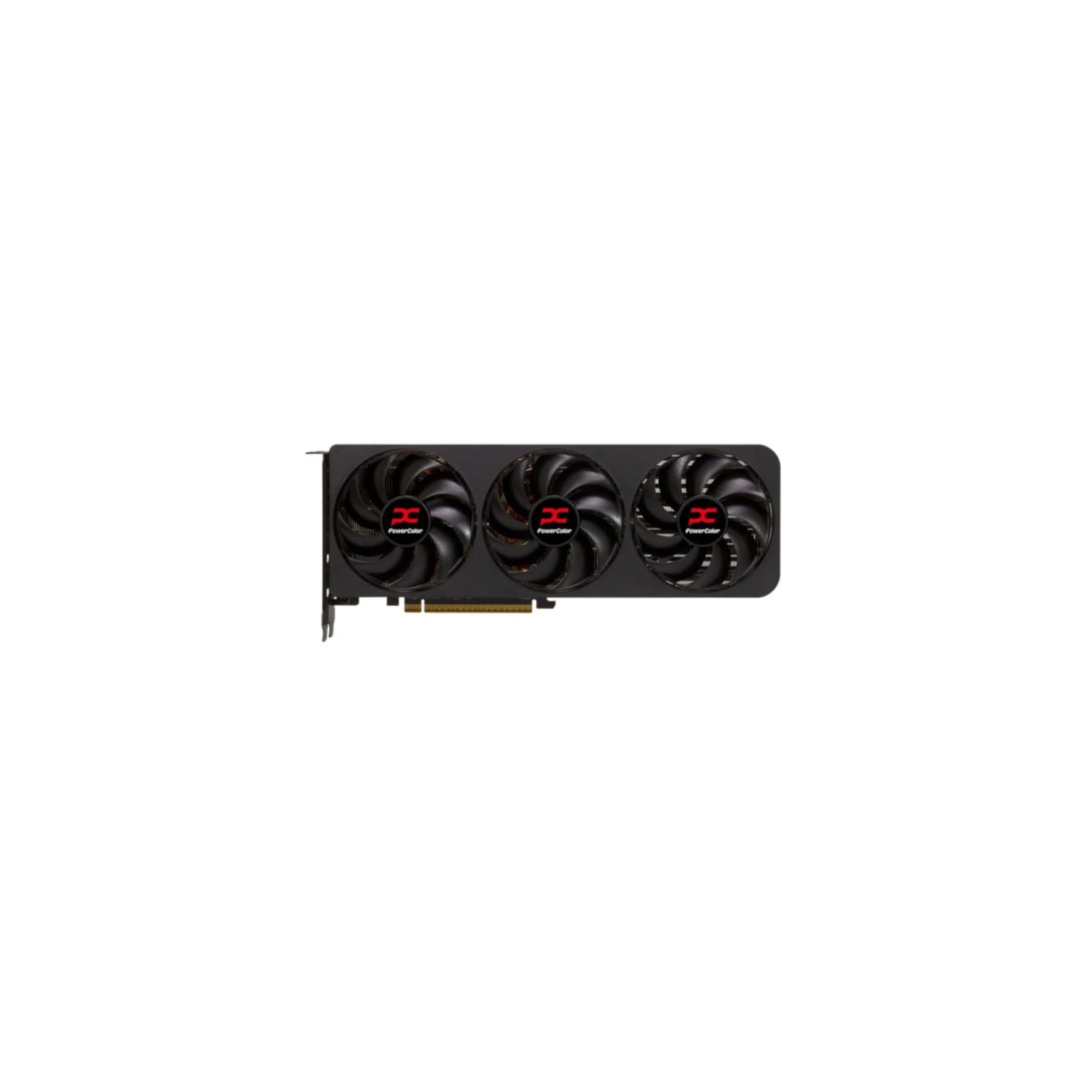
The PowerColor Reaper RX 9070 XT is a no-nonsense card built for editors who prioritize raw VRAM capacity at a reasonable price. It offers the same 16GB GDDR6 memory as its competitors but in a true 2-slot design that fits smaller cases more easily. The dual 8-pin power connectors are a welcome sight for anyone upgrading from an older PSU that lacks the newer 12VHPWR connectors, making this card a drop-in replacement for many existing workstations.
Users who switched from NVIDIA cards report the Reaper runs silent and stable, with performance that rivals or beats the RTX 5070 Ti in multi-threaded compute tasks. The 16GB VRAM is ideal for storing large frame buffers in DaVinci Resolve’s Fusion tab or for color grading with multiple layers. AMD’s auto-overclocking feature can push performance beyond stock levels without manual tweaking, and the card’s thermals stay low thanks to the effective heatsink.
The Reaper lacks RGB, which some editors prefer for a professional look, and the driver experience may occasionally require AMD’s Adrenalin software for tuning. It’s slightly slower in single-threaded gaming workloads compared to NVIDIA equivalents, but for pure editing compute and VRAM capacity, it’s one of the best values on the market. This is the card for editors on a mid-range budget who refuse to compromise on VRAM.
Why it’s great
- 16GB VRAM at a mid-range price point
- True 2-slot design fits in compact cases
- Uses standard 2x 8-pin power, not 12VHPWR
- Dead silent and stable operation
Good to know
- No RGB lighting for those who prefer it
- AMD Adrenalin software required for tuning
- Slightly behind NVIDIA in single-threaded tasks
5. PNY RTX 5070 Epic-X ARGB OC

The PNY RTX 5070 Epic-X is a strong mid-premium option for editors who want NVIDIA’s latest encoder technology without pushing into 5070 Ti pricing. Its 12GB of GDDR7 memory is sufficient for most 4K editing tasks, and the 2685 MHz boost clock delivers fast compute performance. The triple-fan design with ARGB lighting runs exceptionally quiet under load, with users reporting it’s one of the quietest 5070 models available — ideal for noise-sensitive editing studios.
The card comes with a 16-pin to two 8-pin power adapter, making it compatible with a wide range of PSUs. It’s SFF-ready and has a small footprint that fits mini tower cases like the HP Z4-G4. For editors, the seventh-gen NVENC encoder provides fast H.264, H.265, and AV1 encoding, which is a significant time saver during exports. DLSS 4 and the Blackwell architecture also accelerate AI-assisted effects in Adobe and DaVinci Resolve.
The 12GB VRAM may be a bottleneck for very heavy 6K or 8K multicam projects, and the price sits slightly above the MSRP baseline. However, for the editor working primarily in 4K with occasional effects, this card offers a fantastic balance of compute power, encoder quality, and silent operation. It’s a great middle ground between budget cards and premium flagships.
Why it’s great
- Very quiet triple-fan cooling design
- 7th-gen NVENC for fast H.264/HEVC/AV1 exports
- SFF-ready and fits compact cases
- 8% out-of-box overclock for better performance
Good to know
- 12GB VRAM is limiting for heavy multicam 4K
- 12VHPWR power cable included, but adapter provided
- Price can fluctuate above MSRP
6. VIPERA RTX 4090 Founders Edition

The VIPERA RTX 4090 Founders Edition is the absolute top of the line for video editing. With 24GB of GDDR6X memory on an Ada Lovelace architecture, there is no timeline too heavy, no codec too demanding, and no render too long. This card chews through 8K ProRes, uncompressed RAW, and heavy Fusion compositions without breaking a sweat. It’s the card for professional editors who bill by the project and need every minute of render time cut down.
The sheer compute power of the 4090 means effects that would cause stuttering on lesser cards play back in real-time. The seventh-gen NVENC encoder handles H.264, HEVC, and AV1 with ease, and the 24GB VRAM is enough to hold massive frame buffers for 8K or even 12K timelines. Users report excellent performance for rendering in Blender and Unreal Engine 5.4, and the card runs LLMs beautifully. It’s a huge investment, but for professionals, the time saved on exports alone can justify the cost over a year.
The 4090 is physically large, power-hungry, and expensive. It requires a spacious case and a robust PSU, and it may be overkill for editors who only work in 1080p or occasional 4K. But for high-end production houses or freelance editors handling cinema-grade footage, the RTX 4090 is the undisputed king of the editing suite.
Why it’s great
- 24GB GDDR6X VRAM for 8K and beyond timelines
- Unmatched compute power for effects and renders
- Fastest NVENC encoding available
- Handles any codec or resolution with ease
Good to know
- Very large and power-hungry
- Extremely high price point
- Overkill for 1080p or light 4K editing
7. ASRock Intel Arc B580 Challenger 12GB

The ASRock Intel Arc B580 is the budget-friendly surprise that surpasses expectations for video editing. With 12GB of GDDR6 memory — more than many cards in its price range — it offers genuine VRAM headroom for 4K timelines. The Intel Xe2-HPG architecture includes Xe Matrix Engines for AI acceleration, and Quick Sync provides hardware encoding for H.264, HEVC, and AV1. For editors on a tight budget, this card offers features typically found on much more expensive GPUs.
The dual-fan design includes 0dB silent technology, so fans stop completely during light editing or browsing, making it ideal for quiet home studios. The card is compact at 249mm, fitting easily into small form factor cases. Users report performance comparable to an RTX 3070 for high bit-rate codecs while drawing power similar to an RTX 3050. The metal backplate adds durability, and the single 8-pin power simplifies cable management.
Intel’s drivers have improved significantly, but the card requires Resizable BAR (REBAR) support from the CPU to perform well — essentially necessitating a 10th-gen Intel CPU or newer. Without REBAR, performance suffers. It’s also more consistent for editing than gaming, making it a niche but excellent choice for the budget editor who builds or already owns a compatible system.
Why it’s great
- 12GB VRAM at a budget-friendly price point
- Excellent AV1 encoding support via Quick Sync
- 0dB fan stop for silent editing
- Compact size fits small cases
Good to know
- Requires REBAR support from the CPU
- Driver installation can be finicky
- Performance inconsistent without REBAR enabled
8. GIGABYTE RTX 5060 Windforce OC 8G

The GIGABYTE RTX 5060 Windforce OC is an entry-level card that serves editors working primarily with 1080p footage or light 4K projects. Its 8GB of GDDR7 memory is the bare minimum for 4K editing, but for 1080p timelines, it provides smooth scrubbing and decent export speeds thanks to the seventh-gen NVENC encoder. The Windforce dual-fan design is cool and quiet, and the card fits easily into most builds without needing a massive PSU.
DLSS 4 support adds AI upscaling for supported apps, and the Blackwell architecture brings improved efficiency over previous generations. Users who pair this with a Ryzen 5700 and 750W PSU report excellent performance in both gaming and photo/video editing workloads. The dual-fan setup is particularly quiet, making it suitable for a home office or small studio environment.
The 8GB VRAM limitation becomes apparent with heavy effects, multiple layers of 4K footage, or color grading adjustments. Editors working with compressed 4K may need to use proxies to maintain smooth timelines. However, for the budget-conscious editor starting out or upgrading from integrated graphics, this card offers modern features and solid performance at a low entry cost.
Why it’s great
- Modern GDDR7 memory for fast bandwidth
- Very quiet dual-fan Windforce cooling
- DLSS 4 for AI-accelerated workflows
- Excellent value for 1080p editing builds
Good to know
- 8GB VRAM limits 4K multicam capabilities
- Proxies needed for smooth 4K editing
- Entry-level compute for heavy effects
9. XFX Swift RX 9060 XT 16GB

The XFX Swift RX 9060 XT is a mid-range card with a killer feature for editors: 16GB of GDDR6 VRAM at a price that undercuts NVIDIA’s equivalent VRAM offerings. This memory capacity is the ticket for editors who need to work with 4K timelines without hitting VRAM limits. The RDNA 4 architecture delivers strong compute performance, and the dual-fan Swift cooling keeps thermals around 60°C under load, making it suitable for long editing sessions.
The card’s boost clock of 3320 MHz is exceptionally high, translating to snappy effects processing and smooth timeline playback. Users report great 1440p performance with the ability to run most modern AAA games at max settings, but its real strength is in editing. The 16GB VRAM allows for multiple layers of 4K footage with color grades and effects without stuttering.
The XFX Swift has a 10.63-inch length, so it fits in most mid-tower cases. The dual DP and single HDMI output may be limiting for multi-monitor editing setups. For editors who need the VRAM headroom for 4K work but are on a mid-range budget, this card offers the best VRAM-to-price ratio in its class.
Why it’s great
- 16GB GDDR6 is exceptional for the price
- High boost clock for fast effects processing
- Runs cool and quiet at ~60°C
- Budget-friendly path to 4K editing
Good to know
- Limited to 2x DP and 1x HDMI output
- AMD encoder less mature than NVIDIA NVENC
- Ray tracing performance is decent, not class-leading
10. GIGABYTE Radeon RX 9060 XT Gaming OC 16G

The GIGABYTE RX 9060 XT Gaming OC is the quiet editing champion in the mid-range segment. It uses the same Windforce cooling system as GIGABYTE’s higher-end cards, including Hawk fans and server-grade thermal conductive gel, to keep noise levels minimal even during render exports. With 16GB of GDDR6 VRAM, it offers the same memory capacity as the XFX card but with GIGABYTE’s proven cooling infrastructure.
The card’s RGB lighting adds a subtle aesthetic touch, and its dual-slot design fits comfortably in most cases without the size issues of larger premium cards. Users report excellent 1440p performance in both gaming and editing workloads, with the zero-RPM fan mode allowing silent operation during light work. The 16GB VRAM ensures smooth handling of 4K timelines with multiple layers and effects.
At 11.06 inches, it’s slightly longer than the XFX Swift, so measure your case clearance. The ray tracing performance is decent but not class-leading, which is typical of AMD’s RX series. For editors who prioritize a quiet working environment and need the VRAM for 4K editing, this card offers a refined cooling solution and solid performance.
Why it’s great
- 16GB VRAM for smooth 4K timelines
- Very quiet Windforce cooling with zero-RPM mode
- Server-grade thermal gel ensures stable temps
- RGB lighting for a professional aesthetic
Good to know
- 11.06-inch length requires case clearance check
- Ray tracing decent but not excellent
- AMD drivers may need occasional tweaking
11. ASUS Dual Radeon RX 9060 XT 16GB

The ASUS Dual RX 9060 XT rounds out the budget-friendly mid-range segment with 16GB of GDDR6 VRAM, making it another strong candidate for VRAM-hungry editors on a budget. ASUS uses axial-tech fans with a smaller hub for longer blades, increasing downward air pressure for better cooling. The 2.5-slot design provides a great balance of cooling performance and case compatibility.
The Dual BIOS switch allows toggling between Quiet and Performance modes, giving editors control over noise levels versus thermals. Dual ball fan bearings are rated to last twice as long as sleeve bearing designs, adding longevity. Users report solid 1080p and 1440p performance, with the card handling video editing and 3D rendering tasks well. The 16GB VRAM future-proofs textures and timelines for years to come.
Some users have noted inconsistent performance compared to NVIDIA’s RTX 5060 in certain gaming scenarios, and driver stability has been a minor concern for a few. However, for the editor focused on VRAM capacity and compute performance for effects, this card offers compelling value. The compact 8-inch length makes it one of the most case-friendly 16GB cards available.
Why it’s great
- 16GB VRAM in a compact 8-inch package
- Dual BIOS for quiet or performance modes
- Axial-tech fans with long-lasting ball bearings
- Great value for VRAM-heavy editing workloads
Good to know
- Driver stability can be inconsistent
- Performance varies compared to NVIDIA equivalents
- 2.5-slot design still needs airflow consideration
FAQ
How much VRAM do I need for 4K video editing in DaVinci Resolve?
Should I buy an NVIDIA or AMD GPU for Premiere Pro editing?
Final Thoughts: The Verdict
For most editors, the best gpu for video editing winner is the ASUS Prime RTX 5070 because it offers the perfect balance of 12GB GDDR7 VRAM, seventh-gen NVENC, and DLSS 4 support at a mid-premium price point that fits most editing builds. If you need the sheer VRAM capacity for heavy 4K multicam timelines without breaking the bank, grab the PowerColor Reaper RX 9070 XT. And for professional editors handling 8K or uncompressed RAW footage where render time is money, nothing beats the VIPERA RTX 4090 Founders Edition.