
A competitive edge in first-person shooters comes down to one metric: frame time consistency. A millisecond of input lag can be the difference between a headshot and a respawn. Building or buying a machine that delivers stable, high frame rates requires more than just a powerful GPU — it demands a balanced architecture where CPU, memory speed, and cooling all pull in the same direction. This guide cuts through the noise to profile the pre-built systems that actually deliver that promise.
I’m Mohammad Maruf — the founder and writer behind Drink4Good. I track hardware performance data across CPU binning yields, DDR5 frequency scaling, and GPU rasterization throughput to identify which pre-built configurations offer genuine frame-rate stability rather than just flashy specs on paper.
Whether you compete in tactical shooters or marathon open-world sessions, finding a fps computer that maintains low-latency performance under sustained load is the single most important purchase decision you will make this year.
How To Choose The Best FPS Computer
Selecting a pre-built gaming PC for high-refresh-rate shooters is different from buying a general-purpose workstation. Frame rate consistency, not just peak FPS, separates a responsive machine from a stuttering mess. Focus on these three key areas before making your decision.
CPU Single-Core Performance & Cache
Most shooters rely heavily on one or two CPU threads for game logic and draw-call processing. A processor with a high boost clock (above 5 GHz) and a large L3 cache (32 MB or more) minimizes frame-time spikes during intense firefights. AMD’s 3D V-Cache models and Intel’s i7 and i9 series excel here, but even a well-binned i5 or Ryzen 5 can deliver smooth 144+ FPS in titles like Valorant or CS2 if the single-core speed is there.
GPU Memory Bandwidth & Architecture
For 1080p and 1440p high-refresh gaming, the GPU’s memory bandwidth often becomes the bottleneck before raw compute does. Cards with GDDR6 or GDDR7 memory running on a 192-bit or wider bus transfer texture data faster, reducing micro-stutters. Additionally, NVIDIA’s DLSS 3/4 frame-generation technology can boost perceived smoothness in supported shooters by inserting AI-generated frames between rendered ones.
Cooling Solution & Power Delivery
Sustained high-FPS gaming generates significant heat. A 240mm or 360mm all-in-one liquid cooler (AIO) keeps CPU boost clocks stable for hours, preventing thermal throttling that would otherwise tank frame rates mid-match. The power supply must also deliver clean, stable voltage — an 80+ Gold rated unit with sufficient wattage prevents voltage droop during GPU load spikes, which can cause random frame drops.
Quick Comparison
On smaller screens, swipe sideways to see the full table.
| Model | Category | Best For | Key Spec | Amazon |
|---|---|---|---|---|
| Skytech Azure 3 | Mid-Range | Best Overall | Ryzen 7 7700X | Amazon |
| Skytech O11 Vision | Mid-Range | High-FPS 1440p | RTX 5070 12GB | Amazon |
| ASUS ROG G700 | Premium | Dual-Glass Chassis | Ultra 7 265KF | Amazon |
| CyberPowerPC Gamer Xtreme | Mid-Range | i7 + RTX 5060 Ti | i7-14700F | Amazon |
| ZYNEEX Gaming Desktop | Mid-Range | 32GB RAM Value | 32GB DDR5-6000 | Amazon |
| KOTIN Prebuilt | Mid-Range | WiFi 7 Ready | AMD Ryzen 5 9600X | Amazon |
| Skytech Archangel 5 | Mid-Range | Entry 1080p Gaming | i5-14400F | Amazon |
| Thermaltake LCGS View | Mid-Range | Quiet Operation | i5-14400F | Amazon |
| MSI Crosshair 18 HX AI | Premium | Laptop Alternative | 18″ 240Hz Display | Amazon |
| GEEKOM A9 Max | Premium | Compact Workstation | AMD Ryzen AI 9 HX 470 | Amazon |
| ASUS ROG Strix SCAR 18 | Premium | RTX 5080 Laptop | RTX 5080 16GB | Amazon |
| HP OMEN 45L | Premium | RTX 5090 Power | RTX 5090 32GB | Amazon |
In‑Depth Reviews
1. Skytech Gaming Azure 3 Desktop PC

The Azure 3 strikes a near-perfect balance between CPU and GPU capability for high-refresh 1440p gaming. The Ryzen 7 7700X, with its 5.4 GHz boost clock and 32 MB L3 cache, feeds frames to the RTX 5070 at a pace that keeps 1% lows above 100 FPS in demanding shooters like Call of Duty and Escape from Tarkov. The 360mm AIO liquid cooler ensures those boost clocks stay stable through hours-long sessions without thermal throttling, a common issue with smaller air coolers.
Memory configuration also matters here — 32 GB of DDR5-6000 RGB RAM running in dual-channel mode provides the bandwidth modern game engines demand. The 1TB Gen4 NVMe SSD delivers load times under 5 seconds for most titles, and the 850W 80+ Gold ATX 3 PSU leaves headroom for future GPU upgrades without voltage sag. The Lian Li case with tempered glass and cable management keeps internal airflow positive.
Customer feedback highlights the quiet operation and easy setup, with one user noting 1440p performance at maximum settings in Overwatch 2 without a single frame drop. The included keyboard and mouse are serviceable, but most competitive players will swap those out immediately. Overall, this is the most coherent mid-range build on the market today for frame-rate focused gamers.
Why it’s great
- 360mm AIO keeps CPU cool under sustained load
- 850W Gold PSU provides stable voltage for GPU boost
- Tool-less side panel for easy upgrades
Good to know
- Bottom fan can be noisy at full speed
- Included keyboard and mouse basic
2. Skytech Gaming O11 Vision Gaming PC
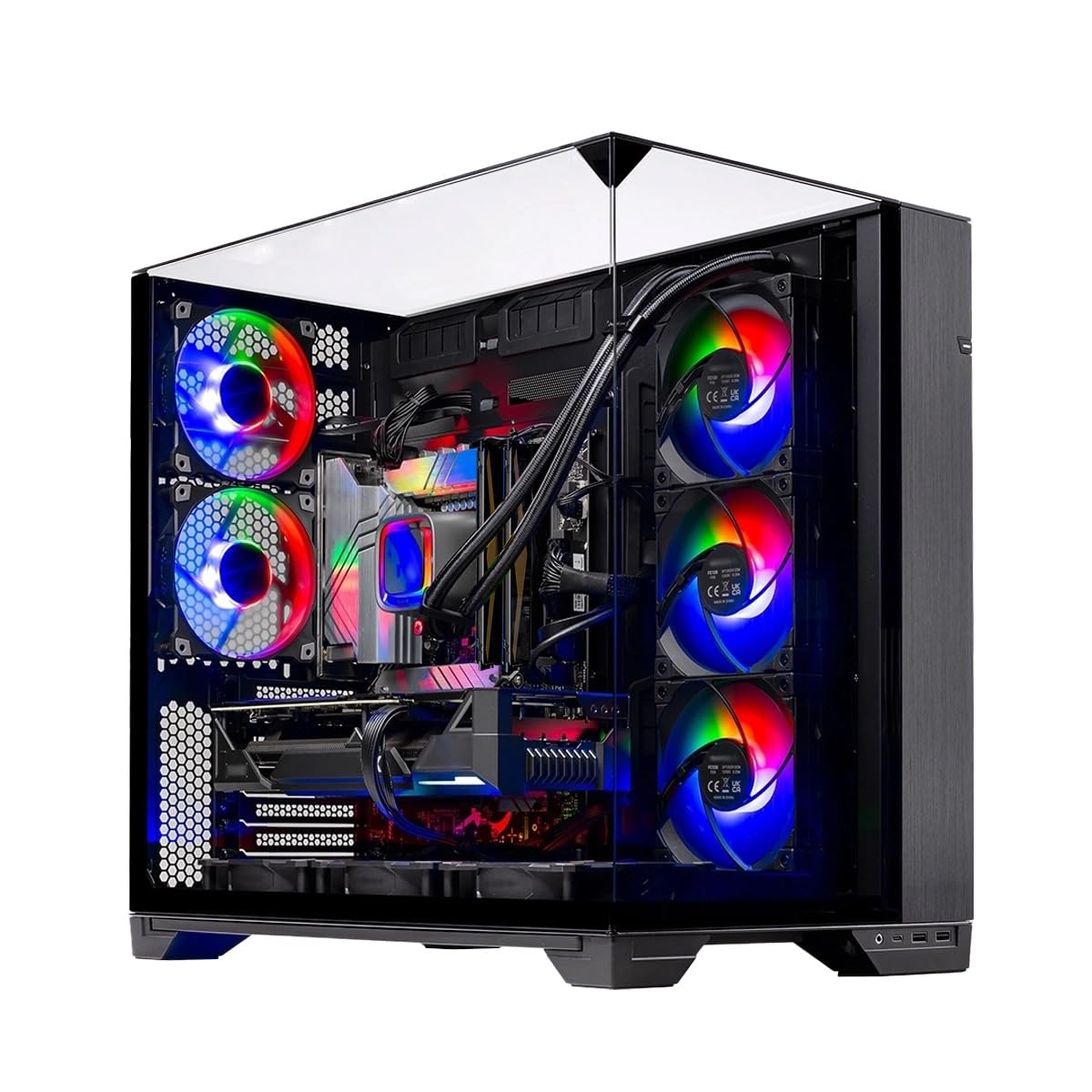
The O11 Vision shares the same powerful AMD Ryzen 7 7700X and RTX 5070 core as the Azure 3 but pairs it with an X670 motherboard for expanded PCIe lane connectivity and faster memory overclocking potential. The 360mm AIO liquid cooler again ensures sustained boost clocks, but the real highlight here is the 850W Gold ATX 3 PSU, which supports the high transient loads of the RTX 5070 without dipping voltage during intense firefights.
The Lian Li O11 Vision case with tempered glass provides excellent airflow dynamics, allowing three intake fans to push cool air directly over the GPU and VRM areas. This thermal design reduces GPU hotspot temps by 5-8°C compared to standard mid-towers, which translates directly to higher stable frame rates in GPU-bound titles like Black Myth Wukong. The 32 GB of DDR5-5600 RAM is adequate for gaming, though upgrading to 6000 MHz would tighten memory latency further.
User reports confirm 1440p gameplay at maximum settings with no stuttering in Marvel Rivals and Helldivers 2. The free keyboard and mouse set is functional for casual use. One buyer mentioned that the packaging was secure despite a damaged outer box. For those wanting a showpiece case with legitimate thermal benefits, this configuration is hard to beat.
Why it’s great
- X670 motherboard for future GPU upgrades
- Lian Li case with excellent airflow
- 850W ATX 3 PSU handles RTX 5070 transients
Good to know
- RAM limited to 5600 MHz, not 6000
- Case is large — requires desk space
3. ASUS ROG G700 (2025) Gaming Desktop PC

The ROG G700 marks ASUS’s return to the enthusiast pre-built space with a focus on thermal engineering and upgradeability. The Intel Core Ultra 7 265KF, with its 24 cores and 5.5 GHz boost clock, pairs with the RTX 5070 12GB to deliver high frame rates in CPU-bound titles like Valorant and CS2. The 240mm liquid cooler keeps temperatures in check, though a 360mm solution would be preferable for sustained boost clock retention.
The 58L dual-glass chassis is the standout feature: it supports triple-slot GPUs up to 360mm in length, making it one of the most future-proof pre-builts on the market. The quad-fan system with dust filters maintains positive air pressure, reducing dust accumulation on the GPU heat sink over time. Connectivity includes 2.5Gbps Ethernet and WiFi 6, ensuring low network latency for online shooters. The 32 GB of DDR5 RAM is fast enough for gaming, but the 1TB SSD may fill quickly with modern 100+ GB games.
Buyers praise the tool-less access for RAM and SSD swaps, and the Dolby Atmos audio provides spatial awareness in competitive games. One user noted the motherboard is a micro-ATX form factor, which limits future expansion slots. For those who value build quality and a clean aesthetic, the G700 delivers a refined experience.
Why it’s great
- Triple-slot GPU support for future upgrades
- Tool-less access for components
- 2.5Gbps Ethernet for low latency
Good to know
- 240mm AIO not as robust as 360mm options
- Micro-ATX board limits expansion
4. CyberPowerPC Gamer Xtreme (GXiVR8040A19)

The Gamer Xtreme leverages Intel’s high-core-count i7-14700F (20 cores, 28 threads) paired with the RTX 5060 Ti 8GB for a configuration that excels in multitasking and streaming while gaming. The 2.1 GHz base clock climbs to 5.4 GHz under load, providing the single-threaded muscle needed for high FPS in shooters. The 16 GB of DDR5 RAM is adequate for 1080p gaming, though upgrading to 32 GB would prevent stuttering in memory-intensive titles like Warzone.
The 1TB PCIe 4.0 NVMe SSD offers read speeds up to 7,000 MB/s, ensuring quick boot times and level loads. The case features a tempered glass side panel with customizable RGB lighting, appealing to those who want visual flair without extra work. Connectivity includes Wi-Fi 6 and Bluetooth 5.3, plus a USB-C 3.2 port for peripherals. The included keyboard and mouse are basic but functional.
Real-world performance: smooth frame rates at high settings in Helldivers 2 and Company of Heroes, with no stuttering. One reviewer noted the HDD LED and reset wires were swapped, but this is a minor cosmetic issue. The 1-year warranty and free lifetime tech support provide peace of mind for first-time PC buyers. This is a solid mid-range pick for those wanting an Intel-based system.
Why it’s great
- 20-core i7 for streaming + gaming
- 1TB Gen4 SSD for fast loads
- Free lifetime tech support
Good to know
- 16GB RAM may need upgrade soon
- Minor wiring cosmetic issue reported
5. ZYNEEX Gaming Desktop PC
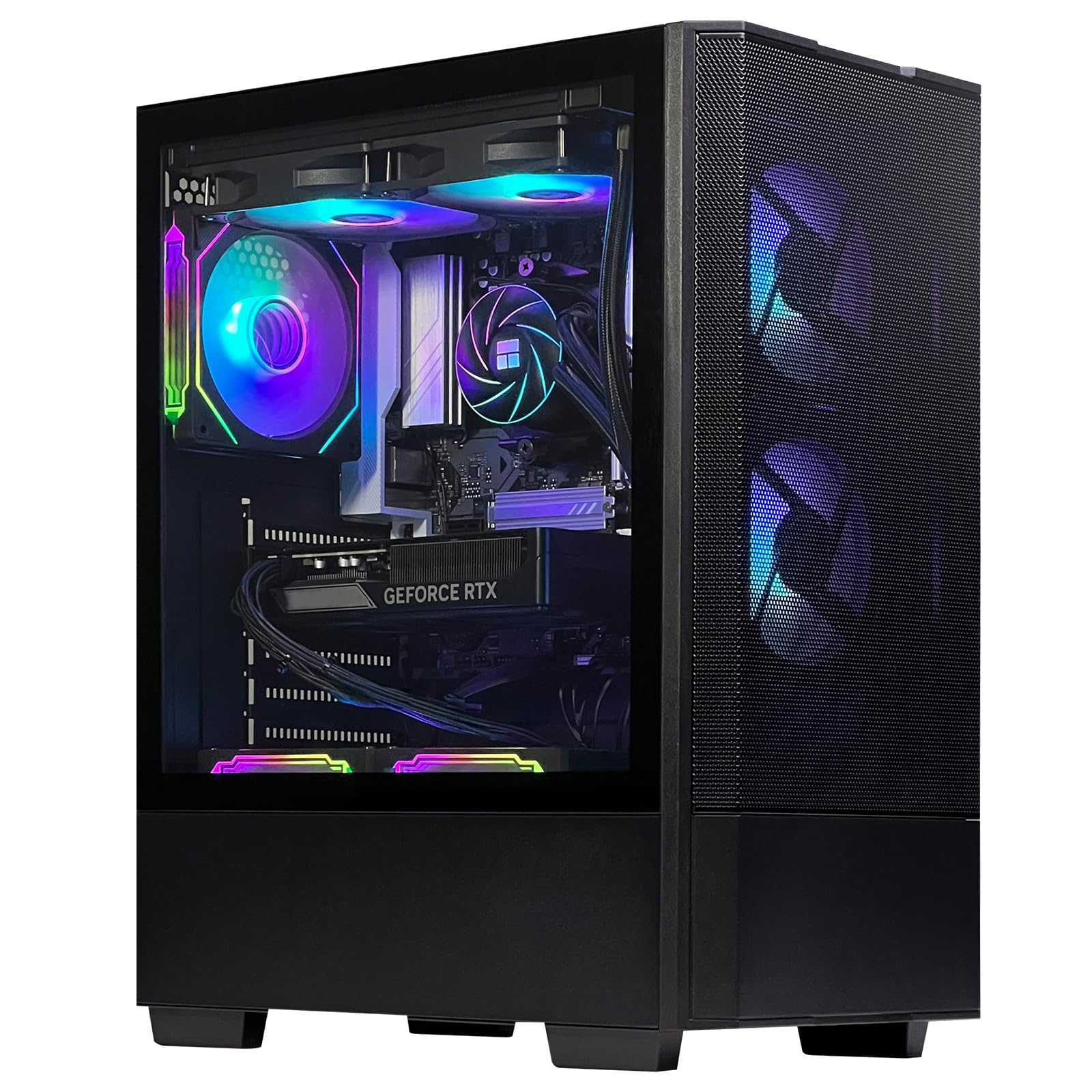
This build stands out for pairing a 32GB DDR5-6000 RAM kit with a 240mm liquid cooler at a price point where competitors typically offer 16GB and air cooling. The AMD Ryzen 5 9600X, with its 5.4 GHz boost and 32 MB L3 cache, provides excellent single-threaded performance for shooters. The RTX 5060 8GB handles 1080p max settings and can push 1440p in less demanding titles.
The 240mm liquid cooler combined with 5 ARGB fans creates a high-airflow environment that keeps the GPU and CPU cool under load. User reports confirm near-silent operation even during extended gaming sessions, with max temps staying below 70°C on the CPU. The 1TB NVMe SSD provides fast storage, and the tool-less design makes adding a second drive straightforward. The case is compact and lightweight, making it suitable for LAN parties.
One buyer mentioned an initial mouse-click issue that was resolved through keyboard navigation. Overall, this machine delivers exceptional multitasking performance — streaming, Discord, and a game can run simultaneously without stuttering. For those who prioritize RAM capacity for gaming and productivity, this is the best value configuration in the mid-range tier.
Why it’s great
- 32GB DDR5-6000 RAM for heavy multitasking
- 240mm AIO keeps system quiet
- Compact, LAN-friendly case
Good to know
- 8GB VRAM may limit 1440p in future titles
- Minor setup bug reported with mouse
6. KOTIN Prebuilt Gaming PC Desktop Computer

The KOTIN prebuilt brings the latest wireless connectivity standard — WiFi 7 — to the mid-range, a feature typically reserved for premium laptops. The AMD Ryzen 5 9600X (6 cores, 12 threads) boosts to 5.4 GHz, and the RTX 5060 Ti 8GB with GDDR7 memory offers higher memory bandwidth than the standard RTX 5060, reducing texture streaming stutters in open-world shooters.
The 16GB DDR5-6000 RAM is dual-channel and runs at optimal frequency for the 9600X’s memory controller. The 1TB PCIe 4.0 NVMe SSD reads at 6,000 MB/s, and the 650W 80+ Gold PSU provides clean power. The case features a digital CPU temperature display on the air cooler, which is a nice touch for monitoring thermals mid-game. Five ARGB fans with a tempered glass side panel create a visually appealing build.
Performance reports from users confirm smooth 1080p max settings in Arc Raiders and Baldur’s Gate 3. One buyer reported pre-installed malware, which highlights the importance of fresh-installing Windows on any pre-built system. The AM5 platform allows future upgrades to Ryzen 7 or 9 CPUs, making this a future-proof foundation.
Why it’s great
- WiFi 7 for ultra-low latency wireless gaming
- AM5 platform supports future CPU upgrades
- Digital CPU temp display on cooler
Good to know
- Malware report suggests fresh Windows install
- 650W PSU limits high-end GPU upgrade path
7. Skytech Gaming Archangel 5 Gaming PC

The Archangel 5 is a pure 1080p gaming machine that delivers excellent value for the price. The Intel Core i5-14400F (10 cores, 16 threads) boosts to 4.7 GHz, providing ample single-threaded performance for shooters. The RTX 5060 8GB GDDR7 handles all modern 1080p games at maximum settings with smooth 60+ FPS gameplay, per the manufacturer’s testing.
The 16GB DDR5-6000 RAM is optimal for gaming, and the 1TB NVMe SSD offers fast storage. The 750W Gold PSU provides headroom for future upgrades. The case includes a tempered glass side panel and ARGB fans, with a white color option that stands out from the typical black builds. The free gaming keyboard and mouse are usable for immediate setup.
Buyers appreciate the no-bloatware Windows installation and the quiet operation of the air cooler. One user noted the product description claims a DisplayPort output that was not present on their unit, so HDMI use may be required. For a first gaming PC or a dedicated 1080p shooter rig, the Archangel 5 delivers consistent performance at a competitive price.
Why it’s great
- 750W PSU allows future GPU upgrade
- No bloatware pre-installed
- Quiet air cooler operation
Good to know
- DisplayPort may be missing on some units
- Air cooler limited for heavy CPU loads
8. Thermaltake LCGS View i1460-170 Gaming Desktop

Thermaltake’s pre-built line offers a near-silent gaming experience thanks to the ARGB tower air cooler and a well-dampened case design. The Intel Core i5-14400F and RTX 5060 combination provides 1080p max settings performance in all modern shooters. The compact, attractive case includes a PSU cover with filtered ventilation, allowing clean cable management and reduced dust accumulation.
The 16GB DDR5-6000 RAM is dual-channel and runs at optimal speed. The 1TB NVMe M.2 SSD loads games quickly, and the B760 motherboard offers upgrade options for RAM and storage. Port selection includes 2x USB 3.0, headphone, and mic jacks, which is sufficient for most peripherals. The system runs Windows 11 and is ready out of the box.
Users consistently mention the quiet fan noise and solid build quality. One buyer added extra RAM for improved multitasking, but noted the system works well without it. The only downside is the lack of included keyboard and mouse, but most gamers already have these peripherals. For those who value a quiet living room gaming setup, this is an excellent choice.
Why it’s great
- Near-silent operation even under load
- Compact case with filtered ventilation
- Easy to add storage or RAM
Good to know
- No keyboard/mouse included
- 600W PSU may limit GPU upgrade
9. MSI Crosshair 18 HX AI Gaming Laptop

For gamers who need portability without sacrificing performance, the MSI Crosshair 18 packs an Intel Core Ultra 9 275HX (24 cores, 5.4 GHz boost) and an RTX 5070 8GB into an 18-inch chassis with a QHD+ 240Hz display. The 100% DCI-P3 color gamut ensures vibrant visuals, while the 240Hz refresh rate matches the high frame rates the hardware can push in competitive titles.
The 32GB DDR5-5600 RAM and 1TB NVMe SSD provide fast multitasking and storage. The SteelSeries 24-zone RGB keyboard with anti-ghost keys supports precise gaming input. Connectivity includes Thunderbolt 4, HDMI 2.1, and Wi-Fi 6E, reducing reliance on dongles. The 90Wh battery provides moderate unplugged gaming time, though peak performance requires the 240W AC adapter.
Users note that a cooling pad is essential for sessions longer than 4 hours, as the chassis can get warm. The build quality is robust, and the screen is crisp with excellent contrast. One buyer mentioned the display flexes slightly when carried, so careful handling is advised. For a desktop replacement that can move between rooms, the Crosshair 18 delivers premium performance.
Why it’s great
- 18-inch 240Hz display for immersive gaming
- Thunderbolt 4 for high-speed peripherals
- Upgradeable RAM and SSD (tool-less)
Good to know
- Requires cooling pad for long sessions
- Display bezel feels slightly flexible
10. GEEKOM A9 Max Top AI Productivity Mini PC
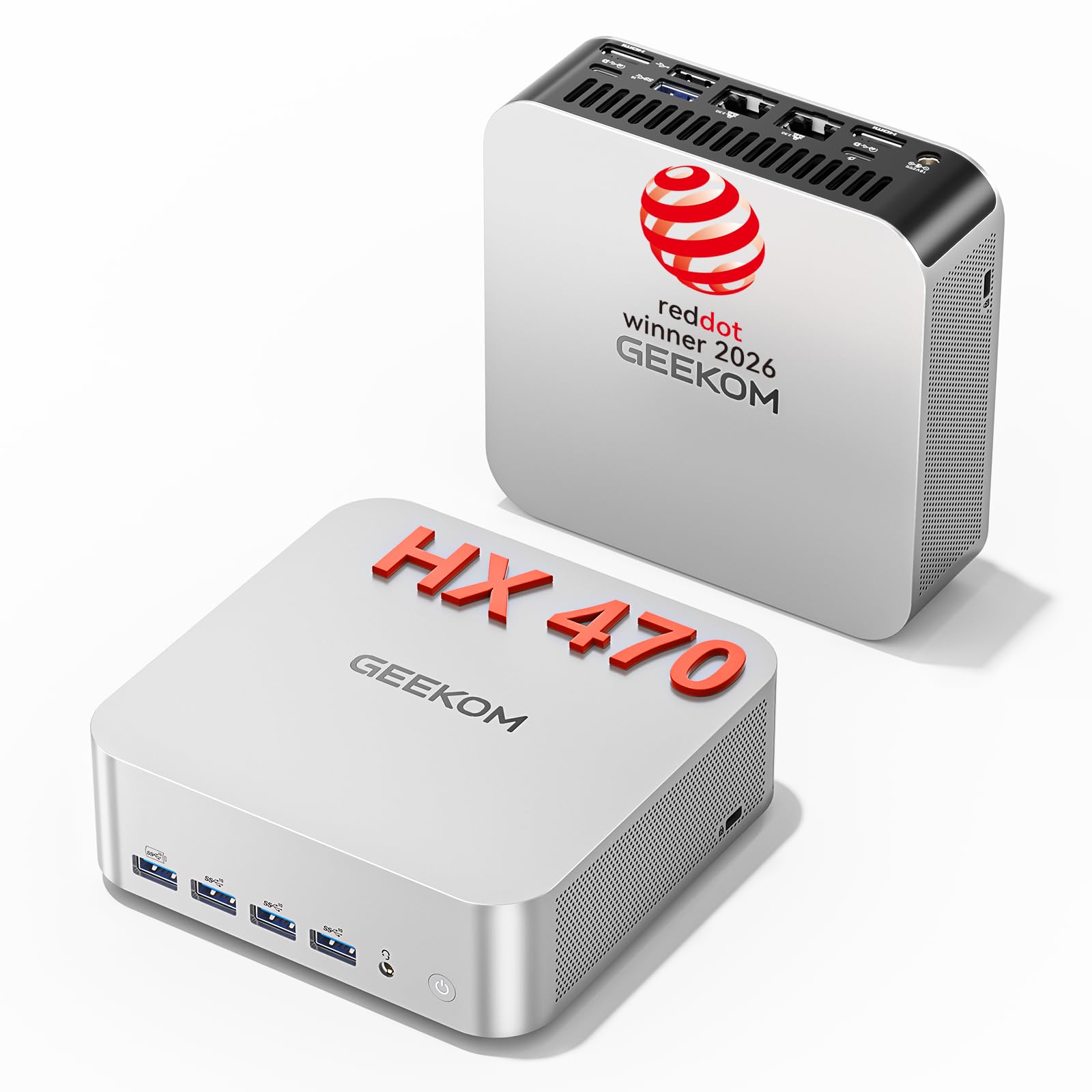
The GEEKOM A9 Max is not a traditional gaming tower, but its integrated Radeon 890M graphics (16 RDNA 3.5 compute units) paired with 32GB DDR5 RAM can handle esports titles like Valorant and CS2 at 1080p medium settings with playable frame rates. The real draw here is its compact form factor (1L volume) and the ability to drive four 4K displays simultaneously via USB4 and HDMI 2.1.
The AMD Ryzen AI 9 HX 470 (12 cores, 24 threads) delivers 86 TOPS of AI acceleration, making this an ideal machine for game development, streaming encoding, or AI-assisted modding. The IceBlast 3.0 cooling system with a large copper heatsink keeps the system quiet during productivity tasks, though it can get audible under sustained load. Dual 2.5GbE LAN ports ensure low-latency network connections for online gaming.
Buyers praise the build quality and 3-year warranty, noting it runs multiple virtual machines without issue. One user reported an unrecoverable sleep-state issue that required a return, so verifying the BIOS version is advised. For those who need a powerful workstation that can play shooters at 1080p, this mini PC is a versatile alternative to a gaming laptop.
Why it’s great
- Ultra-compact 1L form factor
- Drives four 4K displays simultaneously
- 86 TOPS AI acceleration for creative workflows
Good to know
- Integrated GPU limits to 1080p esports only
- Sleep-state bug reported on some units
11. ASUS ROG Strix SCAR 18 (2025) Gaming Laptop

The ROG Strix SCAR 18 represents the pinnacle of laptop gaming, pairing an Intel Core Ultra 9 275HX with an RTX 5080 16GB laptop GPU and an 18-inch Mini LED display with 2,000+ dimming zones. The 240Hz refresh rate and 100% DCI-P3 color coverage deliver a visual experience that rivals high-end desktop monitors. The 5080’s 16GB VRAM enables 1440p max settings in the most demanding shooters.
Thermal management is top-tier: an end-to-end vapor chamber, tri-fan technology, and Conductonaut extreme liquid metal on the CPU ensure sustained boost clocks. The 32GB DDR5-5600 RAM and 2TB PCIe Gen 4 SSD provide ample capacity for a large game library. The AniMe Vision customizable lid adds a unique aesthetic, and the MUX switch with Advanced Optimus optimizes battery life for productivity tasks.
Users report 440+ FPS in War Thunder with DLSS Native, with minimal heat or noise even in turbo mode. The tool-less bottom plate makes cleaning and upgrades simple. One buyer experienced an SSD failure on day one, which required a return. Overall, for those who want desktop-class performance in a portable form factor, the SCAR 18 is the ultimate choice.
Why it’s great
- RTX 5080 16GB with 240Hz Mini LED display
- Vapor chamber cooling for sustained boost
- Tool-less access for easy upgrades
Good to know
- High price point for the RTX 5080 tier
- SSD failure reported on isolated unit
12. HP OMEN 45L Gaming Desktop

The OMEN 45L is the absolute top-tier performer on this list, featuring an Intel Core Ultra 9 285K (24 cores, 5.7 GHz boost) and an NVIDIA GeForce RTX 5090 with 32GB GDDR7 memory. This combination delivers the highest possible frame rates in 4K gaming and can drive 360Hz+ displays in competitive shooters at 1440p. The 64GB DDR5 RAM and 2TB PCIe Gen4 NVMe SSD provide unmatched multitasking capacity.
The patented OMEN CRYO Chamber cooling system is the key differentiator: a 360mm AIO liquid cooler is isolated from the main chassis, drawing fresh ambient air to cool the CPU while exhausting heat directly out the top. This design prevents GPU heat from raising CPU intake temps, reducing thermal throttling in marathon sessions. The tool-less chassis adheres to industry standard form factors, making component swaps straightforward.
User feedback confirms this machine runs games at maximum settings without sweating. However, some buyers reported dead-on-arrival units or incorrect component configurations, so careful inspection upon delivery is essential. The EPEAT Gold certification and use of post-consumer recycled plastics are environmental bonuses. For professionals who demand absolute peak performance and have the budget, the OMEN 45L is unmatched.
Why it’s great
- RTX 5090 32GB for 4K/360Hz gaming
- Patent CRYO Chamber separates CPU/GPU cooling
- 64GB RAM for heavy multitasking
Good to know
- DOA risk requires inspection on arrival
- 2TB SSD may need expansion soon
FAQ
Is an Intel i5 or AMD Ryzen 5 enough for high-FPS competitive shooters?
How much VRAM do I need for 1440p gaming in 2025?
Does a liquid cooler significantly improve frame stability in shooters?
Should I prioritize a faster CPU or a better GPU for FPS gaming?
Final Thoughts: The Verdict
For most users, the fps computer winner is the Skytech Gaming Azure 3 because it pairs a high-boost Ryzen 7 7700X with an RTX 5070, a 360mm AIO, and an 850W PSU in a balanced configuration that delivers stable high frame rates at 1440p. If you want a quiet and compact build for 1080p, grab the Thermaltake LCGS View. And for maximum portable power on the go, nothing beats the ASUS ROG Strix SCAR 18 with its RTX 5080 and Mini LED display.