
Picking the right monitor for competitive and immersive gaming used to mean spending well over four hundred dollars or settling for 1080p. That gap has closed. Today, you can grab a 27-inch QHD panel with a 180Hz refresh rate, a curved screen with a 1000R radius, or even a blistering 300Hz IPS display without breaking your budget.
I’m Mohammad Maruf — the founder and writer behind Drink4Good. I’ve spent years tracking monitor panel technology, refresh rate standards, and adaptive sync compatibility to help gamers find the exact balance of speed, resolution, and build quality for their setup.
After working through dozens of models across the price spectrum, I have settled on a shortlist that represents the best gaming monitor under $350 options for nearly every play style and desk setup.
How To Choose The Best Gaming Monitor Under $350
Finding a great display in this range means making smart choices about resolution, panel technology, and refresh rate. You cannot have top-tier everything at this price, so knowing which spec matters most for your gaming habits is the key to a satisfying purchase.
Resolution and Pixel Density
QHD (2560×1440) is the ideal resolution for this price bracket. It offers a massive visual upgrade over 1080p for both gaming and productivity without requiring an ultra-high-end graphics card. A 27-inch QHD panel provides a pixel density around 109 PPI, which delivers sharp text and detailed game environments. A 32-inch QHD panel drops to 91 PPI, similar to a 24-inch 1080p screen, so the 27-inch size is usually the sharper choice.
Refresh Rate and Response Time
Refresh rate determines how many frames per second the monitor can display. At this budget, 144Hz to 180Hz is the standard for smooth gameplay, with some premium models hitting 300Hz. For competitive shooters like Valorant or Overwatch, a higher refresh rate reduces motion blur and gives a tangible edge in reaction time. Response time, listed in milliseconds (GtG or MPRT), describes how fast a pixel changes color. Look for 1ms to keep fast-moving objects from smearing.
Panel Type: IPS vs VA
IPS panels provide superior color accuracy, wider viewing angles (178 degrees), and consistent brightness across the screen, making them the preferred choice for most gamers and anyone who also does creative work. VA panels offer dramatically better contrast ratios (3000:1 vs 1000:1), which means deeper blacks and a more immersive image in dark game scenes. VA panels can suffer from black-level smearing in very fast motion, while IPS glow is a minor trade-off for color fidelity.
Quick Comparison
On smaller screens, swipe sideways to see the full table.
| Model | Category | Best For | Key Spec | Amazon |
|---|---|---|---|---|
| ASUS TUF Gaming VG27AQM5A | Premium | High-FPS Competitive Gaming | 300Hz / 0.3ms GtG | Amazon |
| Alienware AW2725DM | Premium | All-Around QHD Gaming | 180Hz / 1ms GtG | Amazon |
| Samsung Odyssey G5 G50F | Mid-Range | Immersive 32-inch IPS | 180Hz / 1ms GtG | Amazon |
| LG 27GL83A-B | Premium | Color-Accurate IPS Gaming | 144Hz / 1ms GtG | Amazon |
| Dell 27 Plus S2725DSM | Mid-Range | Productivity & Casual Gaming | 144Hz / 1ms MPRT | Amazon |
| LG 32G600A-B | Mid-Range | Deep Blacks & Curved Immersion | 180Hz / 1ms GtG | Amazon |
| Sceptre C325B-FWD240 | Value | Budget 240Hz Fast Action | 240Hz / 1ms | Amazon |
| ASUS TUF Gaming VG249Q | Value | Entry-Level 1080p Esports | 144Hz / 1ms MPRT | Amazon |
| LG 27GS60QC-B | Mid-Range | Curved QHD on a Budget | 180Hz / 1ms GtG | Amazon |
In‑Depth Reviews
1. ASUS TUF Gaming VG27AQM5A

The VG27AQM5A is the speed king of this roundup. Its 300Hz refresh rate and 0.3ms GtG response time, enabled by ASUS Fast IPS technology, directly target competitive gamers who need the lowest possible motion blur and the highest frame rate handling. The QHD resolution pairs well with a modern mid-range to high-end GPU, and the Extreme Low Motion Blur Sync (ELMB Sync) lets you run variable refresh rate and backlight strobing simultaneously, a rare combination at this price.
Color performance is a strong point, with 95% DCI-P3 coverage producing vibrant, punchy visuals out of the box. The 27-inch matte screen keeps reflections under control, and the 178-degree viewing angles are standard for IPS. Shadow Boost is a practical feature for spotting enemies in dark corners without washing out bright areas.
Build quality is solid, with a sturdy ergonomic stand offering tilt, swivel, pivot, and height adjustment. The on-screen menu is controlled via a joystick, and the included DisplayWidget Center software allows mouse-based adjustments, which is a rare convenience. The built-in speakers are weak, but that is typical for gaming monitors. For anyone who prioritizes raw speed and smoothness, this is the ultimate pick in this budget tier.
Why it’s great
- 300Hz refresh rate with 0.3ms response time delivers class-leading motion clarity.
- ELMB Sync combines backlight strobing with variable refresh rate for tear-free, blur-free gaming.
- 95% DCI-P3 color gamut provides rich, accurate colors for an IPS panel.
Good to know
- Built-in speakers are weak and tinny.
- HDR performance is basic, not a true high dynamic range experience.
- Menu navigation takes some time to learn.
2. Alienware 27 Gaming Monitor AW2725DM

The AW2725DM brings a premium aesthetic and an impressive feature set to the mid-range. The 27-inch QHD IPS panel runs at 180Hz with a 1ms GtG response time, which is more than enough for smooth competitive play. Native G-Sync compatibility alongside FreeSync and VESA AdaptiveSync ensures a tear-free experience regardless of your GPU brand.
Color accuracy stands out here. The panel covers 95% DCI-P3 and carries VESA DisplayHDR 400 certification, meaning it can handle moderately bright HDR content with more punch than a standard display. The hardware-based low blue light solution reduces eye strain during long sessions without introducing a yellow tint, which is a smart touch for marathon gamers.
The build quality feels clean and modern, with an adjustable stand that allows height, tilt, swivel, and pivot adjustments. Setup is straightforward, but be aware that achieving the full 180Hz requires a DisplayPort connection. There are no built-in speakers, so you will need external audio. This monitor is a balanced choice for anyone who wants a sharp, colorful QHD display without chasing the highest possible refresh rate.
Why it’s great
- Native G-Sync and FreeSync support for tear-free gaming on any modern GPU.
- 95% DCI-P3 coverage with DisplayHDR 400 for vibrant, punchy visuals.
- Hardware-based low blue light reduces eye strain without color distortion.
Good to know
- No built-in speakers or headphone jack.
- 180Hz only available via DisplayPort.
3. Samsung Odyssey G5 G50F (LS32FG502ENXZA)

The 32-inch Odyssey G5 G50F is a compelling option for gamers who want a larger screen without sacrificing resolution. The QHD IPS panel delivers sharp details and wide 178-degree viewing angles, but the real story is the contrast and clarity. Many users report minimal IPS glow, and the blacks appear deeper than typical IPS, making it a strong performer for dark game environments.
With a 180Hz refresh rate and 1ms GtG response time, the motion handling is smooth and responsive. G-Sync compatibility and FreeSync eliminate screen tearing, and the Black Equalizer boosts shadow detail without washing out highlights. The Auto Source Switch+ feature automatically switches between connected devices, a practical convenience for multi-platform setups.
The ergonomic stand is height-adjustable, with tilt, swivel, and pivot options. The OSD is controlled by a joystick located on the back, which can take some getting used to. One minor limitation is the port selection: one HDMI and one DisplayPort, which may require an HDMI switch if you have multiple consoles. For the price, this is a versatile 32-inch IPS monitor that competes well with more expensive options.
Why it’s great
- Large 32-inch QHD IPS panel with impressive black depth for the category.
- 180Hz refresh rate with G-Sync and FreeSync support ensures smooth gameplay.
- Auto Source Switch+ simplifies multi-device connectivity.
Good to know
- Limited to one HDMI and one DisplayPort input.
- Menu joystick on the back is not the most intuitive to use.
4. LG 27GL83A-B

The 27GL83A-B has been a benchmark for QHD gaming monitors for years, and it remains an excellent value. The 27-inch IPS panel covers 99% sRGB, delivering accurate, natural colors that work for both gaming and photo editing. The 144Hz refresh rate and 1ms GtG response time provide a smooth experience in competitive titles, though it is not the highest refresh rate on this list.
NVIDIA G-Sync certification ensures flawless variable refresh rate performance, and AMD FreeSync is also supported. The Black Stabilizer helps reveal hidden enemies in dark scenes without overexposing the bright areas. The three-side borderless design looks clean, and the stand offers height, tilt, swivel, and pivot adjustments.
HDR10 support is present but basic, and the contrast ratio is a typical 700:1 for an IPS panel, which means blacks appear more gray in a dark room. The lack of a USB hub is a minor drawback. However, for a pure gaming experience at a reasonable price, this monitor remains a benchmark for consistent performance.
Why it’s great
- 99% sRGB coverage provides excellent color accuracy out of the box.
- NVIDIA G-Sync certified for tear-free gaming with GeForce GPUs.
- Ergonomic stand with full adjustability at a reasonable price.
Good to know
- HDR10 support is basic, not a true high dynamic range experience.
- IPS contrast ratio results in less deep blacks compared to VA panels.
5. Dell 27 Plus S2725DSM

The Dell S2725DSM is designed for users who split their time between work and play. The 27-inch QHD IPS panel offers a 1500:1 contrast ratio, which is above average for IPS and gives images more depth. The 144Hz refresh rate and 1ms MPRT response time handle casual gaming well, though competitive players may want a higher refresh rate.
Dual 3W built-in speakers are a rare and welcome inclusion, providing decent audio for video calls, YouTube, and casual gaming without cluttering your desk with external speakers. The 4-star TÜV-certified display reduces harmful blue light emissions without compromising color accuracy, making this a great choice for long work sessions.
The stand is fully adjustable with height, tilt, pivot, and swivel, and the Dell Display and Peripheral Manager software allows for easy customization. The matte screen finish minimizes reflections in bright rooms. For users who need a monitor for both productivity and occasional gaming, this is a versatile package.
Why it’s great
- 1500:1 contrast ratio offers deeper blacks than typical IPS monitors.
- Built-in dual 3W speakers provide usable audio without external gear.
- 4-star TÜV-certified low blue light for comfortable long work sessions.
Good to know
- 144Hz refresh rate is lower than some gaming-focused competitors.
- No camera or USB-C connectivity.
6. LG 32G600A-B
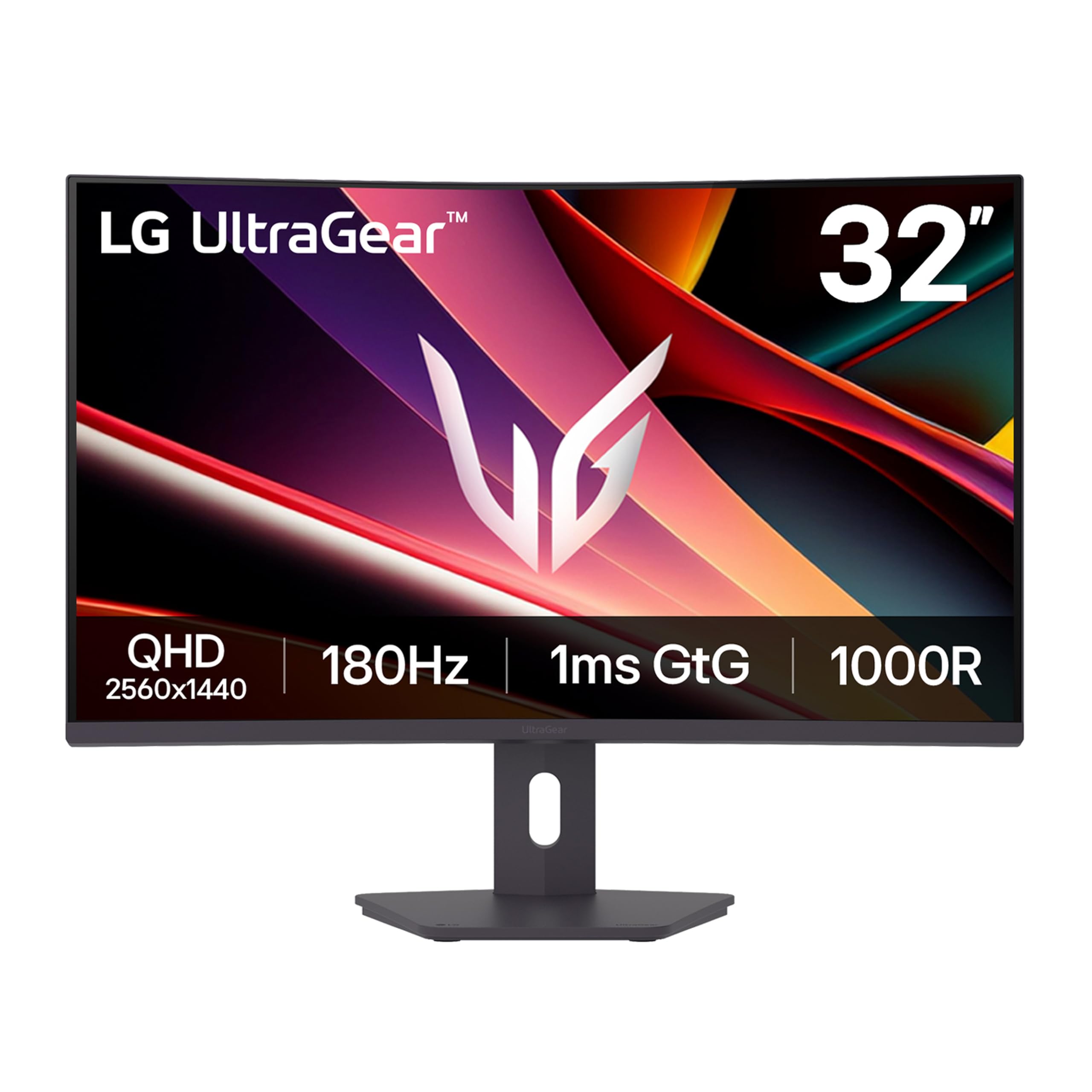
The LG 32G600A-B is a strong example of what a VA panel can do at this price. The 32-inch QHD curved display with a 1000R radius creates an immersive field of view, wrapping the image around your peripheral vision. The 3000:1 contrast ratio produces deep, inky blacks that IPS panels simply cannot match, making dark games like horror titles or space sims look dramatically better.
The 180Hz refresh rate and 1ms GtG response time keep motion crisp, and AMD FreeSync eliminates screen tearing. The 99% sRGB color gamut ensures vibrant colors, though color accuracy is slightly less consistent at extreme viewing angles compared to IPS. Black Stabilizer and Dynamic Action Sync are practical gaming aids for competitive play.
The stand offers height, tilt, and swivel adjustments, and the three-side borderless design keeps the setup looking clean. Some users note that the VA panel can exhibit black-level smearing in very fast motion, but for most gameplay, the deeper blacks are a worthwhile trade-off. This is an excellent choice for gamers who prioritize contrast and immersion over color-critical work.
Why it’s great
- 3000:1 contrast ratio delivers deep, immersive blacks for dark game scenes.
- 1000R curvature wraps around your field of view for enhanced immersion.
- 180Hz refresh rate with 1ms response time for smooth motion.
Good to know
- VA panel may show black-level smearing during fast motion.
- Color accuracy is less consistent at wider angles compared to IPS.
7. Sceptre Curved 32-Inch C325B-FWD240

The Sceptre C325B-FWD240 is a budget-focused monitor that prioritizes raw refresh rate. The 32-inch 1080p VA panel runs at 240Hz out of the box and can be overclocked even higher via DisplayPort, making it a strong option for fast-paced shooters where frame rate trumps resolution. The 1500R curvature adds a mild sense of immersion without being too aggressive.
The 110% sRGB color gamut means colors are vibrant and punchy, which is unusual at this price. AMD FreeSync Premium support helps keep the image tear-free, and built-in speakers are included, though their quality is adequate for casual use rather than critical listening. The matte screen finish keeps reflections manageable.
Reliability is a concern with budget monitors. Some users report color accuracy degradation or connectivity issues after extended use, so this is a riskier pick than a premium model. For a second monitor or a dedicated esports screen on a tight budget, the value is undeniable, but be mindful of the potential longevity trade-off.
Why it’s great
- 240Hz refresh rate provides exceptionally smooth motion for competitive gaming.
- 110% sRGB coverage delivers vibrant, punchy colors for a budget monitor.
- 1500R curved design offers an immersive viewing experience.
Good to know
- 1080p resolution on a 32-inch panel results in lower pixel density (91 PPI).
- Long-term reliability can be inconsistent compared to established brands.
8. ASUS TUF Gaming VG249Q
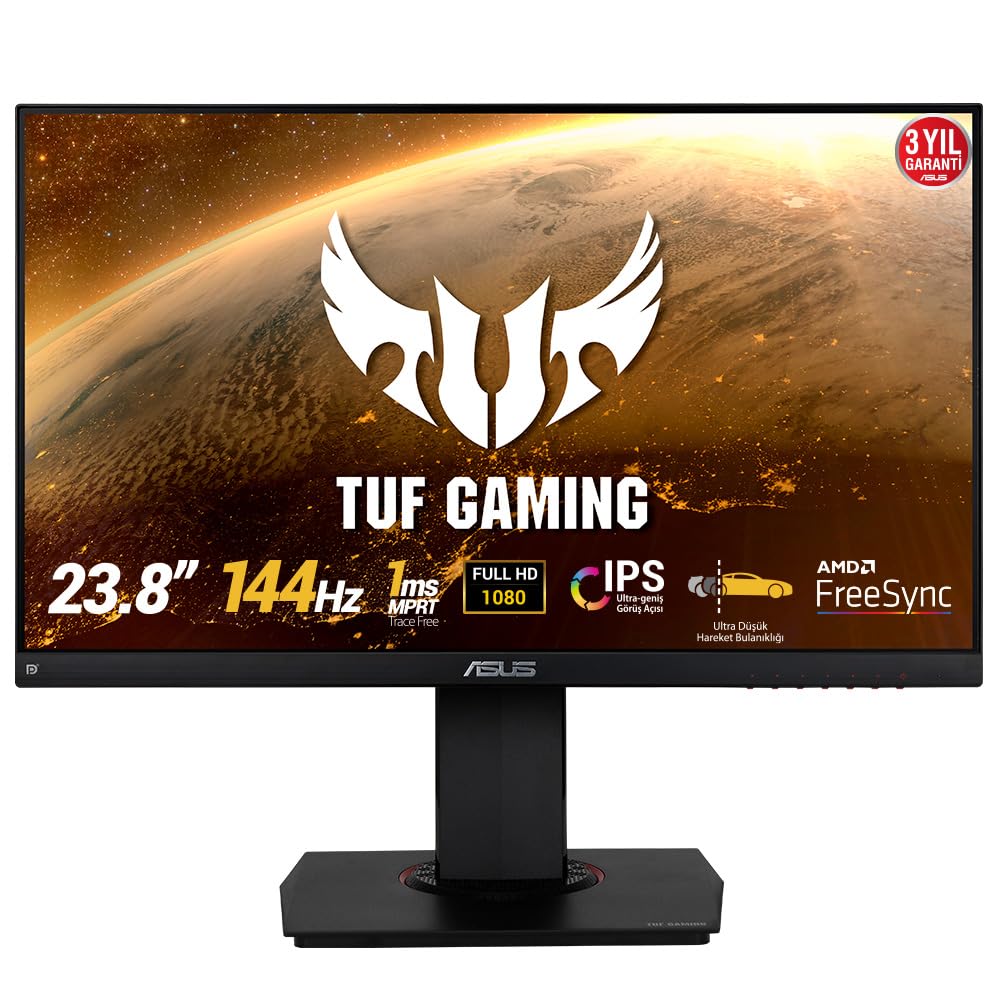
The VG249Q is a time-tested entry-level monitor that remains popular for good reason. The 24-inch 1080p IPS panel delivers excellent colors and viewing angles, and the 144Hz refresh rate with 1ms MPRT makes it a solid choice for esports titles like CS2 or Valorant where raw speed matters more than resolution.
ASUS Extreme Low Motion Blur (ELMB) reduces ghosting effectively, and FreeSync support minimizes tearing. The ergonomic stand is a highlight at this price, offering full height, tilt, swivel, and pivot adjustments. Shadow Boost enhances visibility in dark areas without overexposing the scene.
The single HDMI port is a limitation if you plan to connect multiple devices, and the OSD navigation buttons are not the most user-friendly. The pixel density on a 24-inch 1080p panel is 91 PPI, which is acceptable for gaming but less sharp for text compared to a 27-inch QHD display. For a dedicated gaming monitor on a strict budget, this remains a reliable and capable option.
Why it’s great
- IPS panel provides excellent color accuracy and wide viewing angles for the price.
- 144Hz refresh rate with ELMB for smooth, clear motion in competitive games.
- Fully ergonomic stand with height, tilt, swivel, and pivot adjustments.
Good to know
- Single HDMI port limits multi-device connectivity.
- 1080p resolution has lower pixel density than QHD alternatives.
9. LG 27GS60QC-B

The LG 27GS60QC-B is a budget-friendly curved monitor that punches above its weight on specs. The 27-inch QHD VA panel features a steep 1000R curvature that pulls you into the action, paired with a 180Hz refresh rate and 1ms GtG response time for smooth gameplay. AMD FreeSync keeps tearing at bay, and the 99% sRGB color gamut ensures colors are vivid and lifelike.
The stand is a notable limitation, offering only tilt adjustment with no height, swivel, or pivot options. This may require a VESA arm or a height-adjustable desk for comfortable viewing. The auto-brightness feature cannot be disabled, which some users find annoying in mixed lighting conditions. HDMI input may cause black screen issues on some systems, so DisplayPort is the recommended connection for full performance.
Despite these trade-offs, the panel quality is excellent for the price point. The VA contrast ratio produces deep blacks and rich colors, and the 180Hz refresh rate is genuinely useful for competitive gaming. For gamers on a tight budget who want curved immersion and solid performance, this is a compelling option.
Why it’s great
- QHD resolution with 180Hz refresh rate at a very accessible price.
- 1000R curvature and VA contrast deliver immersive, deep images.
- 99% sRGB coverage ensures vibrant, accurate colors.
Good to know
- Stand only offers tilt adjustment; no height or swivel.
- Auto-brightness feature cannot be turned off.
- HDMI may have compatibility issues; DisplayPort is preferred.
FAQ
Is 1440p worth it over 1080p for a gaming monitor under $350?
What GPU do I need to run a 1440p 180Hz monitor?
Should I get a curved or flat monitor for gaming?
Final Thoughts: The Verdict
For most users, the gaming monitor under $350 winner is the ASUS TUF Gaming VG27AQM5A because it combines a 300Hz refresh rate, 0.3ms response time, and 95% DCI-P3 color coverage in a package that suits both competitive and visually rich titles. If you want a fully adjustable QHD IPS monitor with G-Sync and premium build quality, grab the Alienware AW2725DM. And for deep contrast and curved immersion on a larger screen, nothing beats the LG 32G600A-B.