
Standard mechanical switches rely on metal contact that wears down over time and introduces physical latency. Hall effect technology replaces those contacts with magnetic sensors, delivering near-instantaneous actuation, adjustable travel distances, and a lifespan that outlasts traditional mechanical switches by millions of keystrokes. This shift changes how you configure your keyboard for different games and typing styles.
I’m Mohammad Maruf — the founder and writer behind Drink4Good. I’ve spent thousands of hours analyzing switch technologies, polling rates, and build quality across the gaming peripheral market to understand what genuinely improves competitive performance.
Whether you are counter-strafing in a ranked match or fine-tuning actuation for precise in-game movement, finding the right hall effect gaming keyboard requires understanding metrics like adjustable actuation range, polling rate, and rapid trigger implementation rather than just brand loyalty or marketing claims.
How To Choose The Best Hall Effect Gaming Keyboard
Hall effect keyboards differ from traditional mechanical boards in several critical ways. Understanding these differences helps you select a keyboard that matches your specific gaming habits and typing preferences rather than paying for features you may never use.
Adjustable Actuation Range
The ability to set how far you must press a key before it registers is the defining advantage of hall effect switches. Look for a range that starts as low as 0.1mm for hair-trigger responses in fast games and extends to 3.5mm or 4.0mm for deeper presses that prevent accidental inputs during typing. Per-key adjustment gives you the most flexibility.
Rapid Trigger and SOCD
Rapid trigger allows a key to reset and reactivate without returning to the full release point, enabling faster repeated inputs for movement and strafing. SOCD (Simultaneous Opposite Cardinal Directions) logic determines how conflicting inputs like left and right are handled — last-input priority is essential for clean counter-strafing in FPS titles.
Polling Rate and Latency
A higher polling rate means the keyboard reports its position to your computer more frequently. Standard keyboards operate at 1000Hz (1ms report interval), while premium hall effect models reach 8000Hz (0.125ms interval). The difference is noticeable in competitive scenarios where every millisecond of input delay matters.
Quick Comparison
On smaller screens, swipe sideways to see the full table.
| Model | Category | Best For | Key Spec | Amazon |
|---|---|---|---|---|
| EPOMAKER G84 HE | Wireless HE | Value & portability | 8000mAh battery, 8K polling | Amazon |
| Logitech G PRO X TKL Rapid | Esports TKL | Tournament FPS | 35g actuation, Rapid Trigger | Amazon |
| Keychron K8 HE | TKL Wireless | Cross-platform gaming | Aluminum frame, web config | Amazon |
| Keychron K2 HE | 75% Premium | Typing & gaming hybrid | Wood/aluminum frame | Amazon |
| Corsair K70 PRO TKL | Competitive TKL | Dual actuation combos | MGX Hyperdrive 150M life | Amazon |
| ASUS ROG Falchion Ace HFX | 65% Compact | Ultra-portable esports | 8K polling, dual USB-C | Amazon |
| SteelSeries Apex Pro TKL Gen 3 | Pro Flagship | OmniPoint precision | OLED display, Protection Mode | Amazon |
| GravaStar Mercury V60 Pro | 60% High-End | Minimalist desk setup | 0.005mm actuation resolution | Amazon |
| Razer Huntsman V3 Pro TKL | Esports Standard | Snap Tap competitive play | Analog Optical Gen-2 switches | Amazon |
In‑Depth Reviews
1. EPOMAKER G84 HE
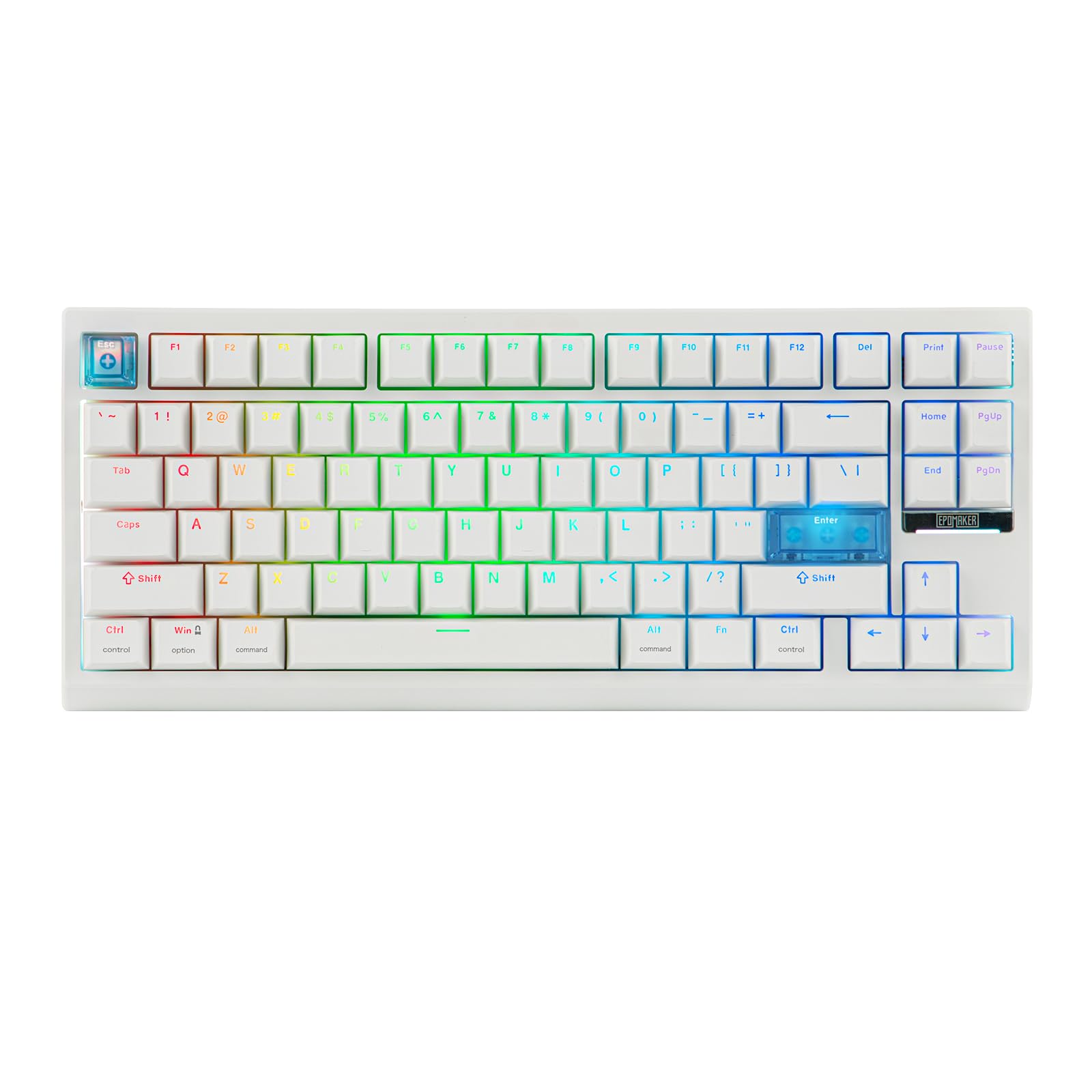
The EPOMAKER G84 HE brings hall effect features to a wireless 84-key layout at a price that undercuts most competitors without sacrificing core functionality. Its 0.1mm to 3.3mm adjustable actuation range works with both gaming and typing scenarios, and the 8000Hz polling rate matches far more expensive boards in raw responsiveness. The tri-mode connectivity (2.4GHz, Bluetooth, USB-C) gives flexibility for desktop and mobile setups.
Five layers of Poron, IXPE, and silicone dampening produce a creamy, mellow acoustic profile that stands out among budget hall effect keyboards. The PBT double-shot keycaps resist shine over time, and the gasket mount softens each keystroke for fatigue-free extended sessions. The 8000mAh battery means you can run wireless with RGB active for days without recharging.
Software customization covers SOCD, DKS, and per-key actuation tuning through EPOMAKER’s driver on both Windows and Mac. Some users note the lack of native analog control for gamepad emulation, though DKS workarounds are available. The 84-key layout omits a few dedicated keys that full-size users may need to rebind.
Why it’s great
- Wireless with impressive battery life and 8K polling
- Rich, dampened sound profile from multi-layer foam
- Full software suite with SOCD, DKS, and per-key actuation
Good to know
- No native analog controller mapping
- Compact layout may require rebinding for some users
2. Logitech G PRO X TKL Rapid

Logitech’s PRO X TKL Rapid is designed for tournament environments where split-second inputs determine outcomes. The hall effect magnetic switches actuate at just 35g of force, and the Rapid Trigger mode lets you reset and reactivate keys without fully releasing them — critical for fast counter-strafing in Valorant and CS2. The tenkeyless layout maximizes mouse space for low-sensitivity aimers.
KEYCONTROL gives per-key customization across multiple layers, allowing you to assign complex multi-action combos directly through Logitech G HUB. The FN key modes let you adjust actuation points and Rapid Trigger sensitivity on the fly without software, which is valuable during LAN events where driver installation may be restricted. LIGHTSYNC RGB syncs with in-game action for immersion.
Build quality feels sturdy with a clean black aesthetic, though the USB-C port location and lack of a backup connectivity option raise concerns for long-term durability. Some units have reported intermittent disconnects requiring a full system reboot. The key feel is precise but slightly less satisfying acoustically compared to higher-end hall effect boards.
Why it’s great
- Rapid Trigger mode with on-the-fly adjustments
- Light 35g actuation ideal for competitive FPS
- Software-free FN key configuration for tournaments
Good to know
- USB-C port has no redundancy if damaged
- Occasional disconnect issues reported by users
3. Keychron K8 HE TKL
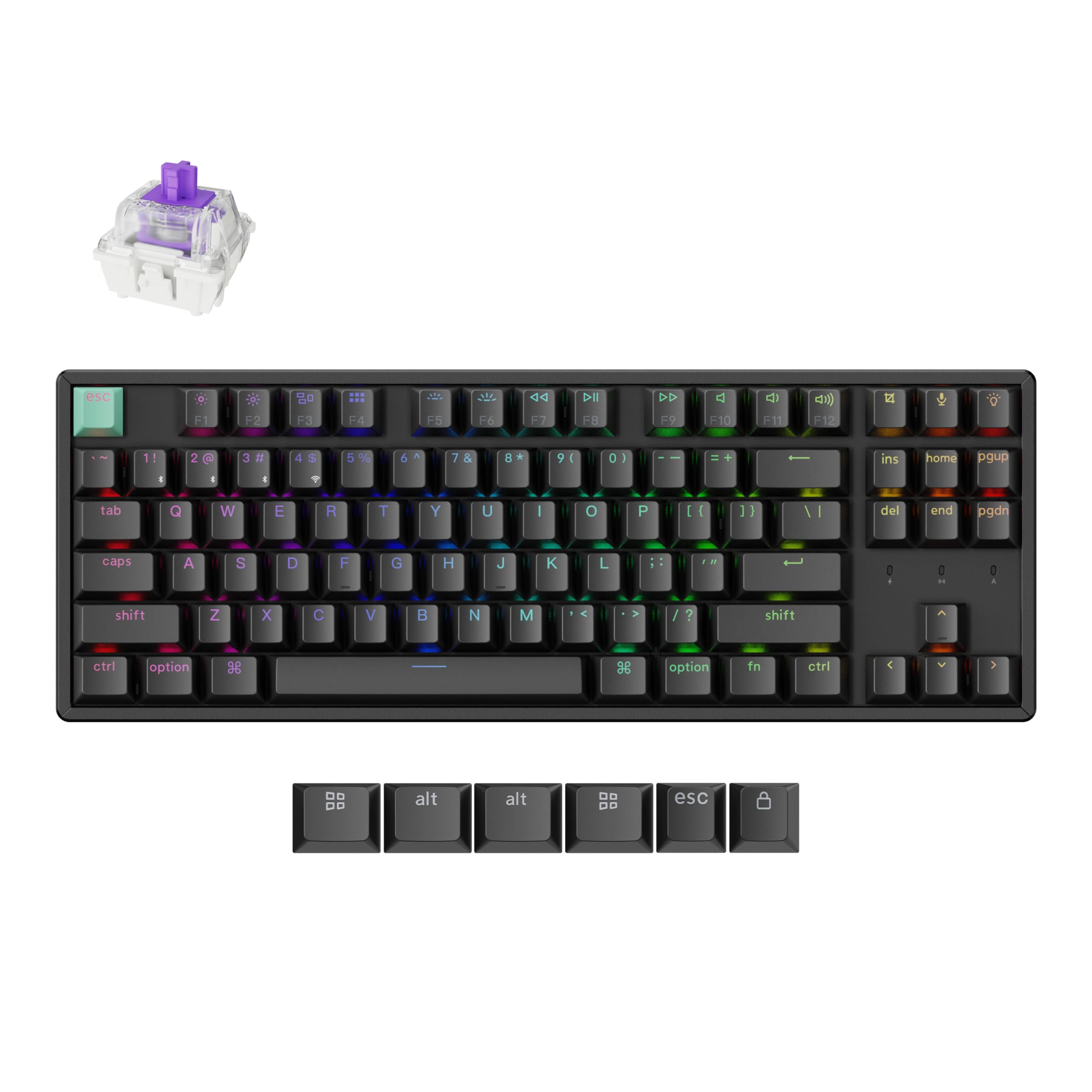
The Keychron K8 HE delivers hall effect performance in a TKL form factor with an all-aluminum frame that provides rigidity and a premium typing platform. Its 0.2mm to 3.8mm adjustable actuation range and Rapid Trigger support make it suitable for competitive gaming, while the tri-mode connectivity (2.4GHz, Bluetooth 5.1, USB-C) works seamlessly across Windows, Mac, and Linux systems without driver hassles.
The web-based Keychron Launcher eliminates the need for software installation — you can remap keys, create macros, and enable Snap Action from any browser. DKS support allows up to four actions per key based on press depth, which is useful for games requiring layered inputs like walking versus running. Gateron Double-Rail magnetic switches provide smooth, hot-swappable reliability with 0.1mm sensitivity.
Cherry Profile double-shot PBT keycaps resist wear and deliver a satisfying typing feel, though the OSA profile on some variants reduces shine-through visibility in dark rooms. The aluminum body adds weight for stability but makes the keyboard less portable. Linux users may need to configure udev rules for full web configurator access.
Why it’s great
- All-aluminum chassis for zero flex during gaming
- Web-based configuration works on any OS
- DKS provides layered inputs from a single key
Good to know
- Keycaps not shine-through for low-light use
- Linux requires extra setup for web configurator
4. Keychron K2 HE

The Keychron K2 HE blends hall effect technology with a compact 75% layout and natural rosewood siding that adds warmth to any desk setup. The Gateron Double-Rail magnetic switches offer 0.1mm sensitivity with actuation adjustable from 0.2mm to 3.8mm, and Rapid Trigger mode dynamically adjusts reset points based on real-time key travel for faster repeated inputs in action games.
Multi-mode connectivity via 2.4GHz wireless, Bluetooth 5.2, and USB-C supports up to three paired devices with a 1000Hz polling rate for low-latency gaming. The web-based Keychron Launcher provides browser-based customization for key remapping, macros, and actuation tuning without installing software. The double-shot PBT keycaps resist fading, though the non-shine-through legends can be hard to read in low-light environments.
The aluminum and wood frame construction gives the K2 HE a premium aesthetic and stable typing platform, though the ABS plastic bottom case reduces overall rigidity compared to full-metal builds. The battery lasts about two days with RGB active, but the keyboard works fine while plugged in via USB-C. Some users note the magnetic switches have higher resistance than traditional linear switches, which may take adjustment.
Why it’s great
- Beautiful wood and aluminum design for desktop aesthetics
- Rapid Trigger with web-based customization
- Comfortable typing sound with smooth magnetic switches
Good to know
- Non-shine-through keycaps hard to see in dark rooms
- Plastic base reduces overall chassis rigidity
5. Corsair K70 PRO TKL

The Corsair K70 PRO TKL brings pre-lubricated MGX Hyperdrive hall effect switches to a tenkeyless format with dual-rail construction rated for 150 million keystrokes. The per-key adjustable actuation ranges from 0.4mm to 3.6mm in 0.1mm steps, and the dual actuation mode lets you assign two actions to a single keypress — useful for games where you need quick-fire combos like sprinting and crouching simultaneously.
Rapid Trigger dynamically changes actuation and reset points based on key movement speed, and SOCD support handles simultaneous opposite inputs for clean directional changes. The aluminum top plate and dense foam layering reduce case ping and produce a low, satisfying typing sound. The detachable USB-C cable and included wrist rest add convenience for desk setups.
The iCue software offers deep customization but has a steep learning curve and can be resource-intensive in the background. Some users report RGB lighting bugs during the first week of use that require firmware fixes. The volume knob sits close to the PgUp and Home keys, making it awkward to use without accidentally pressing adjacent keys.
Why it’s great
- Pre-lubed MGX switches with 150M keystroke rating
- Dual actuation for two actions per keypress
- Aluminum frame with dampened, quiet typing sound
Good to know
- iCue software has a steep learning curve
- Volume knob position may interfere with nearby keys
6. ASUS ROG Falchion Ace HFX

The ASUS ROG Falchion Ace HFX packs hall effect performance into a 65% layout that is nearly as small as a 60% board while retaining dedicated arrow keys. The pre-lubed ROG HFX magnetic switches offer an actuation range from 0.1mm to 4.0mm, and the 8000Hz polling rate delivers 0.125ms latency for ultra-responsive inputs. The dual USB-C ports on each side of the rear edge allow neat cable routing and quick switching between two PCs.
Rapid Trigger and Speed Tap modes enable rapid key repeats and instantaneous directional changes for counter-strafing in esports titles. The interactive touch panel and multi-function button provide intuitive control over media playback, volume, and lighting without opening software. Five-layer dampening and a silicone gasket mount absorb pinging noises for a quiet, creamy typing sound that belies the compact size.
The included protective cover doubles as a tray mount for transport and desk storage, making this keyboard genuinely portable. The lack of wireless connectivity may be a drawback for users who value cable-free setups. The Armoury Crate software is heavier than competitors like G HUB, though the keyboard works well out of the box without it.
Why it’s great
- Compact 65% layout with dual USB-C for neat cable management
- 8000Hz polling for competitive input latency
- Touch panel for quick media and lighting control
Good to know
- No wireless connectivity option
- Armoury Crate software is resource-heavy
7. SteelSeries Apex Pro TKL Gen 3

The SteelSeries Apex Pro TKL Gen 3 features OmniPoint 3.0 hall effect switches that the company claims are 20 times faster in actuation and 11 times quicker in response compared to previous generations. The 40 levels of adjustable actuation from 0.1mm to 4.0mm give precise control over every key, and the Rapid Trigger mode resets inputs based on real-time travel distance for faster repeated actions in competitive games.
Protection Mode is a SteelSeries exclusive that reduces sensitivity of surrounding keys when the intended key is pressed, preventing accidental inputs during high-pressure moments. The OLED Smart display serves as a digital command center for adjusting settings without leaving your game, and the GG QuickSet software provides game-ready presets optimized for specific titles. Rapid Tap and SOCD support ensure clean directional input handling.
The PBT keycaps and aluminum top plate deliver a premium feel with minimal deck flex, and the included magnetic wrist rest provides ergonomic support during long sessions. The software ecosystem is cleaner than many competitors, though some users note the actuation slider can be finicky without practice. The TKL form factor sacrifices the numpad but maintains full-size functionality through secondary layers.
Why it’s great
- OmniPoint 3.0 with 40-level adjustable actuation
- Protection Mode prevents accidental key presses
- OLED display for on-the-fly settings changes
Good to know
- Actuation slider requires practice to use effectively
- Higher price point than many hall effect alternatives
8. GravaStar Mercury V60 Pro
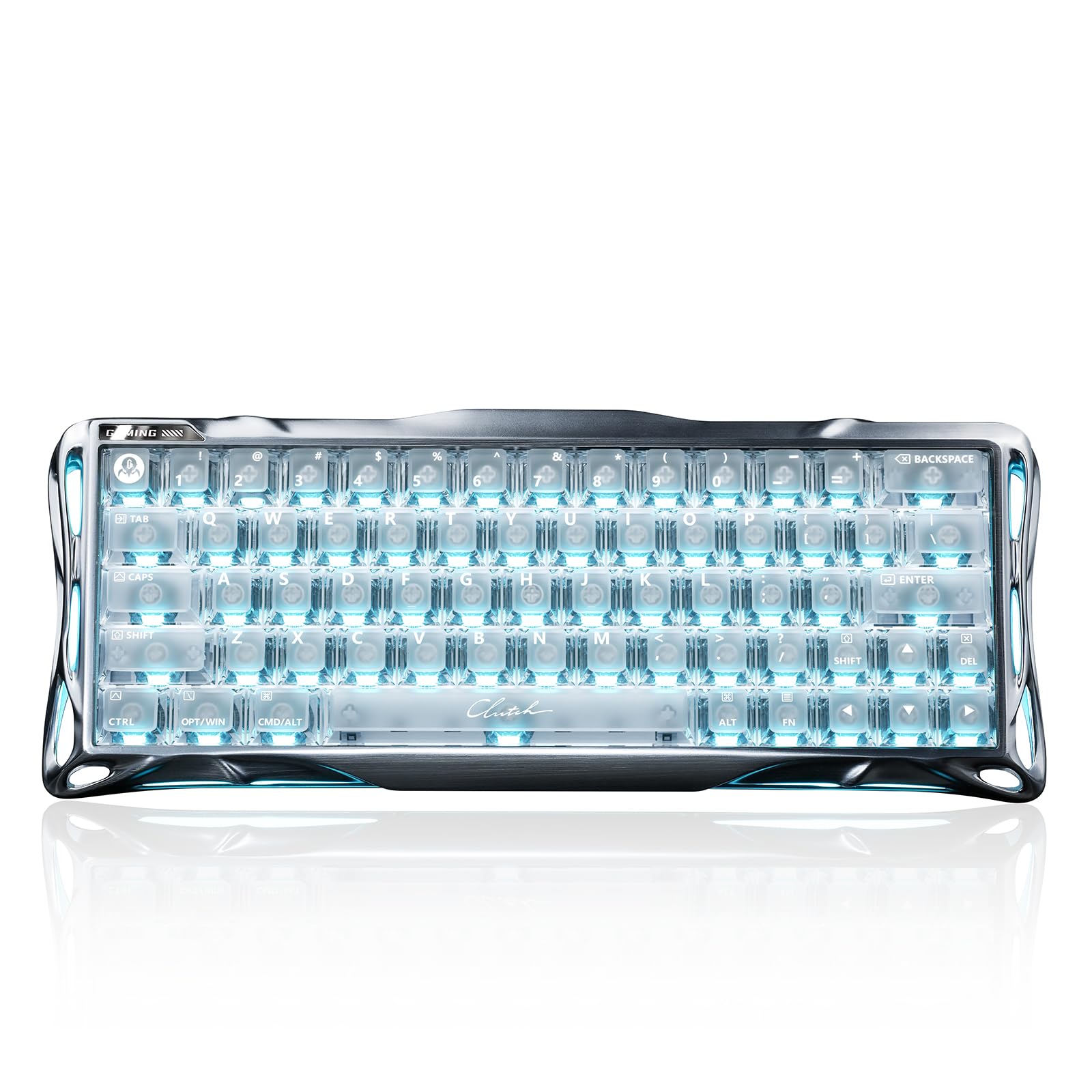
The GravaStar Mercury V60 Pro pushes hall effect precision to 0.005mm actuation resolution with 256kHz key-position scanning, making it one of the most sensitive keyboards on the market. The 60% layout saves maximum desk space while delivering a true 8000Hz polling rate with 0.125ms latency. The CNC-machined 6063 aluminum alloy frame provides exceptional rigidity and weight for a premium typing platform.
Dynamic Rapid Trigger mode resets keys on upward travel for instant repeated inputs, and the adjustable actuation range of 0.005mm to 3.5mm lets you fine-tune sensitivity to an extreme degree. SOCD control with Last Keystroke Prioritization and Snap Click ensures flawless directional changes in FPS titles. The controller mapping technology captures press depth for analog input simulation, bridging the gap between keyboard and gamepad.
Five-layer acoustic foam and the aluminum skeleton produce a deep, thocky sound signature that enthusiast typists will appreciate. The web-based driver allows customization without software installation on Windows and Mac. The 60% layout omits dedicated arrow keys and function row, which may require adjustment for productivity workflows. The price is premium-tier, positioning it against the most serious hall effect contenders.
Why it’s great
- Industry-leading 0.005mm actuation resolution
- True 8000Hz polling with CNC aluminum frame
- Analog mapping for controller-style input
Good to know
- 60% layout lacks arrow keys and function row
- Premium price reflects enthusiast-grade components
9. Razer Huntsman V3 Pro TKL
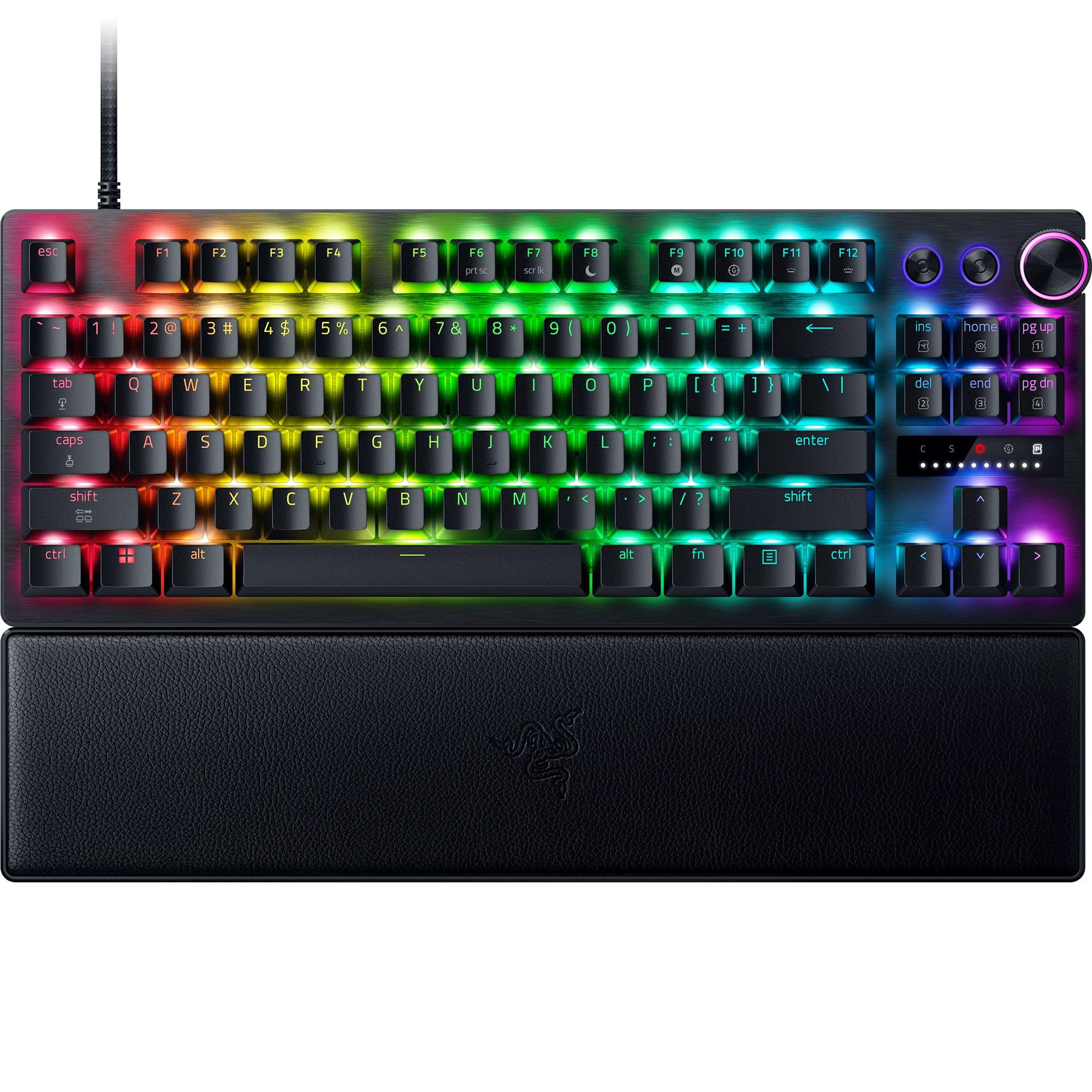
Razer’s Huntsman V3 Pro TKL uses Analog Optical Switches Gen-2 with hall effect principles to deliver a 0.1mm to 4.0mm adjustable actuation range and 8000Hz HyperPolling for 0.125ms latency. The Snap Tap feature prioritizes the latest input between two selected keys without requiring the previous key to be released — this is a game-changer for counter-strafing in competitive FPS titles where instantaneous direction changes are critical.
Rapid Trigger mode enables ultra-fast repeated inputs by resetting on upward travel, and the onboard LED array provides visual feedback for on-the-fly adjustments to actuation height and sensitivity without software. The multi-function digital dial and three dedicated control buttons handle volume, media, and custom macros. The magnetic leatherette wrist rest snaps firmly to the keyboard for ergonomic support during long sessions.
The textured double-shot PBT keycaps resist shine and fading, and the individually lubricated switches ensure smooth actuation right out of the box. The aluminum top plate adds stability, though some users report that the linear optical switches produce a louder, clackier sound compared to other hall effect boards. Synapse 4 software is required for deeper customization and has been noted for profile selection bugs that can cause input lock requiring a reboot.
Why it’s great
- Snap Tap for instantaneous directional input changes
- 8000Hz polling with per-key onboard adjustments
- Included magnetic wrist rest for ergonomic support
Good to know
- Loud, clacky typing sound compared to competitors
- Synapse 4 software has known profile selection bugs
FAQ
Can I use hall effect switches for typing work?
How long do hall effect switches last compared to mechanical switches?
Do I need 8000Hz polling for hall effect keyboards?
Are hall effect keyboards compatible with game consoles?
Final Thoughts: The Verdict
For most users, the hall effect gaming keyboard winner is the SteelSeries Apex Pro TKL Gen 3 because its OmniPoint 3.0 switches combine 40-level adjustable actuation, Protection Mode for preventing accidental presses, and an OLED display for on-the-fly adjustments without leaving your game. If you want a wireless option with incredible battery life and creamy acoustic dampening, grab the EPOMAKER G84 HE. And for the absolute best in Snap Tap performance and competitive FPS responsiveness, nothing beats the Razer Huntsman V3 Pro TKL with its 8000Hz HyperPolling and instantaneous directional input handling.