
A reliable launch monitor used to cost as much as a used sedan. That barrier has crumbled. Today, a golfer can walk onto the range or into their garage and pull spin rate, launch angle, and club path data from a device that fits in a carry-on bag. The catch is that the sub- bracket is a minefield of optical tricks, software paywalls, and data that looks right on a screen but lies on the course. Knowing which sensors actually deliver tournament-grade numbers without a hidden subscription is the difference between a training breakthrough and a paperweight.
I’m Mohammad Maruf — the founder and writer behind Drink4Good. My approach to this category involves cross-referencing photometric vs. Doppler sensor architecture, analyzing real-world customer accuracy complaints over years of ownership, and filtering out units whose software fees eat the budget within a single season.
This guide exists to separate the few genuinely useful models from the marketing noise so you can buy a golf launch monitor under 1000 that actually improves your scoring instead of cluttering your trunk.
How To Choose The Best Golf Launch Monitor Under 1000
A launch monitor in this price range forces a trade-off between raw metric volume and reliability. You can get a device that spits out 15 data points per swing, but if the spin axis or club path reading drifts by 500 RPM every third shot, those numbers are useless. Focus on three factors that separate a trustworthy training tool from a toy.
Sensor Type: Doppler Radar vs. Photometric Camera
Doppler radar units (Garmin R10, Voice Caddie SC200 Plus, TheStack Radar) measure speed by tracking the frequency shift of radio waves bouncing off the ball and club. They handle club speed and ball speed well outdoors but can struggle with spin axis indoors without sufficient ball flight distance — typically requiring 8 to 10 feet of flight. Photometric cameras (SkyTrak, Uneekor EYE MINI CORE) use high-speed photography to freeze the ball at impact, reading spin and launch angle directly from the dimple pattern. Camera systems require no minimum ball flight and work better in tight garages, but they can misread shots if the ball sits outside a narrow capture zone. For a mixed indoor/outdoor setup, camera-based units generally offer more consistent spin axis data.
Software Costs and Hidden Subscriptions
The sticker price is only half the equation. Several monitors ship with a bare-bones driving range mode and demand an annual subscription — often to per year — to unlock simulation software, skill challenges, or even basic metric storage. A device that seems like a mid-range deal can cost you more than a premium unit within two years once subscription fees stack up. Check whether the included software provides the data points you actually need (carry distance, smash factor, face angle) before committing, and prioritize units with zero annual fees if you plan to use the monitor regularly.
Spin Axis and Short Game Accuracy
The single biggest accuracy gap in the sub- bracket is spin measurement. Many entry-level monitors estimate spin from ball speed and launch angle rather than measuring it directly. That works for full-swing drivers but falls apart on wedge shots where spin variation changes stopping power. Units that use camera-based direct measurement (SkyTrak, Uneekor) or dedicated spin cameras (Rapsodo MLM2PRO) give you actionable spin axis data. If you practice partial wedges or short chips, a device that can reliably read spin under 40 yards is the difference between dialing in your scoring and guessing your yardages.
Quick Comparison
On smaller screens, swipe sideways to see the full table.
| Model | Category | Best For | Key Spec | Amazon |
|---|---|---|---|---|
| Garmin Approach R10 | Doppler Radar | Home simulation & range work | 10-hour battery, 42K+ virtual courses | Amazon |
| Rapsodo MLM2PRO | Doppler + Cameras | Spin axis accuracy & video swing capture | 2 high-speed cameras, 13 core metrics | Amazon |
| Uneekor EYE MINI CORE | Photometric Camera | Serious indoor sim builders | 15 ball data points near-zero latency | Amazon |
| SkyTrak (with Metal Case) | Photometric Camera | Small-space indoor practice | 4-hour battery, protective case included | Amazon |
| SkyTrak Launch Monitor | Photometric Camera | Reliable data on a budget | Ball speed, launch angle, spin rate | Amazon |
| Swinora GX-03 | Doppler Radar | No-subscription, 13-metric training | 3D range, attack angle, 15ft space needed | Amazon |
| TheStack Radar | Doppler Radar | Speed training & wedging system | Bluetooth to Stack app, smash factor | Amazon |
| Voice Caddie SC200 Plus | Doppler Radar | Simple swing speed & tempo training | Voice output, 20-hour battery, 8oz | Amazon |
| Callaway 300 Pro Laser | Laser Rangefinder | On-course yardage & slope distance | 6x mag, 1000yd range, IPX4, magnet | Amazon |
In‑Depth Reviews
1. Garmin Approach R10 (Power Bundle)
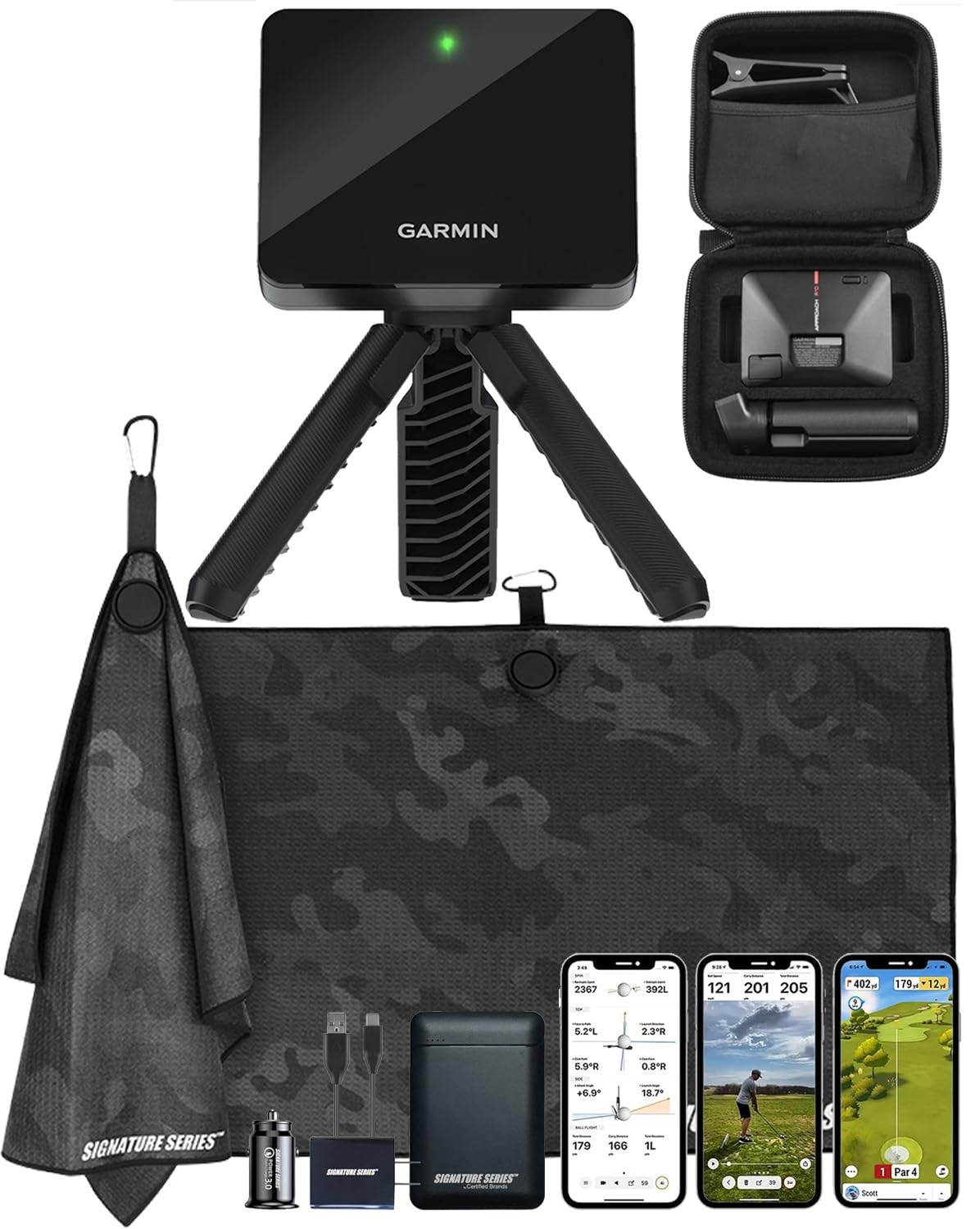
The Garmin Approach R10 occupies the sweet spot in this category because it marries a mature Doppler platform with truly useful software. It tracks club head speed, ball speed, swing tempo, launch angle, and spin using only the device — no marked balls or stickers required. The bundled power bank and microfiber cloth sweeten the deal, but the real draw is the 42,000-course library available through the Garmin Golf app, letting you play virtual rounds on courses you plan to visit. Battery life hits 10 hours, enough for a full range session without hunting for an outlet.
Accuracy holds up well indoors when you give it at least 8 feet of ball flight — users report distance readings within a few yards of high-end radar units like TrackMan. The metal phone mount clips onto any bag and keeps the app visible mid-swing. It pairs over Bluetooth with both iOS and Android devices, and the setup process takes under five minutes out of the box. The included Signature Series power bank adds a practical layer for those who drain phones during long practice days.
The catch is that simulation features require an active subscription to the Garmin Golf app — the base unit only includes a driving range mode and basic metric tracking. Some users noted that the external battery in the bundle arrived dead, though the device itself had no issues once recharged. For the golfer who wants a portable, no-nonsense launch monitor that pairs with a mature ecosystem, the R10 remains the most balanced option in the sub- tier.
Why it’s great
- Accurate club and ball speed data with no special balls or stickers
- 10-hour battery supports all-day range sessions
- 42,000-course virtual play via the Garmin Golf app
Good to know
- Simulation features require a paid subscription
- Indoor use needs at least 8 feet of ball flight for accuracy
2. Rapsodo MLM2PRO
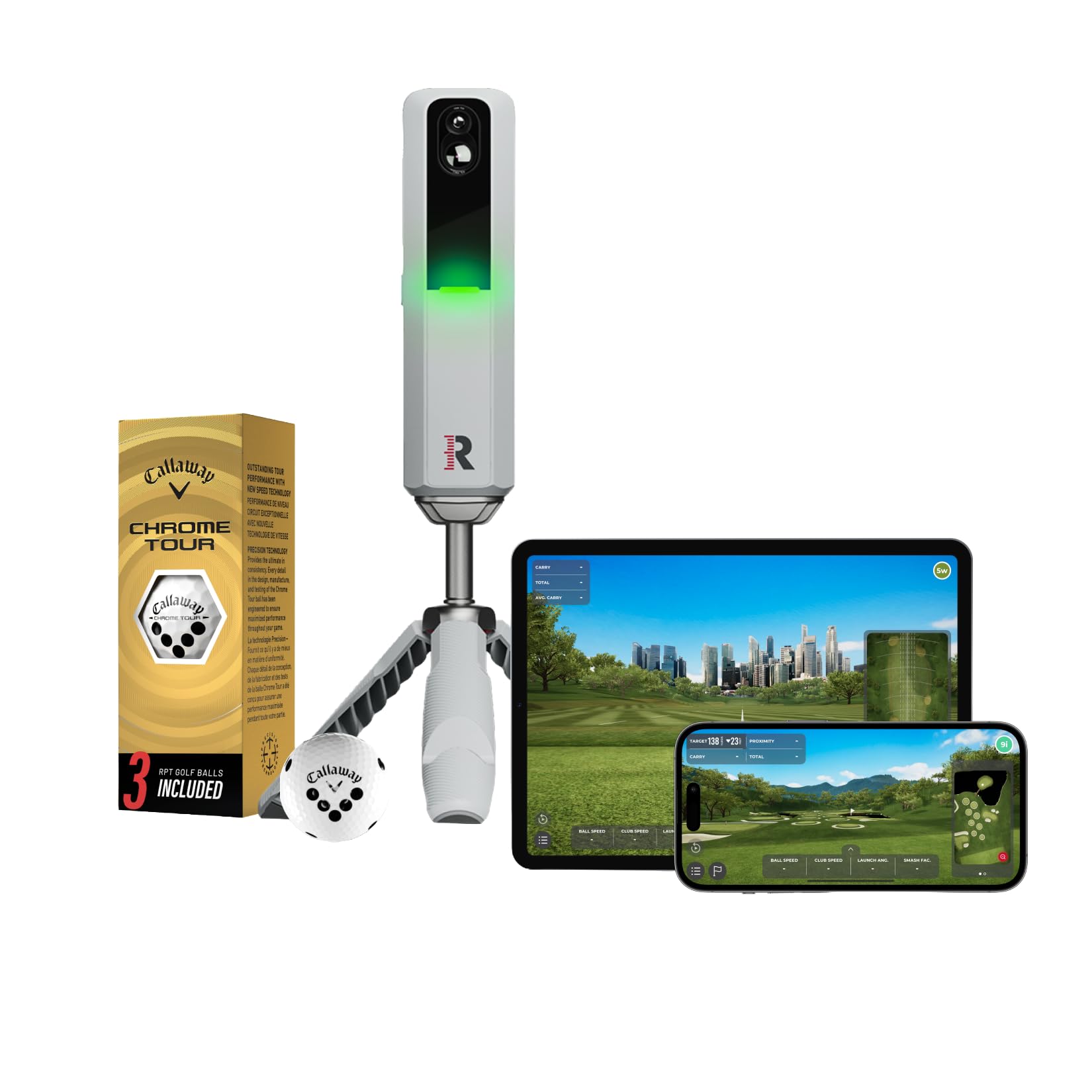
The MLM2PRO earns its premium position through a hybrid sensor approach that pairs Doppler radar with two high-speed cameras specifically tasked with reading spin axis — the metric most sub- monitors fudge. It delivers 13 core data points including ball speed, club speed, launch angle, spin rate, spin axis, and smash factor. The included 3 Callaway RPT Chrome Soft X balls feature micro-dots that the cameras track for enhanced spin analysis, and the device comes with a tripod and carrying case for portable use.
User reports consistently put the MLM2PRO within 2 to 3 percent of TrackMan numbers on full swings, a remarkable achievement at roughly one-fifth the cost. The video capture feature records your swing and overlays metrics directly onto the footage, giving you visual context for each data point. Integration with Awesome Golf and the built-in Rapsodo Combine mode makes it a legitimate training system rather than just a data logger. The device weighs 16 ounces and connects via Bluetooth to smartphones and tablets.
The downsides are real. The Rapsodo balls wear out after a few months and cost roughly for a 12-pack. The unit requires perfect leveling and alignment or it will misread shot shape. Owners report occasional WiFi connection issues, and short chips under 10 yards often fail to register. A subscription is required for simulation access. That said, for the golfer who needs trustworthy spin axis data within the sub- ceiling, the MLM2PRO’s camera-augmented readings are a class above pure Doppler competitors.
Why it’s great
- Two high-speed cameras deliver accurate spin axis data
- Video swing capture with real-time metric overlay
- Within 2-3% of TrackMan on full swings
Good to know
- Requires expensive Rapsodo balls for spin data
- Short chips under 10 yards often do not register
- Subscription needed for simulation features
3. Uneekor EYE MINI CORE

Uneekor’s EYE MINI CORE sits at the top of the sub- food chain because it brings photometric camera technology — typically found in -plus units — down to a price point that competes with mid-range Doppler monitors. It captures 15 ball data points including ball speed, launch angle, spin rate, spin axis, carry distance, total distance, and shot shape using high-speed cameras and infrared LEDs. The Dimple Optix system reads any ball’s dimple pattern, meaning you grab whatever ball you have in your shag bag and get accurate spin data without stickers or marked dots.
The unit requires a wired connection to a PC via the included CAT6 Ethernet cable, which delivers near-zero latency — the data appears on screen milliseconds after impact. The VIEW software (included) provides session reports and progress tracking. The 3-month trial of the Ultimate Package unlocks full simulation with GameDay software, including online play and 4K course graphics. Third-party compatibility with GSPro, E6 Connect, and TGC19 means you are not locked into one ecosystem. Build quality is impressive: a metal casing weighing 8.4 pounds with a 2-year warranty.
The trade-off is that the EYE MINI CORE is not a grab-and-go device like a radar unit. It needs a PC, a power outlet, and a stable tripod position. There is no iPad support, no battery for on-course use, and simulator subscriptions can add up if you run GSPro or E6. The hook bias that some users report with iron shots may require calibration or alignment tweaks. For the home simulator builder who wants camera-grade data without the price tag, however, this is the most capable box in the budget tier.
Why it’s great
- Camera-based spin reading with any ball, no stickers required
- Near-zero latency with wired Ethernet connection
- 15 ball data points and GSPro/TGC19 compatibility
Good to know
- Requires a PC and power outlet — not portable for on-course use
- Simulator subscriptions add ongoing costs
- No iPad support; setup is more complex than radar units
4. SkyTrak Launch Monitor with Metal Protective Case

The SkyTrak ecosystem has been a staple of the sub- category for years, and the version bundled with the metal protective case solves the biggest physical complaint about the original: leveling. The case includes three adjustable legs that let you dial in the unit’s position on any hitting mat surface, which directly improves read consistency. SkyTrak uses photometric camera technology to measure ball speed, launch angle, spin rates, club speed, and shot shape. It operates wirelessly via Bluetooth and runs on a built-in rechargeable battery capable of about 4 hours of continuous use.
The driving range mode in the included software is straightforward and usable out of the box — you get a 3D ball flight display and shot history. The unit connects to iOS, Android, and PC, giving you flexibility depending on your preferred screen setup. Many users run SkyTrak through a laptop connected to a projector for a full home simulator experience. The protective case is rugged enough to survive being tossed in a trunk with clubs and shoes.
The software reality stings for some buyers. The base unit only includes a driving range mode; the Game Improvement software that enables challenges and skill testing costs per year. Full simulation requires third-party apps (TGC19, E6, WGT) that each carry their own subscription fees — often to per year. Some users report occasional misreads or non-reads if the ball does not sit within the camera’s narrow capture zone. If you accept that the hardware is a means to a software end, the SkyTrak with the metal case is a dependable indoor companion.
Why it’s great
- Metal case with leveling legs improves read consistency on mats
- Wireless Bluetooth connection to iOS, Android, and PC
- 4-hour built-in battery for portable indoor use
Good to know
- Base software limited to driving range; upgrades cost /year
- Full simulation requires additional third-party subscriptions
- Camera capture zone can miss if ball placement is off
5. SkyTrak Launch Monitor (Base)

The original SkyTrak remains a solid entry point for golfers who want photometric accuracy without the Uneekor price. It measures ball speed, launch angle, backspin, sidespin, carry distance, total distance, and club speed. The high-speed camera captures 30,000 images per second, freezing the ball at impact for direct measurement rather than estimation. It runs on a rechargeable lithium-ion battery that lasts about 4 hours, enough for a focused garage session or two.
Users praise the unit for reading mishits and off-center strikes without dropping data — a feature that cheaper Doppler units often fail at. The 14-day trial of the Game Improvement software gives you a taste of the skill challenges and practice modes before you decide on the yearly subscription. The 3D ball flight display is clean and responsive, with minimal lag between impact and on-screen result. The compact footprint (about 9 inches deep) fits on most hitting mats without crowding your stance.
The hardware has known quirks. The laser alignment dot can fail if the unit is not perfectly level — some users prop a coin under one corner to fix it. Occasional non-reads happen if the ball sits too far forward or backward relative to the laser dot. Distance readings can run 10 to 15 yards short unless you adjust atmospheric settings in the software. Several long-term owners reported that the unit’s reliability degraded after a year, though the majority of reviews describe years of consistent service. It is a proven platform, not a cutting-edge one.
Why it’s great
- Direct camera measurement of spin and launch angle, not estimation
- Reads mishits and off-center strikes without dropping data
- Compact 9-inch footprint fits on standard hitting mats
Good to know
- Requires precise leveling and ball placement for consistent reads
- Distance can read 10-15 yards short without software compensation
- Upgrade software costs /year; full simulation adds more
6. Swinora GX-03 Launch Monitor

The Swinora GX-03 is a Doppler radar unit that aggressively targets buyers who hate subscription fees. It tracks 13 metrics including attack angle, launch angle, spin rate, club speed, ball speed, smash factor, and vertical clubface data with absolutely no recurring cost — the app is free, all features are unlocked from the first download, and there are no hidden tiers. The built-in environmental sensors (temperature, humidity, barometric pressure) adjust shot data to real-time conditions automatically, which is a feature usually reserved for units costing three times as much.
The device communicates via Bluetooth with both iOS and Android phones. The app includes a 3D virtual driving range with 45-degree and 90-degree viewing angles showing ball flight trajectory. The OLED display on the unit itself shows basic data at a glance, while the phone app handles deeper analysis. Aluminum body construction gives it a premium feel that competes with devices twice its price. The included tripod adds stability for indoor setups.
Indoor use requires a total of 15 feet of space — 5 feet behind the ball for the device and 10 feet of ball flight — which may rule out tight basements. The app occasionally experiences Bluetooth disconnection, and some users reported that the carry distance calibration (adjustable from 80% to 120%) needs tweaking to match real-world yardages. A few reviewers found ball speed readings inconsistent compared to higher-end simulators. For the value-conscious golfer who wants feature density without a monthly bill, the GX-03 punches well above its weight.
Why it’s great
- 13 metrics including attack angle and spin rate with zero subscription fees
- Built-in environmental sensors adjust for temp, humidity, and pressure
- Aluminum body and included tripod for stable indoor setup
Good to know
- Requires 15 feet of total space for indoor use
- Calibration may be needed to match on-course distances
- Bluetooth connection can be finicky in some setups
7. TheStack Radar
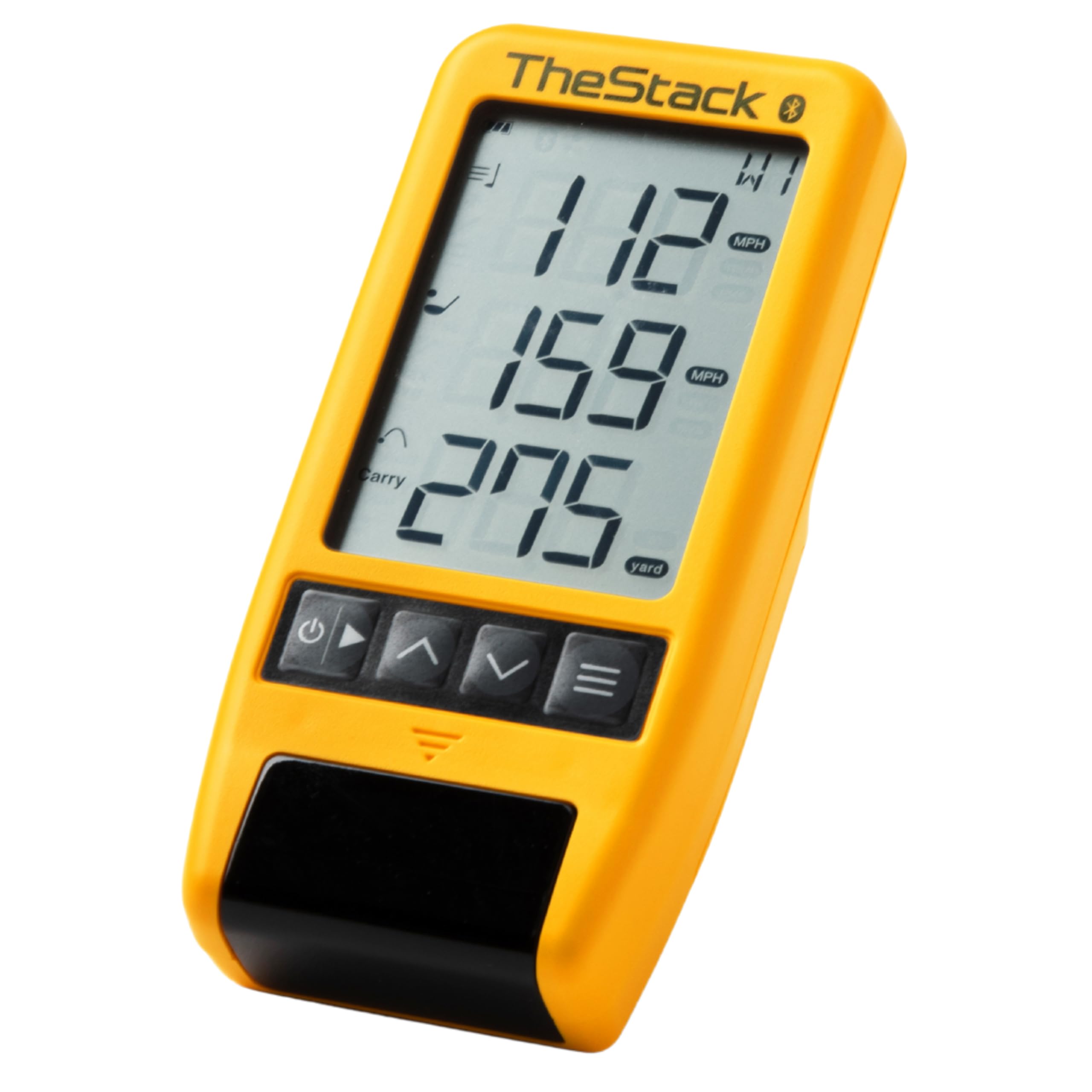
TheStack Radar is not a general-purpose launch monitor — it is a purpose-built speed training and wedge gapping tool designed to pair exclusively with TheStack app ecosystem. It measures swing speed and ball speed, then calculates estimated carry distance and smash factor. The device connects via Bluetooth to iOS and Android phones, automatically feeding speed data into TheStack’s structured training programs. The system was developed by Dr. Sasho MacKenzie and is trusted by 2022 US Open Champion Matt Fitzpatrick for his speed work.
The Stack Wedging mode (available on iOS) gamifies wedge practice with skill-specific sessions that help you dial in partial shot distances. A 1-month free trial is included, after which the wedging feature requires a subscription. The Stack Putting bonus app provides guided putting practice with session insights. Users consistently report measurable swing speed gains — several reviewers noted 4 to 6 mph improvements within weeks of consistent use. The unit is extremely compact at 0.12 kg, fitting easily into a golf bag side pocket.
The radar has limitations. It only outputs club speed, ball speed, carry distance, and smash factor — no spin, launch angle, or shot shape. It requires AA batteries (not included) rather than having a rechargeable battery, which feels dated at this price point. The wedging subscription adds a recurring cost beyond the initial hardware purchase. If your goal is pure speed training and structured wedge practice within the Stack ecosystem, this device is peerless. If you need a multi-metric launch monitor, this is not the tool.
Why it’s great
- Built specifically for the proven Stack speed training system
- Time-tested by Tour players for measurable swing speed gains
- Extremely compact at 0.12 kg for easy bag storage
Good to know
- Limited to club speed, ball speed, carry distance, and smash factor only
- Uses AA batteries instead of rechargeable lithium-ion
- Wedging app features require a subscription beyond trial period
8. Voice Caddie SC200 Plus

The Voice Caddie SC200 Plus strips away complexity and focuses on the metrics that matter for most recreational golfers: swing speed, ball speed, and carry distance. The Doppler radar sensor automatically calibrates to atmospheric pressure and provides instant feedback through both the LCD display and a voice output that announces your distance after each swing. The new Swing Speed Mode allows you to practice tempo and speed without hitting a ball — useful for hotel rooms or living rooms when you cannot set up a net.
The unit weighs only 8 ounces and offers an advertised 20 hours of battery life from the built-in lithium-ion battery, though some users note the battery is not user-replaceable. The adjustable loft angle setting lets you simulate different club conditions for comprehensive shot training. The remote control (included) allows you to trigger readings from the hitting area without walking back to the device. Users consistently report accurate swing speed numbers for full swings, though wedge distance readings can drift slightly.
The SC200 Plus lacks spin data, launch angle, or any shot shape analysis — it is a distance-and-speed tool, not a full launch monitor. A handful of users experienced units with faulty calibration that produced wildly inaccurate distances (showing 112 yards for a 235-yard drive). The device does not pair with an app or store historical data; it is purely real-time feedback, which some users see as a design limitation and others appreciate as a distraction-free training tool. For the golfer who wants quick, reliable distance data without wading through software menus, this is a solid mid-range option.
Why it’s great
- Lightweight 8 oz design with 20-hour battery life
- Voice output provides instant feedback without looking at a screen
- Swing Speed Mode allows no-ball training for tempo work
Good to know
- No spin data, launch angle, or shot shape analysis
- Does not pair with an app or store historical data
- Some units have reported calibration issues with wedge distances
9. Callaway 300 Pro Laser Rangefinder

The Callaway 300 Pro is not a launch monitor in the traditional sense — it is a laser rangefinder optimized for on-course use. It measures distances from 5 to 1000 yards with +/- 1 yard accuracy through 6x magnification optics. The Pin Acquisition Technology (PAT) locks onto the pin up to 300 yards away and emits a vibrating pulse to confirm the lock. The external Slope On/Off switch makes it legal for tournament play, and the built-in magnet secures the unit to the cart frame for quick access between shots.
Users consistently praise the device for its clear optics, fast readout, and battery life — one reviewer reported 101 rounds over 14 months on a single battery. The IPX4 rating means it handles light rain without issue. The premium molded hard carry case with carabiner and quick-close band adds protection in your bag. Compared to a Bushnell Hybrid that costs twice as much and lacks a magnet or slope, the Callaway 300 Pro represents exceptional value for the on-course rangefinder category.
The 300 Pro provides no shot data — no ball speed, spin, launch angle, or swing analysis. It is strictly a distance-to-pin tool with slope compensation. The small form factor (4 x 2.7 x 1.4 inches) may feel cramped for golfers with large hands. The pin lock can be slightly slower than high-end options like the Bushnell Pro XE. For the golfer who already owns a home launch monitor but needs fast, accurate yardages on the course with tournament-legal slope switching, this is a perfectly targeted companion piece.
Why it’s great
- External slope switch for tournament legality
- Strong built-in magnet for cart frame attachment
- IPX4 water resistance and exceptional battery life
Good to know
- No shot data at all — distance-to-pin only
- Small size may not suit golfers with larger hands
- Pin lock is slower than premium Bushnell models
FAQ
Can I use a budget launch monitor indoors in a standard garage?
Do these monitors require special golf balls for spin data?
What is the real cost of software subscriptions over 2 years?
Final Thoughts: The Verdict
For most users, the golf launch monitor under 1000 winner is the Garmin Approach R10 because it balances reliable Doppler accuracy, 10-hour battery life, and a mature software ecosystem at a price that leaves budget for a hitting net. If you need camera-grade spin axis data without marked balls, grab the Uneekor EYE MINI CORE for serious home simulator builds. And for pure speed training with a proven Tour-backed protocol, nothing beats the TheStack Radar.