
Stepping into gaming for the first time is both exciting and overwhelming. You want a console that’s easy to set up, fun for the whole family, and doesn’t come with a confusing list of subscriptions or complicated controls. The wrong choice can lead to frustration, unused hardware, or buyer’s remorse—especially when you’re just trying to figure out what “cloud gaming” or “retro emulation” even means.
I’m Mohammad Maruf — the founder and writer behind Drink4Good. I’ve spent years researching the hardware specs, game libraries, and real-world usability of gaming consoles to help families and new players make a confident first purchase.
After sorting through motion-tracking cameras, handheld streamers, VR headsets, and traditional home consoles, I’ve narrowed the field to the most beginner-friendly options available. This guide will walk you through the top picks for your first gaming console for beginners so you can start playing without the headaches and hidden costs.
How To Choose The Best Gaming Console For Beginners
Before you click “buy,” you need to figure out who will be playing and where. A motion console that gets kids jumping around is terrible for a teen who wants to play the latest Halo in their bedroom. A high-end retro handheld with no pre-loaded games is frustrating for a parent who just wants to plug and play for their 6-year-old. Let’s break down the three most important filters.
Physical Activity vs. Couch Potato Gaming
The biggest fork in the road for a new gamer is whether you want to move or sit. Motion-based consoles like the Nex Playground or the Kryolithm MotionX use a camera to track your body—you jump, dodge, and dance. These are fantastic for young kids, family parties, and burning off energy. On the other hand, traditional consoles like the Xbox Series S are seat-and-grip affairs where you use a controller. Neither is better, but mixing them up leads to disappointment.
Subscription Costs
Many consoles look cheap at first glance but hide a walled garden of recurring fees. The Nex Playground, for example, requires a separate Play Pass subscription to unlock its full game library. Cloud-based handhelds like the abxylute One Pro need your own subscriptions to Xbox Cloud Gaming or GeForce Now to play AAA titles. The Retro Handhelds (RG557) and the MotionX units from Kryolithm and Kinhank are refreshingly free of ongoing fees—what you buy is what you get. Always check whether the games are included or the box is just a key to a paid service.
Ease of Setup
A beginner’s console should be playable within ten minutes of opening the box. Motion consoles that connect via HDMI and need no Wi-Fi for gameplay are the gold standard for simplicity. Handhelds running Android (like the Logitech G Cloud or the RG557) require you to sign in to Google accounts, download emulators, and manage files—fine for a tech-savvy teen, but a headache for someone who just wants to press a button and play.
Quick Comparison
On smaller screens, swipe sideways to see the full table.
| Model | Category | Best For | Key Spec | Amazon |
|---|---|---|---|---|
| Nex Playground | Motion Console | Young kids & active families | AI camera tracks body movement | Amazon |
| Kryolithm MotionX | Motion Console | No-subscription active play | 41 games, no subscription required | Amazon |
| Logitech G Cloud | Cloud Handheld | Streaming AAA games on the go | 12-hour battery, 1080p screen | Amazon |
| abxylute One Pro | Cloud Handheld | Budget-friendly streaming & retro | 7-inch 1080p, 8-hour battery | Amazon |
| Meta Quest 3S | VR Headset | Immersive beginner VR | Snapdragon XR2 Gen 2, 8GB RAM | Amazon |
| Xbox Series S | Home Console | Traditional digital gaming | 512GB SSD, up to 120 FPS | Amazon |
| Anbernic RG557 | Retro Handheld | Tech-savvy retro fans | 5.48″ AMOLED, Dimensity 8300 | Amazon |
| Aivuidbs RG557 | Retro Handheld | High-res retro & Steam Link | OLED touch, 5500mAh battery | Amazon |
| Kinhank MotionX | Motion Console | Families wanting monthly game updates | 40+ games, CPC certified | Amazon |
In‑Depth Reviews
1. Nex Playground
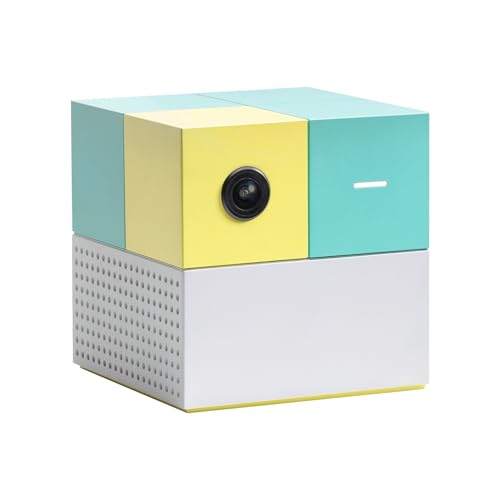
The Nex Playground stands out as the most polished motion console for families, using its built-in wide-angle AI camera to track body movements without any controllers or wearables. Up to four players can jump, duck, and swat their way through five included games like Fruit Ninja and Whac-a-Mole right out of the box. Its kidSAFE+ COPPA certification means zero ads, zero in-app purchases, and motion data that stays entirely local—a huge relief for parents concerned about privacy.
Setup is genuinely plug-and-play: HDMI into any TV, and you’re playing in minutes. The compact cube design sits on a mantle or slips into a backpack for playdates. Adult-friendly fitness boxing modes also get parents moving, turning screen time into genuine physical activity. Young reviewers note that security-mounting the lightweight unit with alien tape prevents accidental knocks during intense sessions.
The main catch is the subscription model—the full catalog of licensed characters like Peppa Pig, Barbie, and Bluey requires a separate Play Pass purchase at an additional cost. Without it, the five included games may grow stale quickly for frequent players. Older kids (ages 10+) may also find the motion tracking’s on-screen box restrictive during fast gameplay.
Why it’s great
- Truly no-controller, full-body gameplay for ages 4+
- Kid-safe with local-only data and physical camera shutter
- Easy 5-minute setup with HDMI and no Wi-Fi needed for play
Good to know
- Full game library requires an ongoing subscription fee
- Lightweight build may need mounting tape to stay secure
- Motion detection box can feel restrictive for larger groups
2. Kryolithm MotionX
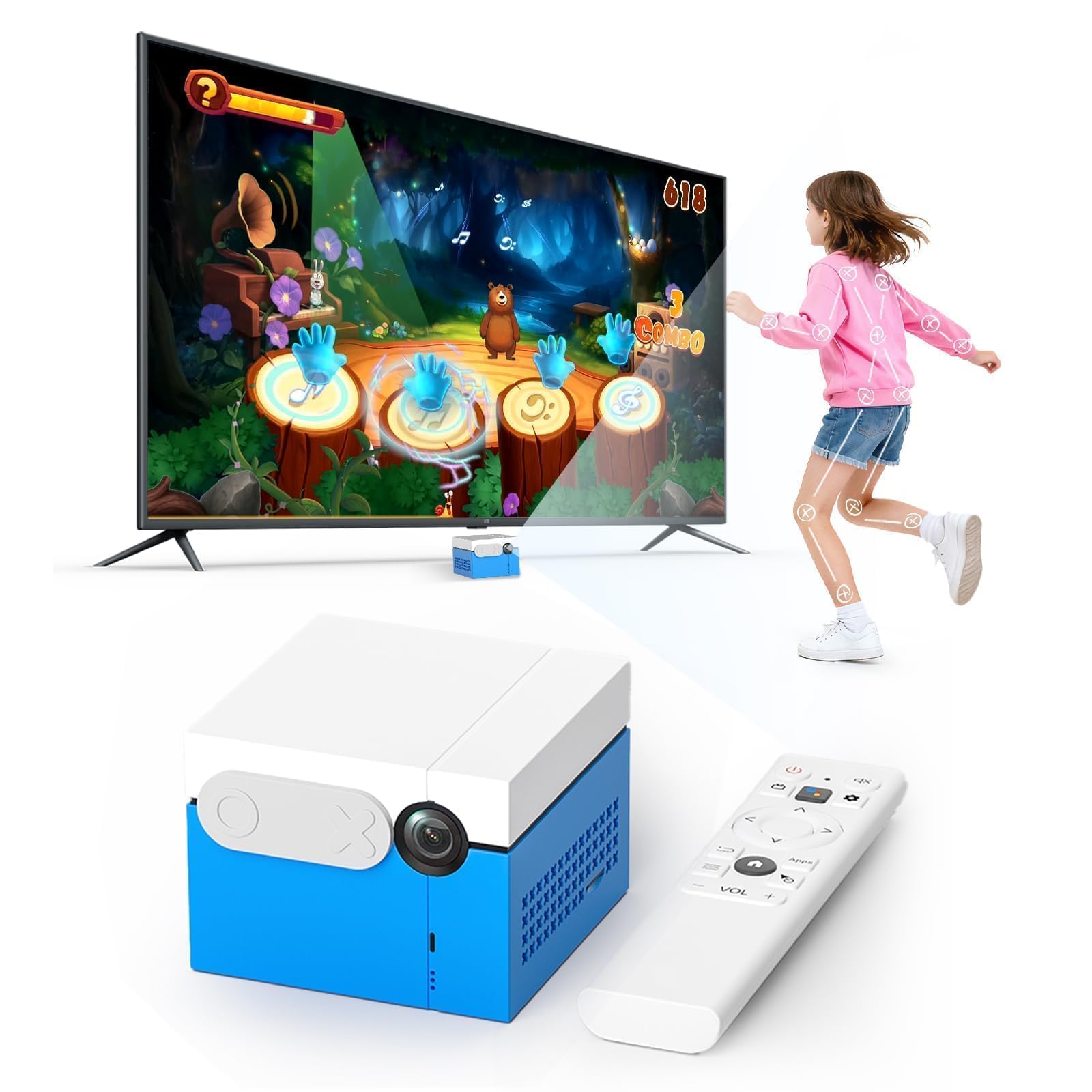
The Kryolithm MotionX directly addresses the biggest complaint about subscription-based systems: it includes 41 active games with continuous updates and no recurring fee. Its built-in AI wide-angle camera tracks full-body motion, letting kids, teens, and even grandparents jump in without touching a remote or controller. The CPC-certified design ensures age-appropriate content and a physical sliding privacy cover over the camera lens for offline peace of mind.
Game variety spans sports, dance, puzzles, music, and party modes, with two-player competitive options that make family game nights genuinely fun. Setup is refreshingly straightforward—HDMI plug-and-play works offline, with Wi-Fi only needed for occasional content updates. The compact 5x4x2-inch form factor travels easily for use in living rooms, playrooms, RVs, or schools.
Motion recognition struggles noticeably in low-light conditions, and navigating menus still requires the included remote control rather than gesture-only controls. A few buyers have reported occasional console unresponsiveness during extended sessions. The game graphics are also simpler than what you’d see on a traditional home console like the Xbox Series S.
Why it’s great
- Zero subscription cost for 41 games with free updates
- CPC-certified child safety with local-only data storage
- Works completely offline for gameplay
Good to know
- Motion tracking degrades significantly in dim rooms
- Menu navigation requires the remote control
- Visual quality is basic compared to AAA home consoles
3. abxylute One Pro
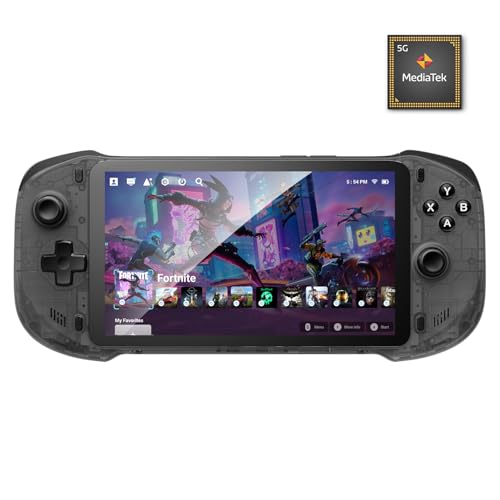
For beginners who want to play modern titles like Halo or Fortnite without buying a full-size console, the abxylute One Pro offers a convincing cloud-first approach. It streams games directly from Xbox Cloud Gaming, NVIDIA GeForce NOW, PlayStation Plus Premium, and Amazon Luna, provided you already hold those subscriptions. Its 7-inch 1080p touchscreen and lightweight 430-gram build make it comfortable for long sessions—reviewers consistently report 7 to 8 hours of real-world battery life.
The MediaTek Genio 510 chipset marks a major performance leap over the previous generation, and the new capacitor digital joysticks allow toggling between Circle Mode for precision aiming and Square Mode for broader input. Beyond streaming, it capably handles retro emulation up to PSP and Dreamcast, and its Android 12 OS means you can also download native Android games from Google Play. The 4K video output via USB-C lets you connect to a TV or AR glasses for a bigger screen.
It is not powerful enough for demanding native Android games or high-end PS2/GameCube emulation. The 64GB internal storage fills quickly with modern apps, requiring a microSD card for larger game libraries.
Why it’s great
- Excellent cloud streaming performance with low latency
- 8-hour battery outlasts most competitors
- Capacitor joysticks eliminate drift with dual tracking modes
Good to know
- Requires separate subscriptions for AAA cloud gaming
- Not suitable for demanding local Android games
- Wi-Fi 5 limits performance compared to Wi-Fi 6
4. Logitech G Cloud
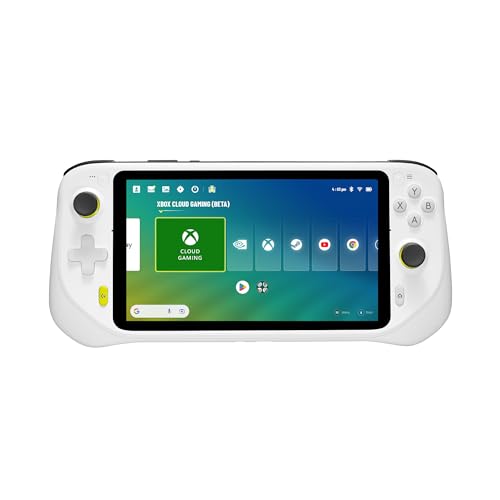
The Logitech G Cloud is purpose-built around one idea: cloud gaming on a handheld that feels like an Xbox controller. Its 7-inch 1080p touchscreen runs at 60Hz, and the 463-gram chassis is noticeably lighter than a Steam Deck, making long play sessions comfortable. The 12-plus-hour battery life is best-in-class, allowing day-long road trips without hunting for an outlet. Integrated apps for Xbox Cloud Gaming, NVIDIA GeForce NOW, and Steam Link launch quickly, and the Android OS gives you access to the Google Play store.
Ergonomics are the standout feature here—gaming-grade controls with haptics, gyroscope, and remappable buttons rival a standard console controller. For remote play, connecting your Xbox or PS5 via your home network yields near-zero lag with sub-0.1-second latency in ideal conditions. The G Cloud also handles retro emulation up to GameCube smoothly, making it a versatile secondary device for older game libraries.
Internal storage is limited to 64GB, and while a microSD card expands space, larger Android games still fill the internal drive quickly. The Snapdragon chipset is optimized for streaming, so demanding native games and PS2 emulation suffer. A few users also note that the glossy screen produces glare in bright rooms.
Why it’s great
- Leader in battery life at over 12 hours of streaming
- Console-grade ergonomics with haptic feedback and gyro
- Outstanding remote play performance with Xbox and PS5
Good to know
- Priced significantly above comparable cloud handhelds
- 64GB internal storage fills rapidly with Android apps
- Not powerful for local native gaming or heavy emulation
5. Meta Quest 3S 128GB

The Meta Quest 3S is the clearest path into virtual reality for a beginner who wants to try gaming, fitness, and immersive entertainment in one wireless package. Powered by the Snapdragon XR2 Gen 2 processor, it delivers twice the graphical power of the Quest 2 and a smooth full-color passthrough mode that blends your physical room with digital objects. The 8GB of RAM provides responsive performance for games, movies, and social experiences, and the two included motion-sensing controllers track accurately without external sensors.
Setup is surprisingly simple for VR: charge the headset, put it on with the adjustable strap, and the dual RGB cameras map your play space automatically. The 3-month trial of Meta Horizon+ gives instant access to over 40 games, including popular titles like Beat Saber and Supernatural. Beyond gaming, the Quest 3S excels as a media device—watching films via Netflix or YouTube feels like sitting in a private theater, and RetroArch support lets you play classic games on a massive virtual screen.
The stock head strap is adequate for short sessions but becomes uncomfortable after 30-45 minutes, making a third-party elite strap or battery strap a near-mandatory accessory. The battery lasts only about 2 to 2.5 hours during active gaming, which limits longer VR sessions. Some users—especially those prone to motion sickness—report headaches or eye strain, though the 3S is gentler than earlier Quest models. The 128GB memory fills fast with just three or four large games.
Why it’s great
- Best entry-point for wireless VR with strong graphics
- Color passthrough for safe mixed-reality experiences
- Large game library with 3-month trial included
Good to know
- Comfort issues with the stock head strap after 30 minutes
- Battery life requires recharging after 2 to 2.5 hours
- VR motion sickness can affect some first-time users
6. Xbox Series S 512GB
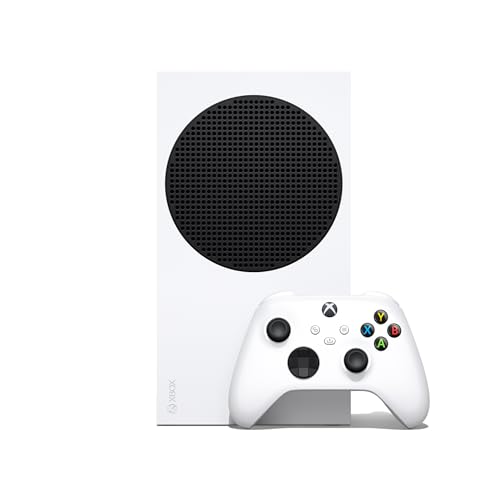
The Xbox Series S is the most affordable gateway into traditional console gaming, delivering genuine next-gen performance in a compact, all-digital design. Its custom NVMe SSD powers the Xbox Velocity Architecture, enabling near-instant load times and Quick Resume that lets you switch between multiple games in seconds without reloading. The console supports up to 120 FPS gameplay on supported titles, bringing smooth motion to fast-paced shooters and racing games—a noticeable upgrade from older hardware.
Backward compatibility is a huge selling point for someone building a game library from scratch: the Series S plays thousands of titles across four generations of Xbox consoles, and Smart Delivery automatically upgrades your games to the best version for this hardware. The included wireless controller feels familiar and responsive, and the compact white design fits easily into any entertainment center. Adding Xbox Game Pass Ultimate unlocks a massive catalog of day-one releases and online multiplayer.
The 512GB SSD has only about 364GB of usable space, and modern games like Call of Duty can eat over 200GB alone—an external USB 3.0 drive helps for older games, but Series X|S optimized titles require the internal drive or an expensive expansion card. Being digital-only means you cannot play used discs or lend games to friends. The console also targets up to 1440p resolution rather than true 4K, which may matter if you have a large high-end TV.
Why it’s great
- Best price-to-performance ratio for modern AAA gaming
- Quick Resume and SSD make load times negligible
- Backward compatible with four generations of Xbox games
Good to know
- 512GB storage is insufficient for more than 2-3 big games
- Digital-only means no disc resale or sharing
- Renders up to 1440p, not native 4K resolution
7. Voacle Anbernic RG557
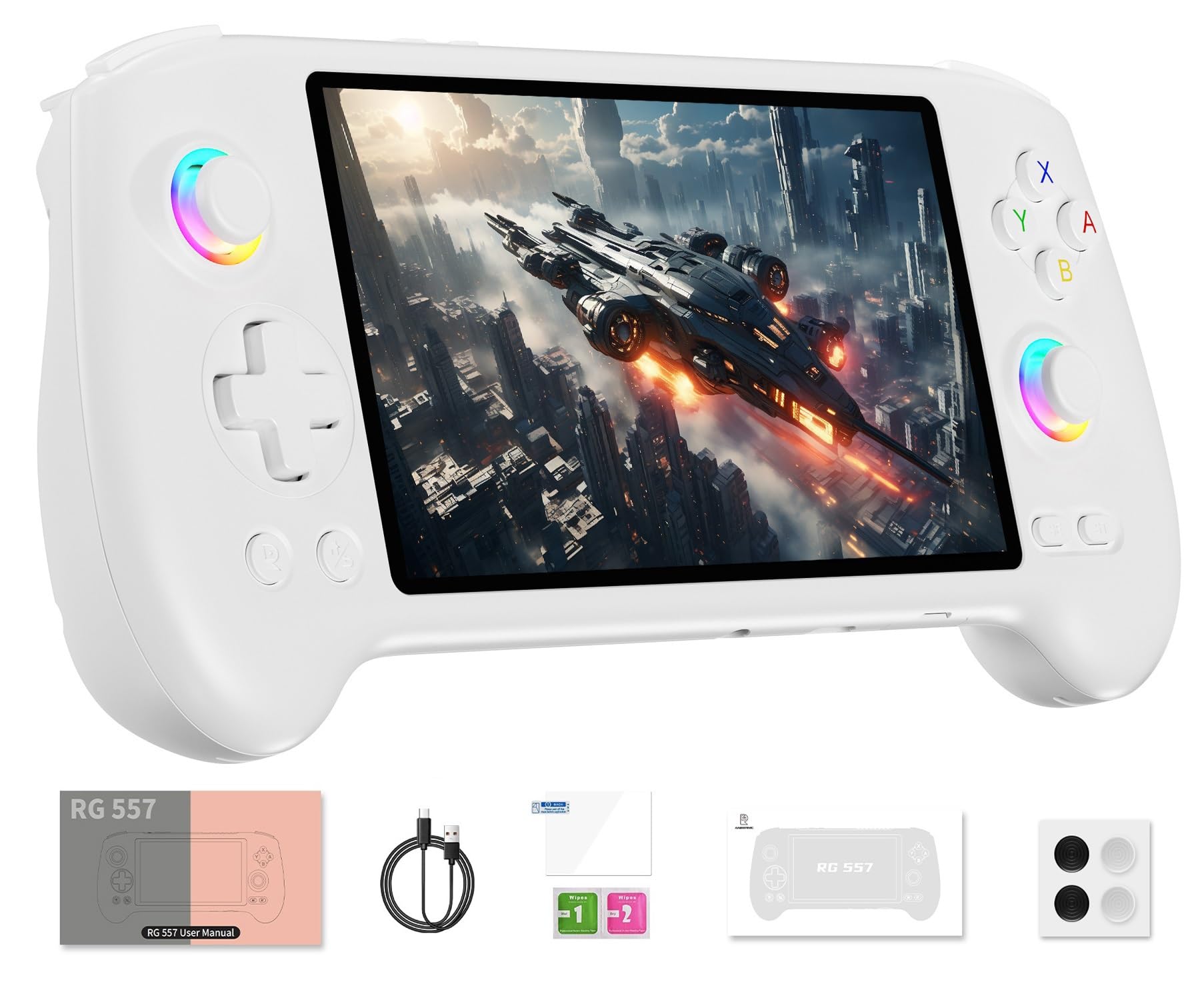
The Voacle Anbernic RG557 is a dedicated retro handheld for beginners who specifically want to revisit classic games from the NES, SNES, PlayStation 1, and GameCube eras. Its premium 5.48-inch AMOLED display produces deep blacks and vibrant colors that make pixel-art games look stunning—the OCA full-fit 1920×1080 screen even supports original 480p output for authentic pixel-to-pixel effects. Inside, the MediaTek Dimensity 8300 processor provides enough horsepower to run GameCube and most PlayStation 2 titles at full speed without stuttering.
The build quality is immediately apparent: a solid, well-constructed chassis with responsive buttons, hall-effect joysticks, and a 5500mAh battery that delivers up to 8 hours of continuous play. Android 14 under the hood means you can install emulators from the Google Play store, and the included front-end software organizes your ROMs neatly. Connectivity is future-proof with Wi-Fi 6E, Bluetooth 5.3, and a USB-C port that outputs 1080p for playing on a TV. The active cooling fan keeps the chipset from throttling during demanding emulation.
There are zero games pre-installed on the RG557—you must download ROMs and set up emulators yourself, which requires some technical comfort and know-how. Without proper configuration, the Android interface can feel cluttered and unintuitive for a pure beginner. A handful of users reported display glitches after a few months, and the overall price pushes it close to the territory of more versatile cloud handhelds or even the Xbox Series S itself.
Why it’s great
- Stunning AMOLED display brings retro graphics to life
- Dimensity 8300 handles PS2 and GameCube smoothly
- Large 5500mAh battery provides all-day play
Good to know
- No games preloaded—requires manual ROM setup
- Android interface can be overwhelming for non-tech users
- Price approaches that of a full home console
8. Aivuidbs RG557

The Aivuidbs RG557 is effectively the same hardware platform as the Voacle Anbernic RG557 but with a slightly different software flavor—the same Dimensity 8300 CPU, 12GB of RAM, and gorgeous 5.48-inch OLED touchscreen. The OLED panel is the hero here, delivering perfect blacks and 1080p resolution that makes retro titles and even Android streaming services look fantastic. The ergonomic body is comfortable for extended gaming, and hall-effect joysticks and triggers eliminate the drift issues common with cheaper analog sticks.
Performance across retro emulation is strong: NES through PSP runs flawlessly, and most PlayStation 2 and GameCube titles are playable with minor tweaks. The integrated Steam Link app streams PC games from a gaming rig, and the 5500mAh battery lasts roughly 8 hours for 2D emulation—though 3D-heavy PS2 titles will engage the active cooling fan and drain faster. The included front-end software organizes your games into a clean launcher, and the Android OS allows for standard productivity apps as a bonus.
Like its sibling, this unit ships with zero pre-loaded games, demanding users source and install their own ROMs—a barrier for absolute beginners. The Android implementation is not as polished as Linux-based retro handhelds, and some users report that certain emulators fail to detect ROMs through the front-end launcher. A few early units arrived with defective components (broken rumble, poor PS2 performance) requiring exchanges, though the replacement units performed correctly.
Why it’s great
- Vibrant OLED screen with excellent contrast and resolution
- 12GB RAM and powerful CPU handle most retro platforms
- Hall-effect controls prevent joystick drift
Good to know
- No games included; full setup requires technical know-how
- Quality control can be inconsistent across units
- Android OS feels less intuitive than dedicated Linux frontends
9. Kinhank MotionX
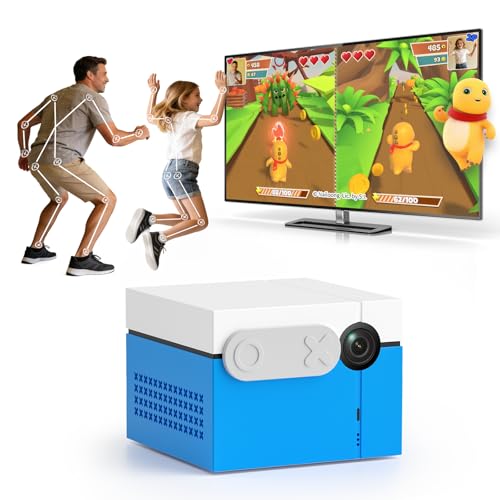
The Kinhank MotionX is a near-identical competitor to the Kryolithm MotionX, offering the same core value proposition—an active, controller-free gaming console for families—with slight differences in game count and update frequency. Its built-in AI wide-angle camera tracks natural body movements, allowing kids and adults to play through over 40 games spanning dance, sports, music, puzzles, and party challenges. The CPC certification and local-only data storage ensure the same child privacy protections, and the physical sliding camera cover adds peace of mind when not in use.
Where the Kinhank slightly edges ahead is its promise of monthly content updates, which gives returning players something new to look forward to without paying a subscription fee. Two-player competitive modes make sibling battles and parent-child playdates genuinely engaging, and the compact design fits easily on a TV stand or inside a backpack. Setup is identical to similar motion consoles: HDMI in, no Wi-Fi required for core gameplay, and gameplay starts within minutes of unboxing.
The motion recognition system struggles in dim environments and requires adequate lighting for accurate tracking. Menu navigation still relies on the included remote rather than hand gestures, which breaks the immersion slightly. Some users report that the camera occasionally loses track of players, making certain fast-paced games frustrating for younger children. The graphics resolution is limited to 720p, which looks soft on large modern TVs.
Why it’s great
- Free monthly game updates without any subscription
- CPC-certified with local data storage for family safety
- Simple plug-and-play HDMI setup works offline
Good to know
- Low-light performance is weak for motion tracking
- 720p resolution looks dated on larger TVs
- Occasional tracking lag during fast-paced games
FAQ
What internet speed do I need for a cloud gaming console?
Can I play modern AAA games on the RG557 retro handheld?
Does the Nex Playground come with games or do I have to buy them?
Is the Xbox Series S fully backward compatible with old games?
Final Thoughts: The Verdict
For most families buying their first gaming console for beginners, the gaming console for beginners winner is the Nex Playground because it delivers polished, controller-free movement that gets everyone off the couch while maintaining strict child-safety standards and effortless setup. If you want zero recurring fees and a larger library of games out of the box, grab the Kryolithm MotionX. And for a beginner who wants to play modern AAA titles without a full-size console, nothing beats the -subscription-to-play value of the Xbox Series S—especially when paired with Game Pass for a massive digital library.