
The difference between a good 1440p gaming monitor and a great one isn’t the resolution—it’s how the pixels behave under pressure. At 27 inches with a QHD panel, you’re at the sweet spot where pixel density meets GPU horsepower, but the refresh rate, panel type, and response time determine whether your crosshair stays on target or blurs into the chaos. Choosing the right monitor means understanding the trade-offs between IPS vibrancy, OLED blacks, and raw refresh speed.
I’m Mohammad Maruf — the founder and writer behind Drink4Good. I’ve spent years analyzing hardware specifications, panel technologies, and market trends in the gaming display space to separate genuine performance gains from marketing noise.
Whether you compete in ranked shooters or lose yourself in open-world epics, finding the right screen comes down to balancing color accuracy, motion clarity, and connectivity. That’s why I put together this breakdown of the best 1440p gaming monitor options available today.
How To Choose The Best 1440P Gaming Monitor
Selecting a gaming monitor at this resolution is a balancing act between panel technology, refresh rate, and your GPU’s ability to push frames. The wrong choice can bottleneck performance or leave you with washed-out colors. Focus on these critical factors before you commit.
Panel Type: IPS versus OLED versus VA
IPS panels offer wide viewing angles and consistent color reproduction, making them a reliable choice for mixed-use gaming and content consumption. OLED panels, particularly QD-OLED and WOLED, deliver true blacks, infinite contrast, and sub-millisecond response times, but they require careful burn-in management. VA panels provide strong contrast but suffer from slower pixel transitions, which introduces visible ghosting in fast-moving scenes. For competitive gaming at 1440p, OLED is the clear performance leader.
Refresh Rate and Response Time
Refresh rate determines how many frames your monitor can display per second. At 1440p, a 240Hz panel is the sweet spot for most modern GPUs, providing fluid motion without demanding extreme frame rates. The response time, measured in gray-to-gray (GtG), indicates how quickly a pixel changes color. A 1ms GtG is standard for IPS, while OLED panels achieve 0.03ms, virtually eliminating motion blur. The combination of high refresh and low response is what makes fast-paced shooters feel responsive.
Adaptive Sync and Variable Refresh Rate
G-Sync and FreeSync technologies synchronize your monitor’s refresh rate with your GPU’s frame output, eliminating screen tearing and stuttering. G-Sync Compatible certification ensures a seamless experience with Nvidia GPUs, while FreeSync Premium Pro adds HDR support and low frame rate compensation for AMD users. Most modern 1440p monitors support both standards, but always verify compatibility with your specific graphics card to avoid compatibility headaches.
Quick Comparison
On smaller screens, swipe sideways to see the full table.
| Model | Category | Best For | Key Spec | Amazon |
|---|---|---|---|---|
| Alienware AW2725DF | QD-OLED | Competitive & immersive hybrid | 360Hz / 0.03ms | Amazon |
| LG 27GX700A-B | WOLED | Bright room gaming with HDR | 280Hz / 1500 nits peak | Amazon |
| Samsung Odyssey OLED G6 G60SF | QD-OLED | Elite esports refresh rates | 500Hz / 0.03ms | Amazon |
| ASUS ROG Strix XG27AQDMG | WOLED | Glossy screen lovers | 240Hz / 0.03ms | Amazon |
| INNOCN GA27M1Q | QD-OLED | 500Hz value proposition | 500Hz / 0.03ms | Amazon |
| ROG Strix XG27AQDMES | QD-OLED | Burn-in prevention features | 240Hz / Neo Proximity Sensor | Amazon |
| MSI MAG 274QP QD-OLED X24 | QD-OLED | Affordable OLED entry point | 240Hz / 0.03ms | Amazon |
| Acer Predator X27U | QD-OLED | Budget QD-OLED with full ergonomics | 240Hz / 0.03ms | Amazon |
| AOC Q27GAZD | QD-OLED | Entry-level OLED with strong colors | 240Hz / 0.03ms | Amazon |
| LG 27GR83Q-B | IPS | Reliable IPS at high refresh | 240Hz / 1ms GtG | Amazon |
| Samsung Odyssey G65B | VA | Curved immersion with smart TV features | 240Hz / 1ms | Amazon |
In‑Depth Reviews
1. Alienware AW2725DF

The Alienware AW2725DF strikes an exceptional balance between esports-grade refresh and visual fidelity. Its 360Hz QD-OLED panel delivers buttery-smooth motion with a 0.03ms response time, making it equally adept at competitive shooters and single-player epics. The infinite contrast ratio and VESA DisplayHDR True Black 400 certification produce deep, inky blacks without crushing shadow detail in dark game environments.
Colors are exceptionally accurate out of the box, with 99.3 percent DCI-P3 coverage and Delta E less than 2, meaning you won’t need to spend time calibrating for accurate HDR content. The stand offers full height, tilt, swivel, and pivot adjustments, and the 16:10 aspect ratio support provides extra vertical screen space for productivity tasks. Dell’s three-year burn-in warranty provides solid peace of mind for long-term OLED ownership.
The QD-OLED coating has a slight purple tint under direct light, and the glossy finish attracts fingerprints. You’ll need to run the periodic pixel refresh cycle, but the on-screen prompt is unobtrusive. For gamers who want the full OLED experience at a refresh rate that outpaces most 240Hz panels, this is the sweet spot.
Why it’s great
- 360Hz refresh rate is buttery smooth for competitive gamers
- QD-OLED delivers true blacks and vibrant colors
- Full ergonomic stand with pivot support
- Three-year burn-in warranty included
Good to know
- QD-OLED coating can show purple tint in bright environments
- Glossy surface attracts fingerprints
- Requires periodic pixel refresh
2. LG 27GX700A-B

LG’s 27GX700A-B leverages fourth-generation WOLED technology with Primary RGB Tandem architecture to achieve the brand’s brightest OLED gaming monitor yet, reaching up to 1500 nits peak brightness. That sustained luminance means HDR highlights in games like cyberpunk or racing titles actually pop without the aggressive auto-brightness limiting that plagues older OLED panels. The 280Hz refresh rate and 0.03ms response time keep motion crisp even during rapid target acquisition.
The VESA DisplayHDR True Black 500 certification ensures deep shadow detail while maintaining bright highlight retention. LG’s OLED Care includes automatic pixel cleaning during shutdown, and the matte anti-glare coating handles well-lit rooms better than glossy QD-OLED alternatives. The stand provides height, tilt, swivel, and pivot adjustments, and connectivity includes two HDMI 2.1 ports and DisplayPort 1.4.
Some users report banding on static solid-color screens, and the LG Switch software can feel intrusive with update prompts. VRR flicker is present but can be mitigated by disabling variable refresh rate and locking the refresh. For gamers who play in bright rooms and want maximum HDR brightness from an OLED, this is the monitor to beat.
Why it’s great
- 1500 nits peak brightness is best-in-class for OLED
- 280Hz refresh rate with 0.03ms response
- Dual HDMI 2.1 ports for console gaming
- Effective anti-glare matte coating
Good to know
- Banding visible on static solid-color screens
- VRR flicker noticeable in some scenarios
- LG software can be intrusive
3. Samsung Odyssey OLED G6 G60SF
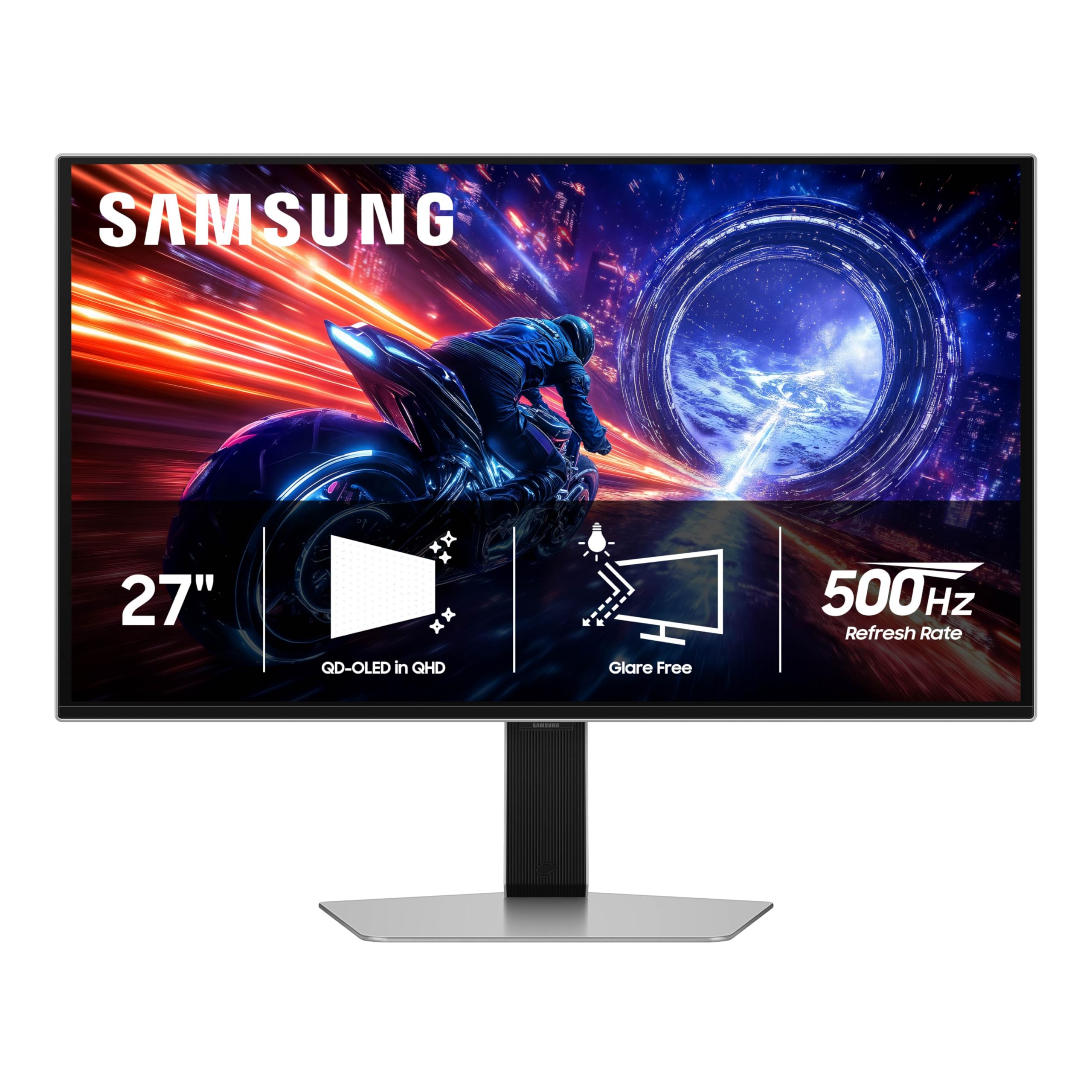
The Samsung Odyssey OLED G6 G60SF is currently the world’s first OLED monitor to reach a native 500Hz refresh rate, and the difference is palpable when playing high-frame-rate titles like Valorant or Counter-Strike 2. At 1440p QD-OLED, the motion clarity is staggering—ghosting is effectively non-existent, and the 0.03ms GtG response means every frame transition is instantaneous. The Glare Free technology minimizes reflections without sacrificing the deep blacks typical of OLED panels.
VESA DisplayHDR True Black 500 certification with 1000 nits peak brightness provides excellent HDR performance, and the 99 percent DCI-P3 color gamut ensures vibrant, saturated visuals. The stand allows tilt, height, and pivot adjustments, and G-Sync compatibility eliminates tearing when paired with recent Nvidia GPUs. Samsung includes a three-year warranty, which is reassuring for an OLED product at this refresh rate.
The interface is polarizing—the on-screen menu navigation is cumbersome, and the smart features can feel intrusive if you just want a pure monitor experience. Some users have reported build quality issues with the back button. But for competitive players who want the highest possible refresh rate at 1440p with OLED blacks, this is unmatched.
Why it’s great
- 500Hz refresh rate is the highest available on OLED
- QD-OLED provides excellent color gamut and black levels
- Glare Free surface handles reflections well
- Three-year warranty included
Good to know
- OSD menu navigation is cumbersome
- Smart features can be intrusive
- Some build quality concerns reported
4. ASUS ROG Strix XG27AQDMG

The ASUS ROG Strix XG27AQDMG uses third-generation WOLED technology with a glossy display finish that produces strikingly vibrant colors and deep blacks without the anti-glare haze found on matte panels. The 240Hz refresh rate and 0.03ms response time are standard for premium OLED, but the custom heatsink and advanced airflow design reduce the risk of burn-in while maintaining consistent brightness over long sessions. The uniform brightness setting is a welcome addition for those sensitive to ABL fluctuations.
ASUS OLED Anti-flicker technology reduces flicker during refresh-rate fluctuations, which is a frequent pain point on other OLED monitors when running variable refresh rate. The three-year warranty includes burn-in coverage, making this a safer long-term investment. Connectivity includes HDMI 2.1, DisplayPort 1.4, and two USB 3.2 Gen 1 Type-A ports. The stand provides full ergonomic adjustment.
The text clarity is slightly less sharp than a high-end IPS panel due to the OLED subpixel layout, which may be noticeable in productivity use. The auto-dimming feature can be disruptive if not disabled. For gamers who prioritize rich, saturated colors and want a glossy screen that makes games pop, this is an outstanding choice.
Why it’s great
- Glossy WOLED delivers exceptional vibrancy and contrast
- Custom heatsink design improves burn-in resistance
- Anti-flicker technology reduces VRR artifacts
- Three-year warranty with burn-in coverage
Good to know
- Text clarity is slightly softer than IPS
- Auto-dimming can be annoying until disabled
- VESA mount attachment is finicky
5. INNOCN GA27M1Q

The INNOCN GA27M1Q brings 500Hz QD-OLED technology to a surprisingly accessible price point, making ultra-high refresh rates available to more gamers. At 1440p, the 500Hz refresh rate paired with a 0.03ms response time delivers motion clarity that matches the Samsung Odyssey G6 at a lower cost. The 1,500,000:1 contrast ratio and 99 percent DCI-P3 color gamut provide the deep blacks and vibrant colors expected from QD-OLED panels.
Connectivity is generous with two DisplayPort 1.4 and two HDMI 2.1 ports, allowing simultaneous connection to a gaming PC, console, and streaming device. The built-in speakers are a rare inclusion on OLED gaming monitors and are decent for casual use. The stand offers height, tilt, and swivel adjustments, and the three-sided ultra-narrow bezel design creates an immersive look. VESA 100mm mounting is supported for arm setups.
Out-of-the-box color accuracy requires some tuning to achieve the best results, and you’ll need a powerful GPU to utilize the full 500Hz refresh in demanding titles. The white chassis may not fit every setup aesthetic. For gamers who want top-tier refresh rate without paying a premium for a big-brand tax, this is the smartest buy.
Why it’s great
- 500Hz QD-OLED at a competitive price point
- Dual HDMI 2.1 and DisplayPort for multi-device setups
- Built-in speakers are a nice bonus
- Full ergonomic stand included
Good to know
- Color accuracy requires manual calibration
- Needs powerful hardware to utilize full refresh rate
- White chassis may not match all setups
6. ROG Strix XG27AQDMES
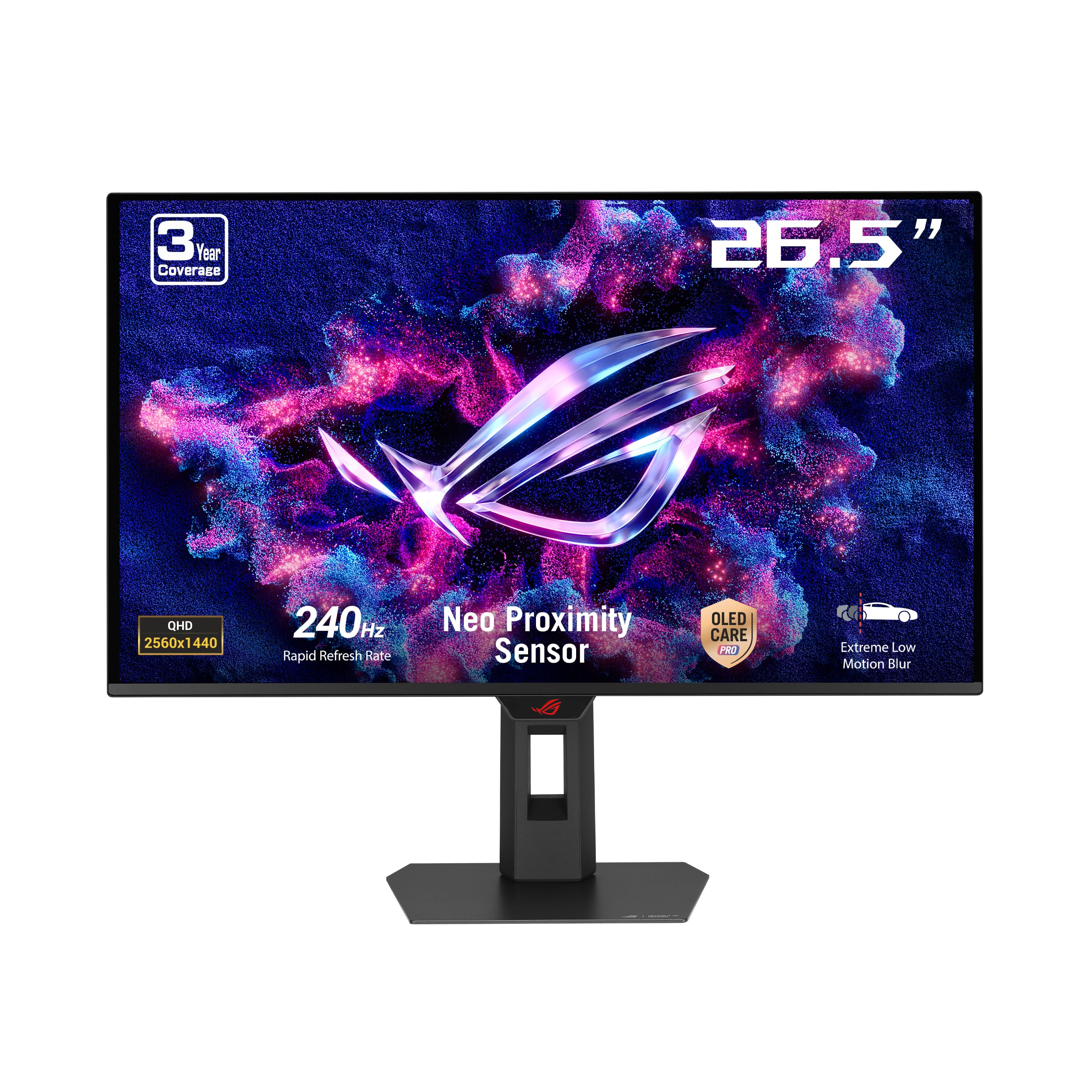
The ROG Strix XG27AQDMES is built around a 27-inch QD-OLED panel with 240Hz refresh and 0.03ms response, but its standout feature is the Neo Proximity Sensor integrated into ASUS OLED Care Pro. This sensor detects when you step away from the desk and automatically switches the screen to black, significantly reducing the risk of static image retention. It’s a thoughtful solution for users who frequently walk away from their system.
Color performance is top-tier with 99 percent DCI-P3 gamut, true 10-bit color, and Delta E less than 2 for HDR accuracy. The ASUS DisplayWidget Center application allows mouse-controlled adjustments to OLED Care settings without navigating the OSD. G-Sync Compatible certification ensures tear-free gameplay, and the ROG Gaming A.I. technology provides AI-powered crosshair and shadow control features.
The monitor lacks a built-in USB hub and KVM functionality, which is a miss at this price tier. The OLED Care pop-ups can become repetitive, and the semi-glossy coating still shows some reflections in brightly lit rooms. For users who prioritize OLED longevity and want a monitor that actively protects itself from burn-in, this is the most intelligent choice.
Why it’s great
- Neo Proximity Sensor automates burn-in prevention
- DisplayWidget Center allows easy adjustments
- Excellent QD-OLED color accuracy
- AI-powered gaming features enhance FPS titles
Good to know
- No USB hub or KVM switch
- OLED Care pop-ups can be repetitive
- Semi-glossy coating shows reflections in bright rooms
7. MSI MAG 274QP QD-OLED X24
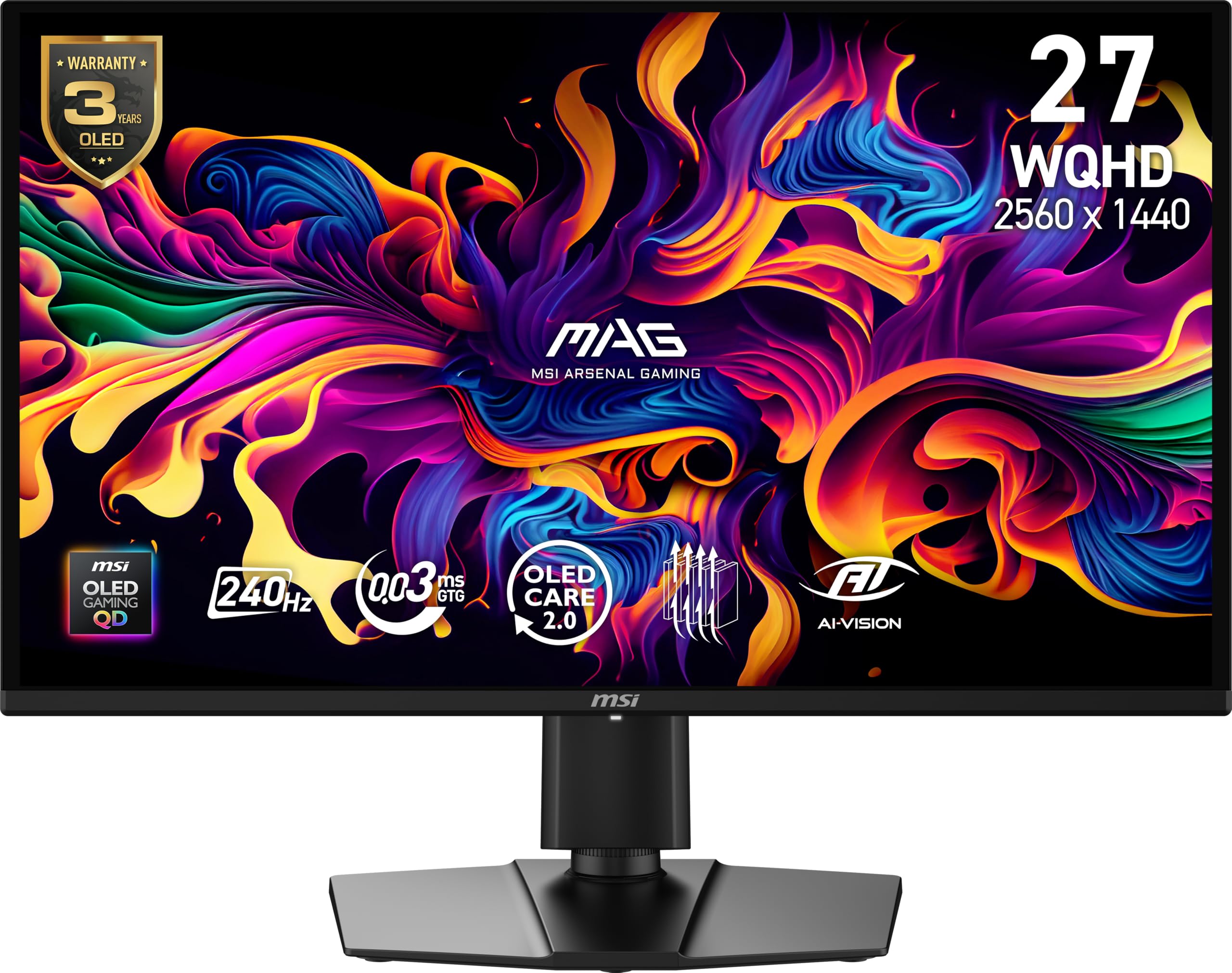
The MSI MAG 274QP QD-OLED X24 delivers the full QD-OLED experience—deep blacks, vibrant colors, and 0.03ms response—without breaking the premium price barrier. The 240Hz refresh rate is paired with VESA ClearMR 13000 certification for outstanding motion clarity. MSI’s graphene heatsink design is fanless, relying on passive cooling to enhance panel durability and reduce the risk of burn-in over the long term.
Color accuracy is exceptional out of the box with 99 percent DCI-P3 coverage and a Delta E of less than 2. The MSI Gaming Intelligence software includes OLED Care 2.0, AI Crosshair, console modes, and game assistance features. The four-way adjustable stand provides height, tilt, swivel, and pivot adjustments, and VESA 100mm mounting is supported. The enhanced sub-pixel arrangement improves text clarity compared to first-generation QD-OLED panels.
The glossy display requires careful handling—you should hold it by the base, not the panel. A firmware update to version 0.14 is recommended to enable full OLED Care features. For gamers looking for the most affordable entry into high-refresh QD-OLED gaming without sacrificing performance, this is the monitor to buy.
Why it’s great
- Affordable entry into QD-OLED gaming
- Passive graphene heatsink improves durability
- Excellent color accuracy with Delta E less than 2
- Full ergonomic stand and VESA support
Good to know
- Glossy screen needs careful handling
- Firmware update recommended for OLED Care
- Brightness could be higher for bright rooms
8. Acer Predator X27U

The Acer Predator X27U is a budget-friendly QD-OLED that nails the essentials: 240Hz refresh rate, 0.03ms response, and stunning color reproduction with DCI-P3 99 percent coverage. The true 10-bit panel delivers smooth gradients without visible banding, and the ZeroFrame design reduces bezel distraction. AMD FreeSync Premium provides tear-free gameplay, and the monitor includes built-in speakers and a four-way ergonomic stand with height, pivot, swivel, and tilt adjustments.
Connectivity is practical with two DisplayPort 1.4 and two HDMI 2.1 ports, making it compatible with both PC and next-gen consoles at full refresh. The image retention refresh feature helps prevent burn-in, and the glossy non-mirror finish balances color saturation with reasonable glare management. At its price, it competes directly with the MSI MAG 274QP and AOC Q27GAZD.
Brightness is slightly dim compared to higher-end OLEDs, requiring 100 percent brightness in well-lit rooms. The stand has been reported to arrive damaged in some units, and the OSD menu is cluttered with options that can be confusing. For those who want QD-OLED quality at a mid-range price and are willing to accept a few compromises, this is a strong contender.
Why it’s great
- QD-OLED quality at a competitive price point
- Dual HDMI 2.1 and DisplayPort inputs
- Full ergonomic stand with all adjustments
- Built-in speakers included
Good to know
- Brightness is lower than premium OLEDs
- OSD menu is overly complex
- Stand quality control can be inconsistent
9. AOC Q27GAZD

The AOC Q27GAZD is a no-frills QD-OLED monitor that focuses on the fundamentals: a 27-inch QHD panel with 240Hz refresh, 0.03ms response, and HDR400 True Black certification. The color gamut is impressive with 147.6 percent sRGB and 110.2 percent DCI-P3 coverage, producing saturated, lifelike visuals in games and media. Adaptive-Sync compatibility works with both G-Sync and FreeSync systems.
The QD-OLED panel produces excellent blacks and vibrant colors that rival monitors costing significantly more. The anti-glare screen reduces reflections in well-lit environments, and the frameless design provides a clean, modern look. The monitor supports VESA mounting, and the inclusion of an HDMI cable in the box is appreciated for console users.
The stand is the weakest aspect—it’s short and lacks height, tilt, and swivel adjustments, so a monitor arm is almost necessary for proper ergonomics. The HDMI ports are limited to 165Hz, requiring DisplayPort for full 240Hz performance. HDR performance is mediocre, and the glossy coating shows a magenta tint under direct light. For the price, it’s a capable starter OLED, but the stand and connectivity limitations require compromise.
Why it’s great
- QD-OLED panel delivers excellent colors and blacks
- 240Hz refresh with 0.03ms response
- Anti-glare coating reduces reflections
- Competitive pricing for OLED technology
Good to know
- Poor stand lacks height and tilt adjustments
- HDMI limited to 165Hz
- HDR performance is mediocre
10. LG 27GR83Q-B

The LG 27GR83Q-B remains a compelling choice for gamers who prefer IPS reliability over OLED’s compromises. At 240Hz with 1ms GtG response, it delivers fluid motion without burn-in concerns, and the dual HDMI 2.1 and DisplayPort 1.4 support ensures full refresh rate capability with both PC and PS5/Xbox Series X. The 95 percent DCI-P3 color gamut and DisplayHDR 400 provide vibrant, accurate colors that outperform most budget IPS panels.
Nvidia G-Sync Compatible and AMD FreeSync Premium certification guarantee tear-free gameplay across GPU brands. The four-pole headphone jack with DTS Headphone:X provides spatial audio for an immersive gaming audio experience without additional hardware. The stand is robust with height, tilt, pivot, and swivel adjustments, and the cable management clip keeps the desk tidy. LG’s OnScreen Control software allows easy brightness and setting adjustments from Windows.
The matte IPS finish can exhibit some black light glow in dark scenes, which is inherent to the panel type. Customer reports indicate that dead pixel issues can occur, so inspecting the unit upon arrival is wise. For users who want a no-worry, high-refresh 1440p experience without OLED maintenance, this IPS panel remains a solid investment.
Why it’s great
- 240Hz IPS with 1ms response and HDMI 2.1
- No burn-in risk compared to OLED
- Full ergonomic stand with cable management
- G-Sync Compatible and FreeSync Premium
Good to know
- IPS glow visible in dark scenes
- Dead pixel issues reported in some units
- HDR brightness is limited compared to OLED
11. Samsung Odyssey G65B

The Samsung Odyssey G65B takes a different approach with its 1000R curved VA panel, designed to wrap around your peripheral vision for an immersive single-player experience. The 240Hz refresh rate and 1ms GtG response are competitive with IPS options, while the 2,500:1 native contrast ratio provides deeper blacks than any IPS panel can achieve. DisplayHDR 600 certification delivers noticeably better HDR highlights than the typical DisplayHDR 400 found on budget monitors.
The built-in Gaming Hub is a unique feature, allowing cloud gaming from services like Xbox Game Pass and Nvidia GeForce Now without a connected PC. The AMD FreeSync Premium Pro certification ensures smooth gameplay with both adaptive sync and HDR support. The stand is sturdy with height, tilt, and swivel adjustments, and the included remote control is a nice touch for adjusting settings from your seat.
The smart TV features can be a double-edged sword—update notifications and boot countdowns can be intrusive if you only want a pure monitor experience. The auto-input switching is erratic, requiring manual correction. For gamers who want a curved display with strong contrast and the convenience of built-in streaming services, the G65B is a unique, compelling option.
Why it’s great
- 1000R curve provides strong immersion in single-player games
- DisplayHDR 600 with VA contrast is excellent for dark scenes
- Built-in Gaming Hub streams without a PC
- FreeSync Premium Pro for tear-free HDR gaming
Good to know
- Smart TV interface can be intrusive with notifications
- Auto-input switching is unreliable
- VA panel suffers from some black smearing
FAQ
Is a 240Hz monitor worth it over 144Hz at 1440p?
How do I prevent burn-in on an OLED gaming monitor?
What GPU do I need for 1440p 240Hz gaming?
Should I choose IPS or OLED for my first 1440p gaming monitor?
Final Thoughts: The Verdict
For most users, the 1440p gaming monitor winner is the Alienware AW2725DF because it combines 360Hz QD-OLED performance with a full ergonomic stand, excellent color accuracy, and a three-year burn-in warranty—a complete package that works for both competitive and immersive gaming without compromise. If you want the brightest OLED available with the highest sustained HDR performance, grab the LG 27GX700A-B. And for the best value in high-refresh OLED, nothing beats the INNOCN GA27M1Q.