
Finding a prebuilt gaming computer under $400 means wading through a swamp of decade-old office hand-me-downs that sellers dress up with LED strips. The hard truth is that at this price tier, every component is a compromise, and the line between a competent esports machine and a paperweight is thinner than the thermal paste on a used CPU. Knowing which old-school GPU still has fight left in it separates a smart buy from a frustrating scrap box.
I’m Mohammad Maruf — the founder and writer behind Drink4Good. I’ve spent years analyzing the refurbished desktop market, tracking which generations of Intel Core i5 and i7 processors pair effectively with budget discrete graphics cards like the GTX 750 Ti and RX 550 for genuine 1080p gaming.
Shopping for a gaming computer under $400 demands a sharp eye for GPU generation, RAM configuration, and the presence of a genuine solid-state drive — skip the flashy LEDs and focus on the components that actually render frames.
How To Choose The Best Gaming Computer Under $400
Every machine in this range is built from parts that are at least five years old. The trick is knowing which older parts still deliver a playable framerate in Fortnite, Valorant, or GTA V and which ones are e-waste wrapped in a colorful case.
Prioritize the GPU Over the CPU
A Core i7 from 2014 paired with integrated graphics will struggle to run Minecraft with mods, but an older i5 paired with a GTX 1050 Ti will handle esports titles at 60 FPS. The graphics card is the single component that determines what games you can actually play. Look for at least a GTX 750 Ti or RX 550 — anything weaker is essentially a web browsing machine.
DDR4 RAM Is a Must for Future Upgrades
Many budget refurbished builds still ship with DDR3 memory on old motherboards. While 16GB of DDR3 is functional for current lightweight titles, it severely limits your ability to upgrade the CPU later without replacing the entire motherboard and RAM kit. A system with 16GB of DDR4 gives you a viable upgrade path to a faster processor down the line.
SATA SSD vs NVMe SSD
A standard SATA SSD is fine for booting Windows and loading older games, but modern open-world titles benefit massively from an NVMe drive’s higher read speeds. Check the product specs carefully — many listings say “SSD” but hide that it is a slower 2.5-inch SATA drive. An NVMe slot on the motherboard also signals a newer platform that supports faster storage.
Quick Comparison
On smaller screens, swipe sideways to see the full table.
| Model | Category | Best For | Key Spec | Amazon |
|---|---|---|---|---|
| Dell OptiPlex i7 GTX 1050 Ti | Mid-Range | 1080p Esports | GTX 1050 Ti 4GB | Amazon |
| HP RGB i5 GTX 750 Ti | Mid-Range | Legacy & Indie Games | GTX 750 Ti 4GB | Amazon |
| STGAubron i5 RX 550 | Mid-Range | Casual Gaming | RX 550 4GB GDDR5 | Amazon |
| STGAubron Xeon RX 550 | Mid-Range | Streaming & Multi-Tasking | Xeon E5 12MB Cache | Amazon |
| Dell OptiPlex i7 + Monitor | Premium Bundle | All-in-One Setup | Intel HD 630 iGPU | Amazon |
| ZER-LON i5 RX 550 | Premium | Customizable RGB Build | 5 RGB Fans | Amazon |
| Kroteaup i5 RX 560 | Premium | 1080p Light Gaming | RX 560 4GB GDDR3 | Amazon |
| abytespark i5 RX 550 | Premium | VR-Ready Budget | RX 550 4GB GDDR4 | Amazon |
| suevery Ryzen 5 RX 560 | Premium | Modern Platform | Ryzen 5 4.1GHz Boost | Amazon |
| WIWB Ryzen 5 RX 560 | Premium | Future Upgradability | Ryzen 5 3500X CPU | Amazon |
| Skytech Gaming Crystal | High-End | Ultra Settings 1080p | RTX 5060 8GB | Amazon |
In-Depth Reviews
1. Dell RGB Gaming Tower i7 GTX 1050 Ti

This Dell OptiPlex conversion features an Intel Core i7-6700 paired with a GeForce GTX 1050 Ti 4GB — the strongest GPU combination available at this price point. The 1050 Ti is the clear winner for budget 1080p gaming, delivering over 120 FPS in Overwatch 2 and Valorant on low settings, and maintaining a smooth 60 FPS in The Witcher 3 on high. The 16GB of DDR4 RAM and 512GB SSD complete a balanced specification that handles multitasking without stutter.
The RGB keyboard, mouse, and speakers are basic but functional for getting started. Some units may arrive with a loose GPU due to shipping, which requires reseating the card inside the case — a simple fix outlined in the customer feedback. The system runs cool under load and the integrated WiFi handles online gaming reliably.
Where this build falls short is CPU age: the 6th-gen i7 lacks modern instruction sets and a TPM 2.0 module, meaning Windows 11 installation may require a workaround. The GPU, while strong for esports, will not run modern AAA titles like Cyberpunk 2077 at playable framerates. For the core audience targeting Fortnite, CS2, and older single-player titles, this is the most capable machine in the budget bracket.
Why it’s great
- GTX 1050 Ti is the best GPU at this price for 1080p gaming
- 16GB DDR4 allows smoother multitasking than 8GB alternatives
- Decent RGB peripherals included for a complete setup
Good to know
- GPU may arrive loose and needs reseating
- 6th-gen i7 lacks official Windows 11 support
- Not suitable for modern AAA titles at high settings
2. HP RGB Gaming Desktop i5 GTX 750 Ti

The HP EliteDesk conversion uses an Intel Core i5-6500 and the legendary GTX 750 Ti 4GB — a GPU that defined budget PC gaming a decade ago and still holds up for older titles. This combination runs Xbox 360/PS2-era games, CS2, and most esports titles without issue. The 16GB DDR4 RAM and 512GB SSD provide a snappy Windows 11 Pro experience for everyday tasks and light streaming via OBS.
The compact tower includes an optical drive, which is rare in modern builds and useful for legacy media. The 600M WiFi and Bluetooth 5.0 work reliably out of the box. The included RGB keyboard is noticeably dated with stiff keys, but the mouse offers adequate precision for casual gaming. Multiple verified buyers confirm playable performance in Fortnite, GTA V, and Baldur’s Gate 3 at lowered settings.
The 750 Ti’s age shows when pushing modern titles — Cyberpunk 2077 and Elden Ring are unplayable even at minimum settings. Customer reviews report two units failing after roughly three years, suggesting a potential hardware defect in some batches. The one-year warranty and free lifetime tech support provide some peace of mind for a first-time buyer.
Why it’s great
- Solid for legacy and esports gaming at 1080p
- Includes optical drive and 600M WiFi
- 16GB DDR4 and 512GB SSD for fast multitasking
Good to know
- GTX 750 Ti cannot run modern AAA titles
- Keyboard feels outdated and stiff
- Some units reported failing after extended use
3. STGAubron i5 RX 550
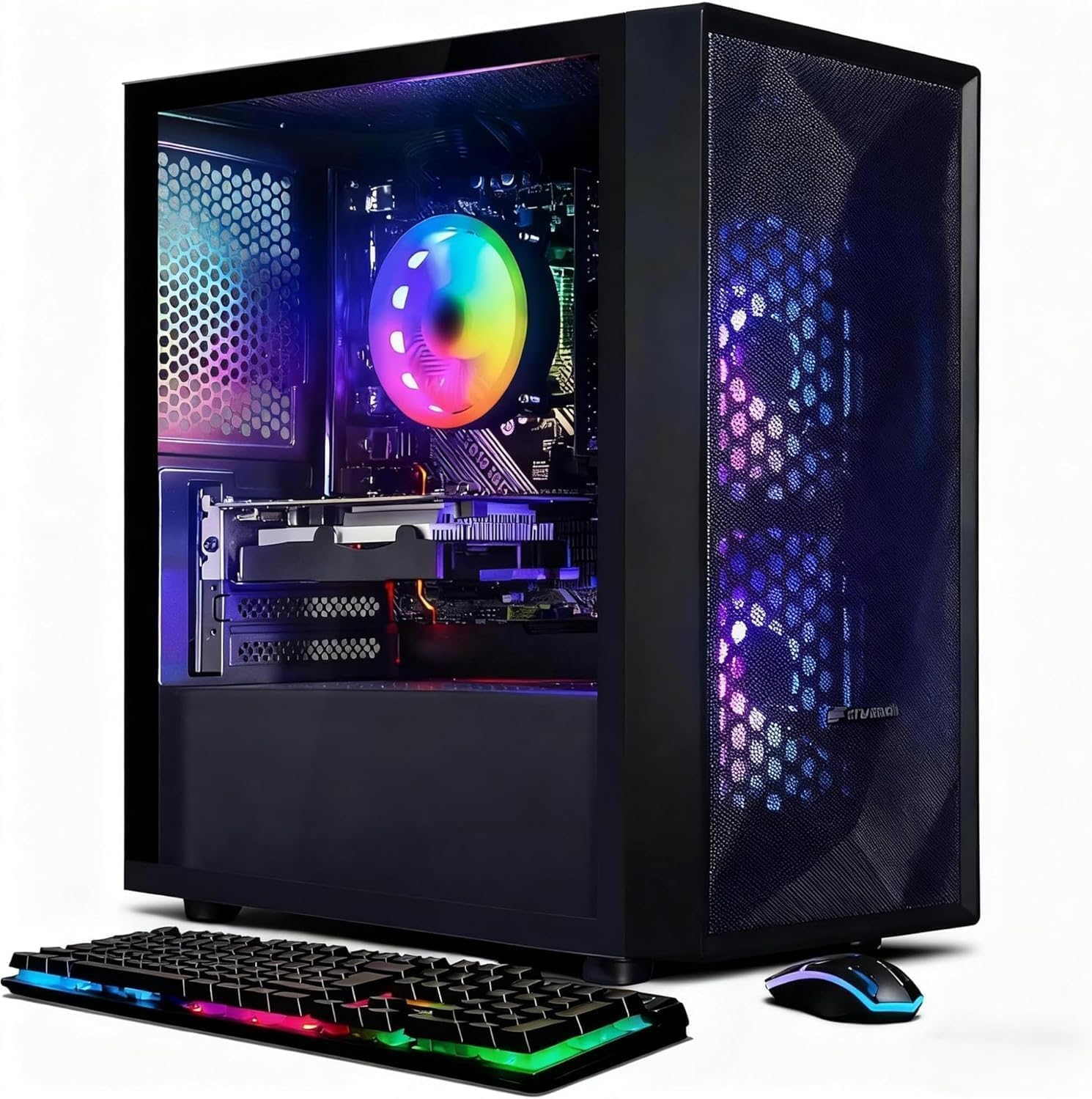
The STGAubron desktop combines an Intel Core i5 (up to 3.6GHz) with an AMD Radeon RX 550 4GB GDDR5 GPU, 16GB of RAM, and a 512GB SSD. The RX 550 is a step below the GTX 1050 Ti in raw rasterization, but it handles Fortnite, Valorant, and CS2 at 60+ FPS on medium settings. The inclusion of Wi-Fi 6 and Bluetooth 5.0 is a notable upgrade over older builds still using Wi-Fi 4 adapters.
The system ships with two RGB fans, an RGB gaming keyboard, and a gaming mouse. Several buyers noted the machine arrived fully functional with Windows 11 Home pre-installed and no bloatware. The compact tower fits easily on a standard desk and runs quietly under typical gaming loads. The lifetime free tech support is a helpful safety net for first-time PC owners.
The RX 550 shows its limits when attempting heavier titles like Call of Duty Warzone or Hogwarts Legacy — expect low settings and occasional frame drops below 30 FPS. One customer reported a non-functional unit on arrival, though the manufacturer handled the replacement. The GPU is also the weak link for future upgrades, meaning the entire system will eventually need a new graphics card to stay relevant.
Why it’s great
- Wi-Fi 6 and Bluetooth 5.0 for modern connectivity
- Quiet fans and compact form factor
- Plug-and-play with Windows 11 pre-installed
Good to know
- RX 550 struggles with demanding AAA games
- Some units arrived non-functional
- Graphics card is the bottleneck for upgrades
4. STGAubron Xeon E5 RX 550

This STGAubron build uses a server-grade Intel Xeon E5 processor, which offers 12MB of L3 cache and more cores than a typical desktop i5 of the same era. The Xeon clocks at 2.5GHz base with a 3.3GHz boost, making it a strong option for streaming and multitasking where core count matters more than single-thread speed. It pairs with an RX 550 4GB GPU, 16GB RAM, and a 512GB SSD.
The three RGB fans provide good airflow, and the included RGB keyboard and mouse complete the visual package. The system supports 4K resolution output via its HDMI and DisplayPort connections, which is useful for media consumption even if gaming at 4K is not feasible. Buyers report solid performance for Roblox, basic internet use, and general productivity.
The Xeon platform is a dead end for upgrades — it requires a specialized motherboard and registered server memory, meaning you cannot drop in a standard consumer CPU later. Multiple reviews mention power supply failures within the first two months and DOA replacement units. The outdated architecture also raises compatibility questions for Windows 11 driver support.
Why it’s great
- High core count for streaming multitasking
- Supports 4K display output
- Three RGB fans provide solid cooling
Good to know
- Xeon platform has no upgrade path
- Power supply failures reported within weeks
- May lack full Windows 11 graphics driver support
5. Dell OptiPlex i7 RGB + 22″ Monitor
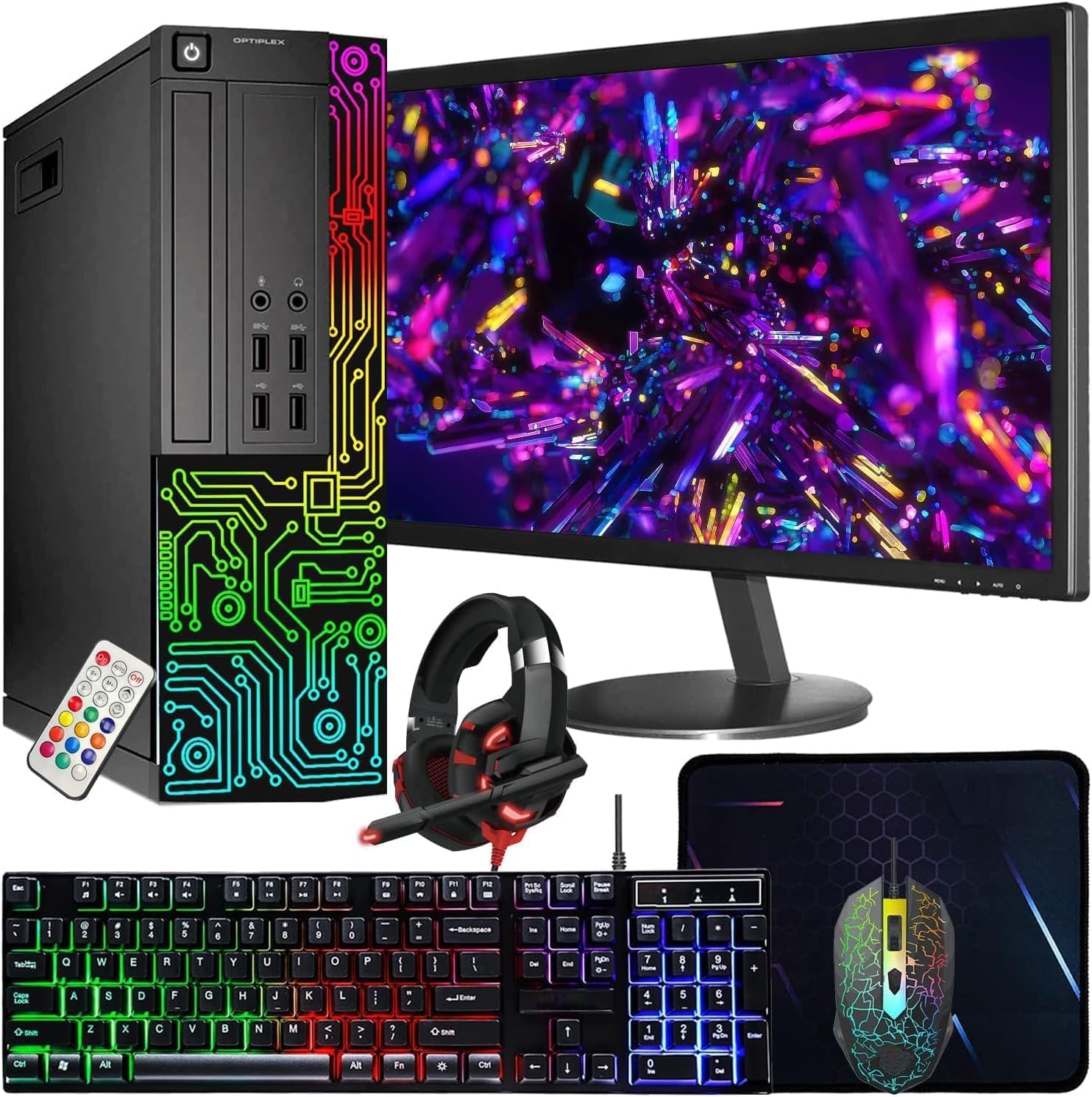
This Dell OptiPlex bundle includes a 22-inch Full HD monitor, an RGB keyboard and mouse, an RGB headphone, and a webcam, making it a true all-in-one package for a child’s first gaming setup or a home office workstation. The Intel Core i7-3770 processor (up to 3.8GHz) and 16GB of RAM provide snappy performance for schoolwork, web browsing, and lighter games like Roblox and Minecraft.
The major tradeoff is the lack of a dedicated graphics card — the system relies on Intel UHD Graphics 630 integrated graphics. This means any modern 3D game will struggle significantly. The 512GB SSD provides fast boot times and the included webcam is a bonus for virtual schooling. The RGB headset adds value for younger gamers focused on style over raw frame rates.
Customer reports reveal a high defect rate: multiple buyers received units that would not power on, displayed power supply errors, or arrived with damaged monitors from shipping. The refurbished nature of the Dell OptiPlex chassis means the internal components may have significant prior wear. For non-gaming households, the bundle is convenient, but gamers should look for a system with dedicated graphics.
Why it’s great
- Complete bundle with monitor, headset, and webcam
- Snappy performance for office and school tasks
- 16GB RAM for smooth multitasking
Good to know
- Integrated graphics cannot handle modern 3D games
- High rate of DOA and power supply failures reported
- Refurbished chassis may have significant wear
6. ZER-LON i5 RX 550
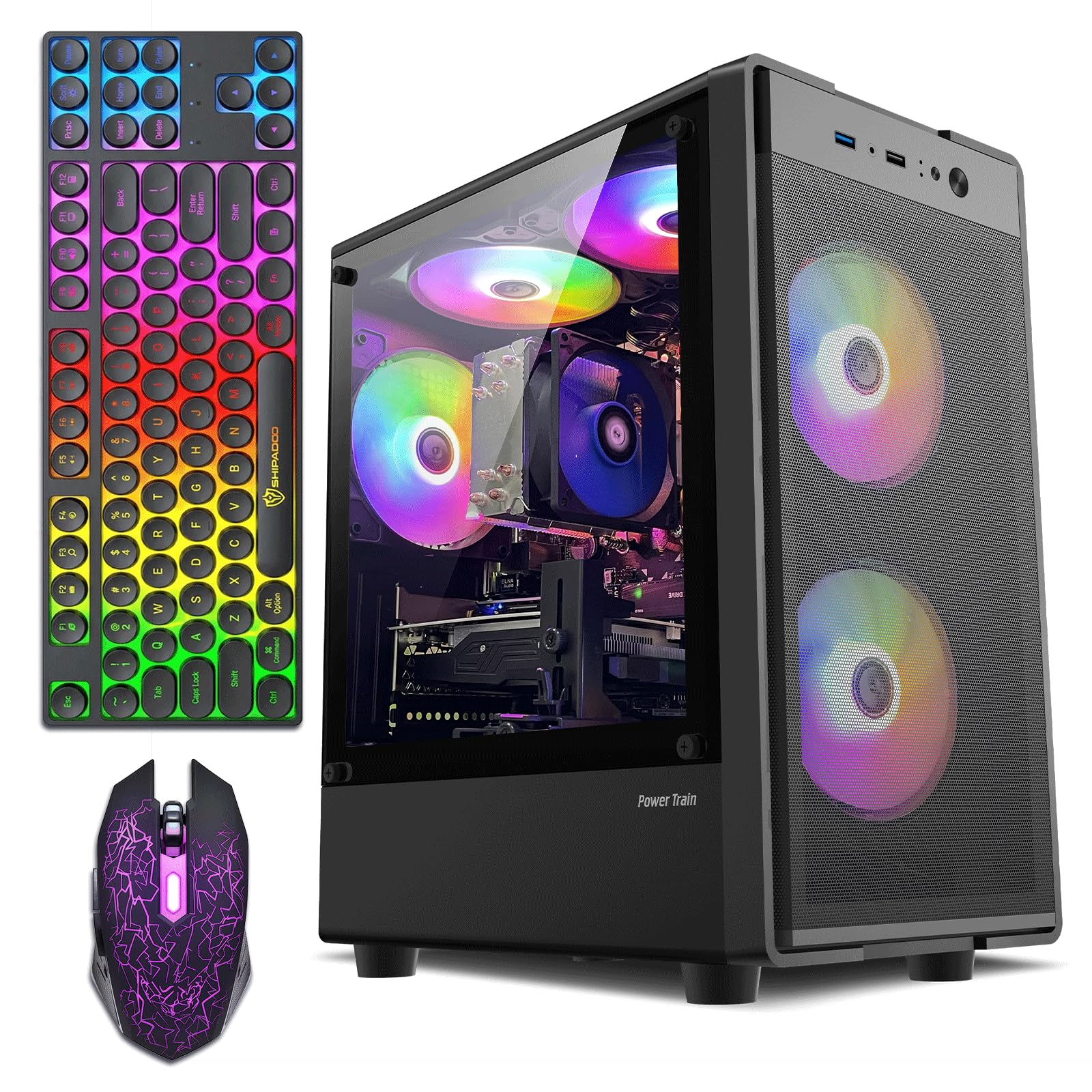
The ZER-LON tower stands out with five RGB fans, a glass side panel, and an included graphics card holder — visual flourishes typically found on more expensive builds. Under the hood, it packs an Intel Core i5-3470 (up to 4.2GHz boost), 16GB of RAM, a 512GB SSD, and an AMD Radeon RX 550 4GB GDDR5 GPU. The generous fan count ensures excellent airflow and keeps temperatures low during extended sessions.
The RX 550 delivers playable framerates in esports titles like League of Legends and CS2 at 1080p. The tower supports dual monitors via HDMI and DVI, which is convenient for streamers or multitaskers. Included accessories are a gaming keyboard, mouse, and mouse pad, giving a complete starter kit. One reviewer noted a minor fan issue that was resolved quickly by support.
The Core i5-3470 is a third-generation Ivy Bridge chip using DDR3 memory, which limits upgrade potential to older, used processors. A customer reported overheating and shutdowns after a few months, with a technician identifying an undersized power supply as the root cause. The outdated motherboard also lacks an M.2 NVMe slot, capping storage speed at SATA III levels.
Why it’s great
- Five RGB fans with glass case for excellent airflow
- Supports dual monitors via HDMI and DVI
- Includes mouse pad and graphics card holder
Good to know
- i5-3470 is a dead-end platform with DDR3
- Power supply may be undersized for sustained loads
- No M.2 NVMe slot for fastest storage
7. Kroteaup i5 RX 560
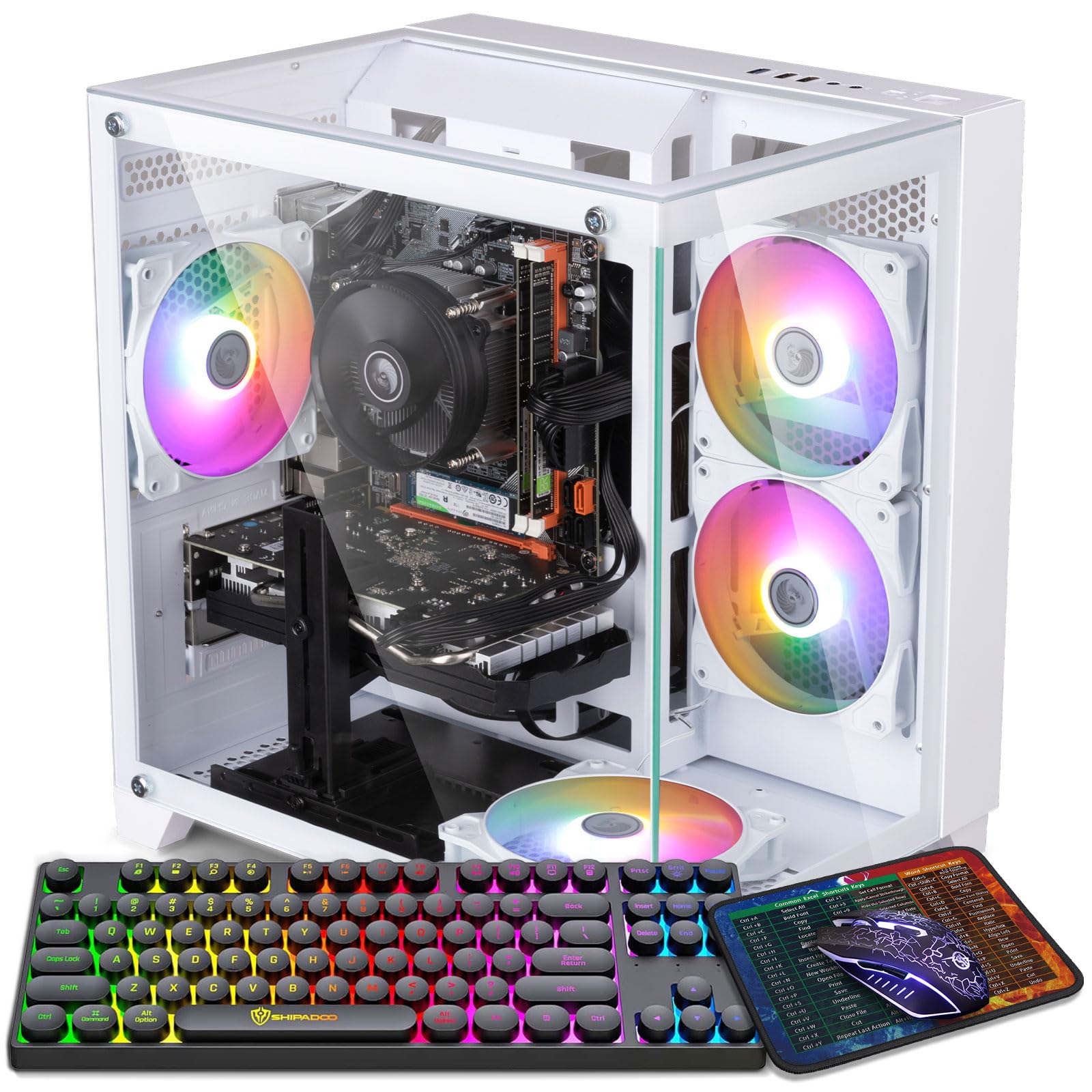
The Kroteaup desktop upgrades the GPU to a Radeon RX 560 4GB, which offers roughly 15-20% more performance than the RX 550. This makes it the better choice for titles like Fortnite, Overwatch, and Rocket League at 1080p medium settings. The 16GB of dual-channel DDR3 RAM and 512GB NVMe SSD cut game load times significantly compared to SATA drives.
The system includes a single RGB fan for basic lighting effects and runs with notably low noise levels, even under moderate gaming loads. Multiple buyers report the machine works smoothly for their children’s gaming needs right out of the box. The Windows 11 pre-installation is clean, and the compact tower fits well in a living room or bedroom setup.
One significant issue is the use of DDR3 memory on this platform, which limits compatibility with modern CPUs. A critical review describes the unit booting directly to BIOS with a non-functional Windows activation key, suggesting quality control is inconsistent. The RX 560 is still a budget-tier GPU and will not run demanding titles above medium-low settings at 60 FPS.
Why it’s great
- RX 560 outperforms RX 550 for 1080p gaming
- NVMe SSD for fast game loading
- Very quiet operation under load
Good to know
- DDR3 memory limits future CPU upgrades
- Some units arrive with BIOS boot issues
- RX 560 still struggles with modern AAA titles
8. abytespark i5 RX 550 Sea View Tower

The abytespark Sea View Tower is a white-themed build with a glass side panel and five RGB fans that create a dramatic visual effect. The internals are a Core i5 (3.2GHz base, 3.6GHz boost), 16GB of RAM, a 512GB SSD, and an RX 550 4GB GDDR4 GPU. The bundle includes a keyboard, mouse, and mouse pad, making it a turnkey solution for a beginner.
A standout claim from one verified buyer is that this PC successfully runs BONEWORKS in VR, which is surprising for an RX 550 and suggests the system punches above its weight for lighter VR experiences. The five fans keep the interior cool even during extended sessions. The white case and RGB lighting appeal strongly to younger gamers building their first themed setup.
The RX 550 uses GDDR4 memory, a slightly older and slower variant than the GDDR5 found in competing builds. A critical review reveals the hardware inside may be significantly older than advertised — one unit contained a 2013-era i7-4770 with a motherboard lacking TPM 2.0, meaning Windows 11 was installed via an unsupported bypass. Buyers should verify the exact components upon arrival.
Why it’s great
- White themed case with five RGB fans for great aesthetics
- Reported capable of running some VR titles
- Complete with keyboard, mouse, and mouse pad
Good to know
- RX 550 uses slower GDDR4 memory
- Some units ship with much older hardware than listed
- Windows 11 may be installed via unsupported bypass
9. suevery Ryzen 5 RX 560
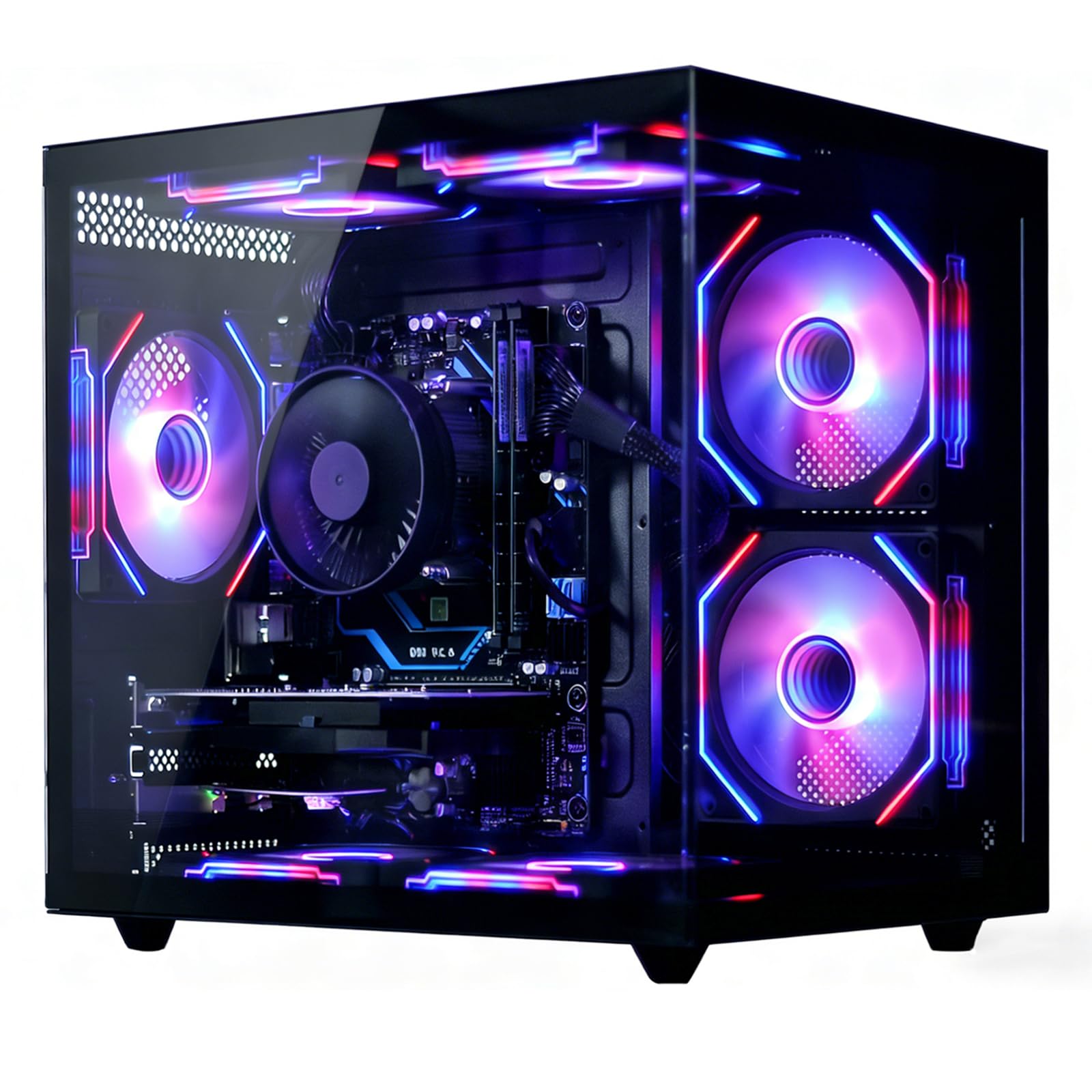
The suevery desktop breaks from the refurbished office tower trend by using a modern AMD Ryzen 5 6-core processor with a 4.1GHz boost clock. This is paired with an RX 560 4GB GPU, 16GB of DDR4 RAM, and a 512GB NVMe SSD. The Ryzen platform provides a viable upgrade path — users can swap to a faster Ryzen CPU later without changing the motherboard.
Wi-Fi 6 support ensures low-latency wireless connections for online gaming, and the custom air cooling system with RGB fans maintains stable temperatures. One verified review notes the GPU automatically optimized settings from medium to epic in a supported title, and the GPU temperature stayed under 70°C under sustained load. This indicates good thermal headroom for longer gaming sessions.
The RX 560 remains an entry-level GPU, so buyers should temper expectations for heavy AAA gaming at high settings. Some reviews note the CPU cooler’s RGB color is not customizable. The brand presence is smaller, so long-term warranty support may be less responsive than larger manufacturers. For buyers prioritizing a modern platform and upgrade path, this is the strongest option near the budget cap.
Why it’s great
- Modern Ryzen platform with clear upgrade path
- Wi-Fi 6 for low-latency online gaming
- GPU maintains under 70°C under sustained load
Good to know
- RX 560 still an entry-level GPU for gaming
- CPU cooler RGB color is not customizable
- Smaller brand with potentially limited support
10. WIWB Ryzen 5 RX 560 White
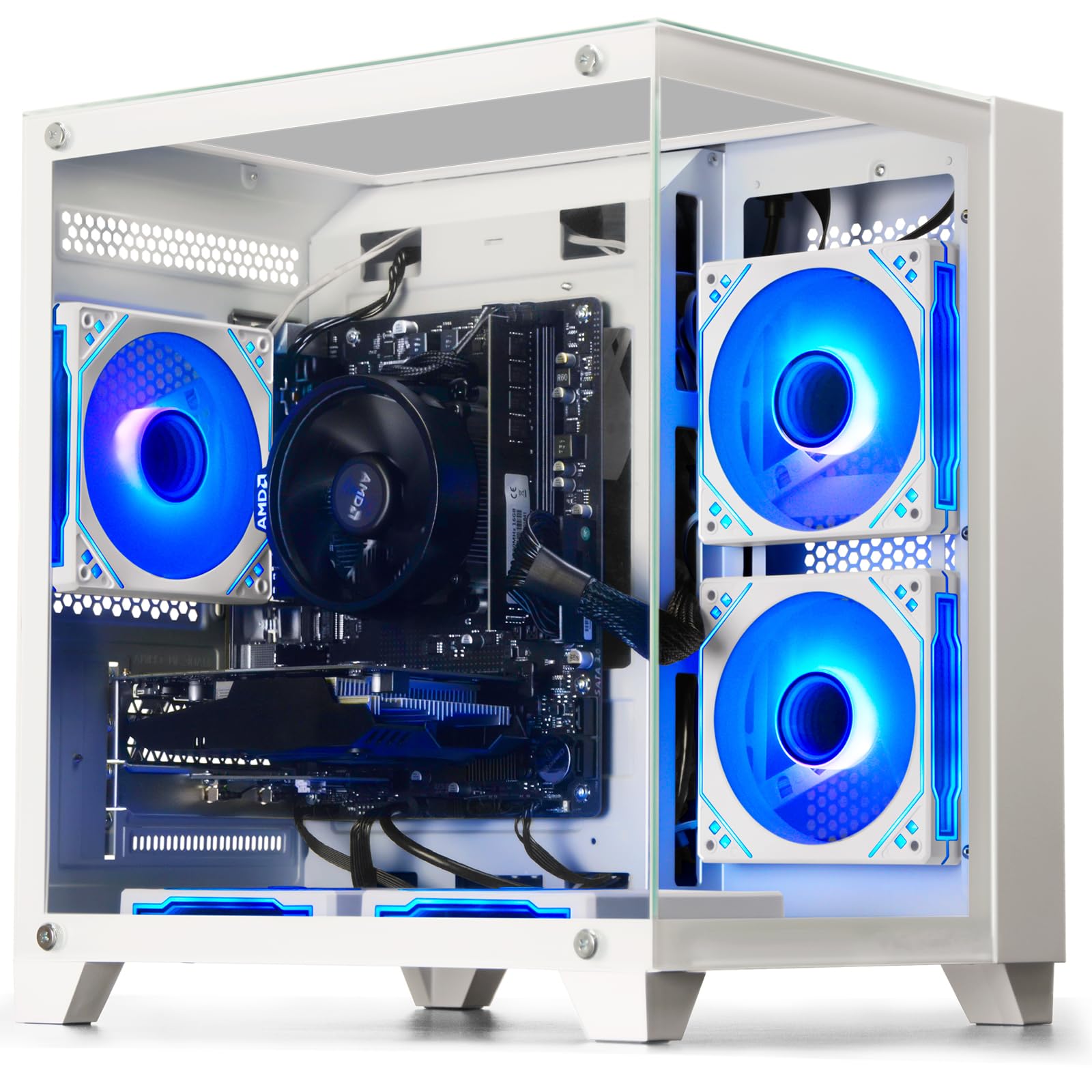
The WIWB tower features the Ryzen 5 3500X — a 6-core, 6-thread processor with a 4.1GHz boost that outperforms most Intel chips at this price point for multi-threaded workloads. The RX 560 4GB GDDR5 GPU handles League of Legends, CS2, and Overwatch at smooth framerates. The 16GB of DDR4 RAM and 512GB SSD are standard but well-matched to the CPU’s capabilities.
The motherboard includes multiple reserved slots for future expansion, including an M.2 SSD interface and additional DDR4 slots, making it the most upgrade-friendly option in the list. The white case design appeals to buyers who prefer an all-white aesthetic for their desk setup. Customer feedback highlights the system’s efficiency and surprising value for casual gamers.
The primary concern is after-sales support — the seller is a Chinese company with no phone support, and warranty service requires mailing the entire PC back. Reviews mention that all internal components date from 2017-2019, meaning the system is already several years old despite being marketed as new. The RX 560 will not handle modern AAA titles at high settings, limiting the system to esports and older games.
Why it’s great
- Ryzen 5 3500X offers strong multi-core performance
- Expandable motherboard with M.2 and extra RAM slots
- White case aesthetic for coordinated setups
Good to know
- No phone-based customer support available
- Components date from 2017-2019 despite new listing
- RX 560 cannot run modern AAA games well
11. Skytech Gaming Crystal Ryzen 7 RTX 5060

The Skytech Gaming Crystal represents a completely different performance tier with its AMD Ryzen 7 5700 (4.6GHz boost), NVIDIA RTX 5060 8GB GDDR7 graphics card, 32GB of DDR4 RAM at 3200MHz, and a 1TB NVMe SSD. This configuration runs any modern game at ultra settings, 1080p Full HD resolution, with smooth 60+ FPS gameplay. Call of Duty, Elden Ring, and Black Myth Wukong run without compromises.
The Skytech Crystal case features triple tempered glass panels and ARGB fans for a premium aesthetic. The system comes with a 650W Gold-rated power supply, ensuring stable delivery for the RTX 5060 under full load. It is assembled in the USA and includes a one-year warranty on parts and labor. The free gaming keyboard and mouse are functional upgrades over the basic peripherals found in budget builds.
This system far exceeds the budget cap, making it the option for buyers willing to stretch their investment significantly for a future-proof machine. One verified buyer reports over 300 FPS in competitive titles, and the RTX 5060’s DLSS support extends the system’s lifespan for several years. The price point places it in a different market segment, but for those seeking the absolute best performance available, this is the definitive choice.
Why it’s great
- RTX 5060 delivers ultra settings at 1080p
- 32GB DDR4 RAM for intensive multitasking
- 650W Gold PSU for stable high-end power delivery
Good to know
- Price is significantly above a budget gaming computer
- Some units may ship with alternative GPU brands
- Overkill for users only playing esports titles
FAQ
Can a gaming computer under $400 run Fortnite at 60 FPS?
Is a refurbished office PC worth buying for gaming?
Why do so many budget gaming PCs use Intel Xeon processors?
What FPS can I expect in GTA V on a budget gaming PC?
Final Thoughts: The Verdict
For most users, the gaming computer under $400 winner is the Dell RGB Gaming Tower i7 GTX 1050 Ti because the GTX 1050 Ti is the strongest GPU available in this budget, offering genuine 1080p esports performance and solid frame rates in older single-player titles. If you want Wi-Fi 6, a compact build, and a modern component set, grab the STGAubron i5 RX 550. And for the best upgrade path and future-proofing with a Ryzen platform, nothing beats the suevery Ryzen 5 RX 560.