
The hunt for a dedicated graphics card that draws all its power from the PCIe slot alone used to mean settling for anemic performance. That compromise has eroded. Modern fabrication nodes and efficient architectures now push usable frame rates and professional-grade compute into a power envelope that never requires a six-pin or eight-pin cable from your power supply. Whether you are reviving an old office desktop, building a tiny Steam Machine, or constructing a low-power media server, the constraint of no external power no longer locks you out of solid 1080p gaming or accelerated transcoding.
I’m Mohammad Maruf — the founder and writer behind Drink4Good. For this guide, I analyzed over nine competing SKUs across five architectures, cross-referencing power draw data, form-factor measurements, and real-world benchmark results to isolate the cards that deliver genuine capability within the strict 75-watt ceiling of the PCIe slot.
If you are building or upgrading a system where the power supply lacks dedicated GPU cables, opting for a gpu that doesn’t need external power is the only reliable path to a stable, high-performance desktop without risking a system-wide power failure.
How To Choose The Best GPU That Doesn’t Need External Power
Picking a card that runs solely on PCIe slot power means navigating a tight set of constraints. You are capped at roughly 75 watts from the motherboard, so architecture efficiency and cooling design matter more than raw core count. Here is how to evaluate the options.
Power Budget: The 75-Watt Hard Ceiling
The PCI Express x16 slot is spec’d to deliver 75 watts. Any card that draws more requires an auxiliary power connector. The cards in this guide either stay under that limit or come in a variant specifically configured to do so. A card rated for 77 watts maximum — like the MAXSUN RTX 3050 — sits right at the edge; it can run from the slot alone but leaves zero headroom for power spikes. Always check the manufacturer’s TBP (Total Board Power) or a reviewer’s measured draw, not just the listed TDP.
Form Factor: Low-Profile vs. Full-Height
Most slot-powered GPUs target small-form-factor (SFF) desktops or repurposed office PCs like Dell Optiplex or HP EliteDesk units. Low-profile cards (half-height brackets) fit these proprietary chassis, while full-height dual-slot cards require a standard ATX case. Measure the available space inside your case — some cards are single-slot, others require two slots. The Sparkle Arc A310 is a true single-slot, half-height card; the GIGABYTE RTX 5060 LP is a dual-slot low-profile design.
Memory and Bandwidth: GDDR6 vs. GDDR7
Memory type and bus width determine how quickly the GPU can access textures and frame data. GDDR6 is standard on the RTX 3050 and RX 550 cards. GDDR7 appears on the newer RTX 5060 models, offering higher bandwidth even on a narrow 128-bit bus. For 1080p gaming, 4GB is the absolute minimum; 6GB or 8GB is far more comfortable for modern titles. The ASUS RTX 5060 Ti with 16GB is overkill for slot-powered gaming but useful for AI inference tasks.
Feature Set: Ray Tracing, DLSS, and XeSS
Just because a card runs on slot power doesn’t mean it has to skip modern features. The RTX 3050 and 5060 series support ray tracing and DLSS upscaling, which can salvage playable frame rates at quality settings. Intel’s Arc A310 offers XeSS upscaling and hardware AV1 encoding. If you are building a media server or a streaming rig, encoding quality and codec support (HEVC, AV1) may be more important than raw gaming raster performance.
Quick Comparison
On smaller screens, swipe sideways to see the full table.
| Model | Category | Best For | Key Spec | Amazon |
|---|---|---|---|---|
| MSI RTX 3050 LP 6G OC | Mid-Range | 1080p gaming in SFF cases | 6GB GDDR6, 75W slot power | Amazon |
| MAXSUN RTX 3050 6GB LP | Mid-Range | Optiplex and SFF workstations | 6GB GDDR6, 77W max draw | Amazon |
| Sparkle Intel Arc A310 ECO | Budget | Media server transcoding | 4GB GDDR6, 50W TBP | Amazon |
| VisionTek Radeon RX 550 4GB | Budget | Multi-monitor office work | 4GB GDDR5, 4x HDMI | Amazon |
| Razer Core X V2 eGPU | Premium | Laptop GPU upgrade | TB5, 80 Gbps, 4-slot GPU | Amazon |
| GIGABYTE RTX 5060 OC LP 8G | Premium | 1440p gaming in compact builds | 8GB GDDR7, 128-bit | Amazon |
| PNY RTX 5060 Epic-X ARGB OC | Premium | High-FPS 1080p esports | 8GB GDDR7, triple fans | Amazon |
| GIGABYTE RTX 3050 OC LP 6G | Mid-Range | Video editing and 4K output | 6GB GDDR6, 4 output ports | Amazon |
| ASUS Dual RTX 5060 Ti 16GB OC | Premium | AI inference and 1440p gaming | 16GB GDDR7, 2632 MHz | Amazon |
In‑Depth Reviews
1. MSI Gaming RTX 3050 LP 6G OC

The MSI RTX 3050 LP 6G OC strikes a rare balance: it pulls all its power from the PCIe slot while delivering genuine Ampere-architecture performance. The 6GB GDDR6 frame buffer gives modern 1080p games enough room to breathe, and the 1492 MHz boost clock keeps frame rates above 60 fps on medium to high settings in titles like Fortnite and Warzone. DLSS upscaling provides a meaningful headroom bump without requiring a single cable from your PSU.
The Twin Frozr cooling solution on this low-profile card is surprisingly effective. Under sustained gaming loads, the GPU temperature stabilizes around 78°C while the fans stay quiet enough to disappear into case noise. The included low-profile bracket fits Dell Optiplex and HP SFF chassis without modification. At just 6.9 inches long and 2.7 inches wide, it slips into spaces where longer cards cannot go.
Early reviewers note the card requires Resizable BAR support to hit its performance potential, and the 6GB VRAM will limit texture quality in the most demanding titles. Still, for anyone building a budget gaming rig from an office PC hand-me-down, this is the most capable slot-powered option available today. The 96-bit memory interface is narrow, but the fast 14 Gbps GDDR6 helps offset the bandwidth deficit.
Why it’s great
- Genuine 1080p gaming performance with DLSS support
- Compact low-profile design fits SFF and OEM cases
- Quiet and efficient Twin Frozr cooling
Good to know
- 96-bit memory bus limits texture-heavy scenarios
- Requires Resizable BAR for full performance
2. MAXSUN GeForce RTX 3050 6GB LP

MAXSUN’s take on the RTX 3050 pushes the slot-power envelope harder than most. At 77 watts maximum draw, it runs right against the PCIe ceiling but stays within the 75-watt spec in practice thanks to a conservative power management algorithm. The 1042 MHz base clock with a 1470 MHz boost is slightly lower than MSI’s, but real-world 1080p gaming results show over 80 fps in Warzone and Fortnite after a simple fan-curve adjustment.
The low-profile design measures 6.65 by 2.71 inches, making it a direct drop-in replacement for Dell Optiplex 3060 and 5050 SFF machines. Reviewers using Solidworks report excellent performance after enabling RealView via a registry edit, making this a rare dual-purpose card for light CAD work and gaming. The single-fan cooler is louder under load compared to the MSI Twin Frozr — expect a noticeable fan drone during extended gaming sessions.
For users who need the most rasterization power per dollar in a slot-powered form factor, this card delivers. The 8K resolution output support via HDMI 2.1 and DisplayPort 1.4a is overkill for the GPU’s capability but future-proofs multi-monitor productivity setups. Just be prepared to dial in a custom fan curve if noise sensitivity is a concern.
Why it’s great
- Best raster performance per dollar in slot-powered class
- Fits Optiplex and HP SFF chassis with included bracket
- 8K output support and PCIe 4.0 interface
Good to know
- Fan is loud under sustained load without curve tuning
- Runs hot in poorly ventilated OEM cases
3. Sparkle Intel Arc A310 ECO 4GB

The Sparkle Arc A310 ECO is not built for high-fps gaming — it is built for media workloads. With a 50-watt TBP that is well below the PCIe slot limit, this card runs cool enough to fit in passively cooled NAS enclosures and thin clients. The single-slot, half-height design is the most compact option on this list, and the included short bracket makes it instantly compatible with 1U server chassis and SFF desktop workstations.
Intel’s Xe HPG architecture brings hardware AV1 encoding support, which the competing Radeon RX 550 lacks entirely. Plex, Jellyfin, and Emby users report flawless 4K transcoding with multiple simultaneous streams, and the GPU’s low power draw means it can run 24/7 without a noticeable electricity bump. The 4GB GDDR6 memory on a 64-bit bus limits gaming to esports titles at 1080p low settings, but that is not the use case this card targets.
The main caveat is driver behavior: the Arc A310 requires Resizable BAR support to avoid a 40 percent performance penalty, and some Linux distributions using musl (Alpine) have compatibility issues with the Xe kernel driver. The fan has a droning quality at mid-RPM that some users find distracting. For a dedicated transcoding and encoding accelerator, however, this is the most efficient slot-powered option available.
Why it’s great
- Hardware AV1 encoding at just 50W TBP
- True single-slot, half-height form factor
- Excellent 4K transcoding for media server builds
Good to know
- Gaming performance is limited to low settings at 1080p
- Requires ReBAR support from motherboard
4. VisionTek Radeon RX 550 4GB
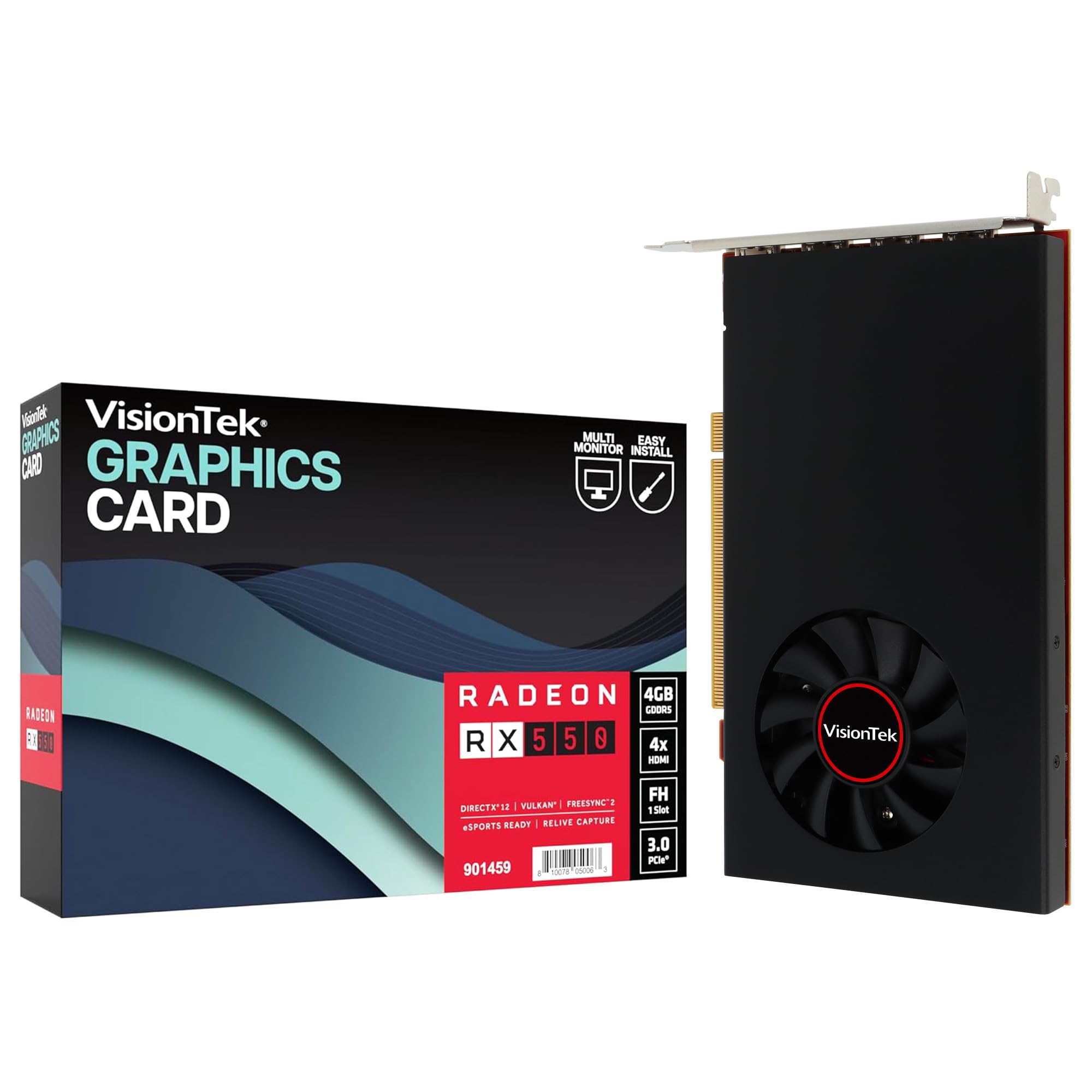
The VisionTek RX 550 is the oldest architecture in this roundup, but it fills a specific niche that newer cards do not: driving four 4K monitors simultaneously from a bus-powered card. The four HDMI outputs let you build a multi-monitor trading desk, surveillance wall, or productivity workstation without needing a single power cable. The Radeon FreeSync 2 support keeps the desktop experience tear-free across all screens.
Powered entirely by the PCIe slot, this 4GB GDDR5 card consumes negligible power while providing buttery-smooth 2D acceleration and video playback. The 1071 MHz core clock handles light photo editing and office workloads without complaint. For users running Ubuntu or Fedora workstations, the RX 550 works out of the box with open-source drivers, giving it a compatibility edge over the Intel Arc cards on certain Linux configurations.
The limitations are significant for anyone expecting gaming performance: the RX 550 cannot run modern AAA titles at playable frame rates, and the 4GB GDDR5 on a 128-bit bus is a bottleneck even for esports. Reliability is a mixed bag — some reviewers report failures within months of light office use. For its intended purpose as a multi-monitor productivity accelerator, it works well; for gaming, look elsewhere on this list.
Why it’s great
- Four HDMI outputs for multi-4K setups
- No extra power, free and open Linux drivers
- FreeSync 2 support for smooth desktop use
Good to know
- Not suitable for modern 3D gaming
- Some reports of early failure under sustained use
5. Razer Core X V2 eGPU Enclosure
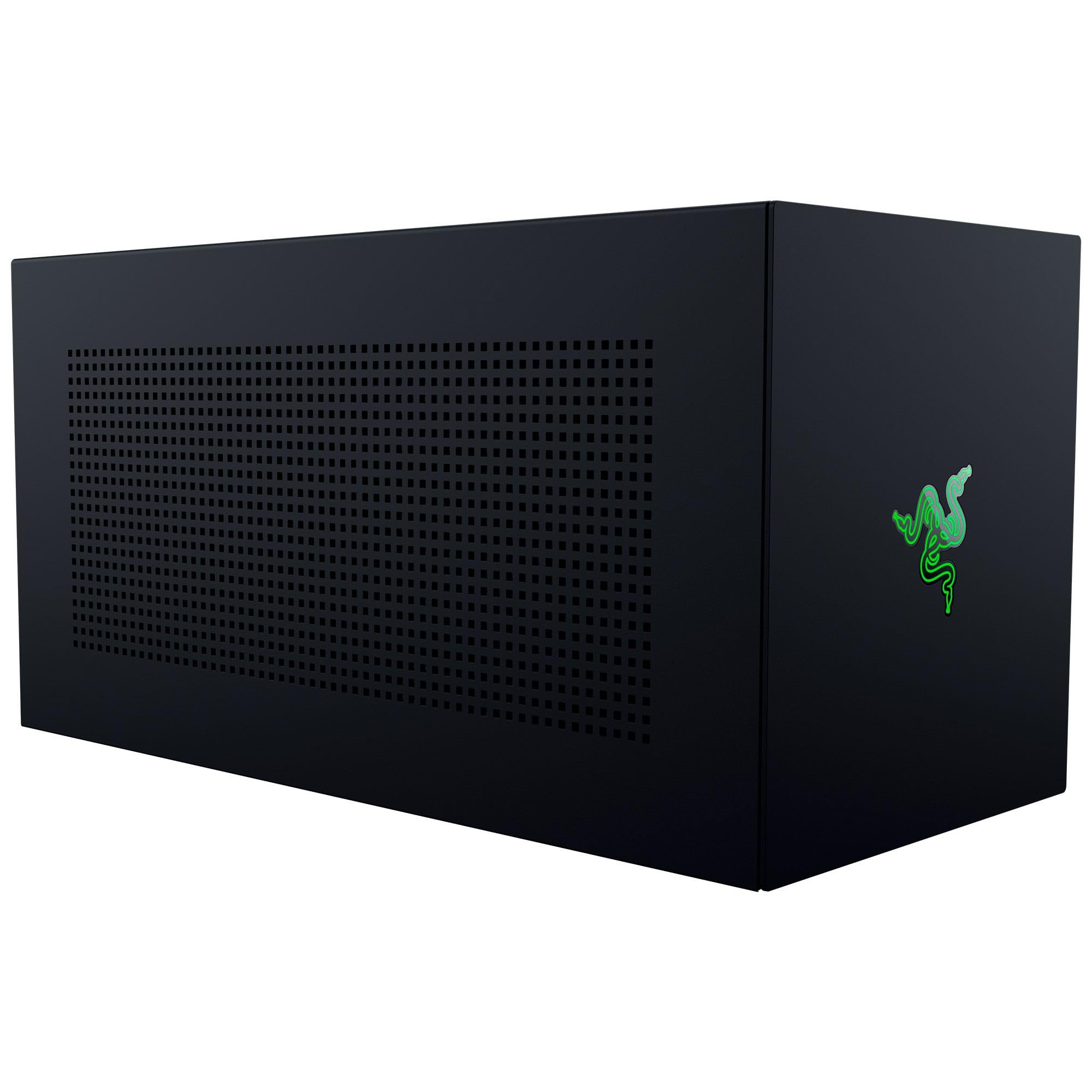
The Razer Core X V2 takes a different approach to the no-external-power problem: instead of limiting the GPU, it moves the GPU and its power supply outside the host device. This Thunderbolt 5 enclosure delivers up to 80 Gbps of bandwidth and includes a 140W USB-C Power Delivery pass-through for the connected laptop. The card itself still needs its own PSU (not included), but the host laptop or mini PC never touches a GPU power cable.
The all-steel chassis fits desktop GPUs up to four slots wide, accommodating the entire NVIDIA 50-series lineup. The tool-free installation uses thumbscrews for everything, and the integrated 120 mm fan keeps the enclosure cool under sustained loads. Reviewers report smooth 120 fps Cyberpunk 2077 at 1440p when paired with an RTX 4090 and an ASUS ROG Ally X. The 80 Gbps Thunderbolt 5 connection minimizes the bandwidth penalty that plagued older eGPU enclosures.
Setup is not foolproof. Some units arrive DOA, and the included Razer switcher software is necessary to handle hot-plug disconnects. The stock fan is audible above 70 percent speed, and the enclosure does not include a GPU or power supply — factor in the total cost before buying. For laptop users who want desktop gaming without buying a second PC, this is the cleanest path.
Why it’s great
- 80 Gbps Thunderbolt 5 with minimal bandwidth loss
- Fits 4-slot GPUs including RTX 4090
- 140W PD pass-through for host device charging
Good to know
- GPU and PSU sold separately
- Setup can be finicky with random disconnects
6. GIGABYTE GeForce RTX 5060 OC Low Profile 8G

The GIGABYTE RTX 5060 OC LP is the first NVIDIA 50-series card built for slot-powered operation in a low-profile form factor. The Blackwell architecture brings GDDR7 memory, DLSS 4, and a 2512 MHz boost clock to a 7.17-inch PCB that fits in compact SFF cases. The 8GB frame buffer on a 128-bit interface delivers enough bandwidth for 1440p gaming with DLSS quality mode enabled, a first for this power class.
The dual-slot design is necessary to cool the 8GB GDDR7 memory, but the card remains compact enough for 4.8L SFF builds. Reviewers report excellent framerates for non-hardcore gaming and flawless 4K streaming to an OLED TV via Sunshine/Moonlight. The backplate is removable, which helps with clearance in the tightest chassis. Coil whine is a reported issue on some units, with one reviewer citing audible whine that drowns out case fans.
This card commands a premium over the RTX 3050 options, and the 8GB VRAM falls short for AI and machine learning workloads. For gamers who want the most modern feature set in a slot-powered package — including DLSS 4 frame generation and PCIe 5.0 support — this is the clear leader. The 16GB variant would be preferable, but this 8GB LP design is all that currently exists in this form factor.
Why it’s great
- Newest Blackwell architecture in a slot-powered LP card
- GDDR7 memory delivers high bandwidth on narrow bus
- DLSS 4 frame generation for 1440p gaming
Good to know
- Audible coil whine reported on some units
- 8GB VRAM limits AI and heavy texture workloads
7. PNY NVIDIA GeForce RTX 5060 Epic-X ARGB OC

The PNY RTX 5060 Epic-X OC takes a full-height, triple-fan approach to slot-powered cooling. The larger heatsink and three fans keep temperatures lower than any single- or dual-fan slot-powered card, making it a strong choice for users who prioritize silent operation. The 2280 MHz base clock feeds into the Blackwell architecture with DLSS 4 and fourth-gen ray tracing cores.
Reviewers report 100-plus fps on high settings in almost every modern title at 1080p, and the card maintains 74 fps average at 1440p with DLSS enabled. Installation is plug-and-play into any standard ATX case with a PCIe slot. The ARGB lighting is controllable through the NVIDIA app and adds subtle visual flair without being overbearing. The power draw stays within the 75-watt PCIe limit, though it likely peaks near the ceiling during intensive workloads.
The triple-fan design means this card is not compatible with low-profile or SFF cases — it requires a full-height slot. At 1.01 kilograms, it is heavy, so ensure your motherboard’s PCIe slot is reinforced. For mainstream desktop builds where silent cooling is the priority, the PNY Epic-X offers the quietest slot-powered experience available today.
Why it’s great
- Very quiet operation with triple-fan cooling
- High 1080p and playable 1440p gaming performance
- Full Blackwell feature set with DLSS 4
Good to know
- Full-height design does not fit SFF or low-profile cases
- Heavy card may require reinforced PCIe slot
8. GIGABYTE NVIDIA GeForce RTX 3050 OC Low Profile 6G

GIGABYTE’s second RTX 3050 low-profile entry differentiates itself with four video outputs — two DisplayPort 1.4a and two HDMI 2.1 — allowing quad-monitor productivity setups. The 1477 MHz core clock is modest, but the Ampere architecture’s second-gen RT cores and third-gen Tensor cores bring usable ray tracing and DLSS to the low-power segment. Users report smooth video editing in Premiere Pro and DaVinci Resolve without stuttering.
The card measures 6.9 by 2.7 inches and weighs 500 grams, fitting comfortably in small tower cases. The single-fan design is adequate for the 75W power envelope, running quietly during office tasks and remaining acceptably muted under gaming loads. The 96-bit memory interface is a bottleneck, but the 6GB GDDR6 keeps texture swapping manageable at 1080p. For a slot-powered card, this delivers a solid balance of encoding, rendering, and light gaming capability.
At its price point, the GIGABYTE LP 6G sits close to the MSI counterpart but offers more display outputs. One reviewer noted a missing bracket screw on a “Like New” unit, but functionality was unaffected. If you need to drive three or four monitors while gaming on the side, this card’s output configuration is hard to beat among slot-powered options.
Why it’s great
- Four video outputs for multi-monitor setups
- Quiet operation in low-profile form factor
- Good video editing and encoding performance
Good to know
- 96-bit memory bus limits texture-heavy gaming
- Single-fan cooling runs warmer than Twin Frozr
9. ASUS Dual NVIDIA GeForce RTX 5060 Ti 16GB OC

The ASUS Dual RTX 5060 Ti 16GB OC represents the absolute ceiling of slot-powered GPU capability. With 767 AI TOPS, 16GB of GDDR7 memory, and a 2632 MHz boost clock, this card can handle local AI inference, Stable Diffusion generation, and 1440p high-ultra gaming — all without a single auxiliary power cable. The SFF-Ready designation from NVIDIA means it is optimized for compact enthusiast builds.
The Axial-tech fan design with a smaller hub and longer blades delivers low temperatures in the low 60s under load, and 0dB technology keeps fans stopped during idle and light use. The 2.5-slot form factor is wider than the low-profile cards on this list but remains compact enough for most ITX cases. DLSS 4 frame generation pushes 1440p frame rates well above 100 fps in demanding titles, making this the most future-proof slot-powered card available.
The main drawback is pricing — this card competes with full-size, externally powered cards that offer higher raw performance. The 128-bit memory bus is mitigated by fast GDDR7 memory delivering 448 GB/s of bandwidth, but it is still narrower than traditional mid-range cards. For the enthusiast builder who insists on zero external cables but wants the best possible AI and gaming performance, this is the card.
Why it’s great
- 16GB GDDR7, highest VRAM in slot-powered class
- 767 AI TOPS for local inference and Stable Diffusion
- Quiet, cool operation with 0dB technology
Good to know
- Premium pricing competes with full-size cards
- 128-bit bus still limits peak bandwidth
FAQ
Can a GPU that doesn’t need external power still game at 1080p?
How do I confirm a GPU will work without external power before buying?
What happens if a slot-powered GPU draws more than 75 watts?
Are eGPU enclosures a valid alternative to a slot-powered GPU?
Which slot-powered GPU is best for video transcoding in a media server?
Final Thoughts: The Verdict
For most users, the gpu that doesn’t need external power winner is the MSI Gaming RTX 3050 LP 6G OC because it delivers genuine 1080p gaming performance, DLSS support, and quiet low-profile cooling in a package that fits almost any SFF or OEM case. If you want maximum modern features and 1440p capability, grab the GIGABYTE RTX 5060 OC LP 8G. And for the best value in a slot-powered AI and gaming build, nothing beats the MAXSUN RTX 3050 6GB LP.