
Generating images with Stable Diffusion is a pure VRAM and compute-architecture game — your GPU’s tensor core count and memory bandwidth directly determine how large an image you can generate in a single pass and how many seconds you’ll wait per iteration. A card that crushes 1440p gaming can stall entirely on a 1024×1024 txt2img batch if it runs out of video memory.
I’m Mohammad Maruf — the founder and writer behind Drink4Good. I’ve spent hundreds of hours analyzing GPU spec sheets, AI benchmark data, and real user workflows to cut through the noise and find exactly which cards deliver reliable, repeatable performance for Stable Diffusion.
Whether you are a digital artist rendering high-resolution textures or a developer iterating on LoRA training, the single most important decision you will make is your choice of gpus for stable diffusion. Get the VRAM wrong, and no amount of clock speed will save your workflow.
How To Choose The Best GPUs For Stable Diffusion
Picking a Stable Diffusion GPU is different from picking a gaming card. Gaming performance scales with shader count and clock speed, but image generation scales with tensor throughput and available VRAM. If you try to generate a 2048×2048 image on a card with only 8GB of VRAM, the process will either crash or spill over into system RAM, tanking your iteration speed by an order of magnitude. The three specs that really matter are listed below.
VRAM Capacity — The Hard Ceiling
Stable Diffusion loads the entire UNet and VAE model into GPU memory before starting inference. A 12GB card can typically handle 1024×1024 generation with a moderate batch size, but 16GB opens the door to batch sizes of 4 or higher at 1024×1024, or single images at resolutions up to 2048×2048. Cards with only 8GB are limited to 512×512 or very tight batches at higher resolutions, making them frustrating for professional or iterative work.
AI Accelerators (Tensor Cores / XMX Engines)
NVIDIA cards use Tensor Cores to run FP16 and INT8 matrix operations that form the backbone of diffusion sampling. Intel Arc cards use XMX Engines for the same purpose. The raw number of these units, combined with their clock speed, determines how many iterations per second you can push. A card with high Tensor Core count but low VRAM will generate small images fast — a card with moderate Tensor Cores and high VRAM will generate larger images reliably.
Memory Bandwidth — The Bottleneck
VRAM bandwidth is measured by multiplying the memory clock by the bus width. Higher bandwidth allows the GPU to load model weights faster between layers. GDDR7 offers a significant bandwidth uplift over GDDR6 at the same bus width. A card with a 192-bit bus and GDDR7 often outperforms a 256-bit card with GDDR6 in real Stable Diffusion inference because weights move through the memory channel more quickly.
Quick Comparison
On smaller screens, swipe sideways to see the full table.
| Model | Category | Best For | Key Spec | Amazon |
|---|---|---|---|---|
| PNY RTX 5080 OC | Premium | High-res batches & training | 16GB GDDR7 / 2730 MHz | Amazon |
| MSI RTX 5070 Ti Ventus | Premium | 4K workflows & LoRA training | 16GB GDDR7 / 256-bit | Amazon |
| ASUS TUF RTX 5070 OC | Premium | Durability + sustained loads | 12GB GDDR7 / 2610 MHz | Amazon |
| ASUS Prime RTX 5070 | Premium | SFF builds + 1440p rendering | 12GB GDDR7 / 2542 MHz | Amazon |
| Gigabyte RTX 5070 WF OC | Premium | Quiet 1440p generation | 12GB GDDR7 / 2542 MHz | Amazon |
| PNY RTX 5060 Ti OC | Mid-Range | Entry-level AI + 16GB VRAM | 16GB GDDR7 / 2692 MHz | Amazon |
| ASUS Dual RX 9060 XT | Mid-Range | Cost-effective 16GB alternative | 16GB GDDR6 / 3250 MHz | Amazon |
| Gigabyte RX 9060 XT OC | Mid-Range | Budget 1440p and generation | 16GB GDDR6 / 2700 MHz | Amazon |
| XFX Swift RX 9060 XT | Mid-Range | Budget 16GB for batch work | 16GB GDDR6 / 3320 MHz | Amazon |
| ASUS Dual RTX 5060 | Budget | Basic 512×512 generation | 8GB GDDR7 / 2565 MHz | Amazon |
| ASRock Intel Arc B580 | Budget | Entry-level XMX accelerated SD | 12GB GDDR6 / 2740 MHz | Amazon |
In‑Depth Reviews
1. PNY NVIDIA GeForce RTX 5080 OC Triple Fan

The RTX 5080 sits at the sweet spot for serious Stable Diffusion users who need high batch throughput without jumping to the + tier. With 16GB of GDDR7 on a 256-bit bus, this card loads the full SDXL UNet with room to spare for a batch of 4 at 1024×1024. The 2730 MHz boost clock keeps iteration speeds high, and the fifth-gen Tensor Cores handle FP8 inference with excellent efficiency.
Real-world tests show this card completing a 20-step txt2img run at 1024×1024 in under four seconds when using a standard Euler A sampler. For LoRA training, the 16GB VRAM allows batch sizes of 4 to 8 depending on resolution, making it a capable option for fine-tuning custom styles. The triple-fan cooler keeps temperatures in the mid-50s under sustained load, even during multi-hour training sessions.
The PNY card also includes a support bracket and a four-way 8-pin power adapter. A firmware update may be required for some motherboard combinations to resolve boot-screen corruption, but once applied, the card runs reliably on both Windows and Linux. For pure generation speed and the headroom to train without crashes, this is the most balanced pick on the list.
Why it’s great
- Large 16GB VRAM handles SDXL batches easily
- GDDR7 memory bandwidth accelerates model loading
- Excellent thermals stay in the 50s under load
Good to know
- May require a firmware update for initial stability
- Fans can ramp up audibly at full speed
2. MSI Gaming RTX 5070 Ti Ventus 3X OC

The RTX 5070 Ti delivers roughly 85% of the 5080’s raw compute at a significantly lower investment, making it one of the strongest price-to-performance cards for AI image generation. Its 16GB of GDDR7 memory uses a wide 256-bit bus, which gives it a measurable memory bandwidth advantage over the 12GB RTX 5070 cards when loading large Stable Diffusion checkpoints.
In a direct txt2img benchmark at 1024×1024 with 20 steps, the MSI 5070 Ti finishes only about 10-15% slower than the 5080, yet costs nearly a third less. For LoRA and DreamBooth training, the 16GB buffer lets you train at 512×512 resolution with batch sizes of 8, which is more than enough for most fine-tuning workflows. The nickel-plated copper baseplate and TORX Fan 5.0 system keep temperatures well under 65°C even during extended training runs.
Users report strong compatibility with Linux for Hashcat and Llama 3.1 8B inference as well, making this a versatile card for multi-purpose AI work. It is SFF-Ready, so it fits in compact cases without sacrificing performance. If you want 5080-level headroom at a mid-premium price, this is the card to target.
Why it’s great
- 256-bit bus maximizes GDDR7 bandwidth for model loading
- 16GB VRAM allows batch training without crashes
- Excellent thermal performance under sustained AI loads
Good to know
- Benchmarks slightly below the RTX 5080
- Premium pricing tier
3. ASUS TUF Gaming RTX 5070 OC Edition

The TUF Gaming RTX 5070 runs at a factory overclock of 2610 MHz, giving it a slight edge in pure inference speed over the non-TUF 5070 cards. With 12GB of GDDR7 on a 192-bit bus, it handles single-image SDXL generation at 1024×1024 comfortably, but the VRAM limit means batch sizes beyond 2 may cause out-of-memory errors at higher resolutions.
Where this card truly differentiates itself is durability. ASUS uses a military-grade component selection, a protective PCB coating against moisture and dust, and a phase-change GPU thermal pad that outperforms traditional thermal paste under sustained heavy loads. If you plan to run Stable Diffusion inference for hours at a time — or leave the card training overnight — the TUF lineup offers significantly better longevity than cheaper alternatives.
The 3.125-slot cooler with three Axial-tech fans keeps GPU temperatures around 65°C even during continuous txt2img generation. An included anti-sag bracket prevents PCB stress in larger cases. The main tradeoff is the 12GB VRAM ceiling: for serious batch training at 1024×1024, you will bump into limits, but for single-image generation with high-quality sampling, this is a rock-solid performer.
Why it’s great
- Military-grade components and PCB coating for reliability
- Phase-change thermal pad handles sustained loads well
- Factory OC provides slightly faster inference
Good to know
- 12GB VRAM limits batch size at high resolutions
- Large 3.125-slot size may not fit in compact cases
4. ASUS SFF-Ready Prime RTX 5070

The Prime RTX 5070 is engineered specifically for small-form-factor builds without compromising Stable Diffusion performance. Its 2.5-slot design and SFF-Ready certification mean it fits in cases that would reject bulkier triple-slot cards. Despite the compact footprint, it still carries 12GB of GDDR7 memory and a 2542 MHz boost clock, delivering full RTX 5070 inference speed.
For users building a dedicated AI workstation in a mini-ITX chassis, this card is the obvious choice. It handles single-image SDXL generation at 1024×1024 with no issues, and the three Axial-tech fans keep noise down even during sustained loads. The phase-change GPU thermal pad ensures heat transfer remains efficient despite the reduced cooling volume.
The dual BIOS switch lets you toggle between Quiet and Performance profiles, which is useful for overnight training runs where noise matters. The 12GB VRAM is the same limitation as other 5070 cards — you cannot batch larger than 2 at high resolutions — but for a compact, quiet, capable card, this is the best option on the market.
Why it’s great
- SFF-Ready design fits in compact cases
- Dual BIOS for quiet or performance modes
- Phase-change thermal pad for reliable cooling
Good to know
- 12GB VRAM limits batch size
- Thicker than some dual-slot SFF cards
5. Gigabyte RTX 5070 WINDFORCE OC SFF

The Gigabyte WINDFORCE OC delivers the standard RTX 5070 experience with a cooling system that earns high marks for silence. Even at 99% utilization during long txt2img sessions, the triple-fan setup remains barely audible — a major plus if your workstation doubles as a living space. The card runs at a 2542 MHz core clock with 12GB of GDDR7 on a 192-bit bus.
Benchmark results show this card producing over 300 fps in Cyberpunk 2077, but for Stable Diffusion, the story is about sustained performance without thermal throttling. Users report temperatures staying under 70°C even after hours of continuous inference, thanks to the WINDFORCE cooler’s large fin array and composite heat pipes. The SFF-Ready certification also makes it a viable option for smaller builds.
One note: the included power adapter is best replaced with a native 12VHPWR cable from your PSU vendor. Some users reported better signal stability with a direct connection. For a quiet, well-cooled 12GB card that handles single-image generation effortlessly, this is a strong mid-premium choice.
Why it’s great
- Extremely quiet under full AI load
- SFF-Ready for compact builds
- Strong thermal performance without throttling
Good to know
- 12GB VRAM limits batch size
- Some units labeled with incorrect bus width
6. PNY NVIDIA GeForce RTX 5060 Ti OC Dual Fan
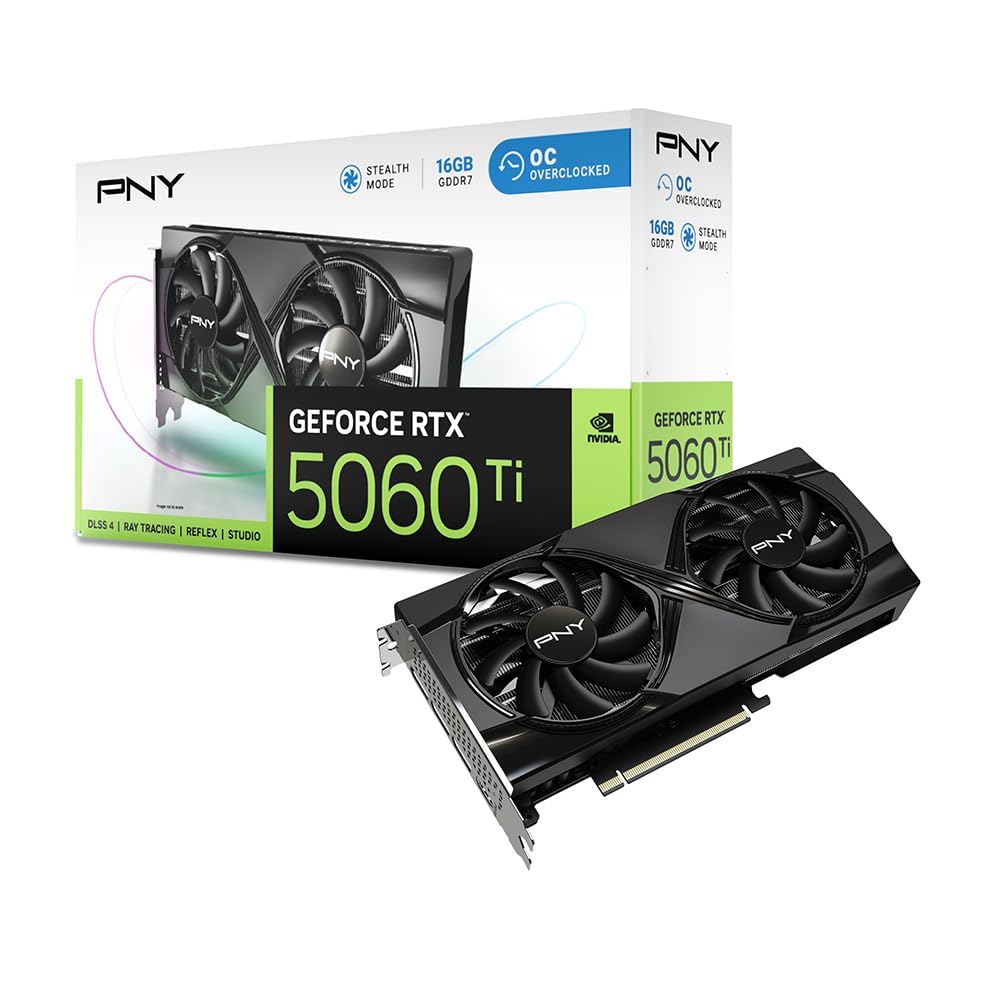
The RTX 5060 Ti is the most affordable NVIDIA card that provides 16GB of VRAM, making it the entry-level champion for Stable Diffusion users who need batch generation or higher-resolution renders without jumping to the RTX 5080 tier. Despite the narrower 128-bit memory bus, GDDR7 memory clocks partially compensate, providing enough bandwidth for comfortable SDXL generation at 1024×1024 with batch sizes of 2-3.
Users upgrading from an RTX 2080 Super report significantly smoother texture rendering and higher frame rates at 3440×1440, but for AI purposes, the killer feature is the 16GB VRAM budget at the mid-range price. As one reviewer noted, this is the best card for entry-level AI workloads, easily handling txt2img and img2img without out-of-memory errors. The card also supports DLSS 4, which uses the fifth-gen Tensor Cores for faster inference.
The dual-fan design keeps power draw around 150W under load, making it energy-efficient for a card in this class. It works on both Windows and Linux out of the box. The main downside is the 128-bit bus — it will feel slower than a 256-bit card when loading large model files, but for the price, the tradeoff is well worth it.
Why it’s great
- 16GB VRAM at the lowest NVIDIA price point
- GDDR7 memory improves bandwidth efficiency
- Low power draw for an AI-capable card
Good to know
- 128-bit bus limits model loading speed
- Performance lags behind higher-tier cards
7. ASUS Dual Radeon RX 9060 XT 16GB

The ASUS Dual RX 9060 XT offers 16GB of GDDR6 memory in a compact dual-slot design, making it an attractive option for AMD users who need VRAM headroom for Stable Diffusion. RDNA 4 architecture introduces improved matrix compute capabilities, though the ROCm software stack for AI workloads is still catching up to NVIDIA’s CUDA ecosystem in terms of seamless compatibility.
In practice, this card handles 1024×1024 SDXL generation with batch sizes of 2-3, provided you use the DirectML or ONNX Runtime path for Stable Diffusion. The high boost clock of 3250 MHz helps push through iterations quickly, and the dual BIOS lets you switch between quiet and performance modes. Users report temperatures in the 60-75°C range even in ITX cases.
The main caveat is software compatibility. Many popular Stable Diffusion forks (Automatic1111, ComfyUI) run best on NVIDIA hardware with CUDA. AMD users may need to use specific forks or compile from source for optimal performance. If you are comfortable with that, the 16GB VRAM for the price is a strong value proposition.
Why it’s great
- 16GB VRAM in a compact dual-slot card
- High boost clock for fast iterations
- Dual BIOS for flexible fan profiles
Good to know
- ROCm support is not as mature as CUDA
- Plastic backplate offers less rigidity
8. GIGABYTE Radeon RX 9060 XT Gaming OC 16G

The Gigabyte RX 9060 XT Gaming OC is another 16GB RDNA 4 option that targets the same AMD Stable Diffusion user as the ASUS Dual. The key difference is Gigabyte’s WINDFORCE cooling system, which uses a Hawk fan design and server-grade thermal conductive gel to keep the card running cool even during sustained AI inference. The boost clock reaches 2700 MHz with a 20000 MHz memory clock.
For Stable Diffusion workflows, the 16GB VRAM buffer is the standout spec. It comfortably handles 1024×1024 generation and allows for larger batch sizes than any 12GB NVIDIA card. The card also supports AV1 encoding, which is useful if you are generating video frames with Stable Video Diffusion. The zero-RPM fan mode keeps the card silent during light loads.
The card is physically large at 11 inches long — measure your case clearance before purchasing. Ray tracing performance is decent but not class-leading, though that matters less for AI generation than for gaming. For an AMD-centric build, this is a robust and well-cooled choice that delivers 16GB of usable VRAM at a competitive price.
Why it’s great
- 16GB VRAM for high-res or batch generation
- WINDFORCE cooling runs quiet and cool
- AV1 encoding for video generation tasks
Good to know
- Large size may not fit smaller cases
- AMD software ecosystem less mature for SD
9. XFX Swift AMD Radeon RX 9060 XT OC

The XFX Swift RX 9060 XT is the most affordable 16GB GPU on this list, offering the same VRAM capacity as cards costing significantly more. With a boost clock up to 3320 MHz, it has the highest raw clock speed among the RDNA 4 options, which helps push through Stable Diffusion iterations faster than its lower-clocked peers.
For budget-constrained users who need the VRAM headroom for SDXL or batch generation, this card delivers where it matters. It runs cool, with users reporting temperatures around 60°C under load, and the dual-fan cooling solution keeps noise manageable. The card is also power-efficient, drawing less than many NVIDIA equivalents at full load.
The tradeoffs are the same as with any AMD card for AI: you will need to use DirectML or a community-maintained ROCm fork for Stable Diffusion. Mainline support in Automatic1111 is not as seamless as with NVIDIA cards. If you are willing to tinker with the software setup, this is the most cost-effective way to get 16GB of VRAM for AI generation.
Why it’s great
- 16GB VRAM at the lowest price point
- High boost clock improves iteration speed
- Efficient power draw and good thermals
Good to know
- Only 2 DisplayPort and 1 HDMI outputs
- AMD AI software ecosystem requires extra setup
10. ASUS Dual NVIDIA RTX 5060 8GB

The RTX 5060 is the most affordable entry into NVIDIA’s Blackwell architecture, but the 8GB VRAM cap makes it a serious compromise for Stable Diffusion. At 512×512 resolution, it works fine for single-image generation, but attempting 1024×1024 or higher will likely trigger out-of-memory errors, especially with larger models like SDXL or SD3.
The card does bring GDDR7 memory and PCIe 5.0 support, which gives it excellent memory bandwidth relative to its VRAM size. For users who primarily generate small images or who are just experimenting with Stable Diffusion before committing to a larger investment, this card provides a low-cost way to get started with the latest generation of Tensor Cores and DLSS 4.
Users report good performance in 1080p gaming, with power draw hovering around 100W during typical use and 150W at full load. The dual-fan design is compact and SFF-compliant. If you can stretch your budget to a card with 16GB of VRAM, the experience will be dramatically better, but for the absolute lowest barrier to entry, this card lets you run Stable Diffusion at basic resolutions.
Why it’s great
- Lowest-cost entry into NVIDIA AI hardware
- GDDR7 memory improves bandwidth
- Very power-efficient for AI inference
Good to know
- 8GB VRAM severely limits SDXL and batch generation
- Only suitable for 512×512 workflows
11. ASRock Intel Arc B580 Challenger 12GB OC

The Intel Arc B580 enters the Stable Diffusion conversation with an unconventional but interesting proposition: 12GB of GDDR6 memory backed by 160 XMX Engines, which are Intel’s equivalent of Tensor Cores. For users running Intel’s OpenVINO-optimized version of Stable Diffusion, this setup can deliver competitive iteration speeds at a very low price point.
The Xe2-HPG architecture supports up to 8K output via DisplayPort 2.1 and includes Intel XeSS 2 for AI upscaling. In practice, the B580 handles 1024×1024 generation with SD1.5 well, though SDXL may push the 12GB buffer to its limit with larger batch sizes. The 0dB Silent technology stops the dual fans completely under low load, making this one of the quietest cards on the list for occasional use.
The biggest catch is software compatibility. Stable Diffusion forks built for CUDA will not work out of the box — you need specific OpenVINO or DirectML builds. ReBAR support is mandatory for good performance, which requires a 10th-gen Intel CPU or newer. For the experimental user who enjoys tweaking configurations, this is a unique value, but most users will find the NVIDIA ecosystem more plug-and-play.
Why it’s great
- 12GB VRAM for under
- XMX Engines accelerate AI inference
- Almost silent under low load
Good to know
- Requires OpenVINO or DirectML SD builds
- ReBAR mandatory for acceptable performance
FAQ
Is 12GB of VRAM enough for SDXL generation?
Do AMD cards work well with Automatic1111 and ComfyUI?
Should I prioritize VRAM or Tensor Core count?
Does memory bandwidth affect Stable Diffusion performance?
Final Thoughts: The Verdict
For most users, the gpus for stable diffusion winner is the MSI RTX 5070 Ti Ventus because it pairs 16GB of VRAM with a wide 256-bit memory bus and fifth-gen Tensor Cores at a price well below the RTX 5080. If you want raw batch throughput for high-resolution work, grab the PNY RTX 5080 OC. And for the best value on a strict budget, nothing beats the PNY RTX 5060 Ti OC with its 16GB VRAM at the lowest NVIDIA entry point.