
Most golf simulators stop you at the green — you strike a ball into a screen, but the final score is determined by an algorithm, not your putter. For anyone who has spent hours dialing in their stroke, that’s a hollow victory. A simulator with integrated putting changes everything, letting you walk the full 18 holes with a putter in hand, matching the feel of a real round from tee to cup.
I’m Mohammad Maruf — the founder and writer behind Drink4Good. After analyzing dozens of launch monitors, mats, and enclosure systems, I’ve narrowed down which configurations actually deliver credible putting performance and which just add a virtual number.
This guide covers the build that turns a garage or basement into a complete indoor course, focusing on the hardware that translates a real putt into accurate distance and direction. Whether you’re building from scratch or upgrading an existing setup, understanding the right golf simulator with putting starts with knowing how the putting surface, mat, and launch monitor interact to give you honest feedback on every stroke.
How To Choose The Best Golf Simulator With Putting
Building a simulator that handles putting well means thinking beyond the launch monitor. The putting surface, the mat, the impact screen, and the software all have to work together. A great launch monitor is useless if the turf causes the ball to bounce or the screen doesn’t accept slow-rolling putts cleanly.
Putting Turf Quality and Roll
Not all synthetic turf rolls the same. Look for a putting surface with a silicone-infused or short-pile nylon face that mimics the speed of a real green — typically around 10 to 11 on the Stimpmeter. The backing should be a dense rubber or foam that doesn’t wrinkle or create undulation. A mat that wrinkles after a few weeks of use is a dealbreaker for putting practice. The GoSports 12×5 and the custom putting turf included in the SkyTrak Studio Pro package are good benchmarks for quality.
Launch Monitor Putting Capability
Most launch monitors use either photometric cameras or Doppler radar to track the ball. For putting, this means the device needs to read the ball from a very short distance — often just a few inches of roll. Devices with dedicated putting modes, like the Garmin Approach R50 and the Rapsodo MLM2PRO, offer specific algorithms for low-speed putts. Others, especially lower-tier radar units, struggle to register putts at all. If putting is a priority, confirm the launch monitor explicitly supports putting before purchasing.
Impact Screen and Enclosure for Short Shots
A full swing into a screen is one thing — a 5-foot putt is another. The impact screen must be tensioned tightly enough to accept a slow-rolling ball without creating a bounce-back. High-end screens with a 3-layer weave and blackout backing, like those from GoSports and Durbles, tend to perform best here. The enclosure frame also matters: heavy padding on the lower rails prevents the ball from rebounding off the metal structure, which is especially important when you’re chipping and putting close to the screen.
Space Requirements
A putting-capable simulator needs at least 5 feet of depth from the screen to the putting mat, plus room for the launch monitor behind or beside the ball. For full swings, the Rapsodo MLM2PRO and SkyTrak units require roughly 10 feet of space from ball to screen. If you’re building in a garage or basement, measure your total depth before committing. A cramped setup that shortens your putting stroke will erode the realism you’re paying for.
Quick Comparison
On smaller screens, swipe sideways to see the full table.
| Model | Category | Best For | Key Spec | Amazon |
|---|---|---|---|---|
| Garmin Approach R50 | Launch Monitor | Premium putting & full sim | 3-camera system, built-in putting | Amazon |
| SkyTrak Studio Pro Package | Full Sim Package | Turnkey, all-in-one setup | Custom putting turf + 5×5 mat | Amazon |
| SKYTRAK ST MAX | Launch Monitor | Serious practice & data | Dual Doppler radar + photometric cam | Amazon |
| Rapsodo MLM2PRO | Launch Monitor | Budget putting & full sim | Doppler radar + dual cameras | Amazon |
| SIGPRO Softy Mat | Hitting Mat | Joint-friendly putting surface | 2.5″ foam core, replaceable strip | Amazon |
| GoSports Sim Enclosure | Enclosure Kit | Minimized rebound on putts | True blackout, multi-layer screen | Amazon |
| ANYTHING SPORTS Enclosure | Enclosure Kit | Budget enclosure with projector mount | 4K-ready impact screen | Amazon |
| Durbles Enclosure Kit | Enclosure Kit | Tool-free assembly | 3-layer impact screen | Amazon |
| Country Club Elite Mat | Hitting Mat | Durable, realistic fairway feel | 110 oz nylon fiber, 2x denser | Amazon |
| GoSports Putting Green 12×5 | Putting Mat | Dedicated putting practice | 12×5 ft, 6 regulation cups | Amazon |
| Swinora GX-03 Launch Monitor | Launch Monitor | Budget launch monitor | 13 metrics, zero subscription | Amazon |
In‑Depth Reviews
1. Garmin Approach R50

The Garmin Approach R50 is the gold standard for a simulator with putting. Its three-camera system tracks the ball from the moment it leaves the putter face, delivering accurate distance and direction data on even the shortest strokes. The built-in 10-inch color touchscreen lets you play virtual rounds — including putting — on over 43,000 courses through Home Tee Hero, with no separate phone or tablet required. The putting function is not an afterthought; it’s a core feature, allowing up to four players to putt out each hole realistically.
Accuracy on putts is excellent, with the R50 detecting even slight mis-hits and off-center strikes. The included barometer adjusts carry distances based on atmospheric pressure, which matters less for putting but adds to overall realism. The unit sits beside the ball, which is a minor ergonomic adjustment for left-handed players, but the data quality justifies the learning curve. Battery life is around 4 hours, enough for long practice sessions.
Setup is straightforward out of the box — connect to Wi-Fi, register a Garmin Golf membership, and you’re playing. The membership is a monthly cost, but it unlocks the full course library and putting simulation. For the serious golfer who wants a premium, all-in-one launch monitor that treats putting as a first-class feature, this is the benchmark.
Why it’s great
- Exceptional putting accuracy with 3-camera tracking
- Built-in screen means no phone or laptop needed
- 43,000+ courses with integrated putting
Good to know
- Requires ongoing subscription for full simulation
- Side-positioning can be tricky for lefties
- Premium price point
2. SkyTrak Golf Simulator Studio Pro Package
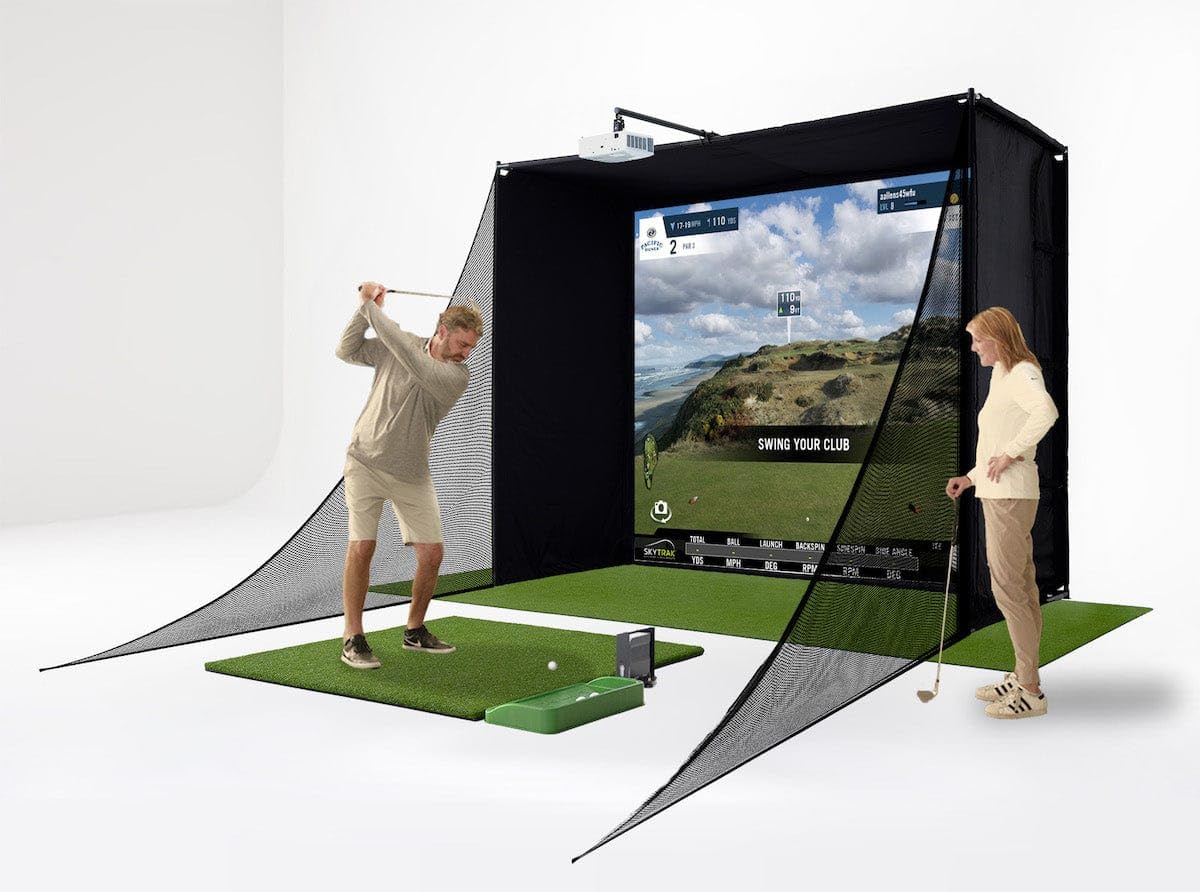
The SkyTrak Studio Pro Package is the most complete turnkey solution for a golf simulator with putting. It bundles the SkyTrak launch monitor, a metal protective case, a full enclosure, a 5×5 hitting mat, a dedicated putting turf, a projector, and a ball tray. The custom-sized putting turf is a standout: it’s a smooth, short-pile synthetic that rolls true and stays flat, designed to match the speed of a real green. The putting surface integrates directly into the enclosure floor, giving you a seamless transition from approach shot to putt.
The SkyTrak launch monitor uses photometric cameras to track ball flight, and while its putting accuracy is not quite as refined as the Garmin R50, it still provides reliable distance and direction data for putts above 3 feet. The included impact screen is 4K-ready and holds up well to repeated strikes, with minimal bounce-back on softer putts. Assembly takes a few hours, but the QR code–based instructions make it manageable for one person.
The hitting mat in the package has received criticism for being too harsh — some users report snapped shafts on fat shots. If you plan to practice full swings regularly, consider upgrading to a softer mat like the SIGPRO Softy. For those who want a single-box solution that includes every component and a dedicated putting zone, this package delivers genuine value.
Why it’s great
- Complete turnkey system with putting turf included
- 4K-ready impact screen with minimal bounce-back
- Metal protective case for the SkyTrak unit
Good to know
- Hitting mat is harsh; may need replacement
- Assembly instructions could be clearer
- Projector mount could be more secure
3. SKYTRAK ST MAX Launch Monitor
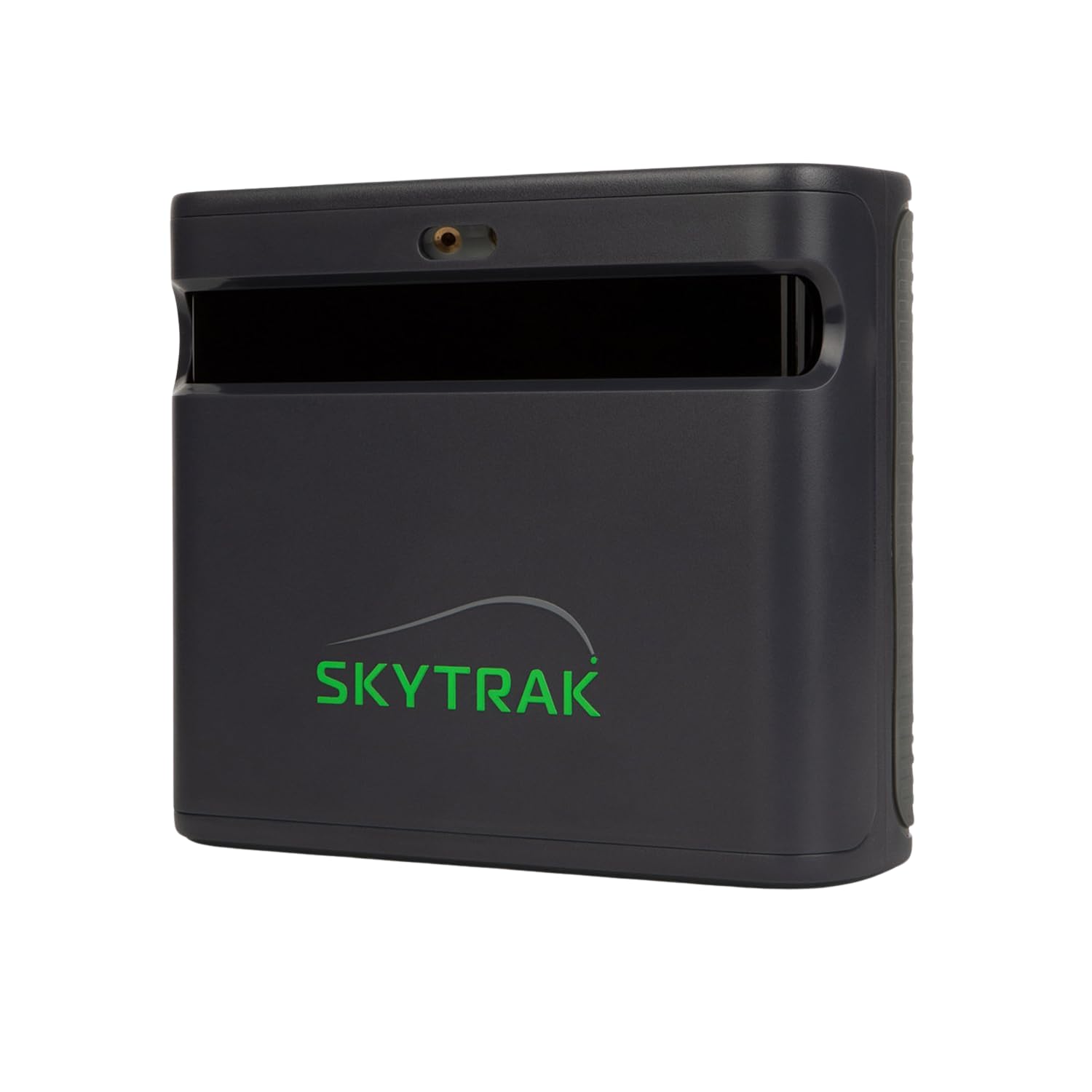
The SKYTRAK ST MAX is a serious launch monitor for golfers who want tour-level data, including putting metrics. It uses dual Doppler radar combined with photometric cameras to capture ball and club data with high precision. The putting mode is not an add-on; it’s built into the core tracking system, allowing you to measure start direction, distance, and roll path on putts. This is the only launch monitor in this price range that gives you wedge matrix data and bag mapping alongside putting analytics.
Setup requires a bit more care than consumer-grade units. You need a clear 10×10-foot space, and the hitting zone can be small — some users report no-reads on putts under 90 yards if alignment is off. Using TaylorMade T5X Stripe balls improves consistency. The unit connects via Wi-Fi or USB-C, and the free 14-day trial of the software lets you test the putting and simulation features before committing to a subscription.
The built-in GOLFTEC Speed Training is a unique addition, offering guided drills for swing speed. However, the ongoing software subscription cost is a consideration. For the golfer who wants to analyze every aspect of their game, including short game and putting, and is comfortable with a more technical setup, the ST MAX is a powerful tool.
Why it’s great
- Dual radar + cameras for precise putting data
- Built-in GOLFTEC Speed Training
- Detailed wedge matrix and bag mapping
Good to know
- Small hitting zone; requires precise alignment
- Subscription required for full software features
- Occasional no-reads on indoor putts
4. Rapsodo MLM2PRO Launch Monitor

The Rapsodo MLM2PRO is the best value launch monitor for a golf simulator with putting. Its dual-camera system and Doppler radar capture 15 key metrics, and the putting mode is surprisingly capable for the price point. It tracks start line and distance on putts, and the 45-day premium trial gives you access to simulated courses, target range, and impact vision — all of which support putting practice. The impact vision feature is especially useful for seeing exactly where the putter face strikes the ball.
Setup is straightforward: place the unit 6-8 feet behind the ball, connect to the app, and start putting. The accuracy on putts is within a few percent of high-end Trackman units, according to user comparisons. The main trade-off is that the unit requires specific Rapsodo ProV1 balls with spin dots for optimum spin data. These balls wear out after a few months, adding a recurring cost. Also, chipping under 10 yards is unreliable, so short-game practice is best done with full swings.
The software can be buggy — occasional disconnects and freeze-ups are reported, especially on shared Wi-Fi networks. The workaround is to use the unit’s direct Wi-Fi mode.
Why it’s great
- Accurate putting data for the price
- 45-day premium trial with simulated courses
- Impact vision for putter face analysis
Good to know
- Requires specific ProV1 balls with spin dots
- Chip reading under 10 yards is unreliable
- Occasional connectivity issues
5. SIGPRO Softy Golf Mat
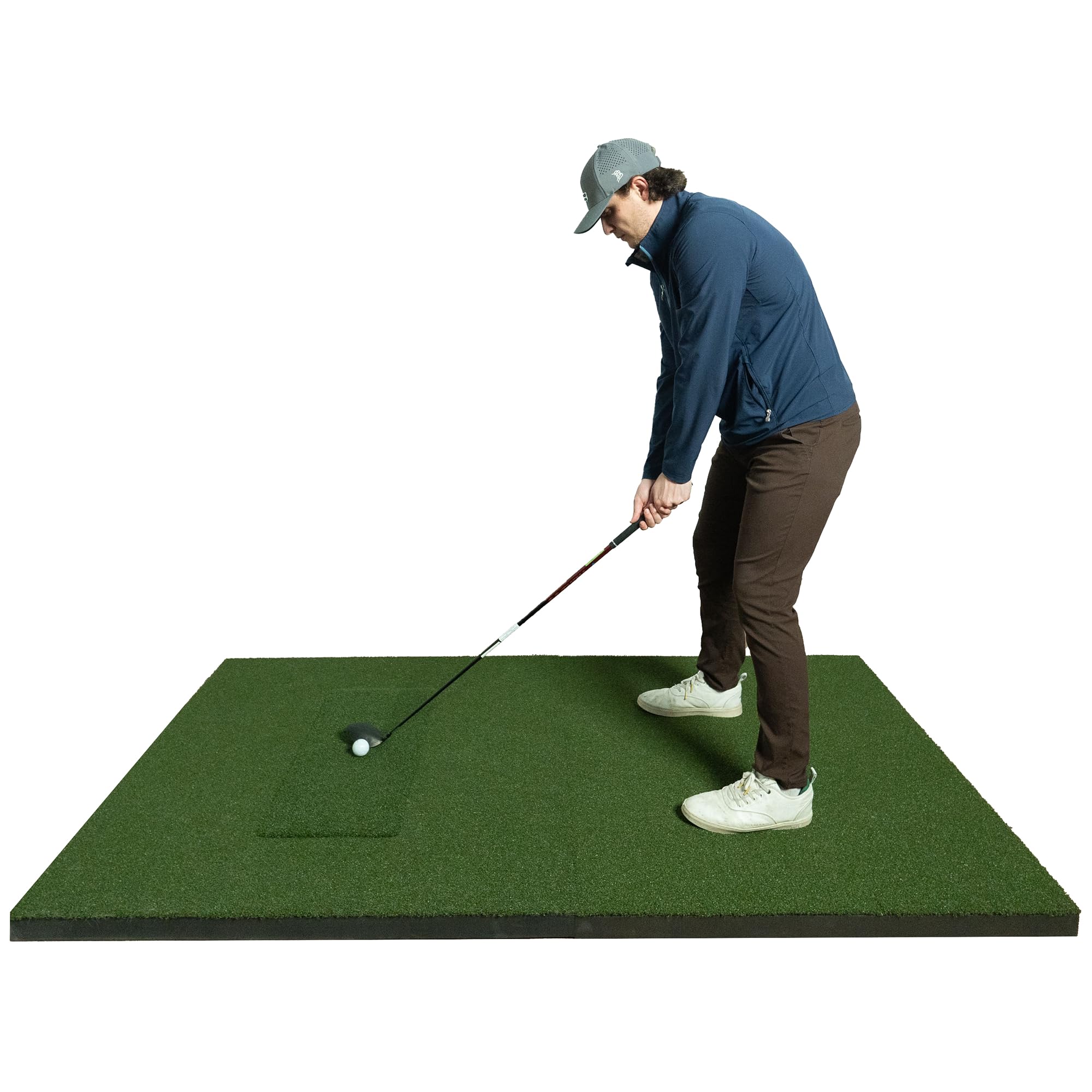
The SIGPRO Softy is not a launch monitor or enclosure — it’s the hitting mat that makes putting and full swings comfortable over long sessions. Its 2.5-inch foam core with compression release valves absorbs impact almost completely, eliminating harsh vibration that leads to golfers’ elbow and wrist pain. The replaceable hitting strip is a game-changer: when the center wears out after thousands of swings, you swap just the strip instead of the entire mat.
For putting, the mat’s surface is thick enough to sit flush with a separate putting turf, creating a seamless transition. The Teeline turf layer provides a consistent roll, and the mat accepts real wooden tees. Its 4×7-foot size gives you generous stance space, and it weighs just 21 pounds, making it easy to reposition between full-swing and putting practice. The ABS Polyurethane Flex backing keeps it from sliding during aggressive swings.
The only downside is the price — it’s a premium mat, and some users note that the hitting strip sits slightly lower than the surrounding turf, which can feel odd at first. But for anyone who practices heavily or has joint concerns, this mat pays for itself in avoided injuries. It’s the best surface to pair with any putting-focused simulator setup.
Why it’s great
- Jaw-dropping impact absorption; no joint pain
- Replaceable hitting strip extends mat life
- Accepts real tees and provides consistent roll
Good to know
- Premium price compared to budget mats
- Hitting strip sits slightly lower than turf
- Heavy enough that it’s not truly portable
6. GoSports Golf Simulator Enclosure

The GoSports Golf Simulator Enclosure is a complete kit — frame, impact screen, and blackout panels — designed to create a professional training bay at home. For putting, the key feature is the minimized rebounding design. The multi-layer screen absorbs slow-rolling putts without bouncing them back, and the foam padding around the frame prevents the ball from ricocheting off the metal structure. This is critical for short putts where a bounce-back would break the illusion of a real green.
The screen is made from a multi-layer polyester weave that projects HD video cleanly with minimal light bleed. The blackout panels are true blackout — they go through a specialized dyeing process that blocks outside light completely, so your projector image stays crisp even in a bright garage. Assembly takes about an hour with a step stool, and the poles are numbered for straightforward setup.
Some users report that the padding on the lower rails could be thicker — wedge shots that clip the frame can still bounce out. Also, shank nets are not included and need to be purchased separately. But for the quality of the screen and the overall stability of the frame, this is a reliable choice for a putting-capable simulator enclosure.
Why it’s great
- Minimized rebound on putts and chips
- True blackout panels for optimal projection
- Quick assembly with numbered poles
Good to know
- Lower rail padding could be thicker
- Shank nets not included
- Frame can feel flimsy until cover is installed
7. ANYTHING SPORTS Enclosure Package
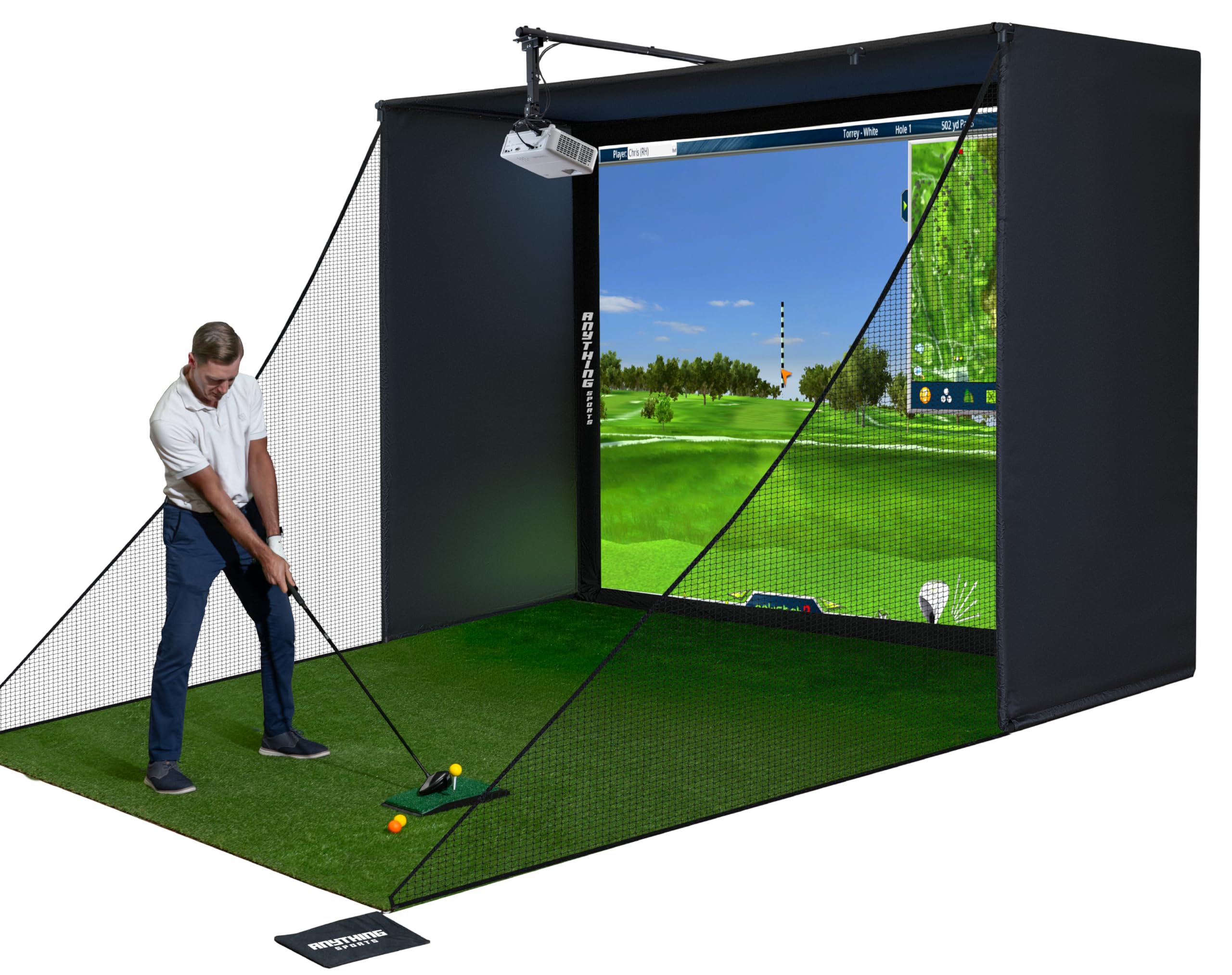
The ANYTHING SPORTS enclosure is a complete package that includes a 4K-ready impact screen, a full blackout cage, side shank nets, a projector mount, and all frame poles. It’s designed for golfers who want a professional-grade practice space without the cost of custom builds. For putting, the screen is tensioned tightly enough to accept slow-rolling balls without significant bounce, and the included side nets catch errant chips and putts that miss the screen.
The screen is made from a thick, soft rubberized material that handles repeated strikes well. The frame is made of sturdy metal poles, and assembly takes about an hour — though the instructions are minimal, so you’ll need to rely on the pictures. The projector mount is a welcome inclusion, saving you both money and installation time. The 12-month no-questions-asked warranty provides peace of mind.
The main drawback is that the screen can produce some bounce-back on full wedge shots, and the bungee attachment system can be finicky. Some users also note that the metal poles need foam padding to prevent ball ricochet. For a budget-friendly complete enclosure that handles putting and short shots reasonably well, this is a solid choice.
Why it’s great
- Complete kit with projector mount included
- 4K-ready screen with minimal light bleed
- Side shank nets for chip and putt capture
Good to know
- Minimal instructions; rely on pictures
- Bungee system can be difficult to tension
- Metal poles need foam padding to reduce ricochet
8. Durbles Enclosure Kit
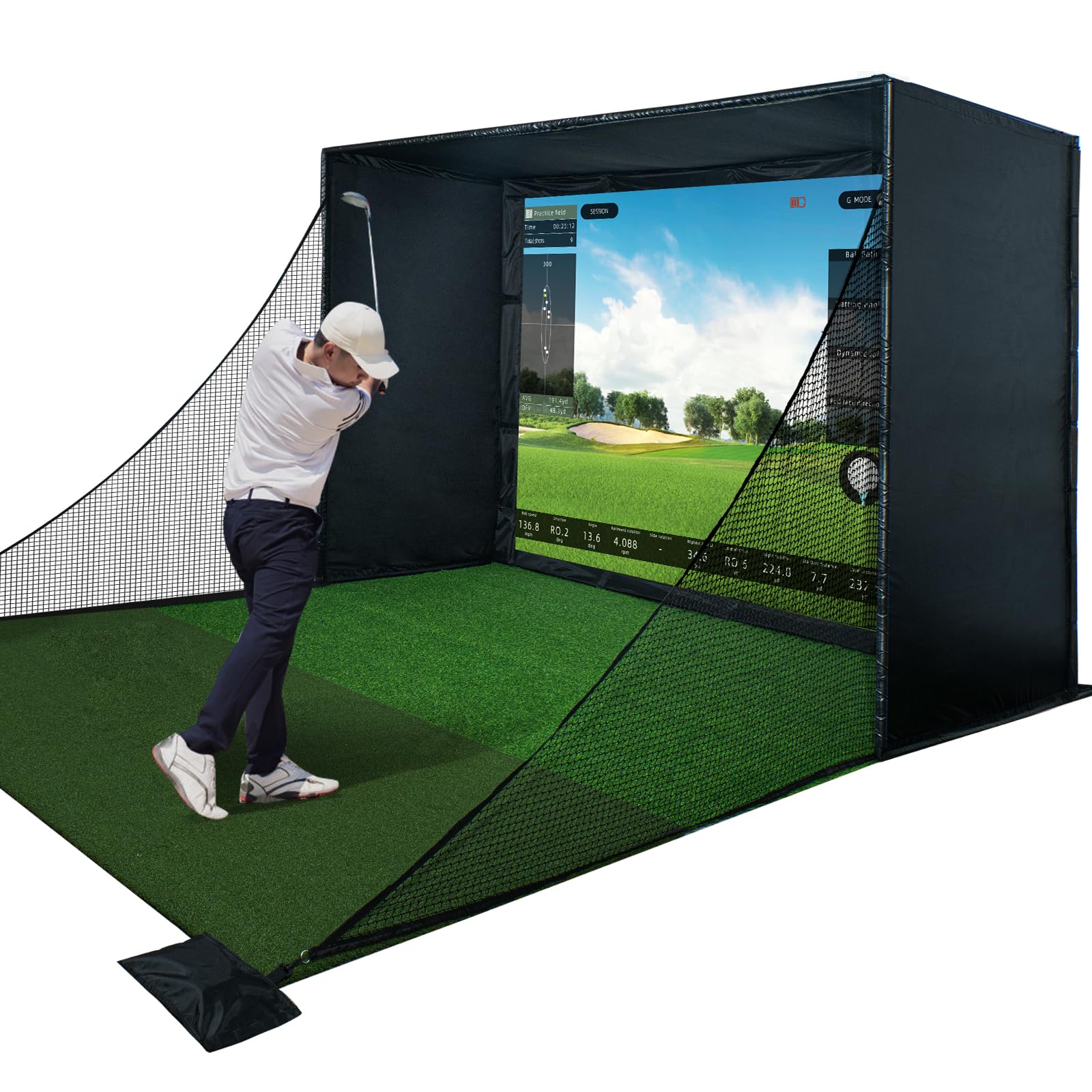
The Durbles Golf Simulator Enclosure Kit focuses on ease of installation. The steel frame, blackout curtain, and 3-layer impact screen assemble without tools — the poles slide together, and the screen attaches via Velcro. This is a significant advantage for anyone who wants a putting-capable simulator setup without spending hours with a wrench. The 3-layer screen absorbs shock and reduces sound, and it handles putts nicely with minimal rebound.
The enclosure includes thick sponge padding around the frame that reduces ricochets by over 50%, according to the manufacturer. In practice, this means fewer stray balls bouncing off the frame and more controlled ball return, which is especially useful for putting drills where you want the ball to stay near the screen. The blackout curtain is heavy-gauge and blocks ambient light effectively.
Some users report that the pipe ends occasionally aren’t flared enough, making it tough to slide them together. Also, the screen does have some bounce-back on full-speed drives, but for putting and chipping, it performs well. If you value a quick, tool-free assembly and a screen that treats putts fairly, the Durbles kit is a strong contender.
Why it’s great
- Tool-free assembly; setup in under an hour
- 3-layer screen absorbs putts and chips well
- Thick padding reduces ricochet
Good to know
- Some pipe ends may require extra force to connect
- Screen has noticeable bounce on full drives
- Frame stability is adequate but not premium-grade
9. Country Club Elite Mat 4×5

The Country Club Elite mat by Real Feel Golf Mats is widely regarded as the gold standard for hitting mats, and it deserves a place in any putting-focused simulator discussion. Its dense nylon fiber system (110 ounces of nylon per square yard) provides realistic feedback on every shot. When you hit a putt, the ball rolls across the surface with a consistent speed, and the 5/8-inch closed-cell foam pad absorbs the impact without creating a dead spot.
The mat is 2x denser than most practice mats, which means it doesn’t break down or form divots over time. It accepts a real wooden tee, making it easy to practice driver and iron shots on the same surface. The heavy-duty urethane backing keeps the mat stable — it won’t slide during a swing. For putting, the dense nylon provides a truer roll than cheaper mats, where the ball can catch on loose fibers.
The main trade-off is the weight — this is not a mat you’ll want to move around frequently. Some users also note that the mat is slightly harder than the SIGPRO Softy, so if joint protection is your priority, the SIGPRO is the better choice. But for pure durability and realistic feel, the Country Club Elite is unmatched. It’s the mat you buy once and use for years.
Why it’s great
- Incredibly durable; 2x denser than standard mats
- Realistic fairway feel for both putting and full swings
- Accepts real wooden tees
Good to know
- Heavier than many alternatives
- Not as joint-friendly as the SIGPRO Softy
- Premium price point
10. GoSports Putting Green 12×5

The GoSports 12×5 Putting Green is the ideal dedicated putting surface for any simulator setup. Measuring 12 feet long and 5 feet wide, it gives you a realistic putting lane that you can fold out in front of your impact screen. The GS Turf grass rolls at a speed comparable to real greens, and the regulation-size 4.25-inch cups are perfectly sized. With six cups and six flags, you can create multiple hole locations, making putting practice more varied and engaging.
The heavy-duty rubber base grips most flooring surfaces — concrete, carpet, tile — without slipping. It’s designed for both indoor and outdoor use, so you can roll it up and take it to the backyard if you want. For integration with a simulator, you can place it directly in front of the enclosure, creating a full 12 feet of putting distance before the ball reaches the screen. This is longer than most putting mats and allows for realistic lag putt practice.
The main issue reported by some users is delamination over time — the putting surface can separate from the foam backing, causing wrinkles. This seems to affect units that are frequently folded and moved. If you set it up as a permanent fixture and handle it carefully, it should last well. For the price, it’s the best standalone putting surface to pair with a launch monitor.
Why it’s great
- Large 12×5 surface for realistic lag putting
- Six regulation cups with flags for variety
- Heavy-duty rubber base grips any floor
Good to know
- Some units may delaminate over time
- Folding and moving can cause wrinkles
- Not as dense as premium hitting mats
11. Swinora GX-03 Launch Monitor

The Swinora GX-03 is a budget-friendly launch monitor that offers 13 key metrics, including attack angle, launch angle, spin rate, and club speed. It also includes environmental sensors that adjust data for temperature, humidity, and barometric pressure. For putting, the device captures ball speed and launch angle, which you can use to gauge distance consistency. It does not have a dedicated putting mode, but it can track putts if you set it up correctly with at least 15 feet of total space.
The biggest selling point is the zero annual fee — the app is a one-time download with no subscription required. The OLED display and metal body give it a premium feel, and Bluetooth connectivity works reliably as long as you keep your phone in front of the device. The 3D driving range with 45° and 90° viewing angles lets you watch your ball’s flight path, though putting data is limited to carry distance and speed.
The main drawbacks are accuracy inconsistency — some users report that ball speed data is not credible compared to higher-end units — and occasional app freezing. It’s best suited for casual practice and swing feedback rather than serious putting analysis. If you want a bare-bones launch monitor to pair with a putting mat and you don’t want to pay for software, the Swinora GX-03 does the job at the lowest cost.
Why it’s great
- Zero annual subscription; one-time purchase
- Compact and portable; fits in a golf bag
- Environmental sensors adjust data for real conditions
Good to know
- Putting data is basic; no dedicated mode
- Accuracy inconsistent compared to premium units
- App can freeze or disconnect
FAQ
Can any launch monitor track putting accurately?
How much ceiling height do I need for a putting simulator?
Do I need a separate putting mat or can I putt on the hitting mat?
How do I prevent the ball from bouncing back on putts?
Can I use foam golf balls for putting in a simulator?
Final Thoughts: The Verdict
For most users, the best golf simulator with putting is the Garmin Approach R50 because its camera system delivers genuine putting accuracy and it includes a built-in screen so you don’t need extra devices. If you want a complete turnkey package that includes a putting turf, the SkyTrak Studio Pro Package gives you everything in one box. And for a budget-friendly launch monitor that still handles putting credibly, the Rapsodo MLM2PRO is the best value.