
Balancing the blistering refresh rates demanded by competitive shooters with the color-critical, HDR-rich requirements of professional photo editing feels like a hardware paradox. You need a panel that delivers instantaneous pixel response without ghosting, yet also maintains factory-calibrated color accuracy across sRGB, Adobe RGB, or DCI-P3 gamuts. That dual-role tension is exactly where most monitors fail — they prioritize one world and compromise the other.
I’m Mohammad Maruf — the founder and writer behind Drink4Good. I’ve spent hundreds of hours analyzing panel technologies, colorimetry reports, refresh rate architectures, and real-world user workflows to nail down which displays genuinely serve both masters without corner-cutting.
Whether you edit RAW photographs in the morning and frag in Valorant at night, the right gaming and photo editing monitor must offer excellent sRGB/Adobe RGB coverage alongside a high refresh rate and low response time — and after deep analysis, this guide delivers exactly that crossover.
How To Choose The Best Gaming and Photo Editing Monitor
Picking a screen that handles both 0.03ms response times and ΔE < 2 color accuracy means you can’t buy on specs alone — you need a panel that feels like two monitors in one. Here’s what matters most.
Color Gamut and Accuracy
For photo editing, coverage of sRGB, Adobe RGB, and DCI-P3 matters. sRGB covers web content; Adobe RGB is essential for print photography; DCI-P3 is the video/digital cinema standard. Look for factory calibration reports showing Delta E ≤ 2 — any higher and you’ll see color shifts between your edits and final output. Gaming doesn’t need this precision, but accurate color makes HDR gaming look richer.
Refresh Rate and Response Time
A 60Hz panel causes visible motion blur in fast-paced shooters, while 144Hz–240Hz delivers buttery smooth gameplay. Meanwhile, a response time of 1ms or faster prevents ghosting. For dual-use, aim for at least 144Hz plus a sub-1ms spec — but beware that some “1ms” IPS panels sacrifice contrast. OLED and QD-OLED panels achieve 0.03ms, making them ideal for both gaming motion clarity and vivid color.
Panel Technology: IPS vs. OLED vs. Mini-LED
IPS panels offer wide viewing angles and consistent color, making them a photo-editor favorite. OLED panels (including QD-OLED) deliver infinite contrast, pure blacks, and instant response — but risk burn-in with static UI elements. Mini-LED IPS panels use local dimming zones to approach OLED black levels while retaining IPS color consistency. Your choice depends on how many static toolbars you leave on screen.
Connectivity and Resolution
For 4K or QHD gaming, HDMI 2.1 and DisplayPort 1.4 are essential to hit high refresh rates without compression. USB-C with Power Delivery (at least 65W) lets you charge a laptop while editing. Resolution-wise, 4K (3840×2160) provides the pixel density photographers need to inspect detail, but QHD (2560×1440) offers a far easier path to high frame rates in demanding titles.
Quick Comparison
On smaller screens, swipe sideways to see the full table.
| Model | Category | Best For | Key Spec | Amazon |
|---|---|---|---|---|
| Samsung 32” Odyssey G50D | QHD Fast IPS | Balanced entry-level dual use | 180Hz, 1ms, 99% sRGB | Amazon |
| Acer Nitro XV275U | QHD Mini-LED | HDR gaming with improved contrast | 320Hz, 0.5ms, 99% AdobeRGB | Amazon |
| Acer Predator X27U | WQHD QD-OLED | QD-OLED color and speed at lower cost | 240Hz, 0.03ms, 99% DCI-P3 | Amazon |
| ASUS ProArt PA279CV | 4K IPS | Color-critical photo editing on a budget | 60Hz, ΔE < 2, 100% sRGB | Amazon |
| ASUS ProArt PA279CRV | 4K IPS | Pro color work with high PD | 60Hz, 99% Adobe RGB/ DCI-P3 | Amazon |
| KTC M27P6 | 4K Mini-LED | Dual-mode 4K/FHD + Mini-LED contrast | 160Hz (4K), HDR1400 | Amazon |
| LG 27GX704A-B | QHD OLED | OLED brightness and glossy clarity | 240Hz, 0.03ms, 98.5% DCI-P3 | Amazon |
| Alienware AW3425DW | WQHD QD-OLED | Ultrawide immersion + QD-OLED color | 240Hz, 0.03ms, 99.3% DCI-P3 | Amazon |
| MSI MPG 322URX | 4K QD-OLED | 4K QD-OLED with DP 2.1 | 240Hz, 0.03ms, 99% DCI-P3 | Amazon |
| Samsung Odyssey OLED G8 | 4K QD-OLED | Premium 4K OLED with DP 2.1 + USB-C 98W | 240Hz, 0.03ms, Pantone Validated | Amazon |
| Kuycon G32P | 6K IPS | Ultra-high resolution photo editing + light gaming | 60Hz, 223PPI, 99% DCI-P3 | Amazon |
In‑Depth Reviews
1. ASUS ProArt PA279CRV

This is the monitor that asks nothing of you — factory-calibrated to Delta E < 2 with 99% Adobe RGB and 99% DCI-P3 coverage, it delivers color-critical accuracy out of the box. The 27-inch 4K IPS panel provides 178-degree viewing angles and a matte finish that minimizes glare in bright editing environments. While its 60Hz refresh rate won’t satisfy esports pros, it handles casual 60fps gaming without issue.
The USB-C port delivers 96W Power Delivery, making it a one-cable solution for modern laptops — perfect for photographers who also game on a single system. The fully ergonomic stand (height, pivot, swivel, tilt) reduces neck strain during long editing sessions. The included Calman calibration report guarantees the unit you receive is accurate, not just a statistical sample.
For creative professionals who still want to jump into a round of Apex or Cyberpunk on the side, the PA279CRV is the obvious value king. You sacrifice high refresh rate but gain a professional-grade color workspace that no sub- gaming monitor can match. Pair it with a second high-refresh display if you need both extremes — this panel earns its place as the single best crossover pick.
Why it’s great
- Factory-calibrated Delta E < 2 with 99% Adobe RGB and DCI-P3
- USB-C with 96W PD simplifies laptop workflow
- Full ergonomic stand with pivot for portrait editing
Good to know
- 60Hz refresh rate limits fast-paced gaming potential
- No built-in KVM for multi-device control
2. ASUS ProArt PA279CV

The 27-inch 4K UHD IPS panel here delivers 100% sRGB and 100% Rec. 709 coverage out of the box, confirmed by a factory calibration report that targets Delta E < 2. This makes it a direct contender for photographers who need reliable color without spending on a dedicated reference monitor. The Calman Verified badge means the panel has passed third-party accuracy testing.
Connectivity is generous: DisplayPort over USB-C with 65W Power Delivery, plus HDMI, DisplayPort, and a USB 3.1 hub. The 5-year warranty (with online registration) adds confidence for a long-term purchase. The stand adjusts in all four directions — tilt, swivel, pivot, and height — so you can switch to portrait mode for vertical photo layouts.
Like the PA279CRV, the PA279CV sticks to 60Hz, so competitive gamers will feel the limitation. But for editing-heavy workflows where color accuracy is non-negotiable and occasional 60fps gaming is enough, this is a top-tier value. Several reviews confirm it matches a MacBook screen out of the box, a rare feat at this price level.
Why it’s great
- 100% sRGB/Rec. 709 with factory Delta E < 2 report
- USB-C 65W PD simplifies laptop setup
- 5-year warranty with online registration
Good to know
- 60Hz refresh rate limits fast-paced gaming
- Some units require minor color tint adjustment
3. Samsung 32” Odyssey G50D

The Odyssey G50D is a 32-inch QHD (2560×1440) Fast IPS display with a 180Hz refresh rate and 1ms GtG response time — a combination that makes 1440p gaming smooth and blur-free. The Fast IPS panel delivers wide 178-degree viewing angles and decent color, but it’s not factory-calibrated for photo editing. You’ll get 99% sRGB coverage per the specs, which is sufficient for web and social media photography.
G-Sync Compatible and AMD FreeSync keep frame pacing smooth without tearing. The stand adjusts in height, tilt, swivel, and pivot — a rare feature at this price. VESA DisplayHDR 400 brings some contrast improvement, though it won’t match OLED or Mini-LED. Eye Saver Mode reduces blue light, useful for long editing and gaming sessions.
This monitor wins for sheer versatility at an approachable price. It’s not a reference-grade editing display, but its sRGB coverage is solid enough for light color work, and its 180Hz refresh rate is genuinely competitive for FPS and racing games. If you need one screen that does it all without breaking the bank, this is it.
Why it’s great
- 180Hz and 1ms for smooth gaming
- Fully adjustable stand with pivot
- G-Sync Compatible and FreeSync support
Good to know
- Not factory-calibrated for photo editing
- HDR400 is entry-level HDR
4. Acer Nitro XV275U
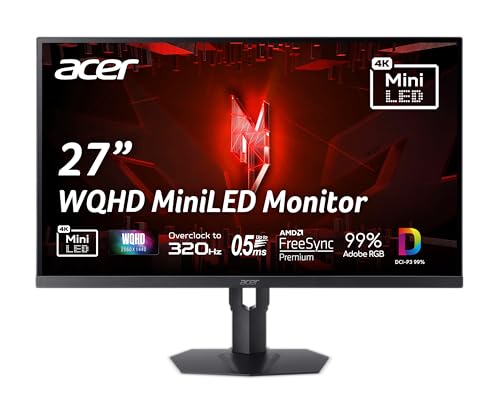
Mini-LED is the sleeper technology that bridges the gap between IPS and OLED, and the XV275U proves it at an accessible price. With 1152 local dimming zones and VESA DisplayHDR 1000, this 27-inch QHD panel delivers peak brightness of 1000 nits and contrast that rivals OLED in many scenes. The 320Hz refresh rate with 0.5ms GtG response time makes it one of the fastest Mini-LED monitors available.
AdobeRGB 99% coverage is the standout spec for photo editors — you can work in print-focused color spaces without switching monitors. The IPS panel ensures wide viewing angles, and the matte finish reduces reflections. Connectivity includes DisplayPort 1.4 and dual HDMI 2.1 ports, making it ready for PS5 and Xbox Series X at 1440p 120Hz.
The trade-off: the plastic build feels less premium than competitors, and the controller joystick menu is dense. Some users report needing to fine-tune color settings out of the box, especially for sRGB mode. But for the combination of Mini-LED contrast, 320Hz speed, and AdobeRGB coverage, the value is undeniable.
Why it’s great
- Mini-LED with 1152 zones and 1000 nits HDR brightness
- 320Hz + 0.5ms for ultra-smooth competitive gaming
- 99% AdobeRGB coverage for print workflows
Good to know
- Plastic build feels cheaper than peers
- Requires tweaking for accurate sRGB mode
5. Acer Predator X27U

The X27U is a 26.5-inch WQHD QD-OLED panel that delivers the color performance of a professional display and the motion clarity of a top-tier gaming monitor. With DCI-P3 99% coverage, Delta E < 2, and a true 10-bit panel, photo editing colors are vivid and accurate. The 240Hz refresh rate and 0.03ms GtG response time mean zero ghosting or motion blur in the fastest games.
It supports both AMD FreeSync Premium and is G-Sync Compatible, covering all GPU ecosystems. The ZeroFrame design and adjustable stand (height, pivot, swivel, tilt) make it fit cleanly into any setup. The QD-OLED layer adds quantum dot enhancement, boosting color volume beyond standard OLED.
The downsides: peak brightness is lower than high-end OLEDs, so bright rooms may require dimming. The menu system is overly complex, and the stand on some units has arrived damaged. But for a budget-friendly entry into QD-OLED with genuine photo-editing credentials, this is a fantastic option.
Why it’s great
- QD-OLED with 99% DCI-P3 and Delta E < 2 accuracy
- 240Hz and 0.03ms for elite gaming performance
- ZeroFrame design and full ergonomic stand
Good to know
- Peak brightness is moderate for brightly lit rooms
- Menu system is dense and unintuitive
6. KTC M27P6
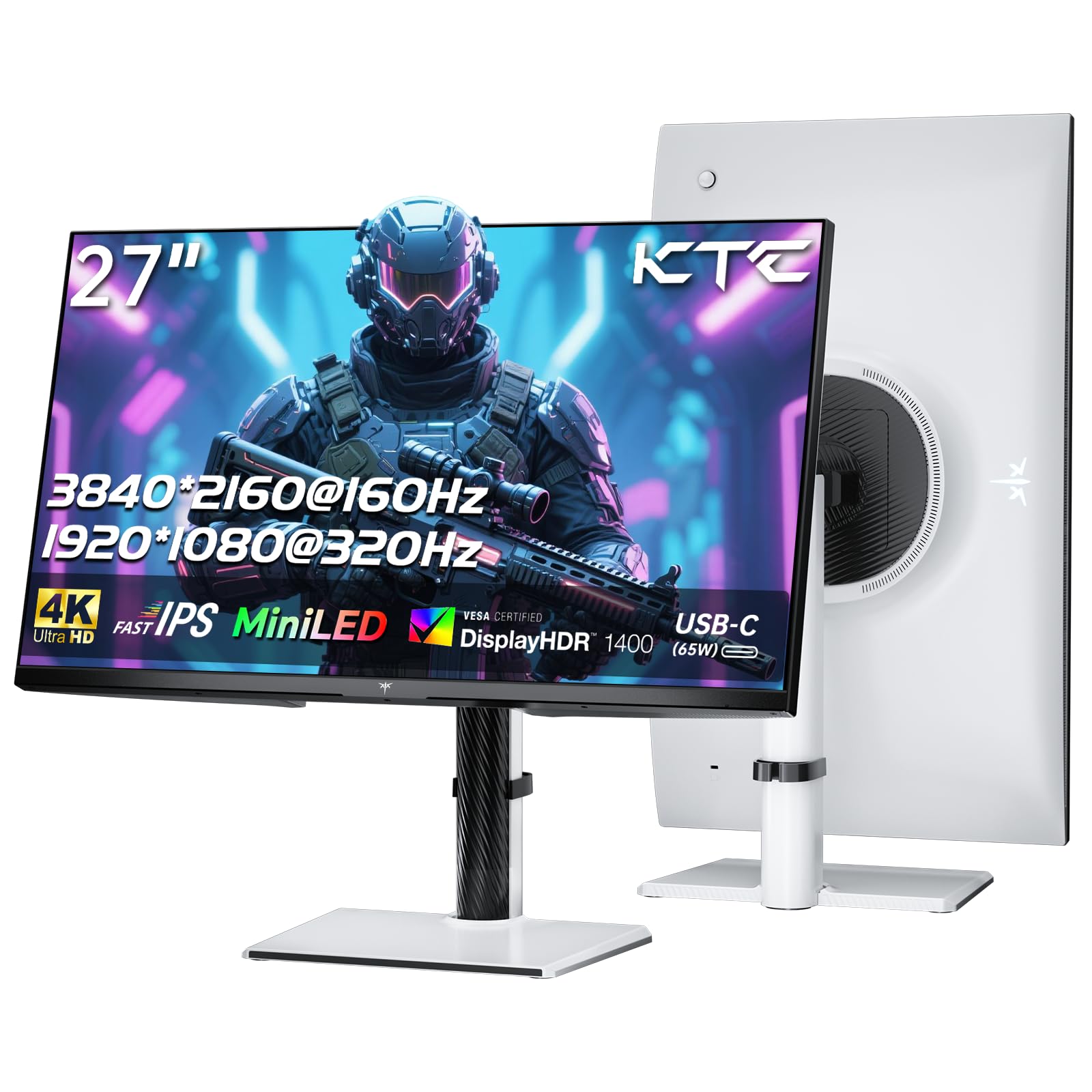
The KTC M27P6 takes a unique dual-mode approach: 4K at 160Hz for immersive gaming and detailed photo editing, plus a switch to 1080p at 320Hz for competitive shooters. The 27-inch Mini-LED panel uses 1152 local dimming zones and hits HDR1400 certification, meaning peak brightness above 1400 nits — brighter than almost any competitor at this price. RGB 99% and DCI-P3 98% coverage satisfy most editing workflows.
Connectivity is comprehensive: DisplayPort 1.4, dual HDMI 2.1, USB-C with 65W Power Delivery, and a three-port USB 3.0 hub with KVM support. The stand adjusts in height, tilt, and swivel, and VESA 100×100 mounting is supported. The white color scheme stands out from the black sea of monitors.
Color accuracy out of the box leans oversaturated, requiring manual calibration into DCI-P3 or sRGB mode. The 320Hz 1080p mode uses no scaling, so text looks blurry in that mode — it’s strictly for games. But for the raw specs — Mini-LED, HDR1400, dual refresh modes, and KVM — this is a compelling choice for hybrid users.
Why it’s great
- Dual-mode: 4K 160Hz and FHD 320Hz for versatile gaming
- Mini-LED with 1152 zones and HDR1400 brightness
- KVM switch and USB-C 65W PD for multi-device setups
Good to know
- Out-of-box color needs calibration for editing
- 320Hz mode is strictly for gaming, not text
7. LG 27GX704A-B

The LG UltraGear 27GX704A-B uses a glossy OLED panel at 27-inch QHD resolution — a deliberate choice that boosts perceived contrast and clarity compared to matte OLEDs. With 240Hz refresh rate, 0.03ms response time, and NVIDIA G-Sync Compatible plus FreeSync Premium Pro, it’s a certified speed demon. The glossy finish makes colors pop and blacks truly infinite, though it reflects ambient light more than matte alternatives.
Color performance is excellent: 98.5% DCI-P3 coverage and VESA DisplayHDR True Black 400 certification ensure deep blacks and vibrant highlights. The fully adjustable stand (height, pivot, swivel, tilt) accommodates any posture. The monitor also holds three UL certifications for anti-glare, flicker-free, and low blue light — rare all-in-one eye comfort credentials.
The OLED panel’s brightness hits 275 nits typical, with peaks at 1300 nits for HDR highlights — good but not class-leading. Some user reviews note the menu is feature-rich but not intuitive. For a glossy OLED that serves both high-fps gaming and vivid color work, this LG is hard to beat at this price.
Why it’s great
- Glossy OLED with infinite contrast and 240Hz speed
- 98.5% DCI-P3 and True Black 400 certification
- Triple UL certification for eye comfort
Good to know
- Glossy screen reflects ambient light in bright rooms
- Peak brightness is moderate compared to Mini-LED
8. Alienware AW3425DW

The Alienware AW3425DW is a 34-inch curved ultrawide (3440×1440) QD-OLED monitor that brings desktop cinema to both gaming and photo editing. The 1800R curve wraps around your field of view, and the QD-OLED panel delivers 99.3% DCI-P3 coverage with Delta E < 2 accuracy — excellent for color work. The 240Hz refresh rate and 0.03ms response time keep gaming silky smooth.
VESA DisplayHDR True Black 400 and 1000 nits peak HDR brightness ensure deep blacks and bright highlights. The monitor supports AMD FreeSync Premium Pro and is G-Sync Compatible. A fully adjustable stand with height, swivel, and tilt, plus a 21:9 aspect ratio, gives you a massive canvas for photo editing timelines and multitasking.
The 1440p resolution at 34 inches means pixel density is lower than 4K, so fine text inspection isn’t as sharp. Text clarity out of the box can look slightly fuzzy, requiring some ClearType adjustment. For creative professionals who want maximum immersion and color volume, the ultrawide format is transformative, but you’ll need a powerful GPU to drive it at 240Hz.
Why it’s great
- 34-inch ultrawide QD-OLED with 99.3% DCI-P3 and ΔE < 2
- 240Hz and 0.03ms for elite competitive gaming
- True Black 400 and 1000 nits HDR peaks
Good to know
- Lower pixel density than 4K, text less sharp out of box
- Requires powerful GPU to drive 3440×1440 at 240Hz
9. MSI MPG 322URX

The MSI MPG 322URX is a 32-inch 4K QD-OLED panel that delivers the highest pixel density among OLED monitors on this list, making it superb for detailed photo editing. With 99% DCI-P3 coverage and Delta E ≤ 2, colors are both rich and accurate. The 240Hz refresh rate with 0.03ms GtG response time ensures motion clarity that matches dedicated esports monitors.
The inclusion of DisplayPort 2.1a (UHBR20) is a standout feature — it offers up to 80 Gbps bandwidth, enabling native 4K at 240Hz without display stream compression. That’s a future-proofing detail that matters for high-end GPUs. HDR performance is VESA DisplayHDR True Black 400 certified, with deep blacks and bright highlights.
OLED Care 2.0 and a 3-year burn-in warranty provide peace of mind for static UI elements during editing. User reviews praise the vibrant colors and sharp detail, but some units have arrived with cosmetic damage. This is a top-tier investment for creative gamers who demand 4K resolution and OLED contrast without compromise.
Why it’s great
- 4K QD-OLED with 240Hz, 0.03ms, and DP 2.1a
- 99% DCI-P3, ΔE ≤ 2, and True Black 400
- 3-year burn-in warranty for peace of mind
Good to know
- Premium price requires serious budget
- Some units have reported delivery damage
10. Samsung Odyssey OLED G8 (G80SH)
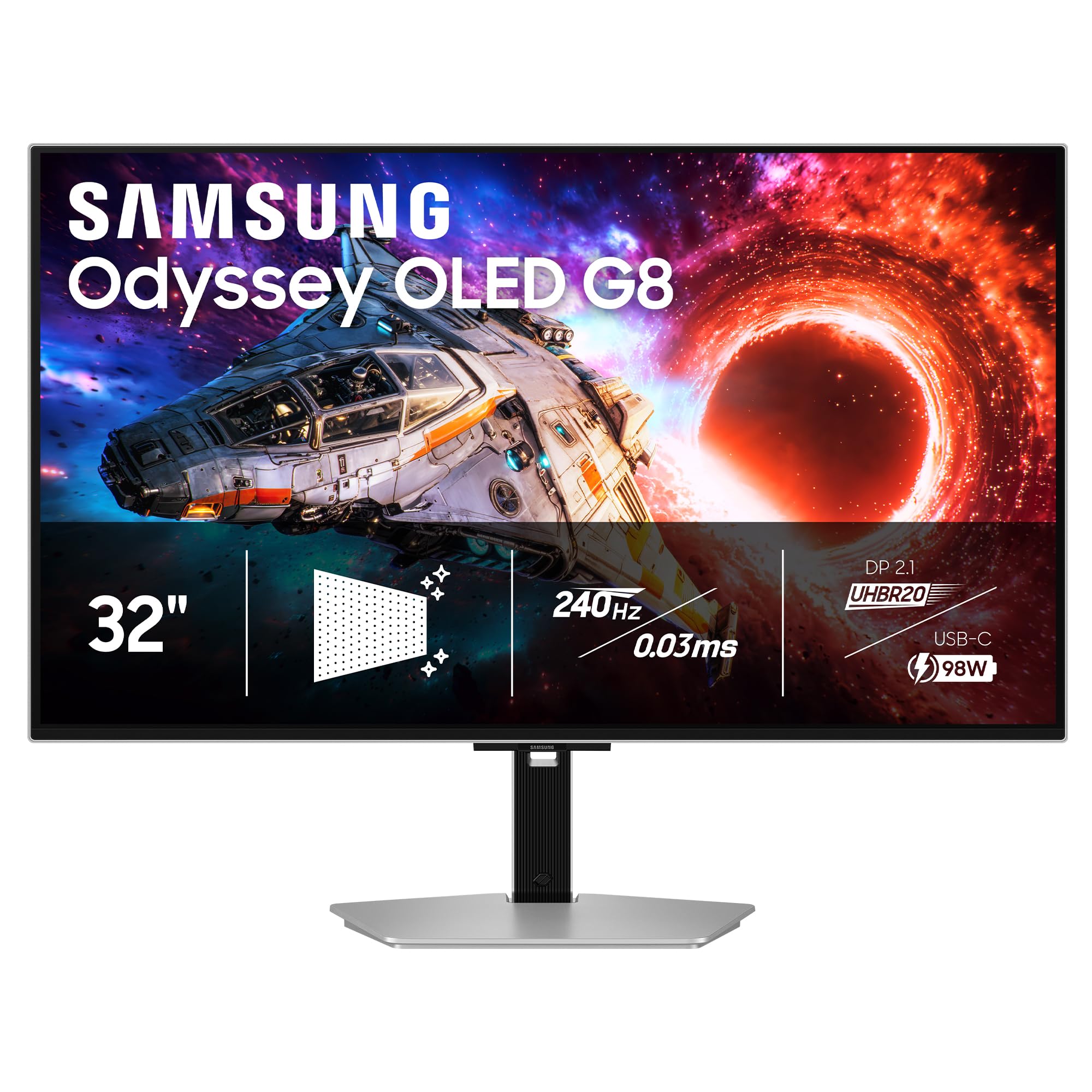
The Samsung Odyssey OLED G8 is a 32-inch 4K QD-OLED monitor with a Pantone Validated screen, meaning its color accuracy meets professional print and design standards. With 240Hz refresh rate, 0.03ms response time, and VESA DisplayHDR True Black 500 certification, it exceeds the HDR performance of most OLED monitors. The 140 PPI pixel density is excellent for inspecting fine details in photos.
Connectivity is future-ready: DisplayPort 2.1 delivers up to 80 Gbps, and USB-C provides up to 98W Power Delivery. The fully ergonomic stand supports height, tilt, swivel, and pivot adjustments. Samsung’s OLED Safeguard+ technology actively prevents burn-in, a crucial feature for static editing toolbars.
The glare-free technology effectively reduces reflections, though it adds a slight graininess to the surface that some users notice. Color accuracy out of the box requires manual calibration for professional use. This is the most complete package for someone who wants top-tier 4K OLED performance for both gaming and creative work without compromise.
Why it’s great
- Pantone Validated with True Black 500 HDR
- DP 2.1 + USB-C 98W PD for future-proof connectivity
- OLED Safeguard+ burn-in prevention
Good to know
- Requires manual calibration for best color accuracy
- Anti-glare coating adds slight graininess
11. Kuycon G32P
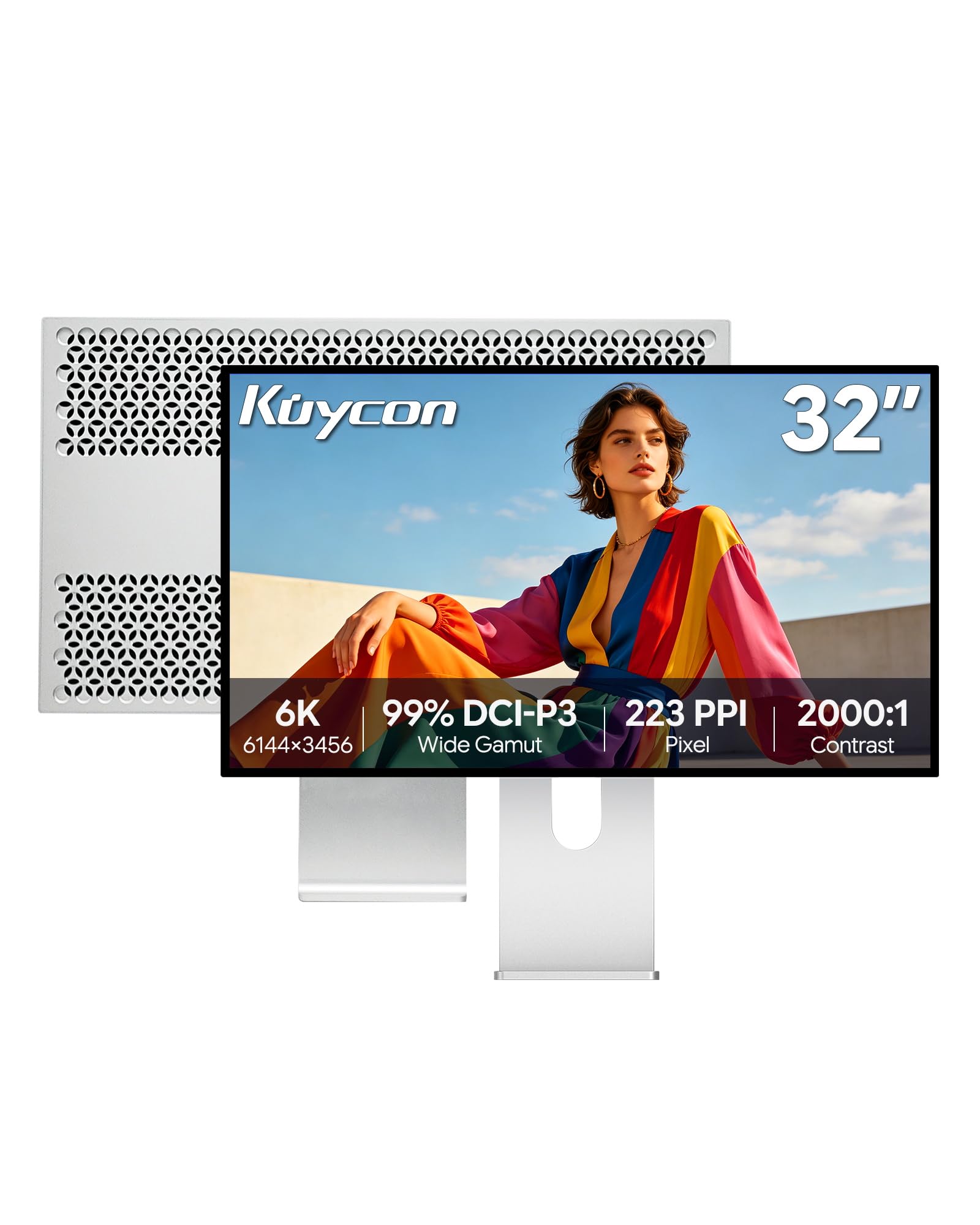
The Kuycon G32P is a 32-inch 6K (6144×3456) IPS monitor that achieves 223 PPI — surpassing even 4K displays in pixel density. This translates to retina-grade sharpness for photo editing, where you can inspect individual pixels from a normal viewing distance. With 99% sRGB and 99% DCI-P3 coverage plus Delta E < 2 accuracy, it rivals professional reference monitors in color performance.
The 1500:1 contrast ratio is higher than typical IPS panels, providing deeper blacks. The 10-bit color depth ensures smooth gradients. The all-metal CNC-machined aluminum build feels premium and includes honeycomb cooling. The ergonomic stand supports height, swivel, tilt, and pivot adjustments, and VESA 100×100 mounting is supported. USB-C with 100W Power Delivery makes it a true laptop docking screen.
The 60Hz refresh rate is the clear limitation for gaming. While it handles casual titles fine at 60fps, competitive shooters will feel sluggish. Some units have arrived with defects or missing accessories, and customer support is reported as minimal. This is a niche pick for photofinishers who want 6K resolution and color accuracy, accepting slower gaming as a trade-off.
Why it’s great
- 6K 223 PPI IPS panel with retina-level sharpness
- 99% DCI-P3, ΔE < 2, and 10-bit color
- USB-C 100W PD and premium aluminum build
Good to know
- 60Hz refresh rate limits gaming potential
- Customer support and QC reported as inconsistent
FAQ
Can a 60Hz photo editing monitor handle gaming well enough?
Is OLED safe for photo editing with static toolbars?
How important is HDMI 2.1 for dual gaming and editing use?
Can I use a 4K gaming monitor for photo editing without calibration?
Should I prioritize higher refresh rate or higher color accuracy for dual use?
Final Thoughts: The Verdict
For most users, the gaming and photo editing monitor winner is the ASUS ProArt PA279CRV because it delivers factory-calibrated color, 99% Adobe RGB, and 96W USB-C charging without breaking the budget — ideal for creative pros who game casually. If you want the absolute best motion clarity and color together, the MSI MPG 322URX combines 4K QD-OLED, 240Hz, and DP 2.1 for a premium dual-use setup. And for a balanced all-rounder that won’t empty your wallet, the Samsung Odyssey G50D offers 180Hz gaming and adjustable ergonomics for light editing work.