
The 24-inch gaming monitor walks a fine line — small enough to fit tight desk spaces, large enough to demand sharp pixel density for competitive play. The real challenge isn’t finding a screen; it’s picking one that doesn’t sacrifice motion clarity, color accuracy, or connectivity just to hit a certain size bracket.
I’m Mohammad Maruf — the founder and writer behind Drink4Good. I’ve spent hundreds of hours researching and comparing panel technologies, refresh rate performance, and build quality across the current 24-inch gaming monitor landscape to separate the contenders from the compromises.
Screen tearing and ghosting can kill reaction times in fast-paced shooters, making a monitor with solid adaptive sync and a sub-1ms response time essential. After testing nine models across different budgets and panel types, I’ve found the top contenders for anyone looking for the best 24 inch gaming monitor that balances price with genuine performance.
How To Choose The Best 24 Inch Gaming Monitor
24-inch monitors are the sweet spot for competitive gamers who want high pixel density without turning their head to see corners. But with panel types ranging from Fast IPS to TN and refresh rates from 144Hz to 480Hz, the wrong choice can leave you with blurry motion or washed-out colors.
Panel Type: IPS vs TN vs VA
Fast IPS panels offer the best balance of color accuracy and viewing angles, making them ideal for both gaming and daily use. TN panels, like the one in the BenQ Zowie XL2546X+, prioritize raw speed and motion clarity — essential for esports but weaker on color shift when viewed off-angle. VA panels deliver higher contrast ratios, especially in curved designs like the Pixio PXC248 Wave.
Refresh Rate and Response Time
A 180Hz refresh rate is the new baseline for smooth gameplay, but higher numbers like 240Hz or 280Hz give a real edge in fast-twitch shooters. Response time — measured in milliseconds (ms) — determines how quickly a pixel changes color. Look for 1ms GtG or MPRT ratings. Beware of overdrive settings that introduce overshoot: a clean 1ms implementation beats a sloppy one every time.
Resolution: 1080p vs 1440p in a 24-Inch Frame
1080p remains the standard for 24-inch gaming because it pairs well with mid-range GPUs and high refresh rates. But a 24-inch QHD (1440p) monitor, like the KTC H24T7, offers noticeably sharper text and finer detail — ideal if your graphics card can push the extra pixels. The pixel density jump from ~92 PPI to ~122 PPI makes a visible difference in clarity.
Connectivity and Adaptive Sync
Make sure the monitor has at least one DisplayPort 1.4 for full bandwidth at high refresh rates. HDMI 2.0 is fine for 1080p at 144Hz, but 180Hz+ requires DisplayPort. Adaptive sync (FreeSync Premium or G-Sync Compatible) eliminates tearing without adding input lag — a must for competitive gaming. Check customer reviews for reports of flickering with FreeSync enabled, as some units have compatibility quirks.
Quick Comparison
On smaller screens, swipe sideways to see the full table.
| Model | Category | Best For | Key Spec | Amazon |
|---|---|---|---|---|
| Acer Nitro KG251Q Z1 | Mid-Range | Competitive FPS | 280Hz / 1ms VRB / FreeSync Premium | Amazon |
| Pixio PXC248 Wave | Budget | Aesthetic Builds | 200Hz / 1500R Curve / Fast VA | Amazon |
| KTC H24T7 | Mid-Range | Sharp Productivity & Gaming | QHD 1440p / 180Hz / Fast IPS / HDR400 | Amazon |
| KOORUI G2421V | Mid-Range | Color-Conscious Gaming | QHD 1440p / 180Hz / Fast IPS / 90% DCI-P3 | Amazon |
| ASUS TUF VG259Q3A | Mid-Range | All-Round Gaming | 180Hz / 1ms GTG / Fast IPS / ELMB | Amazon |
| Samsung Odyssey G3 G30D | Mid-Range | Ergonomic All-Rounder | 180Hz / 1ms MPRT / VA / Fully Adjustable Stand | Amazon |
| BenQ Zowie XL2546X+ | Premium | Esports Pro | 280Hz / DyAc 2 / Fast TN / Shield Hood | Amazon |
| Alienware AW2521HF | Premium | High-FPS Immersion | 240Hz / 1ms GTG / Fast IPS / G-Sync Compatible | Amazon |
| Sony INZONE M10S | Premium | Pro-Level 1440p OLED | 480Hz / 0.03ms / OLED / 24.5″ Mode | Amazon |
In‑Depth Reviews
1. Acer Nitro KG251Q Z1

The Acer Nitro KG251Q Z1 punches well above its price tier with a native 280Hz refresh rate — the highest in this lineup outside of the premium Sony and BenQ options. The 24.5-inch VA panel delivers a strong 3000:1 contrast ratio, which means deeper blacks in dark game scenes compared to typical IPS competitors. The ZeroFrame design makes multi-monitor setups cleaner, and the built-in AMD FreeSync Premium ensures tear-free performance across a wide frame rate range.
In real-world play, the 1ms VRB (Visual Response Boost) provides good motion clarity, though users note that enabling warm light settings can introduce noticeable ghosting. The stand is basic — no height adjustment or swivel — so you’ll want a VESA arm if you need ergonomic flexibility. Colors out of the box lean toward the warm side, but a quick tweak to 100% brightness and a custom profile via AMD software resolves this for most buyers.
Customer feedback highlights the monitor’s reliability over 6-7 months of use, with smooth performance in titles like osu! and CS2. The DP port failure reported on one unit and short included cables are minor concerns, but at this price point, the raw refresh rate and contrast ratio make it the top pick for competitive gamers who prioritize speed over color accuracy.
Why it’s great
- 280Hz native refresh rate — best-in-class for the price tier
- 3000:1 VA contrast ratio for deep blacks in shooters
- FreeSync Premium certified for low-lag tear-free gameplay
Good to know
- Stand lacks height adjustment, swivel, and X-axis tilt
- Default color calibration runs warm; requires user tweaking
- Included DP cables may cause artifacting on some units
2. KTC H24T7
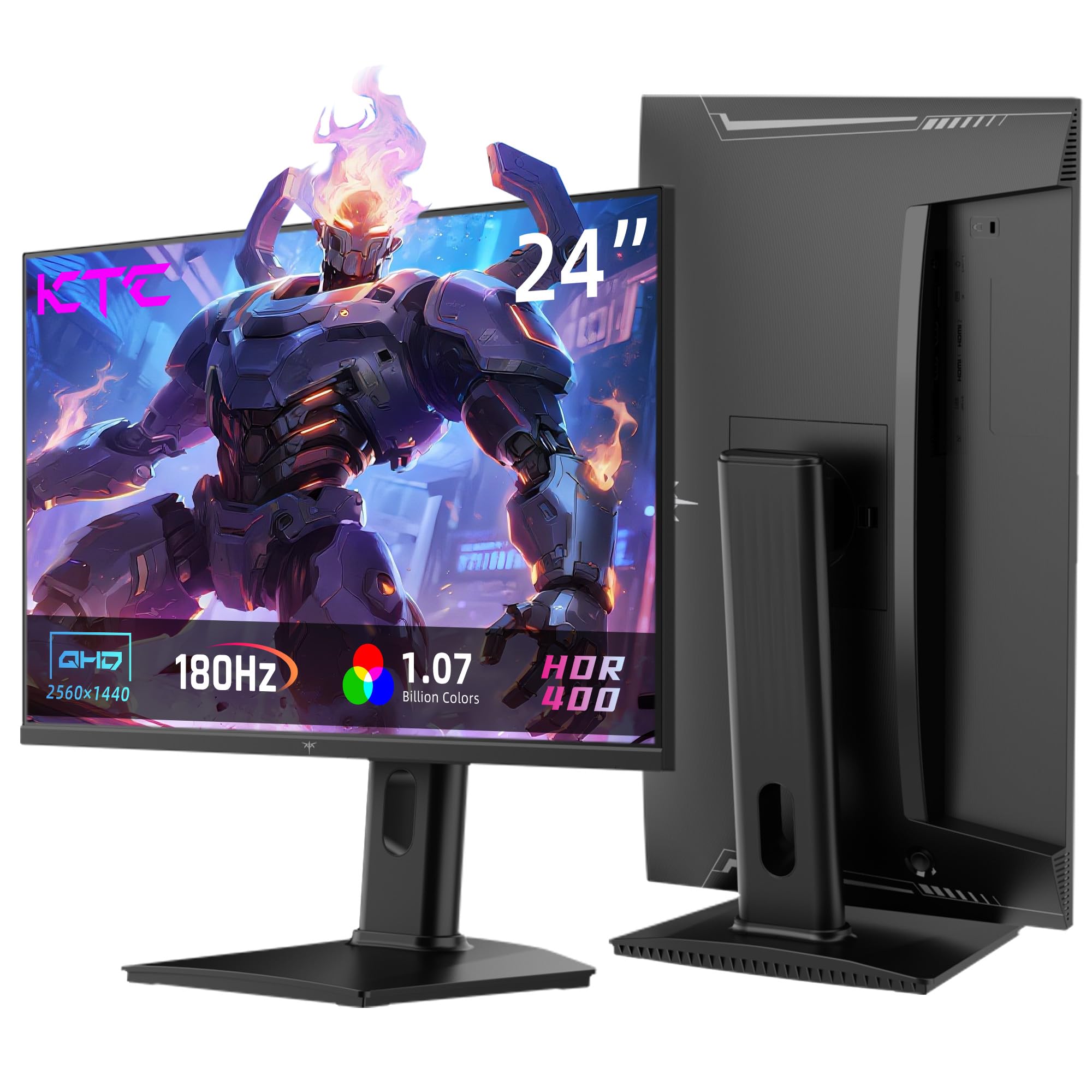
The KTC H24T7 is the only 24-inch monitor in this roundup with a native QHD (2560×1440) resolution, offering a pixel density of roughly 122 PPI — a significant step up from standard 1080p. This makes text look noticeably sharper in productivity apps and games show finer detail, especially in titles like single-player RPGs where environment clarity matters. The Fast IPS panel delivers 180Hz (overclockable to 185Hz) with HDR400 certification and a 99% sRGB color gamut, producing vibrant, accurate colors straight out of the box.
Connectivity is versatile with HDMI 2.0 (supports QHD at 144Hz) and DisplayPort 1.4 (full 180Hz), plus VESA mount compatibility. The ergonomic stand includes 110mm height adjustment, tilt, and a 90-degree pivot for vertical orientation — a rarity at this price. Some users report the menu toggle joystick is tricky to navigate at first, and the height adjustment range feels slightly limited for taller desk setups.
Customer reviews praise the resolution upgrade from 1080p, noting that text clarity and game detail are notably improved. One buyer using it for programming found it significantly enhanced their workflow. The main trade-off: you’ll need a stronger GPU to push 1440p at high frame rates, and the 180Hz limit means competitive players may prefer a 240Hz+ 1080p panel for pure speed.
Why it’s great
- True QHD resolution in a 24-inch frame — superior pixel density
- Full ergonomic stand with height, tilt, and pivot adjustment
- HDR400 and 99% sRGB for rich, accurate colors
Good to know
- Menu joystick control is less intuitive than competitors
- Height adjustment range is modest; may not suit all desk heights
3. KOORUI G2421V
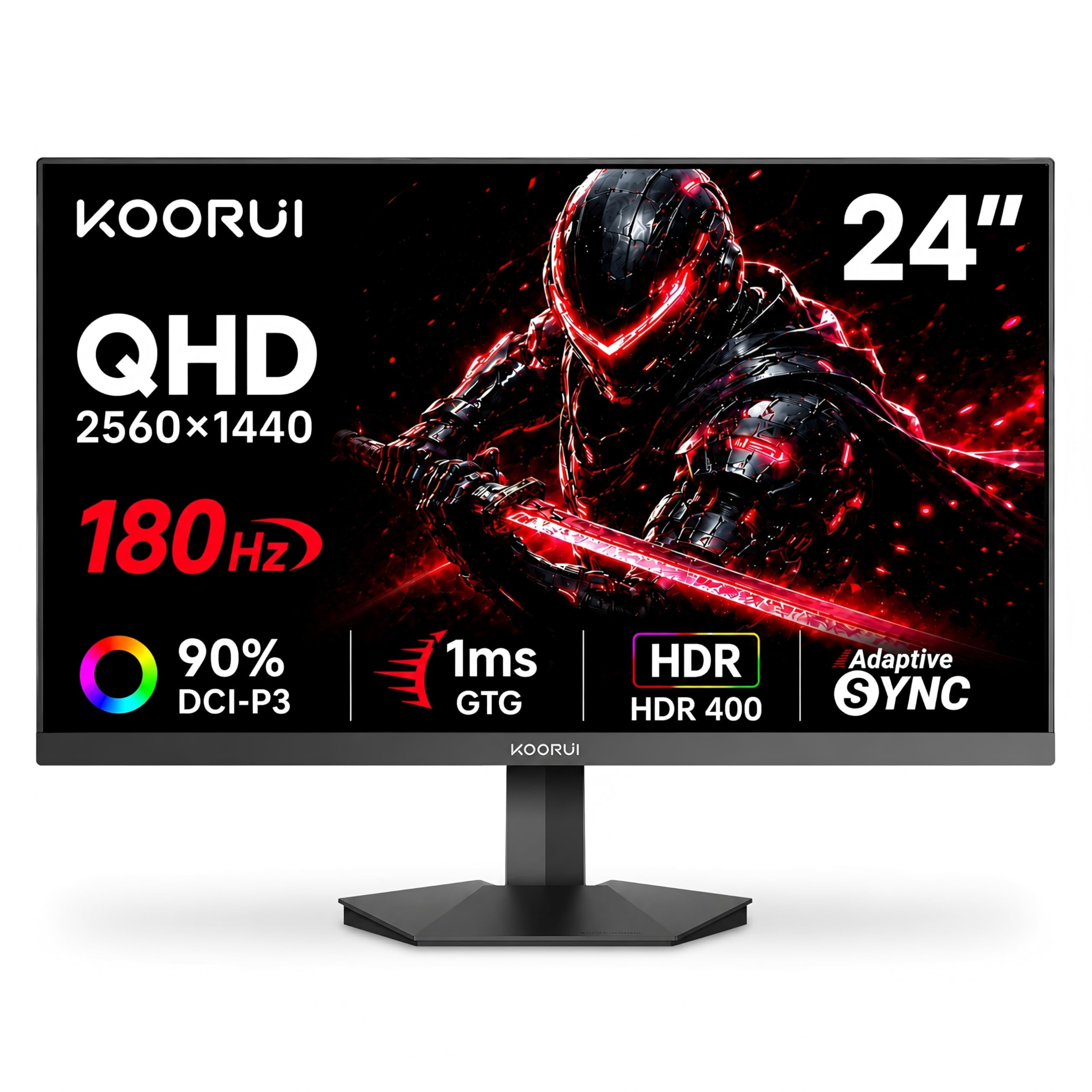
The KOORUI G2421V is a direct competitor to the KTC H24T7, offering the same QHD resolution in a 24-inch Fast IPS panel with a 180Hz refresh rate. Where it differentiates itself is in color performance: a 90% DCI-P3 color gamut coverage (approximately 120% sRGB equivalent) provides richer, more saturated colors that benefit both gaming and creative work. The 350 cd/m² brightness and HDR support produce punchy highlights in supported titles.
Build quality is solid for the price, with a slim bezel design and a stand that offers only tilt adjustment (-5° to 20°). It lacks height adjustment and pivot, so wall mounting with the 75x75mm VESA pattern is recommended for ergonomic setups. The 5-way joystick for menu navigation is a nice upgrade from button-based systems, and the inclusion of both DP 1.4 and HDMI 2.0 ports covers modern PC and console connections.
User feedback is generally positive, with many praising the vivid colors and smooth 180Hz performance. Some users experienced FreeSync flickering on initial units — a known issue that KOORUI’s customer service resolved via replacement. The main downside is the lack of ergonomic adjustment on the stand, which may force tall users into an awkward viewing angle without a third-party mount.
Why it’s great
- 90% DCI-P3 coverage for vibrant, accurate colors
- QHD resolution at 24 inches delivers crisp pixels
- FreeSync Premium and G-Sync Compatible support
Good to know
- Stand only offers tilt; no height or pivot adjustment
- FreeSync may cause flickering on some units
4. Pixio PXC248 Wave

The Pixio PXC248 Wave stands out visually with its pink colorway and 1500R curved VA panel — the only curved monitor in this selection. The curvature wraps around your peripheral vision for a more immersive feel in open-world games and simulators. The 200Hz refresh rate and 1ms GTG response time on the Fast VA panel offer smooth motion with deep contrast, though VA’s inherent black smearing is occasionally visible in fast dark transitions.
The 24-inch 1080p resolution is a good fit for mid-range GPUs, and the stand provides tilt adjustment for basic ergonomics. Built-in speakers are included, but their sound quality is grainy and quiet — fine for system sounds but inadequate for actual gaming audio. The pink design is a major draw for users building aesthetic setups, and Pixio includes matching cables to complete the look.
Customers love the color and design, calling it “gorgeous” and perfect for cute or clean desk builds. The 200Hz refresh rate is praised for smooth gameplay in casual titles, though competitive players note the lack of height adjustment and poor built-in audio. The 1500R curve is subtle at 24 inches — it won’t distort straight lines but does add a touch of depth to the screen.
Why it’s great
- Unique pink design with matching cables for aesthetic builds
- 1500R curved VA panel with deep contrast
- Smooth 200Hz refresh rate for casual to mid-level gaming
Good to know
- Stand lacks height adjustment and swivel
- Built-in speakers have poor sound quality
- VA black smearing in fast dark transitions
5. ASUS TUF VG259Q3A

The ASUS TUF VG259Q3A is a 24.5-inch Fast IPS monitor that nails the sweet spot between competitive gaming and daily use. Its 180Hz refresh rate and 1ms GTG response time, combined with ASUS’s Extreme Low Motion Blur (ELMB) technology, deliver sharp motion with minimal ghosting. The 99% sRGB color gamut ensures colors are punchy without oversaturation, making it suitable for media consumption alongside gaming.
The stand offers full ergonomic adjustment — height, swivel, and tilt — plus VESA 100x100mm compatibility for arm mounting. Shadow Boost is a practical feature that lifts dark areas without blowing out highlights, giving you an edge in shadow-heavy scenes. The built-in 1.5W stereo speakers are passable for reference audio, but they don’t mute automatically when headphones are plugged in, which is an irritation for night gaming sessions.
Customer reviews highlight the superb picture quality and easy HDMI connectivity, with many praising the bundled DisplayPort cable. Some note that the internal speakers are weak and recommend external audio. The aggressive TUF aesthetic with matte plastic feels sturdy, and the anti-glare coating serves well in bright rooms. For the price, it’s one of the most complete packages in this class.
Why it’s great
- Full ergonomic stand — height, swivel, and tilt
- ELMB technology for sharp motion clarity
- ASUS Display Widget support for easy settings adjustment
Good to know
- Built-in speakers don’t mute when headphones are plugged in
- Speakers are weak; external audio recommended
6. Samsung Odyssey G3 G30D

The Samsung Odyssey G3 G30D in 24 inches uses a VA panel with a 3000:1 contrast ratio, delivering rich blacks and good shadow detail — a clear advantage over IPS panels in dark game environments. The 180Hz refresh rate and 1ms MPRT response time keep motion smooth, while AMD FreeSync keeps tearing at bay. At 250 cd/m² brightness, it’s adequate for indoor use but may struggle in very bright rooms.
What sets this monitor apart is its fully adjustable stand: height, swivel, tilt, and pivot are all included, plus VESA 100x100mm compatibility. The 3-sided borderless design works well for dual-monitor setups. Black Equalizer is a practical shooting game tool that brightens dark corners without overexposing the rest of the image. Samsung’s Eye Saver Mode and Flicker-Free certification help reduce strain during long sessions.
User feedback is strong, with buyers noting the easy assembly (disabled-friendly stand), plug-and-play setup, and crisp 1080p resolution. One user reports hitting 270 FPS after adjusting the refresh rate in Windows. The main limitation is the VA panel’s viewing angles — colors shift when viewed from the side — and brightness is fixed higher when Eye Saver Mode is active, limiting fine-tuning in dark rooms.
Why it’s great
- Fully adjustable stand: height, swivel, tilt, and pivot
- VA panel with 3000:1 contrast for deep blacks
- Black Equalizer for better visibility in dark scenes
Good to know
- VA color shift at off-center viewing angles
- Brightness locked higher when Eye Saver Mode is active
7. BenQ Zowie XL2546X+
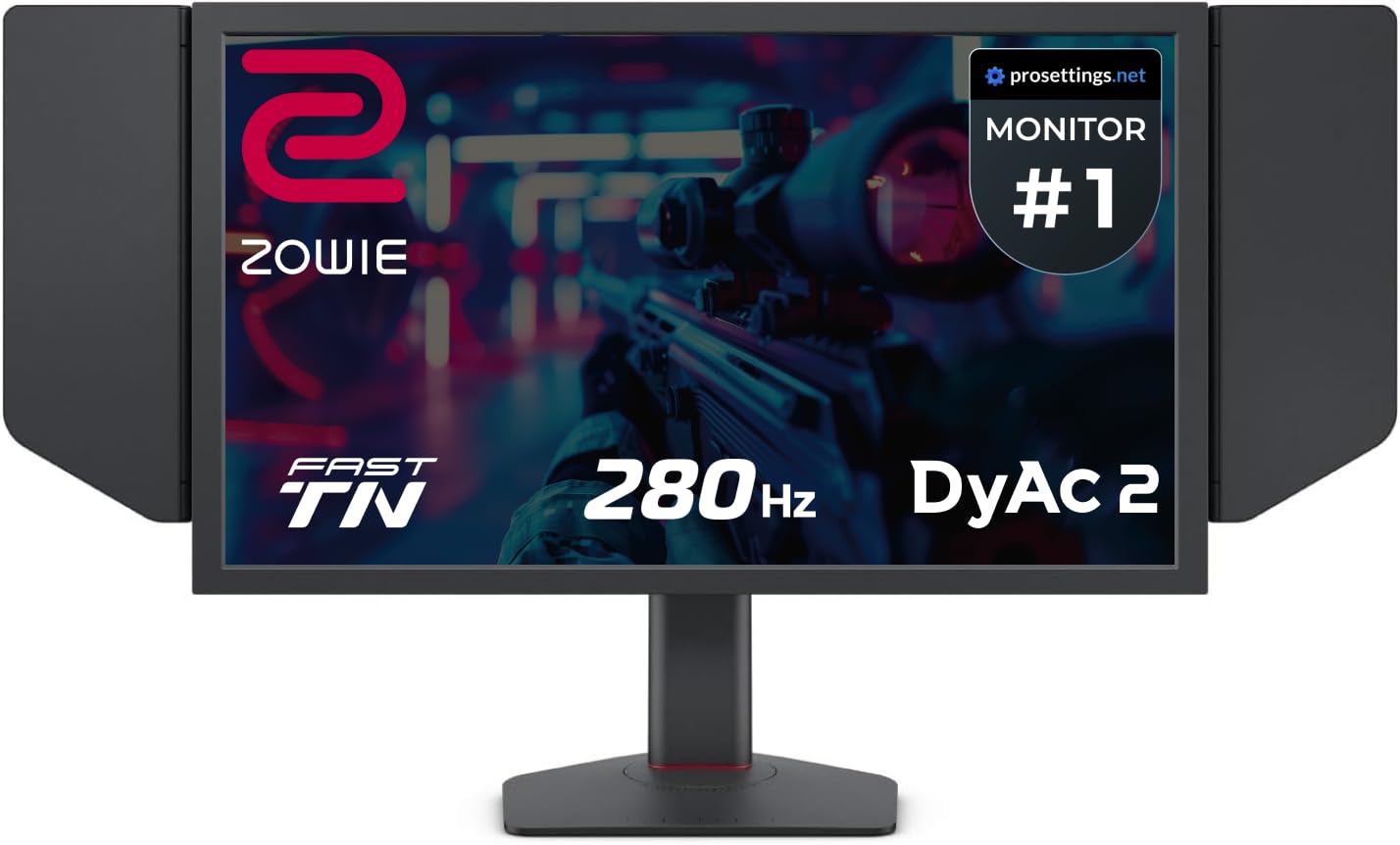
The BenQ Zowie XL2546X+ is built with one purpose: esports domination. Its 24.1-inch Fast TN panel hits 280Hz natively with DyAc 2 (Dynamic Accuracy) technology, which uses dual-backlight modulation to reduce motion blur at the hardware level — not through overdrive, but true backlight strobing. The result is some of the clearest motion clarity in the industry, with less persistence blur than any IPS or conventional VA can achieve.
DyAc 2 also offers a softer light output than previous generations, reducing eye fatigue during long tournaments. The included S Switch lets you save and swap display profiles instantly, while the shielding hood eliminates reflections in bright LAN environments. The Fast TN panel has been redesigned to reduce overshoot and improve color performance, now covering 98% of sRGB — a major leap for TN — but viewing angles remain its Achilles’ heel.
Competitive players are reporting rank improvements after switching to the XL2546X+, with one Valorant player jumping from Gold 3 to Diamond 3. The stand offers industrial-grade bearing height adjustment, plus tilt and swivel. The real-world responsiveness upgrade over 144Hz is immense, but at a premium price that reflects its niche. If you play casually or care about media quality, this TN panel’s limitations will frustrate you.
Why it’s great
- DyAc 2 offers true hardware-level motion blur reduction
- Fast TN panel with 280Hz and minimal overshoot
- Switch plus shielding hood for tournament-level precision
Good to know
- TN viewing angles are narrow; colors shift off-axis
- Designed exclusively for competitive gaming — poor media versatility
8. Alienware AW2521HF

The Alienware AW2521HF brings a 24.5-inch Fast IPS panel with a native 240Hz refresh rate and 1ms GTG response time, making it one of the smoothest IPS panels in this roundup. It’s G-Sync Compatible and FreeSync Premium certified, so tearing is handled regardless of your GPU brand. Dell’s build quality is evident in the solid chassis, RGB-lit stand, and thoughtful cable management system — though the stand base is large, so arm mounting is worth considering.
The matte display finish effectively reduces glare and fingerprints. Dell includes a unique cooling vent design that keeps the panel stable during long sessions. The stand offers full height, swivel, and tilt adjustments, plus VESA 100x100mm mounting.
Customer reviews are consistently high, with users noting no dead pixels, no backlight bleed, and excellent packaging. Some veteran players note that the visual difference between 144Hz and 240Hz is real but not night-and-day — the jump is most noticeable in fast-twitch aim adjustments. The price is a sticking point, but for a premium 24-inch IPS at 240Hz with G-Sync, it offers exceptional build quality and a mature design that will last through multiple GPU upgrades.
Why it’s great
- Native 240Hz Fast IPS with G-Sync and FreeSync support
- Excellent build quality with proper cable management
- 400 cd/m² brightness for punchy highlights
Good to know
- Large stand base consumes significant desk space
- Diminishing returns: 144Hz to 240Hz upgrade is noticeable but not massive
9. Sony INZONE M10S

The Sony INZONE M10S is the halo product of this guide, pairing a 27-inch OLED panel with a staggering 480Hz refresh rate and a 0.03ms GTG response time. While it’s technically 27 inches, it includes a dual-screen-size mode that simulates a 24.5-inch display — a niche but appreciated feature for players who prefer a smaller, more focused field of view. The 1440p QHD resolution on OLED produces a 1,500,000:1 contrast ratio, giving infinite blacks and eye-searing color vibrancy that no LCD can match.
The cooling system is fanless and passive, using a custom heatsink to prevent burn-in — backed by a 3-year OLED limited warranty that covers burn-in. The low-profile stand is just 4mm thin, maximizing desk space for mouse movement. Connectivity is future-proof with DisplayPort 2.1 and HDMI 2.1. Tournament Mode includes FPS Pro+ presets co-developed with Fnatic, optimizing visibility in competitive shooters.
Customer feedback is overwhelmingly positive, with users praising the “insane smoothness” of 480Hz on OLED and the rich color depth. One buyer noted a Day 1 pixelation issue on the left half of the screen, which Amazon resolved with a refund — so ensure you purchase through a retailer with solid return policies. The price is extreme for a monitor that isn’t strictly 24 inches, but for pro-level 1440p OLED performance, it’s the most advanced display on the market.
Why it’s great
- 480Hz OLED with 0.03ms response time — instant pixel response
- Fanless heatsink design for burn-in prevention
- 3-year OLED warranty including burn-in coverage
Good to know
- Premium price limits it to serious competitors and enthusiasts
- Some units reported pixelation issues requiring returns
- 27-inch panel with 24.5-inch crop mode, not a native 24-inch screen
FAQ
Is 24 inches too small for 1440p QHD gaming?
Can I use a 24-inch 180Hz gaming monitor with a PS5 or Xbox Series X?
What’s the difference between FreeSync Premium and G-Sync Compatible?
Does a 280Hz TN panel look worse than a 180Hz IPS monitor?
Why do some 24-inch monitors have zero-frame or near-bezel-less designs?
Final Thoughts: The Verdict
For most users, the best 24 inch gaming monitor winner is the Acer Nitro KG251Q Z1 because it combines a 280Hz refresh rate, solid VA contrast, and FreeSync Premium at a price that undercuts much of the competition. If you want sharp QHD resolution for both productivity and gaming, grab the KTC H24T7. And for the movement-clarity obsessed esports player who needs every millisecond, nothing beats the BenQ Zowie XL2546X+.