
Pinpoint accuracy in a firefight, fluid motion across a sweeping landscape, and a field of view that fills your peripheral vision without requiring a head turn — that is the promise of a properly spec’d 27-inch gaming monitor. This size sits at the sweet spot between immersion and competitive sightlines, but the panel technology, refresh rate, and resolution you choose dictate whether you gain a real advantage or just a prettier picture.
I’m Mohammad Maruf — the founder and writer behind Drink4Good. I have spent years dissecting monitor hardware specifications, analyzing panel uniformity reports, and cross-referencing refresh rate performance with real-world GPU limitations to separate genuine upgrades from marketing specs.
Whether you are a competitive FPS player chasing 360Hz fluidity or an open-world explorer craving QD-OLED contrast, identifying the best 27 inch gaming monitor for your rig and budget requires understanding how resolution, refresh rate, and panel type interact with your specific games and graphics card.
How To Choose The Best 27 Inch Gaming Monitor
Choosing a 27-inch gaming monitor means balancing three interdependent variables: resolution, refresh rate, and panel technology. A mismatch here can leave you with either a gorgeous screen that feels sluggish or a fast panel with washed-out colors. Focus on how these specs align with the games you play most and the graphics card powering them.
Resolution: QHD is the 27-Inch Sweet Spot
1080p on a 27-inch screen results in a low pixel density that makes individual pixels visible, reducing sharpness. 4K at this size offers incredible detail but demands a top-tier GPU to maintain high frame rates in modern titles. QHD (2560×1440) hits the perfect balance: it is sharp enough for detailed visuals without the GPU overhead of 4K, making it the standard resolution for the best 27 inch gaming monitors.
Refresh Rate and Response Time: The Real World Impact
A 144Hz monitor displays up to 144 frames per second, which feels smooth to most users. Moving to 240Hz or 360Hz further reduces motion blur and input latency, which is critical in competitive shooters like Valorant or Counter-Strike. Response time, measured in milliseconds (ms), dictates how fast a pixel changes color. 1ms (GtG) on IPS panels is good; 0.03ms on OLED panels is essentially instant, eliminating ghosting entirely.
Panel Technology: IPS vs OLED vs QD-OLED
IPS panels offer good color accuracy, wide viewing angles, and high brightness, but they suffer from backlight bleed and limited contrast ratio (typically 1000:1 to 1300:1). OLED panels deliver infinite contrast ratios with true blacks and near-instant response times, but they have lower peak brightness and a risk of burn-in over long static sessions. QD-OLED improves on standard OLED by using quantum dots for higher color volume and better brightness, though it can exhibit a slight purple tint in bright room light and has a unique subpixel layout that affects text clarity.
Quick Comparison
On smaller screens, swipe sideways to see the full table.
| Model | Category | Best For | Key Spec | Amazon |
|---|---|---|---|---|
| Alienware AW2725DM | IPS QHD | Best Value Mid-Range | 180Hz, 1ms, 95% DCI-P3 | Amazon |
| ASUS TUF VG27AQL5A | Fast IPS QHD | Competitive FPS | 210Hz OC, 0.3ms, ELMB Sync | Amazon |
| INNOCN 27G2T | IPS QHD | Budget High Refresh | 320Hz OC, 1ms, HDMI 2.1 | Amazon |
| LG 27G640A-B | IPS QHD | Feature-Rich Mid-Range | 300Hz, 95% DCI-P3, USB-C | Amazon |
| LG 27GS93QE | WOLED QHD | OLED Entry Point | 240Hz, 0.03ms, True Black 400 | Amazon |
| MSI MAG 271QPX | QD-OLED QHD | High-FPS OLED | 360Hz, 0.03ms, True Black 400 | Amazon |
| Alienware AW2725DF | QD-OLED QHD | Premium Competitve | 360Hz, 0.03ms, 99.3% DCI-P3 | Amazon |
| Samsung Odyssey G6 G60SD | QD-OLED QHD | Burn-in Prevention | 360Hz, 0.03ms, Dynamic Cooling | Amazon |
| ASUS ROG Strix XG27UCDMG | 4K QD-OLED | Ultimate Image Quality | 240Hz, 0.03ms, True 10-bit | Amazon |
In‑Depth Reviews
1. Alienware AW2725DM

The Alienware AW2725DM delivers an exceptional QHD IPS experience at a price point that undercuts most competitors without sacrificing build quality. Its 180Hz refresh rate and 1ms GtG response time provide smooth, responsive gameplay across shooters and AAA titles, and the 95% DCI-P3 color coverage ensures vibrant, punchy visuals out of the box. The adjustable stand offers height, pivot, swivel, and tilt, giving you full ergonomic control for long sessions.
VESA DisplayHDR 400 certification means it handles highlights reasonably well for an IPS panel, though true HDR impact is limited by the 1000:1 contrast ratio. The hardware-based low blue light solution effectively reduces eye strain without the nasty yellow tint typical of software filters. Shipping contents include both DisplayPort 1.4 and HDMI cables, so you are ready to hit 180Hz immediately via DP.
Customer feedback consistently praises the sturdy, durable stand and excellent picture quality for the price. A few users noted that the anti-glare coating introduces a slight IPS glow in dark scenes, and there are no built-in speakers or headphone jack, which is standard for this tier. For a mid-range desktop upgrade that balances gaming and daily productivity, this Alienware is tough to beat.
Why it’s great
- Excellent color accuracy with 95% DCI-P3 coverage
- Full ergonomic stand adjustment (height, pivot, swivel, tilt)
- Hardware low blue light preserves color while reducing eye strain
Good to know
- Reaches full 180Hz only via DisplayPort, not HDMI
- No built-in speakers or headphone jack included
- IPS glow is noticeable in very dark room conditions
2. ASUS TUF Gaming VG27AQL5A

The ASUS TUF VG27AQL5A pushes IPS performance to its limits with a factory-overclocked 210Hz refresh rate and a 0.3ms GtG response time, figures that were exclusive to premium TN panels just a few years ago. The Fast IPS technology delivers sharp visuals with high frame rates, and ASUS Extreme Low Motion Blur Sync (ELMB Sync) allows you to use backlight strobing alongside variable refresh rate to eliminate both ghosting and tearing simultaneously.
Color performance is strong with a 130% sRGB gamut and a 1300:1 contrast ratio, which is slightly above average for IPS and helps with perceived depth in games. The built-in DisplayWidget Center lets you adjust monitor settings with a mouse, bypassing the OSD joystick entirely. The integrated speakers are functional for system sounds but not adequate for primary game audio. Connectivity includes DisplayPort and HDMI, and the package includes a DisplayPort cable and an L-shaped screwdriver for VESA mounting.
Buyers consistently report excellent color and contrast for the price, noting the LCD panel has uniform backlight glow with no edge bleeding, which is a differentiator in this class. The stand is firm with thin bezels, and the 210Hz ceiling is sufficient for all but the most extreme competitive scenarios. For a mid-range IPS monitor that blurs the line into high-refresh territory, this ASUS TUF model stands out for its combination of speed and features.
Why it’s great
- Fast IPS with 0.3ms response time for minimal ghosting
- ELMB Sync works with VRR for smooth, tear-free motion
- DisplayWidget Center allows mouse-based OSD control
Good to know
- Built-in speakers are usable but lack bass and volume
- Maximum 210Hz overclock may vary by GPU and panel
- No USB-C connectivity for modern laptop users
3. INNOCN 27G2T
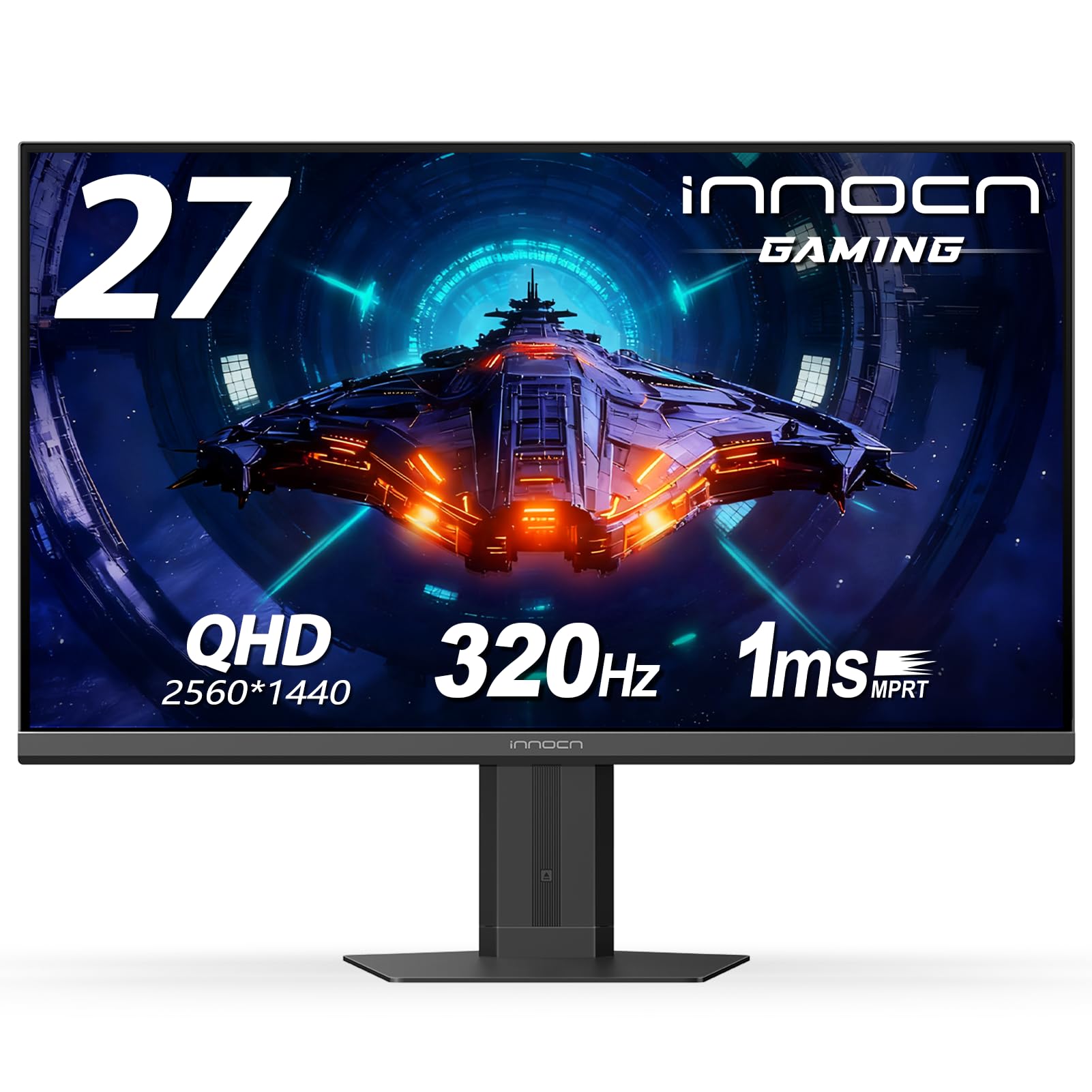
The INNOCN 27G2T targets budget-conscious competitive gamers who want the highest possible refresh rate without jumping to OLED pricing. This IPS panel supports an overclocked refresh rate up to 320Hz with a 1ms response time, and it is G-Sync compatible for tear-free gameplay. The QHD resolution (2560×1440) ensures sharp image quality, and the 99% sRGB color gamut delivers decent vibrancy for the price.
Connectivity is a strong point: dual HDMI 2.1 ports and a DisplayPort 1.4 input allow simultaneous connections to PC and modern consoles, with full bandwidth for high refresh rate output. The ultra-narrow three-sided bezel design gives a clean multi-monitor look. Eye-care features including blue light reduction and flicker-free technology help reduce fatigue during long gaming sessions.
Early customer feedback highlights the beautiful picture quality for graphic design, video editing, and gaming, with users praising the crisp HDR performance. However, multiple reports indicate the VESA mount holes are oddly shaped and require M4 0.7 x 20mm screws (not included) for standard mounting, and some units shipped with a maximum of 300Hz instead of the advertised 320Hz. For the price, this is a high-speed value, but check the mount compatibility if you plan to wall-mount.
Why it’s great
- High overclockable refresh rate up to 320Hz for competitive gaming
- Dual HDMI 2.1 ports for full-bandwidth console support
- Ultra-slim bezels ideal for multi-monitor setups
Good to know
- VESA mount requires non-standard screw length (M4 20mm)
- Some units may cap at 300Hz instead of advertised 320Hz
- Build quality concerns reported after a couple of months of use
4. LG 27G640A-B

The LG 27G640A-B UltraGear delivers a 300Hz IPS QHD experience with premium connectivity features typically reserved for higher price brackets. The 1ms GtG response time and 95% DCI-P3 color gamut produce fluid, vibrant gameplay. VESA DisplayHDR 400 provides adequate HDR brightness at 400 nits, though the 1300:1 contrast ratio limits black depth compared to OLED alternatives.
What sets this monitor apart is its connectivity suite: dual HDMI 2.1 ports, DisplayPort 1.4, and USB Type-C with 15W power delivery. This allows you to connect a gaming laptop or secondary device with a single cable for both video and charging. The full ergonomic stand offers height, tilt, swivel, and pivot adjustment, and the narrow bezel design maximizes screen real estate. Gaming aids like Dynamic Action Sync and Black Stabilizer improve in-game visibility.
Customer reviews highlight the excellent value at this price point, with many users praising the crisp image quality and sturdy build. The main criticism focuses on the confusing OSD menu with cryptic icons, and the included DisplayPort cable has a higher than normal defect rate. The built-in speakers are very poor quality. For a mid-range IPS with USB-C convenience and high refresh, this LG UltraGear is a solid, well-rounded choice.
Why it’s great
- USB-C with 15W power delivery for single-cable laptop connection
- Dual HDMI 2.1 and DP 1.4 for flexible multi-device setups
- Full ergonomic stand with height, pivot, swivel, and tilt
Good to know
- OSD menu is confusing with cryptic icons and poor documentation
- Included DisplayPort cable has a higher defect rate than expected
- Built-in speakers deliver very poor audio quality
5. LG 27GS93QE

The LG 27GS93QE is the entry point to OLED gaming without sacrificing competitive performance. Its WOLED panel delivers a 240Hz refresh rate with a near-instantaneous 0.03ms GtG response time, completely eliminating ghosting and motion blur. The 1.5M:1 contrast ratio produces true blacks and exceptional shadow detail, and VESA DisplayHDR True Black 400 ensures HDR content looks rich with deep, inky blacks.
With 98.5% DCI-P3 color coverage, colors are vivid and accurate out of the box. The anti-glare/low reflection OLED coating minimizes distracting reflections without the hazy look of matte IPS screens. The stand offers height, tilt, and pivot adjustments. HDMI 2.1 and DisplayPort 1.4 support 240Hz at full bandwidth, and the monitor includes a 2-year UltraGear OLED warranty covering the panel.
Buyers overwhelmingly praise the jump from IPS to OLED, noting true blacks and zero backlight bleed. The automatic pixel cleaning and picture scrubbing routines help mitigate burn-in risk. A few users noted the lack of HDMI-CEC functionality means the auto input switch does not detect console power-on, requiring manual input selection via the included remote. For a first OLED gaming monitor, this LG model offers the most compelling price-to-performance ratio in this list.
Why it’s great
- True blacks and deep contrast from 1.5M:1 WOLED panel
- Near-instant 0.03ms response time for zero ghosting
- 2-year panel warranty included for peace of mind
Good to know
- No HDMI-CEC, auto input switching requires manual intervention
- Lower peak brightness compared to QD-OLED and high-end IPS
- Requires pixel cleaning routines for long-term burn-in prevention
6. MSI MAG 271QPX QD-OLED

The MSI MAG 271QPX QD-OLED represents the top tier of competitive gaming display technology. Its 3rd Gen QD-OLED panel delivers a 360Hz refresh rate with 0.03ms GtG response time, making motion clarity essentially instantaneous. The Delta E≤2 factory calibration ensures color accuracy that rivals professional editing monitors, and QD Premium Color technology produces a wide, vivid color gamut that standard IPS cannot match.
VESA DisplayHDR True Black 400 delivers impressive HDR performance with deep blacks and bright highlights. The HDMI 2.1 port supports a full 48 Gbps bandwidth, allowing QHD at 360Hz without compression artifacts. MSI OLED Care 2.0 includes pixel shift, panel protect, and taskbar detection to reduce burn-in risk. The adjustable stand provides height, tilt, and swivel adjustment, and the slim design looks clean on any desk.
User reviews consistently rate this as a game-changing monitor, praising the deep blacks, vibrant colors, and lightning-fast response. The 3-year burn-in warranty (covering the OLED panel) provides extra confidence. Some users note that DSC is required for 360Hz output, which causes a 1-2 second black screen when alt-tabbing, and VRR flicker can appear in loading screens. For pure competitive performance at the highest level, this MSI QD-OLED is a top contender.
Why it’s great
- 3rd Gen QD-OLED with 360Hz for elite competitive performance
- Factory calibrated Delta E≤2 for professional-grade color accuracy
- 3-year burn-in warranty covering the OLED panel
Good to know
- DSC at 360Hz causes brief black screen when alt-tabbing
- VRR flicker may appear in loading screens or menus
- QD-OLED subpixel layout can affect text clarity
7. Alienware AW2725DF

The Alienware AW2725DF combines a 360Hz QD-OLED panel with 99.3% DCI-P3 color coverage and a Delta E<2 accuracy rating, delivering an image that is both blindingly fast and stunningly accurate. The infinite contrast ratio and VESA DisplayHDR True Black 400 produce true blacks and vibrant highlights, creating exceptional image depth. AMD FreeSync Premium Pro and VESA AdaptiveSync ensure tear-free gameplay across a wide frame rate range.
Build quality is premium with a full ergonomic stand offering height, tilt, swivel, and pivot adjustments. The I/O cover keeps cable management clean. Included accessories are generous: a DisplayPort 1.4 cable, USB-C to DisplayPort 1.4 cable, HDMI cable, and a microfiber cloth for cleaning the delicate panel surface. The monitor supports 360Hz at 1440p via DisplayPort without requiring DSC, which eliminates alt-tab delays.
Users upgrading from 1080p 360Hz IPS panels report a massive improvement in image quality, with deep blacks and vibrant colors that make single-player games look dramatically better. The 3-year burn-in warranty provides long-term confidence. Minor concerns include a faint purple tint on the anti-glare coating in bright rooms, text clarity being slightly softer than IPS due to the QD-OLED subpixel layout, and the surface being a fingerprint magnet. For a premium QD-OLED that balances gaming and general use, this Alienware is a strong choice.
Why it’s great
- 360Hz without DSC means no alt-tab black screen delay
- 99.3% DCI-P3 with Delta E<2 for exceptional color accuracy
- 3-year burn-in warranty covering the QD-OLED panel
Good to know
- QD-OLED subpixel layout reduces text clarity compared to IPS
- Purple tint visible on anti-glare coating in bright rooms
- Panel surface is a fingerprint magnet, requires careful cleaning
8. Samsung Odyssey G6 G60SD

The Samsung Odyssey G6 G60SD introduces a unique Dynamic Cooling System that uses a pulsating heat pipe to dissipate heat five times more effectively than traditional graphite sheets, significantly reducing burn-in risk. This QD-OLED panel delivers a 360Hz refresh rate with 0.03ms response time and a 1,000,000:1 contrast ratio, providing the deep blacks and vibrant colors that make OLED gaming so compelling.
The Glare Free technology effectively minimizes reflections without a hazy coating, preserving the pure black experience in bright rooms. Thermal Modulation algorithms predict surface temperature and adjust brightness accordingly. Logo and taskbar detection automatically dims static elements to prevent burn-in. The screen saver dims the display after 10 minutes of inactivity. The design is exceptionally thin at 3.9mm at its thinnest point, with CoreLighting ambient lighting for desk customization.
Users with over a year of ownership report no screen burn-in, with improved competitive gameplay in fast-paced shooters. The HDMI 2.1 claim is technically accurate for bandwidth, but the port does not support native 4K 240Hz input from consoles; it requires DSC at 360Hz, which causes a brief black screen on alt-tab. For a QD-OLED with advanced burn-in prevention features, the G60SD offers a compelling package, especially for those concerned about long-term panel degradation.
Why it’s great
- Dynamic Cooling System with heat pipe for superior burn-in prevention
- Glare Free coating minimizes reflections without hazy matte finish
- Thermal Modulation and taskbar detection for long-term panel protection
Good to know
- HDMI 2.1 port is technically 2.0 bandwidth, requires DSC at 360Hz
- DSC causes 1-2 second black screen when alt-tabbing
- Brightness is lower than some premium IPS alternatives at 250 nits typical
9. ASUS ROG Strix XG27UCDMG

The ASUS ROG Strix XG27UCDMG combines a 4K QD-OLED panel with a 240Hz refresh rate and 0.03ms response time, delivering the highest image quality on this list. The 4th-gen QD-OLED technology provides sharper imagery and clearer text than previous OLED generations, with a longer panel lifespan. True 10-bit color and 99% DCI-P3 coverage ensure superb color accuracy, with Delta E < 2 factory calibration that makes it suitable for professional photo and video editing.
ASUS OLED Care Pro includes a Neo Proximity Sensor that detects when you leave your desk and switches to a black screen, protecting the panel from burn-in. OLED Anti-Flicker 2.0 uses a luminance compensation algorithm that reduces flicker by 20% over previous-gen panels for more comfortable long-term viewing. Connectivity is top-notch: DisplayPort 1.4, HDMI 2.1, and USB-C with DP Alt mode and 90W power delivery, allowing you to charge a high-end gaming laptop from the monitor.
Customer feedback describes this as the best monitor users have ever seen in person, praising the combination of 4K sharpness and OLED contrast. The glossy coat delivers spectacular color saturation but requires careful cleaning to avoid visible spots. Peak brightness is lower than a high-end IPS LED, so very bright rooms may wash out highlights. For the ultimate image clarity that works for both high-framerate gaming and creative work, this ASUS ROG Strix sets the benchmark.
Why it’s great
- 4K QD-OLED with 240Hz for ultimate 4K gaming clarity
- USB-C with 90W power delivery for single-cable laptop use
- Proximity sensor and Anti-Flicker 2.0 for advanced burn-in protection
Good to know
- Glossy coat requires careful cleaning to avoid spots
- Peak brightness lower than high-end IPS in very bright rooms
- Premium price point makes it a significant investment
FAQ
Is 1440p or 4K better for a 27-inch gaming monitor?
Will an OLED gaming monitor get burn-in from regular use?
Do I need HDMI 2.1 for a 1440p 240Hz monitor?
What is DSC and does it affect gaming performance?
Final Thoughts: The Verdict
For most users, the best 27 inch gaming monitor winner is the ASUS TUF Gaming VG27AQL5A because it delivers a 210Hz refresh rate, 0.3ms response time, and ELMB Sync at a mid-range price that does not require a high-end GPU. If you want the true black levels and instant response of an OLED without the premium price of 360Hz, grab the LG 27GS93QE. And for uncompromising image quality that also serves as a professional editing monitor, nothing beats the ASUS ROG Strix XG27UCDMG with its 4K QD-OLED panel and 90W USB-C charging.