
Moving from a standard 16:9 display to a 34-inch ultrawide gaming monitor transforms your field of view, wrapping the action around your peripheral vision and pulling you deeper into the game world. The extra horizontal space is a tangible advantage in competitive shooters and open-world RPGs, eliminating the distraction of bezels and giving you a tactical edge with every glance.
I’m Mohammad Maruf — the founder and writer behind Drink4Good. My deep market research analyzes hardware specifications, panel technologies, and real-world performance metrics to help you navigate the complex world of ultrawide gaming monitors.
This guide cuts through the noise to compare the top models on the market, breaking down the critical specs that define your gaming experience. Whether you prioritize blistering refresh rates for esports or rich contrast for immersive single-player titles, this analysis of the best 34 inch gaming monitor options will steer you toward the right choice for your setup and budget.
How To Choose The Best 34 Inch Gaming Monitor
Choosing a 34-inch gaming monitor means deciding between panel technologies that affect everything from in-game visibility to long-term reliability. Your decision should balance your performance priorities, your GPU’s capabilities, and your tolerance for trade-offs like OLED burn-in risk or VA panel viewing angles. Here’s what to focus on.
Panel Technology: OLED, QD-OLED, or VA
The panel determines the core visual experience. VA panels deliver excellent native contrast (around 3000:1) and deep blacks without burn-in risk, making them a durable choice for mixed usage. QD-OLED technology pushes contrast to near-infinite levels with vibrant, quantum-dot-enhanced colors, but requires careful management of static elements to prevent image retention. Premium OLED monitors offer the fastest response times (as low as 0.03ms) and the best HDR performance, but they come at a higher price and may exhibit text clarity issues on desktop tasks.
Refresh Rate and Response Time
For competitive gaming, refresh rate is king. A 240Hz monitor provides a tangible smoothness advantage in fast-paced shooters, while 165Hz to 180Hz is more than sufficient for most single-player titles. Response time, measured in milliseconds (ms), dictates how quickly a pixel changes color — slower response times cause ghosting. OLED panels dominate here with sub-0.1ms response, while premium VA panels often reach 1ms MPRT. Ensure your graphics card can actually drive the resolution (3440×1440) at your target refresh rate to fully utilize the monitor’s speed.
Adaptive Sync and Connectivity
Variable Refresh Rate (VRR) technology eliminates screen tearing and stuttering by syncing the monitor’s refresh rate to your GPU’s frame output. AMD FreeSync Premium Pro is the gold standard for AMD GPUs and is also widely compatible with G-Sync. For console gamers, HDMI 2.1 is essential to unlock higher refresh rates on PS5 and Xbox Series X. A USB-C port with power delivery (65W or 90W) is a major convenience for laptop users, allowing a single-cable connection for video, data, and charging.
Quick Comparison
On smaller screens, swipe sideways to see the full table.
| Model | Category | Best For | Key Spec | Amazon |
|---|---|---|---|---|
| Alienware AW3423DWF | QD-OLED | Immersive HDR Gaming | 165Hz / 0.1ms / 1800R | Amazon |
| Samsung Odyssey OLED G8 G85SD | QD-OLED | Cinematic & Smart Features | 175Hz / 0.03ms / 1800R | Amazon |
| Alienware 34 AW3425DW | QD-OLED | Blazing 240Hz Speed | 240Hz / 0.03ms / 1800R | Amazon |
| Acer Predator X34 | OLED | Ultra-Fast 240Hz OLED | 240Hz / 0.01ms / 800R | Amazon |
| Philips Evnia 34M2C6500 | QD-OLED | Value QD-OLED | 175Hz / 0.1ms / 1800R | Amazon |
| Samsung Odyssey G7 G75F | VA | High-PPI Ultrawide 4K | 180Hz / 1ms / 1000R | Amazon |
| LG 34G630A-B | VA | Competitive 240Hz VA | 240Hz / 1ms / 1500R | Amazon |
| LG 34G600A-B | VA | Budget 160Hz Gaming | 160Hz / 1ms / 1800R | Amazon |
| Dell 34 Plus S3425DW | VA | Home Office & Casual Gaming | 120Hz / 0.03ms / 1800R | Amazon |
| ASUS TUF VG34VQ3B | VA | Reliable 180Hz Esports | 180Hz / 1ms / 1500R | Amazon |
| INNOCN 45C1R | VA | Massive 32:9 Workspace | 120Hz / 5ms / 1500R | Amazon |
In‑Depth Reviews
1. Alienware AW3423DWF Curved QD-OLED Gaming Monitor

The Alienware AW3423DWF remains the benchmark for 34-inch gaming monitors, delivering a QD-OLED panel that achieves near-infinite contrast and a 99.3% DCI-P3 color gamut. Its 165Hz refresh rate and 0.1ms response time provide fluid, ghost-free motion that rivals more expensive displays. The 1800R curvature wraps the 21:9 image around your field of view, creating a genuinely immersive experience for both competitive and cinematic titles.
Color accuracy is exceptional out of the box, with Creator Mode offering native DCI-P3 and sRGB color spaces for users who need precision. The Alienware Legend 2.0 design is clean and functional, with a height-adjustable stand, tilt/swivel support, and customizable AlienFX RGB lighting. The 3-year premium warranty includes OLED burn-in coverage, which adds significant long-term peace of mind for heavy users.
Brightness is adequate at 250 nits typical, though it can struggle in very bright rooms. The lack of HDMI 2.1 limits console gaming to 100Hz via HDMI, but DisplayPort 1.4 handles the full 165Hz on PC. Some users report minor text fringing on desktop tasks due to the non-standard subpixel layout, but this is a common QD-OLED trade-off that most gamers adapt to quickly.
Why it’s great
- Incredible QD-OLED color accuracy and infinite contrast
- 165Hz refresh rate with ultra-low 0.1ms response
- Solid build quality with full ergonomic stand
Good to know
- Typical brightness of 250 nits may be dim in sunlit rooms
- No HDMI 2.1 limits console refresh rate
2. Samsung 34″ Odyssey OLED G8 G85SD

The Samsung Odyssey OLED G8 G85SD is a premium QD-OLED monitor that combines a rapid 175Hz refresh rate with a near-instant 0.03ms response time. Its Glare Free technology is a standout feature, significantly reducing reflections from ambient light sources to preserve black levels and color saturation even in brighter gaming spaces. The 34-inch Ultra-WQHD panel delivers 110 pixels per inch, offering sharp text and detailed imagery.
Beyond raw gaming performance, this monitor functions as a smart monitor with built-in Wi-Fi and Bluetooth, allowing direct access to streaming apps without a PC. The included remote control adds a layer of convenience for media consumption. Burn-in prevention is handled by a suite of features including Logo Detection, Taskbar Detection, and a Screen Saver that dims the display after inactivity.
The contrast ratio is exceptional at 1,000,000:1, making dark scenes in horror games and atmospheric RPGs truly pop. G-Sync Compatibility and AMD FreeSync Premium Pro ensure tear-free gameplay. The main drawbacks are the premium price point and the inherent OLED black crush, which may require minor gamma adjustments to bring out shadow detail in very dark scenes.
Why it’s great
- Glare Free QD-OLED maintains black levels in bright rooms
- Smart TV functionality with built-in apps and remote
- Comprehensive burn-in prevention features
Good to know
- Premium price reflects the advanced feature set
- OLED black crush may need gamma tweaking
3. Alienware 34 240Hz QD-OLED (AW3425DW)

The Alienware AW3425DW pushes the 34-inch QD-OLED format to its speed limit with a native 240Hz refresh rate and a 0.03ms response time. This is a monitor built for esports competitors and high-frame-rate enthusiasts who demand the absolute smoothest motion clarity. The 1800R curvature and 21:9 aspect ratio deliver an immersive field of view without compromising on blistering speed.
Color performance is top-tier with 99.3% DCI-P3 coverage and Delta E<2 color accuracy, making it suitable for content creation alongside gaming. The monitor supports AMD FreeSync Premium Pro, NVIDIA G-Sync Compatible, and VESA AdaptiveSync, ensuring compatibility across all major GPU ecosystems. VESA DisplayHDR TrueBlack 400 delivers peak HDR brightness of 1000 nits for stunning highlights.
The design is premium with a height-adjustable stand, tilt/swivel capabilities, and integrated cable management. The 3-year warranty includes OLED burn-in coverage. The glossy screen can be a double-edged sword — it enhances color vibrancy but may produce noticeable reflections in brightly lit rooms. Text clarity is technically softer than IPS due to the subpixel layout, but the 110 PPI density mitigates this effectively for most users.
Why it’s great
- Class-leading 240Hz refresh rate for ultra-smooth gaming
- Infinite contrast and vibrant QD-OLED colors
- Universal VRR compatibility
Good to know
- Glossy screen reflects ambient light
- Requires a powerful GPU to fully utilize 240Hz
4. Acer Predator X34 OLED

The Acer Predator X34 brings OLED performance to a more accessible price point, featuring an 800R curvature — the tightest curve on this list — that wraps aggressively around your vision. It packs a 240Hz refresh rate with a lightning-fast 0.01ms pixel response and AMD FreeSync Premium Pro for tear-free gaming. The matte screen finish is a welcome addition, reducing reflections in bright environments.
Connectivity is future-proofed with HDMI 2.1 ports, allowing PS5 and Xbox Series X owners to run at 120Hz. A USB-C port with 90W power delivery serves as a single-cable docking solution for laptops, while the built-in KVM switch lets you toggle between two connected devices with ease. The 5W stereo speakers are surprisingly competent for built-ins.
The main drawback is an aggressive pixel refresh cycle — the monitor interrupts gameplay with an image retention pop-up that can be disruptive. The OSD menu is functional but feels less refined than competitors. Despite these quirks, the combination of OLED contrast, 240Hz speed, and HDMI 2.1 makes this a compelling option for multi-platform gamers who want a balanced, high-performance display.
Why it’s great
- Aggressive 800R curve for deep immersion
- 240Hz OLED performance with HDMI 2.1
- USB-C 90W PD with integrated KVM
Good to know
- Frequent pixel refresh pop-up can interrupt gameplay
- OSD menu feels less polished than rivals
5. Philips Evnia 34M2C6500 QD-OLED

The Philips Evnia 34M2C6500 is one of the most affordable gateways into QD-OLED gaming, offering vibrant colors and deep blacks at a price that significantly undercuts the competition. Its 175Hz refresh rate and Adaptive Sync support deliver smooth, tear-free gameplay. The 1800R curvature and 21:9 aspect ratio create an immersive viewing experience that rivals monitors costing hundreds more.
The VESA DisplayHDR TrueBlack 400 certification ensures high dynamic range content looks spectacular, with peak brightness hitting 1000 nits for punchy highlights. The panel’s near-infinite contrast ratio makes dark scenes in games like Cyberpunk 2077 and Alan Wake 2 look incredibly detailed. The built-in Ambiglow lighting adds ambient bias lighting that can reduce eye strain during long sessions.
Where the Evnia cuts corners is build quality and features — the stand is functional but feels less robust than Aluminum options, and the OSD menu is basic with many greyed-out settings. It lacks built-in speakers, so you will need a separate audio solution. Quality control reports are mixed, with some users receiving units with dead pixels or manufacturing defects, so purchasing from a retailer with a good return policy is wise.
Why it’s great
- Best entry price for true QD-OLED visuals
- Vibrant HDR with 1000-nit peak brightness
- Immersive 1800R curve for gaming
Good to know
- No built-in speakers require external audio
- Build quality and QC consistency issues reported
6. Samsung 40” Odyssey G7 G75F

The Samsung Odyssey G7 G75F breaks the 34-inch mold with a larger 40-inch WUHD display, offering a 5120×2160 resolution that delivers significantly more screen real estate and pixel density than standard 3440×1440 panels. Its 1000R curvature matches the human field of vision more naturally than 1500R or 1800R options, creating a truly enveloping experience. The 180Hz refresh rate and 1ms GtG response time keep motion smooth.
VESA DisplayHDR 600 certification provides a noticeable step up in brightness and contrast over typical HDR400 monitors, with deeper blacks and more impactful highlights. The VA panel delivers a 3000:1 static contrast ratio, which is excellent for dark room gaming. AMD FreeSync Premium Pro handles frame rate fluctuations without tearing or stuttering, making it a solid choice for high-end PC gaming.
The main consideration is the sheer size — at 40 inches, this monitor may dominate a standard desk and requires significant viewing distance. The VA panel’s viewing angles are good but not as wide as IPS, and the base is large and somewhat awkwardly shaped. Color accuracy out of the box may require minor calibration to match professional standards, but for gaming, the out-of-box performance is impressive.
Why it’s great
- Larger 40-inch WUHD resolution with high pixel density
- 1000R curve matches natural field of view
- HDR600 with excellent VA contrast ratio
Good to know
- 40-inch size may be too large for smaller desks
- Stand base is bulky and can be awkward
7. LG 34G630A-B Ultragear

The LG 34G630A-B is a rare breed — a 34-inch VA monitor that pushes refresh rate to 240Hz, effectively eliminating the ghosting and smearing that traditionally plague VA panels. This 1ms GtG response time combined with AMD FreeSync Premium creates a fluid gaming experience that directly competes with IPS monitors while maintaining VA’s superior contrast. The 1500R curvature and 21:9 WQHD resolution deliver immersive visuals.
Color performance is excellent for a VA panel, with 95% DCI-P3 coverage that makes games look vibrant and rich. VESA DisplayHDR 400 provides a modest HDR experience that enhances highlights without the cost of higher-tier implementations. The virtually borderless design and slim stand base keep the desk footprint manageable, while the height, tilt, and swivel adjustments accommodate various viewing positions.
The built-in speakers are adequate for casual use but lack the volume and clarity to replace a dedicated sound system. USB-C connectivity with 15W power delivery is convenient for laptop users, though the lower power delivery means it won’t charge a high-performance laptop under load. For gamers who want competitive refresh rates without sacrificing black levels, this monitor strikes an excellent balance.
Why it’s great
- 240Hz refresh rate eliminates VA ghosting
- 95% DCI-P3 color gamut for vibrant visuals
- Full ergonomic stand with height adjustment
Good to know
- Built-in speakers lack volume and clarity
- USB-C power delivery limited to 15W
8. LG 34G600A-B Ultragear
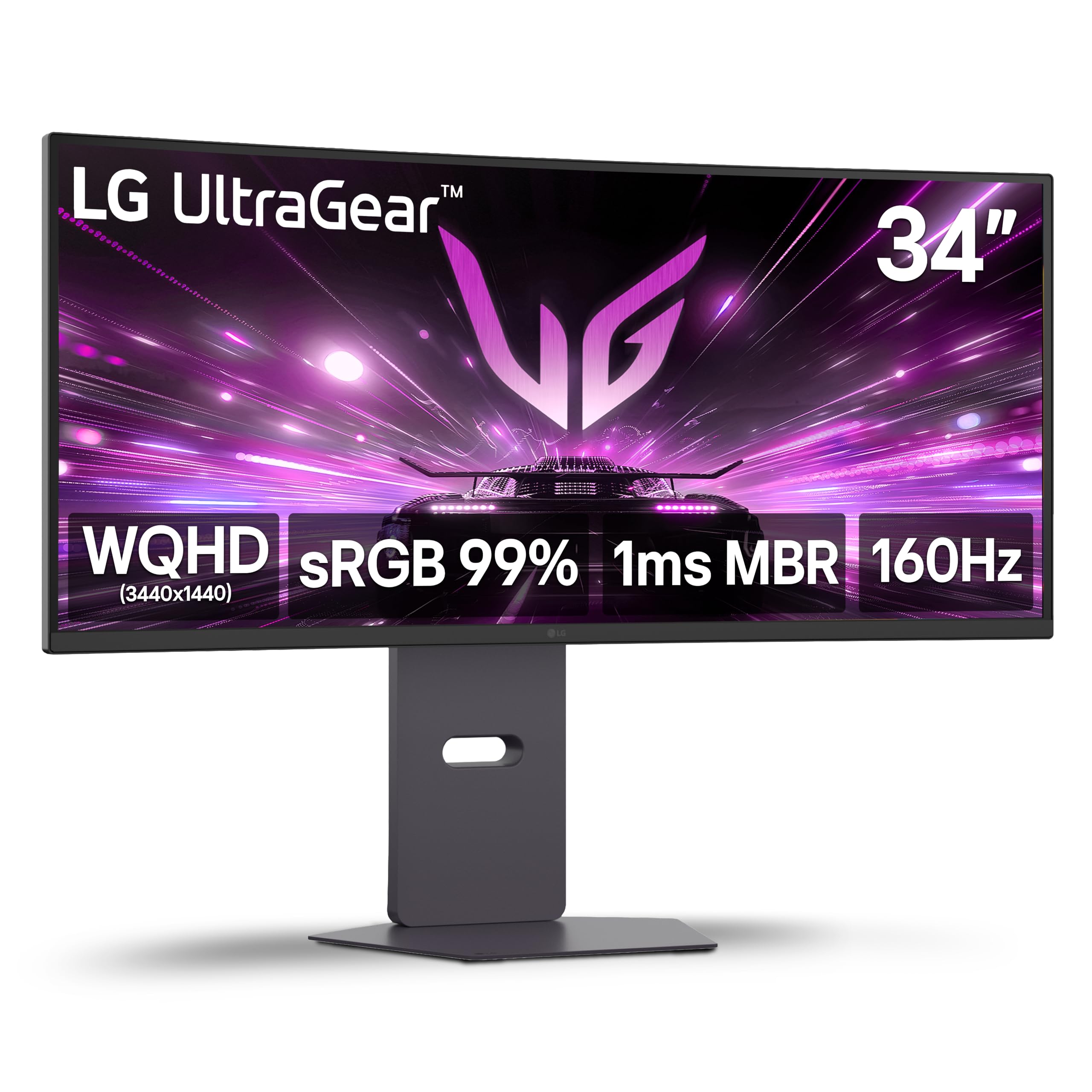
The LG 34G600A-B is a mid-range VA monitor that delivers outstanding value for the price, offering a 160Hz refresh rate and 1ms Motion Blur Reduction for crisp, fluid gameplay. The 34-inch WQHD panel with 1800R curvature provides a wide, immersive viewing experience at a resolution that is easier to drive than 4K, making it a great match for mid-range GPUs like the RTX 3060 or RX 6700.
Color accuracy is strong for a VA panel, covering up to 99% of the sRGB spectrum, and HDR10 support adds a touch of dynamic range without the premium cost of full HDR certification. AMD FreeSync Premium ensures variable refresh rate support over both HDMI and DisplayPort. The built-in stereo speakers with Waves MaxxAudio provide surprisingly decent sound for occasional use.
One notable limitation is the HDMI ports — they are 2.0 spec, not 2.1, which means console gamers are capped at lower refresh rates. The stand is functional with height, tilt, and swivel adjustments, but the overall build feels slightly less premium than LG’s higher-tier models. For PC gamers on a budget who want smooth 1440p ultrawide gaming, this is a smart and reliable choice.
Why it’s great
- Excellent price-to-performance ratio for ultrawide gaming
- 160Hz refresh rate with 1ms MBR for smooth motion
- 99% sRGB coverage with HDR10 support
Good to know
- HDMI 2.0 ports limit console refresh rates
- Stand build quality is functional, not premium
9. Dell 34 Plus USB-C Curved Monitor (S3425DW)

The Dell S3425DW is designed for the hybrid work-and-play user, offering a 34-inch 3440×1440 VA panel with a 120Hz refresh rate and an ultra-low 0.03ms response time. Its primary focus is color-accurate productivity, with 99% sRGB and 95% DCI-P3 coverage that makes photo editing and graphic design work look true-to-life. The 3000:1 contrast ratio ensures deep blacks for comfortable reading and media consumption.
USB-C connectivity with 65W power delivery is the standout feature, enabling a single-cable setup for modern laptops that handles video, data, and charging. The improved ComfortView Plus technology reduces blue light emissions to 35% without washing out colors, making long work sessions easier on the eyes. The re-engineered speakers offer better depth and frequency response than previous Dell monitors.
The 120Hz refresh rate is sufficient for casual gaming but will not satisfy competitive players who demand 240Hz. The monitor lacks a DisplayPort input, limiting connectivity to HDMI and USB-C, which may be a concern for some PC users. The VESA mount design has a slight recess that requires specific spacers or brackets for aftermarket arms, a detail worth noting before mounting.
Why it’s great
- Excellent color accuracy for productivity and design work
- USB-C with 65W PD for single-cable laptop setup
- ComfortView Plus reduces eye strain without color distortion
Good to know
- 120Hz refresh is adequate but not competitive-grade
- No DisplayPort input; HDMI and USB-C only
10. ASUS TUF Gaming 34” VG34VQ3B

The ASUS TUF VG34VQ3B is a well-rounded 34-inch gaming monitor built around a 1500R VA panel with a 180Hz refresh rate and 1ms MPRT response time. ASUS Extreme Low Motion Blur (ELMB) Sync technology works alongside FreeSync Premium to reduce ghosting and motion blur, delivering a clean, clear image even during fast-paced action. The 3440×1440 resolution offers a perfect balance of sharpness and performance.
Color performance is solid with 90% DCI-P3 coverage and HDR support that adds depth to compatible titles. The static contrast ratio of 4000:1 is notably high for a VA panel, providing deep blacks that enhance immersion in dark games. The sleek design and light weight make wall-mounting easy with a standard VESA 100x100mm setup, and the built-in speaker is functional for casual use.
The stand is one area where ASUS cut corners — it is short and offers no height adjustment, which may be a dealbreaker for ergonomic setups. The built-in speaker is tinny and lacks bass, so external speakers or headphones are recommended. For gamers on a budget who prioritize a high refresh rate and strong contrast, this is a reliable choice that performs well above its price tier.
Why it’s great
- 180Hz refresh with ELMB Sync for smooth motion
- 4000:1 static contrast for deep blacks
- Solid 90% DCI-P3 coverage for vibrant colors
Good to know
- Stand lacks height adjustment
- Built-in speaker is low quality
11. INNOCN 45C1R 45″ Ultrawide

The INNOCN 45C1R is a super-ultrawide 45-inch monitor with a 32:9 aspect ratio and 5120×1440 resolution, effectively replacing dual 27-inch monitors with a single seamless display. Its 1500R curvature wraps around your vision for deep immersion, while the HDR400 certification and 3000:1 contrast ratio from the VA panel deliver rich, detailed images. The 120Hz refresh rate and Adaptive-Sync provide smooth gameplay.
Connectivity is a major strength, with HDMI 2.1, DisplayPort 1.4, and USB-C with 65W power delivery, plus an integrated RJ45 ethernet port and USB hub. The PIP/PBP split-screen technology lets you display content from two separate sources simultaneously, which is incredibly useful for streaming setups or multitasking workflows. The built-in speakers are decent for casual use.
The sheer size of this monitor makes it unsuitable for smaller desks, and the stand is bulky with limited adjustment range. Some users report that the VESA mount system is finicky and may require modifications to fit standard 100x100mm arms. At 120Hz, it is not targeting competitive gamers, but for simulation games, productivity, and content consumption, the massive screen real estate is unmatched.
Why it’s great
- Massive 45-inch 32:9 screen replaces dual monitors
- Rich connectivity with HDMI 2.1, USB-C 65W, and RJ45
- PIP/PBP for multi-source input display
Good to know
- Very large size requires significant desk space
- VESA mounting system can be problematic
FAQ
Is a 34-inch gaming monitor too large for competitive esports games like Valorant or CS2?
Will a 34-inch 3440×1440 monitor work with an RTX 3060 or RX 6700 XT?
Does the QD-OLED text fringing issue affect reading and productivity work?
What is the difference between DisplayHDR 400 and DisplayHDR TrueBlack 400?
Final Thoughts: The Verdict
For most users, the best 34 inch gaming monitor winner is the Alienware AW3423DWF because it delivers the perfect balance of QD-OLED visual quality, fluid 165Hz performance, and long-term warranty coverage that protects your investment. If you want the absolute fastest 240Hz QD-OLED experience, grab the Alienware AW3425DW. And for a budget-conscious build that still delivers impressive color and depth, nothing beats the LG 34G600A-B.