
The jump from a high-end LCD to a modern 4K 240Hz OLED gaming monitor is larger than any generational leap before it. You are not just upgrading pixels; you are replacing backlight bloom with per-pixel light control that delivers zero-nit blacks and a 0.03ms response time that leaves even the fastest IPS panels looking sluggish. Every frame at 240Hz arrives with the kind of motion clarity that makes competitive shooters feel almost predictive.
I’m Mohammad Maruf — the founder and writer behind Drink4Good. I have spent over two months analyzing panel technologies, burn-in mitigation systems, connectivity standards, and real-world HDR performance across the entire 4K 240Hz OLED category to separate the truly exceptional monitors from those that merely check specs.
The right 4k 240hz oled gaming monitor will define your visual experience for the next half-decade, and this guide breaks down exactly which models deliver where it matters most — from raw gaming fluidity to desktop productivity and HDR content consumption.
How To Choose The Best 4K 240Hz OLED Gaming Monitor
Every 4K 240Hz OLED on the market shares the same foundational strengths — per-pixel lighting, near-instantaneous response times, and deep contrast ratios. But the differences in panel coating, color technology, peak brightness, and connectivity can dramatically shift which monitor feels right for your specific desk, lighting conditions, and GPU setup. Focus on these three decision points.
Panel Type: QD-OLED versus WOLED
Quantum Dot OLED panels use a blue OLED layer with quantum dot color conversion to produce wider color volume, especially in bright highlights. This makes QD-OLED the superior choice for HDR gaming and content consumption in darker rooms, but these panels typically have a glossy finish that can reflect ambient light. WOLED panels, which use a white OLED layer with color filters, tend to offer slightly better text clarity for productivity work and often include matte anti-glare coatings that perform better in well-lit spaces. The trade-off is a marginally smaller color gamut in peak brightness scenes.
Burn-in Mitigation Technology
OLED burn-in from static UI elements is the single biggest long-term concern for a monitor used as a daily driver. Look for monitors with dedicated heatsink systems — graphene film, custom thermal pads, or even pulsating heat pipes — that dissipate heat from the panel. Software features like pixel refresh cycles, logo detection, and taskbar brightness reduction are equally critical. Premium models now include proximity sensors that automatically dim the screen when you step away, adding an extra layer of protection.
Connectivity and Bandwidth Requirements
Driving a 4K 240Hz signal requires substantial video bandwidth. HDMI 2.1 at 48Gbps can deliver full 4K 240Hz with 10-bit color without compression. DisplayPort 1.4 with Display Stream Compression (DSC) can also achieve this, though some users report occasional handshake issues. The newest DisplayPort 2.1 standard, offering up to 80Gbps, eliminates the need for compression entirely and is increasingly found on flagship monitors. If you plan to use this monitor with a console, full HDMI 2.1 bandwidth is non-negotiable.
Quick Comparison
On smaller screens, swipe sideways to see the full table.
| Model | Category | Best For | Key Spec | Amazon |
|---|---|---|---|---|
| ASUS ROG Swift PG32UCDM | QD-OLED | Best Overall value & feature set | 0.03ms GtG, 99% DCI-P3 | Amazon |
| Samsung Odyssey OLED G8 (G81SF) | QD-OLED | Glare-free bright room gaming | 54% less glossy anti-reflection | Amazon |
| MSI MPG 321URXW QD-OLED | QD-OLED | White chassis & high USB-C power | 98W USB-C Power Delivery | Amazon |
| LG 32GS95UE | WOLED | Dual-mode 4K 240Hz / 1080p 480Hz | Pixel Sound speakers | Amazon |
| Alienware AW2725Q 26.7 | QD-OLED | Compact 27″ 4K high PPI gaming | 27-inch 4K QD-OLED | Amazon |
| Samsung Odyssey OLED G8 (G80SD) | QD-OLED | Smart TV hybrid with AI upscaling | NQ8 AI Gen3 Processor | Amazon |
| MSI MPG 321URX QD-OLED | QD-OLED | Plug-and-play 4K 240Hz baseline | 90W USB-C, KVM support | Amazon |
| ASUS ROG Swift PG27AQWP-W | WOLED Tandem | Highest refresh rate 540Hz QHD | DP 2.1 UHBR20, 0.02ms | Amazon |
| INNOCN 49Q1S OLED Curved | WOLED | Ultrawide 49″ immersive simulation | 5120×1440, 32:9 curved | Amazon |
| LG 32GS95UV | WOLED | White LG Dual Mode enthusiast | Dual Mode 4K/1080p, white chassis | Amazon |
| ASUS ROG Swift PG32UCDP | WOLED | 32″ with 1080p 480Hz dual mode | Dual Mode 4K 240Hz / FHD 480Hz | Amazon |
| Dell UltraSharp U4025QW | IPS Black | 5K2K productivity & color work | 5120×2160, 120Hz, IPS Black | Amazon |
| GIGABYTE AORUS CO49DQ | WOLED | 49″ ultrawide high brightness | 5120×1440, 144Hz, 1500000:1 | Amazon |
In-Depth Reviews
1. ASUS ROG Swift 32″ 4K OLED Gaming Monitor PG32UCDM

The ASUS ROG Swift PG32UCDM hits a balance that few monitors in this category manage: it delivers the rich color volume and deep blacks of a third-generation QD-OLED panel, while its custom heatsink and graphene film provide best-in-class thermal management to slow burn-in over the long term. The 32-inch 4K UHD resolution at 140 PPI is large enough for immersive gaming yet sharp enough for spreadsheet and code editor use without visible pixel structure.
Gamers benefit from the combination of 240Hz refresh rate and 0.03ms GtG response time that eliminates ghosting entirely, while FreeSync Premium Pro and G-Sync Compatible certification ensure smooth variable refresh rate operation with both AMD and Nvidia GPUs. The DisplayHDR True Black 400 certification, combined with 99% DCI-P3 coverage, delivers HDR highlights that pop without the blooming artifacts common on LCD panels. The glossy QD-OLED coating adds vibrancy that matte panels cannot replicate.
Connectivity includes HDMI 2.1, DisplayPort 1.4a, and a 90W USB-C port that can power a laptop while carrying video, making this a viable single-cable solution for hybrid desk setups. The 3-year warranty includes burn-in coverage, which is the reassurance this price tier demands. The uniform brightness setting is a thoughtful addition for users who work in static applications.
Why it’s great
- Graphene heatsink with custom thermal design reduces burn-in risk significantly
- 99% DCI-P3 gamut with Delta E less than 2 delivers factory-calibrated color accuracy
- 90W USB-C PD port enables single-cable laptop connectivity
Good to know
- Glossy coating is reflective in very bright rooms with direct window light
- Peak brightness is capped at 1000 nits for small highlights, not full-screen
2. MSI MPG 321URX QD-OLED

The MSI MPG 321URX shares the same Samsung QD-OLED panel as several rivals but differentiates itself through its fanless graphene heatsink design and MSI Gaming Intelligence software suite. Operating entirely passively — no cooling fan means zero noise pollution — this unit is ideal for quiet-focused builds. The 31.5-inch 3840×2160 panel delivers the same infinite contrast ratio and 99% DCI-P3 color coverage that define this generation of QD-OLED panels.
OLED Care 2.0 provides multiple layers of burn-in protection including pixel shift, taskbar detection, and a multi-logo detection system that reduces brightness on static UI elements. The inclusion of KVM 1.0 with PiP and PbP support makes it a strong contender for multi-PC setups where you want to control both systems with a single keyboard and mouse. The 4-way adjustable stand offers height, swivel, pivot, and tilt adjustments that cover all ergonomic needs.
Connectivity covers all modern bases: DisplayPort 1.4a, two HDMI 2.1 ports, and a USB Type-C port with 90W power delivery. Users running Mac dual-monitor configurations should note the DSC handshake workaround — disabling DSC and locking to DisplayPort at 120Hz resolves the handshake issue for a stable dual-monitor workstation at reduced refresh rate. This is the most value-conscious entry point into genuine 4K 240Hz QD-OLED performance.
Why it’s great
- Fanless graphene heatsink design runs completely silent
- OLED Care 2.0 provides comprehensive multi-layer burn-in prevention
- KVM 1.0 with PiP/PbP is ideal for dual-PC productivity
Good to know
- Mac dual-monitor users may need to disable DSC and run at 120Hz for stability
- USB hub runs at USB 2.0 speeds, limiting high-bandwidth peripheral use
3. MSI MPG 321URXW QD-OLED

The MSI MPG 321URXW is essentially the white variant of the 321URX, featuring the same 31.5-inch 4K QD-OLED panel with 240Hz refresh rate and 0.03ms response time, but with a white chassis that integrates into lighter-themed setups.
The standout hardware difference between this and the standard 321URX is the USB Type-C port rated at 98W power delivery — 8 watts higher than the standard model — making it the better choice for users charging laptops that demand the highest USB-C power supply. The panel retains the same fanless graphene heatsink design, brightness of 1000 nits peak, and native contrast ratio of 1,000,000:1 that define this platform.
Gaming Intelligence software provides AI-supported features including Smart Crosshair, Console Mode, and Game Assistance. Enhanced sub-pixel arrangement improves text sharpness over earlier QD-OLED generations, addressing one of the primary complaints about OLED text clarity. The 4-way adjustable stand and VESA 100mm compatibility provide flexible mounting options for both desk and arm setups.
Why it’s great
- 98W USB-C Power Delivery is the highest in this comparison for laptop charging
- White chassis matches light-themed desk and PC builds
- Enhanced sub-pixel layout improves text sharpness over older QD-OLED panels
Good to know
- White color may show dust and smudges more than black variants
- USB hub ports remain limited to USB 2.0 speed
4. Samsung 32” Odyssey QD-OLED G8 (G81SF) 2025

The Samsung Odyssey G8 G81SF is the first 4K 240Hz QD-OLED monitor to implement Samsung’s Glare Free technology, which uses a specialized surface treatment to reduce reflections by 54% compared to conventional anti-reflection films. This makes it the most usable OLED monitor in bright rooms where glossy panels would produce distracting reflections. The panel delivers the same 0.03ms GtG response time and 240Hz refresh rate as other Samsung QD-OLED panels.
Samsung’s Dynamic Cooling System uses a pulsating heat pipe — a first for monitor cooling — that circulates coolant to dissipate heat five times faster than graphite sheet designs, reducing core temperature and burn-in risk. The Thermal Modulation System uses algorithms to automatically regulate brightness based on temperature, providing an additional protection layer. The CoreSync feature projects the game’s dominant colors onto the monitor surroundings through RGB lighting.
The stand is fully ergonomic with tilt, swivel, and height adjustment, and the silver metallic finish gives the monitor a premium aesthetic. Users should note that warranty documentation may show one year on paper despite the advertised 3-year policy, so verifying the registration with Samsung is recommended. The 260 cd/m2 typical brightness is lower than some QD-OLED competitors, though peak highlights still reach the expected 1000-nit range.
Why it’s great
- Glare Free coating reduces reflections by 54% for bright room use
- Pulsating heat pipe cooling is the most advanced thermal solution in the category
- CoreSync RGB projection adds immersive ambient lighting
Good to know
- Typical brightness of 260 nits is lower than some QD-OLED competition
- Warranty documentation may show 1 year instead of advertised 3 years
5. Alienware AW2725Q 26.7″ 4K QD-OLED

The Alienware AW2725Q brings 4K resolution to a 26.7-inch form factor, resulting in a pixel density of roughly 165 PPI — noticeably sharper than the 140 PPI of 32-inch 4K panels. This higher pixel density makes text rendering and desktop productivity visually superior, as individual pixels become nearly indistinguishable at normal viewing distance. The 4K resolution at this size ensures that even 1440p gaming content is upscaled minimally, preserving clarity.
Powered by a fourth-generation QD-OLED panel, this monitor delivers the same infinite contrast ratio, 99% DCI-P3 color gamut, and 240Hz refresh rate found in larger QD-OLED monitors but in a chassis that takes up less desk space. The 0.03ms GtG response time and G-Sync Compatible certification with FreeSync Premium Pro support ensure tear-free gaming at any frame rate. Dolby Vision HDR support provides superior metadata handling for streaming content.
The included stand offers full ergonomic adjustment including height, tilt, swivel, and pivot, and the monitor ships with DisplayPort, HDMI, and USB upstream cables. The 3-year warranty with burn-in coverage provides the long-term protection that OLED buyers need. Users report that the panel calibration out of the box is excellent, though some prefer to adjust HDR settings for their specific environment. The lack of built-in speakers is a consideration for users who want a self-contained desktop.
Why it’s great
- ~165 PPI pixel density provides the sharpest text and image clarity in the category
- Dolby Vision HDR support enhances streaming and gaming HDR performance
- 3-year warranty with burn-in coverage on a fourth-gen QD-OLED
Good to know
- 27-inch form factor may feel small for users accustomed to 32-inch displays
- No built-in speakers require external audio solution
6. Samsung 32″ Odyssey OLED G8 (G80SD)

The Samsung Odyssey G8 G80SD is the only monitor in this guide that doubles as a fully functional smart TV, powered by Samsung’s NQ8 AI Gen3 Processor that upscales lower-resolution content to near-4K quality and provides access to streaming apps through Samsung’s smart hub. This hybrid capability makes it the best choice for users who want a monitor that also serves as a living room display when not gaming. The 4K QD-OLED panel delivers the same 240Hz refresh rate and 0.03ms response time as other Samsung OLEDs.
The Dynamic Cooling System with pulsating heat pipe technology is present here as well, along with Logo and Taskbar Detection that automatically reduces brightness on static elements to prevent burn-in. The Glare Free technology reduces reflections effectively. An HDMI eARC port allows connection to high-quality home audio systems, making this the best option for integrating with a receiver or soundbar setup.
The smart TV functionality comes with compromises: the monitor’s Tizen operating system can be intrusive when used as a pure PC monitor, and the screen may occasionally display a brief black screen for 1-2 seconds during refresh rate switching. The height is fixed and not adjustable as readily as competitor stands, and the remote control is required for certain functions. Users who prioritize a pure PC desktop experience may find the UI overhead frustrating.
Why it’s great
- NQ8 AI Gen3 Processor provides excellent upscaling and smart TV functionality
- HDMI eARC support enables integration with home theater audio systems
- Smart TV hub eliminates the need for a separate streaming device
Good to know
- Smart TV UI can be intrusive for pure PC desktop use
- Height adjustment is less flexible compared to premium competitors
7. LG 32GS95UE UltraGear OLED
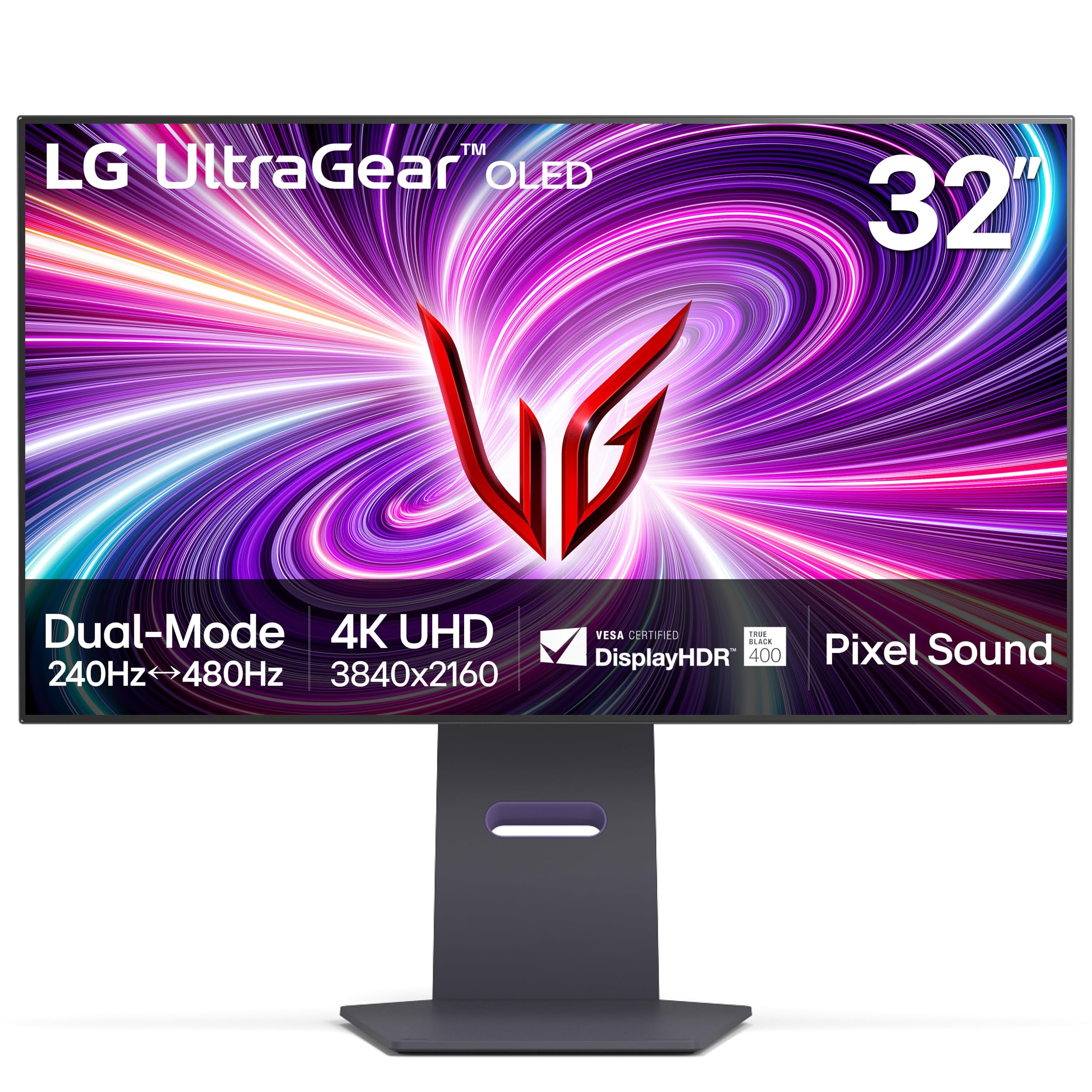
The LG 32GS95UE is a genuine dual-mode monitor, certified by VESA, that switches between 4K UHD at 240Hz and Full HD at 480Hz at the press of a button. This means you get the immersive detail of 4K for single-player and story-driven titles, then one button press later, you are running at 480Hz for competitive shooters where every millisecond of motion clarity counts. The 0.03ms GtG response time ensures that both modes deliver the instantaneous pixel transitions that OLED is known for.
LG’s Pixel Sound technology is a unique addition — sound waves are generated from behind the OLED panel and aimed directly at the viewer, creating a more direct and immersive audio experience without requiring external speakers. The anti-glare low-reflection coating helps maintain contrast in lit environments, and the 98.5% DCI-P3 color gamut with DisplayHDR True Black 400 certification delivers the high-contrast HDR performance expected from a premium OLED.
The stand provides tilt, height, and swivel adjustment, and connectivity includes HDMI 2.1, DisplayPort 1.4, and a USB Type-A hub. The 2-year warranty covers the OLED panel, which is shorter than the 3-year coverage offered by some competitors. Users on lower-end GPUs should note that achieving 4K 240Hz requires substantial graphics power, and the monitor shines brightest when paired with a high-end card capable of driving those frame rates.
Why it’s great
- VESA-certified dual-mode switching between 4K 240Hz and FHD 480Hz
- Pixel Sound technology delivers direct audio from the screen surface
- Low-reflection coating minimizes glare without aggressive matte diffusion
Good to know
- 2-year warranty period is shorter than the 3-year coverage of some rivals
- WOLED panel has slightly smaller color volume in bright highlights vs QD-OLED
8. ASUS ROG Swift 27″ PG27AQWP-W Tandem OLED

The ASUS ROG Swift PG27AQWP-W redefines what is possible with OLED refresh rates. Its tandem WOLED panel operates in dual mode, switching between QHD at an astonishing 540Hz and HD at 720Hz, with a response time of 0.02ms — the fastest in this guide. This is not a 4K 240Hz monitor in the traditional sense, but it is included here because its Tandem OLED technology represents the next generation of OLED performance, offering 15% higher peak brightness and 60% longer lifespan than previous WOLED panels.
The TrueBlack Glossy panel has a zero-haze surface that delivers exceptionally sharp imagery, and the VESA DisplayHDR 500 True Black certification provides the highest HDR certification in this guide, allowing for brighter specular highlights alongside the perfect blacks. The Neo Proximity Sensor detects when the user steps away from the monitor and automatically switches to a black screen, reducing burn-in risk without requiring manual engagement.
Connectivity includes DisplayPort 2.1 UHBR20 with full 80Gbps bandwidth, eliminating the need for Display Stream Compression at QHD 540Hz. The 3-year warranty with burn-in coverage matches the best in the category. The white chassis with RGB lighting fits premium aesthetic builds, though the resolution is QHD rather than 4K, meaning this monitor prioritizes extreme motion clarity over pixel density.
Why it’s great
- Tandem OLED delivers 60% longer lifespan and 15% higher peak brightness
- 540Hz QHD refresh rate is the highest available in the OLED category
- DisplayPort 2.1 UHBR20 provides 80Gbps bandwidth for uncompressed video
Good to know
- QHD resolution at 27″ is lower pixel density than native 4K monitors
- Some units may exhibit grey banding that requires calibration adjustment
9. INNOCN 49″ 49Q1S OLED Curved Gaming Monitor

The INNOCN 49Q1S offers the largest screen real estate in this guide with its 49-inch curved OLED panel at a 5120×1440 resolution with a 32:9 aspect ratio. This effectively replaces two 27-inch 1440p monitors side-by-side without the bezel gap, making it an exceptional choice for simulation games and productivity workflows where horizontal space is critical. The 1800R curvature wraps the display around your peripheral vision for deeper immersion.
Connectivity is generous with two DisplayPort 1.4 ports, one HDMI 2.1 port, and a USB Type-C port with 90W power delivery, plus USB-A, USB-B, and an RJ45 Ethernet port for a complete docking experience. The built-in speakers provide usable desktop audio without requiring a separate soundbar. PiP and PbP functionality allows the monitor to display content from two separate input sources simultaneously, which is valuable for multi-system setups.
At 0.03ms response time and 240Hz refresh rate, the 49Q1S delivers the same OLED motion clarity as smaller monitors. The DisplayHDR 400 certification ensures basic HDR compliance, though peak brightness is lower than the QD-OLED competition. The glossy OLED finish produces excellent contrast in dim rooms but will reflect light in brighter environments. Some users have reported reliability issues after the first few months, making warranty coverage an important consideration.
Why it’s great
- 49-inch 32:9 OLED provides the largest immersive workspace in the category
- 90W USB-C with RJ45 Ethernet offers a complete laptop docking station
- PiP/PbP support enables dual-input multitasking on one screen
Good to know
- Some third-party applications do not scale correctly at 32:9 aspect ratio
- Reliability reports vary, and longer-term burn-in data is limited
10. LG 32GS95UV UltraGear OLED
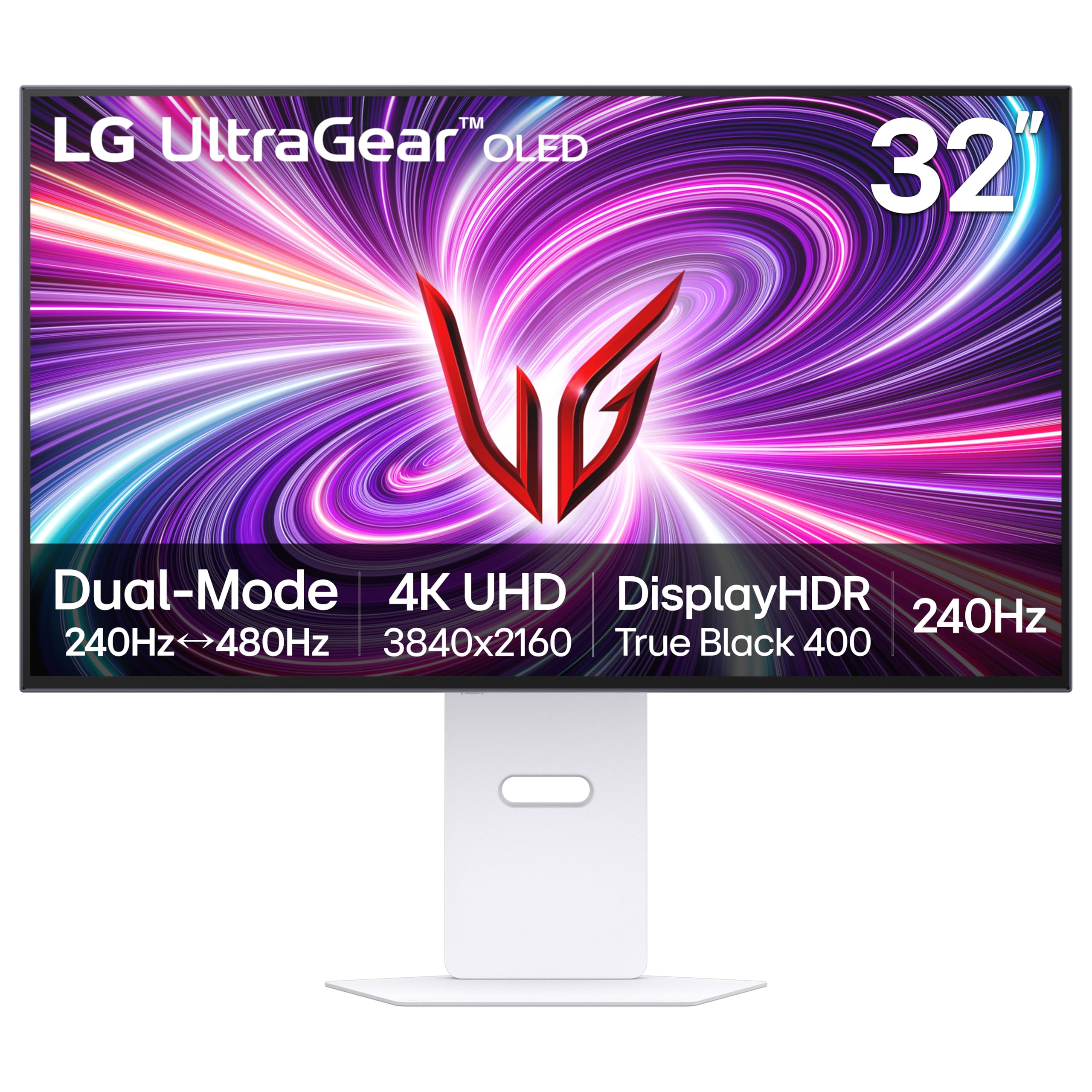
The LG 32GS95UV is the white chassis variant of the LG UltraGear OLED platform, featuring the same 32-inch 4K UHD WOLED panel with 240Hz refresh rate and 0.03ms response time as its black counterpart. The Dual Mode functionality is present here as well, offering 4K at 240Hz or 1080p at 480Hz with a single button press. The white design integrates smoothly into lighter desk setups and PC builds.
The panel delivers 98.5% DCI-P3 color gamut coverage with DisplayHDR True Black 400 certification, and the anti-glare low-reflection coating helps maintain contrast in lit rooms. Pixel Sound technology projects audio directly from the screen surface. NVIDIA G-Sync Compatible and AMD FreeSync Premium Pro certification ensure smooth variable refresh rate performance across both GPU ecosystems.
Initial firmware updates are required out of the box to resolve reported flickering issues — after applying the update, the monitor operates reliably at 240Hz. The stand offers tilt, height, and swivel adjustment. Users should carefully inspect the panel upon delivery for any defects, as some units have arrived with small indentations or blemishes. The 2-year warranty coverage is standard for LG but shorter than the 3-year options available from ASUS and MSI.
Why it’s great
- White chassis option for cohesive light-themed build aesthetics
- Dual Mode 4K 240Hz to 1080p 480Hz provides versatile gaming options
- Anti-glare low-reflection coating works well in moderately lit rooms
Good to know
- Initial firmware update is required to resolve flickering at 240Hz
- 2-year warranty is shorter than the 3-year coverage offered by several competitors
11. ASUS ROG Swift PG32UCDP

The ASUS ROG Swift PG32UCDP offers a 32-inch WOLED panel with dual-mode capability, allowing you to switch from 4K UHD at 240Hz to Full HD at 480Hz. This format provides the best of both worlds at the 32-inch diagonal — immersive 4K visuals for single-player titles and hyper-smooth 480Hz motion for competitive gaming. The 0.03ms response time and DisplayHDR True Black 400 certification ensure excellent HDR performance.
The monitor includes DisplayPort 2.1 with full bandwidth support and HDMI 2.1 connectivity for console compatibility at 4K 120Hz. The wide viewing angles inherent to OLED technology maintain consistent color and contrast even from extreme side angles. The anti-glare matte coating is superior to glossy panels in bright, sunlit rooms where reflections can otherwise ruin the experience.
Some users have reported a black screen issue requiring a mechanical power reset, which appears to be a firmware-related handshake problem rather than a hardware defect. The stand offers height, tilt, and swivel adjustment. The 3-year warranty with burn-in coverage provides long-term protection. Users should note that the monitor requires a strong GPU to fully utilize 4K 240Hz or 480Hz FHD mode, and its high price positions it firmly in the flagship tier.
Why it’s great
- 32-inch 4K 240Hz mode with ability to switch to 480Hz FHD for competitive gaming
- Matte anti-glare coating is effective in bright, sunlit rooms
- DisplayPort 2.1 and HDMI 2.1 provide full modern connectivity
Good to know
- Some units experience a black screen issue requiring a power reset
- External speaker mounting is not straightforward due to rear design
12. Dell UltraSharp U4025QW 40″ 5K2K

The Dell UltraSharp U4025QW is not an OLED monitor, but it earns a place in this guide as the premier choice for buyers who need ultrawide productivity with color-critical accuracy and a 5K2K resolution that no OLED monitor currently offers. Its 40-inch IPS Black panel delivers a 2000:1 contrast ratio — double that of standard IPS panels — providing deeper blacks than LCD competitors while maintaining the text clarity that OLED struggles with due to sub-pixel layouts.
At 5120×2160 resolution with a 21:9 aspect ratio, this monitor offers 33% more horizontal workspace than a standard 4K display, which is transformative for video editing timelines, spreadsheet work, and multi-window code development. The 120Hz refresh rate is smooth enough for casual gaming, though the 5ms response time cannot match OLED’s 0.03ms. The integrated Thunderbolt 4 hub with 90W power delivery and built-in KVM makes it a true workstation hub.
Color accuracy is exceptional out of the box with 99% DCI-P3 coverage and factory calibration reported per unit. The stand is fully ergonomic with height, tilt, swivel, and pivot adjustment. The utility of this monitor for productivity is unmatched in this guide — it is a long-term investment for creative professionals who spend eight hours a day in front of a screen and need pixel-perfect accuracy without OLED text compromises.
Why it’s great
- 5120×2160 5K2K resolution provides the highest pixel count in the guide
- 2000:1 IPS Black contrast ratio is the best available in non-OLED LCDs
- Integrated Thunderbolt 4 hub with KVM simplifies multi-device workflows
Good to know
- Not an OLED panel — cannot match perfect blacks or 0.03ms response
- 120Hz refresh rate is half the speed of dedicated gaming monitors
13. GIGABYTE AORUS CO49DQ 49″ OLED Curved

The GIGABYTE AORUS CO49DQ is a 49-inch OLED ultrawide monitor at 5120×1440 resolution with a 144Hz refresh rate, positioning it as the highest-priced and lowest-refresh-rate option in this guide. Its 32:9 aspect ratio effectively replaces two 27-inch 1440p monitors, and the OLED panel delivers the per-pixel lighting and infinite contrast ratio that make OLED gaming so impactful. The 0.03ms response time ensures the same ghosting-free motion as faster monitors.
The DisplayHDR True Black 400 certification and 1500000:1 dynamic contrast ratio deliver the deep blacks and high-contrast HDR that OLED is known for. The monitor supports AMD FreeSync Premium Pro for tear-free variable refresh rate gaming. The included Gigabyte Control Center software provides intuitive adjustment of OLED care settings, color profiles, and lighting.
At 144Hz, this monitor is more suited for immersion-driven single-player and simulation games where the wide aspect ratio adds value than for competitive shooters where maximum refresh rate is critical. Some users have reported intermittent flickering on black backgrounds with white text, and the height adjustment range is slightly lower than some competitors. The bright 967 nits measured peak in high luminance mode is noteworthy for HDR enthusiasts.
Why it’s great
- 49-inch 32:9 OLED provides the most immersive ultrawide experience available
- Measured peak brightness of 967 nits is excellent for OLED HDR performance
- Gigabyte Control Center software provides intuitive OLED care configuration
Good to know
- 144Hz refresh rate is lower than the 240Hz standard for this category
- Some units exhibit intermittent flickering on black backgrounds with white text
FAQ
Will a 4K 240Hz OLED monitor work with my PS5 or Xbox Series X?
Is text clarity bad on QD-OLED monitors for productivity work?
Do I need a specific GPU to run a 4K 240Hz OLED monitor?
Will leaving my desktop static elements on cause burn-in quickly?
Final Thoughts: The Verdict
For most users, the 4k 240hz oled gaming monitor winner is the ASUS ROG Swift PG32UCDM because it combines Samsung’s best QD-OLED panel with ASUS’ superior heatsink implementation, factory-calibrated color accuracy, and a 3-year warranty with burn-in coverage — all at a price that undercuts many similarly specced competitors. If you want the absolute best text clarity for mixed productivity and gaming, grab the Alienware AW2725Q for its higher pixel density 27-inch form factor. And for a bright room with no ability to control ambient lighting, nothing beats the Samsung Odyssey OLED G8 (G81SF) because its Glare Free coating makes OLED usable in conditions where glossy panels would be unwatchable.