
The jump to a 4K 360Hz gaming monitor is the single most transformative upgrade you can make for competitive immersion. You no longer have to choose between pixel-dense clarity for sprawling RPGs and buttery-smooth motion for twitch shooters; this new generation of panels delivers both, demanding the full might of a modern GPU but rewarding you with a desktop experience that feels years ahead.
I’m Mohammad Maruf — the founder and writer behind Drink4Good. I’ve spent months analyzing panel technologies, burn-in mitigation strategies, and the real-world performance metrics that separate a good flagship from a bad investment in this high-stakes category.
After deep-diving into the specs and market landscape, I’ve curated the definitive guide to finding the best 4k 360hz gaming monitor that matches your rig and your budget, cutting through the marketing noise to highlight what actually matters for your setup.
How To Choose The Best 4K 360Hz Gaming Monitor
At this price and performance tier, you are not just buying a screen; you are buying a panel generation, a burn-in prevention system, and a connectivity standard. Here are the three pillars to evaluate before you click buy.
Panel Type: QD-OLED vs. WOLED
Quantum Dot OLED (QD-OLED) uses a blue OLED layer with quantum dot color converters, producing a wider color volume and near-zero black levels in any lighting. WOLED (White OLED) uses a white OLED with color filters, often achieving higher peak brightness on small highlights but with slightly different sub-pixel layouts that can affect text sharpness. For a 4K 360Hz monitor, QD-OLED generally offers better color vibrancy and viewing angles, while WOLED can have an edge in sustained brightness for HDR.
Connectivity: The Bandwidth Bottleneck
Driving 4K at 360Hz requires enormous data throughput. This mandates DisplayPort 2.1 (UHBR20) for a single-cable, uncompressed signal. HDMI 2.1 is limited to 48Gbps, which often forces Display Stream Compression (DSC) to hit these refresh rates. A monitor with true DP 2.1 bandwidth is future-proof and avoids potential DSC-related quirks like flickering when alt-tabbing.
Burn-In Protection and Warranty
OLED panels are susceptible to permanent image retention. Premium-tier monitors now include hardware-level protections like graphene heatsinks, pulsating heat pipes, and proximity sensors that trigger pixel refresh cycles. A minimum three-year warranty that explicitly covers burn-in is the only safety net you should accept for a high-end purchase.
Quick Comparison
On smaller screens, swipe sideways to see the full table.
| Model | Category | Best For | Key Spec | Amazon |
|---|---|---|---|---|
| ASUS ROG Swift PG32UCDM | QD-OLED | Elite Color & HDR Gaming | 240Hz, 0.03ms, 99% DCI-P3 | Amazon |
| LG 32GX870A-B | WOLED | Dual-Mode Flexibility | Dual 4K@240Hz / FHD@480Hz | Amazon |
| Samsung Odyssey G8 G81SF | QD-OLED | Mid-Range 4K OLED Value | 240Hz, 0.03ms, 166 PPI | Amazon |
| MSI MPG 321URX QD-OLED | QD-OLED | Productivity & Gaming Mix | 240Hz, 0.03ms, 90W USB-C | Amazon |
| ASUS ROG Swift PG27AQWP-W | WOLED | Extreme Refresh Speed | QHD@540Hz, 0.02ms, DP 2.1 | Amazon |
| Alienware AW3225QF | QD-OLED | Immersive 32” 4K Experience | 240Hz, Dolby Vision, 12-bit | Amazon |
| LG 27GM950B-B | Mini-LED | 5K Productivity & HDR Gaming | 5K@165Hz, 1250 nits, 218 PPI | Amazon |
| Samsung Odyssey Ark | Mini-LED | Cinematic 55” Immersion | 4K@165Hz, 1000R Curve, 60W | Amazon |
| LG 40U990A-W | Nano IPS | 5K2K Ultrawide Creation | 5K2K@120Hz, Thunderbolt 5 | Amazon |
| ASUS ROG Strix XG27AQDPG | QD-OLED | Competitive 500Hz FPS | QHD@500Hz, 0.03ms | Amazon |
| LG 32U990A-S | Nano IPS Black | Professional 6K Color Accuracy | 6K@60Hz, Thunderbolt 5, 2000:1 | Amazon |
| Dell UltraSharp U4025QW | IPS Black | Ultrawide Professional Hub | 5K2K@120Hz, Built-in KVM | Amazon |
| Kuycon G32P | IPS | Budget 6K Productivity | 6K@60Hz, 223 PPI, Glossy | Amazon |
In‑Depth Reviews
1. ASUS ROG Swift 32” 4K OLED Gaming Monitor (PG32UCDM)

The ASUS PG32UCDM is the current reference point for what a premium 4K gaming monitor should be. Its 32-inch QD-OLED panel hits a blistering 240Hz refresh rate with a 0.03ms response time, and the custom heatsink combined with graphene film provides best-in-class thermal management to protect against burn-in. The glossy screen finish enhances perceived contrast and color pop in a way matte coatings simply cannot match.
Color accuracy is staggering out of the box, covering 99% of DCI-P3 with true 10-bit depth and Delta E under 2. HDR performance is bolstered by VESA DisplayHDR 400 True Black compliance, delivering deep, inky blacks and punchy highlights. The 90W USB-C port also makes it a viable hub for a laptop workstation, bridging gaming and productivity duties seamlessly.
The built-in DisplayWidget Center software lets you tweak OLED Care settings and adjust parameters with your mouse rather than fiddling with an on-screen joystick. The three-year warranty with burn-in coverage provides the peace of mind that this elite-tier panel demands. For the gamer who wants absolute visual fidelity without compromise, this is the benchmark.
Why it’s great
- Elite QD-OLED image quality with zero bloom.
- 3-year warranty explicitly covers burn-in.
- Glossy finish delivers superior contrast.
Good to know
- Susceptible to burn-in; requires pixel refresh cycles.
- Reflections may be noticeable in very bright rooms.
2. LG 32GX870A-B 32-inch Ultragear 4K OLED Gaming Monitor

LG’s 32GX870A-B brings an intriguing dual-mode capability to the table: run it at native 4K UHD at 240Hz for story-driven titles, or switch to Full HD at a staggering 480Hz for hyper-competitive shooters. This VESA-certified dual-mode flexibility makes it one of the most versatile OLEDs on the market, adapting to your game without requiring a second monitor.
The panel uses LG’s WOLED technology with Micro Lens Array+ (MLA+) for higher brightness, pushing peak output to 1300 nits on small highlights. Combined with VESA DisplayHDR True Black 400 certification, the contrast on dark scenes is exceptional. The 1.5M:1 contrast ratio ensures near-infinite depth, and the anti-glare/low-reflection coating keeps distractions to a minimum.
Connectivity is future-proofed with DisplayPort 2.1 and HDMI 2.1, and the built-in speakers with DTS Headphone:X deliver surprisingly capable audio for a monitor. The Switch app also unlocks webOS streaming directly, making it a hybrid gaming and entertainment hub. The two-year warranty covers the panel, but the OLED Care tools like pixel cleaning help extend its lifespan.
Why it’s great
- Dual-mode 4K@240Hz / FHD@480Hz is unique.
- MLA+ technology achieves 1300 nits peak brightness.
- Built-in speakers and webOS add versatility.
Good to know
- Some text clarity issues due to WOLED sub-pixel layout.
- 2-year warranty is shorter than some rivals.
3. Samsung 27-inch Odyssey QD-OLED G8 (G81SF), 4K, 240Hz

The Samsung Odyssey G8 G81SF delivers a 27-inch QD-OLED panel with a 240Hz refresh rate at a price point that undercuts many competitors while retaining flagship-level image quality. With a pixel density of 166 PPI, text and fine details are exceptionally sharp for a QD-OLED panel, reducing the sub-pixel fringing common on larger variants. The Glare Free technology reduces reflections by 54% compared to conventional anti-reflection films.
Color performance is outstanding, covering 99% of the DCI-P3 gamut, and the VESA DisplayHDR TrueBlack 400 certification ensures deep blacks with no light bleed. Samsung’s innovative Pulsating Heat Pipe cooling system is built directly into the monitor to dissipate heat five times faster than graphite sheets, reducing the risk of burn-in. The automatic Thermal Modulation System and Logo/Taskbar Detection further protect the panel during long sessions.
The ergonomic stand supports height, tilt, swivel, and pivot adjustments, and the CoreSync and CoreLighting+ features project game colors into your room via 16.7 million colors for immersive ambient lighting. Some users have reported issues with dead pixels after extended use, so verifying the warranty terms at purchase is wise.
Why it’s great
- Best value entry into 4K 240Hz QD-OLED.
- Pulsating Heat Pipe cooling is unique.
- 166 PPI sharpens text readability.
Good to know
- Some reports of dead pixels after a few months.
- Warranty paperwork may differ from advertised terms.
4. MSI MPG 321URX QD-OLED, 32″ 4K UHD Quantum Dot OLED Gaming Monitor

The MSI MPG 321URX is a 32-inch QD-OLED that balances gaming prowess with genuine productivity features. Its 240Hz refresh rate and 0.03ms GtG response time deliver buttery-smooth gaming, while the 99% DCI-P3 color gamut and Delta E ≤ 2 accuracy make it suitable for color-critical creative work. The VESA DisplayHDR True Black 400 certification ensures perfect blacks and rich HDR impact.
What sets this monitor apart is its robust connectivity suite, including a 90W USB-C port with Power Delivery, HDMI 2.1, and DisplayPort 1.4a. The KVM function with Picture-in-Picture and Picture-by-Picture support allows you to control two systems from a single keyboard and mouse setup, a rare convenience for a gaming monitor. OLED Care 2.0 and the MSI Gaming Intelligence AI provide active burn-in prevention.
The 4-way adjustable stand is solid, and the Mystic Light RGB adds a subtle accent. Users consistently praise its crisp text rendering, which is often a weak point for QD-OLED panels. This is arguably the best choice if your desk doubles as a workstation and a gaming station.
Why it’s great
- Integrated KVM with PiP/PbP.
- 90W USB-C charging for laptops.
- Crisp text rendering for QD-OLED.
Good to know
- Mac dual-monitor setup may require specific settings.
- Stand offers limited adjustment range.
5. ASUS ROG Swift 27″ OLED Gaming Monitor (PG27AQWP-W)

The ASUS PG27AQWP-W is a 27-inch WOLED monitor that redefines speed with a dual-mode capability of QHD at 540Hz or HD at 720Hz. The new Tandem OLED technology delivers 15% higher peak brightness, 25% larger color volume, and 60% longer OLED lifespan compared to previous-generation WOLED panels. The TrueBlack Glossy surface provides exceptional sharpness and zero-haze clarity.
The Neo Proximity Sensor is a standout feature: it detects when you leave your desk and automatically blacks out the screen, reducing burn-in risk. The monitor is VESA DisplayHDR 500 True Black certified, achieving 99.5% DCI-P3 coverage with true 10-bit color and Delta E under 2. Connectivity is top-tier with DisplayPort 2.1 UHBR20 offering full 80Gbps bandwidth.
The 3-year warranty with burn-in coverage is a solid safety net. Some users have noted grey banding issues and quieter-than-expected speakers, but for competitive gamers who need the absolute highest frame rates, the raw speed and image quality here are unmatched at this resolution.
Why it’s great
- 540Hz/720Hz dual-mode for competitive edge.
- Tandem OLED improves longevity and brightness.
- Neo Proximity Sensor for proactive burn-in prevention.
Good to know
- Some users report grey banding.
- Speakers are quieter than expected.
6. Alienware AW3225QF, 32″ 4K UHD QD-OLED

The Alienware AW3225QF is a 32-inch 4K QD-OLED that leans into immersive cinematic gaming. It supports Dolby Vision and 12-bit color depth, producing supremely smooth gradients and vibrant HDR that rivals high-end TVs. The 240Hz refresh rate and QD-OLED panel combine for deep blacks and vivid colors that make games look spectacular.
Build quality is excellent, with a sturdy stand and a clean, aggressive aesthetic. It includes HDMI 2.1, DisplayPort, and USB 3.2 Gen 1 ports, though it lacks a USB-C input with Power Delivery, which may be a downside for laptop users. The anti-burn-in technology runs automatically in the background, and the panel’s 1.5M:1 contrast ratio provides near-infinite depth in dark scenes.
International reviews consistently praise its image quality as “perfect” for gaming, with colors and motion handling that are second to none. Some users note that connecting to Macs may require a USB-C to DisplayPort cable to achieve 120Hz. It is a top-tier choice for pure gaming immersion.
Why it’s great
- Supports Dolby Vision and 12-bit color.
- Superb build quality and design.
- Excellent motion handling and HDR.
Good to know
- No USB-C input with power delivery.
- Mac users may need an adapter for 120Hz.
7. LG 27GM950B-B 27-inch Ultragear evo 5K Mini-LED Gaming Monitor
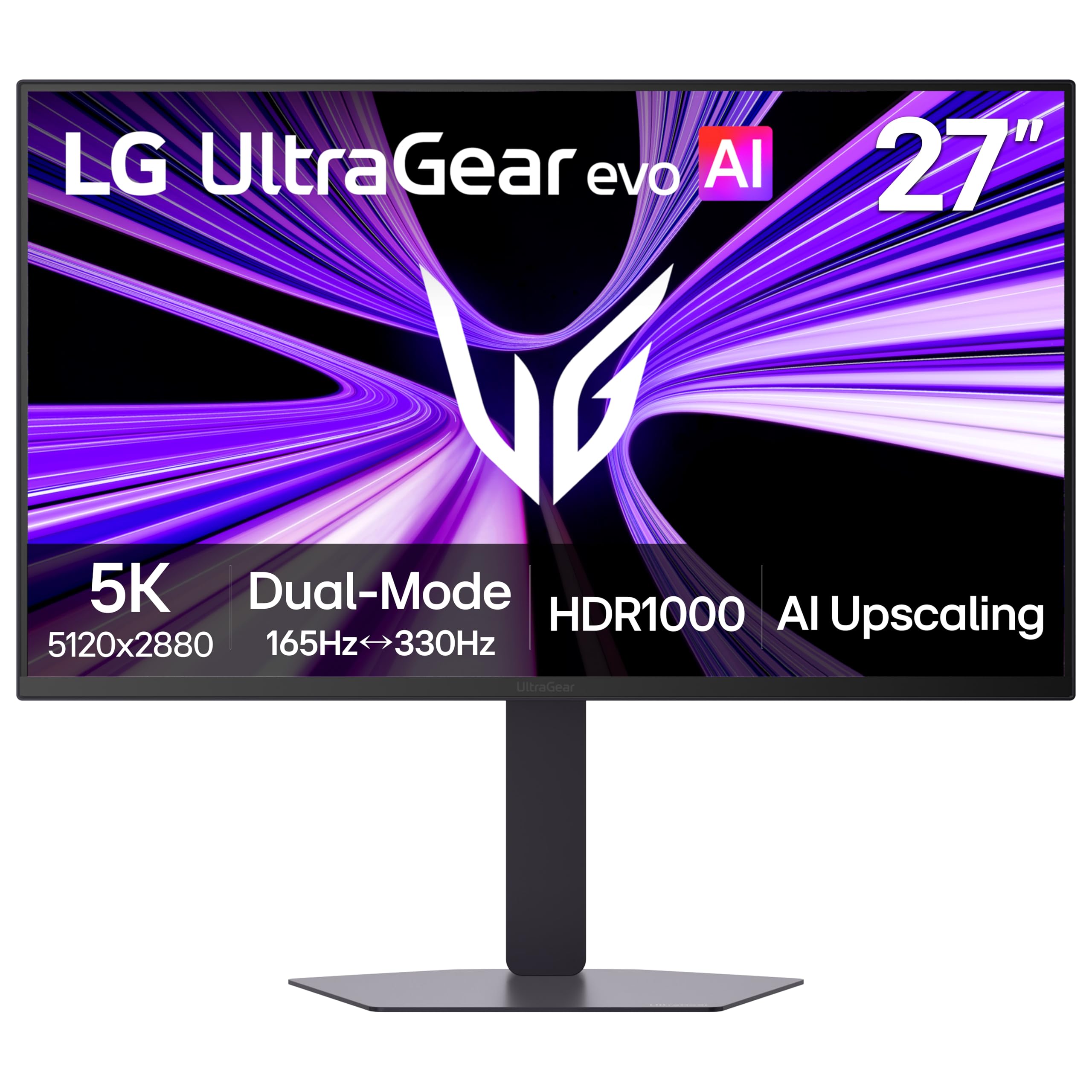
The LG 27GM950B-B is a niche product that pushes resolution to 5K (5120×2880) on a 27-inch panel, achieving a stunning 218 PPI for razor-sharp text and details. Its Hyper Mini LED backlight uses 9,216 LEDs and 1.5× more local dimming zones than previous generations, reaching up to 1250 nits peak brightness with VESA DisplayHDR 1000 certification. This makes it an incredible choice for both productivity and HDR gaming.
The dual-mode functionality allows switching between 5K at 165Hz for immersive titles and QHD at 330Hz for competitive play, leveraging AI Upscaling to enhance lower-resolution content toward 5K. Connectivity is future-proof with DisplayPort 2.1 (UHBR20), HDMI 2.1, and USB-C with 90W Power Delivery. The built-in processor enables this AI-driven upscaling without taxing your GPU.
However, it is not without flaws. Reviews report significant issues with macOS compatibility, including color glitches, text rendering faults, and overheating that triggers the fan. It also uses a matte coating that some users find creates a shimmer effect. This monitor is best suited for Windows users who want a high-PPI 5K panel with gaming chops.
Why it’s great
- 5K resolution with 218 PPI is incredibly sharp.
- Dual-mode 5K@165Hz / QHD@330Hz.
- 1250 nits peak brightness for HDR.
Good to know
- Major text rendering and compatibility issues on macOS.
- Matte coating causes shimmer in some lighting.
8. Samsung 55-inch Odyssey Ark 4K Mini-LED Gaming Monitor

The Samsung Odyssey Ark is an absolute beast of a monitor: a 55-inch 4K UHD panel with a 1000R curvature that wraps around your field of view. Its Quantum Mini-LED backlight achieves a 1,000,000:1 contrast ratio with 165Hz refresh rate and 1ms response time, making it a cinematic powerhouse for flight sims, racing games, and any title where immersion is king. The Cockpit Mode rotates the screen vertically for a unique perspective.
The built-in Sound Dome technology uses 4 corner speakers and 2 central woofers for 60W 2.2.2-channel audio, the deepest bass of any gaming screen down to 45Hz. The Multi View feature allows up to four screens simultaneously on the massive panel, and it includes built-in apps like YouTube and Samsung TV Plus, acting as a full smart TV. The Ark Dial controller simplifies navigation.
Weighing 91 pounds, this is a two-person setup job. The UI software has garnered criticism for being buggy, with issues like GPU recognition failures and blackouts. It lacks a DisplayPort input, relying solely on HDMI. This is a niche, high-impact product for users who prioritize sheer scale and immersion over competitive responsiveness.
Why it’s great
- 55-inch 1000R curve offers unmatched immersion.
- Powerful 60W 2.2.2-channel built-in audio.
- Multi View supports up to 4 screens.
Good to know
- Heavy (91 lbs) and requires two people to set up.
- Software/firmware can be buggy and frustrating.
9. LG 40U990A-W 40-inch Ultrafine evo 5K2K WUHD Nano IPS Curved Monitor
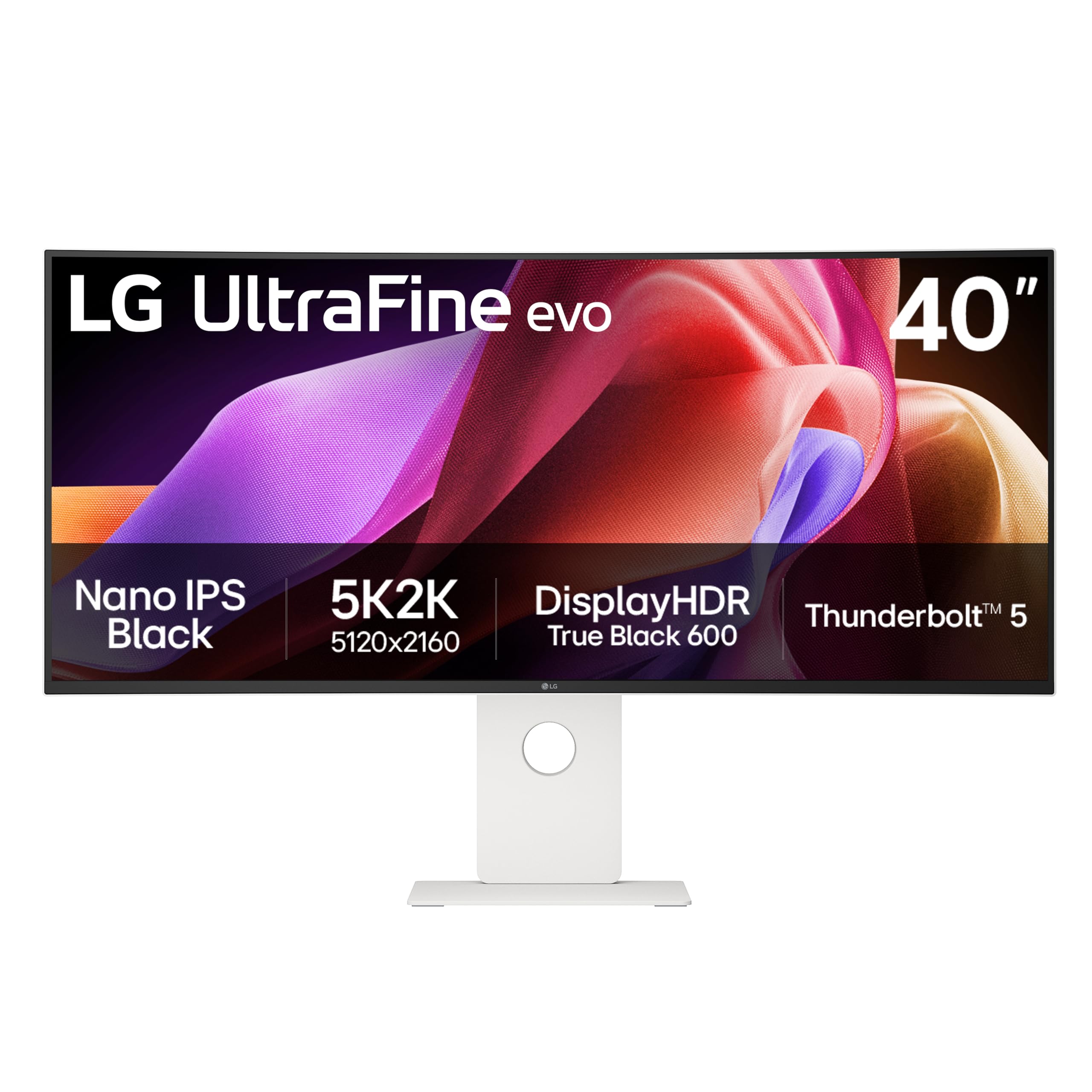
The LG 40U990A-W is a 40-inch 5K2K (5120×2160) ultrawide with a 2500R curvature, targeting creators who need a massive canvas. It is the world’s first 5K2K monitor with Thunderbolt 5, providing 96W charging and dual-display daisy chain support. The Nano IPS Black panel delivers a 2000:1 contrast ratio and covers 99% DCI-P3, making it excellent for video and photo editing.
With a 120Hz refresh rate, this is also a capable gaming monitor for less competitive genres. The wide 21:9 aspect ratio gives you room for multiple timelines and toolbars without needing a second display. Connectivity is comprehensive with HDMI 2.1, DisplayPort 2.1, and USB-C ports. The dual built-in speakers provide decent, immersive sound for casual use.
Some users have reported quality control issues like color uniformity problems and screen flickering. The 2500R curve is relatively gentle compared to more aggressive gaming curves, which makes it less immersive for gaming but better for productivity. It is a specialized tool best suited for professionals who also game occasionally.
Why it’s great
- Big 40-inch 5K2K canvas for multitasking.
- Thunderbolt 5 with 96W charging.
- 2000:1 contrast from Nano IPS Black.
Good to know
- Some quality control and color uniformity issues.
- Gentle curve may not be immersive enough for gaming.
10. ASUS ROG Strix XG27AQDPG QD-OLED Gaming Monitor

The ASUS ROG Strix XG27AQDPG is a 27-inch QHD (2560×1440) QD-OLED monitor that pushes the refresh rate limit to an astonishing 500Hz with a 0.03ms response time. This is a monitor built solely for hyper-competitive esports where every millisecond of motion clarity matters. The Anti-Flicker OLED 2.0 technology reduces flicker by 20% compared to previous generations for more comfortable long sessions.
It features ASUS OLED Care Pro with a Neo Proximity Sensor that automatically blacks out the screen when you walk away, preventing burn-in. The VESA DisplayHDR 500 True Black compliance and 99% DCI-P3 color gamut ensure that even at this extreme refresh rate, the image quality remains beautiful, with deep blacks and vibrant colors. G-Sync compatibility ensures smooth, tear-free gameplay.
The DisplayWidget Center app lets you manage all OLED Care functions and settings with a mouse. The 10-bit color depth and Delta E under 2 make it surprisingly suitable for creative work, though the QHD resolution may not satisfy those expecting 4K pixel density. It is a pricey but unrivaled tool for the competitive player.
Why it’s great
- 500Hz refresh rate is the highest available.
- Near-proximity sensor for burn-in protection.
- Vibrant QD-OLED colors at extreme speeds.
Good to know
- QHD resolution, not 4K.
- Very expensive for a single-purpose esports monitor.
11. LG 32U990A-S 32-inch Ultrafine 6K Professional Monitor

The LG 32U990A-S is a 32-inch 6K (6144×3456) Nano IPS Black professional monitor with a 60Hz refresh rate. It is the world’s first 6K monitor with Thunderbolt 5, offering 96W power delivery and daisy-chain support. The panel achieves a 2000:1 contrast ratio and covers 99.5% Adobe RGB and 98% DCI-P3, making it a reference-grade display for color-critical work.
With a pixel density of 224 PPI, text is exceptionally sharp, and the 6K resolution provides immense desktop real estate for video editing, 3D modeling, and programming. Connectivity includes HDMI 2.1, DisplayPort 2.1, and USB-C, plus Thunderbolt 5 for ultra-fast data transfer. It also features a built-in KVM for controlling multiple systems.
Reviews are mixed: some creatives love it as a more affordable alternative to the Apple Pro Display XDR, while others criticize the aggressive matte coating, insufficient brightness for HDR work, and quality control issues like color tinting. The 60Hz refresh rate also disqualifies it for serious gaming. It is a productivity-first monitor for professionals who value resolution over speed.
Why it’s great
- Stunning 6K resolution with 224 PPI.
- Thunderbolt 5 with 96W PD and daisy chain.
- Excellent color accuracy for creative pros.
Good to know
- 60Hz refresh rate limits gaming use.
- Aggressive matte coating and QC issues reported.
12. Dell UltraSharp U4025QW 40″ 5K2K Curved LED Monitor

The Dell UltraSharp U4025QW is a 40-inch 5K2K (5120×2160) ultrawide monitor built for productivity. Its IPS Black panel technology delivers a 2000:1 contrast ratio, deeper blacks than traditional IPS, and 99% DCI-P3 color coverage, making it a compelling choice for creative and office work. The 600-nit brightness ensures comfortable viewing in well-lit environments.
It features a robust built-in hub with Thunderbolt 4, HDMI 2.1, DisplayPort, and Ethernet, along with a fully functional KVM that works seamlessly across connected devices. The 120Hz refresh rate is a bonus for smoother desktop navigation and casual gaming. The 2500R curvature reduces eye strain by keeping the edges of the screen at a consistent focal distance.
User reviews consistently praise its outstanding picture quality and plug-and-play compatibility with Mac and Linux. Some find it overpriced compared to similar spec monitors, and the contrast, while improved, does not match OLED levels. The lack of a remote control and a somewhat cheap-feeling plastic stand are minor grievances for an otherwise top-tier professional display.
Why it’s great
- Excellent 5K2K ultrawide workspace.
- Built-in KVM and Thunderbolt 4 hub.
- Great color accuracy and 120Hz refresh.
Good to know
- Contrast not as deep as OLED.
- Plastic stand feels slightly cheap for the price.
13. Kuycon G32P 32’’ UHD 6K Glossy Monitor
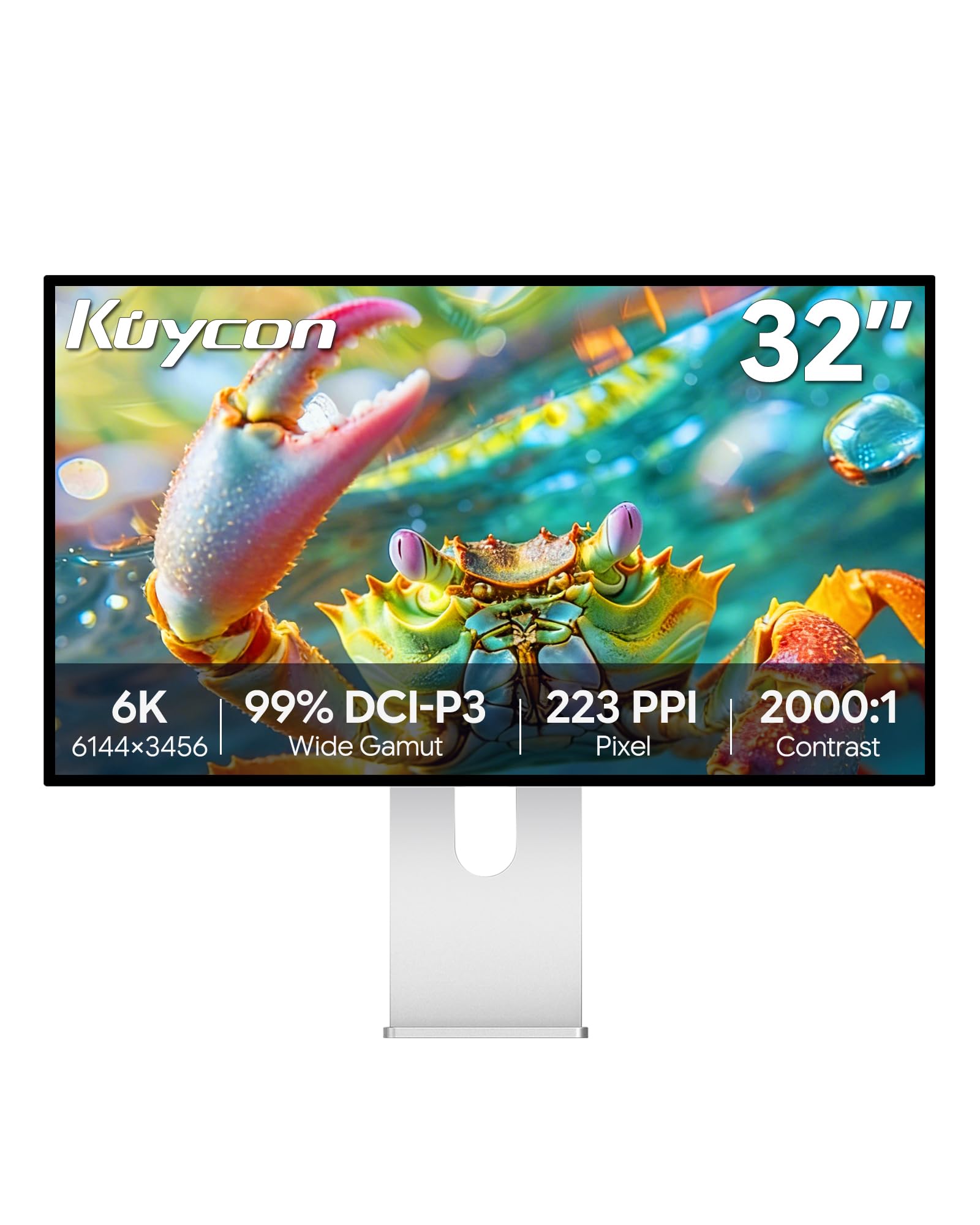
The Kuycon G32P is a 32-inch 6K (6144×3456) IPS monitor that offers a glossy screen finish and high pixel density (223 PPI) at a price well below the competition. It targets Mac users who want a Retina-like experience without paying Apple’s premium. The panel covers 99% sRGB and DCI-P3 with Delta E under 2, and the 2000:1 contrast ratio provides deeper blacks than standard IPS panels.
Build quality is surprisingly premium, using CNC-machined aluminum with a honeycomb cooling design for passive heat dissipation. The ergonomic stand supports tilt, swivel, height, and pivot adjustments, and it also has 100x100mm VESA mount compatibility. Connectivity includes HDMI, DisplayPort, and USB-C with 100W Power Delivery, making it a versatile hub for a single-cable laptop setup.
User feedback is generally positive, praising the sharp image and build quality. However, some units have arrived with defects or missing accessories like the remote control battery. It lacks a built-in Thunderbolt dock, and the glossy screen can be reflective in bright rooms. It is a strong budget-tier 6K option for productivity-focused users willing to accept some risks.
Why it’s great
- 6K resolution in a budget-tier price bracket.
- Glossy screen for great contrast and clarity.
- 100W USB-C power delivery.
Good to know
- Some quality control issues reported.
- Glossy screen may cause glare in bright rooms.
FAQ
Do I need a DisplayPort 2.1 cable to run 4K at 360Hz?
Is OLED burn-in a real concern for a 4K gaming monitor?
What GPU do I need to drive a 4K 360Hz monitor effectively?
Final Thoughts: The Verdict
For most users, the best 4k 360hz gaming monitor winner is the ASUS ROG Swift PG32UCDM because it delivers an uncompromising QD-OLED image with best-in-class burn-in protection and a solid 3-year warranty. If you want dual-mode flexibility for both 4K immersion and competitive FPS speed, grab the LG 32GX870A-B. And for a productivity-first 5K2K ultrawide that still supports 120Hz gaming, the MSI MPG 321URX QD-OLED is a fantastic balanced choice.