
You know the stutter of a slow refresh rate the moment you round a corner in a shooter. The screen tears, the frame skips, and your shot misses by a pixel. A weak monitor turns your skill into a handicap. The good news is that high-performance specifications like 180Hz, 240Hz, and even 300Hz panels are now accessible without draining your bank account. The trick is knowing which specific features — panel type, response time, adaptive sync support — actually determine the experience at this price tier.
I’m Mohammad Maruf — the founder and writer behind Drink4Good. I’ve spent years tracking the hardware specs and real-world reliability of entry-level and mid-range gaming displays to help value-focused buyers make their purchase count.
After digging through the refresh rates, response times, panel technologies, and hundreds of verified owner reports, I’ve assembled this guide to the best budget gaming monitor options that genuinely deliver competitive performance without the premium price tag.
How To Choose The Best Budget Gaming Monitor
The budget gaming monitor segment is packed with aggressive marketing claims. Every box screams “240Hz” and “1ms,” but the real-world experience depends heavily on the panel type and the adaptive sync implementation. You need to prioritize the specs that directly affect your gameplay fluidity and long-term satisfaction.
Refresh Rate vs. Response Time: Which Matters More?
Refresh rate determines how many frames your monitor can display each second. A 180Hz screen shows 180 distinct frames per second, making motion appear smoother. Response time, measured in milliseconds, dictates how fast a pixel can change from one color to another. For fast-paced competitive titles like Valorant or Overwatch, a 240Hz panel with a 1ms GTG (gray-to-gray) response time is ideal. For slower, story-driven single-player games, 180Hz with 1ms MPRT (Motion Picture Response Time) is still incredibly smooth and often comes with better color quality. Prioritize refresh rate for competitive edge; prioritize panel type for visual fidelity.
Panel Technology: IPS, VA, or TN?
At this price point, you will primarily find Fast IPS and VA panels. IPS panels offer superior color accuracy and wider viewing angles (typically 178 degrees), making them excellent for both gaming and media consumption. VA panels deliver higher native contrast ratios (3000:1 or 4000:1 compared to IPS’s 1000:1), producing deeper blacks and better shadow detail, which is invaluable in horror or atmospheric games. TN panels are rare now at this tier, and for good reason — their poor viewing angles and washed-out colors are not worth the minimal speed gain. Unless you need the absolute lowest input lag for LAN tournaments, skip TN and choose between IPS (color) or VA (contrast).
Adaptive Sync: FreeSync vs. G-Sync Compatibility
Adaptive sync technology synchronizes the monitor’s refresh rate with your graphics card’s output to eliminate screen tearing. Most budget monitors support AMD FreeSync or FreeSync Premium. FreeSync Premium ups the requirements to a minimum of 120Hz at FHD resolution and includes low framerate compensation (LFC), which is critical for maintaining smoothness when your frame rate dips. If you use an NVIDIA graphics card, look for monitors explicitly listed as “G-Sync Compatible.” Many FreeSync monitors work with NVIDIA cards via DisplayPort, but compatibility is not guaranteed without official validation. For a smooth, tear-free experience, this is a non-negotiable feature.
Size, Resolution, and Ergonomics
For a budget-tier FHD (1920×1080) monitor, 24 inches remains the sweet spot for pixel density, delivering a crisp image without needing anti-aliasing. A 27-inch FHD panel will appear visibly softer, as the same number of pixels is stretched over a larger area. Consider a 27-inch curved VA panel if you prioritize immersion over pixel-per-inch sharpness. Do not overlook the stand. An adjustable stand with tilt, height, and swivel adds significant long-term comfort but is often the first feature sacrificed to hit a low price point. If the monitor lacks an ergonomic stand, factor the cost of a VESA-compatible monitor arm into your budget.
Quick Comparison
On smaller screens, swipe sideways to see the full table.
| Model | Category | Best For | Key Spec | Amazon |
|---|---|---|---|---|
| Samsung Odyssey G4 25″ | Premium IPS | Color-critical competitive play | 400 cd/m², G-Sync Compatible | Amazon |
| ASUS TUF Gaming VG259Q3A | Fast IPS | All-around FHD gaming & work | 180Hz, built-in speakers | Amazon |
| Dell SE2726HG | Fast IPS | 240Hz on a trusted brand | 0.5ms response, 99% sRGB | Amazon |
| Z-Edge UG27S 27″ | Curved VA | 300Hz high-speed gaming | 300Hz, 1500R curve | Amazon |
| Sceptre C255B-FWT240 | Curved VA | Immersive single-player gaming | 240Hz, 1500R curve | Amazon |
| LG 27GS50F-B | Entry IPS | Console & first-time PC gaming | 180Hz, VRR support | Amazon |
| Acer Nitro KG251Q | High-Refresh TN | Maximum FPS in esports | 280Hz, 1ms VRB | Amazon |
| Z-Edge UG25F | Value LED | Low-cost 240Hz rig | 5000:1 contrast, RGB lights | Amazon |
| SANSUI 27″ Curved | Budget Curve | Casual gaming on a big screen | 240Hz, 130% sRGB | Amazon |
In‑Depth Reviews
1. Samsung 25″ Odyssey G4 Series (LS25BG402ENXGO)

The Samsung Odyssey G4 stands out as the premium choice within the budget category because it wraps a genuine Fast IPS panel with a 240Hz refresh rate and NVIDIA G-Sync Compatibility into a fully ergonomic package. The 1ms GTG response time is measured differently than the “MPRT” claims common on cheaper screens — it represents real pixel transition speed, which translates directly to less perceived ghosting in fast-moving scenes. The 400 cd/m² peak brightness is the highest among this group, providing punchy highlights and making HDR10 content noticeably more impactful, even at this price tier.
Color accuracy is where the Odyssey G4 truly separates itself. At 99% sRGB coverage out of the box, it delivers vibrant, accurate hues that make single-player titles look rich without needing manual calibration. The IPS panel also means wide 178-degree viewing angles, so the image doesn’t wash out when you lean back or share the screen with a friend. The Ultrawide Game View feature is a clever addition — it simulates a 21:9 aspect ratio by adding black bars, giving a competitive FOV advantage in supported games like Overwatch and FIFA.
Build quality is exceptional. The stand offers height, swivel, and tilt adjustments, all with solid metal construction that has no wobble. The Auto Source Switch+ feature automatically detects your active device, which is a minor but appreciated convenience if you toggle between a PC and a console. The inclusion of both DisplayPort and HDMI ports ensures easy multi-device connectivity. This monitor proves that you don’t need to abandon premium feel and full adjustability just because you are staying within a strict budget.
Why it’s great
- Official G-Sync Compatible certification for smooth tear-free gaming
- Fully ergonomic stand with height, swivel, and tilt adjustments
- IPS panel with high brightness (400 cd/m²) and great color accuracy
- 240Hz refresh rate with real 1ms GTG response time
Good to know
- No built-in speakers; requires external audio solution
- 25-inch size may feel small compared to 27-inch alternatives
2. ASUS TUF Gaming VG259Q3A

ASUS has positioned the VG259Q3A as a direct competitor to the Samsung Odyssey G4, and it succeeds on its own terms. It uses a Fast IPS panel capable of a 180Hz refresh rate with a 1ms GTG response time. While the refresh rate is lower than the 240Hz found on some competitors, the pixel response is excellent, and the Extreme Low Motion Blur (ELMB) technology reduces perceived ghosting further by backlight strobing. This combination creates exceptionally clear motion for a 180Hz panel, making it feel faster than the number suggests.
The integrated 1.5W stereo speakers are a meaningful advantage for users who want a clutter-free desk or play console games where external speakers aren’t practical. The sound is adequate for game audio and voice chat, though not for critical music listening. The Shadow Boost feature lifts dark areas without washing out bright parts of the frame — especially useful for spotting enemies hiding in shadows in tactical shooters like Rainbow Six Siege. The OSD is controlled via a joystick, which is far more intuitive than the button-based systems on cheaper models.
Build quality is solid, with a sturdy stand that provides tilt adjustment. The aggressive TUF Gaming aesthetic with red accents and angular lines will appeal to those building a themed setup. It includes both DisplayPort and HDMI cables in the box, which is a welcome cost-saver. Power consumption stays below 18W under load, making it one of the most energy-efficient choices here. It hits a strong balance between competitive gaming performance and everyday desktop usability.
Why it’s great
- Built-in stereo speakers reduce desk clutter
- Fast IPS panel with 1ms GTG and ELMB for smooth motion
- Low power consumption under 18W during operation
- Includes both DisplayPort and HDMI cables
Good to know
- Headphones do not mute the built-in speakers
- 180Hz refresh rate is lower than some 240Hz alternatives
3. Dell 27 240Hz Gaming Monitor SE2726HG
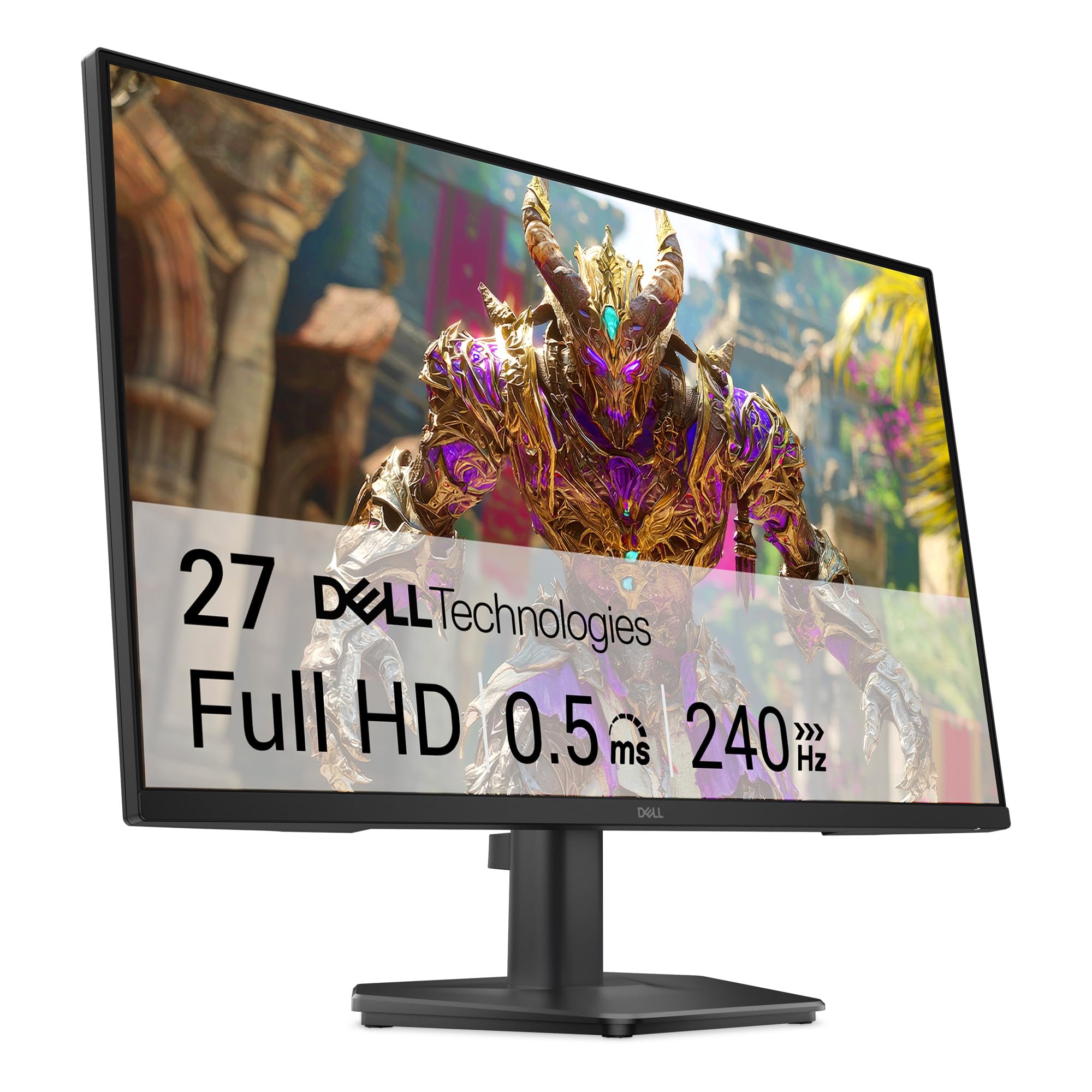
Dell brings its reputation for reliable displays into the budget gaming arena with the SE2726HG. This 27-inch Fast IPS monitor delivers a 240Hz refresh rate and a 0.5ms response time in overdrive mode. The response time is particularly notable — at 0.5ms MPRT, it edges out many competitors in motion clarity, making fast-paced shooters and racing games look exceptionally fluid. The 27-inch size at 1080p means a lower pixel density (about 81 PPI) than a 24-inch panel, but the VA-like 3000:1 native contrast ratio helps dark scenes retain detail.
Color performance is strong with 99% sRGB coverage, and the IPS panel ensures vibrant colors remain consistent from any viewing angle. The TÜV Rheinland 3-star eye comfort certification is a serious addition for gamers who spend long sessions in front of the screen. It uses a combination of hardware low blue light and flicker-free backlighting that reduces eye strain without significantly shifting the color temperature toward yellow, which is a common annoyance on cheaper monitors.
The stand is the weakest element — it only offers tilt adjustment and feels somewhat flimsy, with noticeable wobble on an uneven desk. However, the monitor supports standard 100x100mm VESA mounts, so adding a monitor arm solves this entirely. The rear ports include two HDMI 2.0 ports and a DisplayPort 1.4, giving flexibility for multi-device setups. It ships with an HDMI cable and power cable. For users who prioritize a trusted brand and a fast IPS panel over an elaborate stand, this Dell is a compelling option.
Why it’s great
- Blazing-fast 0.5ms MPRT response time reduces motion blur
- Excellent 99% sRGB color coverage from a Fast IPS panel
- TÜV Rheinland 3-star eye care with effective low blue light
- High native contrast ratio for an IPS panel
Good to know
- Stand is wobbly and only offers tilt adjustment
- No built-in speakers or USB hub
4. Z-Edge 27″ Curved Gaming Monitor UG27S
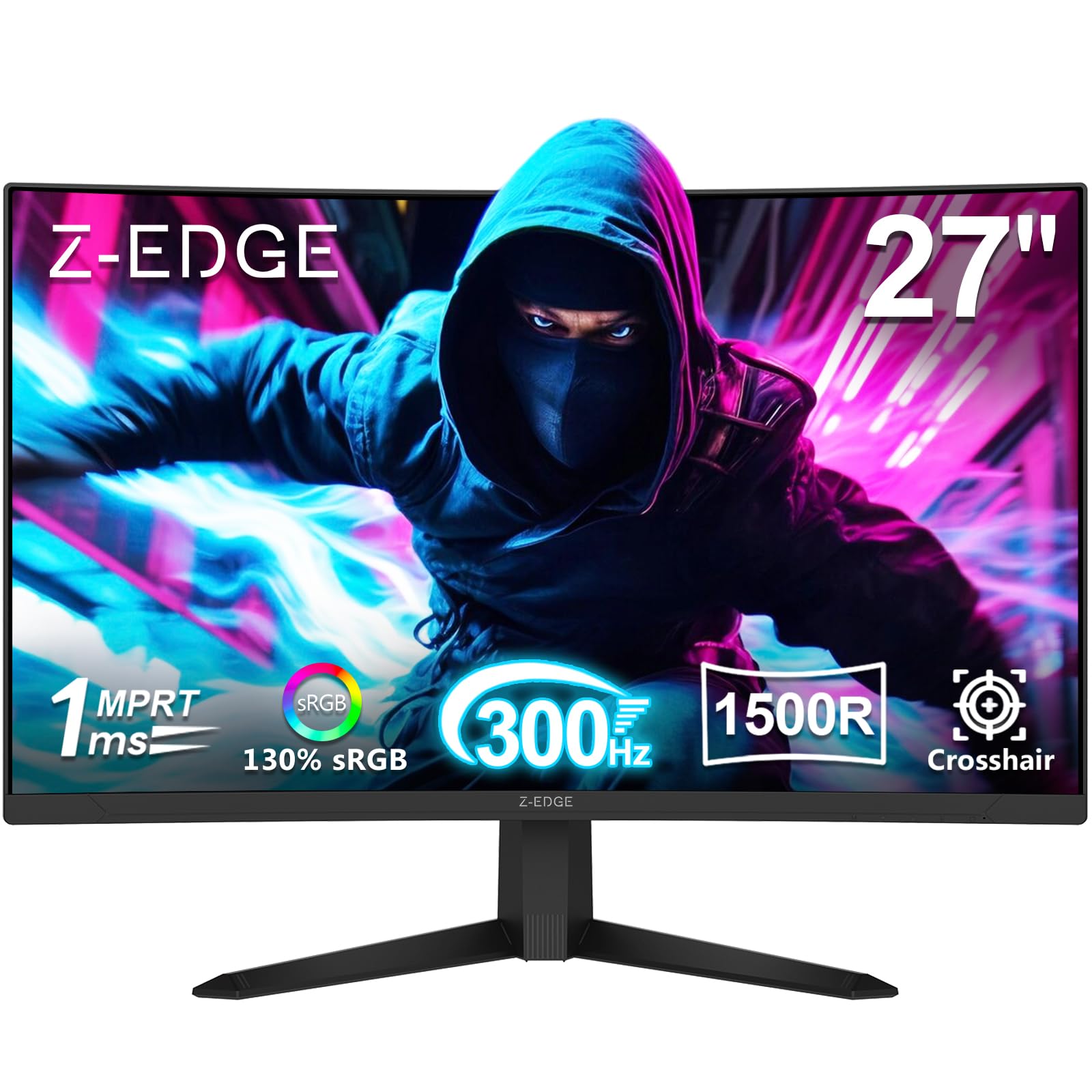
The Z-Edge UG27S is the highest refresh rate monitor in this roundup at 300Hz, and it pairs that speed with a 1500R curved VA panel. The curve wraps the 27-inch display around your peripheral vision, making fast-paced racing and flight sim games feel genuinely immersive. The 4000:1 native contrast ratio produces deep, inky blacks that IPS panels simply cannot match, giving horror games like Alan Wake 2 a dramatic visual punch. The 1ms MPRT response time is competitive for this tier, though VA pixel response can show slight dark-level smearing in extreme transitions.
Connectivity is excellent for a budget-tier monitor, featuring two DisplayPort 1.4 inputs (both supporting the full 300Hz) and two HDMI 2.0 ports (capped at 240Hz). This allows you to connect both a high-refresh gaming PC and a console simultaneously without cable swapping. The three-sided borderless design is clean and works well in multi-monitor setups. It also includes standard 100x100mm VESA mounting support, which is helpful because the included stand is the main compromise — it feels lightweight and lacks any adjustment beyond tilt.
Color performance hits a 3000:1 contrast ratio with HDR support, though the SDR brightness of 300 cd/m² limits HDR impact to “acceptable” rather than “impressive.” The on-screen display includes crosshair overlays and FPS counter, both useful for competitive play. Flicker-free technology and low blue light mode reduce eye fatigue. This monitor delivers the fastest refresh rate available at this price, but you sacrifice ergonomic sturdiness and panel response consistency to get it.
Why it’s great
- Highest refresh rate in this list at 300Hz for ultra-smooth motion
- 1500R curve with VA panel delivers deep blacks and immersion
- Dual DP 1.4 ports both support full 300Hz bandwidth
- Borderless design looks clean and modern
Good to know
- Stand is flimsy with limited tilt, best paired with a monitor arm
- Some units may require a better quality DP cable than included
5. Sceptre Curved 24.5-inch Prime Gaming Monitor (C255B-FWT240)

The Sceptre C255B-FWT240 is the classic “bang for your buck” contender in the budget gaming monitor space. It offers a 240Hz refresh rate, 1ms MPRT response time, and a 1500R curved VA panel — all at a highly aggressive price point. The VA panel’s 1,000,000:1 dynamic contrast ratio creates impressive depth in dark scenes, making it a strong choice for immersive single-player games and cinematic experiences. The 24.5-inch size is the sweet spot for 1080p pixel density, delivering a sharp image without visible pixel structure.
AMD FreeSync Premium is included, and it activates low framerate compensation (LFC) to keep gameplay smooth even when your frame rate drops below 120Hz. The built-in speakers are a practical inclusion, delivering clear dialogue and game audio suitable for casual use, though they lack bass and volume for a fully immersive experience. The OSD is controlled via physical buttons on the bottom bezel, and it provides Blue Light Shift for reducing eye strain during extended sessions. The menu system is deep but somewhat clunky to navigate.
The metal stand offers tilt adjustment and feels sturdier than what you typically get at this price, but it lacks height or swivel adjustment. VESA 100x100mm mount compatibility is available if you need more flexibility. User reports consistently mention vibrant colors and no flickering after extended use, with many owners buying a second unit to add to their setup. This Sceptre model represents a proven formula: take a high-refresh VA panel, add a practical curve, and deliver it at a price that undercuts the competition.
Why it’s great
- 240Hz with FreeSync Premium and LFC support
- 1500R curved VA panel delivers immersive visuals and deep blacks
- Built-in speakers function well for desk audio
- Proven reliability with many positive long-term owner reports
Good to know
- Colors can run slightly cool and may require calibration
- Stand lacks height and swivel adjustment
6. LG 27GS50F-B 27-inch UltraGear
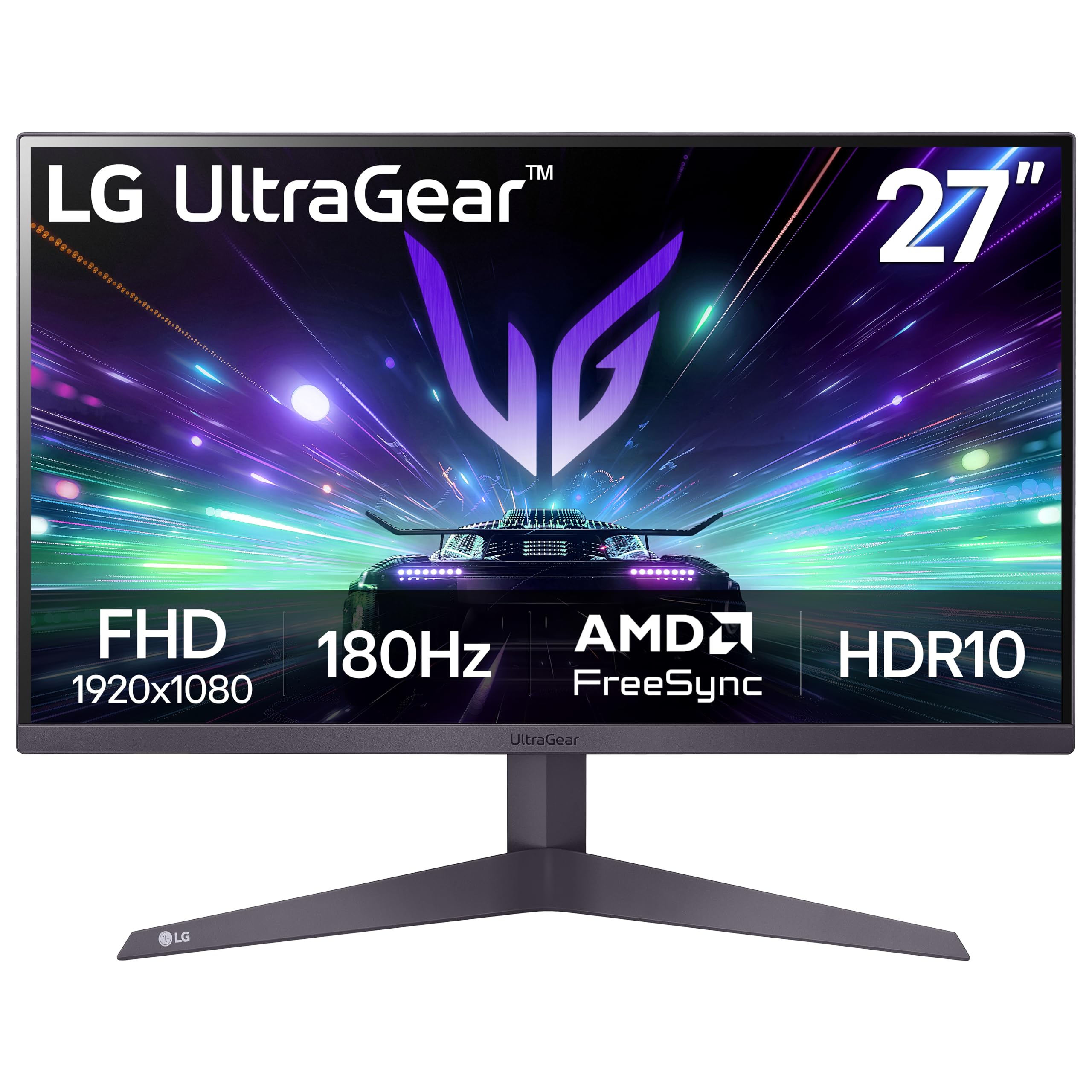
The LG 27GS50F-B represents a well-known brand’s entry into the budget gaming segment with a 27-inch IPS panel running at 180Hz and 1ms MBR (Motion Blur Reduction). The IPS panel delivers the excellent off-angle color consistency that LG is famous for, making this monitor work just as well for photo editing and Netflix as it does for competitive gaming. The 72% color gamut (NTSC 72%) is lower than the 99% sRGB panels found on the ASUS or Dell options, so out-of-box colors appear slightly less saturated but remain accurate.
AMD FreeSync is supported, and the monitor includes gamer-centric features like Dynamic Action Sync (reduces input lag), Black Stabilizer (brightens dark areas without washing out), and a Crosshair overlay. The three-side virtually borderless design is sleek, and the thin bezels make it a good candidate for a multi-monitor setup. Setup is plug-and-play simple, and the OSD is controlled with a simple joystick on the back. It includes two HDMI ports and one DisplayPort, though older consoles may require an adapter for some configurations.
The stand is minimal — a flat V-shaped base that provides tilt adjustment only — and it’s clearly where cost was cut to meet the price point. It’s functional but takes up desk space without offering ergonomic height adjustment. The power supply is external, which keeps the monitor thin but adds a brick to manage. HDR10 support is listed, but with a brightness of 250 cd/m², the HDR effect is subtle at best. This monitor shines for its brand reliability, IPS panel quality, and 180Hz smoothness, making it a safe entry point for new gamers.
Why it’s great
- Trusted LG brand with reliable IPS panel technology
- 180Hz refresh rate provides smooth gameplay for its class
- Excellent Black Stabilizer and Dynamic Action Sync features
- Near-borderless design works well for dual-screen setups
Good to know
- Color accuracy is lower than premium IPS options (72% NTSC)
- Stand provides tilt only with no height or swivel adjustment
7. Acer Nitro KG251Q Z1biip

The Acer Nitro KG251Q pushes the refresh rate ceiling of this budget group to 280Hz, making it one of the fastest panels you can buy in this price range. This is a pure speed-focused monitor, and it delivers a tangible competitive advantage in games like CS2, Valorant, and Apex Legends where every extra frame helps track targets. The 1ms Visual Response Boost (VRB) technology reduces motion blur through backlight strobing, though enabling VRB reduces overall brightness, so you may need to tweak settings to find the right balance.
AMD FreeSync Premium is supported, ensuring tear-free gameplay when paired with an AMD graphics card at high frame rates. The 24.5-inch size at FHD resolution delivers excellent pixel density, producing sharp text and detailed game environments. The ZeroFrame design with near-invisible bezels is excellent for a multi-monitor array, allowing you to line up three screens without distracting gaps. The OSD includes multiple gaming presets (Action, Racing, Sports) that adjust color and response profiles for different genres.
The biggest compromise is the panel technology — while Acer doesn’t explicitly market it as TN, the viewing angles and color shift off-center suggest a VA or lower-tier IPS implementation. Some users report that enabling certain warm light settings introduces noticeable ghosting, and the included DisplayPort cable has been cited as a source of artifacting in some cases. The stand is purely tilt-adjustable and feels basic. This monitor excels for the pure speed seeker but asks you to overlook panel nuance and stand quality.
Why it’s great
- Blistering 280Hz refresh rate for competitive esports titles
- AMD FreeSync Premium with low framerate compensation
- Near-bezeless ZeroFrame design is ideal for multi-monitor setups
- 1ms VRB technology reduces motion blur effectively
Good to know
- Stand is basic with only tilt adjustment
- Some units report DP cable issues; a quality replacement may be needed
8. Z-Edge UG25F 24.5″ Gaming Monitor

The Z-Edge UG25F enters the budget market with a surprisingly high contrast VA panel boasting a 5000:1 native contrast ratio, which is among the highest in this roundup. This creates extremely deep blacks and excellent shadow detail, making it a strong option for single-player games with dark atmospheric scenes. The 240Hz refresh rate and 1ms MPRT response time keep fast action visible, and FreeSync Premium support ensures smooth frame delivery without tearing.
The brightness is rated at 350 cd/m², which is decent for this tier and helps with HDR content, though the VA panel’s limited viewing angles mean colors shift when you’re not sitting directly in front of the screen. The RGB backlight on the rear panel adds a subtle ambient glow that can sync with your setup, appealing to those building a themed gaming room. The monitor includes two HDMI 2.0 inputs and one DisplayPort 1.4, all supporting the full 240Hz refresh rate, plus a headphone jack for private listening.
The stand provides tilt adjustment and feels reasonably stable for its class, and the VESA 100x100mm mount compatibility gives you the option to upgrade to a monitor arm. Setup is straightforward with plug-and-play operation. The OSD includes FPS and RTS game mode presets that quickly adjust color profiles for different genres. For the price, this monitor delivers an unusual combination of high contrast and high refresh rate, making it a compelling option for gamers who value visual depth over pure competitive pixel speed.
Why it’s great
- 5000:1 native contrast ratio produces exceptional black depth
- 240Hz with FreeSync Premium for smooth, tear-free performance
- Bright 350 cd/m² panel with HDR support
- RGB backlight adds atmosphere to the gaming setup
Good to know
- No built-in speakers; external audio is required
- VA panel has limited viewing angles compared to IPS
9. SANSUI 27″ Curved 240Hz Gaming Monitor
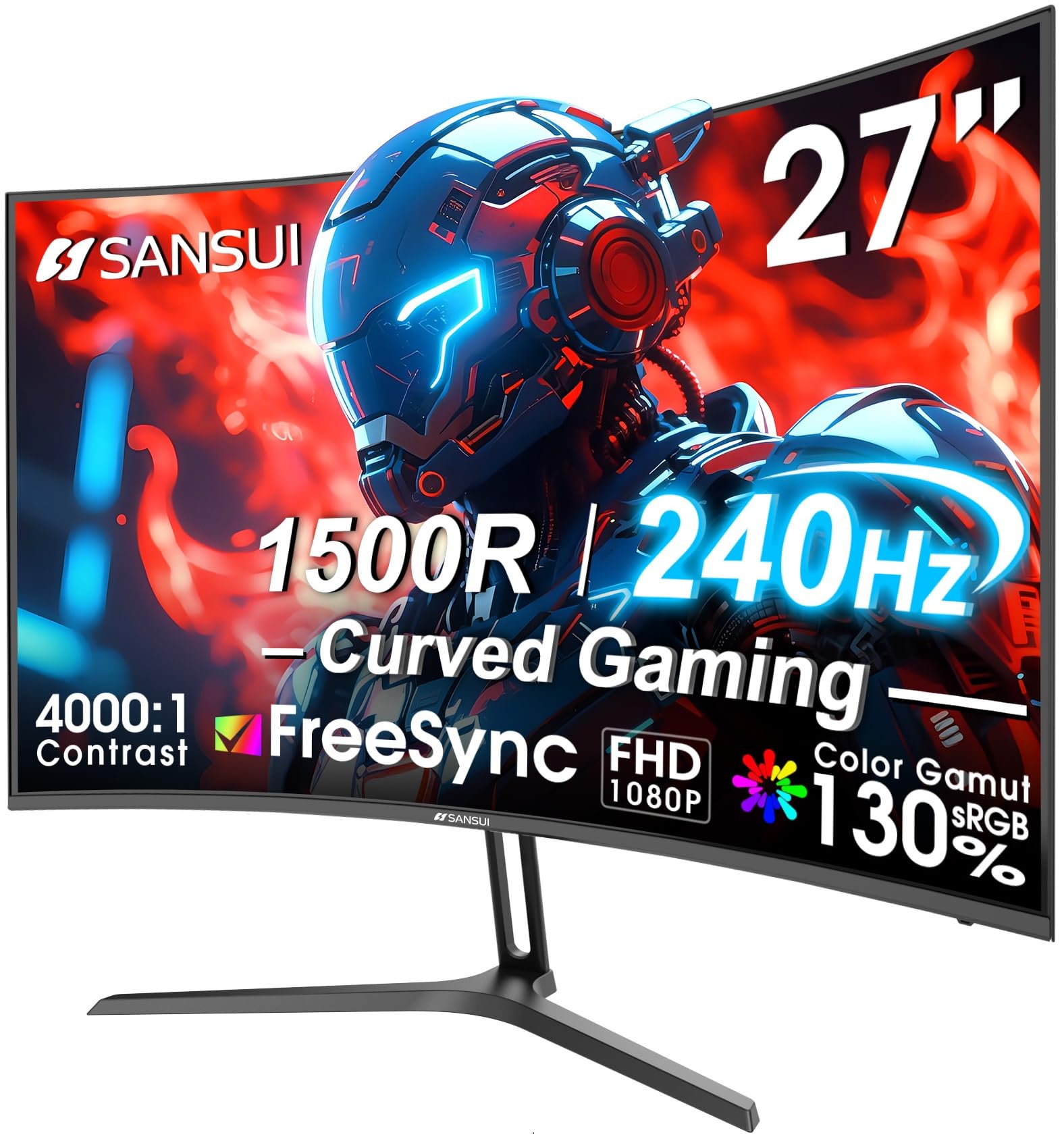
The SANSUI 27-inch curved monitor targets gamers who want a large, immersive display without exceeding a strict budget. It uses a 1500R curved VA panel with 240Hz refresh rate and 1ms MPRT response time. The 130% sRGB color gamut coverage is a standout specification — it overshoots the standard 100% sRGB range, resulting in extra-vibrant reds and greens that make game worlds look punchier than typical budget monitors. The 4000:1 contrast ratio provides solid black levels for dark scenes.
FreeSync support is included, though it’s the standard tier rather than FreeSync Premium, meaning it lacks the low framerate compensation that helps maintain smoothness during frame rate dips. The built-in speakers are present, though user reports indicate they are quiet and tinny, so dedicated speakers or a headset are recommended for a proper gaming experience. The metal stand is a nice touch at this price — it offers tilt adjustment and feels more premium than the plastic stands found on most competitors.
The included accessories are generous: a DP cable, power adapter, and user manual are all in the box. VESA 100x100mm compatibility allows for arm mounting. The Shadow Booster feature lifts dark areas for competitive advantage in shooters, and the crosshair overlay is a welcome addition for games that obscure the reticle. The main concern with this unit is the power cable; some users report a bulky wall plug that can intermittently lose connection, causing the monitor to cycle. Overall, it’s a visually striking option for casual gamers who prioritize screen size and color pop over tournament-grade build precision.
Why it’s great
- 130% sRGB and 95% DCI-P3 color gamut for vibrant, oversaturated visuals
- 240Hz refresh rate with 1ms MPRT response time
- Premium metal stand offers better build quality than plastic alternatives
- 1500R curve with VA panel creates an immersive viewing space
Good to know
- Standard FreeSync lacks low framerate compensation
- Power adapter is a bulky external block prone to loose connections
FAQ
Is 240Hz noticeable compared to 144Hz on a budget gaming monitor?
Can I use a FreeSync Premium monitor with an NVIDIA graphics card?
Should I buy a 27-inch 1080p monitor or a 24-inch 1080p monitor for gaming?
What is the difference between 1ms GTG and 1ms MPRT response time?
Final Thoughts: The Verdict
For most users, the best budget gaming monitor winner is the Samsung Odyssey G4 25″ because it combines a 240Hz Fast IPS panel with G-Sync Compatibility, a proper ergonomic stand, and the highest brightness in this group — delivering a premium experience without the premium price. If you want a larger 27-inch screen with deep blacks and a curved design for immersive single-player gaming, grab the Sceptre C255B-FWT240. And for the absolute fastest refresh rate in this price bracket and don’t mind a basic stand, nothing beats the Z-Edge UG27S with its 300Hz curved VA panel.