
The market for a cheap gaming computer is a minefield of decade-old office PCs re-skinned with RGB fans and listed as “gaming rigs.” The pain point is real: you want playable frame rates in Fortnite, Valorant, or GTA V, but your budget keeps getting sucked into marketing hype rather than raw GPU performance. The single most important decision you will make is not the processor or the RAM—it is the graphics card, and many so-called budget builds cripple this completely.
I’m Mohammad Maruf — the founder and writer behind Drink4Good. My deep-research process for this category involves tearing through hundreds of spec sheets, analyzing the actual GPU and CPU generation (not just the model number), and cross-referencing real-world FPS benchmarks to separate genuine value from repurposed e-waste.
After extensive analysis of dozens of prebuilt models, I have narrowed the field down to the eleven that actually deliver on their promises. This guide provides a clear, honest, and spec-by-spec breakdown of the absolute best cheap gaming computer options currently available, helping you buy with confidence instead of regret.
How To Choose The Best Cheap Gaming Computer
Selecting a budget-friendly gaming PC is about knowing where to compromise and where to hold the line. The central issue is that many entry-level prebuilts pair a decent CPU with an anemic GPU, leaving you with a machine that boots fast but chokes on even mid-settings gaming. Your goal is to maximize the GPU budget—everything else is secondary.
Prioritize the GPU Above All Else
A cheap gaming computer lives or dies by its graphics card. An AMD Radeon RX 6500 XT or an NVIDIA GTX 1050 Ti will give you playable 1080p performance in esports titles. Avoid any system that relies on integrated graphics for gaming—integrated Radeon or Intel UHD chips are not enough for modern games at acceptable frame rates. Check the VRAM: 4GB is the baseline, 6GB or 8GB is preferable for heavier titles.
CPU Generation Matters More Than the Model Number
Many budget prebuilts advertise an “Intel Core i7” without specifying the generation. A 4th-gen i7 from 2013 (i7-4770) is a decade old and will bottleneck even a mid-tier modern GPU. Look for Ryzen 5 5500/5600 or Intel 10th-gen and newer. The CPU model number tells you the series, but the generation tells you the performance architecture. A Ryzen 5 5500 will significantly outperform an old i7-4770 in gaming and multitasking.
RAM and Storage: The Easy Upgrades
16GB of DDR4 RAM is the sweet spot for gaming. 8GB is entry-level and will cause stuttering in newer games. An NVMe SSD is mandatory for fast boot and load times; 512GB is a comfortable baseline, but 1TB is better for a game library. The good news is that both RAM and storage are user-upgradeable on virtually every system we reviewed. If you find a deal with 8GB RAM and a 256GB SSD, you can upgrade these components later without replacing the whole rig.
Beware of Proprietary and Low-Quality Power Supplies
In a cheap gaming computer, the PSU is often the first point of failure. Generic, no-name power supplies may lack the wattage or stability to handle a GPU upgrade down the line. Look for a unit that mentions 80 Plus certification (Bronze or higher) and has enough wattage (450W+) to support a future graphics card swap. A prebuilt with a 550W 80 Plus Bronze PSU is a green flag for longevity.
Quick Comparison
On smaller screens, swipe sideways to see the full table.
| Model | Category | Best For | Key Spec | Amazon |
|---|---|---|---|---|
| CyberPowerPC Gamer Master | Premium Prebuilt | 1080p Esports & AAA | RX 6500 XT 4GB GDDR6 | Amazon |
| WIWB Ryzen 5 + RX 6500 XT | Premium Prebuilt | 1080p 60+ FPS Gaming | RX 6500 XT 4GB, 16GB RAM | Amazon |
| YAWYORE Ryzen 5 5600GT | Premium Prebuilt | Upgrade-Ready Build | 1TB NVMe, 550W 80+ PSU | Amazon |
| ALCPOK Ryzen 7 5700G | Premium Prebuilt | Office + Light Gaming | Ryzen 7 5700G, 1TB SSD | Amazon |
| WIWB Ryzen 5 3500X + RX 560 | Mid-Range Prebuilt | Casual Gaming & Student | RX 560 4GB, 16GB RAM | Amazon |
| suevery Ryzen 5 + RX 560 | Mid-Range Prebuilt | Home Office & Esports | RX 560 4GB, Wi-Fi 6 | Amazon |
| ZER-LON Core i7 + GTX 1050 Ti | Mid-Range Prebuilt | Budget 1080p Starter | GTX 1050 Ti 4GB, 16GB RAM | Amazon |
| abytespark Core i7 + RX 590 | Mid-Range Prebuilt | VR & Higher FPS Budget | RX 590 8GB, 16GB RAM | Amazon |
| STGAubron Core i5 + RX 550 | Budget Prebuilt | Light Gaming & School | RX 550 4GB, 16GB RAM | Amazon |
| Dell OptiPlex RGB i7 + GT 1030 | Budget Refurbished | Starter PC & Roblox | GT 1030 2GB, 16GB RAM | Amazon |
| GMKtec M5 Ultra Ryzen 7 Mini PC | Budget Mini PC | Space-Saving & Work | Radeon Graphics, 32GB RAM | Amazon |
In‑Depth Reviews
1. CyberPowerPC Gamer Master (GMA3100A3)

The CyberPowerPC Gamer Master is the most authentic prebuilt in this price range, pairing a modern AMD Ryzen 5 5500 with a dedicated Radeon RX 6500 XT 4GB GPU. This is a real gaming architecture, not a recycled office chassis. The GPU uses GDDR6 memory and supports modern APIs like DirectX 12 Ultimate, allowing it to push 60+ FPS in Fortnite, Valorant, and Overwatch at 1080p without stuttering. The 500GB PCIe 4.0 NVMe SSD is notably fast, delivering boot times under ten seconds.
The primary hardware limitation here is the 8GB of DDR4 RAM, which is the bare minimum for modern titles. Running a game like Call of Duty Warzone with a browser tab open will push this system to its limits, causing occasional hitches. However, the B550 motherboard has two open DIMM slots, making a 16GB upgrade a simple investment. The case includes a tempered glass side panel with customizable RGB lighting, giving it a premium aesthetic that matches much more expensive rigs. CyberPowerPC also backs it with a 1-year warranty and lifetime tech support.
This machine is the whole package: a legitimate current-gen CPU, a graphics card that can actually game, and a chassis built for future upgrades. The 8GB RAM is the only real catch, but it is easily and cheaply fixed. For anyone looking for a cheap gaming computer that won’t require a replacement in six months, this is the clear front-runner.
Why it’s great
- Genuine modern GPU (RX 6500 XT) with GDDR6 memory
- Fast PCIe 4.0 NVMe SSD included
- Excellent upgrade potential with B550 motherboard
Good to know
- Only 8GB of RAM; upgrade to 16GB recommended immediately
- RX 6500 XT lacks dedicated encoding hardware for streaming
- WiFi 5 is a bit dated but functional
2. WIWB Ryzen 5 5500 + Radeon RX 6500 XT (White)
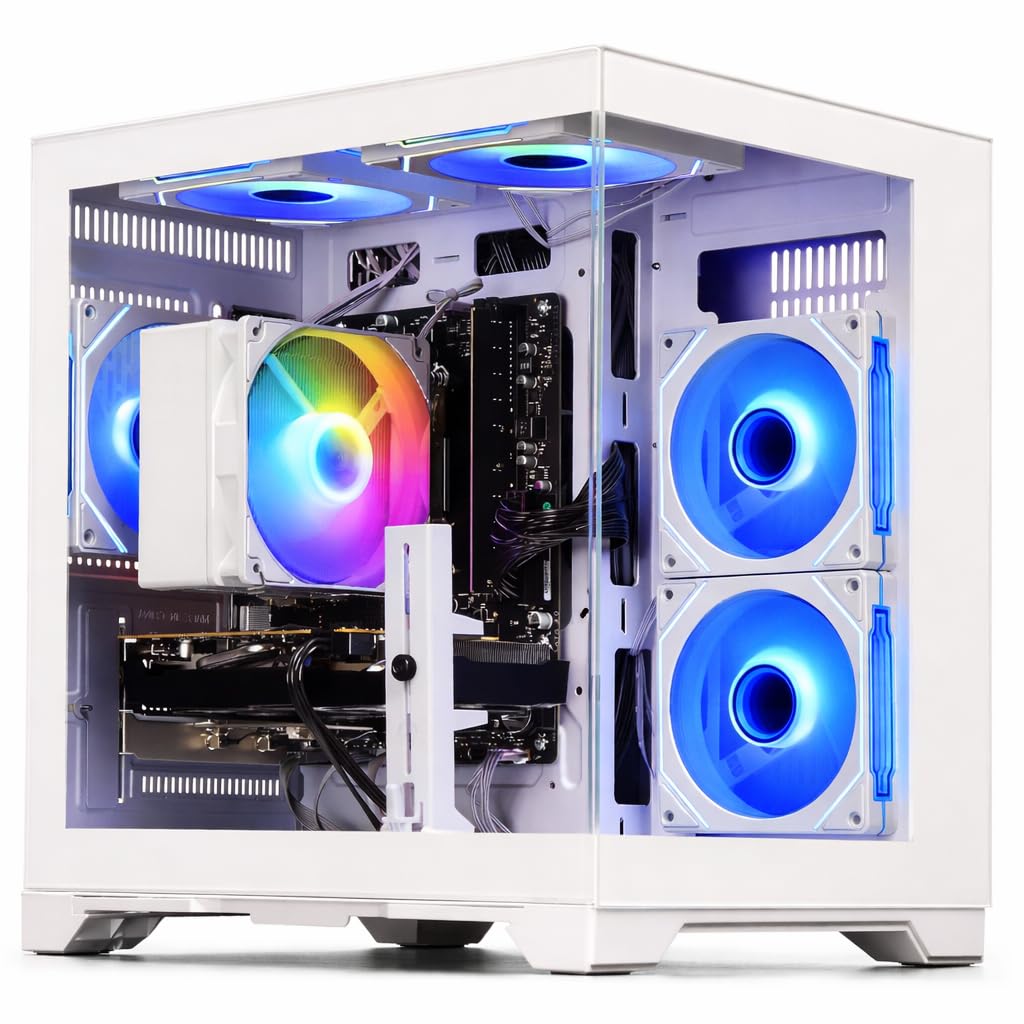
This WIWB build solves the primary weakness of the CyberPowerPC by shipping with a full 16GB of DDR4 RAM from the factory. That means you are ready for modern multitasking out of the box: running Discord, Spotify, and a game simultaneously without stuttering. The Ryzen 5 5500 is a 6-core, 12-thread processor that provides smooth performance for gaming and productivity workloads, and the RX 6500 XT 4GB GPU targets 1080p at high settings for esports titles.
The all-white chassis is a distinctive aesthetic choice that stands apart from the sea of black boxes. It includes a 512GB NVMe SSD which provides fast load times, though you may need to manage storage carefully with a few large games installed. Users report excellent thermal performance and quiet operation, with the system staying cool even during extended sessions. Setup is genuinely plug-and-play with Windows 11 pre-installed and pre-activated.
The main trade-off is the RX 6500 XT’s architecture: it lacks an AV1 decoder and uses only 4 PCIe lanes, which can slightly hamper performance on PCIe 3.0 motherboards. For the entry-level gaming target, however, this card performs admirably in Fortnite (120+ FPS) and Rocket League (200+ FPS). It is not suited for 4K or ray tracing, but for a cheap gaming computer focused on high-refresh 1080p play, it hits the mark.
Why it’s great
- Comes with 16GB RAM, no immediate upgrade needed
- Modern Ryzen 5500 CPU is fast and efficient
- Quiet operation with good thermals
Good to know
- RX 6500 XT has limited 4K and ray tracing capability
- 512GB SSD fills up quickly with modern game installs
- White case shows dust more than black alternatives
3. YAWYORE Ryzen 5 5600GT (Black)

The YAWYORE is a smartly designed system if you plan to add a dedicated graphics card later. It ships with a Ryzen 5 5600GT (a CPU with solid integrated Radeon Vega graphics), a 550W 80 Plus Bronze PSU, and a full 1TB NVMe SSD. Right now, the integrated Vega graphics handle League of Legends, CS2, and Fortnite at around 30 FPS on low settings—playable but not smooth. The genius of this build is the 550W PSU, which can comfortably power an RX 6600 or RTX 3060 if you slot one in.
The motherboard is a genuine MSI A520M-A PRO, a reputable budget board with room for two sticks of RAM and an M.2 slot. The case includes 5 ARGB fans with a remote control for lighting effects, making this the flashiest entry on the list. Users report extremely quiet operation at idle and good airflow under load. The 1TB SSD is a major advantage, giving you space for a substantial game library without needing to delete and reinstall.
This system occupies a unique niche: it is a great cheap gaming computer for someone who wants a capable work/study machine immediately, with a clear and affordable GPU upgrade path. If you can budget an extra to for a used or entry-level GPU, this becomes the best value on the list. Without a dedicated GPU, however, its gaming performance is limited strictly to less demanding titles at low settings.
Why it’s great
- 550W 80 Plus Bronze PSU supports future GPU upgrades
- Massive 1TB NVMe SSD for game storage
- Genuine MSI motherboard with upgrade slots
Good to know
- No dedicated GPU; integrated graphics only
- Requires a + GPU purchase for decent gaming
- GPU power cable is tucked near the PSU, takes effort to access
4. ALCPOK Ryzen 7 5700G

The ALCPOK build puts the CPU budget first, featuring an 8-core, 16-thread AMD Ryzen 7 5700G. This processor is an absolute beast for multitasking, video editing, and 3D rendering—tasks that benefit from many cores. Paired with 16GB of DDR4 3200MHz RAM and a 1TB NVMe SSD, this system will fly through office work, coding, and creative software. The integrated Radeon graphics are the strongest on the market for an APU, handling 1080p video playback and light gaming like Dota 2 and CS2 at low settings.
The included 550W 80 Plus Bronze PSU is a key advantage, as it allows you to add a dedicated GPU without also replacing the power supply. The case features 5 ARGB fans with customizable lighting controlled by a remote or motherboard software. The box includes a screwdriver and user manual, signalling that ALCPOK expects users to tinker and upgrade. The build quality is solid, with users noting it is quiet and reliable over weeks of daily use.
The main limitation is the lack of a dedicated GPU. The integrated Vega 8 graphics will not achieve 60 FPS in modern AAA titles at any resolution. This is explicitly a platform for work and esports-level gaming, with an upgrade path. If your priority is pure gaming performance without a future GPU purchase, look at the CyberPowerPC or WIWB options. For a cheap gaming computer that also serves as a high-end productivity station, this is a sharp choice.
Why it’s great
- 8-core Ryzen 7 CPU for heavy multitasking
- 1TB NVMe SSD and 16GB RAM included
- Quality 550W PSU ready for GPU upgrade
Good to know
- Integrated GPU only; not for AAA gaming
- Single stick of RAM limits dual-channel performance
- No USB-C port on the front panel
5. WIWB Ryzen 5 3500X + Radeon RX 560 (White)
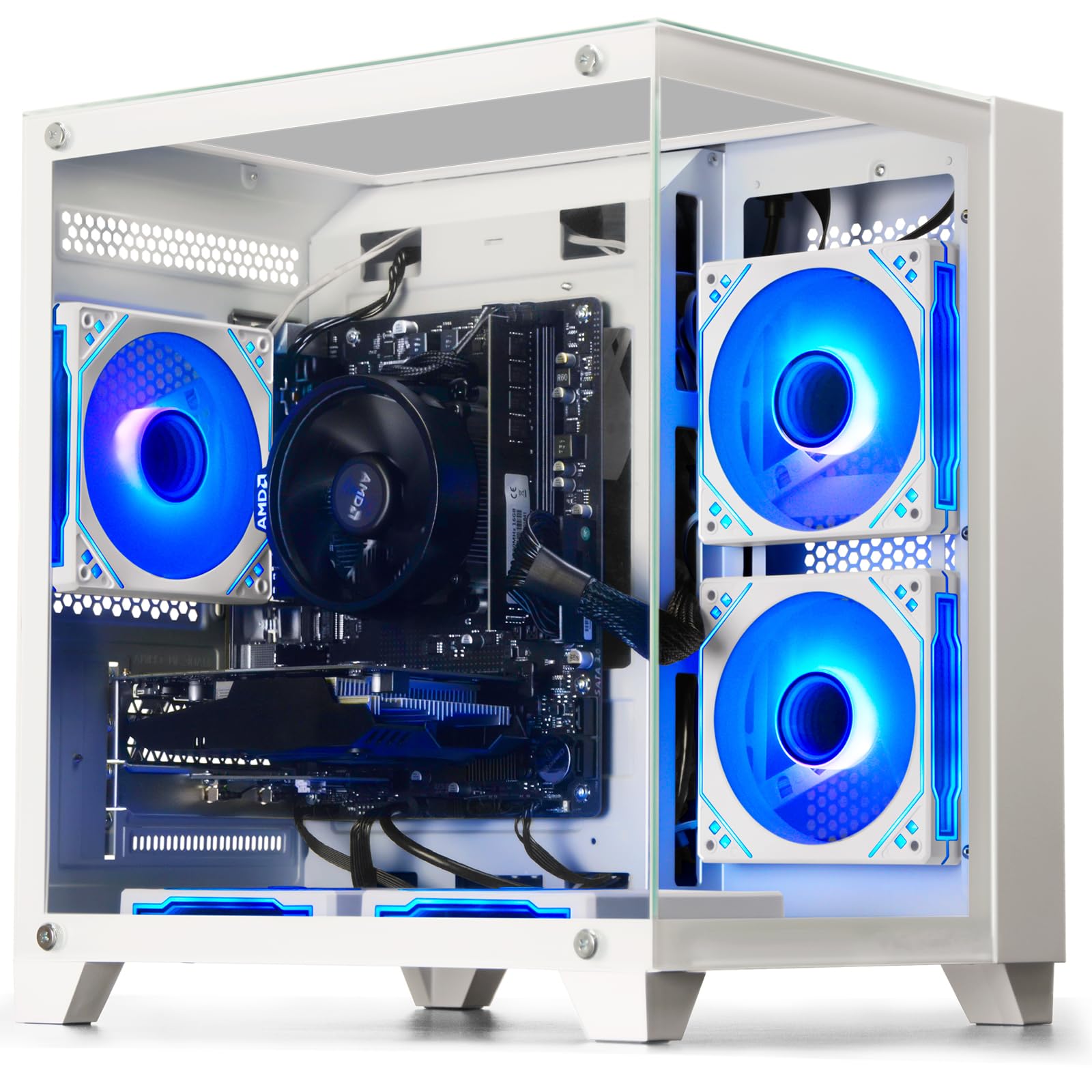
This WIWB model takes a slightly different approach, using the older but still capable Ryzen 5 3500X paired with the entry-level Radeon RX 560 4GB GPU. The 3500X is a 6-core, 6-thread chip (no simultaneous multithreading) that provides competent gaming performance. The RX 560 is a solid card for esports: it delivers smooth frame rates in League of Legends, CS:GO, and Overwatch at 1080p medium settings. It is not designed for demanding AAA titles but handles its target market well.
The system ships with 16GB DDR4 RAM and a 512GB SSD, hitting the sweet spot for entry-level gaming. The all-white case is visually clean and includes an efficient air cooling system that keeps temperatures reasonable under load. Users report that the system is quiet and that the included 1-year warranty provides peace of mind. The motherboard includes extra RAM and M.2 slots, allowing for straightforward storage and memory upgrades.
The main drawback is the older CPU architecture. The Ryzen 5 3500X lacks the IPC improvements of the 5500 series, meaning in CPU-bound scenarios (like Battlefield 2042 multiplayer), you may see lower minimum frame rates. The RX 560 also lacks modern features like DirectX 12 Ultimate support. For a student or casual gamer focused on established esports titles, this is a well-built cheap gaming computer that will serve reliably.
Why it’s great
- 16GB RAM and dedicated GPU out of the box
- Quiet and cool running even under gaming load
- Clean white aesthetic with upgrade slots available
Good to know
- Ryzen 3500X lacks SMT (6 threads total)
- RX 560 struggles with modern AAA titles
- Customer support reported as difficult to reach
6. suevery Ryzen 5 + Radeon RX 560 (Black)
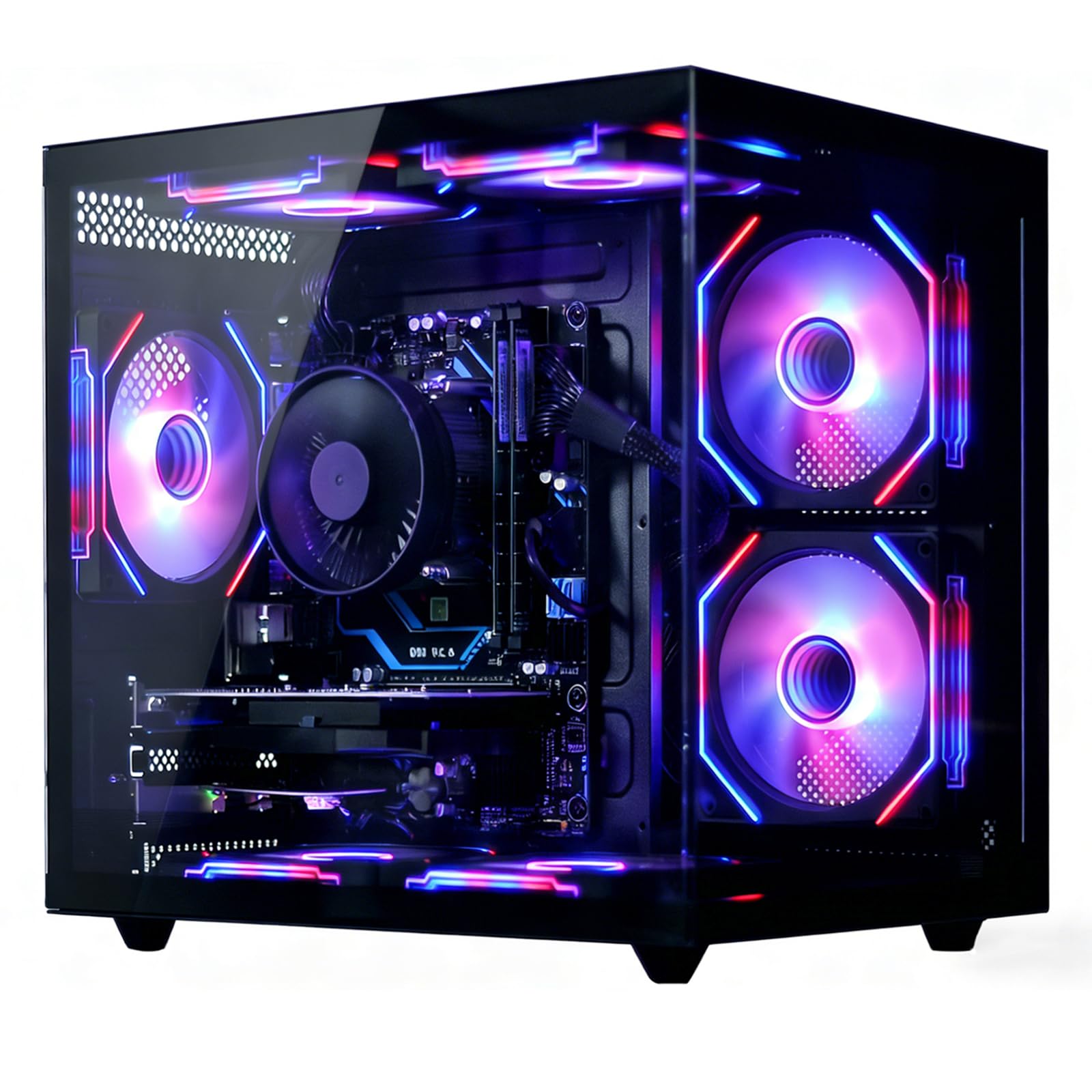
The suevery entry is a pragmatic budget build that prioritizes connectivity and thermal design. The Ryzen 5 6-core processor (base 3.6GHz, boost 4.1GHz) is paired with the RX 560 4GB GPU, which again targets esports rather than AAA gaming. The standout spec here is the inclusion of Wi-Fi 6, offering faster and more stable wireless connections than the older Wi-Fi 5 standard found on many competitors. This matters for online gaming where latency is critical.
Thermal performance is a strong point: users report the GPU stays under 70°C under sustained load, and the airflow design keeps the system quiet even during extended sessions. The 16GB DDR4 RAM and 512GB NVMe SSD provide snappy day-to-day performance, and the build includes 2x USB 3.0 and 4x USB 2.0 ports for peripherals. The black chassis is understated but includes customizable RGB fans for a subtle gaming aesthetic.
The weakest aspect is the RX 560, which is an older generation card that lacks modern features like variable rate shading or mesh shaders. It is perfectly capable for Roblox, Minecraft, and Valorant, but will struggle with newer titles like Starfield or Alan Wake 2. For a cheap gaming computer intended for a child or a secondary gaming station focused on lighter titles, this is a well-rounded value.
Why it’s great
- Wi-Fi 6 connectivity for low-latency online play
- Excellent thermals and quiet fans under load
- 16GB RAM ready for multitasking
Good to know
- RX 560 is outdated for modern AAA games
- Some users report intermittent WiFi dropouts
- RGB on CPU cooler is not customizable
7. ZER-LON Core i7 + GTX 1050 Ti
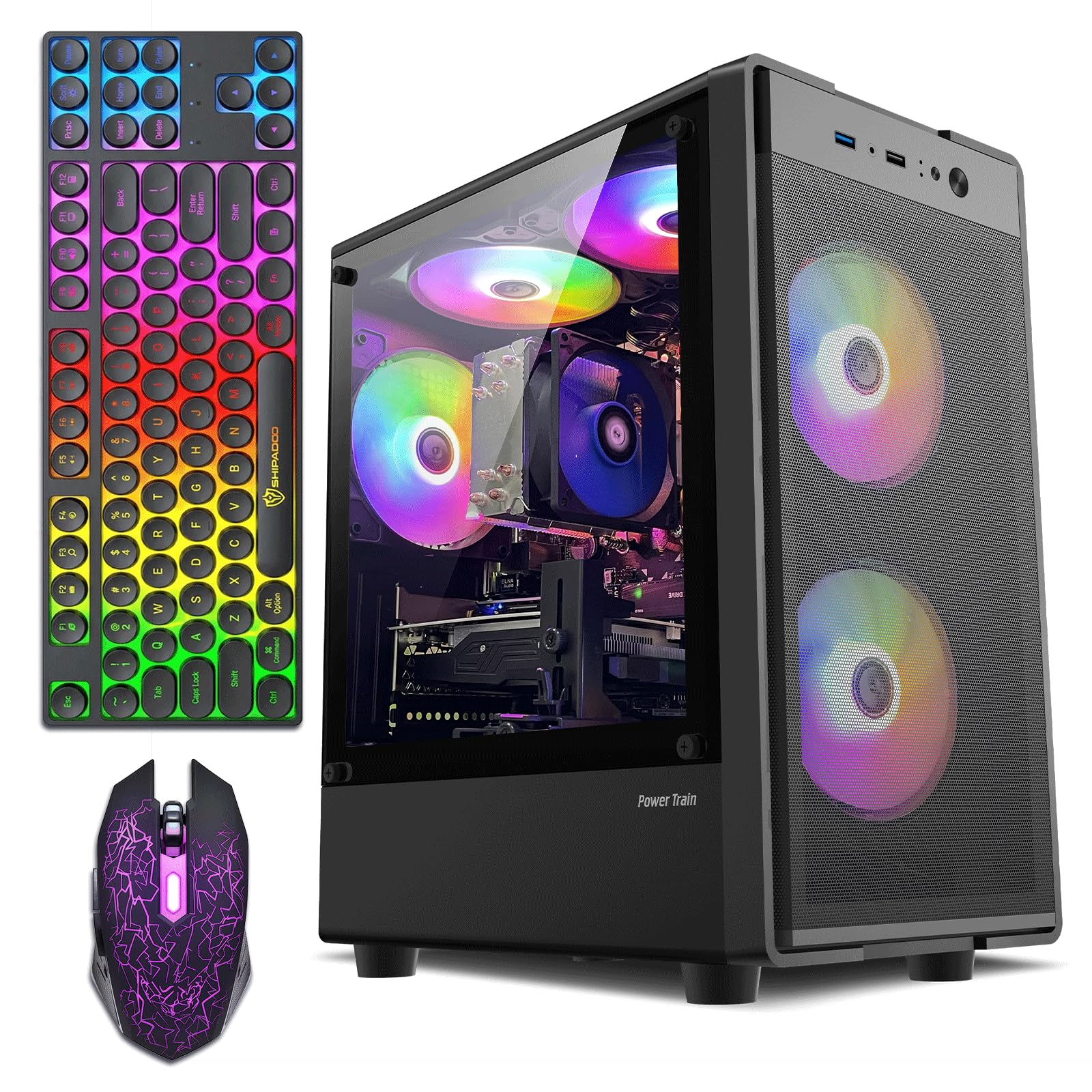
The ZER-LON pairs the older Intel Core i7-4770 (a 4th-gen chip from 2013) with the capable budget GPU GTX 1050 Ti 4GB. This combination is a classic example of the cheap gaming computer formula: an old office CPU paired with an entry-level gaming card. The GTX 1050 Ti remains a respectable performer for 1080p gaming, handling titles like GTA V, Fortnite, and Minecraft at medium settings with good frame rates. It uses only 75W, meaning it can run in almost any system without additional power connectors.
The system ships with 16GB RAM and a 512GB NVMe SSD, providing a responsive overall experience. The packaging is comprehensive: 5 ARGB fans, a gaming keyboard, a gaming mouse, a mouse pad, and a dedicated graphics card support bracket. This is the most complete bundle on the list. The lighting is bright and customizable, and the case has a clear side panel to show off the components.
The i7-4770 is the bottleneck here. It lacks support for modern instruction sets and will struggle with CPU-heavy games like Battlefield 2042 or Hogwarts Legacy, where it can cause stuttering even if the GPU has headroom. The motherboard is also a legacy platform (B85 chipset) with limited upgrade options; you cannot drop in a modern CPU. For a cheap gaming computer for a beginner who plays older or less demanding titles, this is functional, but the CPU limitation is a long-term constraint.
Why it’s great
- GTX 1050 Ti is a solid 1080p budget GPU
- Comprehensive bundle with peripherals and accessories
- 16GB RAM and 512GB NVMe SSD included
Good to know
- CPU is a 10-year-old i7-4770 (4th Gen)
- No significant CPU upgrade path on the B85 motherboard
- Some units reported motherboard failure after months
8. abytespark Core i7 + RX 590 (White)

The abytespark stands out in the budget segment by including an AMD Radeon RX 590 8GB graphics card, which is a significant step up from the RX 550 or 560. The 8GB of VRAM allows it to handle higher texture settings and heavier modern titles at 1080p. It can deliver 60 FPS in games like Rainbow Six Siege, The Witcher 3, and even some newer releases at medium settings. The white “Sea View” case is distinctive, with a tinted side panel and 4 RGB fans that create a visually striking setup.
Under the hood, the CPU is once again the i7-4770 paired with 16GB RAM and a 512GB SSD. The RX 590 is a much hotter and more power-hungry card than the 1050 Ti, which makes the air cooling system important—and users report it runs slightly warm but remains stable. The bundle includes a keyboard, mouse, and mouse pad, making it a complete starter package. The build includes 2x USB 3.0 and 6x USB 2.0 ports.
The CPU bottleneck is even more pronounced here because the RX 590 is capable of pushing more frames than the i7-4770 can feed. In CPU-intensive scenes, you will see the GPU utilization drop as the CPU struggles to keep up. The lack of Bluetooth and TPM 2.0 (required for Windows 11) are also concerns. For a cheap gaming computer that prioritizes the GPU above all else and is willing to accept an older CPU platform, this provides strong immediate gaming value.
Why it’s great
- RX 590 8GB is the best GPU in this budget tier
- Full RGB lighting package with 4 fans
- Complete bundle with keyboard, mouse, and pad
Good to know
- Old i7-4770 CPU bottlenecks the powerful GPU
- No Bluetooth; no TPM 2.0 for Win 11 compliance
- Runs warmer than other budget builds
9. STGAubron Core i5 + Radeon RX 550

The STGAubron is a familiar entry-level configuration: an Intel Core i5 (unknown generation, likely a 4th gen i5-4570 or similar) paired with the AMD Radeon RX 550 4GB GPU. The RX 550 is a very low-power discrete card, roughly equivalent to integrated graphics from a modern APU. It can handle older games like CS:GO and Roblox at 1080p low settings, but will struggle with Fortnite on any setting above low. The CPU is similarly constrained for modern multitasking.
To its credit, this system includes Wi-Fi 6 and Bluetooth 5.0, which are genuinely modern connectivity options. It ships with 16GB RAM and a 512GB SSD, so the storage and memory are adequate. The packaging includes an RGB gaming keyboard and mouse, adding to the perceived value. The case has two RGB fans for a mild gaming glow.
The long-term outlook for this system is limited. Users report failures after a few months, often attributed to the generic power supply and budget motherboard. The RX 550 is also essentially the weakest dedicated gaming GPU sold today, and many modern games will refuse to run at all. For a very young child playing only the lightest games, this is passable. For anyone wanting a cheap gaming computer that can grow with them through high school, look at the upgrade-ready YAWYORE or the CyberPowerPC instead.
Why it’s great
- Modern Wi-Fi 6 and BT 5.0 for low latency
- 16GB RAM out of the box is helpful
- Includes RGB keyboard and mouse
Good to know
- Very weak GPU (RX 550) for gaming
- Generic proprietary PSU is a common failure point
- CPU is likely an old i5; limited upgrade path
10. Dell Gaming OptiPlex RGB (Renewed)

This is the classic refurbished office PC conversion: a Dell OptiPlex tower equipped with an Intel Core i7-4770, now fitted with an RGB front panel and an NVIDIA GeForce GT 1030 2GB GPU. The GT 1030 is a very low-end card, barely faster than integrated graphics. It can run CS:GO and Minecraft at decent settings, but forget about modern AAA games. The value proposition here is the included 24-inch HDMI monitor, keyboard, mouse, and headset—a complete desk setup for a single price.
The refurbishing process includes cleaning, testing, and repackaging. Buyers report that the system works out of the box for basic school tasks and very light gaming. The 16GB RAM and 512GB SSD make Windows feel snappy for web browsing and office work. The remote-controlled RGB front panel is an attempt to make the beige OptiPlex chassis look more gaming-oriented.
The major risk is the lack of upgrade path. The OptiPlex uses a proprietary motherboard and power supply, meaning a standard GPU upgrade is difficult or impossible without also replacing the PSU and potentially the case. The GT 1030 also has only 2GB VRAM, which is insufficient for modern textures. This is strictly a starter cheap gaming computer for a very young child who plays Roblox and needs a full bundle. It is not a foundation for a serious gaming future.
Why it’s great
- Complete bundle includes a 24″ monitor and peripherals
- 16GB RAM and SSD make it responsive for work
- Remote-controlled RGB front panel
Good to know
- GT 1030 2GB is extremely weak for modern gaming
- Proprietary Dell parts make upgrades difficult
- Only 60W PSU; cannot support a real gaming GPU
11. GMKtec M5 Ultra Ryzen 7 Mini PC
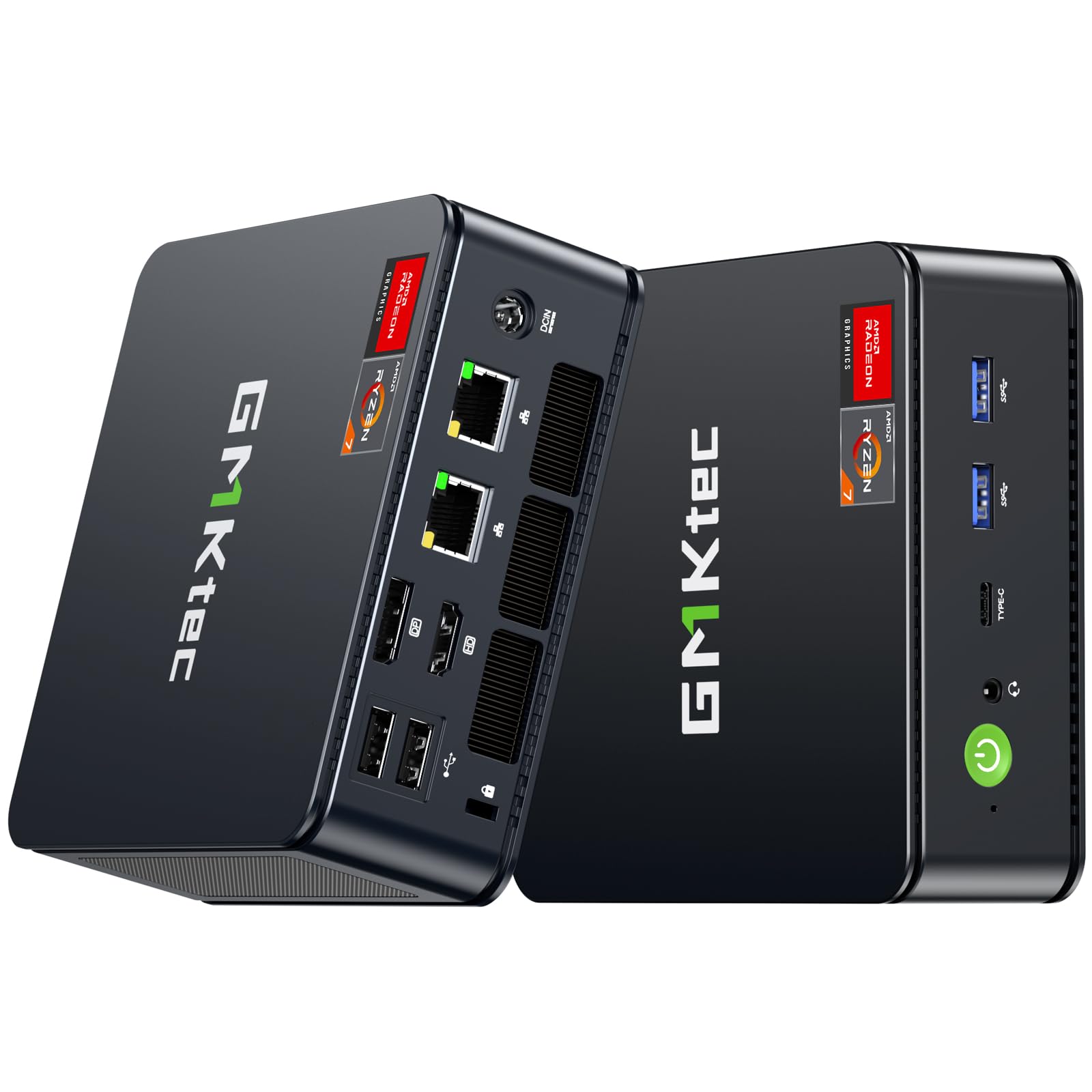
The GMKtec M5 Ultra is an outlier on this list: a mini PC that uses an integrated AMD Radeon Graphics (8-core GPU) rather than a discrete card. The Ryzen 7 7730U is an efficient 8-core APU that performs impressively for its size, handling 1080p gaming on older and esports titles at low to medium settings. It can push World of Tanks at 40-60 FPS and runs productivity software like SolidWorks smoothly. The 32GB of DDR4 RAM is double what most competitors offer.
The stand-out feature is the connectivity suite: dual 2.5GbE LAN ports, Wi-Fi 6E, Bluetooth 5.2, HDMI 2.0, DisplayPort, and a USB-C port with PD and DP alt mode. This makes the M5 Ultra an exceptional multi-purpose device—it can serve as a gaming PC, home office hub, Plex server, or even a Pfsense router. It supports triple 4K displays, which is rare at this form factor and price.
Gaming performance is strictly limited by the integrated GPU. Users report that the unit runs warm during extended gaming sessions, and some have modified the case for better airflow. It cannot compete with even a budget dedicated GPU like the RX 6500 XT. For a cheap gaming computer that also needs to be a compact, low-power workhorse for content creation or networking, the M5 Ultra is unique. But if pure gaming FPS is your goal, a traditional tower PC is the better buy.
Why it’s great
- Ultra-compact form factor with VESA mount
- 32GB of RAM and triple 4K display support
- Dual 2.5GbE LAN for networking use cases
Good to know
- Integrated GPU is weaker than any dedicated card
- Runs hot during gaming; may need airflow tweaks
- Not upgradeable for GPU; CPU is soldered
FAQ
How much RAM do I need for a cheap gaming computer in 2024?
Is an Intel Core i7 from an older generation still good for gaming?
Why does the power supply matter on a budget gaming PC?
Final Thoughts: The Verdict
For most users, the absolute best cheap gaming computer is the CyberPowerPC Gamer Master because it offers a genuine modern CPU and a dedicated GPU that can actually play modern games at 1080p, all within a platform that supports easy RAM upgrades. If you prefer not to touch a screwdriver and want 16GB of RAM from day one, grab the WIWB Ryzen 5 5500 + RX 6500 XT. And if you have a slightly larger budget and want a GPU upgrade path, nothing beats the YAWYORE Ryzen 5 5600GT for its premium PSU and 1TB SSD foundation.