
The difference between losing a build fight and securing an elim often comes down to one frame. In Fortnite, where movement prediction and instant editing decide engagements, your monitor’s refresh rate and response time translate directly into how quickly your brain can process a player’s next move. A panel that lags or blurs during a high-intensity box fight hands your opponent a measurable advantage.
I’m Mohammad Maruf — the founder and writer behind Drink4Good. I’ve spent hundreds of hours analyzing gaming monitor specifications, studying panel technologies, and cross-referencing real-world competitive benchmarks to understand exactly which hardware gives players an edge in building, editing, and tracking mechanics.
This guide cuts through the marketing noise to deliver a clear, spec-driven comparison that helps you choose a fortnite monitor that minimizes motion blur, maximizes input responsiveness, and fits your competitive goals.
How To Choose The Best Fortnite Monitor
Fortnite demands a unique blend of high frame rates and low latency because its building mechanics require rapid camera movement and split-second editing decisions. A general gaming monitor may look fine in slower titles but will introduce ghosting or input lag that costs you a wall replacement. Focus on these three areas to narrow your options effectively.
Refresh Rate: The Frame Advantage
Refresh rate determines how many times per second your monitor updates the image. In Fortnite, a higher refresh rate means you see enemy movements, builds, and edits earlier. A 144Hz panel is the bare minimum for competitive play, but 240Hz provides a meaningful edge in tracking opponents during high-ground retakes. For Arena or Tournament players, 360Hz or 480Hz panels reveal micro-movements that lower refresh monitors miss entirely.
Response Time and Panel Technology
Response time measures how quickly a pixel changes color. Slow response times create ghosting trails behind fast-moving objects like a player sprinting or a build piece being placed. Fast IPS panels achieve 0.3ms to 1ms gray-to-gray response times, which eliminates visible ghosting. OLED panels push this to 0.03ms, delivering near-instantaneous pixel transitions. Combined with high refresh rates, OLED produces the sharpest motion clarity for tracking shotgun reticles and reading enemy edits.
Resolution Trade-offs
1080p at 24 to 27 inches is the standard for competitive Fortnite because it maximizes frame rates on mid-range hardware. Moving to 1440p QHD offers sharper image quality but requires a more powerful GPU to maintain high FPS. Unless you are running a high-end graphics card, 1080p with a high refresh rate delivers more competitive benefit than 1440p at a lower frame rate. For console players, 1440p with 120Hz support via HDMI 2.0 is the sweet spot.
Quick Comparison
On smaller screens, swipe sideways to see the full table.
| Model | Category | Best For | Key Spec | Amazon |
|---|---|---|---|---|
| ASUS ROG Swift PG27AQDP | Flagship | Pro tournaments and maximum response | 480Hz, 0.03ms WOLED | Amazon |
| Alienware AW2725DF | Elite OLED | High-level competitive play | 360Hz, 0.03ms QD-OLED | Amazon |
| LG 27GS93QE | Premium OLED | Balanced competitive and visual quality | 240Hz, 0.03ms WOLED | Amazon |
| AOC Agon PRO AG276QZD2 | QD-OLED | High-refresh 1440p gaming | 240Hz, 0.03ms QD-OLED | Amazon |
| LG 27G640A-B | High Speed IPS | 1440p high-FPS competitive play | 300Hz, 1ms IPS | Amazon |
| Alienware AW2725DM | Mid-Range | Solid all-around 1440p performance | 180Hz, 1ms IPS | Amazon |
| Pixio PX279 Wave Blue | Budget Fast | 1080p high-refresh entry | 240Hz, 1ms Fast IPS | Amazon |
| Acer Nitro KG271U | Value 1440p | Console and mid-range PC gaming | 180Hz, 0.5ms IPS | Amazon |
| ASUS TUF Gaming VG259QMR5A | Budget Competitive | Low-cost high-frame-rate 1080p | 310Hz, 0.3ms Fast IPS | Amazon |
In‑Depth Reviews
1. ASUS ROG Swift OLED PG27AQDP

The ASUS ROG Swift PG27AQDP is currently the highest-spec competitive monitor for Fortnite. Its 480Hz refresh rate on a WOLED panel with 0.03ms response time means each frame transition happens faster than your nervous system can perceive. When you are in a tight box fight, this monitor exposes the exact frame an opponent begins an edit, giving you a reaction window that lower refresh panels simply cannot match.
The 1440p QHD resolution ensures you see environmental details without sacrificing pixel density, and the custom heatsink prevents burn-in during long sessions. The dedicated gaming AI assistant adjusts settings based on your gameplay patterns, but the real star is the motion clarity — there is zero ghosting, zero perceptible blur, even during rapid 90-degree turns. The anti-flicker technology also reduces eye strain during refresh rate fluctuations, keeping your vision sharp during multi-hour play sessions.
Users report that the matte coating is perfectly acceptable for most lighting conditions, and text readability holds up well for non-gaming use. The main trade-off is the premium cost and the need to calibrate brightness out of the box for optimal HDR highlights. For players competing in FNCS or high-stakes tournaments, this monitor removes hardware as a variable and puts the outcome purely on skill.
Why it’s great
- World’s first 1440p 480Hz OLED delivers unmatched frame clarity
- WOLED technology ensures true blacks and zero ghosting
- Custom heatsink and burn-in coverage for long-term reliability
Good to know
- Requires a powerful GPU to maintain 480 FPS in Fortnite
- Matte coating slightly reduces perceived contrast compared to glossy panels
2. Alienware AW2725DF

The Alienware AW2725DF strikes an exceptional balance between pixel response and refresh rate, offering 360Hz on a QD-OLED panel with 0.03ms gray-to-gray response time. In Fortnite, this translates to buttery-smooth tracking when an enemy jumps over your ramp and the ability to read their landing trajectory instantly. The QD-OLED technology produces vibrant colors and infinite contrast, making bush campers and dark-area shadows impossible to hide.
VESA DisplayHDR True Black 400 certification ensures that dark scenes in the game — like the interior of a closed box or the shadow under a mountain — retain detail without crushing blacks. The stand is fully adjustable with height, tilt, swivel, and pivot, which is critical for positioning the screen at the optimal angle during long tournament sessions. Users consistently report that the upgrade from 1080p 265Hz to this panel is night and day, with dramatically improved smoothness and color accuracy.
The included 3-year burn-in warranty provides peace of mind for daily Fortnite players. The only downsides are the slight purple tint to the anti-glare coating in bright rooms and the periodic pixel refresh requirement. For competitive players who want OLED motion clarity without paying the 480Hz premium, this is the sweet spot.
Why it’s great
- 360Hz QD-OLED delivers elite motion clarity for tracking and editing
- 3-year burn-in warranty protects your investment
- Full ergonomic stand for tournament-ready positioning
Good to know
- Anti-glare coating has a faint purple tint under direct light
- Periodic pixel refresh cycles are required to prevent burn-in
3. LG 27GS93QE

The LG 27GS93QE uses a WOLED panel that delivers true blacks without the purple tint sometimes seen on QD-OLED screens in bright rooms. At 240Hz with 0.03ms response time, this monitor is more than capable of handling Fortnite’s fast build mechanics. The VESA DisplayHDR True Black 400 certification ensures that dark areas inside buildings or storm shadows maintain detail, giving you a visual advantage when spotting opponents hiding in low light.
The anti-glare low-reflection coating minimizes distractions, and the 98.5% DCI-P3 color coverage makes the game’s vibrant art style pop. Users highlight that the WOLED panel maintains accurate colors out of the box without requiring calibration. The monitor also supports both G-Sync Compatible and FreeSync Premium Pro, so it works seamlessly with NVIDIA and AMD GPUs, a key consideration for players who upgrade their graphics card mid-season.
One notable advantage over the AOC Agon PRO is the integrated remote control for OSD adjustments, and the 2-year UltraGear warranty covers the OLED panel. The trade-off is that brightness is moderate, so playing in a darker room maximizes HDR impact. For competitive players who prioritize color accuracy and anti-glare performance, this LG model is a strong contender.
Why it’s great
- WOLED panel avoids the purple tint issue seen on QD-OLEDs
- 240Hz with 0.03ms response delivers buttery motion clarity
- Anti-glare coating keeps reflections low during bright room play
Good to know
- Best image quality requires a dimmer room environment
- HDR peak brightness is lower than some QD-OLED competitors
4. AOC Agon PRO AG276QZD2

The AOC Agon PRO AG276QZD2 brings QD-OLED technology to a more accessible price point while maintaining 240Hz and 0.03ms response time. In Fortnite, this panel delivers genuine blacks, 1.07 billion colors, and zero ghosting during rapid edit sequences. The glossy QD-OLED finish provides higher perceived contrast than matte alternatives, making the game’s colorful environments and character skins pop with more depth.
The monitor includes AOC’s 6 game modes that optimize visuals for different Fortnite scenarios, such as FPS mode for combat and RTS mode for building. The Shadow Control feature brightens dark areas without overexposing highlights, useful for spotting enemies inside builds during storm circles. Users report excellent out-of-box color calibration and appreciate the included factory calibration report.
The stand is compact but has limited height adjustment, so a VESA arm may be necessary for optimal ergonomics. Some users also note that OLED refresh routines can be distracting during non-gaming use. For players transitioning from a standard IPS panel to OLED without spending flagship money, this AOC model delivers the most impactful upgrade per dollar.
Why it’s great
- QD-OLED delivers true blacks and vibrant colors at a competitive price
- Factory-calibrated Delta E <2 ensures accurate out-of-box colors
- Shadow Control helps spot enemies in dark in-game areas
Good to know
- Stand is compact with limited height adjustment
- Glossy finish may reflect background lights during daytime play
5. LG 27G640A-B

The LG 27G640A-B bridges the gap between premium OLED and standard IPS by offering a 300Hz refresh rate on a 1440p IPS panel with 1ms response time. For Fortnite players who want higher resolution than 1080p but cannot justify OLED pricing, this monitor provides a substantial motion clarity improvement over 144Hz panels. The 95% DCI-P3 color gamut keeps the game’s art looking vivid without oversaturation.
Connectivity is a standout feature with dual HDMI 2.1 ports, DisplayPort 1.4, and USB Type-C with 15W power delivery. This makes it easy to switch between a PC and a console setup without re-cabling. The fully ergonomic stand offers height, tilt, swivel, and pivot adjustments, which is rare in this price tier. Users consistently praise the built-in speakers as sufficient for hearing footsteps and building sounds without a headset during casual sessions.
Dynamic Action Sync reduces input lag, and the Black Stabilizer brightens dark scenes to see hidden players. Some users report that the included DisplayPort cable was defective, so having a spare cable on hand is advisable. For competitive players who want 1440p clarity with a smooth 300Hz refresh, this LG model delivers excellent value.
Why it’s great
- 300Hz 1440p IPS provides high motion clarity without OLED cost
- Dual HDMI 2.1 and USB-C for flexible PC/console setup
- Full ergonomic stand for tournament-ready adjustments
Good to know
- Included DisplayPort cable may be defective in some units
- Built-in speakers are low quality and best used only for casual play
6. Alienware AW2725DM

The Alienware AW2725DM is the entry point into the premium ecosystem, offering 180Hz at 1440p QHD with 1ms GTG response time. While 180Hz is lower than the 240Hz and 300Hz options in this list, it is still significantly smoother than 144Hz panels and provides a noticeable improvement in Fortnite build fight smoothness. The IPS panel delivers 95% DCI-P3 color coverage and VESA DisplayHDR 400 certification for bright, vibrant visuals.
The build quality is excellent, with a fully adjustable stand that includes height, pivot, swivel, and tilt adjustments. This matters for Fortnite players who need to fine-tune their screen position for optimal reaction angles. The hardware-based low blue light solution reduces eye strain during extended gaming sessions without washing out colors, a feature that mid-range monitors often lack.
Users note that to achieve the full 180Hz refresh rate, you must use DisplayPort instead of HDMI, which only supports up to 144Hz. The monitor lacks built-in speakers and a USB-C port, so plan your connectivity accordingly. For players who want Alienware build quality and 1440p resolution at a mid-range price, this monitor is a reliable, long-term choice.
Why it’s great
- Premium Alienware build quality with fully adjustable stand
- 180Hz QHD provides smoother gameplay than standard 144Hz panels
- Hardware-based low blue light reduces eye strain without yellow tint
Good to know
- HDMI limited to 144Hz; DisplayPort required for full 180Hz
- No built-in speakers or USB-C port
7. Pixio PX279 Wave Blue

The Pixio PX279 Wave Blue delivers 240Hz at 1080p on a Fast IPS panel with 1ms GTG response time, making it one of the most affordable high-refresh options for competitive Fortnite. For players who prioritize frame rate over resolution, this monitor allows mid-range GPUs to push 240 FPS consistently at 1080p, which is critical for maintaining smooth building and editing mechanics during late-game circles.
The Fast IPS panel provides wide viewing angles and vibrant colors with 350 nits of brightness, which is above average for budget monitors. Adaptive Sync support eliminates screen tearing during frame rate fluctuations. The built-in speakers are surprisingly usable for casual play, allowing you to hear building sounds and footsteps without headphones. Users consistently praise the easy setup and clear image quality right out of the box.
The stand only offers tilt adjustment, so players who need height or swivel adjustments should budget for a VESA arm. There are also occasional reports of dead pixels, so check the panel immediately upon arrival. For Fortnite players on a tighter budget who refuse to compromise on refresh rate, this Pixio model is the best value entry point.
Why it’s great
- 240Hz at 1080p maximizes frame rate on mid-range GPUs
- 350 nits brightness and Fast IPS deliver vibrant, clear imagery
- Built-in speakers are functional for casual play without a headset
Good to know
- Stand is tilt-only; requires VESA arm for height adjustment
- Occasional dead pixel reports, inspect immediately upon arrival
8. Acer Nitro KG271U

The Acer Nitro KG271U offers 180Hz at 1440p QHD resolution on an IPS panel with 0.5ms GTG response time, providing a solid boost in visual clarity for Fortnite players who use higher-end graphics cards. The 95% DCI-P3 color coverage ensures that the game’s colorful environments are rendered accurately, and the HDR10 support adds depth to lighting effects during sunset and storm sequences.
AMD FreeSync technology eliminates screen tearing, and the zero-frame design maximizes screen real estate. This monitor is particularly well-suited for console players, as the 1440p resolution and 120Hz HDMI support make it an excellent pairing with PS5 and Xbox Series X. Users specifically mention that for PlayStation 5, this is one of the best monitors available at this price tier.
The main compromise is the stand, which is flimsy and lacks height adjustment. The monitor wobbles with desk movement, so mounting is recommended for competitive play. The built-in speakers are passable but mediocre. For players who want 1440p resolution at a budget-friendly price and are willing to invest in a VESA arm, the Acer Nitro KG271U delivers impressive specs in a cost-effective package.
Why it’s great
- 1440p QHD at 180Hz provides sharp visuals at a low cost
- Excellent compatibility with PS5 and Xbox Series X at 120Hz
- 95% DCI-P3 color gamut for accurate, vibrant game visuals
Good to know
- Flimsy stand causes wobble, VESA mount recommended
- Built-in speakers are mediocre, headset recommended
9. ASUS TUF Gaming VG259QMR5A
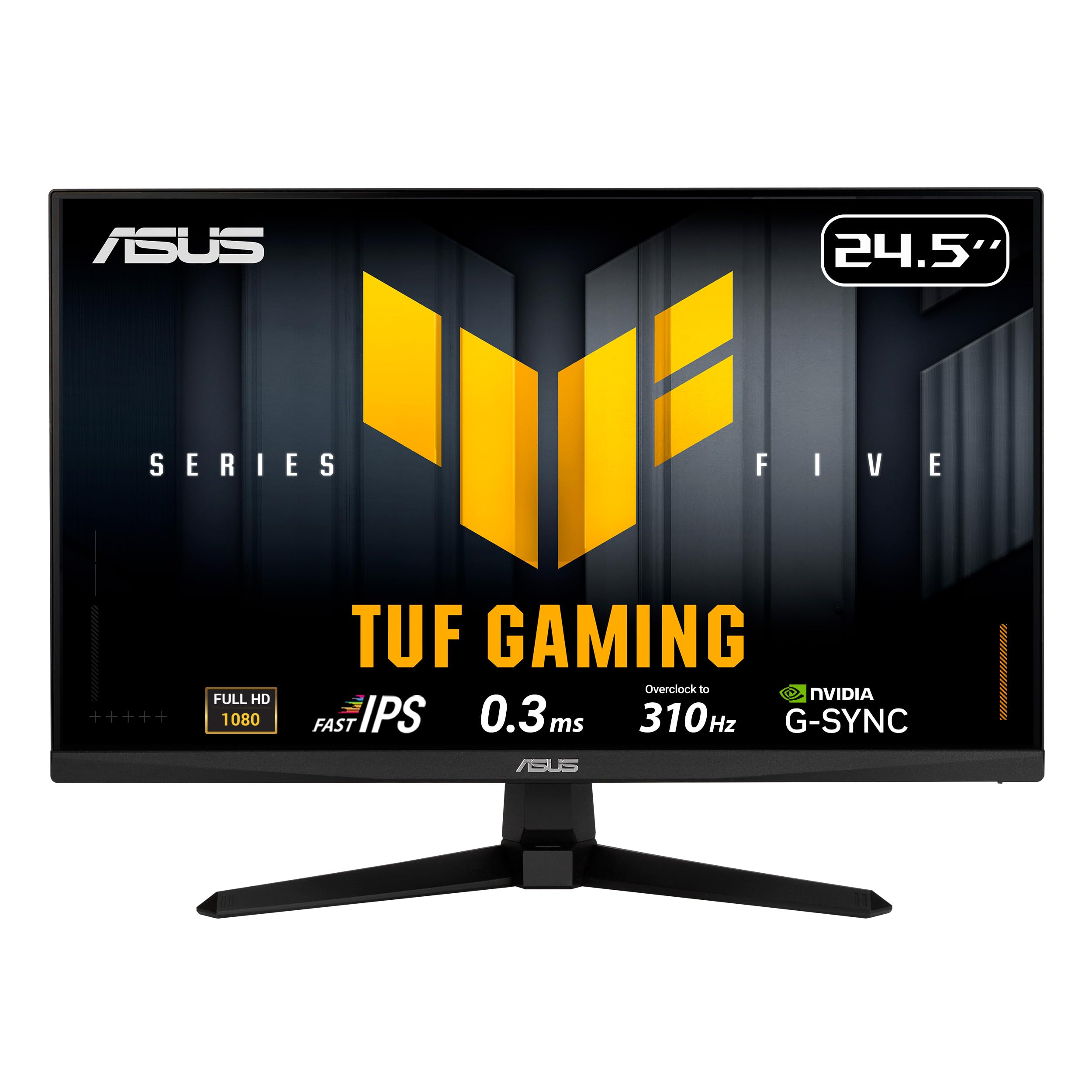
The ASUS TUF Gaming VG259QMR5A packs a massive 310Hz refresh rate into a 24.5-inch 1080p Fast IPS panel with 0.3ms response time, making it the highest frame-rate option at the budget-friendly tier. For Fortnite players who run 1080p at high FPS, this monitor reveals enemy edits and shotgun peeks with near-zero persistence blur. The 24.5-inch screen size is ideal for competitive play because it fills a wide field of view without requiring excessive eye movement.
ASUS Extreme Low Motion Blur Sync (ELMB SYNC) technology allows simultaneous use of motion blur reduction and variable refresh rate, eliminating both ghosting and tearing. This feature is rare at this price point and directly improves your ability to track enemies during fast builds. The DisplayWidget Center software lets you adjust OSD settings with a mouse, reducing the need to fiddle with physical buttons during a match. The 99% sRGB coverage ensures colors are accurate for non-gaming use as well.
The stand is tilt-only and not height adjustable, so a VESA arm is a necessary upgrade for serious players. There are also reports of the stand feeling limited compared to competitors. For players who prioritize raw frame rate above all other specs and want the best motion clarity per dollar, this ASUS TUF monitor is the clear budget champion.
Why it’s great
- 310Hz 1080p Fast IPS offers the highest frame rate in its price tier
- ELMB SYNC eliminates both ghosting and tearing simultaneously
- 24.5-inch size optimizes field of view for competitive play
Good to know
- Stand is tilt-only, VESA mount recommended for adjustments
- 1080p resolution may feel limiting for non-gaming desktop use
FAQ
Is 144Hz enough for competitive Fortnite in 2025?
Should I get a 1080p or 1440p monitor for Fortnite?
Is OLED worth it for Fortnite specifically?
What is ELMB Sync and does it help in Fortnite?
Final Thoughts: The Verdict
For most users, the fortnite monitor winner is the Alienware AW2725DF because it delivers 360Hz OLED motion clarity at a price that competitive players can justify, with a full ergonomic stand and a 3-year burn-in warranty. If you want the absolute highest frame rate and pixel response for tournament play, grab the ASUS ROG Swift PG27AQDP with its 480Hz WOLED panel. And for the best value-to-performance ratio, nothing beats the ASUS TUF Gaming VG259QMR5A, which offers 310Hz motion clarity at a budget-friendly price point.