
The difference between a good gaming session and a great one often comes down to a single, silent factor: the absence of screen tearing. That horizontal split across your display ruins immersion and costs you precious reaction time, especially in fast-paced competitive titles. A Freesync monitor solves this by synchronizing your display’s refresh rate to your graphics card’s frame output, delivering a fluid, stutter-free experience that lets you focus entirely on the action.
I’m Mohammad Maruf — the founder and writer behind Drink4Good. I’ve spent countless hours analyzing technical specifications, reading through real user experiences, and comparing panel technologies to identify which Freesync monitors truly deliver on their promises without breaking the bank.
Whether you’re a competitive esports player chasing the fastest response times or a solo adventurer craving rich visuals, this guide breaks down the essential specs and real-world performance of the best freesync monitor options available today.
How To Choose The Best Freesync Monitor
Choosing a Freesync monitor means looking past the buzzwords and understanding how each spec connects to your gaming experience. The core of the decision comes down to the Freesync tier, the panel technology, and the resolution you prefer.
Understanding Freesync Tiers
AMD’s Freesync comes in three levels. Standard Freesync is the base entry, ensuring variable refresh rate compatibility to eliminate tearing. Freesync Premium adds a requirement for 120 Hz or higher refresh rates at Full HD, plus low framerate compensation (LFC), which helps keep motion smooth even when your frame rate drops. Freesync Premium Pro takes it further by requiring HDR support, ensuring that the variable refresh rate works seamlessly with high dynamic range content—critical for those who play HDR-capable titles.
Panel Type and Response Time
IPS panels are the most common in the mid-range and premium categories, offering wide viewing angles and accurate color reproduction. VA panels provide deeper blacks and higher contrast, though they can exhibit ghosting in dark scenes. OLED panels deliver the absolute best contrast and response times but come at a premium price. The response time (measured in GtG or MPRT) indicates how fast individual pixels can change color; a lower number means less motion blur, crucial for fast-moving shooters.
Resolution and Refresh Rate Balance
Your choice between 1080p, 1440p, and 4K should match your GPU’s capabilities. A mid-range graphics card may struggle to push high frame rates at 4K, rendering a 240 Hz monitor less useful. For most gamers, QHD (1440p) at 144–180 Hz offers the best sweet spot between visual fidelity and smooth performance. Ensure your GPU has enough headroom to benefit from the higher refresh rate, otherwise Freesync and LFC will keep the experience fluid even at lower frame rates.
Quick Comparison
On smaller screens, swipe sideways to see the full table.
| Model | Category | Best For | Key Spec | Amazon |
|---|---|---|---|---|
| Samsung Odyssey G8 G81SF | OLED / Premium Pro | 4K HDR Gaming | 240 Hz / 0.03 ms / QD-OLED | Amazon |
| LG 27GS93QE Ultragear OLED | OLED / Premium Pro | High-FPS Competitive Play | 240 Hz / 0.03 ms / WOLED | Amazon |
| ASUS TUF Gaming VG27AQL5A | IPS / Premium | All-Round Gaming | 210 Hz / 0.3 ms / Fast IPS | Amazon |
| Alienware AW2725DM | IPS / Premium | Color-Conscious Gaming | 180 Hz / 1 ms / DCI-P3 95% | Amazon |
| Dell 27 Plus S2725DSM | IPS / Mid-Range | Productivity & Casual Gaming | 144 Hz / 1 ms / Built-in Speakers | Amazon |
| LG 27GS60QC-B Ultragear | VA / Mid-Range | Immersive Sim Racing | 180 Hz / 1 ms / 1000R Curve | Amazon |
| Acer Nitro KG271U | IPS / Value | Entry-Level 1440p Gaming | 180 Hz / 0.5 ms / DCI-P3 95% | Amazon |
| AOC C27G4ZH | VA / Value | High-FPS Esports at 1080p | 280 Hz / 0.3 ms / 1500R | Amazon |
| KOORUI G2721P | IPS / Budget | Budget 1440p First Build | 200 Hz / 1 ms / HDR 400 | Amazon |
In‑Depth Reviews
1. Samsung Odyssey G8 G81SF

The Samsung Odyssey G8 G81SF represents the pinnacle of what a Freesync monitor can be, combining a glossy QD-OLED panel with a native 4K resolution at 240 Hz. The pixel density hits 166 PPI, making text incredibly sharp and textures in games look hyper-realistic. The AMD FreeSync Premium Pro certification ensures variable refresh rate works flawlessly with HDR content, delivering deep blacks without bloom and vibrant highlights that standard IPS panels cannot match.
Samsung’s Glare Free technology reduces reflections by over 50 percent compared to typical anti-reflection coatings, making the deep contrast of OLED visible even in a brighter room. The Dynamic Cooling System with a pulsating heat pipe keeps the panel temperature in check, reducing the risk of burn-in during extended sessions. For a monitor of this caliber, the included ergonomic stand with height, tilt, and pivot adjustments adds significant value right out of the box.
The 0.03 ms GtG response time is effectively instantaneous, making motion blur a non-issue even in the fastest shooters. Gamers with a high-end graphics card capable of pushing 4K at high frame rates will find this monitor unlocks a level of clarity and fluidity that few displays can approach.
Why it’s great
- Stunning QD-OLED panel with true blacks and rich colors
- 240 Hz refresh rate with near-zero response time
- Excellent anti-glare coating for an OLED
Good to know
- High price point requires a premium GPU investment
- Matte coating may reduce pop for some users
2. LG 27GS93QE Ultragear OLED

The LG 27GS93QE brings OLED performance to the more accessible QHD resolution, pairing a 240 Hz refresh rate with a 0.03 ms GtG response time. This combination is tailor-made for competitive gaming where every millisecond counts. The WOLED panel delivers true blacks at a 1.5M:1 contrast ratio, and the AMD FreeSync Premium Pro support ensures tear-free HDR gameplay without the color shift often seen in QD‑OLEDs in bright rooms.
The anti-glare/low reflection coating on this LG model has been praised for maintaining near-glossy clarity without the distracting reflections that plague standard glossy screens. The monitor includes a two-year warranty covering the OLED panel, which eases concerns about long-term burn-in. With HDMI 2.1 and DisplayPort 1.4 connectivity, it is ready for both PC and next-gen consoles at full bandwidth.
For the price, this monitor offers a substantial upgrade over any IPS or VA panel in terms of motion clarity and contrast. Users upgrading from high-refresh IPS panels consistently report a noticeable reduction in perceived motion blur and a richer, more three-dimensional image in games.
Why it’s great
- Inky blacks and incredible contrast for immersive gaming
- Instantaneous response with ultra-smooth 240 Hz motion
- Great anti-glare coating for an OLED panel
Good to know
- Lower brightness than high-end IPS monitors for HDR
- Requires careful usage habits to prevent burn-in
3. ASUS TUF Gaming VG27AQL5A

The ASUS TUF Gaming VG27AQL5A strikes the best balance of performance, features, and price for a Freesync monitor. It packs a Fast IPS panel with a 210 Hz overclocked refresh rate and a 0.3 ms GtG response time, delivering motion clarity that rivals much more expensive options. The inclusion of Extreme Low Motion Blur Sync (ELMB Sync) allows users to simultaneously enable variable refresh rate and backlight strobing, eliminating both tearing and ghosting for a pristine image.
This monitor covers 130 percent of the sRGB color gamut and has a 1300:1 contrast ratio, which is above average for IPS panels, resulting in punchy colors and decent blacks. The DisplayWidget Center software makes adjusting settings with a mouse simple, a thoughtful touch for users who dislike fiddling with on-screen display buttons. An L-shaped screwdriver is included for easy wall-mount setup.
Built-in speakers and a sturdy height-adjustable stand round out the package, making it viable for both gaming and multi-monitor productivity setups. For the vast majority of gamers who want excellent motion handling without jumping to OLED pricing, this ASUS monitor is the clear recommendation.
Why it’s great
- Fast IPS panel with excellent motion and color
- ELMB Sync works simultaneously with FreeSync Premium
- Full ergonomic stand with height, tilt, and pivot
Good to know
- Built-in speakers are functional but not high quality
- Requires overclock activation for 210 Hz
4. Alienware AW2725DM

The Alienware AW2725DM is a direct competitor to the ASUS TUF VG27AQL5A, offering a premium IPS experience with a focus on color accuracy and build quality. It features a 180 Hz refresh rate, a 1 ms GtG response time, and DCI-P3 95 percent color coverage, which makes games look vibrant and lifelike. The VESA DisplayHDR 400 certification provides a noticeable boost in brightness for HDR content, though it is not on the level of an OLED.
Alienware has included a robust, fully adjustable stand with height, swivel, pivot, and tilt adjustments, which feels sturdier than many competitors at this price point. The monitor is G-Sync compatible in addition to AMD FreeSync, offering flexibility for both GPU ecosystems. The dedicated console mode and hardware-based low blue light solution are nice additions for marathon gaming sessions.
Customers consistently rate the build quality and out-of-box color calibration highly. For gamers who prioritize accurate colors and a premium design, the AW2725DM is a compelling choice that does not compromise on gaming performance.
Why it’s great
- Excellent color accuracy out of the box
- Very sturdy and fully adjustable stand
- Compatible with both FreeSync and G-Sync
Good to know
- No built-in speakers or headphone jack
- 180 Hz requires DisplayPort; HDMI limited to 144 Hz
5. Dell 27 Plus S2725DSM

The Dell 27 Plus S2725DSM bridges the gap between professional productivity and casual gaming better than most. It offers QHD resolution on an IPS panel with a 144 Hz refresh rate and 1 ms MPRT, which is more than adequate for smooth desktop navigation and fast-paced gaming at 1440p. The 1500:1 contrast ratio is higher than typical IPS panels, delivering deeper blacks that make text pop and media look richer.
This monitor comes with integrated dual 3W speakers that deliver a wider frequency range than typical monitor speakers, making it a viable all-in-one solution for a clean desk setup. The stand is a highlight, offering height, tilt, pivot, and swivel adjustments that match what you would expect from a Dell Ultrasharp model. The ash white colorway is a refreshing alternative to the standard black.
For users who split their time between work and gaming and value a reliable, adjustable monitor with decent onboard audio, the Dell S2725DSM offers a well-rounded package that prioritizes versatility.
Why it’s great
- Top-tier ergonomic stand with full adjustments
- Good built-in speakers for a monitor
- Excellent contrast for an IPS panel
Good to know
- 144 Hz is entry-level for competitive gaming
- No USB-C connectivity
6. LG 27GS60QC-B Ultragear

The LG 27GS60QC-B Ultragear uses a VA panel with a steep 1000R curvature to create an immersive cocoon effect ideal for single-player and simulation games. The 1440p resolution paired with a 180 Hz refresh rate and 1 ms GtG response time provides a smooth experience, while the 3000:1 native contrast ratio delivers deep, inky blacks that make dark scenes in horror games or sim racing shine. The AMD FreeSync support ensures a tear-free experience across this wide refresh range.
This monitor includes game-centric features like Dynamic Action Sync for reduced input lag, Black Stabilizer to illuminate dark areas without overexposing bright ones, and a built-in FPS counter for real-time performance monitoring. The three-side borderless design keeps the focus on the screen. The stand only allows tilt adjustment, so users who need height adjustment should plan for a VESA mount.
VA panel ghosting in dark transitions can occur depending on the response time setting, but at its optimal setting, the motion handling is solid for the category. For gamers who prize contrast and curvature over the widest viewing angles, this LG offers excellent value.
Why it’s great
- Deep 3000:1 contrast delivers excellent black levels
- Immersive 1000R curve draws you into the game
- Great price for a QHD 180Hz VA panel
Good to know
- Stand only offers tilt adjustment
- VA ghosting can be visible in dark transitions
7. Acer Nitro KG271U

The Acer Nitro KG271U packs a 27-inch QHD IPS panel with a 180 Hz refresh rate and a 0.5 ms GtG response time into a budget-friendly frame, making it one of the best entry points into high-refresh 1440p gaming. The DCI-P3 95 percent color gamut ensures that visuals are vibrant and accurate, which is impressive at this price tier. AMD FreeSync handles variable refresh rate smoothly, eliminating screen tearing across the refresh rate range.
The zero-frame design minimizes bezel distraction, and the matte screen finish reduces glare during daytime use. The on-screen display is controlled via a single rear analog joystick, which some users find intuitive while others prefer dedicated buttons. The stand is the biggest compromise—it is non-adjustable and can cause the monitor to wobble on an unstable desk. Most users recommend using a VESA arm to get the best experience.
For gamers on a budget who want to move from 1080p to 1440p without sacrificing refresh rate, the Acer Nitro KG271U delivers the core essentials at a lower entry cost than almost any competitor.
Why it’s great
- Great color performance with DCI-P3 95% coverage
- Smooth 180 Hz refresh rate at QHD resolution
- Very accessible price point for the specs
Good to know
- Stand is flimsy and non-adjustable
- Built-in speakers are mediocre
8. AOC C27G4ZH

The AOC C27G4ZH is built for one thing: extreme speed at Full HD resolution. With a 280 Hz refresh rate over DisplayPort and a 0.3 ms MPRT response time, this monitor is engineered for competitive esports where every frame of visual information matters. The 1500R VA panel delivers a contrast ratio of 3000:1, providing deep blacks that give 1080p content a surprising amount of depth. AMD FreeSync Premium ensures low framerate compensation is active across the entire refresh range.
The ergonomic stand offers height, swivel, and tilt adjustments, which is rare at this price point and a significant advantage for long sessions where neck strain is a concern. The frameless design keeps the focus on the action, and the anti-glare coating helps maintain clarity under overhead lights. The included DisplayPort cable supports the full 280 Hz bandwidth out of the box.
For gamers with mid-range GPUs that can push high frame rates at 1080p, the AOC C27G4ZH provides a smoother experience than most 1440p monitors in its price range. The trade-off is lower pixel density at 27 inches, but the raw speed and smoothness make it a top pick for competitive players.
Why it’s great
- Extremely high 280 Hz refresh rate for esports
- Excellent contrast from VA panel
- Fully adjustable stand at a low price
Good to know
- 1080p at 27 inches has lower pixel density
- VA panel may exhibit ghosting at higher overdrive settings
9. KOORUI G2721P
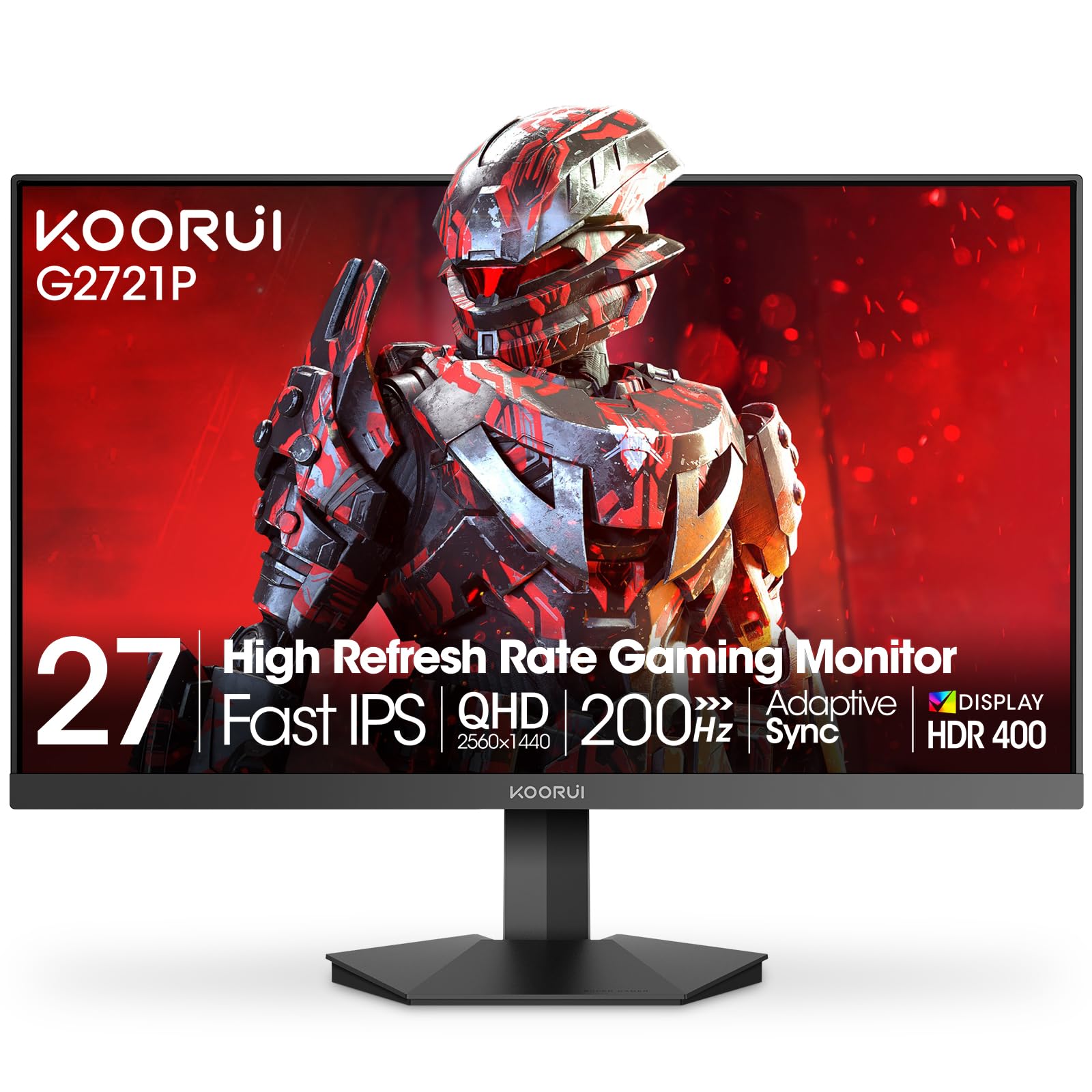
The KOORUI G2721P is the most affordable entry in this guide that still delivers a 1440p resolution and a 200 Hz refresh rate, making it a compelling option for first-time builders on a tight budget. The Fast IPS panel covers 95 percent DCI-P3 and offers a 400 nits peak brightness with HDR 400 support, which is a strong combination for an entry-level monitor. AMD FreeSync Premium is supported, providing tear-free gaming in the low-to-mid frame rate range thanks to LFC.
The build is minimalist with an ultra-thin profile and VESA compatibility for easy mounting. The stand only offers tilt adjustment, so budget for a monitor arm if height adjustment is important. The port selection includes two HDMI ports and one DisplayPort, allowing simultaneous connection to a PC and a console without cable swapping.
While the overall build quality and stand are less premium than the Dell or ASUS options, the core specs—QHD resolution, high refresh rate, and an IPS panel—are all present at a price that undercuts the competition significantly. It is a solid foundation that can be upgraded with a better mount later.
Why it’s great
- 1440p 200Hz Hybrid IPS panel at a very low price
- Good color coverage and 400 nits brightness
- Includes DisplayPort cable for full bandwidth
Good to know
- Stand is basic with tilt only
- Some units arrive with minor shipping damage
FAQ
Can I use a FreeSync monitor with an NVIDIA GPU?
Does Freesync Premium Pro work at 1440p or only at 4K?
What is Low Framerate Compensation (LFC) and why does it matter?
Is 27 inches too large for 1080p gaming?
Do I need a DisplayPort cable for 240 Hz or can I use HDMI?
Final Thoughts: The Verdict
For most users, the best freesync monitor winner is the ASUS TUF Gaming VG27AQL5A because it delivers a near-premium Fast IPS experience with ELMB Sync and a 210 Hz refresh rate at a mid-range price, covering everything from competitive shooters to immersive single-player titles. If you want perfect black levels and the fastest response times for high-FPS competitive play, grab the LG 27GS93QE Ultragear OLED. And for a budget-friendly entry into 1440p gaming with solid color and a 200 Hz refresh rate, nothing beats the KOORUI G2721P.