
A cluttered desk with a monitor at the wrong height kills your aim and your posture in equal measure. The difference between a frustrating session and an immersive one often comes down to the gear supporting your screen, your movement, and your cable management.
I’m Mohammad Maruf — the founder and writer behind Drink4Good. I’ve spent years analyzing the ergonomics, electrical safety, and build quality of the accessories that serious players depend on for extended sessions.
Whether you need a stable arm for a heavy ultrawide or a standing desk conversion to avoid sitting for hours, this guide walks you through the top contenders for the best gaming desk accessories that actually improve your comfort and performance.
How To Choose The Best Gaming Desk Accessories
Selecting the right accessories for your gaming desk means more than just picking the flashiest LED strip. You need to consider the weight of your monitor, the ease of adjusting your setup between sitting and standing, and how much storage you require for controllers, headsets, and documents. The following factors will help you narrow down the options to the ones that match your physical space and daily habits.
Monitor Arm Load Capacity and Range
The first spec to check is the weight limit of a monitor arm. If you use an ultrawide or a heavy 34-inch panel, you need an arm rated for at least 20 pounds. Also verify your VESA pattern — most arms support 75x75mm and 100x100mm, but some proprietary monitors require an adapter plate. A spring-assisted arm offers easier tilt and swivel adjustments without needing to tighten bolts every week.
Electric Standing Desk Motor Quality
For adjustable-height desks, the motor’s noise level and lift capacity determine whether the mechanism will hold up after a year of daily use. Look for a motor rated under 55 decibels for quiet operation, and a lifting capacity around 220 pounds to handle multiple monitors, a tower, and peripherals. Memory presets with an LED display let you switch between sitting and standing positions instantly, which reduces the urge to skip height changes.
Built-In Power and USB Ports
Desks with integrated power outlets and USB charging ports simplify cable management significantly. Aim for at least two AC outlets and two USB ports so you can charge your headset, phone, and controller without running extension cords across the room. Check the outlet placement — a user-facing or side-mounted strip is more accessible than one tucked under the desk where it is hard to reach.
Quick Comparison
On smaller screens, swipe sideways to see the full table.
| Model | Category | Best For | Key Spec | Amazon |
|---|---|---|---|---|
| GTPLAYER Electric Standing Desk | Electric Standing Desk | Full sit-stand ergonomics | 220 lbs lifting capacity | Amazon |
| OffiGo Gaming Standing Desk | Electric Standing Desk | Tall users needing height range | 3 memory presets | Amazon |
| Aheaplus L Shaped Gaming Desk | L-Shaped Desk | Corner space with smart LEDs | 60000+ colors via App | Amazon |
| MSI MAG MT201 Monitor Arm | Monitor Arm | Heavy ultrawide monitors | 44 lbs weight capacity | Amazon |
| Korfile 47 Inch Gaming Desk | Computer Desk | Storage with fabric drawers | 5 drawers + reversible | Amazon |
| Lufeiya 40 Inch Gaming Desk | Computer Desk | Compact spaces for teens | Storage bag + headphone hook | Amazon |
| AODK 48 Inch Gaming Desk | Computer Desk | Carbon fiber surface durability | Adjustable storage shelf | Amazon |
In‑Depth Reviews
1. GTPLAYER Electric Standing Desk with Drawers
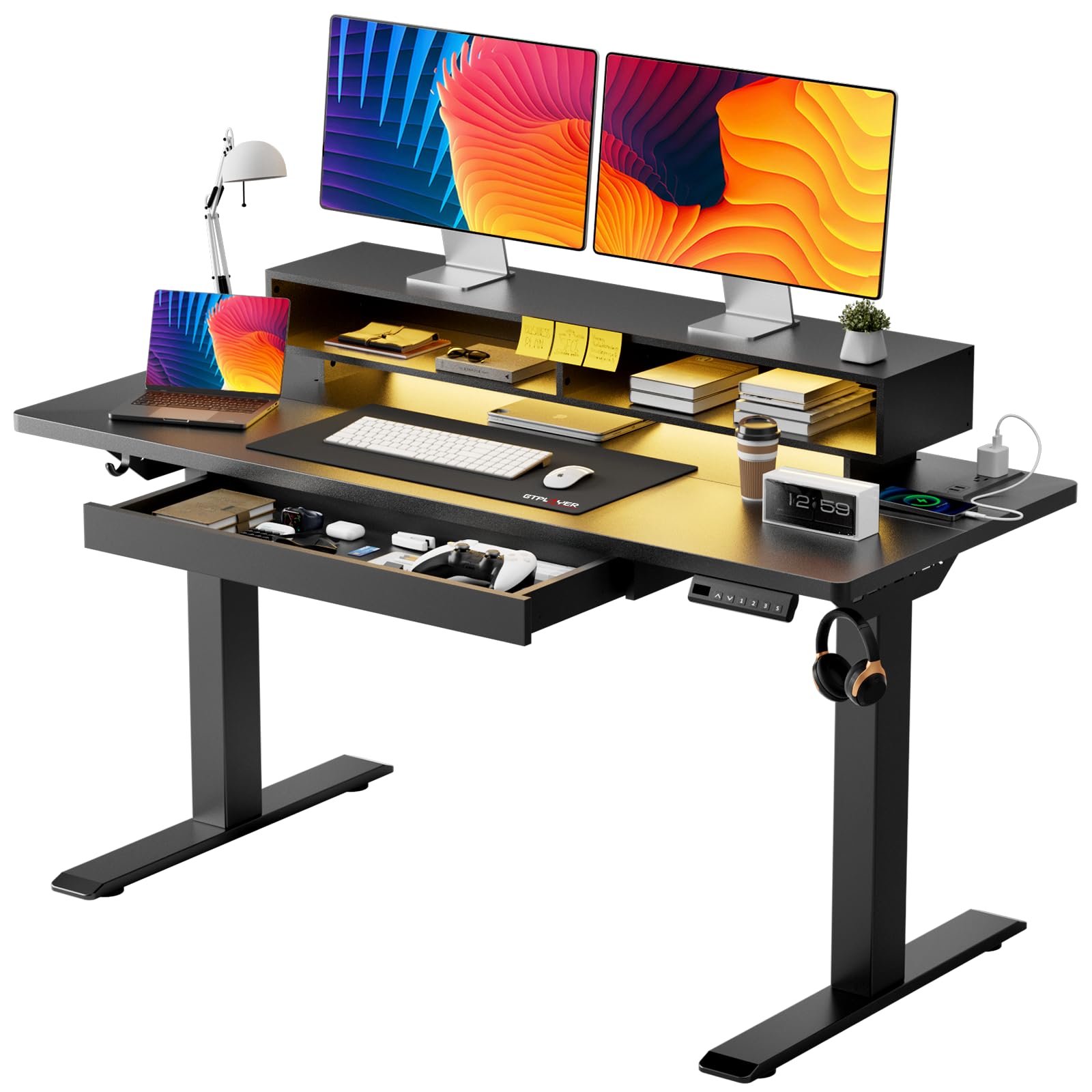
This 48×24 inch electric standing desk from GTPLAYER packs a 55dB motor and three memory presets with an LED display into a single unit that also includes a pull-out drawer and RGB lights. The T-shaped steel frame supports up to 220 pounds, so you can load it with an ultrawide monitor, a tower, and peripherals without worrying about wobble during height transitions. The integrated power strip offers 2 AC outlets and 2 USB ports, reducing the need for external surge protectors.
The monitor stand is ergonomically shaped to keep your screen at eye level, and the embedded drawer provides space for pens, cables, and small accessories. The RGB lights cycle through 12 scene modes with 5 brightness levels, which creates a solid ambient glow for late-night sessions. Several users noted that the LED remote can occasionally get stuck on one color, but the desk’s build quality and smooth motor operation generally outweigh that minor nuance.
The pre-drilled holes and labeled parts allow assembly in roughly 30 minutes. The company offers responsive customer support, which can troubleshoot motor alignment issues if the desk does not raise evenly after assembly. For a premium all-in-one solution that combines standing functionality, storage, and integrated lighting, this model sets a high bar in its class.
Why it’s great
- Three memory presets with LED display for quick sit-stand changes
- Quiet motor operates below 55 decibels
- Includes a pull-out drawer and two hooks for extra storage
Good to know
- LED light strip may occasionally freeze on a single color
- Weight makes it less suitable for frequent room rearrangements
2. OffiGo Gaming Standing Desk with LED Light
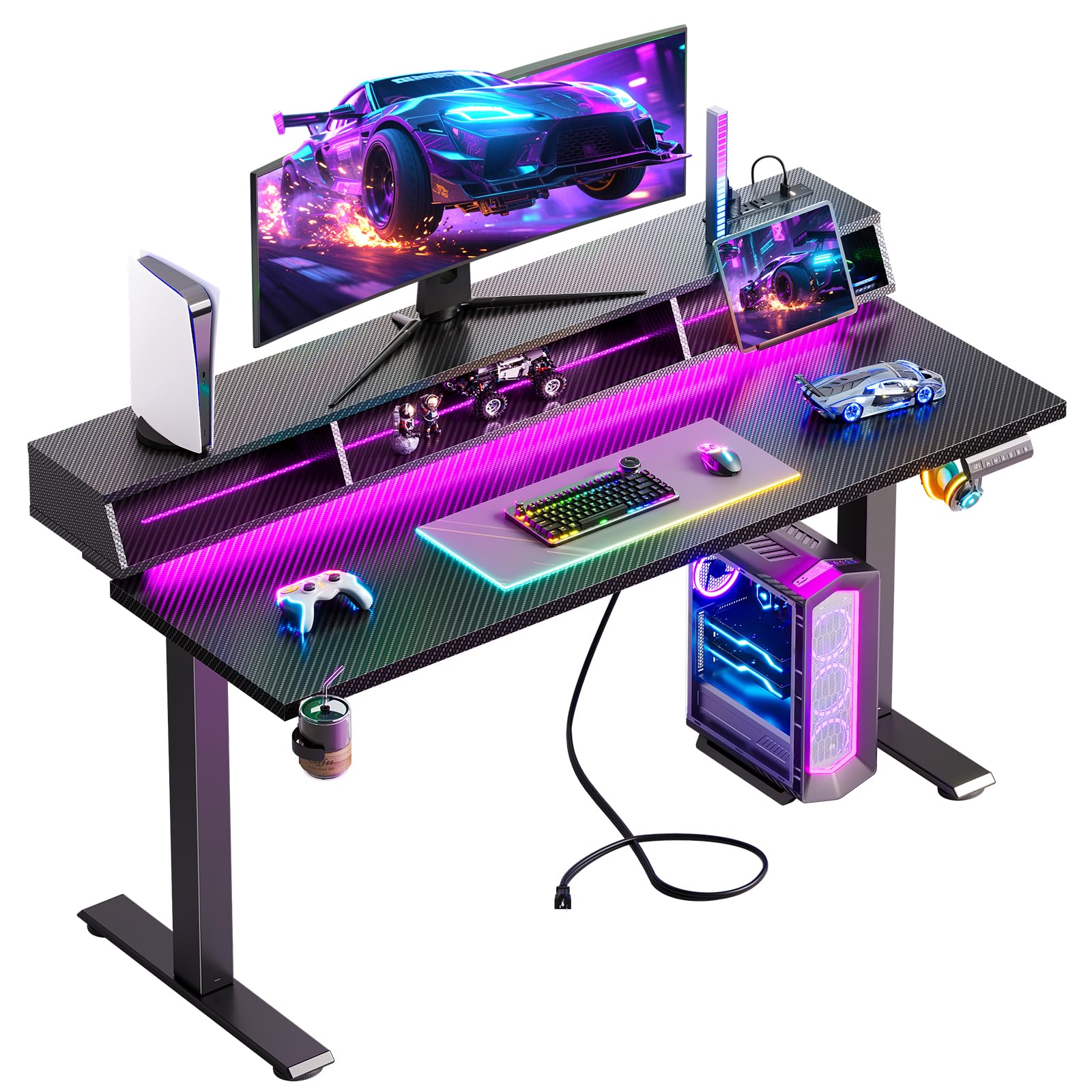
The OffiGo 55-inch electric standing desk is built for taller users who need extra height range from 28.3 to 48 inches. Its alloy steel frame provides a stable base, and the motor moves smoothly through the adjustment range without noticeable noise. The desk includes 3 AC outlets and 2 USB ports mounted on the underside, plus a sturdy monitor stand with open storage that can hold a tablet or book.
The floating desk design integrates an LED strip with 10 static colors and 10 dynamic modes, creating a cohesive look for both gaming and work-from-home setups. The package also includes a headphone hook and a cup holder, which attach to the frame for easy access. Some users noted that the cup holder tilts slightly under heavier drinks, so it works best for standard cans and bottles.
Assembly steps are clearly labeled, though you may need to supply your own 3M tape for the light strip if the included adhesive does not hold well. The cable management tray helps keep cords organized, but users report that the power strip cables can be messy without a hole in the monitor riser. Overall, this desk offers strong value for anyone who needs a large surface and reliable height adjustment at a mid-range price point.
Why it’s great
- Wide 55-inch surface accommodates triple-monitor setups
- Monitor stand with tablet/book holders improves ergonomics
- Three memory presets with easy-to-use LED display
Good to know
- Cup holder design may not stabilize large mugs securely
- Light strip adhesive may require reinforcement with 3M tape
3. Aheaplus L Shaped Gaming Desk with Power Outlets

This L-shaped desk from Aheaplus combines corner-space efficiency with a movable monitor stand and 4-tier open shelving. The smart LED strip can be controlled via an app, offering over 60,000 colors and music-sync mode that pulses in time with your gameplay. The reversible hutch design lets you position the shelf on the left or right side, making it adaptable for rooms where the desk fits into a corner.
Power delivery comes from 3 AC outlets and 2 USB ports, enough to charge a laptop, phone, and headset simultaneously. The metal frame uses an X-cross bar beneath the surface to reduce wobble, and the adjustable leg pads help level the desk on uneven floors. The MDF top is waterproof and easy to wipe clean, which is useful for those who eat or drink at their desk.
Assembly is straightforward with clearly labeled parts, though two people are recommended for the larger panels. Some users reported that the included LED strip adhesive is weak, so you may need to secure it with stronger tape. For gamers who want a dedicated corner workstation with smart lighting and plenty of shelving for controllers and collectibles, this model delivers excellent value.
Why it’s great
- Music-sync LED mode adds immersive ambient lighting
- Reversible hutch fits either left or right corner layouts
- X-cross bar design prevents wobble during intense gaming
Good to know
- LED strip adhesive may not hold without additional tape
- Dimensions smaller than photos suggest; measure your space first
4. MSI MAG MT201 Premium Monitor Stand Arm

The MSI MAG MT201 is a single-monitor arm that handles screens from 17 to 49 inches with a maximum weight of 44 pounds, making it one of the strongest options for heavy ultrawide monitors. The spring-assisted gas lift allows smooth tilt adjustments from +50° to -20°, and you can swivel up to ±90° and rotate 180° for portrait mode. The quick-release VESA plate lets you snap the monitor on and off without fiddling with screws each time.
The base supports both clamp and grommet mounting, accommodating desktops up to 85mm thick with the clamp or 35mm with the grommet. The twin-screw clamp provides a secure grip even on thicker wood desks, and the built-in cable management channels route wires behind the arm for a cleaner look. Several users reported that the spring tension requires some trial and error to dial in for lighter monitors, but the arm remains stable once adjusted.
This arm is built with all-metal internals and a sturdy steel frame, so it does not flex under the weight of a 34-inch ultrawide. The only minor drawback is that the swivel base can tilt upward if overtightened, and the plastic cable covers may pop off if you use thick braided cables. For anyone upgrading from a fixed stand to a fully adjustable arm, the MAG MT201 delivers professional-grade stability without the professional-grade price.
Why it’s great
- Supports ultrawide monitors up to 49 inches and 44 pounds
- Quick-release VESA plate simplifies monitor swaps
- Clamp and grommet base options fit a wide range of desks
Good to know
- Spring tension adjustment requires patience for optimal balance
- Cable covers may not stay on with very thick braided cables
5. Korfile 47 Inch Gaming Desk with Power Outlets
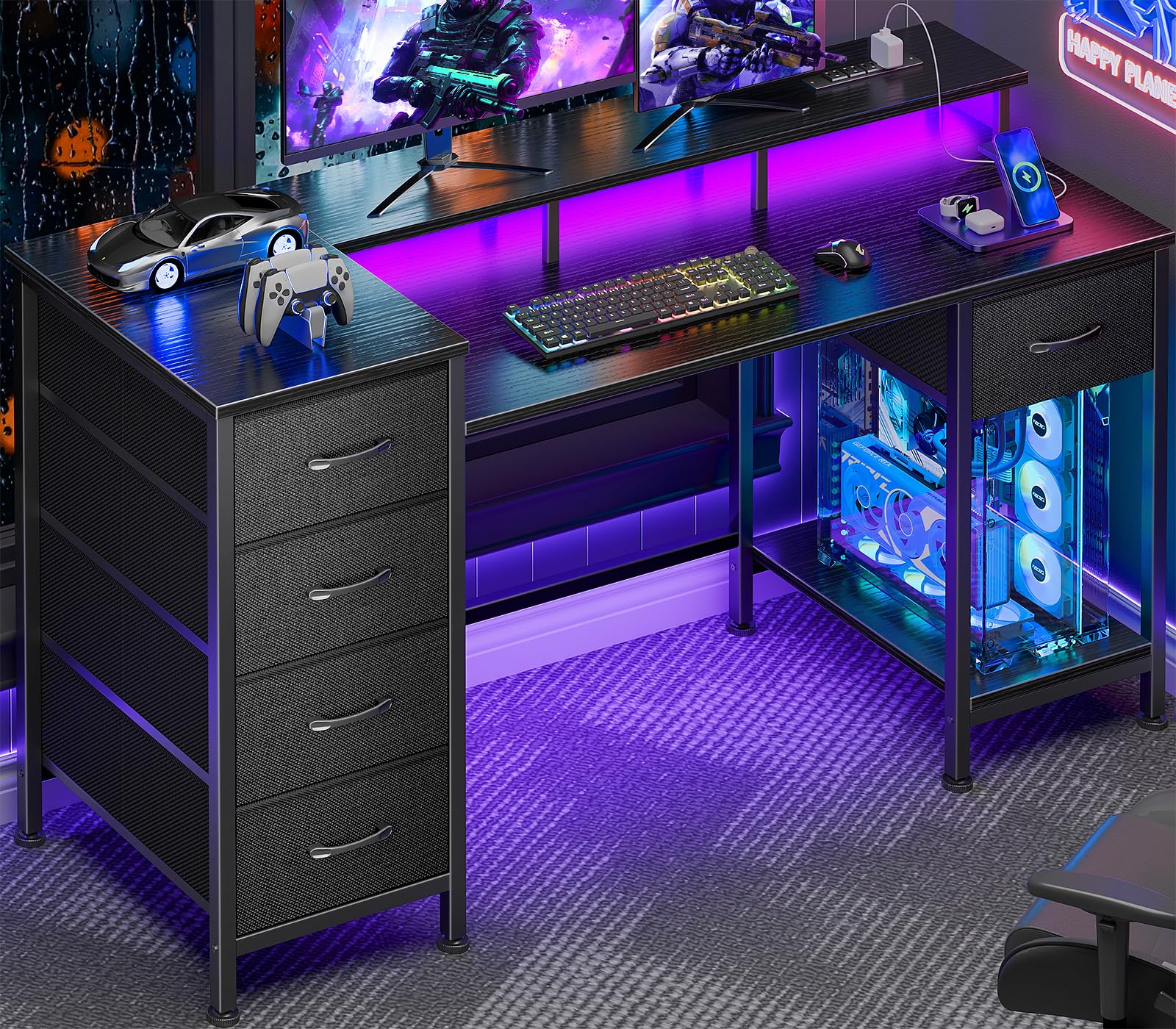
The Korfile desk integrates five non-woven fabric drawers that can be mounted on the left, right, top, or bottom of the frame, offering 16 possible configurations. The 47-inch surface includes a full-coverage monitor stand that elevates the screen to reduce neck strain, and the powder-coated steel frame with crossbar support keeps the desk stable even when the drawers are fully loaded. The LED strip provides 22 lighting effects that can be toggled with a simple touch.
Built-in power is handled by 3 AC outlets and 2 USB ports located on the desktop, so you can plug in your monitor, PC, and phone without reaching under the desk. The fabric drawers work well for documents, cables, and smaller items, but they may sag if you overload them with heavy objects like books or large peripherals. The reversible design also allows you to flip the drawer orientation for left-handed setups.
Assembly is straightforward with labeled parts and an instruction manual, though some users noted that the screw holes can be misaligned if the drawer panel is not precisely positioned. The desk ships in a compact box that may arrive with minor cosmetic dents, but the structural integrity remains solid. For gamers who need ample storage without sacrificing desktop space for monitors, this model is a versatile choice.
Why it’s great
- Five fabric drawers with multiple mounting orientations
- Full-coverage monitor stand improves viewing angle
- 22 LED lighting effects with touch control
Good to know
- Fabric drawers not suitable for heavy loads
- LED strip adhesive may weaken over time
6. Lufeiya 40 Inch Gaming Desk with LED Lights
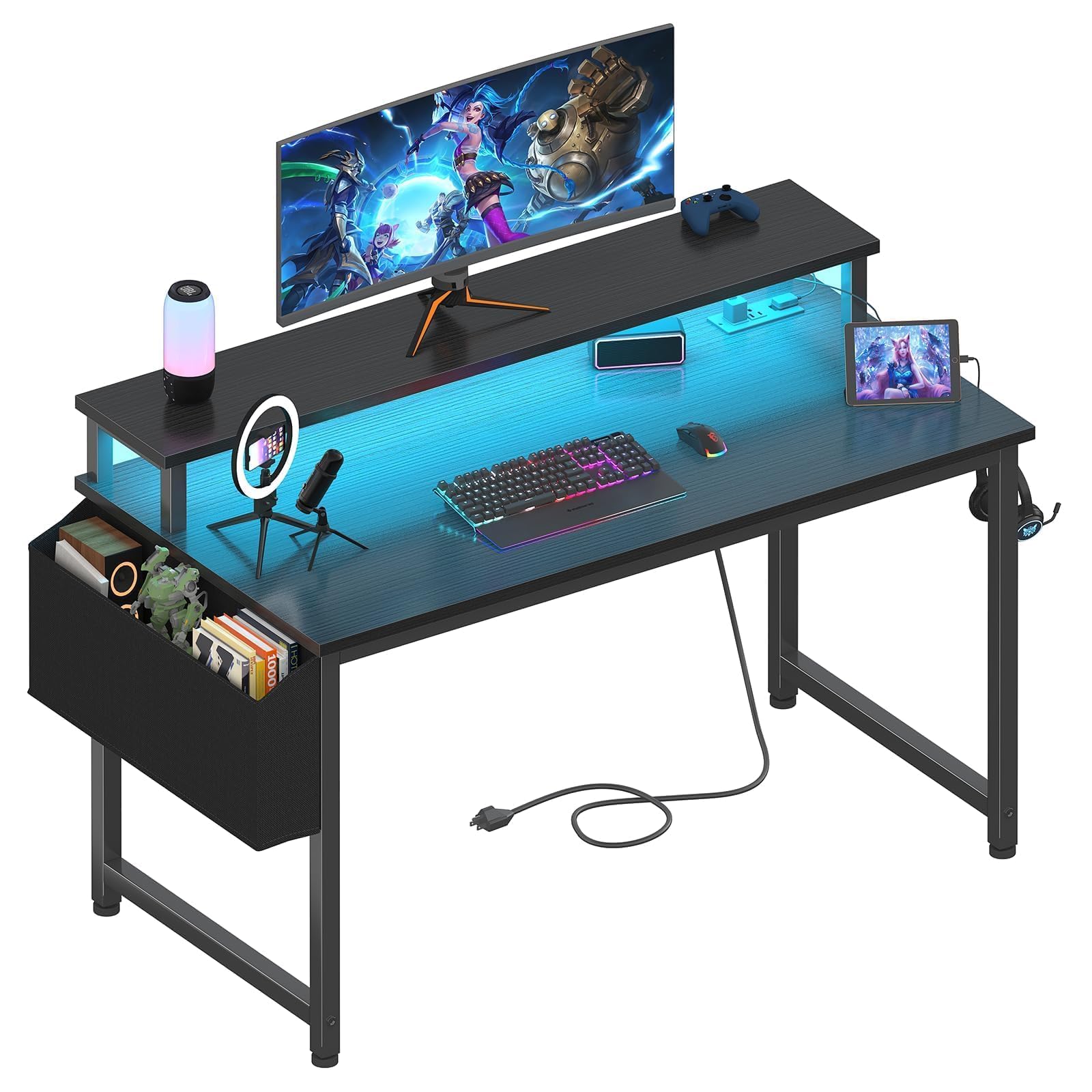
The Lufeiya 40-inch desk is built for smaller rooms, dorm setups, or a teen’s first gaming station. The thick particleboard surface is scratch-resistant and waterproof, and the built-in LED strip offers 7 colors and 4 dynamic modes that match basic gaming aesthetics. The desk includes a storage bag and two removable headphone hooks, so controllers, headsets, and cables stay organized without requiring a separate drawer.
Power delivery comes from 2 AC outlets and 2 USB ports integrated into the side of the desktop, keeping charging cables neat and within reach. The monitor stand lifts the screen to eye level, which helps maintain a neutral neck position during long sessions. Several users described the desk as lightweight and easy to move, but note that it may wobble during aggressive gameplay unless secured to a wall.
Assembly takes about an hour with the provided tools, and the instructions are clear enough for a single person to follow. The desk supports a dual-monitor setup if both screens are relatively lightweight, but the 40-inch width limits how much you can spread out. For budget-conscious gamers who need a complete desk with integrated lighting and charging, this model offers a solid entry point.
Why it’s great
- Compact size fits easily into tight room corners
- Removable storage bag and headphone hooks
- Built-in power outlets and USB ports
Good to know
- May wobble during fast mouse movements
- Particleboard surface not as durable as solid wood
7. AODK 48 Inch Gaming Desk with LED Lights
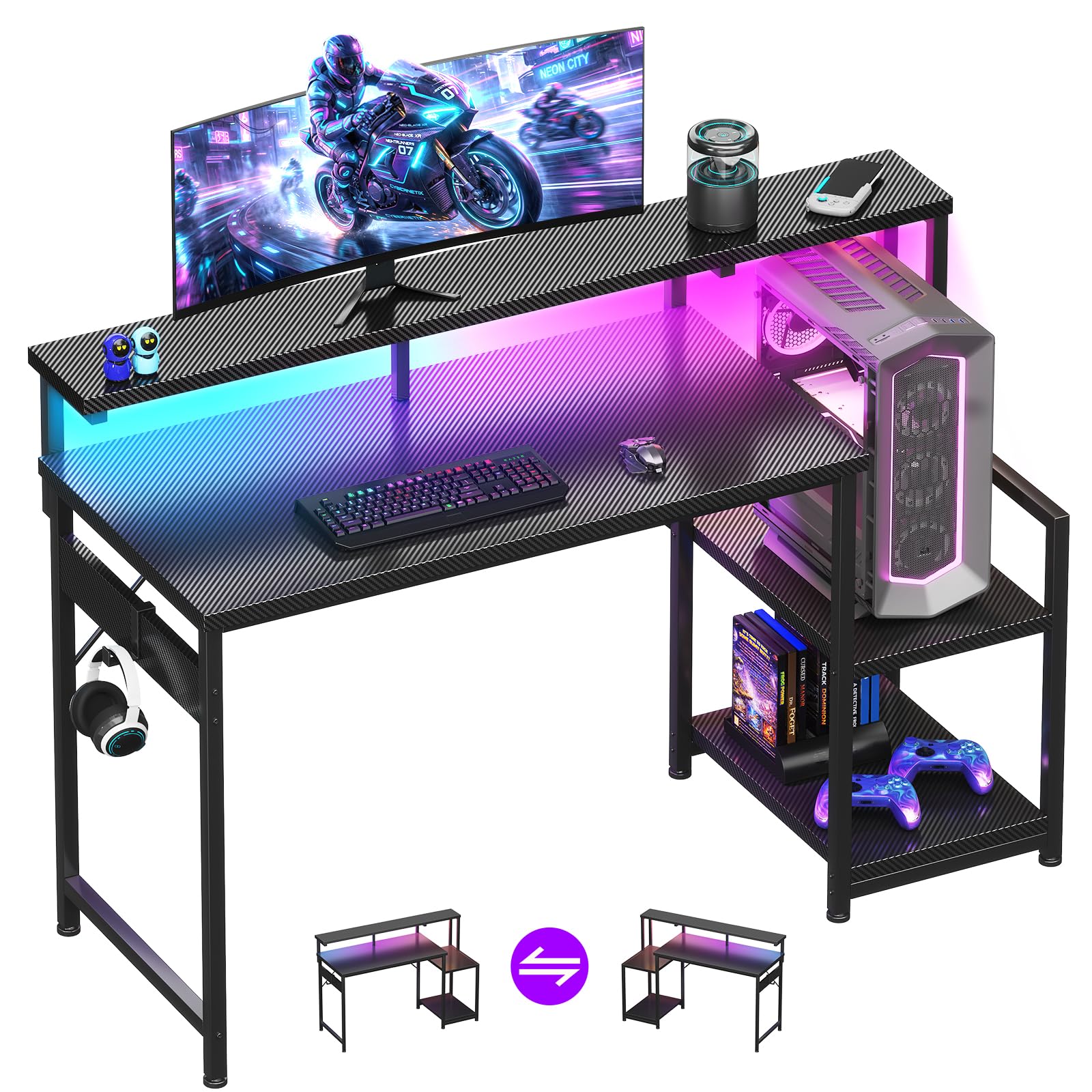
The AODK 48-inch desk uses a carbon fiber textured surface that resists scratches and spills, giving it a sleek look that mimics a higher-end build. The LED strip sits under the full-length monitor shelf and provides 10 static colors and 10 dynamic modes, which you can cycle through or dim using the included remote. The storage shelf is reversible and can be installed on either side, and the upper shelf adjusts to two heights to accommodate a PC tower or console.
The full-length monitor stand spans the entire width of the desk, providing a stable platform for dual monitors while creating storage space underneath for a keyboard or notebook when not in use. The metal frame is thick and the crossbars keep the desk rigid during use. Some users found that the shelf positioning brings the monitor very close to their face, which can feel cramped if you prefer more distance between your eyes and the screen.
Assembly instructions include diagrams, though the perspective can be confusing for first-timers, causing occasional reversal of shelf orientation. The desk holds up well under daily use and accommodates a standard gaming rig plus peripherals without bending. For gamers seeking a mid-sized desk with a premium-feeling surface and flexible storage, the AODK model is a reliable entry-level option.
Why it’s great
- Scratch-resistant carbon fiber surface
- Adjustable storage shelf for CPU or console placement
- Full-length monitor stand with ample storage underneath
Good to know
- Shelf positioning can feel too close to the user
- Assembly diagram perspective may cause installation errors
FAQ
Can a monitor arm support an ultrawide monitor?
Do electric standing desks require professional installation?
How do built-in power outlets affect cable management?
Final Thoughts: The Verdict
For most users, the gaming desk accessories winner is the GTPLAYER Electric Standing Desk because it combines a quiet motor, three memory presets, a pull-out drawer, and RGB lighting in one package that supports up to 220 pounds. If you want a heavy-duty monitor arm for an ultrawide screen, grab the MSI MAG MT201. And for a compact corner setup with smart LED app control, nothing beats the Aheaplus L Shaped Desk.