
The difference between a good round and a frustrating one often comes down to what sits on your desk. Screen tearing, motion blur, and sluggish response times can break immersion instantly, turning an intense firefight into a choppy mess. The right Gaming Displays eliminate these distractions, delivering the fluidity and clarity your hardware was built to push.
I’m Mohammad Maruf — the founder and writer behind Drink4Good. This guide distills hundreds of hours of market research and direct spec analysis across nine competing models to help you find the perfect match for your setup and budget.
After methodically comparing refresh rates, panel technologies, resolutions, and real-world performance metrics, I’ve built a definitive guide to the best gaming displays that balance speed, image quality, and value for every type of player.
How To Choose The Best Gaming Displays
Selecting a gaming monitor requires balancing three core pillars: motion clarity, visual fidelity, and ergonomic flexibility. The right choice depends on the games you play most, the graphics card driving them, and how much desk space you can dedicate. Below are the critical specs that separate an average screen from a true gaming weapon.
Refresh Rate and Response Time
Refresh rate (measured in Hz) defines how many times the screen updates per second. Higher rates like 240Hz drastically reduce perceived motion blur, giving you a measurable advantage in fast-paced shooters and racers. Response time (GtG) dictates how quickly a pixel changes color. Sub-1ms panels, especially on OLEDs, virtually eliminate ghosting trails behind fast-moving objects.
A common mistake is pairing a high refresh rate monitor with a mid-range GPU that cannot sustain those frame rates. For 4K at 160Hz or higher, you need a serious video card. For 1080p at 240Hz, a mid-range GPU often suffices.
Panel Technology: IPS, VA, OLED, and QD-OLED
IPS panels offer the best color accuracy and wide viewing angles, making them excellent for competitive gaming and mixed productivity use. VA panels provide superior native contrast, deeper blacks, and better dark-room performance, though viewing angles are narrower. OLED and QD-OLED deliver perfect blacks, infinite contrast ratios, and instantaneous response times, but require careful burn-in management and come at a higher cost.
The emerging dual-mode (4K high fidelity or FHD high speed on a single panel) seen on premium ASUS models gives you flexibility without buying two monitors.
Resolution and Adaptive Sync
Resolution directly determines pixel density and sharpness. 1080p remains the budget-friendly sweet spot for maxing out frame rates on modest hardware. 1440p offers an excellent balance of sharpness and performance headroom. 4K delivers jaw-dropping detail but demands top-tier GPU power. Adaptive sync technologies (FreeSync and G-Sync) match the monitor’s refresh rate to your GPU’s frame output, eliminating screen tearing without the input lag penalty of traditional V-Sync.
Quick Comparison
On smaller screens, swipe sideways to see the full table.
| Model | Category | Best For | Key Spec | Amazon |
|---|---|---|---|---|
| MSI MPG 321URX QD-OLED | Premium | Competitive & immersive 4K | 0.03ms GtG response | Amazon |
| ASUS ROG Strix XG27UCG | Premium | Dual-mode flexibility | 4K 160Hz / FHD 320Hz | Amazon |
| LG 39GX90SA-W Ultragear | Premium | Ultrawide immersion | 800R curve, 0.03ms | Amazon |
| Samsung 57″ Odyssey Neo G9 | Premium | Dual 4K ultra-wide | 7680 x 2160, 240Hz | Amazon |
| CRUA 32″ Curved 4K | Mid-Range | Curved 4K on a budget | 240Hz VA panel, 1500R | Amazon |
| ASUS TUF Gaming VG27UQEL5A | Mid-Range | Dual-mode value | 0.3ms, 120% sRGB | Amazon |
| Dell 27 Plus 4K S2725QS | Mid-Range | Productivity & light gaming | 120Hz, 1500:1 contrast | Amazon |
| Alienware AW2725DM | Value | 1440p competitive entry | 180Hz, 1ms IPS | Amazon |
| Gawfolk 32″ Curved 240Hz | Budget | 1080p high refresh | 240Hz VA, 1800R | Amazon |
In‑Depth Reviews
1. MSI MPG 321URX QD-OLED

This 32-inch QD-OLED panel represents the current state of the art in Gaming Displays. With a native 4K UHD resolution, a blistering 240Hz refresh rate, and an ultra-low 0.03ms GtG response time, the MPG 321URX delivers virtually instantaneous pixel transitions with zero ghosting or motion blur. The quantum dot layer pushes color gamut to 99% DCI-P3 with a Delta E under 2, meaning out-of-box accuracy rivals professional editing monitors.
The true HDR experience comes from VESA DisplayHDR True Black 400 certification, producing infinite contrast with perfect black levels and bright highlights that pop without blooming. The 90W USB-C port simplifies single-cable laptop setups, and the KVM function with PiP/PbP makes this a credible productivity station when you aren’t gaming. OLED Care 2.0 provides pixel shifting and panel refresh routines to mitigate burn-in risk over long ownership.
Users consistently praise the instantaneous responsiveness and the dramatic image uplift from conventional IPS panels. The main ergonomic drawback is the chunky stand base, which consumes significant desk depth. For gamers who want uncompromised 4K performance with OLED contrast, this monitor justifies its position at the top of the list.
Why it’s great
- 0.03ms response time eliminates all perceptible ghosting
- Infinite contrast and perfect blacks with DisplayHDR True Black 400
- 99% DCI-P3 coverage with factory-calibrated accuracy
Good to know
- Stand base is large and consumes desk space
- Requires careful burn-in management over years of use
2. ASUS ROG Strix XG27UCG

The XG27UCG solves a perennial problem: wanting both 4K visual fidelity for single-player titles and extreme frame rates for competitive shooters. Its dual-mode capability lets you switch from 4K at 160Hz to FHD at 320Hz, giving the best of both worlds without buying two monitors. The Fast IPS panel delivers a 1ms GtG response time with ASUS Extreme Low Motion Blur Sync, allowing ELMB to work in concert with variable refresh rate for tear-free, blur-free motion.
Color performance is exceptional for an IPS panel, covering 95% DCI-P3 with ASUS advanced gray-scale tracking that produces smooth gradations and uniform brightness. The DisplayWidget Center software lets you fine-tune settings without fumbling with on-screen display buttons, and the built-in AI gaming features dynamically adjust shadow boosting and crosshair placement. G-Sync compatibility and FreeSync support ensure consistent frame sync regardless of your GPU brand.
Reviews highlight the sharp 4K image and the seamless dual-mode switching, though the 4K 160Hz mode requires a DisplayPort cable with DSC support. The stand offers full ergonomic adjustment, and the build quality feels solid. For the player who cannot decide between resolution and speed, this is the most versatile single monitor.
Why it’s great
- Switchable 4K 160Hz or FHD 320Hz for any game type
- ELMB Sync eliminates ghosting without disabling variable refresh rate
- Full ergonomic stand with height, swivel, and pivot adjustments
Good to know
- 4K 160Hz requires DisplayPort with DSC support
- Requires significant desk space due to hefty stand
3. LG 39GX90SA-W Ultragear OLED

LG takes ultrawide immersion to a new level with a 39-inch WQHD OLED panel wrapped in a dramatic 800R curve. The curvature wraps around your peripheral vision, making you feel inside the game world rather than looking at a flat screen. The 240Hz refresh rate and 0.03ms GtG response time match the fastest OLEDs on the market, ensuring silky-smooth motion with zero perceptible lag.
Color performance is stunning with 98.5% DCI-P3 coverage and a 1.5M:1 contrast ratio that produces deep inky blacks alongside 1300-nit peak brightness highlights. VESA DisplayHDR True Black 400 certification guarantees rich HDR reproduction. Unique to this model is webOS integration, giving built-in access to streaming services and cloud gaming platforms like NVIDIA GeForce NOW without a PC or console connected. The anti-glare surface reduces reflections, keeping your focus on the action.
User feedback emphasizes the transformative immersion from the steep curve and OLED blacks. The white finish is a distinctive aesthetic departure from typical black gaming monitors. The main trade-off is the WQHD resolution (3440 x 1440) rather than full 4K, which some pixel-peepers will notice. For simulator, RPG, and open-world players who value immersion above raw pixel count, this monitor is a dream.
Why it’s great
- 800R curve creates unmatched peripheral immersion
- 0.03ms response with OLED instant pixel transitions
- Built-in webOS for streaming and cloud gaming without a PC
Good to know
- WQHD resolution, not full 4K UHD
- HDR flicker can occur on HDMI input with VRR enabled
4. Samsung 57″ Odyssey Neo G9 G95NC

The Odyssey Neo G9 redefines what a single gaming monitor can be. Its 57-inch Dual UHD resolution (7680 x 2160) is equivalent to two 4K monitors side by side, with no bezel gap. The 1000R curve matches the natural curvature of the human eye, and the Quantum Mini-LED backlight with 2,392 local dimming zones delivers an effective 1,000,000:1 dynamic contrast ratio with VESA DisplayHDR 1000 certification. This means deep blacks and 1000-nit peak highlights coexist on the same screen without blooming.
The 240Hz refresh rate and 1ms GtG response time keep motion sharp even at this massive resolution. DisplayPort 2.1 input is critical here, providing the bandwidth to drive the full 7680 x 2160 resolution at 240Hz without compression artifacts. AMD FreeSync Premium Pro maintains tear-free frame sync. The Picture-by-Picture mode lets you view two input sources simultaneously at their native resolution, making this a productivity powerhouse for day traders, video editors, and streamers who need massive screen real estate.
Users consistently call this the best monitor they have ever used for both productivity and gaming, but note the physical footprint is enormous — it requires a desk at least 30 inches deep and a very sturdy monitor arm or stand. Firmware quirks with wake-from-sleep and auto-source switching are noted but manageable. For the player who wants the most screen possible without multiple monitors, this is the undisputed champion.
Why it’s great
- Dual 4K UHD resolution replaces two separate monitors
- 2,392 local dimming zones for near-OLED contrast
- DisplayPort 2.1 enables full 240Hz at native resolution
Good to know
- Extremely large and heavy, requires ample desk space
- Some firmware issues with wake-from-sleep behavior
5. CRUA 32″ Curved 4K 240Hz

CRUA delivers a compelling value proposition with this 32-inch 4K UHD curved monitor, packing a 240Hz refresh rate and VA panel technology into a surprisingly affordable package. The 1500R curve adds immersion without the extreme desk-space demands of an 800R panel, while the VA architecture provides a 3000:1 native contrast ratio, producing deeper blacks and richer shadow detail than typical IPS monitors in this price tier. The 120% sRGB gamut ensures punchy, saturated colors for both gaming and media consumption.
Connectivity is forward-looking with HDMI 2.1 and DisplayPort 1.4, supporting the full 240Hz refresh rate at 4K over DP. AMD FreeSync keeps tearing at bay during fast action. The white finish and RGB backlighting offer an aesthetic departure from the sea of black monitors, and built-in speakers are functional for casual use. PiP/PbP modes add practical multitasking utility, letting you run two sources simultaneously on the same screen.
Customer feedback notes that the stand assembly can be fiddly and the built-in speakers are lackluster, but the core panel performance at this price point earns near-universal praise for clarity, smoothness, and color vibrancy. For budget-conscious buyers who want 4K resolution at 240Hz, this monitor delivers the essential specs without the premium price tag.
Why it’s great
- 4K resolution at 240Hz at a budget-friendly price point
- VA panel with 3000:1 native contrast for deep blacks
- HDMI 2.1 and DP 1.4 support high-bandwidth input
Good to know
- Built-in speakers are weak and not suitable for gaming
- Stand assembly can be challenging without careful instructions
6. ASUS TUF Gaming VG27UQEL5A
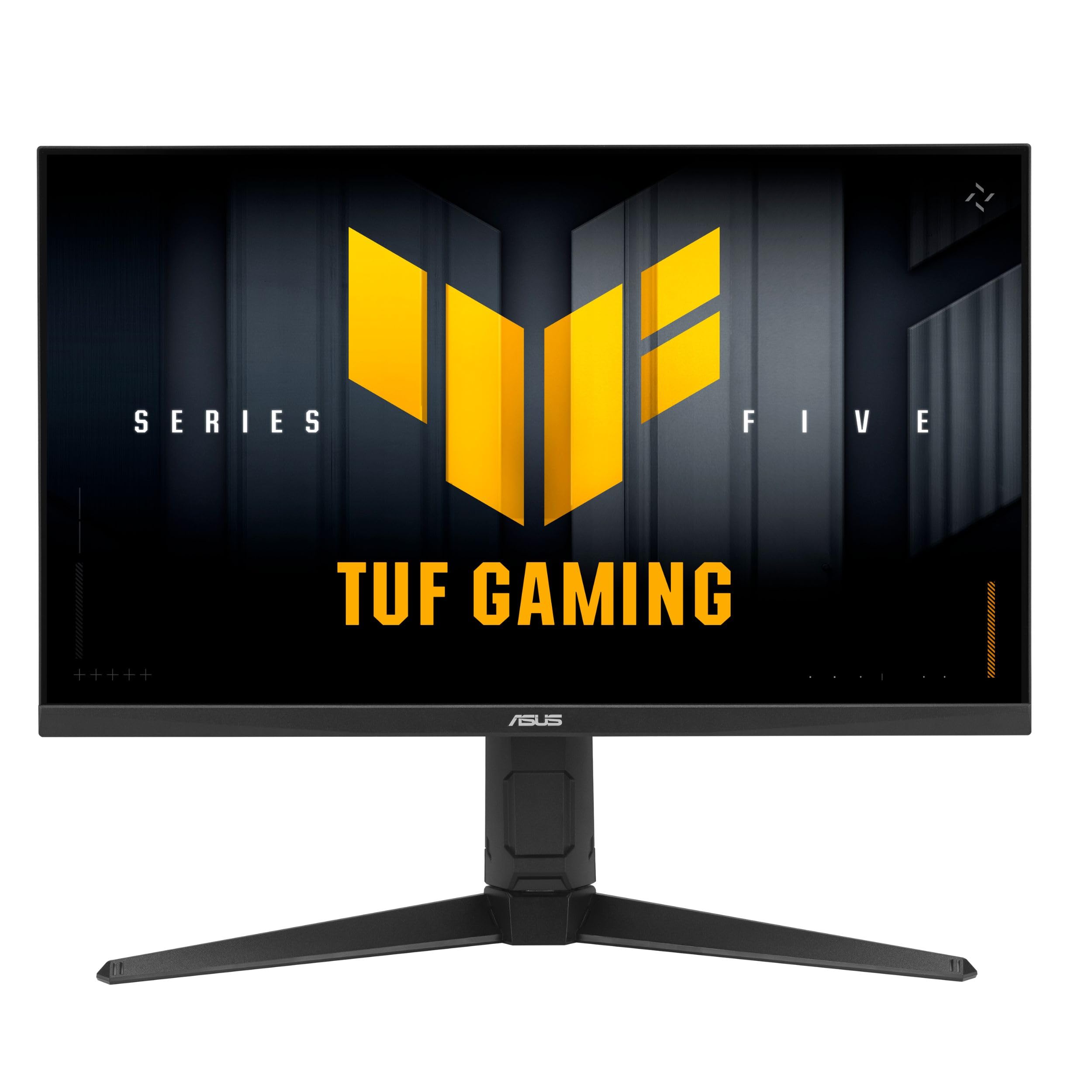
ASUS brings dual-mode technology to the TUF Gaming lineup, offering 4K at 80Hz or FHD at 310Hz on a single 27-inch Fast IPS panel. This gives you the option of crisp 4K visuals for story-driven titles or an extreme 310Hz refresh rate for competitive esports with reduced resolution. The 0.3ms GtG response time is among the fastest on any IPS monitor, effectively eliminating motion blur and ghosting in both modes.
The 120% sRGB color gamut produces vibrant, saturated images, and ASUS Extreme Low Motion Blur technology further reduces perceived blur during fast motion. NVIDIA G-Sync Compatible and AMD FreeSync support ensure adaptive sync works with either major GPU brand. The DisplayWidget Center allows mouse-based adjustment of all monitor settings, eliminating the frustration of joystick navigation. Built-in speakers are included, though they function best as a convenience rather than a primary audio solution.
Users highlight the value of having both 4K and high-Hz modes in one monitor at this price point. The stand offers full ergonomic adjustment, including pivot rotation for portrait mode. The boot-up time is slightly longer than average, and the on-screen display buttons are located on the back right edge, which can be awkward in multi-monitor setups. For the player who wants flexibility without buying two screens, this is an intelligent compromise.
Why it’s great
- Dual-mode 4K 80Hz or FHD 310Hz for versatile gaming
- 0.3ms GtG response time for IPS panels
- Full ergonomic stand with height, swivel, and pivot
Good to know
- Slightly longer boot-up time than some competitors
- OSD buttons on rear can be hard to reach in dual-monitor setups
7. Dell 27 Plus 4K S2725QS

The Dell S2725QS targets the hybrid user who needs Gaming Displays for after-hours sessions but prioritizes color-accurate productivity during the workday. Its 27-inch 4K IPS panel delivers 99% sRGB coverage with a 1500:1 contrast ratio that exceeds typical IPS specs, producing deeper blacks and better shadow detail. The 120Hz refresh rate is a meaningful upgrade over 60Hz for both desktop smoothness and casual gaming, though competitive players will want more frames.
AMD FreeSync Premium is supported for tear-free gameplay at up to 120Hz, and the 0.03ms response time (MPRT) keeps motion reasonably clear for most titles. Dell’s ComfortView Plus reduces harmful blue light to under 35% without the yellow tint common to software-based solutions, making this ideal for long work sessions that transition into gaming. The integrated speakers are noticeably improved over the previous generation, with deeper frequency response and higher output power.
User feedback praises the crisp text rendering and excellent build quality, though some note noticeable ghosting in competitive first-person shooters. The Ash White finish is a refreshing alternative to black monitors and fits minimalist desk aesthetics. For the professional who games after hours, this monitor delivers excellent mixed-use performance without the eye fatigue associated with raw gaming-oriented panels.
Why it’s great
- 4K resolution with 120Hz refresh for work and play
- ComfortView Plus reduces blue light without yellowing
- 1500:1 contrast ratio exceeds typical IPS panels
Good to know
- Noticeable ghosting in fast-paced competitive shooters
- Some early units reported color calibration inconsistencies
8. Alienware AW2725DM

The Alienware AW2725DM represents an excellent entry point into high-refresh-rate 1440p gaming. At 27 inches, QHD resolution (2560 x 1440) provides a sharp pixel density that balances visual clarity with manageable GPU demands. The 180Hz refresh rate and 1ms GtG response time deliver smooth, responsive gameplay that competitive players will appreciate, while the IPS panel ensures wide viewing angles and accurate colors out of the box.
Color performance is strong with 95% DCI-P3 coverage and VESA DisplayHDR 400 certification, giving HDR content noticeable punch above basic monitors. Both NVIDIA G-Sync and AMD FreeSync are supported, providing tear-free experiences regardless of your graphics card. The ergonomic stand offers full height, swivel, and pivot adjustment, and the built-in cable management keeps your desk tidy. The iconic Alienware aesthetic with customizable lighting adds personality to any setup.
Customer reviews consistently note that this monitor delivers premium Alienware build quality at a surprisingly accessible price point. The main caveat is that the full 180Hz refresh rate is only achievable through DisplayPort — HDMI is limited to 144Hz. There are no built-in speakers, so external audio is required. For the gamer building a first serious rig or upgrading from 1080p, this monitor provides a well-rounded package that will not bottleneck mid-range hardware.
Why it’s great
- 1440p resolution and 180Hz refresh for smooth competitive gaming
- Supports both G-Sync and FreeSync for tear-free play
- Full ergonomic stand with cable management
Good to know
- 180Hz only available via DisplayPort, not HDMI
- No built-in speakers or headphone jack
9. Gawfolk 32″ Curved 240Hz

Gawfolk delivers an aggressive value proposition with a 32-inch curved 240Hz monitor at an entry-level price point that undercuts most competitors. The 1800R VA panel offers a 4000:1 native contrast ratio, producing deeper blacks than IPS alternatives in this tier, while the Full HD 1080p resolution ensures that even mid-range GPUs can easily saturate the 240Hz refresh rate for buttery-smooth motion. AMD FreeSync reduces tearing and stutter in supported titles.
Color reproduction covers 100% sRGB with 16.7 million colors and 8-bit depth, delivering vibrant visuals that are impressive for the price segment. The frameless design maximizes screen real estate on a 32-inch diagonal, and the 250 cd/m² brightness is sufficient for most indoor environments. Connectivity includes DisplayPort (up to 240Hz) and HDMI (up to 120Hz), plus VESA 100x100mm wall mount compatibility. The tilt adjustment offers basic ergonomic flexibility.
User feedback notes that this monitor provides excellent value for budget-conscious gamers, delivering smooth 240Hz motion at 1080p with the immersive benefit of a curved screen. The lack of built-in speakers is worth acknowledging, and some users have reported inconsistent customer support experiences. For the esports-focused player on a tight budget who prioritizes maximum frame rate over absolute resolution, this monitor delivers where it counts.
Why it’s great
- 240Hz refresh rate at a highly accessible price point
- VA panel with 4000:1 contrast ratio for deep blacks
- 32-inch curved screen adds immersion without premium cost
Good to know
- 1080p resolution may look soft at 32 inches for some users
- Customer support response has been inconsistent in some cases
FAQ
Is 240Hz worth buying over 144Hz for competitive gaming?
What does dual mode mean on Gaming Displays?
Why is 0.03ms response time on OLED better than 1ms on IPS?
Final Thoughts: The Verdict
For most users, the best gaming displays winner is the MSI MPG 321URX QD-OLED because it combines 4K resolution, 240Hz smoothness, instant 0.03ms response, and true HDR contrast into one well-rounded package that excels for both competitive and cinematic gaming. If you want dual-mode flexibility to switch between 4K and high-speed FPS, grab the ASUS ROG Strix XG27UCG. And for the ultimate ultrawide immersion with dual 4K resolution, nothing beats the Samsung 57″ Odyssey Neo G9.