
The difference between a good gaming session and a great one often comes down to how your mouse translates a flick of the wrist into a pixel-perfect headshot. Lag, weight, and sensor accuracy separate the gear that holds you back from the hardware that pushes you forward. Finding the right balance of these specs without overspending is the real challenge.
I’m Mohammad Maruf — the founder and writer behind Drink4Good. I’ve spent years analyzing sensor performance, switch durability, and weight distribution across hundreds of gaming mice to help you separate the genuine performers from the flashy also-rans.
From ultra-light wireless designs to high-DPI wired beasts with customizable scroll wheels, the right pick depends on your grip and game style. This guide breaks down the top contenders for the best gaming mice under $150, with a focus on real-world tracking, click feel, and build quality.
How To Choose The Best Gaming Mice Under $150
Before you click “add to cart,” understand that a gaming mouse isn’t just a box with buttons. Its sensor, weight, switch type, and shape directly control your in-game actions. Choosing poorly means dealing with spin-outs, double-click issues, or hand cramps during clutch moments. Focus on these three areas to ensure your purchase elevates your gameplay.
Sensor Performance and DPI Realities
The sensor is the heart of the mouse. While DPI numbers (dots per inch) are heavily marketed, raw DPI above 20,000 offers diminishing returns for most players. What matters more is the sensor’s native tracking accuracy — look for modern optical sensors like Razer’s Focus Pro or Logitech’s HERO that offer 1-to-1 tracking with no smoothing or acceleration. A sensor that handles lift-off distances cleanly and tracks across cloth and hard pads without jitter is far more valuable than a five-digit DPI sticker.
Weight, Shape, and Grip Compatibility
Weight directly influences flick speed and fatigue. Competitive FPS players often prefer mice under 80 grams for fast, low-inertia swipes, while MOBA and MMO players may find slightly heavier mice more stable for precise clicks. Shape is equally critical — ambidextrous designs suit claw and fingertip grips, while ergonomic mice with pronounced thumb rests support palm grips best. Check the length and width against your hand size to avoid cramping over long sessions.
Connectivity and Switch Technology
Wireless has evolved past the era of noticeable lag. Modern 2.4 GHz wireless (like Logitech’s Lightspeed or Razer’s HyperSpeed) delivers 1 ms response times that match wired performance, with battery life stretching from 60 to over 250 hours. For wired models, look for braided Speedflex cables that minimize drag. Switch type also matters: optical switches (found on higher-end Razer mice) actuate in 0.2 ms with zero double-click issues over 90 million clicks, while mechanical switches have a tactile feel but wear out faster. Choose based on your tolerance for click noise and longevity demands.
Quick Comparison
On smaller screens, swipe sideways to see the full table.
| Model | Category | Best For | Key Spec | Amazon |
|---|---|---|---|---|
| Razer DeathAdder V3 HyperSpeed | Wireless | Ultra-light esports performance | 55 grams weight | Amazon |
| Razer Basilisk V3 35K | Wired | Customization and ergonomic control | 35K DPI Focus Pro sensor | Amazon |
| ATTACK SHARK X11 | Tri-Mode | Budget ultra-light with charging dock | 62 grams weight | Amazon |
| SteelSeries Rival 3 Gen 2 | Wired | Wired budget with fast click latency | 1.35 ms click latency | Amazon |
| Logitech G305 Lightspeed | Wireless | Long battery and portable design | 250 hour battery life | Amazon |
In‑Depth Reviews
1. Razer DeathAdder V3 HyperSpeed

The Razer DeathAdder V3 HyperSpeed redefines what a wireless mouse can do at this price point. Weighing just 55 grams, it’s one of the lightest esports-grade mice available, and the mass-centralized design means flicks feel balanced rather than nose-heavy. The Focus X 26K optical sensor delivers 99.6% resolution accuracy, which translates to seamless tracking even during rapid direction changes in competitive titles.
The Gen-3 optical switches are a standout feature — they actuate at 0.2 ms with a crisp, reassuring click and are rated for 90 million clicks with zero risk of double-clicking. Battery life reaches up to 100 hours on a single USB-C charge, making it a reliable companion for tournament travel. The smooth-touch matte coating offers a secure grip without attracting fingerprints, and the right-handed ergonomic shape has been refined with input from pro players for natural palm support.
HyperSpeed wireless maintains a stable 1 ms report rate even in crowded wireless environments, and you can upgrade to an 8,000 Hz polling rate with a separate dongle if you need truly bleeding-edge response. The only compromise is the lack of RGB lighting, which keeps weight low and battery life high — a trade-off most competitive players will welcome.
Why it’s great
- Extremely light at 55 grams for effortless flicks
- Gen-3 optical switches are fast and durable
- 100-hour battery life with USB-C charging
Good to know
- No built-in RGB lighting
- Requires Razer Synapse for full customization
- Right-handed shape only
2. Razer Basilisk V3 35K

The Razer Basilisk V3 35K is the wired powerhouse for players who want every bell and whistle. Its Razer Focus Pro 35K Optical Sensor Gen-2 supports 1-DPI step adjustments for granular tuning, and it tracks reliably on glass surfaces — a feature few mice at this level can claim. The 11-zone Chroma underglow adds immersive game-reactive lighting without sacrificing performance.
The HyperScroll Tilt Wheel is the defining feature here: it switches between tactile, notched scrolling and a free-spin mode that lets you fly through long documents or weapon wheels. You can set it to auto-switch based on scroll speed via Razer Synapse. With 13 total customizable controls — including a multi-function trigger for push-to-talk or pings — this mouse is built for MMO and MOBA players who need every action mapped to a fingertip.
The Gen-3 optical switches maintain the same 0.2 ms actuation and 90-million-click durability as the DeathAdder, and the Speedflex cable is woven to reduce drag during wide swipes. Large PTFE feet provide a slick glide on cloth pads. The right-handed ergonomic design with a contoured thumb rest supports palm grips well over marathon sessions, though the shape may feel bulky for fingertip users.
Why it’s great
- HyperScroll wheel with free-spin and tactile modes
- 35K DPI sensor with glass tracking capability
- 13 customizable controls for complex game binds
Good to know
- Wired connection only
- Heavier design not ideal for speed-focused players
- Software required for full feature set
3. ATTACK SHARK X11

The ATTACK SHARK X11 punches far above its price bracket by bundling a tri-mode connection (2.4 GHz, Bluetooth, and USB-C wired) with a charging dock — a feature normally reserved for mice costing twice as much. The PAW3311 optical sensor reaches up to 22,000 DPI with 300 IPS tracking, and different DPI levels illuminate the internal RGB in distinct colors for quick visual feedback.
At 62 grams, the X11 competes with ultralight models from major brands. The included anti-slip grip tape is a thoughtful addition for sweaty hands, and the HUYU switches are rated for 20 million clicks with a tactile, responsive feel. The ergonomic shape accommodates claw and fingertip grips comfortably, and the matte silicone/TPU enclosure provides a secure hold without being sticky.
The RGB charging dock is the standout convenience: it houses a USB receiver port at its base, so you can plug the dongle into the dock and keep your desk clean. The dock’s backlight can be customized via a button on the base. Battery life lasts over a week of constant play, though the lack of a Linux driver means you lose button remapping if you’re not on Windows.
Why it’s great
- Tri-mode connectivity for versatile setups
- RGB charging dock simplifies recharging
- Ultralight 62g design with included grip tape
Good to know
- No dedicated Linux driver for custom binds
- HUYU switches rated for 20 million clicks (lower than optical switches)
- Software required for macro programming
4. SteelSeries Rival 3 Gen 2
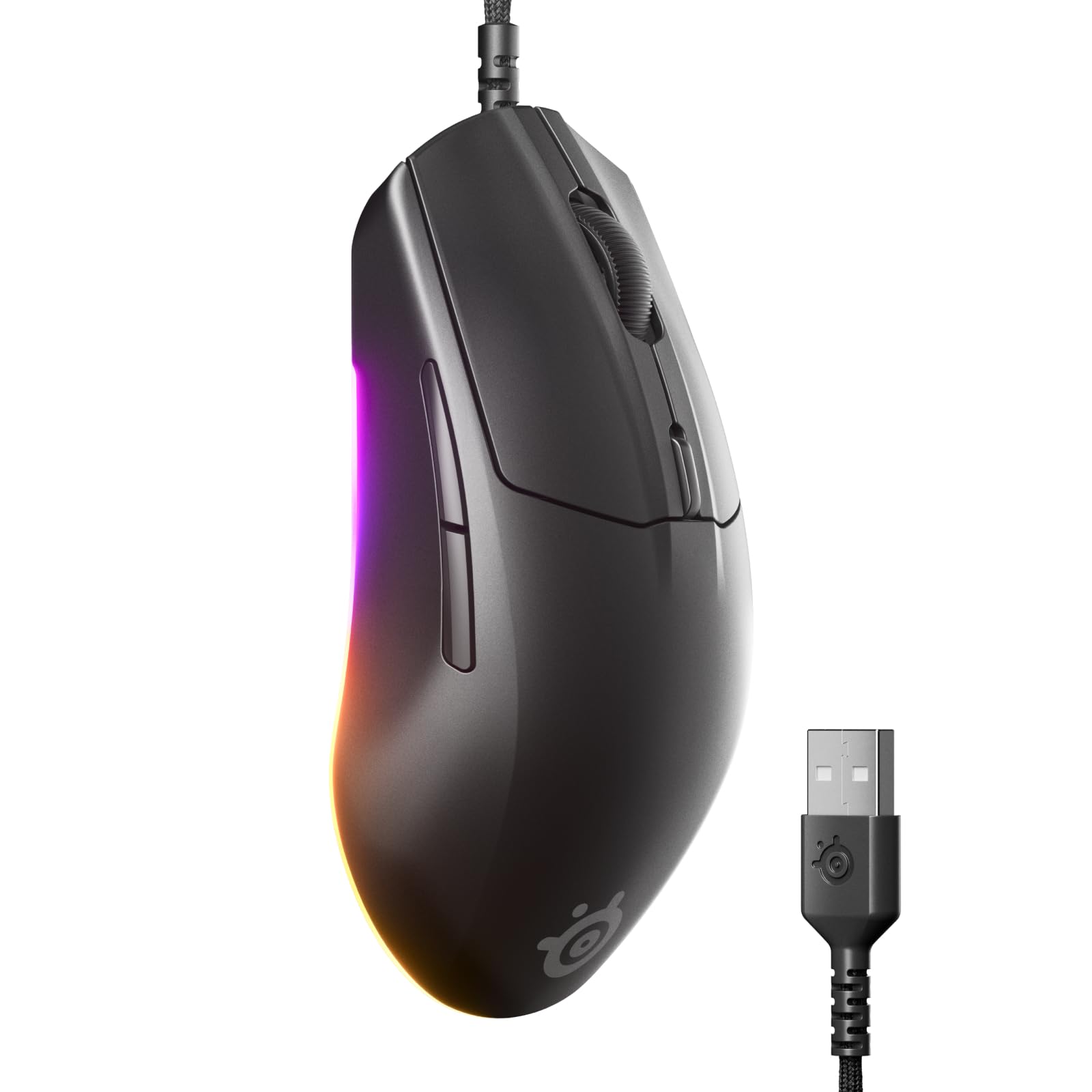
The SteelSeries Rival 3 Gen 2 prioritizes one thing above all else: click speed. With a tested 1.35 ms click latency, it’s among the fastest wired mice in this price range, giving you an edge in twitch shooters where every millisecond counts. The TrueMove Core 8.5K optical sensor delivers true 1-to-1 tracking, ensuring your cursor matches your muscle memory without artificial smoothing.
The 77-gram weight is well-balanced for medium-to-large hands, and the Super Mesh Paracord cable drastically reduces drag compared to standard rubber cables. The 3-zone RGB lighting provides understated desk flair without feeling overbearing. The right-handed shape features a comfortable hump that supports palm and claw grips, and the 100% PTFE feet glide smoothly on most mouse pads.
Build quality is solid for the price point, with 60-million-click mechanical switches that feel crisp out of the box. The top plastic shell is smooth and easy to clean, and the underside RGB adds a subtle glow. The lack of a sniper button is a minor miss for FPS purists, but the overall package is a reliable wired option that doesn’t break the bank.
Why it’s great
- Extremely low 1.35 ms click latency
- Lightweight braided cable reduces friction
- True 1-to-1 sensor tracking for accuracy
Good to know
- No sniper button for FPS players
- Wired design limits desk cable management
- Right-handed shape only
5. Logitech G305 Lightspeed

The Logitech G305 Lightspeed remains a benchmark for budget wireless gaming. Its HERO sensor delivers up to 12,000 DPI with 10x the power efficiency of previous generations, allowing 250 hours of continuous gaming on a single AA battery. Switch to Endurance mode via G HUB and you can stretch battery life up to 9 months for office use.
At just 3.4 ounces (around 99 grams with battery), the G305 is heavier than ultralight competitors but feels planted and stable during use. The compact ambidextrous design fits smaller hands well and includes six programmable buttons with on-board memory for storing profiles. The Lightspeed wireless technology provides a 1 ms report rate with no perceptible lag, making it a reliable choice for both desktop and travel use with the nano receiver stored inside the body.
Build quality is typical Logitech: solid plastic construction with a durable matte finish. The side buttons are responsive but some users find them positioned slightly too far forward. The included AA battery is a mixed bag — it’s easy to replace but adds weight. Overall, the G305 is a versatile, no-nonsense wireless mouse that prioritizes battery life and reliable tracking over flashy extras.
Why it’s great
- Incredible 250-hour battery life on one AA battery
- Reliable Lightspeed wireless with 1 ms response
- Compact and portable with onboard receiver storage
Good to know
- Heavier than ultralight competitors due to AA battery
- No Bluetooth support
- Included battery may be dead on arrival for some units
FAQ
Is wireless gaming mouse latency noticeable compared to wired?
How many DPI do I actually need for competitive gaming?
What is the difference between optical and mechanical mouse switches?
Final Thoughts: The Verdict
For most users, the best gaming mice under $150 winner is the Razer DeathAdder V3 HyperSpeed because it combines a pro-validated 55g shell with a high-accuracy 26K sensor and 100-hour battery life at a mid-range price. If you want maximum customization with a HyperScroll wheel and 13 programmable buttons, grab the Razer Basilisk V3 35K. And for a budget-friendly entry into wireless gaming with a charging dock, nothing beats the ATTACK SHARK X11.