
A competitive edge in esports is measured in milliseconds and sub-micron movements. The right peripheral translates your hand speed into in-game precision, but the wrong choice introduces latency, tracking errors, and hand fatigue that caps your potential.
I’m Mohammad Maruf — the founder and writer behind Drink4Good. I’ve spent years analyzing sensor architecture, switch durability, and weight distribution to identify which models deliver tournament-grade accuracy without requiring a second mortgage to afford.
Whether you are upgrading from a basic office mouse or seeking a dedicated secondary weapon for LAN events, this guide covers the top tier of competitive hardware. My curated list of the best gaming mice under $400 balances flagship sensors, ultra-low weight, and reliable wireless performance for serious players.
How To Choose The Best Gaming Mice Under $400
Gaming mice have evolved past simple click-and-point devices. Modern peripherals integrate specialized sensors, high-frequency polling, and lightweight materials that directly affect your in-game performance. Below are the critical factors exclusive to this category.
Sensor Performance and DPI Range
Optical sensors like the PixArt PAW3950 or Logitech HERO 2 offer tracking up to 44,000 DPI, but raw DPI is less important than acceleration tolerance (measured in G) and IPS (inches per second). A sensor rated for 750 IPS and 50G acceleration handles fast swipes without spinning out. Look for models with zero smoothing or angle snapping to ensure raw cursor movement.
Weight and Build Materials
Ultra-lightweight mice (under 50 grams) reduce fatigue during long sessions and allow faster flick adjustments. Honeycomb shells shed grams but require dust protection. Solid-shell designs with thin internal frames offer similar weight savings with better structural rigidity. Consider your grip style: claw and fingertip grips benefit from lighter mice, while palm grip users often prefer a bit of heft for stability.
Connectivity and Polling Rate
Wireless technology has reached parity with wired in latency. Look for proprietary low-latency protocols like Logitech LIGHTSPEED, Razer HyperSpeed, or 2.4GHz connections. Polling rate — 1000Hz (1ms) standard versus 8000Hz (0.125ms) premium — reduces perceived input lag but increases CPU overhead. Most competitive players see diminishing returns beyond 4000Hz, but the option remains a hallmark of high-tier hardware.
Switch Durability and Click Feel
Optical switches use light beams instead of metal contacts, eliminating debounce delay and lasting 70 to 100 million clicks. Mechanical switches offer tactile feedback but degrade over time. Hybrid options like Logitech LIGHTFORCE combine optical speed with mechanical feel. Test click tension — some switches are lighter for rapid tapping, others heavier for accidental-press prevention.
Quick Comparison
On smaller screens, swipe sideways to see the full table.
| Model | Category | Best For | Key Spec | Amazon |
|---|---|---|---|---|
| Lamzu Maya X | Premium | Competitive FPS Precision | 47g / PAW3950 Sensor | Amazon |
| Razer Viper V4 Pro | Premium | Esports Tournaments | 49g / 8KHz Polling | Amazon |
| Razer Basilisk V3 Pro 35K | Premium | All-Day Comfort + Macros | HyperScroll Tilt Wheel | Amazon |
| Logitech G PRO 2 Lightspeed | Premium | Ambidextrous Use | HERO 2 / 44K DPI | Amazon |
| Corsair Sabre v2 PRO | Mid-Range | Ultralight FPS Speed | 36g / 33K DPI | Amazon |
| SteelSeries Aerox 5 | Mid-Range | Durable + Water Resistant | IP54 / 59g | Amazon |
| Logitech G309 Lightspeed | Entry-Level | Budget Battery Longevity | HERO 25K / 300+ hr | Amazon |
In‑Depth Reviews
1. Lamzu Maya X Wireless Gaming Mouse

The Lamzu Maya X achieves a near-perfect weight-to-durability ratio at 47 grams, using a symmetrical shape that accommodates palm, claw, and fingertip grips without flex or creaking. The PixArt PAW3950 sensor supports up to 30,000 DPI and 750 IPS, ensuring zero smoothing during high-speed tracking.
Optical switches rated for 70 million cycles deliver crisp, instant actuation with no debounce delay, while the dust-proof encoder on the scroll wheel provides precise 15-pulse signaling per rotation for weapon switching in shooters. The Nordic 52840 chip enables up to 80 hours of battery life at 1000Hz polling, though true 8000Hz requires an optional dongle.
The included protective film prevents debris from entering the exposed motherboard area, and the extra set of skates and grip tape allows fine-tuning of glide resistance. The shape is notably larger than many ultralight mice, favoring medium to large hands.
Why it’s great
- Exceptional 47g build with no structural flex
- PAW3950 sensor tracks flawlessly at high IPS
- Generous battery life and quick USB-C charging
Good to know
- Large shape may feel bulky for small hands
- 8KHz dongle sold separately
- Coating shows fingerprints easily
2. Razer Viper V4 Pro Wireless Esports Gaming Mouse
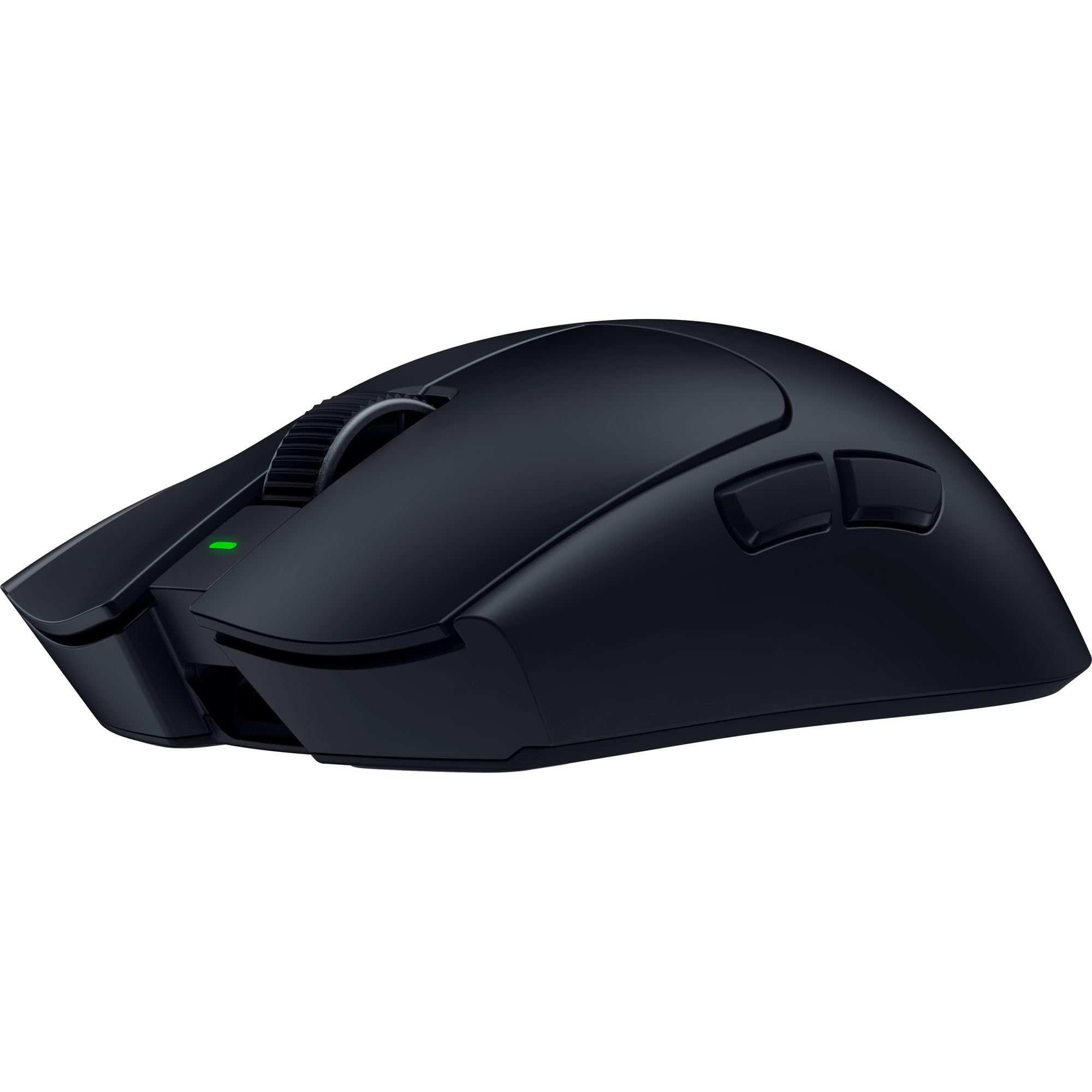
The Viper V4 Pro shaves 9% off its predecessor’s weight, landing at 49 grams without sacrificing structural integrity. The Focus Pro 50K Optical Sensor Gen-3 tracks up to 930 IPS and 90G acceleration, utilizing Frame Sync technology to align sensor data with the PC’s render cycle for latency reduction.
Razer HyperSpeed Wireless Gen-2 delivers true 8000Hz polling both wired and wirelessly, though battery life drops to 45 hours at that rate. At the standard 1000Hz polling, the unit runs up to 180 hours — more than enough for a week of heavy play. Gen-4 optical switches provide tactile feedback with a 100-million-click lifespan.
The optical scroll wheel uses actuation instead of a mechanical encoder, producing consistent feedback and eliminating scroll drift over time. The symmetrical shape suits claw and fingertip grips, and the included grip tape improves control during intense matches. The mouse works with Razer Synapse 4 on both PC and Mac.
Why it’s great
- Industry-leading 50K DPI sensor with Frame Sync
- True 8000Hz polling wired and wireless
- 180-hour battery at 1000Hz polling rate
Good to know
- Right-handed only design
- Primary clicks are loud
- Black coating attracts oil
3. Razer Basilisk V3 Pro 35K Wireless Gaming Mouse

The Basilisk V3 Pro 35K is built for players who need both precise aim control and extensive macro functionality. Its Focus Pro 35K Optical Sensor Gen-2 tracks on glass surfaces with 1-DPI step adjustments, while HyperScroll Tilt Wheel offers tactile, free-spin, and auto-switch modes configurable through Synapse.
Thirteen customizable controls including a multi-function trigger provide enough inputs for MMO players or creative professionals. Optical switches Gen-3 deliver consistent click feel across millions of actuations, and the battery lasts up to 140 hours on Razer HyperSpeed wireless. The RGB underglow spans 13 zones and integrates with over 200 Chroma-compatible games.
The ergonomic right-handed shape fills larger hands naturally and supports extended work sessions without fatigue. Wireless charging requires the sold-separately Mouse Dock Pro or HyperPolling dongle to achieve 8000Hz polling. The scroll wheel can auto-switch modes based on scrolling speed in Smart-Reel mode, a feature unique to this model.
Why it’s great
- HyperScroll wheel with three distinct modes
- 13 programmable controls for complex macros
- Works on glass surfaces reliably
Good to know
- Heavier than competitive ultralight mice
- 8KHz polling requires separate accessory
- Battery life at 2-3 days with heavy RGB use
4. Logitech G PRO 2 Lightspeed Wireless Gaming Mouse

The G PRO 2 Lightspeed builds on Logitech’s championship-winning design with HERO 2 sensor delivering 44,000 DPI, 888+ IPS, and 88G acceleration. The ambidextrous shape includes swappable magnetic side buttons that can be positioned on either side or removed entirely to prevent accidental presses for left-handed users.
LIGHTFORCE switches hybridize optical speed with mechanical feel, offering crisp actuation with no bounce delay. The 80-gram weight sits above the ultralight trend, providing stability for palm grippers while remaining fast enough for competitive play. Battery life reaches 95 hours at standard polling, and USB-C charging works both wired and wirelessly.
The PRO LIGHTSPEED receiver (sold separately) unlocks 8000Hz polling for users who need the absolute lowest latency. Logitech G HUB software handles DPI tuning, button remapping, and RGB customization, though the software is known for higher system resource usage than competitors.
Why it’s great
- True ambidextrous design with magnetic side buttons
- HERO 2 sensor with high acceleration tolerance
- USB-C charging while maintaining wireless use
Good to know
- 80g weight heavier than ultralight competitors
- 8KHz dongle sold separately
- G Hub software is resource heavy
5. Corsair Sabre v2 PRO Ultralight FPS Wireless Gaming Mouse
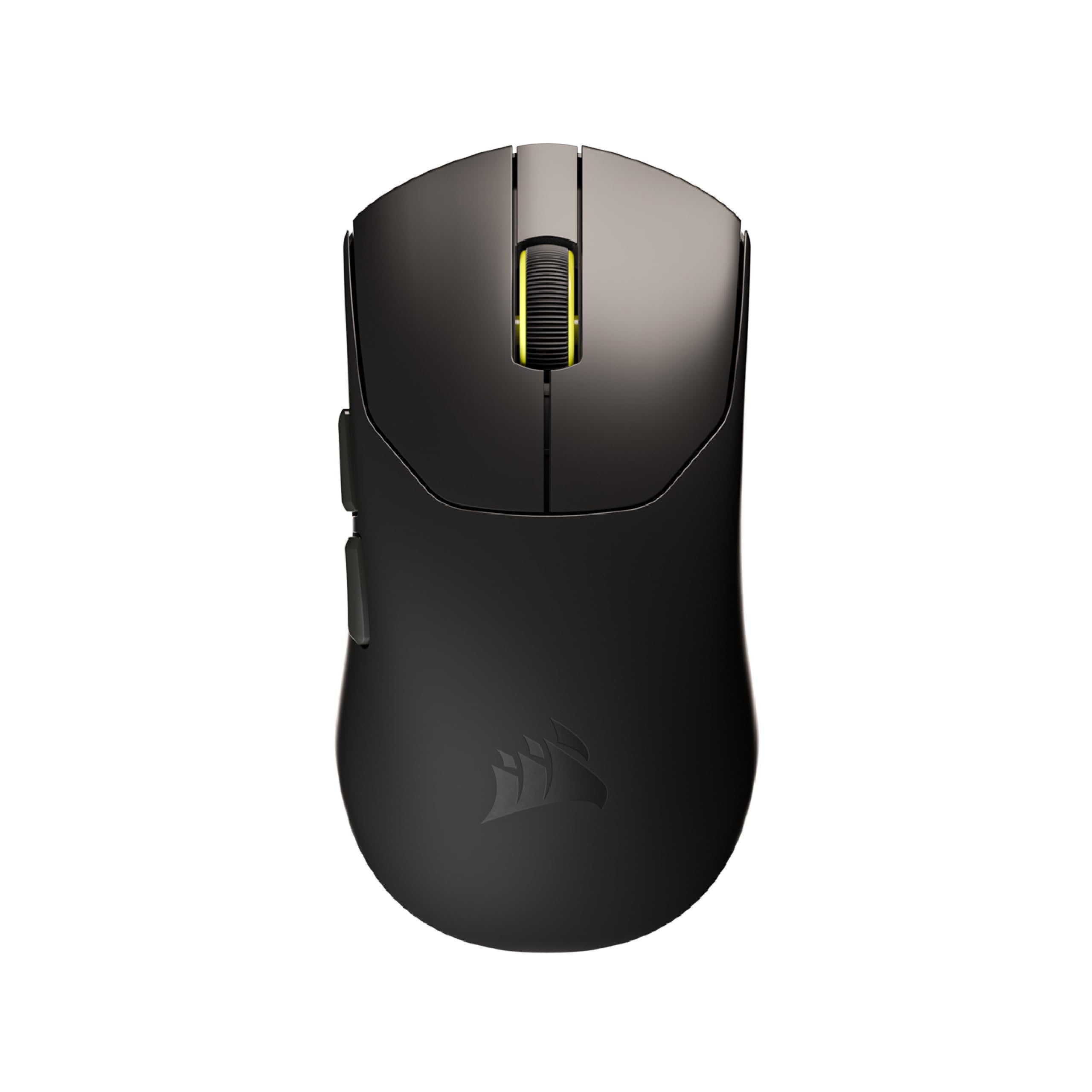
At 36 grams, the Sabre v2 PRO is the lightest mouse on this list, designed exclusively for FPS players who need maximum flick speed. The MARKSMAN S optical sensor provides 33,000 DPI, 750 IPS, and 50G acceleration, while 8000Hz hyper-polling delivers eight times the input updates of standard mice.
Corsair custom-tuned mechanical switches are rated for 100 million clicks and provide tactile feedback preferred by many competitive players over optical units. Battery life reaches 70 hours at 1000Hz polling, though using 8000Hz significantly reduces runtime. The ambidextrous shape is medium-sized, fitting a wide range of grip styles.
iCUE software support is planned but not yet available at launch, limiting customization options to the web-based Corsair Hub. The mouse includes grip tape, replacement skates, and a USB-C cable in the box, making it ready for immediate tournament use. The build quality feels solid despite the extreme weight reduction.
Why it’s great
- Ultimate 36g weight for rapid flick aiming
- True 8KHz polling out of the box
- Crisp mechanical switch feedback
Good to know
- iCUE software support still pending
- Higher polling rates drain battery quickly
- Medium shape may not fill large hands
6. SteelSeries Aerox 5 Holey RGB Gaming Mouse
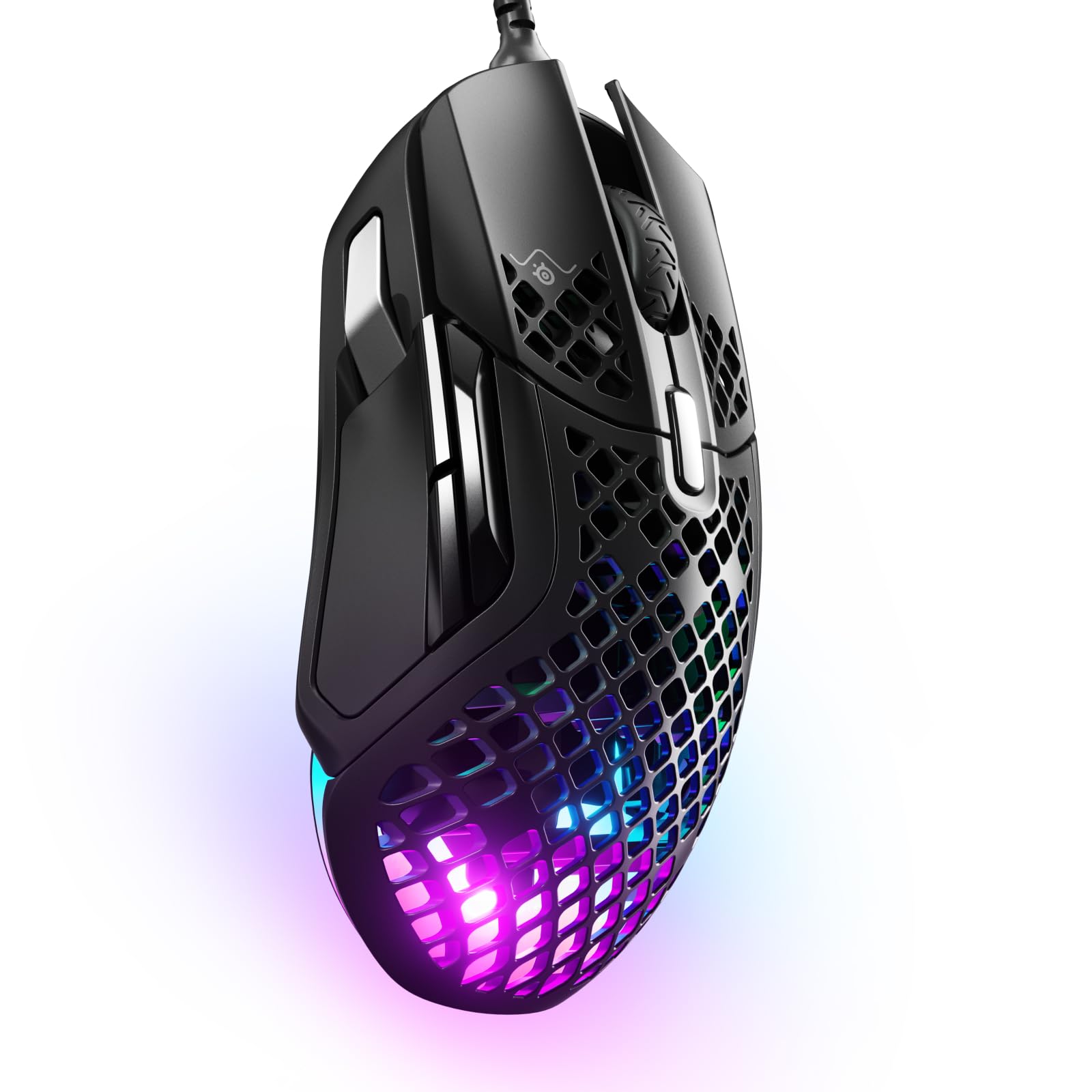
The Aerox 5 stands apart with its IP54 rating, shielding internal components from water splashes, dust, and dirt. The holey shell reduces weight to 59 grams without compromising structural rigidity, and the AquaBarrier technology ensures longevity in less-than-pristine environments like LAN centers or dusty rooms.
Nine programmable buttons include a unique side panel with an up/down flick switch that expands keybinding options without increasing the number of tiny, hard-to-reach buttons. The TrueMove Air optical sensor co-developed with PixArt delivers 18,000 DPI with 1-to-1 tracking, and the Golden Micro IP54 switches are rated for extended durability with dust and water resistance.
Three-zone PrismSync RGB offers 16.8 million color configurations, and the SteelSeries GG software enables per-game profiles. The right-handed ergonomic shape provides a natural palm rest, while the large PTFE gliders ensure smooth movement across varied mouse pads. The scroll wheel lacks side-to-side input, which some users may miss for horizontal scrolling.
Why it’s great
- IP54 water and dust resistance
- Unique flick switch for extra binds
- Lightweight holey design at 59 grams
Good to know
- Wired USB connection only
- No horizontal scroll wheel input
- Mac hotkey binding may not work
7. Logitech G309 Lightspeed Wireless Gaming Mouse

The G309 proves that excellent sensor performance does not require a premium budget. The HERO 25K sensor tracks with sub-micron precision and zero smoothing, matching the accuracy of higher-priced siblings. LIGHTFORCE hybrid switches combine optical speed with a satisfying mechanical click feel, and the 86-gram weight with an AA battery is manageable for most grips.
Battery life is the standout specification here — over 300 hours from a single AA cell. Players who hate charging peripherals between sessions will appreciate the replaceable battery approach, which also eliminates battery degradation over time. With the optional POWERPLAY wireless charging system, the mouse operates at 68 grams without a battery.
The six programmable buttons enable personalized profiles for different games, and the LIGHTSPEED receiver provides a reliable low-latency connection. Bluetooth compatibility adds versatility for office use between gaming sessions. The right-handed shape is comfortable for medium claw grips but may not suit large palm-dominant hands.
Why it’s great
- Exceptional 300+ hour battery on single AA battery
- HERO 25K sensor with zero smoothing
- Replaceable battery avoids built-in degradation
Good to know
- 86g weight heavier than ultralight options
- G Hub software is resource intensive
- Lacks hyper-fast scroll wheel
FAQ
Do I need 8000Hz polling rate for competitive gaming?
Why do some gaming mice use replaceable batteries instead of built-in rechargeables?
What is the difference between optical and mechanical mouse switches?
Final Thoughts: The Verdict
For most users, the best gaming mice under $400 winner is the Lamzu Maya X because it balances a featherlight 47-gram chassis with the flagship PAW3950 sensor and exceptional build quality at a competitive price point. If you want the absolute lowest latency and longest battery life for esports tournaments, grab the Razer Viper V4 Pro. And for extended MMO sessions or creative work requiring extensive macro controls, nothing beats the Razer Basilisk V3 Pro 35K.