
Competitive gaming at under $150 used to mean sacrificing fluid motion for an affordable panel. Today, 180Hz refresh rates, 1ms response times, and IPS color accuracy have crashed through the price barrier, making budget-tier monitors serious contenders for fast-paced shooters and open-world titles. The challenge is no longer finding a capable screen—it is picking the one that hides the inevitable cost-cutting in the right places.
I’m Mohammad Maruf — the founder and writer behind Drink4Good. For this guide, I’ve spent hours cross-referencing real-world customer experiences against the raw technical specifications of nine monitors priced under $150 to determine which specs actually matter and which marketing numbers inflate the hype.
Whether you prioritize a blazing 240Hz refresh rate for esports dominance, an immersive curved VA panel for single-player depth, or a fully adjustable ergonomic stand for all-day comfort, this analysis of the gaming monitor under $150 cuts through the noise so you can buy with confidence.
How To Choose The Best Gaming Monitor Under $150
Staying under the $150 cap forces every manufacturer to compromise somewhere. Your job is to make sure the trade-offs land on features you care least about. Prioritize the panel technology and refresh rate that match your primary games, then double-check the stand, connectivity, and built-in audio to avoid unpleasant surprises after unboxing.
Panel Technology: IPS vs. VA vs. TN
IPS panels, like those in the ASUS TUF Gaming VG259Q3A and the LG UltraGear 24G411A, deliver superior color accuracy (99% sRGB) and wider viewing angles—essential for immersive single-player titles and creative work. VA panels, used in the SANSUI and the curved ZZA, offer significantly higher contrast ratios (4000:1 vs. 1000:1) for deeper blacks in dark scenes, but color shifting occurs at off-angles. TN panels are virtually extinct in this price bracket except in ultra-budget models; avoid them unless raw speed (240Hz+) is your only priority and color quality is irrelevant.
Refresh Rate & Adaptive Sync: Real vs. Marketing Hz
A 240Hz monitor like the Sceptre E255B-FWD240 offers a genuine competitive edge for esports players targeting 200+ frames per second. However, if your GPU cannot sustain those frame rates, the extra Hz provide zero benefit. For console gamers (PS5, Xbox Series X), a 120Hz cap means models like the LG UltraGear or Acer SB273 at 120Hz–144Hz are more than sufficient. Adaptive sync technology—whether FreeSync Premium, G-Sync Compatible, or basic FreeSync—eliminates screen tearing. FreeSync Premium, found on the Sceptre and Z-Edge, enforces a minimum refresh rate floor for tear-free low-frame-rate compensation, a feature standard FreeSync lacks.
Response Time: 1ms MPRT vs. 1ms GTG
Monitor manufacturers quote either MPRT (Motion Picture Response Time) or GTG (Grey-to-Grey) for their 1ms claims. MPRT uses backlight strobing to reduce perceived motion blur, which can introduce flicker or reduce brightness. GTG measures pixel transition speed without strobing. A 1ms GTG figure—quoted by the ASUS VG259Q3A—represents genuine pixel speed. A 1ms MPRT label (common on the LG and others) means the panel’s real GTG transition is usually 4ms–5ms, which is still excellent for gaming but not quite as sharp in practice.
Stand Ergonomics & Connectivity
Height-adjustable stands are rare under $150. The Samsung Odyssey G3 (G30D) is a standout because it offers full tilt, swivel, pivot, and height adjustment without pushing the budget. Most competitors, including the KOORUI and the Z-Edge, offer only tilt. If your desk setup requires a specific eye level, factor in the cost of a VESA-compatible monitor arm (75x75mm or 100x100mm). For connectivity, two HDMI ports plus a DisplayPort provide the most flexibility for switching between a PC and a console. Avoid monitors with only HDMI and VGA—VGA caps at 60Hz and introduces signal degradation.
Quick Comparison
On smaller screens, swipe sideways to see the full table.
| Model | Category | Best For | Key Spec | Amazon |
|---|---|---|---|---|
| ASUS TUF VG259Q3A | Premium | Competitive FPS & all-day comfort | 180Hz / 1ms GTG / Fast IPS | Amazon |
| LG UltraGear 24G411A | Premium | Console gaming & dual monitor setups | 144Hz OC / 1ms MBR / IPS | Amazon |
| Samsung Odyssey G3 G30D | Premium | Ergonomic flexibility & balanced play | 180Hz / 1ms MPRT / VA | Amazon |
| Sceptre E255B-FWD240 | Mid-Range | High-Hz esports on a strict budget | 240Hz / 1ms BR / LED | Amazon |
| Z-Edge UG25F | Mid-Range | High contrast & RGB ambiance | 240Hz / 1ms / 5000:1 contrast | Amazon |
| Acer SB273 G0bi | Mid-Range | Everyday use & work-from-home | 120Hz / 1ms VRB / IPS | Amazon |
| ZZA 27 Curved | Mid-Range | Curved immersion & wide color gamut | 200Hz / 1ms / VA curved | Amazon |
| KOORUI 27 | Budget | Budget 27-inch for mixed use | 144Hz / 1ms / VA | Amazon |
| SANSUI 24 | Budget | Price-conscious entry-level gaming | 180Hz / 1ms MPRT / VA | Amazon |
In‑Depth Reviews
1. ASUS TUF Gaming VG259Q3A

The ASUS TUF VG259Q3A is the most well-rounded monitor in the under-$150 bracket. Its 24.5-inch Fast IPS panel delivers genuine 1ms GTG response time—not the marketing MPRT trick—so pixel transitions keep pace with 180Hz refresh rates without noticeable ghosting. The 99% sRGB coverage ensures colors look accurate straight out of the box, and ASUS’s Extreme Low Motion Blur (ELMB) technology further sharpens fast-paced sequences without the flicker typical of budget strobe implementations. Shadow Boost lifts dark areas in games without washing out highlights, a genuine advantage for spotting enemies in shadow-heavy maps.
The built-in 1.5W stereo speakers are adequate for desktop audio but lack bass; a cheap set of external speakers solves that easily. The stand offers tilt adjustment only, but the DisplayPort and two HDMI ports give you flexibility to swap between a PC and a console. Power consumption stays under 18W, keeping heat and electricity costs low during marathon sessions. Several users noted that the headphone jack does not mute the internal speakers, a quirk that may require an HDMI audio extractor if you rely on wired headsets exclusively.
For competitive gamers who need a responsive, color-accurate display and can live without height adjustment, the ASUS TUF VG259Q3A represents the best balance of speed, image quality, and build integrity in this price tier. Its three-year warranty provides extra peace of mind that cheaper brands rarely match.
Why it’s great
- Real 1ms GTG with 180Hz Fast IPS panel
- Excellent color accuracy at 99% sRGB
- Low power draw and strong build quality
- Three-year warranty included
Good to know
- Tilt-only stand, no height adjustment
- Built-in speakers won’t satisfy gamers wanting rich audio
- Headphone jack doesn’t mute speakers
2. LG UltraGear 24G411A-B

The LG 24G411A brings genuine G-Sync Compatibility and FreeSync support to a 24-inch IPS panel for , making it the safest choice for console gamers who need tear-free performance at 120Hz. Its native 120Hz refresh rate overclocks to 144Hz for PC users, and the 1ms MBR (Motion Blur Reduction) effectively cuts visual smearing during fast camera pans. The HDR10 support helps expand dynamic range, though the 250-nit brightness caps the impact—dark room gaming is where this monitor truly shines.
The slim stand design looks clean on a desk, but multiple users report instability and wobble during intense clicks or desk bumps. A VESA mount (100x100mm) effectively solves the problem if you own a monitor arm. Connectivity includes one HDMI and one DisplayPort, which is fine for a single console and PC, but the lack of a second HDMI means no quick-switching between two consoles without swapping cables. Black Stabilizer and Dynamic Action Sync are useful software boosts that help you see into dark corners without crushing blacks, and the Crosshair overlay improves reticle accuracy in FPS titles.
Color calibration out of the box leans slightly warm, but after a quick adjustment using the on-screen joystick, the 99% sRGB coverage produces pleasing results. The 1500:1 contrast ratio is better than typical IPS panels, giving dark scenes more depth. For PS5 or Xbox Series X gamers on a budget who want the widest variable refresh rate compatibility, the LG UltraGear earns its place near the top of this list.
Why it’s great
- G-Sync Compatible and FreeSync for universal VRR support
- 144Hz overclockable refresh rate for PC flexibility
- Black Stabilizer and Crosshair software features
- Good 1500:1 contrast for an IPS panel
Good to know
- Stand wobbly and tilt-only; VESA mount recommended
- Only one HDMI port limits multi-console setups
- Brightness at 250 nits is average for HDR content
3. Samsung Odyssey G3 G30D

The Samsung Odyssey G3 (G30D) is the only monitor in this roundup with a fully adjustable stand—tilt, swivel, pivot, and height—making it the clear choice for users who need custom ergonomics at the sub-$150 price point. The 24-inch VA panel delivers a 3000:1 contrast ratio, producing genuinely deep blacks that make horror games and cinematic cutscenes look more immersive than what any IPS competitor in this tier can offer. The 180Hz refresh rate and 1ms MPRT keep motion clear during competitive play, though the VA’s slower pixel transitions (compared to IPS) can produce slight dark-level smearing in extreme fast motion.
AMD FreeSync keeps tearing at bay, and the Black Equalizer function lets you tweak dark-area visibility without washing out the entire image. The joystick control on the back is intuitive for navigating the OSD. Connectivity options include one DisplayPort and one HDMI, which covers most single-PC and console scenarios, but lacking a second HDMI means swapping cables if you want both a console and a secondary input. The 250-nit brightness is modest, but the high contrast compensates by making the image feel punchier than the numbers suggest. Eye Saver Mode and Flicker-Free certification reduce fatigue during long sessions.
Users consistently praise the build quality and the solid metal stand base, which eliminates desk wobble entirely. If your setup demands a monitor that can be raised to eye level without buying a separate arm, the Odyssey G3 G30D is the only premium choice at the top of this budget that delivers that out of the box.
Why it’s great
- Full ergonomic stand with height, swivel, pivot, and tilt
- 3000:1 VA contrast for deep blacks
- Black Equalizer for competitive visibility
- Samsung build quality and warranty support
Good to know
- VA panel shows slight dark-level smearing in very fast motion
- Only one HDMI port limits input flexibility
- Brightness capped at 250 nits
4. Sceptre E255B-FWD240

The Sceptre E255B-FWD240 delivers a genuine 240Hz refresh rate at a price that undercuts most competitors by –, making it the strongest value proposition for esports players who prioritize raw frame rate over color accuracy. The 24.5-inch VA panel offers a 2000:1 contrast ratio, giving it better depth than cheap TN screens, though the 100% sRGB color gamut produces slightly desaturated colors compared to the ASUS or LG IPS displays. The 1ms Blur Reduction (BR) mode eliminates motion blur effectively, but it reduces overall brightness when enabled.
FreeSync Premium certification ensures tear-free gameplay even when frame rates drop into the low-40s, a feature standard FreeSync cannot guarantee. The built-in stereo speakers are present and functional, but they sound tinny and exhibit feedback at higher volumes—plan on using a headset or external speakers. The stand is stable thanks to a metal base, but it offers only tilt adjustment and cannot slide up or down. Two HDMI 2.0 inputs and two DisplayPort 1.2 inputs give you room for multiple devices, and the 4ms GTG pixel transitions (rated) keep up with 240Hz feeds without significant ghosting.
For competitive gamers who are already pushing 200+ FPS in titles like Valorant or CS2, the Sceptre E255B-FWD240 offers the smoothest motion experience possible at this price. You sacrifice color vibrancy and stand ergonomics, but the pure fluidity and FreeSync Premium support are hard to beat.
Why it’s great
- True 240Hz refresh rate at a budget price
- FreeSync Premium for tear-free low-FPS playback
- Four video inputs for multi-device setups
- Stable metal base
Good to know
- Color accuracy is mediocre compared to IPS panels
- Built-in speakers are weak and prone to feedback
- Height adjustment is not possible
5. Z-Edge UG25F

The Z-Edge UG25F combines a 240Hz refresh rate with the highest native contrast ratio in this roundup—5000:1—making it the premium pick for gamers who want both speed and cinematic black levels. The 24.5-inch VA panel produces inky shadows that IPS panels cannot match, turning dark scenes in games like Alan Wake 2 or Resident Evil into genuinely moody experiences. The 350-nit brightness is the highest in the under-$150 tier, giving HDR content—which this monitor claims to support—more impactful specular highlights.
The RGB breathing light on the rear adds a dynamic glow to your gaming space, but it is a cosmetic extra rather than a performance feature. Connectivity includes two HDMI 2.0 inputs and one DisplayPort 1.4, all supporting 240Hz, plus a 100x100mm VESA mount for arm attachment. The stand offers only tilt, and the menu navigation requires using physical buttons rather than a joystick, which feels outdated. Some users reported the DisplayPort cable failing after months of use, but the Z-Edge customer service team replaced units quickly under warranty.
If you value deep contrast and bright highlights more than IPS-level color accuracy, the Z-Edge UG25F delivers a premium VA experience at a mid-range price. The dual-HDMI plus DP configuration is ideal for competitive PC gamers who also want a high-contrast screen for single-player titles.
Why it’s great
- Exceptional 5000:1 contrast for deep blacks
- 350 nits brightness—brightest in this tier
- 240Hz refresh rate with dual HDMI and DP inputs
- RGB backlight for atmosphere
Good to know
- Tilt-only stand with basic button controls
- No built-in speakers
- Inconsistent DP cable quality reported
6. Acer SB273 G0bi

The Acer SB273 G0bi offers a 27-inch IPS panel at the same price as 24-inch competitors, making it the prime choice for users who prioritize screen real estate for work and casual gaming. The 120Hz refresh rate with FreeSync support is enough for smooth 2D motion and lighter 3D titles—it won’t satisfy competitive esports players chasing 200+ FPS, but it handles office multitasking, browser-based games, and console gaming at 60–120 FPS without issue. The 1ms VRB (Visual Response Boost) reduces motion blur, though it activates backlight strobing that dims brightness slightly.
The zero-frame bezel design gives the monitor a modern look, and the IPS panel’s 178-degree viewing angles mean colors remain consistent even when colleagues or friends glance at the screen from the side. The included HDMI cable in the box is a nice convenience. The stand is basic with tilt only, and the plastic build feels lighter than comparably priced monitors—the Acer wobbled noticeably during shipping according to several Amazon reviewers. The 250-nit brightness is standard for the price, and the VGA port (supporting only 60Hz) is present but outdated.
For home office users who want a large screen for spreadsheets and video calls but also enjoy occasional gaming, the Acer SB273 G0bi delivers the best diagonal size per dollar in this lineup. Just be prepared to buy a separate monitor arm if you need height adjustment.
Why it’s great
- 27-inch IPS panel at a 24-inch price
- 120Hz handles casual gaming well
- 178-degree viewing angles for shared use
- HDMI cable included
Good to know
- No height or swivel adjustment
- Build feels lightweight and shipping damage risk exists
- VGA port limited to 60Hz usage
7. ZZA 27 Inch Curved Gaming Monitor
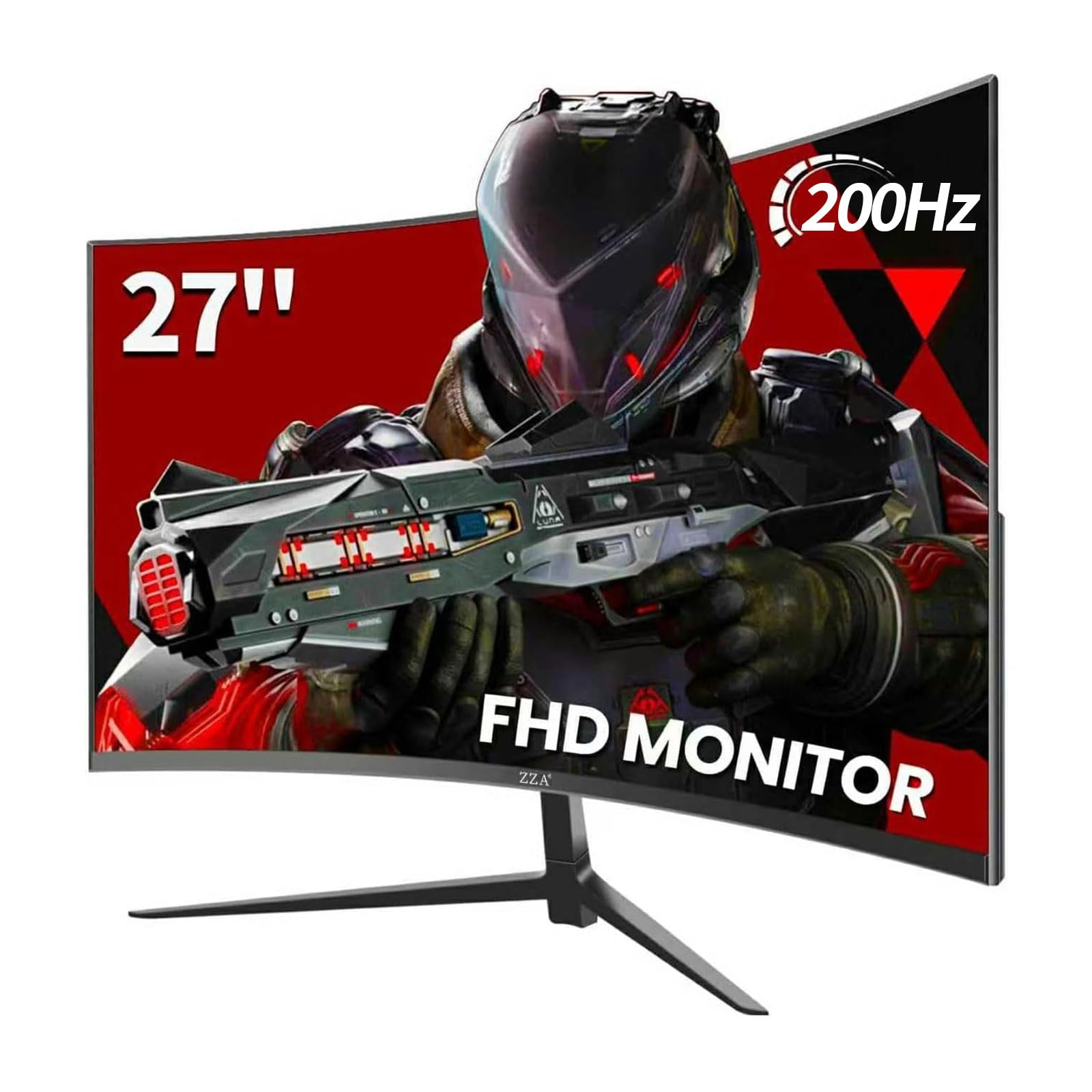
The ZZA 27-inch Curved Gaming Monitor brings the widest color gamut coverage (130% sRGB and 90% DCI-P3) and a 200Hz refresh rate to a curved VA panel, targeting gamers who want immersive wraparound visuals for single-player adventures and open-world titles. The 1500R curvature wraps around your field of view naturally at typical desk distances, reducing eye movement during exploration in games like Cyberpunk 2077 or Elden Ring. At 300 nits brightness and a 1000:1 contrast ratio, it delivers punchy colors and decent black levels, though it cannot match the Z-Edge’s 5000:1 for pure darkness.
The ergonomic quick-release stand supports tilt, swivel, height, and pivot adjustments—a rare feature at this price—making it easy to find a comfortable viewing angle without a VESA arm. The 100x100mm VESA mount is present for wall setups. Connectivity includes one HDMI 1.4 and one DisplayPort 1.2, but the HDMI 1.4 standard caps at 144Hz at 1080p—to hit the full 200Hz, you must use the DisplayPort input. Eye-care technology reduces flicker and blue light, a welcome addition for long sessions. No built-in speakers are included, so factor in a separate audio solution.
The ZZA’s combination of curved immersion, broad color coverage, and full ergonomic adjustment at is unmatched in this price tier. It is ideal for gamers who favor atmospheric single-player games over competitive e-sports and want a monitor that feels much more expensive than its price tag suggests.
Why it’s great
- 1500R curvature enhances single-player immersion
- 130% sRGB and 90% DCI-P3 color gamut
- Full ergonomic stand with height, tilt, swivel, pivot
- 200Hz refresh rate via DisplayPort
Good to know
- HDMI 1.4 limits refresh rate to 144Hz
- No built-in speakers
- VA panel may show slight color shift at extreme angles
8. KOORUI 27 Inch 144Hz Monitor
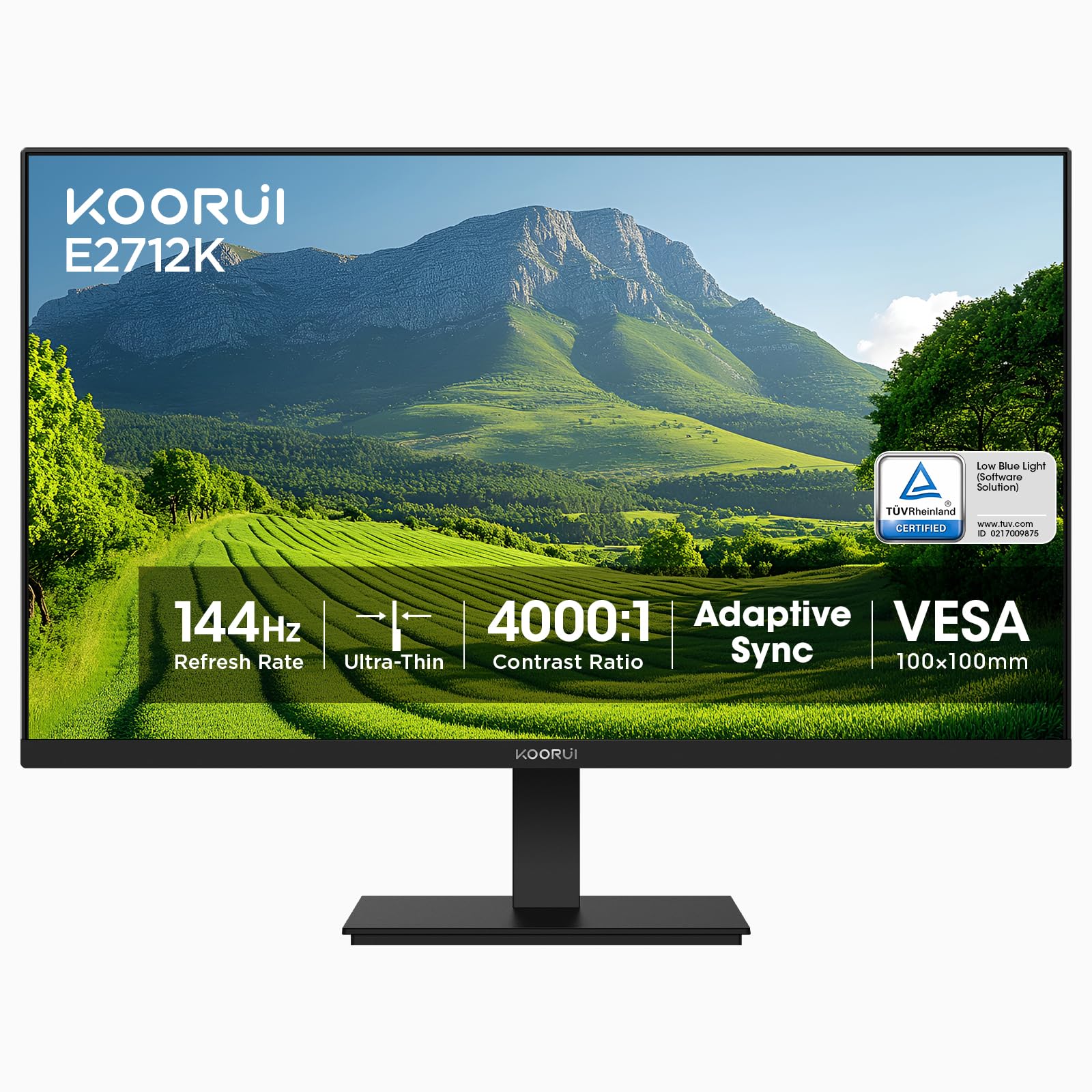
The KOORUI 27 Inch 144Hz Monitor positions itself as a budget-friendly 27-inch option for users who want a large screen without the high price. Its 144Hz VA panel covers 99% sRGB and claims a 20,000,000:1 dynamic contrast ratio (the native static contrast is a more modest 1000:1). The anti-glare coating and TÜV Rheinland-certified blue light filter make it comfortable for all-day office work, and the flicker-free backlight reduces eye strain during long browsing sessions. The 250-nit brightness is standard and sufficient for indoor use away from direct sunlight.
The slim bezel design looks clean on any desk, and the 178-degree viewing angles from the VA panel prevent color inversion at off-angles, though brightness falls off compared to IPS. Connectivity includes one HDMI 1.4 (supports 144Hz) and one VGA port (60Hz), which is functional but limits modern console compatibility. No DisplayPort is included, so your PC will rely on HDMI for high refresh rates. The stand offers tilt only, and the included HDMI cable is a nice touch that saves a trip to the store. Some users report the pixel density at 27-inch 1080p looks less sharp than smaller 24-inch screens, a trade-off of the larger diagonal.
The KOORUI 27-inch monitor is a solid choice for budget-conscious users who need a large display for mixed work and light gaming. The 144Hz refresh rate provides smooth desktop navigation and decent game motion, even if the pixel pitch makes text slightly less crisp than a 24-inch 1080p panel.
Why it’s great
- Large 27-inch screen at a very low price
- 144Hz with FreeSync for smooth gaming
- TÜV Rheinland flicker-free and blue light certified
- Anti-glare coating for bright rooms
Good to know
- 1080p pixel density looks less sharp at 27 inches
- VGA-only secondary port limits connectivity
- No DisplayPort input
- Tilt-only stand
9. SANSUI 24 Inch 180Hz Monitor
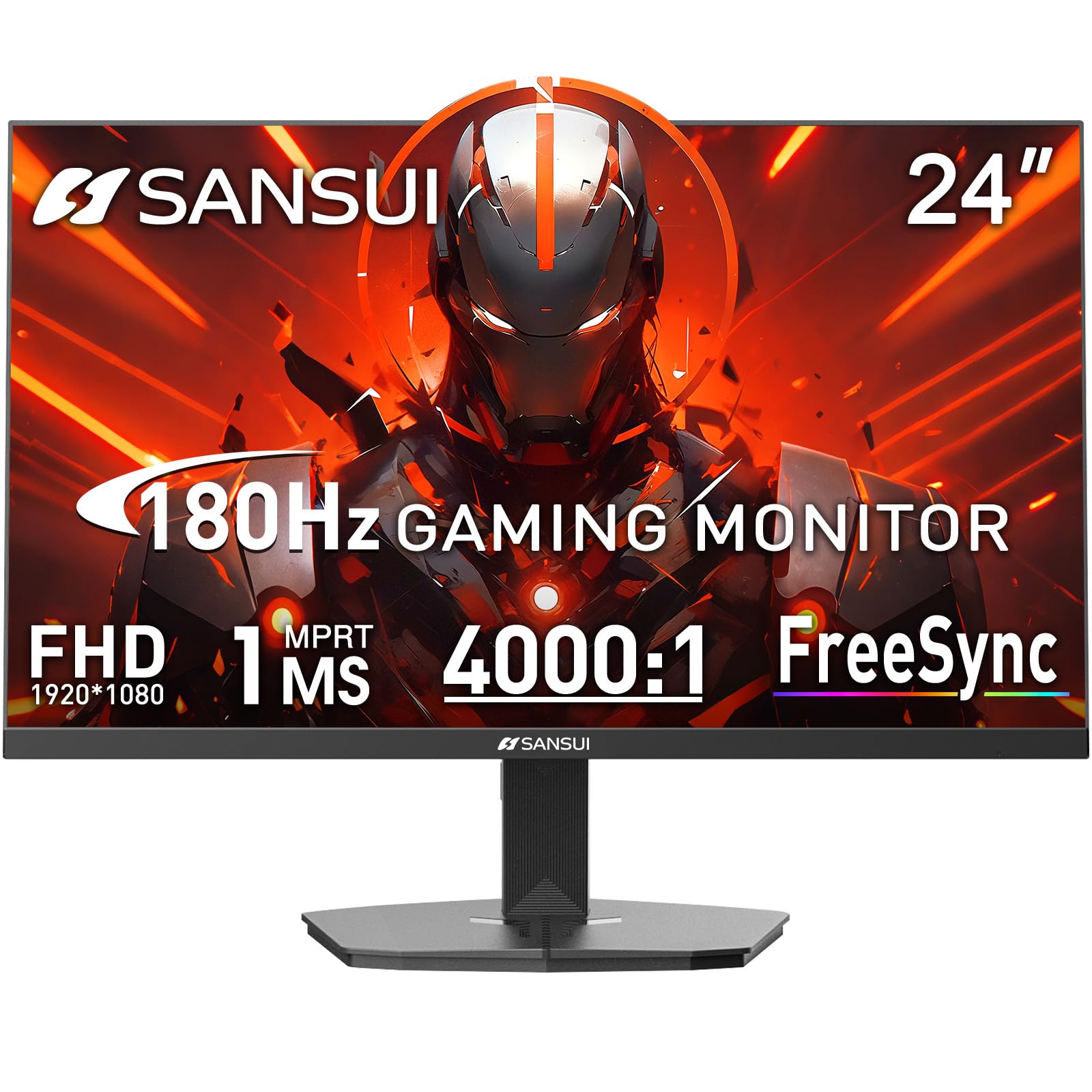
The SANSUI 24 Inch 180Hz Monitor is the entry-level champion for gamers who want a high refresh rate without stretching their budget. Its 180Hz VA panel with a 4000:1 contrast ratio delivers deep blacks that make dark game environments look moody and immersive, and the 300-nit brightness provides decent punch for a budget model. The 1ms MPRT reduces motion blur effectively, though as with all MPRT implementations, enabling it dims the screen slightly. The 110% sRGB color gamut ensures colors are vivid and punchy, surpassing most competitors at this price point.
Connectivity includes one HDMI 2.1 port and one DisplayPort 1.4, both supporting the full 180Hz refresh rate—an HDMI cable is included. Neither port supports console 120Hz at 1440p or 4K, but at 1080p the HDMI 2.1 bandwidth handles it easily. The VESA 75x75mm mount pattern is compatible with most small monitor arms, though note it’s not the standard 100x100mm. The stand offers tilt only, and the monitor lacks built-in speakers, so factor in a headset or external speakers. Some users noted the monitor runs warm to the touch during extended use, though no performance issues were reported.
With lifetime technical support and a 30-day money-back guarantee, SANSUI provides peace of mind that some no-name budget brands skip. For the absolute lowest entry point into 180Hz gaming with VA contrast, the SANSUI delivers reliable performance at a price that’s hard to reject.
Why it’s great
- Cheapest 180Hz option with VA contrast
- 4000:1 contrast for deep blacks
- 300 nits brightness—better than average
- Includes HDMI cable and lifetime tech support
Good to know
- Tilt-only stand; VESA pattern is 75x75mm
- Runs warm during extended use
- No built-in speakers
FAQ
Will a 27-inch 1080p monitor look blurry at this price?
Can these monitors run 120Hz on PS5 or Xbox Series X?
Is a curved monitor better for gaming under $150?
Final Thoughts: The Verdict
For most users, the gaming monitor under $150 winner is the ASUS TUF Gaming VG259Q3A because it combines a genuine 1ms GTG response time with 180Hz Fast IPS color accuracy and robust build quality at a price that beats premium-tier expectations. If you want a budget-friendly entry point with high contrast, grab the SANSUI 24 Inch 180Hz. And for console gamers who need G-Sync Compatibility and a smooth 120Hz experience, nothing beats the LG UltraGear 24G411A.