
Choosing a gaming monitor under $450 means landing at the sweet spot where resolution, refresh rate, and panel technology converge without demanding a second mortgage. At this bracket, you are no longer settling for 1080p compromises — the real hunt is between a blistering 240Hz IPS with deep contrast or diving into the rich blacks of a QD-OLED that was once exclusive to flagships twice the price. The hardest decision isn’t finding a good monitor; it’s deciding which spec matters more for the games you actually play.
I’m Mohammad Maruf — the founder and writer behind Drink4Good. I track the entire monitor market weekly, cross-referencing real user reports with panel specs to find the displays that deliver genuine performance where it counts, not just on paper.
After combing through dozens of QHD panels priced within a reasonable ceiling, these seven models represent the sharpest options available right now. This guide breaks down the best gaming monitor under $450 for every priority — whether you chase maximum frames, OLED inky blacks, or near-instant response times for competitive titles.
How To Choose The Best Gaming Monitor Under $450
The $450 ceiling is demanding because it forces a choice: do you prioritize a higher refresh rate on a premium IPS panel, or do you stretch toward OLED contrast that completely transforms immersion? Below this price, every monitor involves a trade-off, and knowing which spec to favor for your genre is the difference between a good purchase and a regretful one.
Refresh Rate vs. Panel Technology
At this budget, you can secure a 240Hz QHD IPS panel from established brands, or you can jump to a QD-OLED with lower peak brightness but vastly superior black levels and response times. If you play fast-paced competitive shooters like Valorant or Overwatch, a 300Hz IPS panel with low motion blur sync will give you an edge. If you play story-driven or visually rich titles like Cyberpunk 2077 or Elden Ring, the infinite contrast of an OLED panel transforms the experience more than an extra 60Hz ever could.
Connectivity and Console Support
Buyers often overlook that not all QHD monitors deliver full bandwidth over HDMI. Several 240Hz monitors only hit their maximum refresh rate through DisplayPort, while HDMI caps at 144Hz or 165Hz. If you plan to use a PlayStation 5 or Xbox Series X, you need HDMI 2.1 to unlock VRR and the full refresh rate. For PC users, a DisplayPort 1.4 cable is mandatory for 240Hz QHD — do not rely on the included cable if it is standard HDMI.
Color Accuracy and HDR Realism
VESA DisplayHDR 400 is common at this price, but it is a baseline certification that only guarantees a 400-nit peak brightness and basic local dimming. True HDR impact comes from OLED panels with DisplayHDR True Black 400, where each pixel emits its own light, producing actual black and vivid highlights. DCI-P3 coverage above 95% is a reliable indicator of color vibrancy, but Delta E under 2 matters more for anyone doing creative work alongside gaming.
Quick Comparison
On smaller screens, swipe sideways to see the full table.
| Model | Category | Best For | Key Spec | Amazon |
|---|---|---|---|---|
| AOC Q27GAZD | QD-OLED | Visual immersion and contrast | 240Hz / 0.03ms / QD-OLED | Amazon |
| Acer Predator X27U | QD-OLED | Color accuracy and esports size | 240Hz / 0.03ms / DCI-P3 99% | Amazon |
| ASUS TUF VG27AQM5A | Fast IPS | Maximum competitive frame rate | 300Hz / 0.3ms / ELMB Sync | Amazon |
| LG 27GR83Q-B | IPS | Console and PC hybrid use | 240Hz / 1ms / HDMI 2.1 | Amazon |
| Alienware AW2725DM | IPS | Everyday gaming with low eye strain | 180Hz / 1ms / DCI-P3 95% | Amazon |
| Gawfolk GF490D | VA | Ultrawide multitasking and immersion | 240Hz / 1ms / 32:9 DUHD | Amazon |
| LG 27GX790A-B | OLED | Pro-level speed and picture quality | 480Hz / 0.03ms / DP 2.1 | Amazon |
In‑Depth Reviews
1. AOC Q27GAZD — 27″ QD-OLED

The AOC Q27GAZD delivers QD-OLED performance at a price point that puts it head and shoulders above any IPS competitor in the same bracket. With a 240Hz refresh rate and a 0.03ms gray-to-gray response time, the panel produces motion clarity that simply does not exist on LCD monitors. The DCI-P3 coverage hits 110.2%, meaning colors in titles like Horizon Forbidden West or Red Dead Redemption 2 appear with a vividness that budget VA panels cannot touch. The anti-glare coating handles ambient light reasonably well, though the glossy finish does reflect direct light sources if positioned poorly.
Text clarity is surprisingly solid for an OLED — users report no significant fringing even after extended productivity sessions, and the HDR400 True Black certification ensures that dark scenes retain detail without crushing shadows. The stand is the weakest link here; it is functional but wobbles on uneven desks. Most buyers will want a VESA monitor arm to get the most out of this panel. Connectivity is straightforward with one DisplayPort 1.4 and two HDMI 2.0 ports, but you must use DisplayPort to unlock the full 240Hz refresh rate.
Stock settings out of the box lean toward a cooler color temperature, but a quick calibration using the DCI-P3 preset transforms the image into something genuinely reference-grade. If you are coming from a standard 144Hz IPS, the jump in contrast ratio from 1,000:1 to 1,500,000:1 is immediately visible in every game. The AOC Q27GAZD is the single most transformative upgrade you can make under the $450 threshold.
Why it’s great
- QD-OLED panel provides infinite contrast and vibrant colors unmatched at this price
- 240Hz with 0.03ms response eliminates ghosting entirely
- HDR400 True Black enhances immersiveness in dark scenes
Good to know
- Stand is stiff and basic; budget for a monitor arm
- HDMI is capped at 165Hz — DisplayPort required for full 240Hz
- Peak brightness is moderate; not ideal for very bright rooms
2. Acer Predator X27U — 26.5″ QD-OLED

The Acer Predator X27U takes the QD-OLED formula and refines it with factory-calibrated color accuracy and a more comprehensive set of ergonomic adjustments. The 26.5-inch WQHD panel hits 99% DCI-P3 with a Delta E under 2, making it a dual-purpose monitor for gamers who also edit video or photos. The 240Hz refresh and 0.03ms response are identical on paper to the AOC, but the Predator includes two HDMI 2.1 ports, meaning console players get full VRR and 120Hz support on PlayStation 5 without any sacrifice.
Build quality is noticeably better than the AOC — the stand offers tilt, swivel, pivot, and height adjustment with a solid metal base that does not wobble. The zero-frame design reduces bezel distractions, and the matte anti-glare coating is finer, reducing the rainbow reflections that can appear on glossy OLED panels. Brightness is adequate for a dim to moderately lit room, but the panel does require 100% brightness to feel punchy in HDR. The on-screen display menu is deep but cluttered, and the joystick controller feels a bit cheap for a premium monitor.
One consistent user note is that the front bezel catches fingerprints easily, so a microfiber cloth will become part of your routine. The image retention refresh feature works automatically after extended sessions, preserving panel longevity without interrupting gameplay. If you prioritize color accuracy and a robust stand out of the box, the Acer Predator X27U is the more polished QD-OLED choice under $450.
Why it’s great
- Factory-calibrated DCI-P3 99% with Delta E <2 for color-critical work
- Dual HDMI 2.1 ports support full console VRR and 120Hz
- Full ergonomic stand with height, pivot, swivel, and tilt
Good to know
- Menu navigation joystick feels less premium than the panel itself
- Peak brightness is lower than high-end IPS; best in controlled lighting
- No USB-C input for single-cable laptop setups
3. ASUS TUF Gaming VG27AQM5A

The ASUS TUF VG27AQM5A is built for one thing: raw frame rate dominance. With a 300Hz refresh rate on a Fast IPS panel and a 0.3ms response time, this monitor is designed for competitive players who need every millisecond of advantage in Valorant, Apex Legends, or CS2. The ELMB Sync technology is the standout feature here — it combines variable refresh rate with backlight strobing to eliminate both ghosting and tearing simultaneously, producing motion clarity that rivals OLED at a fraction of the cost.
Color performance is strong with 95% DCI-P3 coverage, and the static contrast ratio of 1,300:1 is slightly better than average for IPS, though it still cannot match the blacks of OLED. The Shadow Boost function is genuinely useful for competitive play, lifting dark corners without washing out highlights. The DisplayWidget Center software is a welcome addition, allowing you to tweak settings with a mouse rather than wrestling with the OSD joystick. Built-in speakers are present but thin — fine for system sounds, not for actual gaming.
The main trade-off is that the monitor is strictly a gaming weapon — it lacks the HDR pop and contrast depth that make single-player titles look cinematic. Users pairing it with an RTX 5080 or similar high-end GPU will appreciate how the 300Hz ceiling lets them fully utilize frame generation. For esports-focused buyers who prioritize refresh rate above all else, the VG27AQM5A is the sharpest tool in the shed under $450.
Why it’s great
- 300Hz refresh rate is the highest available in this budget bracket
- ELMB Sync eliminates ghosting and tearing simultaneously
- Shadow Boost enhances visibility in dark competitive scenes
Good to know
- IPS contrast is average; black levels are not deep
- Some users report intermittent signal glitches requiring a reboot
- Speakers are basic and lack bass response
4. LG 27GR83Q-B — 27″ Ultragear IPS

The LG 27GR83Q-B is the most versatile 240Hz IPS monitor in this roundup because it handles both DisplayPort and HDMI 2.1 at full 240Hz. That means PC users and console players get identical fluidity — a rarity in this price tier. The IPS panel delivers consistent color from wide viewing angles, and the 95% DCI-P3 coverage ensures vibrant visuals whether you are racing in Forza Motorsport or exploring in Baldur’s Gate 3. The Dynamic Action Sync feature measurably reduces input lag, and the Black Stabilizer lifts shadow detail without crushing the overall image.
Build quality is excellent, with a heavy-duty stand that feels substantial and offers height, tilt, pivot, and swivel adjustments. The 4-pole headphone jack with DTS Headphone:X is a thoughtful inclusion for gamers who want spatial audio through a single cable. The on-screen control software is responsive and the menu layout is logical. However, some units have been reported with stuck pixels — a QC inconsistency that LG should address. Also, the matte finish is not as glossy as some reviewers claim, but it does a solid job cutting reflections.
For buyers who split time between a PC and a PS5 or Xbox Series X, this LG model removes the common headache of limited console bandwidth. The combination of HDMI 2.1 at 240Hz, a responsive IPS panel, and a robust stand makes it the most balanced option for mixed-use households. If you want a single monitor that does everything competently without a dedicated OLED budget, this is the pick.
Why it’s great
- HDMI 2.1 supports full 240Hz on both PC and consoles
- Heavy-duty ergonomic stand with smooth adjustments
- DTS Headphone:X provides 3D spatial audio through the headphone jack
Good to know
- Occasional QC issues with stuck or dead pixels
- No USB-C input for single-cable laptop connection
- IPS glow is present in dark corners, typical for the technology
5. Alienware AW2725DM — 27″ QHD IPS

The Alienware AW2725DM is the entry-level champion of this list — it delivers a quality QHD IPS experience at a price point that undercuts nearly everything else without feeling cheap. The 180Hz refresh rate and 1ms response time are plenty smooth for most gamers, especially those coming from a standard 60Hz or 144Hz display. The DCI-P3 95% color coverage and VESA DisplayHDR 400 certification provide a vibrant, punchy image that holds up well in both gaming and everyday desktop use.
The standout feature is the hardware-based low blue light solution that reduces eye strain without introducing the yellow tint common on other monitors. This makes the AW2725DM a strong pick for long marathon sessions or for users who spend equal time working and gaming. The stand is sturdy, offers tilt, swivel, pivot, and height adjustments, and has a clean Alienware industrial design that fits most setups. One limitation is the lack of USB-C — you are limited to DisplayPort and HDMI inputs.
User reports consistently praise the lack of backlight bleed and dead pixels out of the box, which indicates solid quality control compared to some competitors. The only real compromise is that the HDMI port is capped at 144Hz, so DisplayPort is required to reach 180Hz. For budget-conscious buyers who want a reliable, well-built monitor that does not sacrifice image quality, the AW2725DM is the smartest value play under $450.
Why it’s great
- Excellent build quality and clean design for the price
- Hardware low blue light reduces eye strain without color shift
- Consistent QC with minimal backlight bleed or dead pixels
Good to know
- HDMI limited to 144Hz; DisplayPort required for full 180Hz
- No USB-C or built-in speakers
- 180Hz is lower than the 240Hz+ options on this list
6. Gawfolk GF490D — 49″ DUHD Curved
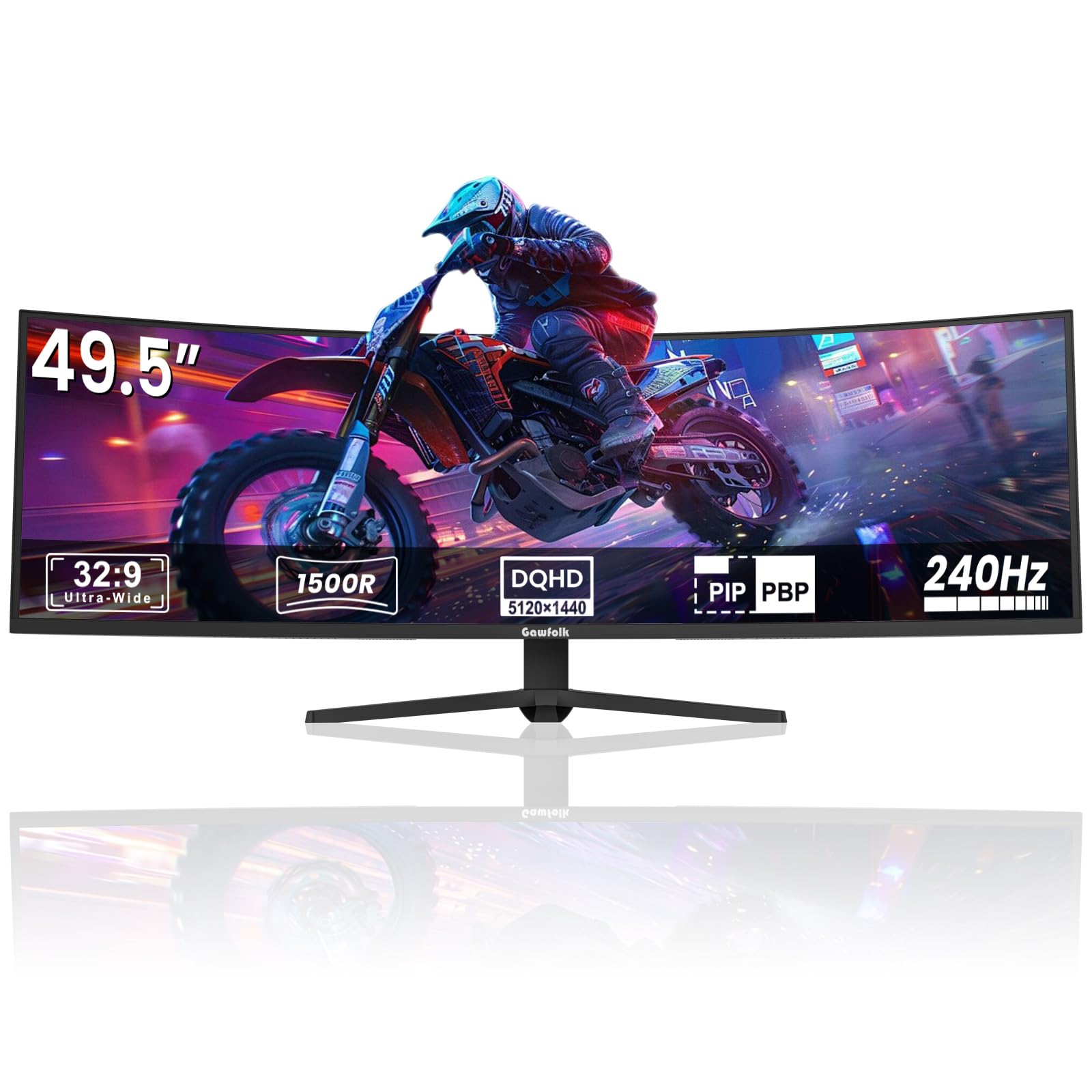
The Gawfolk GF490D is the wild card of this group — a 49-inch ultrawide with a 32:9 aspect ratio and DUHD 5120×1440 resolution that effectively replaces a dual-monitor setup in a single panel. The 1500R curvature wraps the image around your peripheral vision, and the 240Hz refresh rate on a VA panel provides smooth motion with a 3,000:1 contrast ratio that looks noticeably richer than budget IPS monitors. The 85% NTSC color gamut is not as wide as the premium OLEDs, but for immersive racing, flight sim, or productivity workflows, the sheer screen real estate is transformative.
Connectivity is straightforward with dual HDMI and DisplayPort inputs, and the monitor includes a built-in crosshair overlay for FPS games. The stand is sturdy and easy to assemble, and VESA mounting is supported for those who want a more flexible setup. However, there have been reports of intermittent screen blackouts lasting a few seconds during gaming sessions, along with ghosting when the monitor reconnects. These issues appear to affect a subset of units, and the brand’s long-term reliability is less proven than established names like LG or ASUS.
If you are willing to accept some risk for the sake of massive ultrawide immersion, the Gawfolk GF490D delivers specs that are otherwise unavailable at this budget. For buyers who prioritize a flawless gaming experience with zero signal dropouts, a smaller premium-brand monitor is the safer bet. This monitor is best suited for sim racing, flight simulation, or productivity where the extra width directly improves your experience.
Why it’s great
- 49-inch 32:9 ultrawide replaces dual monitors for immersion
- DUHD 5120×1440 resolution with 240Hz refresh
- 1500R curvature wraps view for racing and flight sims
Good to know
- Some units experience random screen blackouts during gaming
- Brand reliability is less established than major manufacturers
- Color gamut is narrower than premium IPS or OLED panels
7. LG 27GX790A-B — 27″ Ultragear OLED

The LG 27GX790A-B represents the absolute ceiling of what you can get when you stretch your budget — a 480Hz OLED with a 0.03ms response time that delivers buttery-smooth motion unmatched by any LCD panel. The W-OLED panel covers 98.5% DCI-P3 and features DisplayHDR True Black 400, producing deep blacks and vibrant highlights that make every game look like a different experience. The DisplayPort 2.1 connection is future-proof, supporting the full 480Hz bandwidth without needing display stream compression.
Ergonomics are top-tier with tilt, height, swivel, and pivot adjustments on a slim-profile stand that takes up minimal desk space. The RGB hexagonal backlighting on the rear is a nice cosmetic touch for showcasing your setup. The anti-glare surface effectively minimizes reflections, and the DTS Headphone:X audio delivers convincing 3D spatial awareness through the 4-pole headphone jack. OLED care tools like pixel cleaning run automatically to prevent burn-in, and the 2-year limited warranty includes panel coverage for peace of mind.
The trade-offs are real but manageable: text clarity is softer than IPS due to the non-RGB subpixel layout, and the VRR flicker during frame-rate stutters is a known OLED behavior. The 480Hz mode is only achievable at 1080p, but at QHD the 240Hz ceiling is still superb. For competitive players who want the ultimate motion clarity with OLED contrast, or for enthusiasts who want a monitor that will stay relevant for years, the 27GX790A-B is the uncompromising choice.
Why it’s great
- 480Hz refresh rate is the fastest available on an OLED panel
- DisplayPort 2.1 offers full bandwidth without DSC
- Deep OLED blacks and 98.5% DCI-P3 for stunning HDR
Good to know
- Text clarity is softer than IPS due to non-RGB pixel layout
- VRR flicker can appear during frame rate dips
- 480Hz mode requires dropping to 1080p resolution
FAQ
Do I need HDMI 2.1 for a gaming monitor under $450?
Is a 240Hz monitor noticeable over 144Hz?
Will a QD-OLED gaming monitor suffer burn-in?
Should I pick a 27-inch QHD or a larger ultrawide monitor?
How important is VESA DisplayHDR certification?
Final Thoughts: The Verdict
For most users, the best gaming monitor under $450 winner is the AOC Q27GAZD because it delivers QD-OLED contrast and color at a price that was unthinkable a year ago, making every game look dramatically better than any LCD panel can. If you want the ultimate competitive speed, grab the ASUS TUF VG27AQM5A with its blistering 300Hz Fast IPS panel. And for console and PC hybrid use with HDMI 2.1, nothing beats the LG 27GR83Q-B for sheer versatility. Pick your priority — contrast, speed, or compatibility — and you will find a monitor in this list that punches far above its price.