
The jump from 1080p to 1440p is the single most meaningful visual upgrade you can make in PC gaming, and the $500 ceiling now holds panels that deliver silky 180Hz refresh rates, sub-1ms response times, and vibrant IPS or VA color performance. The challenge isn’t finding a good monitor — it’s filtering through the spec-sheet noise to pick the one that matches your GPU, your genre of choice, and your desk space.
I’m Mohammad Maruf — the founder and writer behind Drink4Good. I’ve spent years dissecting monitor specifications across dozens of brands, analyzing refresh rate behaviors, panel type trade-offs, and real-world color accuracy claims to separate genuine performance from marketing numbers.
Whether you need a blistering 240Hz 1080p curved screen for competitive shooters or a QHD IPS all-rounder for single-player immersion, finding the right gaming monitor under $500 comes down to understanding pixel density, refresh rate synergy with your graphics card, and the ergonomic adjustments that keep you comfortable through long sessions.
How To Choose The Best Gaming Monitor Under $500
The $500 price cap is the battleground for mid-range 1440p gaming. You need to reconcile three variables: resolution, refresh rate, and panel type. A 27-inch QHD display at 180Hz is the most balanced target, but competitive players may benefit from a 1080p 240Hz option, while ultrawide enthusiasts will look at 34-inch curved VA panels for immersive cinematic play.
Resolution vs. Refresh Rate: The GPU Balancing Act
A mid-range card like an RTX 3060 Ti or RX 6700 XT pairs beautifully with 1440p at 144-180Hz. If your GPU is weaker, a 1080p 240Hz panel gives you the competitive edge of higher frame rates without sacrificing smoothness. Conversely, a top-tier card can drive 4K at 160Hz, but the monitor options under $500 at that resolution are rare and often compromise on panel quality.
Panel Types: IPS vs. VA vs. Fast IPS
Fast IPS panels offer the best compromise — excellent color accuracy (95%+ DCI-P3), wide viewing angles, and response times around 1ms GtG. VA panels deliver superior contrast (3000:1 vs. 1000:1) and deeper blacks, ideal for dark room gaming, but can exhibit ghosting in dark transitions. Standard IPS is reliable but often slower in pixel response compared to Fast IPS variants.
Ergonomics and Connectivity That Fit Your Setup
Height-adjustable stands with tilt, swivel, and pivot are non-negotiable for long gaming sessions. Look for at least one DisplayPort 1.4 for full refresh rate support at 1440p, and HDMI 2.1 if you plan to use a PS5 or Xbox Series X. VESA mount compatibility (100x100mm) is useful for desk-mounted arms.
Quick Comparison
On smaller screens, swipe sideways to see the full table.
| Model | Category | Best For | Key Spec | Amazon |
|---|---|---|---|---|
| SAMSUNG Odyssey G50D | QHD IPS | Balanced Gaming & Work | 180Hz / 1ms GtG | Amazon |
| ASUS ROG Strix XG27ACS | QHD Fast IPS | Competitive & Console | 180Hz / USB-C | Amazon |
| Amzfast 4K Dual Mode | 4K/FHD IPS | 4K AAA & FPS Games | 160Hz 4K / 320Hz FHD | Amazon |
| Amzfast 34 Curved UW | UWQHD VA | Immersive Cinematic Play | 240Hz / 3440×1440 | Amazon |
| ASUS TUF VG27AQL5A | QHD Fast IPS | Low Input Lag Shooters | 210Hz / 0.3ms | Amazon |
| Alienware AW2725DM | QHD IPS | Trusted Brand & Adjustability | 180Hz / 95% DCI-P3 | Amazon |
| LG 32GS60QC-B | QHD Curved VA | Sim Racing & Dark Room | 1000R / 180Hz | Amazon |
| Sceptre C325B-FWD240 | 1080p Curved VA | Budget Competitive FPS | 240Hz / 1500R | Amazon |
| SANSUI 34 Curved UW | UWQHD VA | Ultrawide on a Tight Budget | 200Hz / 1500R | Amazon |
In‑Depth Reviews
1. SAMSUNG 32-Inch Odyssey G50D QHD Fast IPS Gaming Monitor

The SAMSUNG Odyssey G50D nails the mid-range formula: a 32-inch QHD Fast IPS panel with 180Hz native refresh and 1ms GtG response. That combination delivers the pixel density upgrade from 1080p without the GPU-taxing load of 4K, and the Fast IPS technology ensures vivid 178° viewing angles with minimal motion blur during fast strafes in competitive shooters. VESA DisplayHDR 400 certification gives it punch in dark scenes, revealing enemies hiding in shadows with noticeably deeper blacks than standard IPS monitors in the same tier.
Ergonomically, the G50D is a standout at this price — a full height-adjustable, swivel, and tilt stand allows you to dial in the perfect eye level for marathon sessions, keeping neck strain low. The Eye Saver Mode reduces blue light without washing out color, a genuine plus for late-night grinding. Connectivity includes HDMI and DisplayPort 1.4, supporting full 180Hz via DP, with G-Sync and AMD FreeSync working flawlessly to eliminate screen tearing across both Nvidia and AMD GPUs.
Some users report the factory calibration runs cool (whites can appear oversaturated with adaptive sync off), and the plastic back ring on the stand can feel slightly delicate during assembly. But once calibrated — a 20-minute adjustment — the G50D delivers image quality that rivals monitors costing significantly more. For the core audience seeking a single monitor that handles competitive FPS, immersive RPGs, and even productivity work, this is the reference point.
Why it’s great
- Full ergonomic stand with height/swivel/tilt adjustability
- Fast IPS panel with accurate colors and wide viewing angles
- Flawless G-Sync and FreeSync tear-free performance
Good to know
- Factory color calibration requires manual tuning
- No built-in speakers or USB hub
- Stand ring attachment felt fragile during setup
2. ASUS ROG Strix 27” QHD Fast IPS Gaming Monitor XG27ACS
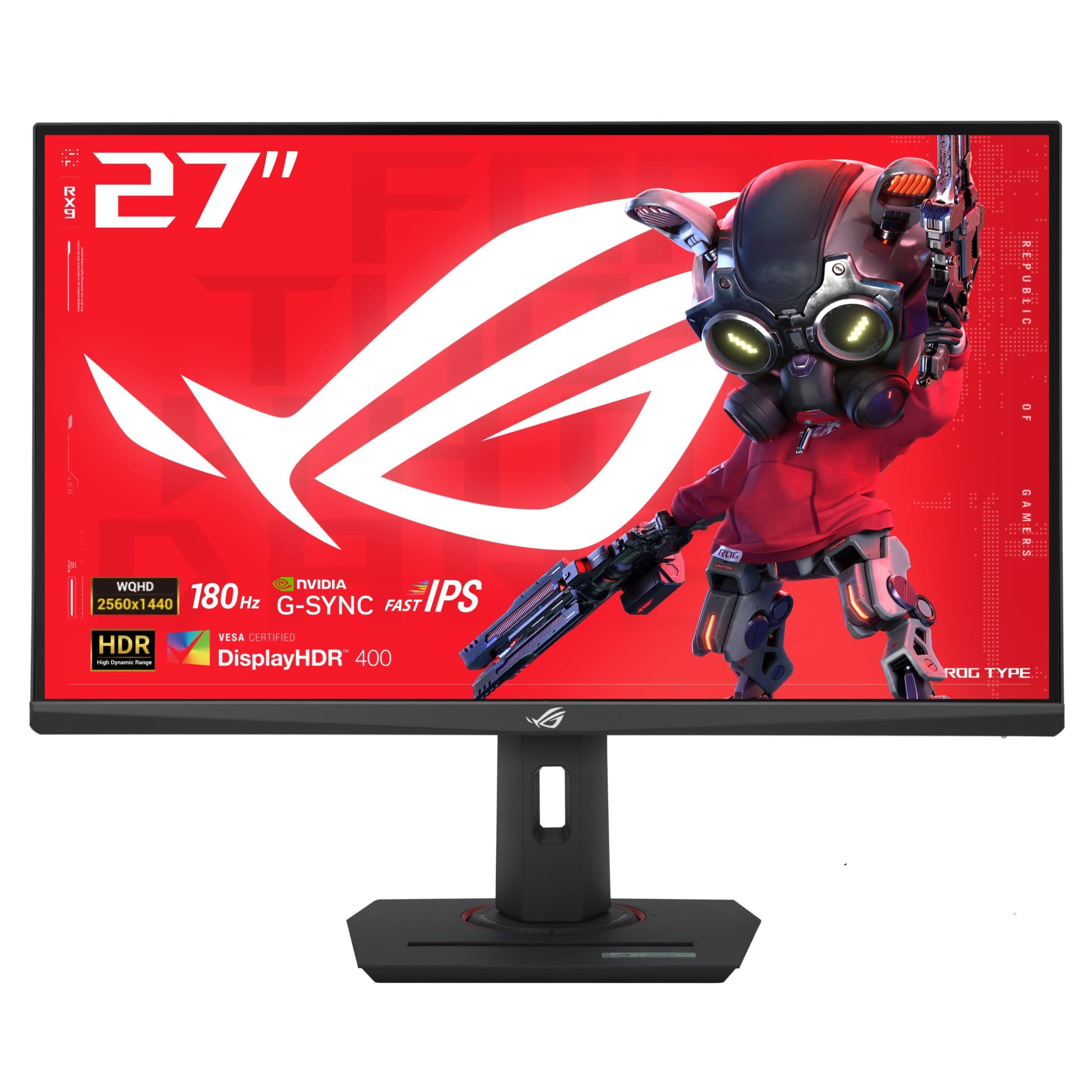
The ASUS ROG Strix XG27ACS is a premium-feeling 27-inch QHD Fast IPS monitor that delivers exactly the performance its ROG branding promises: 180Hz native refresh, 1ms GtG response, and 133% sRGB coverage that makes game worlds look saturated and lifelike. The standout feature for multi-device setups is the USB-C port with DisplayPort Alt Mode, which handles video, data, and power delivery in a single cable — a rare find under $500 that cleans up desk clutter for laptop gamers.
ELMB Sync technology works in tandem with variable refresh rate to eliminate both ghosting and tearing simultaneously, a trick usually reserved for higher-end displays. The stand is tool-free, rock-solid, and provides full height, swivel, pivot, and tilt adjustments. The OSD joystick and DisplayWidget Center software make menu navigation intuitive — you can switch between sRGB, Racing, FPS, and RTS modes without digging through submenus. Console gamers will appreciate the 1440p 120Hz support over HDMI for PS5 and Xbox Series X.
Where the XG27ACS falls short is HDR performance — DisplayHDR 400 hits adequate brightness but lacks the local dimming needed for true HDR impact in dark games. Black levels are typical for IPS (around 1000:1 contrast), so competitive VA panels still win in deep shadow detail. A handful of users note VRR flicker in the upper portion of the screen, though this varies by GPU driver version. If you value color vibrancy, ergonomic flexibility, and seamless laptop integration, this is the top-tier choice.
Why it’s great
- USB-C with DP Alt Mode for single-cable laptop connection
- ELMB Sync eliminates ghosting and tearing simultaneously
- Premium build quality with tool-free full ergonomic stand
Good to know
- HDR400 limited in dynamic range without local dimming
- Minor VRR flicker reported in upper screen portions
- Out-of-box color settings need calibration for accuracy
3. Amzfast 27 Inch 4K Gaming Monitor Dual Mode
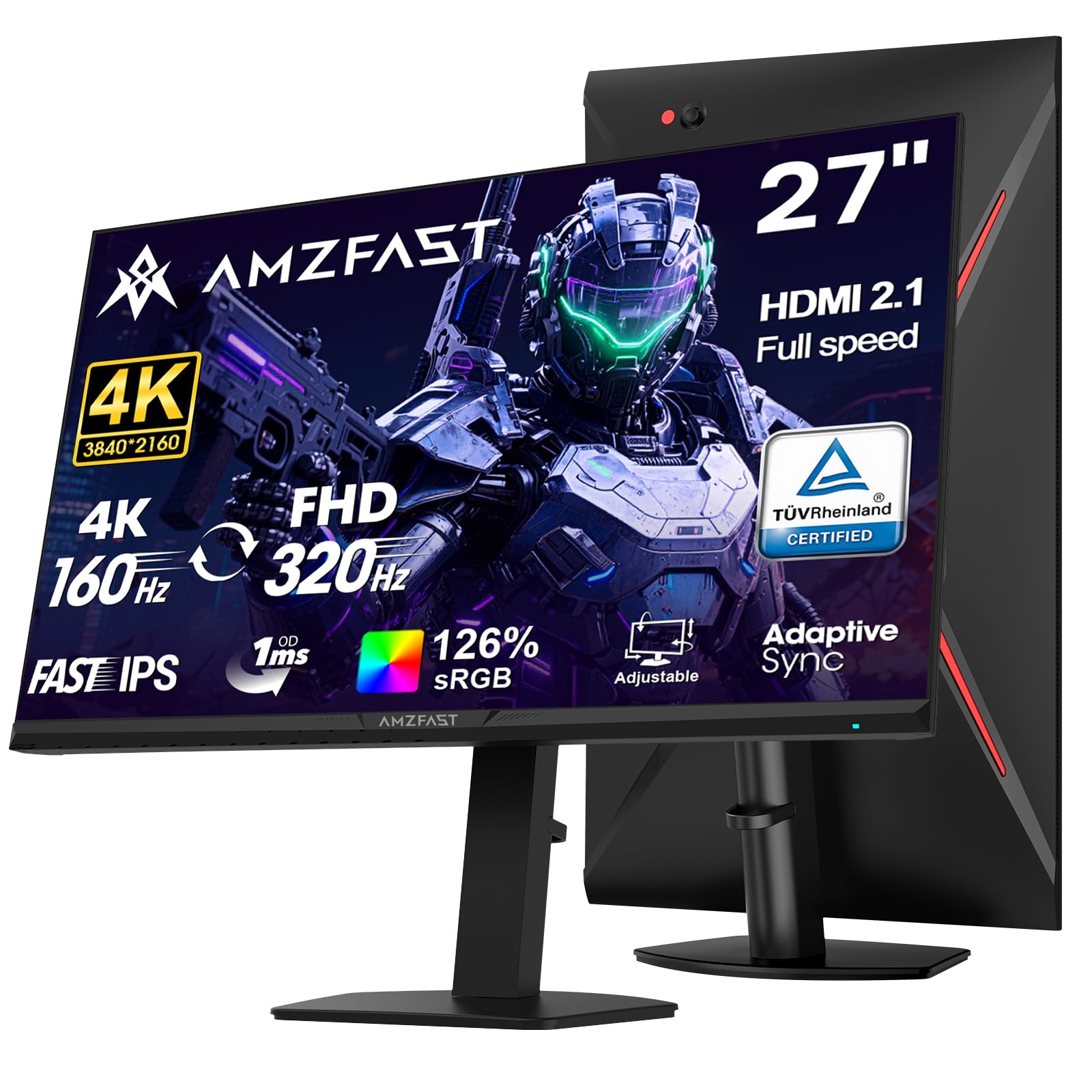
The Amzfast 27-inch Dual Mode monitor is an aggressive value play: it packs a Fast IPS panel capable of switching between native 4K at 160Hz and 1080p at 320Hz. That dual-resolution capability means you can enjoy crisp 4K visuals in open-world AAA titles and then flip to 1080p 320Hz for frame-rate-intensive competitive shooters — all on the same hardware. The 10-bit color depth and 126% sRGB coverage deliver vivid, gradient-smooth images that punch well above the price point.
Connectivity is generous: dual HDMI 2.1 ports support 4K 144Hz or FHD 320Hz, crucial for PS5 and Xbox Series X owners who want 4K 120Hz VRR. The metal-based stand includes height adjustment, pivot, swivel, and tilt, matching the ergonomic flexibility of premium monitors. Built-in speakers are present, though they are best reserved for system sounds rather than primary game audio. HDR400 adds brightness but, like many monitors at this level, lacks the fine local dimming of pricier displays.
The main compromise is brand reliability and quality control — some units exhibit an insecure stand attachment causing backward tilt, which can be frustrating if you plan to wall-mount. The OSD menu, while feature-rich with AI crosshair and sniper modes, can feel cluttered. Ghosting-sensitive users report that MPRT introduces reverse ghosting, so leaving overdrive on Normal or Off delivers the cleanest motion. At this price, it offers a feature set that punches well above its weight class.
Why it’s great
- Dual resolution mode (4K 160Hz / FHD 320Hz) adapts to game genre
- Dual HDMI 2.1 and DP 1.4 for console and PC flexibility
- Full ergonomic stand with height, swivel, pivot, and tilt
Good to know
- MPRT causes reverse ghosting; leave overdrive on Normal
- Stand attachment can cause backward tilt on some units
- HDR400 lacks fine local dimming for true HDR impact
4. Amzfast 34 Inch Curved UWQHD Gaming Monitor 240Hz
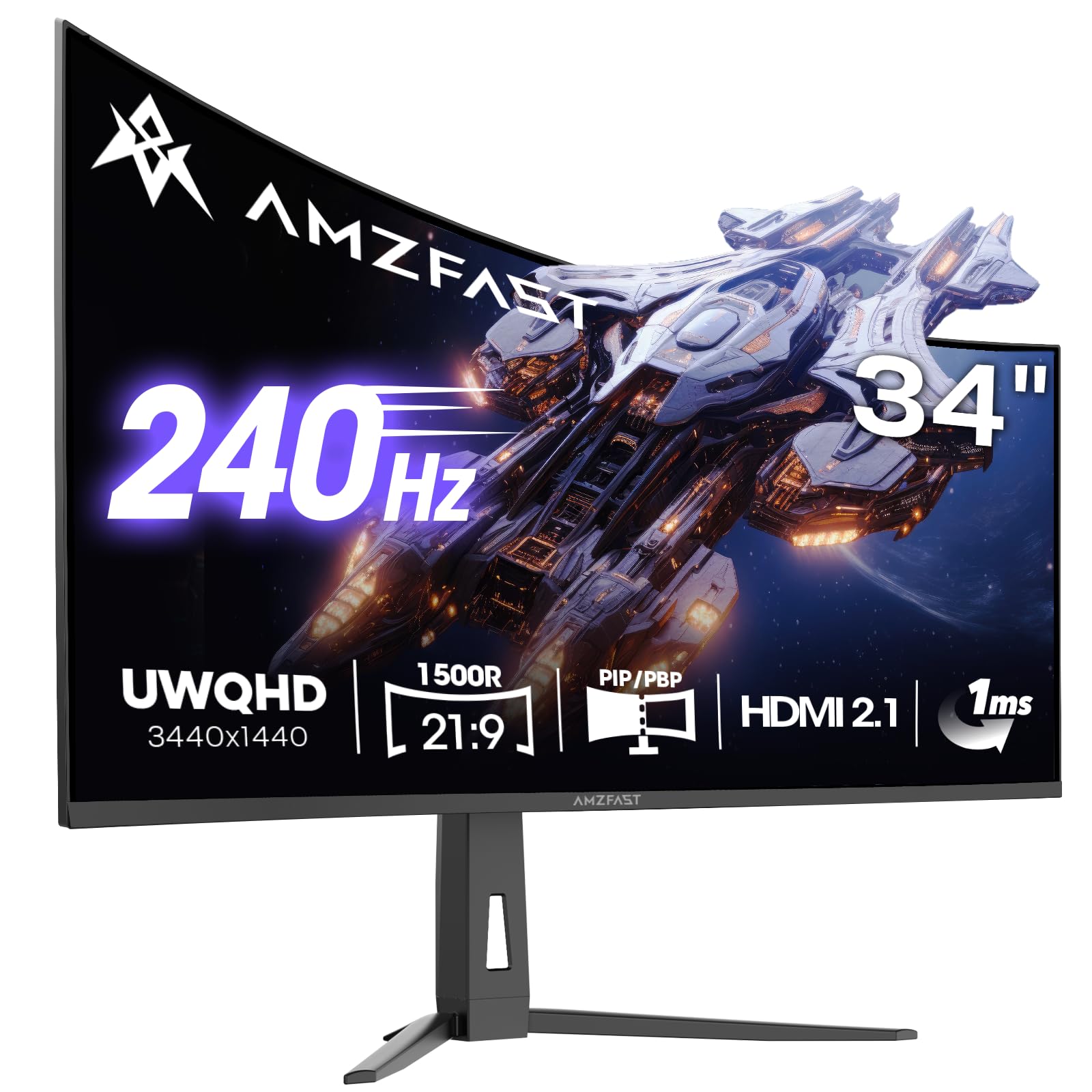
The Amzfast 34-inch UWQHD (3440×1440) curved gaming monitor delivers an immersive cinematic experience with a 1500R curvature that wraps the periphery, pulling you into racing games, flight sims, and open-world RPGs. The VA panel excels in contrast — 3000:1 static ratio produces deep blacks that IPS panels can’t match, making dark scenes in games like Alan Wake 2 or Starfield look dramatically more atmospheric. The 240Hz refresh rate is overkill for ultrawide gaming on a mid-range GPU, but for players with a powerful card (RTX 4070 or higher), the smoothness in lighter titles is exceptional.
Build quality is surprisingly refined for the price range: a full height-adjustable stand (130mm range) with swivel and tilt, plus TÜV Rheinland low blue light certification that doesn’t wash out color — a real advantage for long sessions. The PIP/PBP function lets you split the screen between two sources, useful for streaming setups where you want gameplay on one half and browser or chat on the other. Dual HDMI 2.1 ports and dual DP 1.4 ports mean you can keep a PC, console, and laptop all connected simultaneously without swapping cables.
The main caveats relate to the VA panel’s typical weaknesses: viewing angles are narrower than IPS, and dark-level transitions can produce visible ghosting in some scenes unless you dial the overdrive setting to Normal. The 240Hz refresh requires DisplayPort to achieve maximum frame rates over HDMI 2.1, which is an edge case most users won’t hit. If you prioritize contrast, immersion, and ultrawide real estate over raw competitive response, this is one of the most compelling ultrawide options available at this price tier.
Why it’s great
- Deep 3000:1 VA contrast for immersive dark scenes
- 240Hz refresh rate pushes ultrawide smoothness
- Full height/swivel/tilt stand with TÜV eye care certification
Good to know
- VA panel shows dark-level ghosting on aggressive overdrive
- Narrower viewing angles than IPS variants
- Full 240Hz requires DisplayPort, not HDMI
5. ASUS TUF Gaming 27” 1440P Monitor VG27AQL5A

The ASUS TUF VG27AQL5A pushes the performance envelope with a 210Hz overclocked refresh rate and a claimed 0.3ms GtG response time on its Fast IPS panel. That combination is aimed squarely at competitive gamers who need the lowest possible input latency for twitch shooters like Valorant, Overwatch 2, or Apex Legends. In practice, the 210Hz threshold provides a marginal advantage over 180Hz — approximately 1.6ms faster frame-to-frame — but the real benefit is the crisp, ghosting-free motion during fast strafes and flick shots. Extreme Low Motion Blur Sync (ELMB Sync) works simultaneously with VRR, eliminating both tearing and motion blur without the usual trade-off.
The panel covers 130% sRGB and delivers uniform backlight with minimal edge bleeding, a common pain point in other monitors at this price. Built-in speakers are included — rare at this level — though they’re functional for system audio, not primary gaming. The DisplayWidget Center software lets you adjust OSD settings with a mouse, a quality-of-life upgrade that makes switching between FPS, RTS, and sRGB profiles seamless. The 3-year warranty adds peace of mind for a more budget-friendly entry into the high-performance segment.
The downsides are subtle but worth noting: the stand lacks height adjustment (tilt only), forcing taller users to rely on VESA arm mounting for proper ergonomics. A small number of users report thermal expansion cracking/popping noises when the panel warms up, though this doesn’t affect performance. The 210Hz overclock requires DisplayPort — HDMI caps at 144Hz — so ensure your GPU has the right output. For competitive players who prioritize raw speed over ergonomic flexibility, this is an exceptional pick.
Why it’s great
- 210Hz overclock and 0.3ms GtG for ultra-low input lag
- ELMB Sync eliminates both tearing and motion blur together
- Excellent uniform backlight with minimal edge bleed
Good to know
- Stand provides tilt only, no height or swivel adjustment
- 210Hz requires DisplayPort connection
- Some units produce thermal expansion popping noises
6. Alienware 27 Gaming Monitor AW2725DM

The Alienware AW2725DM brings Dell’s industrial design and quality control to the 27-inch QHD segment. The 180Hz IPS panel with 1ms GtG response is well-calibrated out of the box, with 95% DCI-P3 coverage producing vibrant, accurate colors without the oversaturation seen on some budget monitors. The stand is one of the most substantial in this roundup — full height, swivel, pivot, and tilt adjustment with a sturdy metal base that doesn’t wobble during intense gaming. The matte screen finish effectively diffuses ambient light, keeping reflections at bay in brightly lit rooms.
VESA DisplayHDR 400 certification adds enough brightness (400 nits) to make highlights pop in HDR-compatible titles, though the 1000:1 contrast ratio can’t match VA panels for black depth. G-Sync compatibility works seamlessly across both Nvidia and AMD GPUs, and the dedicated console mode optimizes the panel for PS5 and Xbox Series X at 1440p 120Hz. The cable management slot in the stand keeps your desk tidy, a small touch that home setup enthusiasts will appreciate.
A notable constraint: HDMI is limited to 144Hz — to access the full 180Hz, you must use DisplayPort. There’s no USB-C port, so laptop users will need an adapter. The lack of built-in speakers and a headphone jack means you’ll need external audio. A few users note IPS glow in the bottom corners, but this is typical for the panel technology. If brand trust, build quality, and a no-compromise ergonomic stand matter more than raw refresh rate records, this is the most polished option.
Why it’s great
- Full ergonomic stand with height, pivot, swivel, and tilt
- 95% DCI-P3 color accuracy out of the box
- Sturdy build quality with cable management slot
Good to know
- HDMI capped at 144Hz; DisplayPort needed for 180Hz
- No USB-C or built-in speakers
- IPS glow present in bottom corners, typical for the panel type
7. LG 32GS60QC-B Ultragear 32-inch Curved QHD Gaming Monitor

The LG 32GS60QC-B uses an aggressive 1000R curve — tighter than the typical 1500R — to wrap the 32-inch QHD display around your peripheral vision, creating a genuinely immersive feel for driving simulators, flight games, and cinematic single-player titles. The VA panel delivers a 3000:1 native contrast ratio, producing blacks that look inky deep compared to IPS alternatives, and the 180Hz refresh rate keeps motion fluid at high frame rates. The 1ms GtG response time is sufficient for competitive play, though VA dark-level transitions can show minor ghosting at certain overdrive settings.
Color accuracy is decent with 99% sRGB coverage, and the matte screen finish handles glare well in bright environments. The borderless three-side design looks clean on a desk, and the tilt-adjustable stand is simple but functional — though it notably lacks height adjustment, which may be a dealbreaker for users who don’t want to invest in a VESA arm. Connectivity is straightforward: dual HDMI 2.0 ports (limited to 144Hz) and one DisplayPort 1.4 that unlocks the full 180Hz. AMD FreeSync Premium is supported, and the monitor works well with G-Sync for compatible Nvidia cards.
Some HDMI handshake issues have been reported — certain units black out when connecting via HDMI, though DisplayPort works without issue. The auto-brightness feature cannot be fully disabled, which can be distracting during variable ambient lighting. The perpendicular cable orientation makes wall mounting tricky. At this price, the LG Ultragear is a strong choice for sim racers and single-player enthusiasts who value deep contrast over absolute competitive response time.
Why it’s great
- Aggressive 1000R curve for deep peripheral immersion
- 3000:1 VA contrast delivers excellent black levels
- Clean borderless design with matte anti-glare screen
Good to know
- Stand lacks height adjustment (tilt only)
- HDMI 2.0 limited to 144Hz; DisplayPort needed for 180Hz
- Auto-brightness cannot be fully disabled
8. Sceptre Curved 32-Inch Prime Gaming Monitor 1080p 240Hz

The Sceptre C325B-FWD240 is a 32-inch 1080p VA panel with a 240Hz refresh rate and 1500R curve, built for the budget-conscious competitive gamer who wants high frame rates without spending on a 1440p-capable GPU. The overclockable refresh rate pushes to 280Hz via DisplayPort, making this one of the fastest panels at its price for games like Fortnite, Valorant, and CS2 where every millisecond counts. The 110% sRGB color gamut produces punchy, saturated colors that look vibrant in well-lit environments, though the 1000:1 contrast ratio is typical for VA at this level.
Build-in speakers are a welcome inclusion for desktop space savings — they deliver clear mids and highs, though bass is predictably weak. The 1500R curve adds a sense of wrap-around immersion that’s especially noticeable in racing games. Connectivity includes two HDMI and one DisplayPort port, all capable of the 240Hz refresh rate. A blue light filter and flicker-free backlight help reduce eye fatigue during extended sessions.
The most significant risk in this value segment is reliability — several long-term reviews note screen quality degradation after about a month of use, including loss of color contrast, sharpness, and signal cut-outs on both HDMI and DisplayPort. The stand offers only tilt adjustment, and the pixel density at 1080p on a 32-inch screen (about 69 PPI) means text and UI elements will look noticeably less sharp than a 27-inch 1440p panel. If you need the absolute highest frame rate on a tight budget and accept the gamble on longevity, this delivers for the short term.
Why it’s great
- 240Hz refresh rate (overclockable to 280Hz) at a very low price
- 1500R curve adds immersive depth for racing/action games
- Built-in speakers and blue light filter included
Good to know
- 1080p on 32-inch results in low pixel density (69 PPI)
- Long-term reliability concerns with signal and color degradation
- Tilt-only stand with limited ergonomic adjustment
9. SANSUI 34-Inch Curved UWQHD Gaming Monitor 200Hz
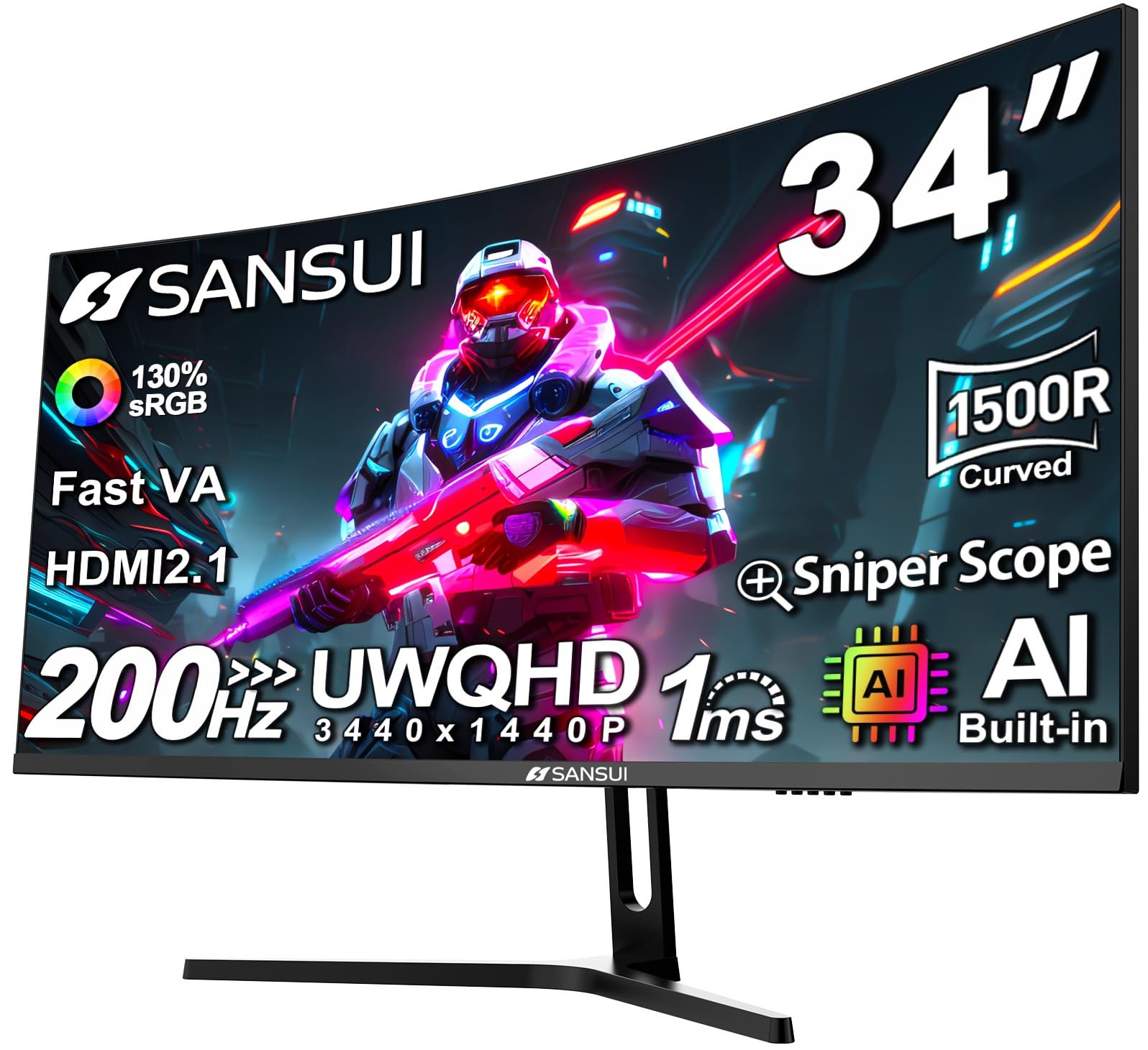
The SANSUI 34-inch Curved UWQHD monitor is the most cost-effective way to get a 3440×1440 ultrawide display with a 200Hz refresh rate and 1500R curvature. The Fast VA panel delivers the high contrast ratio (3000:1) that makes ultrawide gaming feel cinematic — deep blacks in space games and rich shadows in horror titles that IPS panels can’t match. The 200Hz refresh rate (achievable via DisplayPort 1.4) provides smooth motion scrolling through wide field-of-view games, and the 1ms OD response time keeps ghosting manageable.
AI-enhanced features like AI Crosshair, AI Picture Quality, and Sniper Scope are integrated directly into the monitor’s OSD, adding practical tools for competitive play without requiring software. PIP/PBP functionality lets you display two inputs side by side, useful for multitasking between a PC and console or streaming setup. The stand offers tilt adjustment and VESA 75x75mm compatibility, though there’s no height or swivel adjustment. Connectivity includes dual HDMI 2.1 ports and a single DisplayPort 1.4, plus a 3.5mm headphone jack — no built-in speakers.
The primary trade-offs are in build ergonomics and brand support — SANSUI offers a 30-day money-back guarantee and lifetime technical support, but the stand is basic. Some users report the monitor runs warmer than competitors, and the advertised 200Hz requires careful cable and GPU compatibility — the box may list a lower 180Hz cap in some regions. The 300-nit brightness is adequate for indoor use but struggles in very bright rooms with direct sunlight. For the ultrawide-curious buyer on a strict budget, this delivers an impressive spec sheet that punches above its price class.
Why it’s great
- 3440×1440 UWQHD resolution at the lowest price in the segment
- 200Hz refresh rate and 1ms response for smooth ultrawide gaming
- AI crosshair and PIP/PBP features add competitive and productivity value
Good to know
- Minimal ergonomic stand — tilt only, no height or swivel
- 300-nit brightness may struggle in brightly lit rooms
- No built-in speakers or USB hub
FAQ
Is 1440p at 180Hz the most balanced option for a gaming monitor under $500?
Can I use HDMI 2.0 or do I need DisplayPort for 180Hz at 1440p?
Should I choose a 27-inch or 32-inch display for 1440p gaming?
Does G-Sync compatibility matter for an AMD GPU?
Final Thoughts: The Verdict
For most users, the gaming monitor under $500 winner is the SAMSUNG Odyssey G50D because it combines a fast IPS panel, full ergonomic stand, and proven G-Sync/FreeSync reliability — a true one-size-fits-all choice. If you want USB-C convenience and premium build quality for a laptop-driven setup, grab the ASUS ROG Strix XG27ACS. And for the immersive ultrawide experience that adds a genuine competitive advantage in racing and flight sims, nothing beats the Amzfast 34-inch Curved UWQHD — an ultrawide that delivers VA contrast and 240Hz smoothness without breaking the $500 barrier.