
Choosing a monitor under this budget means balancing raw refresh rate against enough resolution to make your GPU actually work. The market has shifted — 1080p 240Hz panels sit alongside QHD 180Hz and dual-mode 4K screens, so the wrong pick can bottleneck your rig or leave you straining at pixels. The goal is finding the panel tech, size, and connectivity that match your specific games, not just the highest number on the spec sheet.
I’m Mohammad Maruf — the founder and writer behind Drink4Good. After spending weeks sifting through panel specifications, refresh rate modes, response time claims, and ergonomic build data across dozens of models, I built this guide on what actually matters for the price.
This guide focuses on the gaming monitor under $600, covering dual-mode 4K 160Hz panels, QHD 180Hz Fast IPS screens, curved 240Hz VA options, and ultrawide QD-OLED alternatives that push the budget to its absolute limit for immersive play.
How To Choose The Best Gaming Monitor Under $600
Picking the right monitor comes down to matching your GPU capacity to the right resolution and refresh rate combination. A high-end 4K screen paired with a mid-range card will underperform, while a QHD 240Hz panel will waste its speed on slower, narrative-driven games. Identify your primary game genre first, then look at the panel and connectivity specs below.
Resolution vs Refresh Rate Balance
For competitive shooters (Valorant, Overwatch, Apex), prioritize refresh rate over raw resolution. A 1080p 240Hz or 1440p 180Hz panel will give you the fluid motion and lower input lag needed for fast target acquisition. For single-player RPGs or open-world titles (Cyberpunk, Assassin’s Creed), a 4K 160Hz screen with better color depth and contrast will make environments feel richer, even if frame rates drop into the 80–100 FPS range. Dual-mode monitors offer a middle path, letting you switch between 4K for immersion and FHD for competitive speed.
Panel Type and Response Time
Fast IPS panels dominate this price bracket because they combine wide viewing angles, good color accuracy, and sub-1ms response times without the black smearing typical of VA panels. VA panels offer higher contrast (3000:1 to 4000:1) and deeper blacks, making them excellent for single-player games with dark scenes, but they often introduce ghosting in fast motion. QD-OLED panels sit at the top end, delivering infinite contrast, near-instantaneous 0.03ms response, and vibrant HDR — but they come at a premium and carry burn-in risk over several years. For most buyers under this budget, a Fast IPS panel rated at 1ms GTG with MPRT reduction is the safest choice.
Connectivity and Adaptive Sync
HDMI 2.1 ports are essential for reaching 4K 120Hz or higher on PS5 and Xbox Series X, while DisplayPort 1.4 remains the standard for PC gaming at high refresh rates. Make sure the monitor supports both AMD FreeSync Premium and NVIDIA G-Sync Compatible to avoid screen tearing regardless of your GPU brand. USB-C with DP Alt mode is a useful addition if you dock a laptop and want single-cable video and power delivery.
Quick Comparison
On smaller screens, swipe sideways to see the full table.
| Model | Category | Best For | Key Spec | Amazon |
|---|---|---|---|---|
| ASUS ROG Strix XG32UCG | Premium | Dual-mode 4K 160Hz / FHD 320Hz gaming | 0.3ms Fast IPS, HDR | Amazon |
| Samsung Odyssey G50D | Premium | QHD 180Hz Fast IPS competitive play | 1ms GTG, DisplayHDR 400 | Amazon |
| ASUS ROG Strix XG32WCS | Mid-Range | Curved QHD 180Hz immersive gaming | Fast VA, ELMB Sync | Amazon |
| Alienware AW3425DWM | Premium | Ultrawide WQHD 180Hz immersive play | 1500R VA, HDR 400 | Amazon |
| Acer Nitro VG270K | Mid-Range | 4K 160Hz dual-mode console/PC | 1ms GTG, DCI-P3 90% | Amazon |
| KOORUI G2741L | Mid-Range | 27″ 4K 160Hz dual-mode flexible gamer | Fast IPS, 95% DCI-P3 | Amazon |
| Dell S2725QS | Mid-Range | 4K 120Hz productivity and light gaming | IPS, 1500:1 contrast, 0.03ms | Amazon |
| LG 32G600A-B | Budget | 32″ QHD 180Hz curved VA gaming | 1ms GTG, 3000:1 contrast | Amazon |
| KTC H32S25E | Budget | 32″ QHD 240Hz curved VA speed gaming | 1ms MPRT, 4000:1 contrast | Amazon |
| Alienware AW3425DW QD-OLED | Premium | 34″ ultrawide QD-OLED HDR immersion | 0.03ms, 240Hz, TrueBlack 400 | Amazon |
| SOTSU FlipAction Elite | Premium | Portable 16″ 4K for laptop dual-screen | 3840×2400, 450 nits, metal build | Amazon |
In‑Depth Reviews
1. ASUS ROG Strix XG32UCG

The ASUS ROG Strix XG32UCG delivers a dual-mode 32-inch Fast IPS panel that hits 4K 160Hz for single-player immersion and drops to FHD 320Hz when you need maximum frame rates in competitive shooters. Its 0.3ms response time (minimum) is among the fastest in this price tier, and ELMB Sync technology eliminates ghosting while keeping variable refresh rate active — something many budget monitors lack. The 95% DCI-P3 color gamut and HDR support make HDR content look punchy without raising the budget above $600.
Build quality is typical ROG Strix — a sturdy stand with height, tilt, and swivel adjustments, plus a tripod socket for streamers. Connectivity covers DisplayPort 1.4, HDMI 2.1, and USB-C with DP Alt mode, which covers PC, PS5, and laptop docking in one cable. The DisplayWidget Center software lets you adjust settings with a mouse rather than fumbling with OSD buttons, a small but real quality-of-life improvement.
For buyers who want one monitor that handles both immersive AAA titles and competitive eSports without compromise, the XG32UCG is the strongest all-rounder under this cap. The dual-mode feature is not a gimmick — it genuinely extends the usable life of the panel as GPU demands change. Pair it with a mid-range card, and you can run 4K at 80-100 FPS or switch to FHD for locked 240-320 FPS in lighter titles.
Why it’s great
- Dual-mode 4K 160Hz / FHD 320Hz gives flexibility across genres
- 0.3ms minimum response time with ELMB Sync for blur-free motion
- USB-C with DP Alt mode simplifies laptop connectivity
Good to know
- HDMI 2.1 bandwidth may limit 4K 120Hz on some consoles depending on cable quality
- Stand takes up notable desk depth at 32-inch size
2. Alienware AW3425DW QD-OLED

At the absolute ceiling of the budget sits the Alienware AW3425DW, a 34-inch QD-OLED panel with WQHD resolution (3440×1440), 240Hz refresh rate, and a 0.03ms response time that makes every pixel transition instantaneous. The QD-OLED technology delivers true infinite contrast ratio (1,500,000:1), deep blacks, and vibrant HDR brightness reaching 1000 nits peak — a level of visual fidelity that VA and IPS panels cannot match regardless of spec sheet claims. The 1800R curve wraps the ultrawide field of view around your peripheral vision, creating genuine immersion in open-world and racing titles.
The build is typically Alienware — premium materials, a sturdy stand with height and tilt adjustments, and thoughtful packaging that includes a microfiber cloth for the glossy screen surface. Connectivity covers DisplayPort 1.4, HDMI 2.1, and USB-A to Type-B hub, plus compatibility with NVIDIA G-Sync, AMD FreeSync Premium Pro, and VESA AdaptiveSync. The glossy QD-OLED coating is sharp and maintains color at all viewing angles, though it smudges easily and reflects bright room lighting more than matte panels.
For buyers who prioritize visual quality above all else and play story-driven, open-world, or racing games where HDR and contrast matter more than raw pixel count, this QD-OLED screen justifies stretching the budget. It also works well for media consumption and creative work thanks to Delta E<2 color accuracy. Be aware of OLED burn-in risk over long-term static HUD use, though modern Alienware models include pixel refresh and screen move features to mitigate it.
Why it’s great
- QD-OLED delivers true infinite contrast and vibrant HDR
- 240Hz refresh rate with sub-millisecond 0.03ms response
- Ultrawide 34-inch 1800R curve provides deep immersion
Good to know
- Lower brightness in bright rooms due to glossy coating
- OLED burn-in risk with prolonged static content; pixel refresh needed
- Price sits at the very top of the budget range
3. Dell S2725QS

The Dell S2725QS is a 27-inch 4K IPS monitor with a 120Hz refresh rate that leans more toward productivity and light gaming than hardcore eSports. Its key differentiator is the 1500:1 contrast ratio — noticeably better than the standard 1000:1 IPS panels in this price range — which gives text and images more depth without crushing shadows. The ComfortView Plus feature reduces blue light emissions to ≤35% while maintaining color accuracy, making it ideal for long work sessions that double as casual gaming time.
Dell includes built-in speakers with improved frequency response and output power compared to the previous generation, a rare inclusion at this price that saves desk space if you do not want external speakers or headsets. The ash white finish and ultra-thin bezel design give the monitor a clean, minimalist look that blends into home offices better than aggressive gamer aesthetics. Connectivity is standard but sufficient: DisplayPort, HDMI, and USB-C are all present, though the 120Hz ceiling means it cannot match the raw speed of 160-180Hz panels.
This monitor is the right choice for users who split their time between coding, design work, and narrative-driven games (like Stardew Valley, Life is Strange, or older RPGs). The 4K resolution at 27 inches delivers sharp pixel density for reading text and editing images, while 120Hz provides enough fluidity for casual gaming without the motion blur of 60Hz. If you value eye comfort and built-in audio over maximum frame rates, this Dell earns its spot.
Why it’s great
- 1500:1 contrast ratio for an IPS panel — better than typical 1000:1
- Built-in speakers save desk space and eliminate external audio
- ComfortView Plus reduces blue light without shifting colors yellow
Good to know
- 120Hz may feel sluggish compared to 180Hz+ for competitive gaming
- Ash white finish may not match existing black-focused setups
4. Samsung Odyssey G50D

The Samsung Odyssey G50D pairs a 32-inch QHD Fast IPS panel with a 180Hz refresh rate and 1ms GTG response time, making it a strong choice for competitive shooters who want higher pixel density than 1080p without taxing their GPU as hard as 4K. The Fast IPS technology delivers wide 178-degree viewing angles and clear colors across the screen, while VESA DisplayHDR 400 certification provides better contrast and brightness for HDR content than basic HDR10 labels.
Variable refresh rate support covers both AMD FreeSync and NVIDIA G-Sync Compatible, tested by reviewers as working flawlessly without tearing or stuttering in fast-paced FPS and racing titles. The adjustable stand offers height, tilt, swivel, and pivot movement, accommodating different desk setups. Eye Saver Mode reduces blue light for extended sessions, though default calibration out of the box needed manual adjustment according to several users.
For the price, the G50D offers a near-perfect balance of resolution, refresh rate, and panel quality for PC gamers with mid-range GPUs (RTX 3060-4070 or equivalent). The 1440p 180Hz combination hits a sweet spot where most modern games can run at high frame rates without dropping to low settings. If you plan to keep your current GPU for a few years, this monitor will age well without making you feel underpowered.
Why it’s great
- QHD 180Hz Fast IPS is ideal for mid-range GPU performance
- G-Sync Compatible and FreeSync both work without issues
- VESA DisplayHDR 400 delivers real brightness and contrast improvement
Good to know
- Default color calibration was criticized as inaccurate out of box
- No built-in speakers — external audio required
5. ASUS ROG Strix XG32WCS

The ASUS ROG Strix XG32WCS is a 32-inch curved QHD (2560×1440) monitor that uses Fast VA panel technology to deliver high contrast (1000:1 static, but VA architecture gives deeper blacks than IPS) alongside an 180Hz refresh rate and 1ms GTG response time. The key inclusion is ASUS Extreme Low Motion Blur Sync (ELMB Sync), which enables backlight strobing in tandem with variable refresh rate — a rare combination that eliminates both ghosting and tearing without forcing you to choose one over the other.
The curved panel wraps around your field of view, enhancing immersion in single-player games, while the 90% DCI-P3 color gamut and advanced gray-scale tracking produce smooth color gradation without banding. The stand is fully adjustable with height, tilt, and swivel, and the tripod socket is a thoughtful addition for streamers mounting a camera. Connectivity covers DisplayPort 1.4, HDMI, and USB-C, making it easy to switch between PC and console.
This monitor suits gamers who want the contrast benefits of VA panel technology but cannot tolerate the black smearing that plagues budget VA screens. The ELMB Sync feature makes motion handling competitive with IPS panels while retaining deeper black levels for dark scenes in games like Resident Evil or Metro Exodus. If you play a mix of single-player horror, open-world, and competitive shooters, the XG32WCS covers each genre without a glaring weakness.
Why it’s great
- ELMB Sync combines motion blur reduction with variable refresh rate
- Fast VA panel avoids black smearing typical of budget VA monitors
- 90% DCI-P3 delivers rich colors without calibration tweaks
Good to know
- VA viewing angles narrower than IPS — gamma shift at extreme angles
- Minimum brightness may be too high for dark room use
6. Acer Nitro VG270K

The Acer Nitro VG270K uses Dynamic Frequency Resolution (DFR) to switch between 4K 160Hz and FHD 320Hz, covering both immersive AAA visuals and competitive eSports fluidity in one 27-inch IPS panel. The 0.5ms GTG response time (up to 1ms typical) ensures motion stays sharp in both modes, while the 90% DCI-P3 color gamut and HDR10 support make games look vibrant. The zero-frame design minimizes bezel distraction, useful for multi-monitor setups or clean desk aesthetics.
Connectivity is a strength here — dual HDMI 2.1 ports allow consoles to hit 4K 120Hz without DSC compression, and DisplayPort 1.4 handles PC high refresh rates. The stand is tilt-adjustable only, so you will need a VESA arm if height and swivel are critical. Built-in speakers are present, though reviews describe them as weak — fine for system sounds but not for immersive gaming without external speakers or headphones.
For console gamers who split time between PS5/Xbox Series X (which cap at 4K 120Hz) and PC, the HDMI 2.1 ports and DFR switching make this monitor a flexible all-in-one solution. The dual-mode feature lets you keep the monitor relevant as you upgrade GPUs — run 4K 160Hz with a future high-end card or FHD 320Hz for competitive eSports with your current mid-range build.
Why it’s great
- Four HDMI 2.1 ports for full-bandwidth console gaming
- DFR switching means no manual resolution juggling between modes
- 0.5ms response keeps motion clean at both resolutions
Good to know
- Stand offers tilt only — height and swivel require VESA arm
- Built-in speakers are weak; external audio recommended
7. Alienware AW3425DWM

The Alienware AW3425DWM is a 34-inch ultrawide WQHD monitor (3440×1440) with a 1500R curve and 180Hz refresh rate, designed for immersive single-player and strategic titles where peripheral vision benefits from the expanded field of view. The 1ms GTG response time and AMD FreeSync Premium certification deliver smooth motion, while the DCI-P3 95% color coverage and VESA DisplayHDR 400 certification provide bright, accurate colors out of the box. Hardware-based low blue light reduces eye strain without washing out colors.
Build quality is excellent, with a heavy but durable stand that offers height and tilt adjustments, plus an easy-access OSD with MOBA/RTS presets. The 21:9 aspect ratio opens two full-width documents at 100% scale, making it a productivity powerhouse for coding, trading, or design work — replacing dual monitors and saving desk space. Connectivity includes DisplayPort, HDMI, USB-A ports, and Bluetooth, though the USB ports are Type A only (no USB-C for newer laptops).
This monitor is ideal for gamers who primarily play open-world games, RTS titles, simulators, or racing games where the extra horizontal space adds genuine gameplay advantage. The 3440×1440 resolution is demanding but manageable with mid-to-high-range GPUs (RTX 3070 and above). If you value immersion and productivity over raw competitive frame rates, the ultrawide aspect ratio is a transformative experience worth the premium.
Why it’s great
- Ultrawide 21:9 provides genuine immersion in open-world and strategy games
- 1500R curve matches natural field of view without distortion
- DCI-P3 95% color works for both gaming and professional creative work
Good to know
- No USB-C port — DisplayPort/HDMI only for video
- 3440×1440 is demanding on GPU — may require settings reduction in some titles
8. KOORUI G2741L

The KOORUI G2741L is a 27-inch dual-mode gaming monitor that switches between 4K UHD 160Hz and FHD 320Hz, using a Fast IPS panel with 1ms response time and 95% DCI-P3 color gamut coverage. The dual-mode design targets gamers who cannot decide between high-resolution immersion and maximum frame rates — one press changes the mode to match the game genre. The panel supports both AMD FreeSync Premium and G-Sync Compatible, covering all modern GPU ecosystems.
Build quality is decent for the price point: a height, tilt, and pivot adjustable stand allows ergonomic positioning, and the anti-glare screen reduces reflections in bright rooms. Connectivity covers HDMI 2.1 (for console 4K 120Hz) and DisplayPort 1.4, plus eye-care features for extended play sessions. However, customer reviews highlight reliability concerns — some units developed vertical lines or dead pixels within two weeks, and KOORUI support responsiveness was inconsistent in handling warranty claims.
The G2741L is a budget-conscious pick for buyers who want dual-mode flexibility without the premium price of ASUS or Acer options. If you are comfortable with the potential need to return a defective unit (and purchasing from a retailer with a solid return policy), the core specs offer strong value. However, if long-term reliability is your priority, consider spending slightly more for a brand with a proven track record of after-sales support.
Why it’s great
- Dual-mode 4K 160Hz / FHD 320Hz is rare at this price point
- 95% DCI-P3 color gamut delivers vibrant visuals out of box
- Ergonomic stand with height, tilt, and pivot adjustments
Good to know
- Customer reports of dead pixels and vertical lines after short use
- Support responsiveness has been inconsistent in warranty handling
9. KTC H32S25E
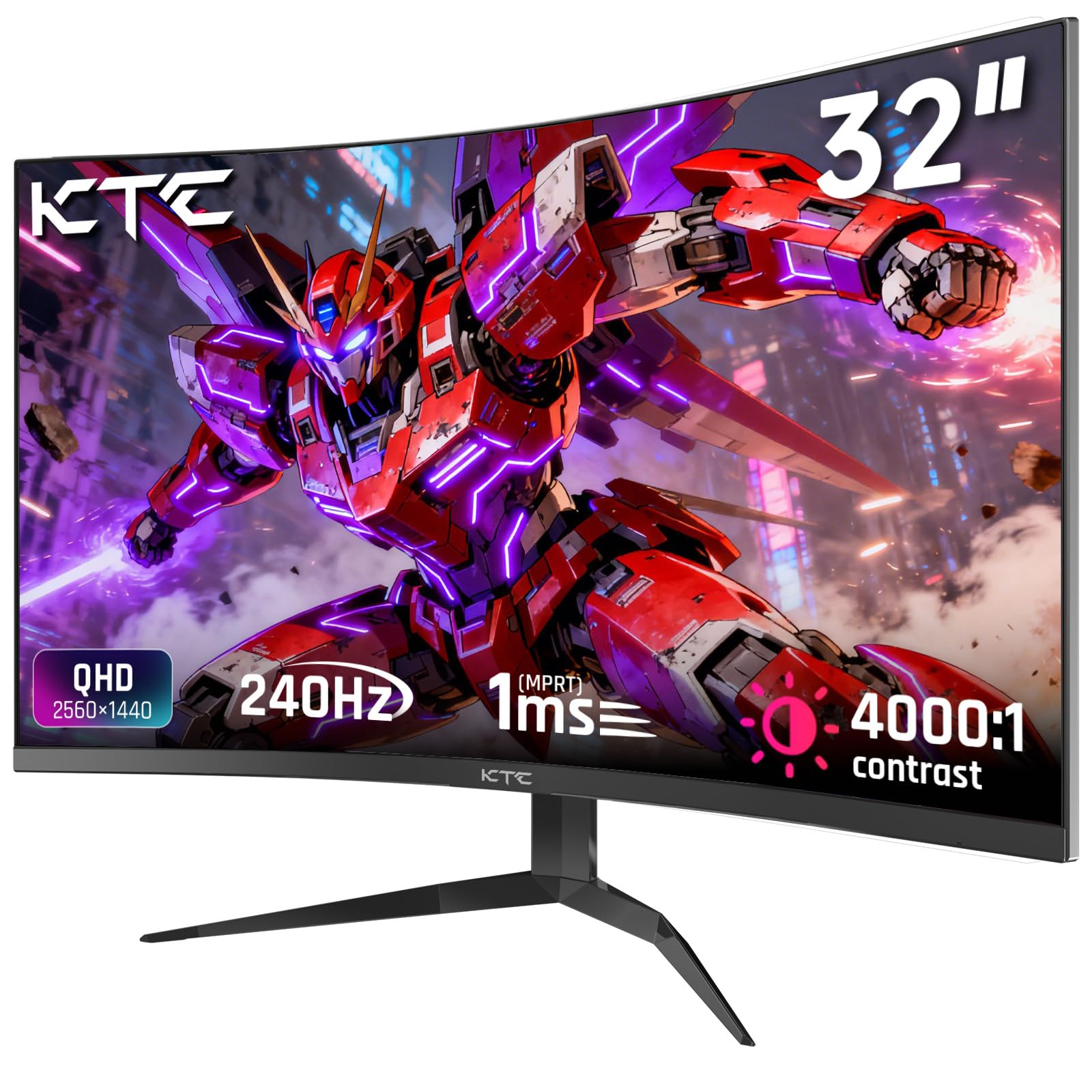
The KTC H32S25E is a 32-inch curved QHD (2560×1440) gaming monitor that pushes a 240Hz refresh rate using a VA panel with 1ms MPRT response and a 4000:1 contrast ratio — one of the highest contrast specs in this budget tier. The 1000R curvature is tighter than typical 1500R monitors, wrapping closer to your peripheral vision for deeper immersion in single-player and simulation games. The 122% sRGB color gamut (99% sRGB calibrated) provides punchy colors that look good out of the box without manual calibration.
Connectivity offers two HDMI 2.0 ports (limited to 1440p 144Hz) and two DisplayPort 1.4 ports (full 1440p 240Hz), plus a USB port for firmware updates. The monitor includes VESA mount support and anti-blue light technology, though the stand is tilt-only — no height or swivel adjustment. Reviewers praised the frame rate performance, easy setup, and excellent warranty service from KTC support, but noted the lack of built-in speakers and the need for DisplayPort to achieve the maximum 240Hz refresh rate.
This monitor targets competitive gamers on a tight budget who prioritize frame rate smoothness over resolution. The 240Hz panel at QHD resolution gives a noticeable edge in fast-paced FPS titles, and the VA contrast ratio makes dark scenes look deeper than any IPS panel at a similar price. If you can tolerate the tilt-only stand and use DisplayPort for full refresh rate, the KTC H32S25E offers exceptional raw performance for its price bracket.
Why it’s great
- Full 240Hz refresh rate via DisplayPort 1.4 for competitive smoothness
- 4000:1 VA contrast delivers deep blacks for dark game environments
- 1000R curvature provides deeper immersion than typical curved monitors
Good to know
- HDMI 2.0 caps at 144Hz — DisplayPort required for 240Hz
- No height or swivel adjustment on the included stand
10. LG 32G600A-B
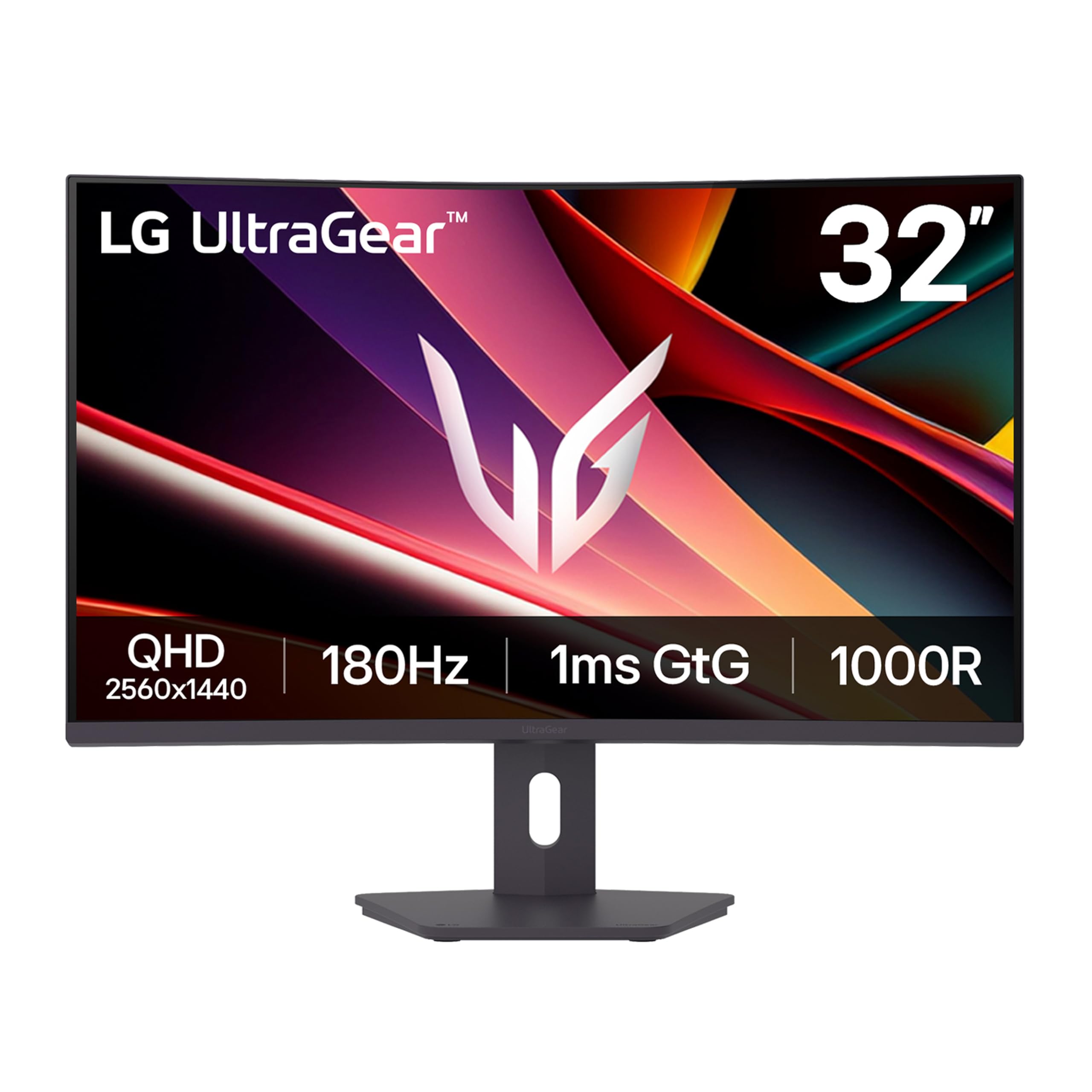
The LG 32G600A-B is a 32-inch QHD (2560×1440) curved VA gaming monitor with a 180Hz refresh rate and 1ms GTG response time, built around a 1000R curvature that pulls the edges of the screen into your peripheral vision for deeper immersion. The 3000:1 VA contrast ratio delivers significantly deeper blacks than typical IPS panels, making dark rooms in horror or open-world games feel more atmospheric. AMD FreeSync ensures smooth tear-free gameplay, and HDR10 support plus up to 99% sRGB coverage keeps colors vibrant and accurate.
Build quality is solid — the adjustable stand offers height, tilt, and swivel adjustments, and the 3-side virtually borderless design looks modern on any desk. Dynamic Action Sync reduces input lag for faster reaction times, and the Black Stabilizer feature brightens dark areas without washing out the rest of the image — genuinely useful for spotting enemies in shadowed corners. The only notable omission is built-in speakers, which is standard at this price but worth noting if you plan to use it without external audio.
The LG G600A is an excellent entry-level or budget pick for buyers moving from 1080p 60Hz who want a large curved screen with high refresh at QHD resolution. The 32-inch size and 180Hz refresh will feel transformative if you upgrade from a standard office monitor, and the 1000R curve adds immersion that flat panels lack. Pair it with an RTX 3060 or RX 6700 XT for solid frame rates in competitive and open-world titles alike.
Why it’s great
- 3000:1 VA contrast ratio gives deep blacks for atmospheric games
- Black Stabilizer brightens shadows without ruining overall picture
- Full height, tilt, and swivel adjustable stand included
Good to know
- No built-in speakers — external audio required
- VA panel gamma shift at extreme viewing angles
11. SOTSU FlipAction Elite

The SOTSU FlipAction Elite is a 16-inch portable monitor with a native resolution of 3840×2400 (16:10), delivering 4K sharpness with higher pixel density than standard 16:9 panels — ideal for photographers, designers, and MacBook users who need color-accurate extended display on the go. The 100% DCI-P3 color gamut, 450 nits brightness, and 1200:1 contrast ratio rival desktop monitors, while the full metal CNC construction (aerospace-grade materials) gives it a premium feel that plastic portable monitors lack. The unique magnetic base stand collapses flat to just 0.5 inches thick for packing.
Height adjustment via hinges allows seamless portrait-to-landscape switching (0 to 180 degrees), and the stand includes a full-size SD card slot — a rare convenience for photographers who shoot RAW and edit in the field. Connectivity uses USB-C (with pass-through charging) and mini HDMI, though the included carry bag is thin and some users recommend extra padding for daily transport. The 60Hz refresh rate means it is designed for productivity and media consumption, not competitive gaming, but it handles slower-paced titles like strategy games or RPGs fine.
This monitor is a niche pick for travelers who need a high-end secondary display for color-critical work (photo editing, video color grading) while maintaining portability. If you are a MacBook Pro user who does not want to compromise on color accuracy or build quality, the FlipAction Elite is unmatched in the portable 4K category. For pure gaming use, the 60Hz refresh and premium price make it a poor fit compared to desktop gaming monitors in this budget range.
Why it’s great
- Full metal CNC build feels premium and durable for travel
- 3840×2400 resolution with 100% DCI-P3 perfect for Mac color work
- Magnetic stand folds flat to 0.5 inches for easy packing
Good to know
- 60Hz refresh rate limits suitability for fast-paced competitive gaming
- Premium price makes sense only if color-accurate portable use is essential
FAQ
Should I choose 1440p 180Hz or 4K 160Hz under $600?
Can my console run a monitor above 120Hz?
What is the difference between IPS, VA, and OLED for gaming?
Is a curved monitor better for gaming than a flat one?
Do I need G-Sync or FreeSync if my GPU is powerful enough to keep frame rates high?
Final Thoughts: The Verdict
For most users, the gaming monitor under $600 winner is the ASUS ROG Strix XG32UCG because its dual-mode 4K 160Hz / FHD 320Hz Fast IPS panel covers both competitive and immersive gaming without compromising on response time or color accuracy. If you want the deepest blacks and highest contrast for cinematic single-player games, grab the Alienware AW3425DW QD-OLED. And for pure competitive value in the mid-range, nothing beats the Samsung Odyssey G50D, pairing 1440p 180Hz with reliable G-Sync and FreeSync operation.