
Ditching a worn-out cloth pad for a solid glass surface changes how your mouse feels at a fundamental level. The initial resistance you fight on fabric vanishes, replaced by a consistent, low-friction glide that makes micro-adjustments feel effortless and flicks land exactly where you intend. This shift isn’t subtle — it’s the difference between fighting your gear and letting it disappear into your hand.
I’m Mohammad Maruf — the founder and writer behind Drink4Good. I’ve analyzed dozens of surface textures, coating technologies, and base materials to separate marketing fluff from genuine performance gains in this narrow category.
Whether you’re grinding ranked matches or spending long hours on precision work, a glass mousepad eliminates the dust, humidity, and wear issues that plague cloth pads, giving you a surface that stays fast and flat year after year.
How To Choose The Best Glass Mousepad
The core promise of a hard glass surface is unchanging consistency, but not every pad delivers on that promise equally. The surface texture, glass thickness, and base grip are the three pillars that determine whether a pad feels like an upgrade or a frustrating compromise.
Surface Texture: Etching vs. Coating
Micro-etched surfaces physically alter the glass to create a consistent texture that won’t wear down over time. Coated surfaces may feel smoother initially but often degrade or develop uneven spots after months of use. Look for pads that explicitly use etching rather than a sprayed-on layer if you want predictable tracking a year from now.
Thickness and Base Material
A thicker glass panel (3-4mm) feels more substantial and resists flex, but the real stability comes from the base. Full-coverage silicone or rubber sheets anchor the pad far better than small adhesive dots. Thin pads under 3mm can feel flush with your desk but require a flawless flat surface to avoid rocking.
Mouse Skate Compatibility
Glass surfaces accelerate wear on standard PTFE skates. Many premium pads include replacement skate dots specifically designed for glass. Budget-friendly options may chew through factory skates in weeks, so factor the cost of aftermarket dots into your overall decision.
Quick Comparison
On smaller screens, swipe sideways to see the full table.
| Model | Category | Best For | Key Spec | Amazon |
|---|---|---|---|---|
| Razer Atlas | Premium | Competitive FPS & All-Day Work | 2μm micro-etch, >7H hardness | Amazon |
| ASUS ROG Moonstone Ace L | Premium | Quiet Swipes & Large Desk Space | 500 x 400mm, noise-reducing | Amazon |
| SIROOLAC 2.0 Ultra-Thin | Premium | Ultra-Low Profile & Coating-Free | 1.6mm glass, full silicone base | Amazon |
| Flash Beyond SP Series | Mid-Range | Complete Pro Kit on a Budget | 0.85μm etch + coating | Amazon |
| SIROOLAC Gaming Pad | Mid-Range | Entry-Level Glass with Medium Glide | 3mm thick, 16-dot PTFE skates | Amazon |
| XVX Black Glass Mousepad 4.0 | Mid-Range | Budget-Friendly Medium Glide | 4mm tempered, full rubber base | Amazon |
| IMPRESA Clear Desk Mat | Budget | Workspace Protection & Dry-Erase Use | 6.35mm (1/4”) thick, rubber feet | Amazon |
In‑Depth Reviews
1. Razer Atlas

The Razer Atlas sets the benchmark for what a glass mousepad should deliver. Its 2μm micro-etched surface provides an ultra-low static and dynamic friction that feels both fast and controlled — you won’t overshoot targets, but your initial flick speed is noticeably higher than on cloth. The 4.4-pound weight and full anti-slip base keep it planted during aggressive swipes, and the >7H hardness rating means it shrugs off accidental knocks without chipping.
Razer’s proprietary protective coating resists fingerprints and grime, so a quick wipe with a microfiber cloth restores the factory feel. The surface does wear down standard PTFE skates faster than fabric, but after a brief break-in period, the texture smooths to a consistent, quiet glide that stays predictable regardless of temperature or humidity swings.
For competitive FPS players or anyone who demands precision over extended sessions, the Atlas justifies its premium positioning by eliminating every variable that degrades aim — no humidity spots, no fabric fraying, no dust buildup. The 17.72 x 15.75-inch footprint gives ample room for low-sensitivity arm aiming without crowding your keyboard.
Why it’s great
- Exceptionally consistent glide unaffected by environment
- Heavy, non-slip base stays locked on any desk
- Easy to clean; smudges wipe off instantly
Good to know
- Accelerates PTFE skate wear initially
- Relatively small size for ultra-low sens players
2. ASUS ROG Moonstone Ace L

The ASUS ROG Moonstone Ace L tackles one of the most common complaints about glass pads: noise. Its noise-reducing tempered glass construction keeps swipes noticeably quieter than uncoated or poorly etched alternatives, making it a strong choice for shared workspaces or late-night gaming sessions. The full silicone base covers the entire underside with ROG-inspired markings and provides a grip that takes intentional force to shift.
At 500 x 400mm, this is one of the largest glass pads on the market, giving low-sensitivity players the space they need without edges appearing mid-swipe. The surface strikes a balance between speed and control — it’s not the absolute fastest pad here, but its subtle texture provides enough feedback for precise tracking without feeling scratchy. The impact- and scratch-resistant glass lives up to its claims; owners report it surviving drops and heavy daily use with zero cosmetic degradation.
The switch from cloth to this glass surface requires a brief adjustment period, particularly for anyone used to the stopping power of a fabric pad. Pairing it with a lightweight mouse and fresh PTFE skates smooths the transition, and once adapted, the consistent glide makes returning to cloth feel slow and muddy.
Why it’s great
- Largest usable surface area for low DPI aiming
- Noticeably quieter than most glass pads
- Silicone base grips aggressively without sliding
Good to know
- Heavy weight makes it less portable
- Initial break-in period before glide feels natural
3. SIROOLAC 2.0 Ultra-Thin

At just 2.6mm total thickness — with the glass layer itself only 1.6mm — the SIROOLAC 2.0 feels almost flush with your desk surface, eliminating the wrist angle change that thicker pads introduce. This ultra-thin profile is a specific ergonomic win for players who rest their forearm on the desk and want a seamless transition from surface to pad. The full-coverage silicone base prevents any rocking or lifting during fast swipes, even on slightly uneven desks.
The brand-new etching process creates a dense, fine texture that produces ultra-low resistance without relying on a sprayed coating. This matters because coating-free surfaces don’t develop dead zones or inconsistent friction as they age — physical etching lasts for the life of the glass. The surface works best with the included protective sliders; the manufacturer explicitly warns against using metal or hard ceramic skates that could scratch the texture.
For players who prioritize a flat, unobtrusive feel and want a pad that will perform identically in month one and month twelve, this SIROOLAC delivers on its promise. The 400 x 480mm option provides generous real estate, though the 300 x 350mm variant is better suited for fingertip or claw grip styles.
Why it’s great
- Nearly flush with desk for ergonomic comfort
- Coating-free etching won’t degrade over time
- Full silicone base eliminates movement
Good to know
- Requires perfect flat desk to avoid wobble
- Not compatible with hard or metal mouse skates
4. Flash Beyond SP Series
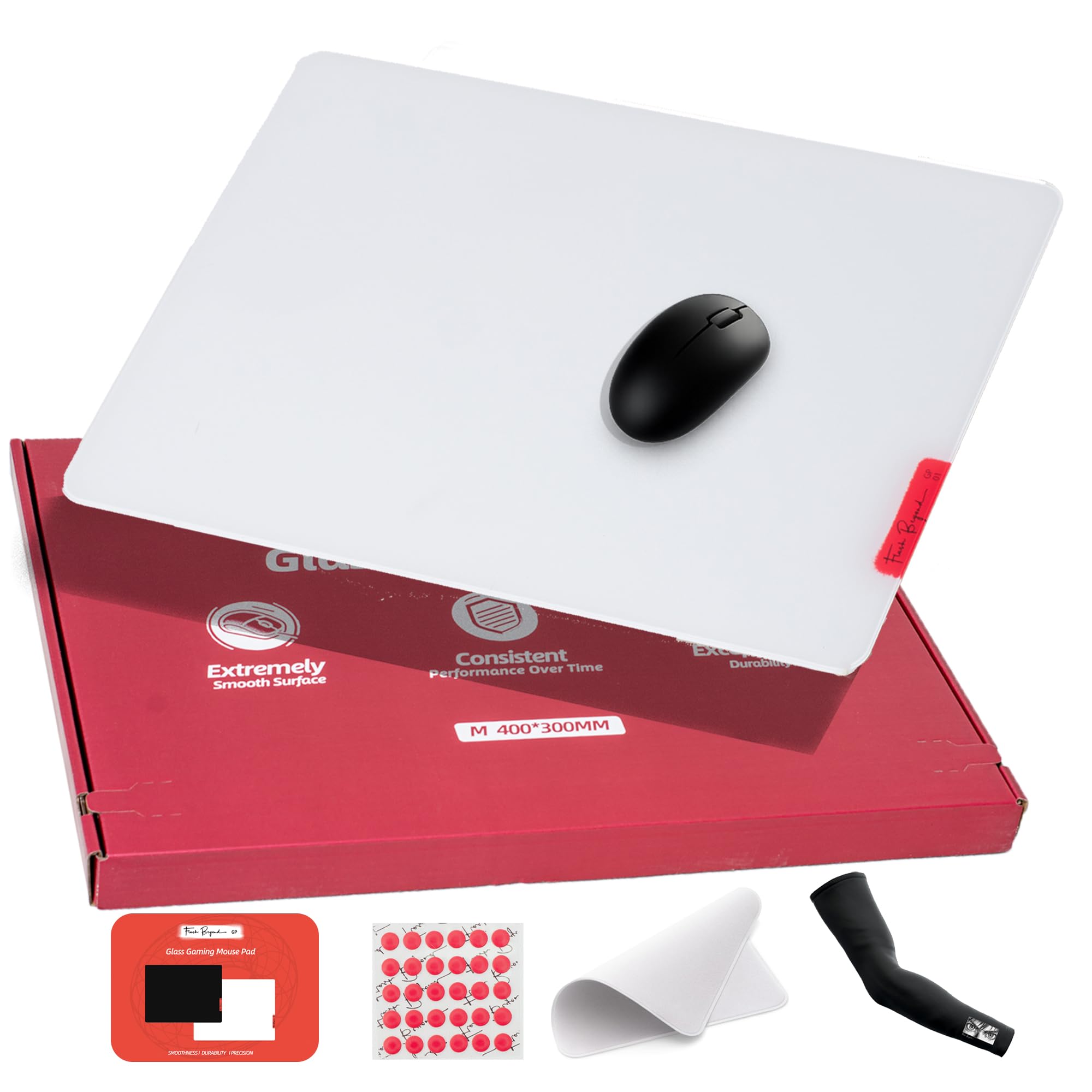
The Flash Beyond SP Series packs an impressive feature set into a mid-range price, starting with its 0.85μm micro-etched base layer topped with a premium coating for extra smoothness. This hybrid approach gives you the speed and fingerprint resistance of a coated surface while the underlying etching ensures consistency even if the top layer wears. The 620°C tempering process and CNC-milled edges result in a pad that feels far more expensive than its price suggests.
What pushes this pad ahead of other mid-range options is the complete pro kit included in the box: high-quality PTFE skate dots, a breathable arm sleeve, and a microfiber cleaning cloth. These additions save you from immediately having to buy aftermarket accessories, and the skate dots in particular address the common issue of stock skates wearing quickly on glass. Users report that the included sleeve prevents forearm drag during long sessions, a small detail that improves comfort significantly.
The white color option hides dust and smudges better than black pads, and the rubber base keeps the pad planted during intense play. Some users note the 15.7 x 11.8-inch size feels cramped for very low sensitivity, but for most aiming styles it provides enough room without dominating the desk.
Why it’s great
- Includes all accessories needed for glass use
- Hybrid surface resists fingerprints and scratches
- CNC edges are smooth against the wrist
Good to know
- Coated layer may wear faster than pure etching
- Size may be tight for ultra-low DPI gamers
5. SIROOLAC Gaming Pad (320x360mm)

The SIROOLAC Gaming Pad occupies a sweet spot for players who want to experience glass without committing to premium pricing. Its 3mm tempered glass construction feels substantial without being overly heavy, and the included 16-dot PTFE skates provide a quiet, smooth glide that avoids the scratchy noise some budget glass pads produce. Users report that the surface texture sits in the medium-speed range — faster than cloth but with more control than the slickest high-end glass pads.
The 320 x 360mm footprint is compact enough to fit on cluttered desks while still offering enough room for medium-sensitivity aiming. The large round silicone feet provide decent grip on most surfaces, though they don’t match the security of a full-coverage base. A quick clean with glass cleaner or water restores the glide, and the white variant hides dust well between wipes.
Consistency is this pad’s main strength — reviews note that after months of use, the surface performance doesn’t shift, which is a common failure point for coated budget options. For anyone curious about glass but hesitant to spend over a certain threshold, this SIROOLAC offers a risk-free entry point with reliable build quality.
Why it’s great
- Consistent medium-speed glide with no dead spots
- Includes PTFE skates for immediate compatibility
- Budget-friendly entry into glass without major compromises
Good to know
- Dot feet less stable than full-coverage base
- Small size limits low-sens arm aiming
6. XVX Black Glass Mousepad 4.0
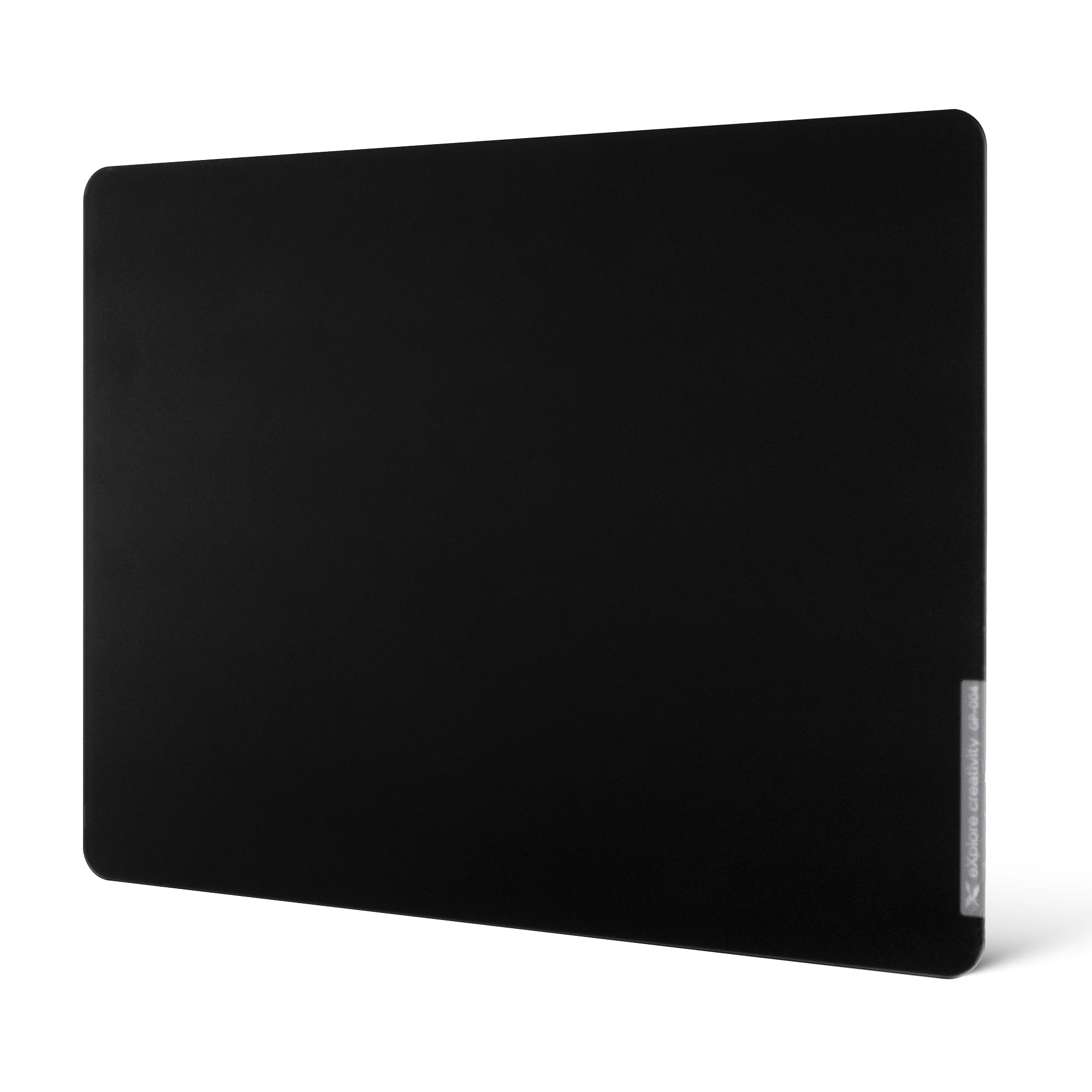
The XVX 4.0 delivers a straightforward glass experience without gimmicks: a 4mm thick tempered glass pane with a micro-etched surface and a full rubber base that locks onto your desk. The 16.2 x 12.2-inch dimensions keep it compact enough for smaller setups while still providing room for medium-sensitivity flicks. The etching produces a medium-glide surface that reviewers describe as consistent and quiet once the pad and mouse skates have a brief break-in period.
An important practical note for this pad: the included HDPE feet are functional but wear noticeably within 2-4 weeks of regular use. Owners recommend replacing them with aftermarket PTFE skates from brands like Histar for longer durability and smoother feel. The pad itself ships with an 18-month warranty, indicating the manufacturer’s confidence in the glass quality despite the entry-level pricing.
For players coming from hard plastic pads or worn cloth surfaces, the XVX provides an immediate and noticeable upgrade in glide consistency without the price shock of premium brands. The rubber base grips well even on slippery desk finishes, and the sonic noise reported in some reviews quietens down as the glass warms to room temperature and skates break in.
Why it’s great
- Thick, durable glass with full rubber base
- Medium glide suitable for most play styles
- 18-month warranty adds peace of mind
Good to know
- Included skates wear quickly; budget for replacements
- Compact size not ideal for low sensitivity
7. IMPRESA Clear Desk Mat

The IMPRESA Clear Desk Mat serves a different purpose than dedicated gaming pads — it’s a full 19 x 24-inch tempered glass desk protector that doubles as a mouse surface. Its primary audience is professionals and students who want a seamless transparent desk cover that protects against scratches, stains, and spills while still providing a smooth surface for their mouse. The 1/4-inch thickness adds reassuring weight, and the preinstalled rubber feet keep the mat from sliding during use.
A standout feature for productivity users is the dry-erase marker compatibility — you can write directly on the glass surface for quick notes, then wipe them clean without ghosting. The clear design also allows you to place photos, documents, or artwork underneath the mat, transforming your workspace into a personalized display. For creative professionals, reviews note that the mat resists damage from exacto blades, glue, acetone, and resin, making it a durable cutting surface replacement.
For mouse performance, the clear glass provides a smoother glide than standard cloth desk mats, though it lacks the specialized micro-etching of purpose-built mouse pads. Tracking is consistent with most modern optical sensors, but the lack of surface texturing means it won’t provide the same level of precision as pads designed specifically for gaming. Consider this option if desk protection and versatility matter more than competitive mouse performance.
Why it’s great
- Large surface protects entire desk from damage
- Dry-erase functionality adds workspace utility
- Clear design allows customization underneath
Good to know
- Not specialized for competitive gaming precision
- 9.3 pounds makes it heavy for transport
FAQ
Will a glass mousepad wear down my mouse skates faster than cloth?
Do I need an arm sleeve to use a glass mousepad?
Can I use any mouse on a glass surface without issues?
How do I clean a glass mousepad without damaging it?
Is a glass mousepad safe for my desk finish?
Final Thoughts: The Verdict
For most users, the glass mousepad winner is the Razer Atlas because its 2μm micro-etch delivers an ideal balance of speed, control, and long-term consistency regardless of environment. If you want maximum desk space and quiet operation, grab the ASUS ROG Moonstone Ace L. And for the best combination of features and value, nothing beats the Flash Beyond SP Series with its comprehensive accessory kit and hybrid surface technology.