
That blurry, laggy feed that breaks up the second you punch the throttle has ended more park flights than bad solder joints. FPV goggles are the single most personal piece of gear you own—the lens through which every dive, split-S, and power loop is framed. Picking the wrong pair means fighting your equipment for the entire battery pack.
I’m Mohammad Maruf — the founder and writer behind Drink4Good. I have spent years analyzing the engineering trade-offs between analog diversity receivers and digital codecs, screen resolutions from 480p to 1080p, and the real-world ergonomics that separate a goggle you wear for thirty minutes from one you tolerate for five.
Whether you are chasing gates in a park or cruising a ridgeline, finding the right pair of goggles for fpv comes down to matching your flying style to the correct blend of video latency, screen clarity, and physical fit.
How To Choose The Best Goggles For FPV
The FPV goggle market is split between analog, digital, and phone-based viewers. Analog goggles offer low latency and compatibility with nearly any video transmitter, but at lower resolutions. Digital systems deliver crisp, HD feeds with MIPI or proprietary codecs but lock you into an ecosystem. Phone-based viewers trade bulk for flexibility and high-resolution phone screens. Matching the system to your primary flying platform—whoop, long-range cruiser, or DJI quad—is the first gate to clear.
Receiver Diversity and Antenna Configuration
A true diversity receiver uses two separate receiver modules and switches between two antennas to always pick the strongest signal. This is critical for analog flying in environments with multipath interference—concrete parking structures, tree-lined parks, or proximity flying around metal structures. Some budget goggles label themselves as diversity but use a single receiver with two antenna ports; they switch the antenna patch, not the module, which provides far less benefit. Look for explicit language about dual receiver modules if signal reliability is your priority.
Screen Resolution, Size, and Focus
Screen resolution determines how clearly you see your OSD voltage, timer, and artificial horizon. Entry-level goggles typically use 480×320 or 800×480 LCD panels. The 800×480 resolution is adequate for reading text on most setups, but for digital HD feeds like Walksnail or DJI, you want a native 1080p panel to avoid downscaling artifacts. Screen size is a trade-off between field of view and weight—larger 5-inch screens give a more immersive view but add bulk. Equally important is the focal distance: some goggles place the screen so close that users with normal vision cannot focus without adding a diopter lens or spacer.
Battery Life and Power Options
FPV goggles draw power differently. Some have built-in LiPo packs that last one to three hours, but once depleted you need to recharge the entire unit. Others use replaceable or external batteries—18650 cells, 2S-4S LiPo packs, or phone-battery banks for phone-based viewers. If you own multiple packs and charge on the field, external power is more practical. For built-in solutions, look for capacities above 2000 mAh if you plan to fly more than four packs in a session. Cold weather also sags LiPo voltage, so a hot-swappable battery system can save your flying day.
Quick Comparison
On smaller screens, swipe sideways to see the full table.
| Model | Category | Best For | Key Spec | Amazon |
|---|---|---|---|---|
| CADDXFPV Walksnail Avatar HD L | Digital HD | HD image quality on a budget | 1080p 4.5-inch display | Amazon |
| EV800D FPV Goggles | Analog Box | Entry-level analog diversity | 5-inch 800×480 LCD | Amazon |
| DroneMask 2 | Phone Viewer | Large-screen phone flying | Patented unibody lens | Amazon |
| BETAFPV VR03 | Analog Box | Beginner analog with DVR | 4.3-inch 800×480 LCD | Amazon |
| Speedybee 5.8G Goggles | Analog Box | Ultra-light analog sessions | 3-inch 480×320 LCD | Amazon |
| BETAFPV Cetus Pro Kit (VR02) | Analog Box | Complete beginner kit | Built-in 5.8G receiver | Amazon |
| DJI FPV Goggles V2 (Renewed) | Digital Goggles | DJI ecosystem immersion | Dual-frequency 2.4/5.8 GHz | Amazon |
In‑Depth Reviews
1. CADDXFPV Walksnail Avatar HD Goggles L
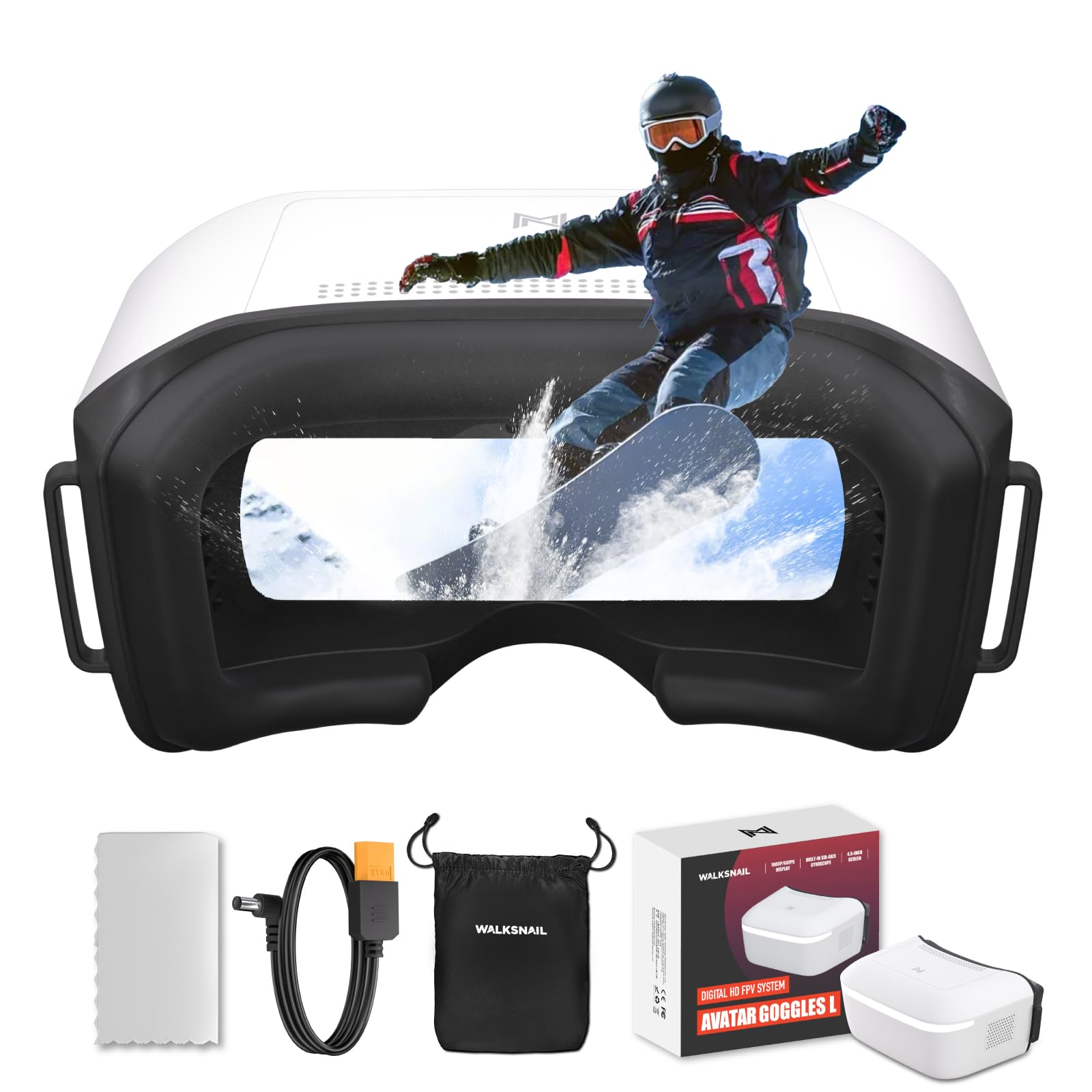
This is the entry point to the Walksnail digital ecosystem, and it delivers where it counts. The 1080p 4.5-inch screen is genuinely sharp—OSD text is crisp, and the low-latency feed makes proximity flying feel responsive. The 4.9 dBi directional antenna locks onto the signal well in moderate interference, and the built-in DVR records clean 1080p footage directly to a micro SD card. Head tracking via PPM output adds another layer of immersion for fixed-wing or car pilots who want to look around the turn.
Comfort is strong out of the box. The soft polyurethane faceplate blocks light effectively, and the overall weight is light enough for multi-pack sessions without neck strain. The diopter lens system means you can adjust focus without wearing glasses, a big plus for pilots with different vision in each eye. The goggles accept 6–25.2V input, which lets you run them off a standard 4S LiPo or a dedicated flight battery with an XT60 adapter.
The primary limitation is ecosystem lock: these work only with Walksnail Avatar VTX units. There is no HDMI input, no analog module bay, and no DJI compatibility. For someone already invested in Walksnail or building a fresh HD quad, these are the budget-friendly way into a clean, low-latency digital feed. Battery is sold separately, so budget for a 2S–6S pack or a USB-C power bank if you do not already have one.
Why it’s great
- Sharp 1080p screen with low latency
- Adjustable diopter for vision correction
- Head tracking via PPM output
Good to know
- Locks you into Walksnail ecosystem
- No HDMI input or analog support
- Battery not included
2. EV800D FPV Goggles with DVR

The EV800D has earned its reputation as the standard entry-level analog goggle for good reason. The 5-inch 800×480 LCD is bright and large enough for an immersive view, and the 82-degree field of view covers most of your peripheral vision without making you feel like you are looking through a porthole. The built-in diversity receiver (two antenna ports) auto-searches channels and displays the working frequency on-screen, which is extremely helpful when flying public parks where other pilots might be on nearby channels.
The DVR records at 720×576 resolution to a micro SD card, and the separate display and record chipsets prevent recording latency from affecting your live feed. This is a meaningful design choice—cheaper goggles share a single chipset, causing the live view to stutter during recording. The faceplate is comfortable enough for 15-20 minute sessions, though users with glasses will struggle since there is no diopter adjustment or glasses pocket. The detachable screen module doubles as a standalone monitor, a feature no other goggle in this price tier offers.
The built-in 2000 mAh battery provides roughly two hours of use, and the micro USB charging is standard for the category. Some units exhibit a slight audio buzz, and the button placement can lead to accidental menu presses during flight. The receiver is not true dual-receiver diversity—it switches between two antenna ports on a single module—so multipath rejection is good but not class-leading. Still, for the combination of screen size, DVR, and modularity, this is the most versatile analog goggle under serious consideration.
Why it’s great
- Large 5-inch 800×480 screen for immersion
- Detachable monitor for bench or ride-along use
- Reliable DVR with separate recording chipset
Good to know
- Not true dual-receiver diversity
- No glasses accommodation
- Buttons can be pressed accidentally mid-flight
3. DroneMask 2

The DroneMask 2 takes a completely different approach: rather than a self-contained receiver and screen, it uses your smartphone as the display and essentially acts as a high-quality VR viewer with a patented unibody lens. This lens delivers noticeably sharper edges than cheap plastic split-lens viewers, with 4x the resolution of standard VR headsets according to the manufacturer. For pilots flying DJI, Autel, or Potensic GPS drones, this means using the full native resolution of your phone screen rather than a compressed analog feed.
Comfort is a major focus here. The soft face padding and breathable fabric work well for extended sessions, and the adjustable focal length accommodates glasses wearers without forcing them to squeeze frames into a tight cavity. The screen-access holes let you tap your phone mid-flight to change camera settings or toggle video recording, a feature no traditional goggle can match. The adjustable headband secures the unit without excessive pressure, though the overall weight with a large phone inside is noticeable—neck fatigue can set in after 30 minutes.
The biggest trade-off is that the DroneMask 2 is entirely passive. It has no built-in receiver, no DVR, no diversity antennas. You rely on your phone’s Wi-Fi or cellular connection to the drone, and you need a controller with a phone holder or a cable to your transmitter. It is also bulky for a backpack compared to a compact box goggle. For pilots who already own a modern GPS drone and want a clean, immersive view without buying a proprietary goggle system, this is the most comfortable and versatile option available.
Why it’s great
- Sharp unibody lens for crisp phone display
- Comfortable over glasses with focal adjustment
- Screen-access holes for mid-flight control
Good to know
- No built-in receiver—relies on phone connection
- Heavy with a large phone inside
- Bulky for portable carry
4. BETAFPV VR03 FPV Goggles with DVR

The VR03 is a compact, beginner-focused analog goggle that prioritizes simplicity and a reasonable screen over premium features. The 4.3-inch 800×480 LCD is tuned to minimize warped edges, making it easier to read OSD data compared to cheaper 480×320 panels. The three-second auto-search function grabs a channel quickly, which is welcome when you are juggling a drone and transmitter at the field. The replaceable 5.8 GHz 3 dBi omnidirectional antenna means you can upgrade later for better range without replacing the whole goggle.
The ergonomic design includes a three-sided adjustable headband and foam faceplate that distribute pressure well for light pilots. The built-in 2000 mAh battery delivers roughly two hours of flight time, and the USB-C charging is a small but welcome convenience. The DVR records to a micro SD card, but the recording quality is heavily compressed with visible JPEG artifacts, and there is a roughly 10-second delay before recording starts after pressing the button. The lack of a clear recording indicator makes it easy to miss a flight.
The secondary market feedback highlights a few consistent pain points. The focal distance is fixed and somewhat close, which makes reading the OSD difficult for some users and forces nearsighted people under 800 degrees to take off glasses. The receiver is single-antenna, not diversity, so you will see breakup earlier than on the EV800D. For someone buying their first analog goggle for a whoop or micro quad, the VR03 is a functional starting point, but pilots who plan to fly longer distances or in noisy environments should budget for an antenna upgrade or look at diversity models.
Why it’s great
- Clear 800×480 screen for the price
- Fast auto-search channel scan
- Replaceable antenna for future upgrades
Good to know
- DVR recording has compression artifacts and start delay
- Single-antenna receiver, not diversity
- Focal distance too close for some users
5. Speedybee 5.8G FPV Goggles

The Speedybee goggles are the lightest option in this lineup at just 180 grams, making them nearly unnoticeable during a flight session. The 3-inch 480×320 LCD is small but bright, and the dual-antenna design improves signal stability over a single-antenna unit. Power consumption is rated at 360–400 mA, and the built-in 1200 mAh battery lasts through several packs without needing a recharge. The 40-channel RaceBand auto-search works reliably, and the overall form factor fits easily into a backpack side pocket alongside a transmitter.
The low weight comes with compromises. The 480×320 resolution is low enough that OSD text can be hard to read, especially if you run a dense betaflight layout with many elements. There is no DVR built in, so if you want to record your flights you need an external module or a camera-mounted SD card. The reported reception range is also limited—several users note signal breakup beyond 100 feet, even with the included antennas, and aftermarket antennas do not fully solve the issue. The screen is fixed at a focal distance that is too close for some users, and there is no focus adjustment.
For RC car pilots or first-time FPV flyers staying within a small backyard, these goggles are a valid entry point that will not break your budget. The battery life and low power draw are genuine advantages for extended bench testing. For drone pilots who need to fly through a park or around obstacles at any real distance, the reception limitations and lack of DVR will become frustrating quickly. This is a specialist tool for close-range, casual flying.
Why it’s great
- Extremely lightweight at 180 grams
- Low power consumption for long sessions
- Dual antennas for basic signal diversity
Good to know
- Limited reception range beyond 100 feet
- Low 480×320 resolution makes OSD text fuzzy
- No DVR recording capability
6. BETAFPV Cetus Pro FPV Kit (VR02 Goggles)

The Cetus Pro kit is the most cohesive entry-level package for brand-new FPV pilots. It includes the Cetus Pro brushless whoop, the LiteRadio 2 SE transmitter, and the VR02 goggles—everything needed to fly out of the box. The goggles themselves are basic box-style analog units with a built-in 5.8 GHz receiver. They are not the star of the show, but they are functional enough to learn on: the image is clear for nearsighted pilots who can remove glasses, and the reception is adequate for the short-range whoop flights the kit is designed for.
The Cetus Pro drone is the real highlight. It has three flight modes—Normal, Sport, and Manual—that let you progress from stabilized altitude hold to full acro mode. The altitude hold in Normal mode is smooth enough for a complete beginner to hover indoors immediately. The Turtle Mode self-rights the quad if it lands upside down, which saves the walk of shame across a field. The brushless motors provide significantly more power than the cheap toy quads most beginners start with, so learning to fly acro on this platform is genuinely productive.
The VR02 goggles are the weak link in the kit. They lack a removable antenna, have no DVR, and the screen resolution is on the low side for reading telemetry. The faceplate is functional but not particularly comfortable for long sessions. The battery life of the whoop (the included 450 mAh packs) is only about 3–5 minutes, so you will want to buy extra batteries immediately. For someone who wants one click-to-buy solution that lets them start flying FPV immediately, this kit works. For anyone who already has a transmitter and a drone, buying separate goggles offers better value.
Why it’s great
- Complete ready-to-fly kit for absolute beginners
- Progressive flight modes from stabilized to acro
- Durable brushless whoop survives crashes
Good to know
- VR02 goggles lack DVR and antenna upgrade
- Short flight times on included 450 mAh batteries
- Goggles are basic and not comfortable for long use
7. DJI FPV Goggles V2 (Renewed)

The DJI FPV Goggles V2 remain a benchmark in the digital FPV space, even as newer models emerge. The 1080p display delivers a crisp, low-latency feed that is dramatically cleaner than any analog system, especially at longer ranges. The dual-band 2.4 and 5.8 GHz transmission gives you flexibility to avoid congested frequencies, and the 148-degree field of view is genuinely immersive. The headband design distributes weight well, and the ability to wear glasses underneath—thanks to the generous eye cup—is a major plus for spectacle wearers.
The renewed units typically arrive in like-new condition with original packaging, and the refurbished price makes this a compelling option for pilots stepping up from analog who want DJI’s digital clarity without paying retail. The goggles support DJI’s FPV system (Air Unit, Caddx Vista, and the DJI FPV drone), and the 50 ms latency is more than adequate for freestyle and cruising. The touchpad on the side controls the menu interface without fumbling for buttons, and the head tracking feature adds immersion for fixed-wing or car use.
There are notable limitations. The V2 goggles do not natively support analog input without an external adapter like the BDI DigiAdapter, so you cannot use them with analog quads without additional gear and complexity. The built-in fan is absent, so lens fogging can be an issue in humid conditions or when you are breathing heavily after a run. Some users report light leakage around the foam fitting, which can be addressed with aftermarket padding kits. You are buying into the DJI ecosystem; if all your quads use analog VTXs, this is not a simple upgrade path.
Why it’s great
- Crystal-clear digital feed with low latency
- Comfortable glasses-friendly eye cup
- Refurbished option offers high value
Good to know
- No native analog input without adapter
- Lacks anti-fog fan; prone to condensation
- Locks you into the DJI video ecosystem
8. DJI Goggles Racing Edition

The DJI Racing Edition goggles are purpose-built for the high-speed, low-latency world of FPV racing. They feature a global shutter sensor that eliminates the jello effect entirely—critical for clean video at high throttle and aggressive maneuvers. The 1280×960 at 50 fps and 1280×720 at 60 fps modes provide smooth motion rendering, and the 148-degree field of view wraps around your vision for an immersive race experience. The 2K video capture resolution is a bonus for recording DVR footage that actually looks good on a big screen.
Wireless connectivity is the standout feature. These goggles pair directly with DJI drones—the Spark, Mavic series, Phantom series, and Inspire—without any additional cables or adapters. The dual-band 2.4 and 5.8 GHz transmission can switch frequencies on the fly to maintain signal integrity, and the 12 available channels give you plenty of room to avoid interference at race events. The touchpad interface on the right side of the unit is intuitive once you learn the swipe gestures, and the inclusion of a head-tracking output means you can look around inside the virtual cockpit.
The physical package is bulky and heavy compared to modern box goggles. The single SMA antenna connector is inconvenient for those used to diversity setups, and the lack of a built-in fan means fogging can be a problem during intense flying. The analog pass-through mode (for 5.8 GHz analog receivers) reportedly suffers from a green-screen split on some units, requiring a power cycle to fix. These goggles shine brightest as a dedicated racing and DJI ecosystem display; they are not a general-purpose tool for mixed analog and digital fleets.
Why it’s great
- Global shutter eliminates jello entirely
- Wireless pairing with most DJI drones
- Immersive 148-degree field of view
Good to know
- Bulky and heavy for travel
- No anti-fog fan; fogs up in humidity
- Analog mode can have green-screen glitch
FAQ
What is the minimum screen resolution I should look for in analog FPV goggles?
Can I use analog goggles with a digital VTX?
Do I need diversity goggles for flying in a park or open field?
How long does the battery last on typical FPV goggles?
What does DVR do and do I need it?
Final Thoughts: The Verdict
For most users, the goggles for fpv winner is the EV800D because it combines a large 5-inch screen, built-in DVR, and modular detachable monitor into the most versatile analog package. If you want clean HD digital viewing without paying flagship prices, grab the CADDXFPV Walksnail Avatar HD L. And for a comfortable phone-based viewer that lets you fly any DJI or GPS drone with your existing smartphone, nothing beats the DroneMask 2.