
A golf simulator without a proper projector is like a driver without a head — the full experience simply disappears. Whether you are building a home sim in a garage, a spare bedroom, or a basement, the projector is the single component that determines whether you see the fairway in vivid daylight or squint through a washed-out haze. The wrong choice leaves you fighting ambient light, fuzzy yardage numbers, and a throw distance that forces the unit into the middle of your swing path. The right one puts you inside the round, reading every undulation on the green with clarity.
I’m Mohammad Maruf — the founder and writer behind Drink4Good. For this guide, I spent hundreds of hours cross-referencing ANSI lumen ratings, throw ratio calculations, native resolution specs, and laser versus lamp light source longevity for every model that serious simulator builders actually buy.
The market is crowded with options that claim high brightness but deliver disappointing results in real golf simulation environments. After evaluating over a dozen contenders across multiple price tiers, I have assembled the definitive list of the best golf projector options available today for every room size and budget.
How To Choose The Best Golf Projector
Selecting the right projector for your golf simulator is a matter of matching your physical space with the projector’s optical specifications. A unit that works beautifully in a 20-foot-deep room may be unusable in a tighter garage layout. The three most important factors are brightness, throw distance, and resolution.
Brightness and Ambient Light
Simulator spaces rarely have perfect blackout conditions. Garage doors, windows, and overhead lights introduce ambient light that washes out low-lumen projectors. A unit with at least 3,000 ANSI lumens is the baseline for a usable daytime image. For garages with lights on or any room with windows, 4,000 lumens or more is the safer target. Beware of Chinese-manufactured units that claim 10,000+ lumens — real ANSI measurements typically land far lower.
Throw Ratio and Room Fit
Throw ratio is the distance from the lens to the screen divided by the screen width. A standard throw projector requires 10–15 feet of depth to produce a 120-inch diagonal image. Short throw models (0.4–0.7 ratio) can deliver the same image from just 3–5 feet away, keeping the projector mounted safely above or beside the hitting area without casting a shadow on the screen. Measure your room depth before choosing — the throw ratio is the spec that makes or breaks a simulator layout.
Resolution and Image Quality
Native 1080p (Full HD) is the current sweet spot for golf simulators. Software from GSPro, TGC 2019, and E6 displays yardage numbers, green grids, and ball flight data most clearly at this resolution. 4K projectors exist but come at a premium that rarely translates to noticeably better golf simulation. Native 1080p with proper HDR support delivers all the detail you need for reading putts and tracking drives.
Lamp vs Laser Light Source
Standard lamp projectors are cheaper upfront but require bulb replacements every 3,000–4,000 hours. Laser projectors cost more initially but run 20,000–30,000 hours with no brightness degradation. For a simulator that runs 10–15 hours per week, a laser projector pays for itself in bulb savings within two years. Laser also offers instant on/off, no warm-up time, and consistent color temperature over its lifespan.
Quick Comparison
On smaller screens, swipe sideways to see the full table.
| Model | Category | Best For | Key Spec | Amazon |
|---|---|---|---|---|
| Optoma GT2100HDR | Laser | Garage sims with light | 4,200 ANSI lumens, 1080p | Amazon |
| Epson Pro EX11000 | Laser | Large rooms, max brightness | 4,600 lumens, 3LCD 1080p | Amazon |
| ViewSonic LS740HD | Laser | Bright spaces, Golf Mode | 5,500 ANSI lumens, 1080p | Amazon |
| Optoma GT2000HDR | Laser | Compact short throw use | 3,500 ANSI lumens, 1080p | Amazon |
| BenQ TH671ST | Lamp | Gaming & sim balance | 3,000 lumens, 1080p short throw | Amazon |
| BenQ MW632ST | Lamp | Budget-friendly sim build | 3,200 lumens, WXGA short throw | Amazon |
| ViewSonic PS502X | Lamp | Extreme budget sim builds | 4,000 lumens, XGA short throw | Amazon |
| WiMiUS G2 | LCD | Smart features on a budget | 1,100 ANSI lumens, 1080p | Amazon |
| HAPPRUN KC7 PRO | LCD | Mixed indoor/outdoor use | 1,000 ANSI lumens, 1080p | Amazon |
| HAPPRUN K7 Pro | LCD | Bright smart projector | 3,000 ANSI lumens, 1080p | Amazon |
| Hisense M2 Pro | Triple Laser | Ultimate picture & versatility | 1,300 ANSI lumens, 4K UHD | Amazon |
In‑Depth Reviews
1. Optoma GT2100HDR

The Optoma GT2100HDR is widely regarded as the gold standard for golf simulator projectors, and the reviews confirm it. With a native 1080p resolution that accepts 4K HDR input, your GSPro or TGC 2019 session will display yardage numbers and green contours with exceptional clarity. The 4,200 ANSI lumen laser light source produces an image that remains bright and saturated even when the garage overhead lights are on. Owners consistently praise its instant on/off capability and the fact that it runs cool enough for all-day simulation sessions, with the laser rated for 30,000 hours of use.
The short throw design means you can mount the unit safely above the hitting area without casting a shadow on the screen. Placement flexibility is excellent: the digital shift and vertical keystone allow fine-tuning from a ceiling mount 9 feet back to produce a crisp 9-foot-wide image. Several verified purchasers confirm this projector has survived direct ball strikes and continues performing perfectly after thousands of hours of continuous use.
The main drawback reported across multiple units is the remote control design. Buttons are confusing and require hard presses, while the menu times out too quickly. A small number of units have arrived with fault codes or signal drop issues, though the majority of owners report trouble-free operation for years. The built-in speaker is hollow and buzzy, so pairing with an external soundbar or A/V receiver is recommended for any serious simulator setup.
Why it’s great
- Bright 4,200-lumen laser image visible in ambient light
- Short throw fits tight garage layouts without shadow casting
- 30,000-hour laser life with instant on/off
- Survives ball strikes according to multiple owners
Good to know
- Remote control is finicky with hard-press buttons and a quick menu timeout
- Built-in speaker is hollow and buzzes at moderate volume
- Occasional DOA units reported; check return policy
2. Epson Pro EX11000
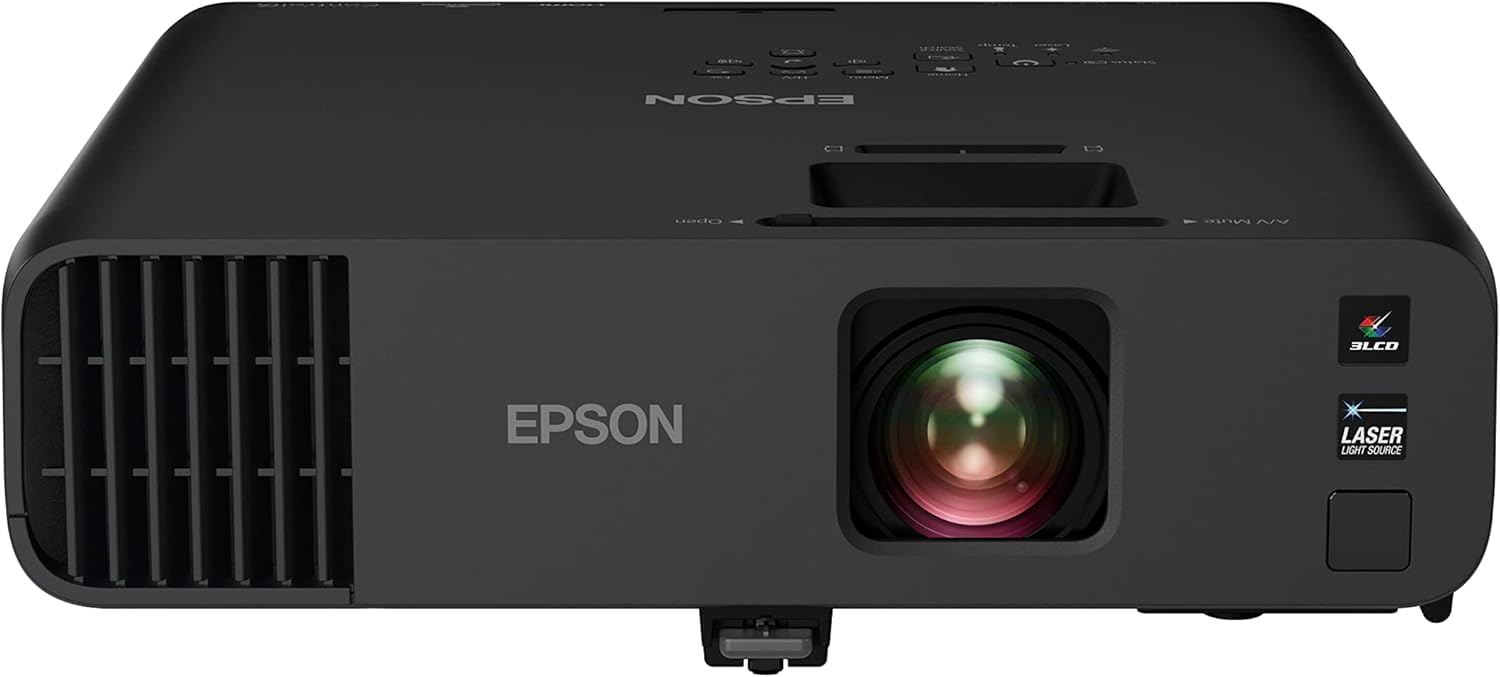
The Epson Pro EX11000 brings a different optical architecture to the table — 3-chip 3LCD technology that outputs 100% of the RGB color signal for every frame. This eliminates the rainbow effect that some DLP projectors produce, making it a strong choice for simulator spaces where users may be sensitive to color artifact. At 4,600 lumens of color and white brightness, this projector is one of the brightest options on this list, producing a vivid image even when the room lights are at full strength, as verified by owners using it in well-lit garage and church settings.
The laser light source is rated for 20,000 maintenance-free hours with no lamp replacements. This unit includes Miracast for wireless screen mirroring, dual HDMI ports, and a USB port that powers streaming sticks. Owners report excellent sharpness and clarity on a 120-inch screen from a 16-foot ceiling mount, looking like a modern HD flat screen with the lights on or off. The auto on/off with signal detection makes it convenient for daily use.
Where this projector falls short for simulator purists is the lack of vertical or horizontal lens shift. Keystone correction is limited, which means precise ceiling placement is critical. The built-in 16-watt speaker is notably weak — external speakers are a necessity for an immersive simulation experience. The fan noise is slightly noticeable during quiet scenes, though acceptable in eco mode. It is also larger and heavier than laser competitors, which may complicate mounting in some layouts.
Why it’s great
- 4,600 real lumens handles full ambient light
- 3LCD eliminates rainbow effect for sensitive viewers
- 20,000-hour laser light source with no bulb replacements
- Miracast and dual HDMI for versatile connectivity
Good to know
- No lens shift and limited keystone require precise placement
- Built-in speaker is inadequate for simulator use
- Bulky and heavier than compact laser competitors
3. ViewSonic LS740HD
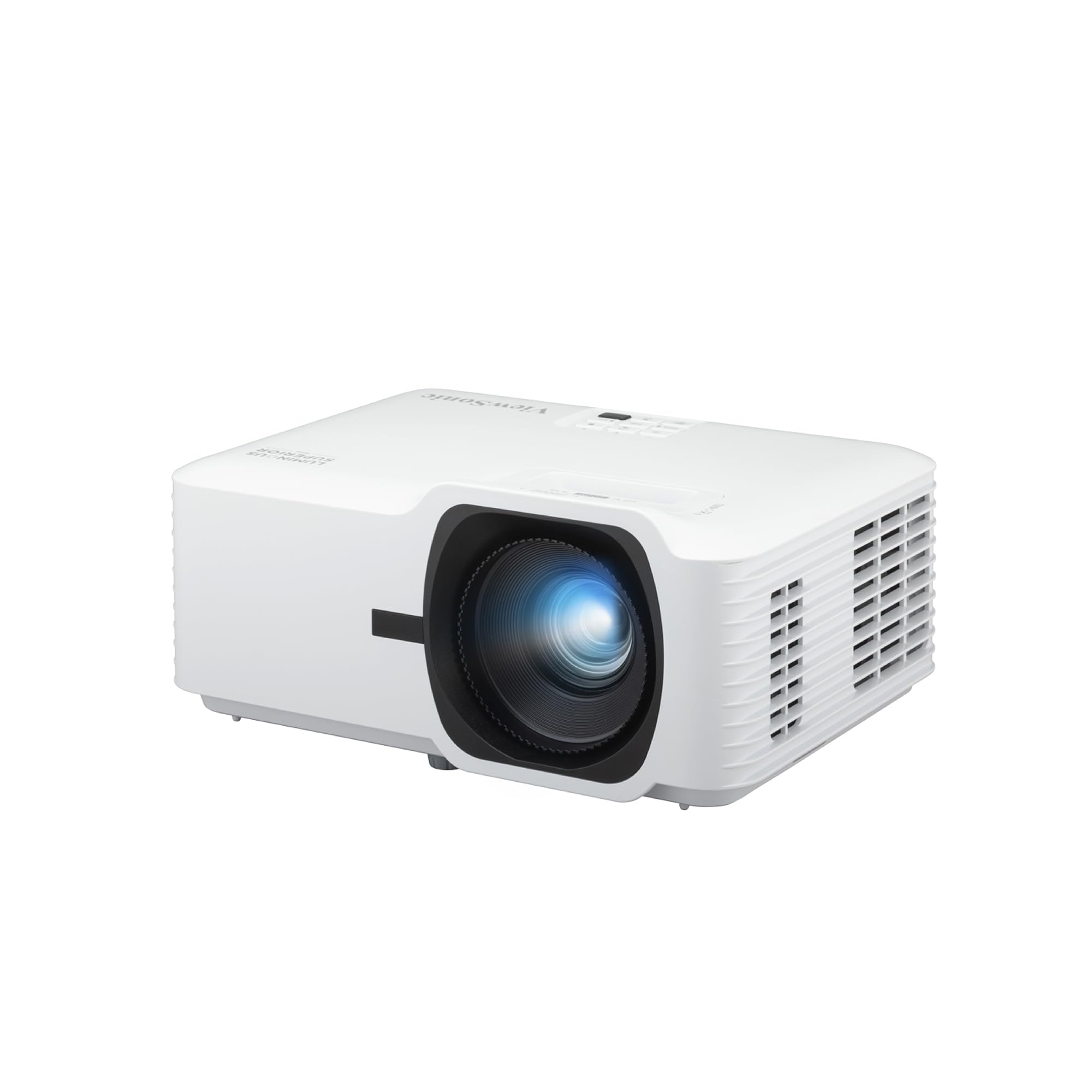
The ViewSonic LS740HD is one of the few projectors on the market that explicitly includes a Golf Mode for realistic simulation. This is not a marketing gimmick — the mode optimizes color and contrast specifically for golf simulation software, making the fairway grass tones look more natural and the green grids easier to read at a glance. At 5,500 ANSI lumens, it is the brightest unit on this list, capable of producing a clear, vivid image even in rooms flooded with natural or artificial light.
The 1080p native resolution with HDR support delivers sharp details on screens up to 150 inches. The 1.3x optical zoom combined with digital zoom (0.8x–2.0x) offers extensive placement flexibility, and the H/V keystone with 4-corner adjustment makes it possible to align the image perfectly regardless of mounting angle. The 360-degree and portrait mode projection capabilities are useful for unconventional layouts. Owners consistently rank it as the best value under the premium tier due to its combination of brightness, laser longevity, and specific golf simulation optimization.
A small but consistent number of users report an orange flash glitch that appears intermittently across multiple units. The menu interface is basic and lacks the polish of consumer home theater projectors. While the unit runs quietly on eco mode, the external power brick design is a minor inconvenience for ceiling installations. For the price, however, the LS740HD delivers unmatched brightness and a dedicated feature set for golf simulation that no other projector in this range offers.
Why it’s great
- Dedicated Golf Mode optimizes color for simulation software
- 5,500 lumens is the brightest option for full-light rooms
- 1.3x optical zoom and 4-corner adjustment for flexible placement
- Laser light source with long lifespan and instant on/off
Good to know
- Some units exhibit an intermittent orange flash glitch
- Menu interface is basic and lacks refinement
- External power brick adds complexity for ceiling mounts
4. Optoma GT2000HDR

The Optoma GT2000HDR is the smaller sibling of the GT2100HDR, offering the same short-throw laser architecture at a slightly lower lumen output and a more budget-friendly entry point. At 3,500 ANSI lumens, it is still bright enough for most garage simulator setups with ambient light present. Its ultra-compact form factor is a genuine advantage — the unit takes up very little ceiling space and runs cool thanks to the laser light source, making it a strong candidate for tight enclosures or smaller simulator rooms.
Verified purchasers confirm this projector delivers excellent results for golf simulation. The 1080p resolution with 4K HDR input provides crisp, immersive visuals that bring course details to life. The short throw design means it can produce a 100-inch-plus image from just 5–6 feet away, which keeps the projector safely above the hitting area and out of the swing path. Owners report it holds up well to direct ball contact and remains reliable over thousands of hours of continuous use.
The built-in speaker is a weak point — it is hollow and vibrates excessively at moderate volume. The horizontal lens shift allows off-center ceiling mounting, but there is no person-detection safety cut-off, so you need to be careful about placement. The display-off feature also cuts the audio, which is a design oddity. The compact remote requires close proximity and firm button presses. For the image quality and laser reliability at this price point, these are acceptable trade-offs for most simulator builders.
Why it’s great
- Ultra-compact form factor fits tight ceiling spaces
- 3,500 lumens handles ambient light better than entry-level lamps
- Short throw produces large image from 5-6 feet away
- Laser light source is cool and reliable over thousands of hours
Good to know
- Built-in speaker is hollow and vibrates at higher volumes
- Remote requires close range and hard button presses
- No safety cut-off for ceiling mount above hitting area
5. BenQ TH671ST

The BenQ TH671ST has built a strong reputation among simulator builders for its combination of low input lag, short throw performance, and reliable lamp-based projection. At 3,000 ANSI lumens, it is not the brightest projector on this list, but it produces a clean 1080p image with 92% Rec. 709 color accuracy that looks natural on a simulator screen. The ultra-fast input lag mode is optimized for gaming and makes the unit responsive for real-time ball flight feedback without perceptible delay.
The short throw lens produces a 100-inch image from just 5 feet away, which is ideal for rooms with limited depth. Owners report excellent daytime use in garages with the lights on — the picture remains bright enough to read yardage numbers clearly. The projector has been used for years by many owners with no repairs needed, speaking to its build durability. Multiple verified purchasers specifically bought this unit for golf simulation and report it performs as well as projectors costing twice the price.
The built-in speaker is sufficient for small rooms but lacks the power for an immersive simulator experience. The unit does not include a remote in some shipments, which is frustrating given that the on-unit controls are minimal. The 60Hz refresh rate is adequate for simulation software but is not ideal for competitive FPS gaming if you also use the projector for that purpose. The lamp life is rated at 10,000 hours in eco mode, which is decent but far short of the 20,000–30,000 hours offered by laser competitors.
Why it’s great
- Ultra-low input lag for responsive simulator gameplay
- Short throw 100-inch image from 5 feet away
- Strong 1080p color accuracy for natural course presentation
- Proven durability with years of trouble-free use reported
Good to know
- Lamp life of 10,000 hours is lower than laser alternatives
- Built-in speaker is underpowered for full-room use
- Some units ship without a remote control
6. BenQ MW632ST

The BenQ MW632ST is a WXGA (1280×800) short throw projector that has become a favorite among budget-conscious simulator builders. At 3,200 ANSI lumens with a high native contrast ratio, it delivers a bright, vivid image that holds up well in rooms with some ambient light. The WXGA resolution provides significantly more detail than older SVGA projectors, though it is not true 1080p — text and fine details like yardage numbers may appear slightly softer than a full HD unit.
The short throw design is a standout feature for simulator use: the 0.9 throw ratio means you can project a 110-inch image from just 4–5 feet away. This keeps the projector close to the screen and out of the hitting area. Owners specifically using it for golf simulation report clear, crisp images that match the quality of their computer monitor, making it a strong option for GSPro and similar software. The extended lamp life of 10,000 hours in eco mode adds to its long-term value.
The built-in speaker sound quality is mediocre — fine for basic simulator audio but lacking the depth for an immersive experience. The remote volume control uses unintuitive left/right buttons which owners find frustrating. The 60Hz refresh rate is suitable for simulation but not ideal for fast-paced gaming. For the price, the MW632ST offers excellent value, and several owners confirm its performance is nearly indistinguishable from projectors costing several times more when used specifically for golf simulation.
Why it’s great
- Short throw projects 110-inch image from 4-5 feet
- 3,200 lumens provides good ambient light resistance
- 10,000-hour lamp life in eco mode
- Excellent value compared to premium simulator projectors
Good to know
- WXGA resolution is not true 1080p — text is slightly softer
- Built-in speaker sound quality is mediocre
- Remote volume control uses unintuitive left/right buttons
7. ViewSonic PS502X

The ViewSonic PS502X is the budget champion of the golf simulator world, offering 4,000 ANSI lumens in an XGA short throw package at a price point that is hard to beat. At this brightness level, the unit produces a clean, focused image that illuminates a full simulator screen without washing out, even when room lights are on. Owners specifically building golf simulators on a tight budget report that this projector performs very well for the money, with one user noting the clarity is no different from a friend’s BenQ costing nearly five times more.
The short throw design with a 0.6 throw ratio allows the projector to be positioned close to the screen, making it ideal for smaller rooms where ceiling depth is limited. The 4,000 lumens output is unusually high for this price tier, providing excellent ambient light resistance. Owners also report using it successfully for billiard table projection, confirming the image quality is sufficient for detailed visual tasks. The instant power on/off feature is convenient for simulator setups that are used intermittently.
The XGA resolution (1024×768) is the biggest limitation — it is lower than WXGA and significantly lower than 1080p. Yardage numbers, green grids, and fine text will appear softer and less defined than on a higher-resolution unit. The fan noise is noticeable and may be distracting during quiet moments in a simulator session. The menu navigation is unintuitive and the rear projection mode has a bright spot issue. For the price, these are acceptable compromises, but users who prioritize text clarity should consider spending more for a 1080p projector.
Why it’s great
- 4,000 lumens is exceptionally bright for the price tier
- Short throw with 0.6 ratio fits tight spaces
- Budget-friendly entry point for simulator building
- Instant power on/off for convenient daily use
Good to know
- XGA resolution makes yardage numbers and text softer
- Fan noise is noticeable during quiet simulator sessions
- Menu navigation is unintuitive and rear projection has bright spots
8. WiMiUS G2
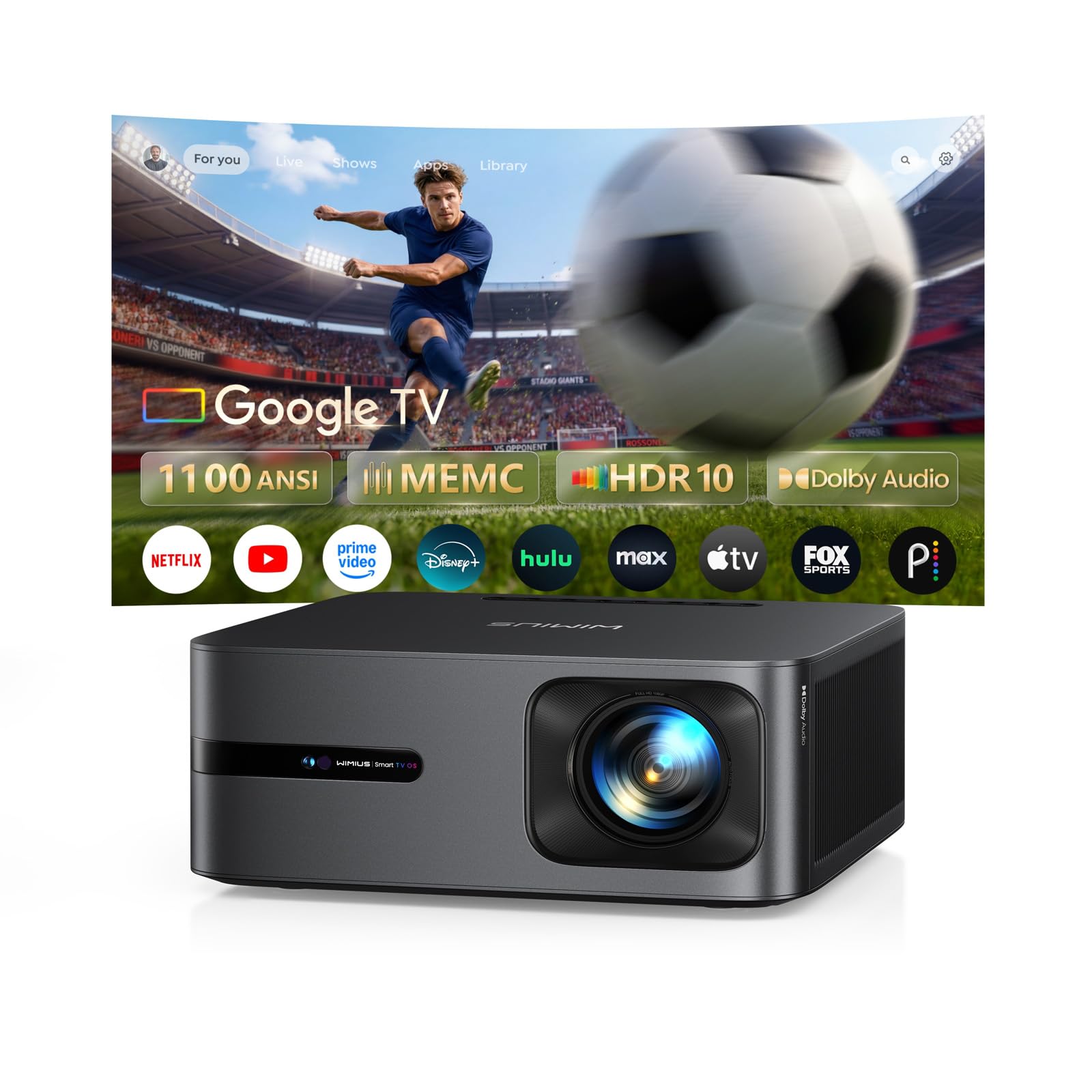
The WiMiUS G2 is an entry-level smart projector that brings integrated Google TV, MEMC motion smoothing, and Dolby Audio to the budget segment at 1,100 real ANSI lumens. Owners consistently praise its fast setup, excellent auto focus and keystone, and the convenience of having built-in streaming apps. The MEMC technology is notable for this price range — it reduces motion blur in fast-action scenes, which translates to smoother ball flight visualization in simulation software.
The native 1080p resolution with HDR10 support produces a sharp, colorful image that owners describe as crisp even with ambient light present. The dual 15-watt speakers with Dolby Audio are surprisingly powerful for a unit in this tier, delivering room-filling sound that works well for medium-sized simulator spaces. The auto focus, auto keystone, obstacle avoidance, and auto alignment make setup virtually plug-and-play, and the built-in Google TV eliminates the need for a separate streaming stick.
The 1,100 ANSI lumen brightness, while honest and real, is significantly lower than dedicated simulator projectors. This unit will struggle in rooms with strong ambient light — it works best with curtains drawn or in low-light conditions. The LCD panel technology produces acceptable contrast but cannot match the black levels of DLP or laser projectors. For a dedicated golf simulator build where ambient light is controlled, the WiMiUS G2 offers a strong feature set at a compelling price, but users who prioritize pure brightness should look at higher-tier options.
Why it’s great
- Integrated Google TV with built-in streaming apps
- MEMC motion smoothing reduces blur for ball flight
- Dual 15W Dolby Audio speakers are surprisingly powerful
- Auto focus and keystone make setup effortless
Good to know
- 1,100 lumens requires controlled ambient light
- LCD contrast cannot match DLP or laser projectors
- Not ideal for bright garage setups
9. HAPPRUN KC7 PRO
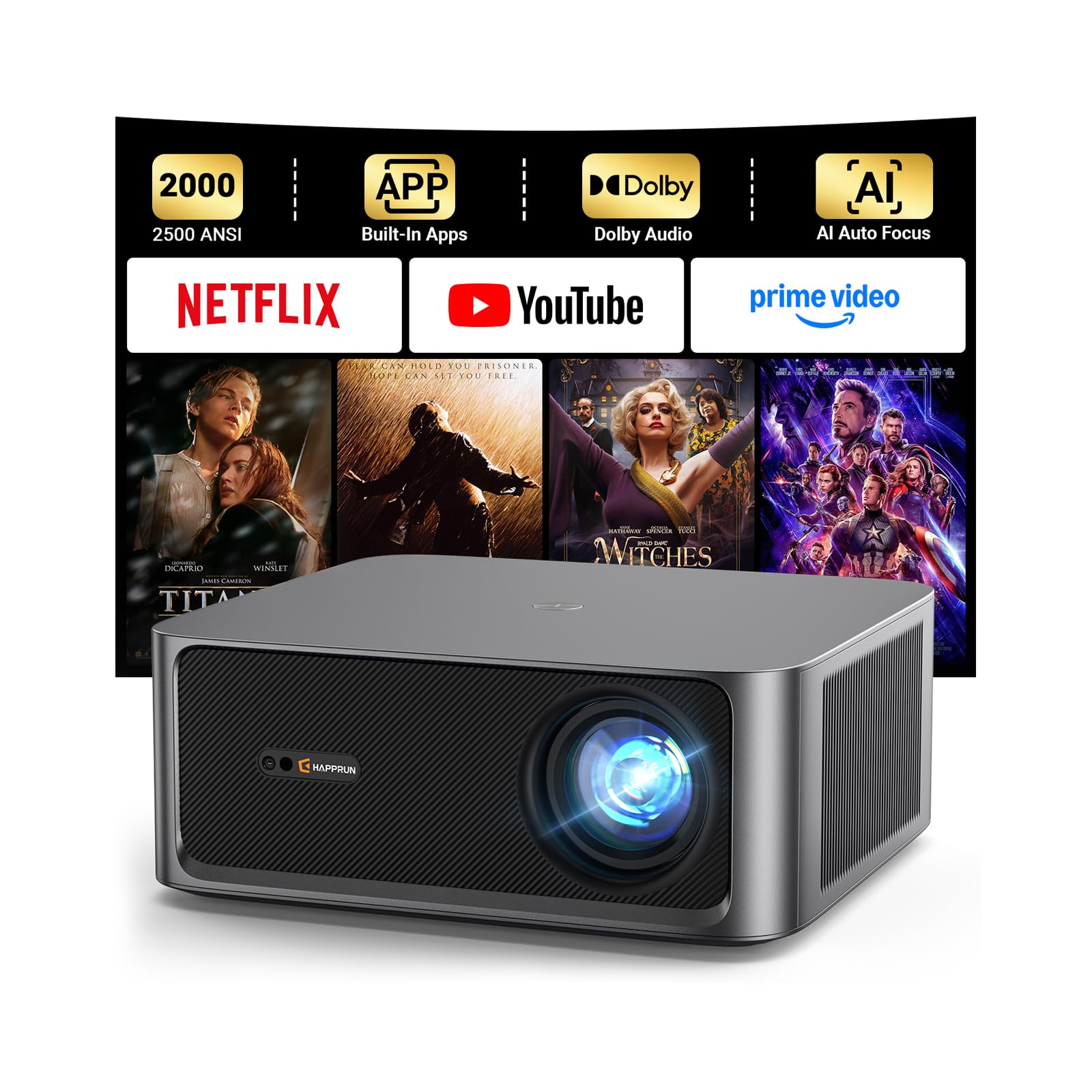
The HAPPRUN KC7 PRO is a smart projector that prioritizes built-in streaming convenience and picture quality features over raw brightness. With 1,000 ANSI lumens of real brightness and 4K decoding capability, it delivers a sharp 1080p image with excellent color accuracy thanks to the 20,000:1 contrast ratio and 95% color gamut coverage. Owners consistently describe the daytime brightness as excellent, with sharp, consistent focus edge-to-edge and quiet operation — all surprising qualities at this price point.
The built-in streaming system is a genuine convenience feature, providing direct access to Netflix, Prime Video, YouTube, and Hulu without requiring an external dongle. The dual 10-watt speakers with Dolby Audio produce rich, balanced sound with notable bass response, making it a self-contained entertainment unit. The AI-powered auto focus, auto keystone, and obstacle avoidance make setup genuinely effortless. The unit is well-suited for mixed indoor and outdoor use, including casual golf simulation in controlled light conditions.
The 1,000 lumen brightness is the primary limitation for serious golf simulation — this projector requires a dark or dimly lit room to produce a usable image for reading yardage numbers and green contours. The auto-keystone feature, while convenient, is not as precise as manual adjustment options on dedicated simulator projectors. The USB port supports limited codec playback. For casual golfers who want a multipurpose projector that can also handle streaming and movies, the HAPPRUN KC7 PRO offers strong value, but dedicated simulator builders will need more light output.
Why it’s great
- Built-in streaming apps with plug-and-play convenience
- Excellent color accuracy with 20,000:1 contrast ratio
- Dual 10W Dolby Audio speakers deliver rich sound
- AI auto focus and keystone make setup effortless
Good to know
- 1,000 lumens requires dim or dark room for simulation
- Auto keystone is less precise than manual adjustment
- USB codec support is limited
10. HAPPRUN K7 Pro
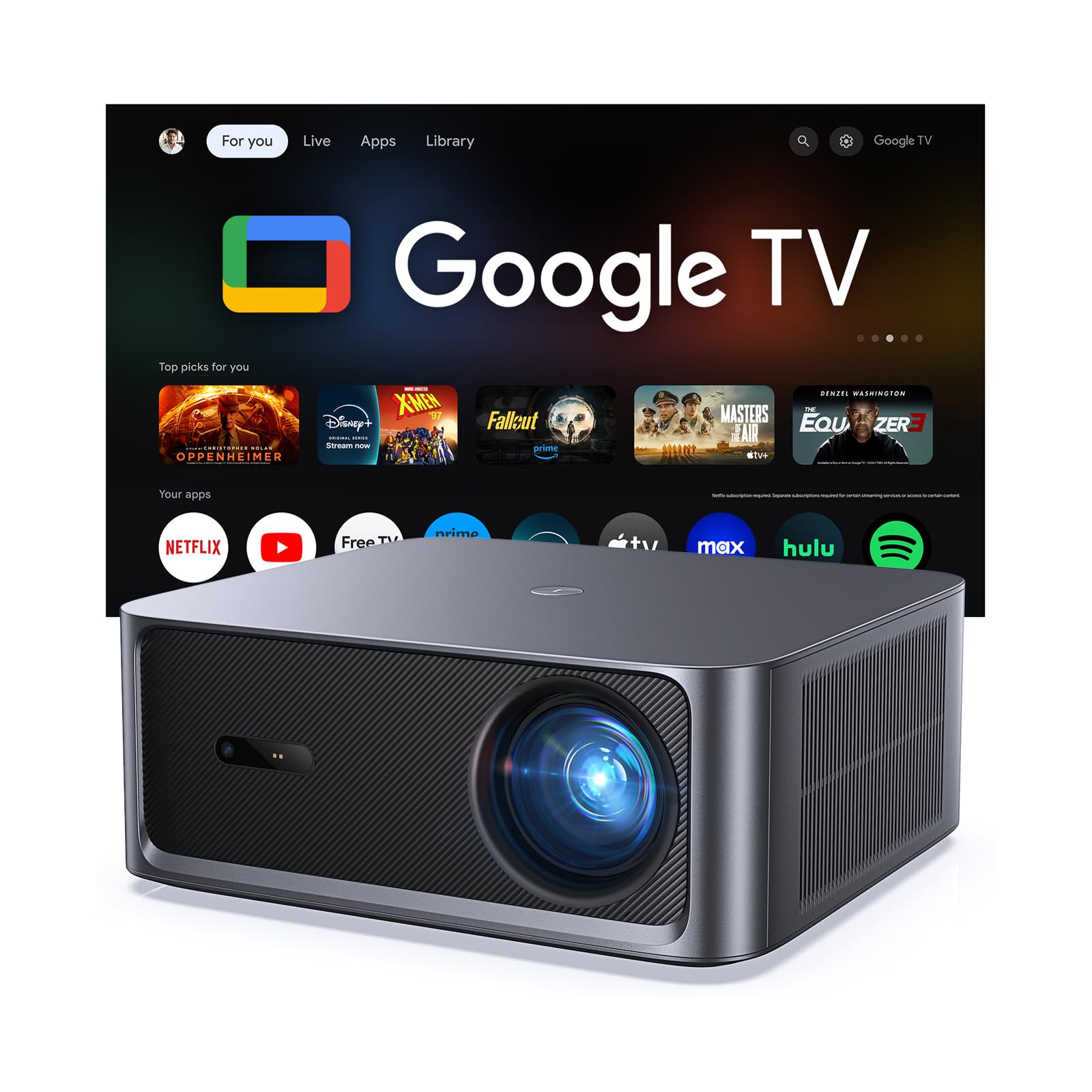
The HAPPRUN K7 Pro is an interesting hybrid that offers a claimed 3,000 ANSI lumens with the convenience of built-in Google TV at a competitive price point. Owners report clear, crisp images with vivid colors and good contrast, and the unit performs well outdoors after sunset. The built-in Google TV with official streaming apps eliminates the need for external devices, and the auto focus and 6D auto keystone make setup quick and straightforward. The dual 10-watt speakers with Dolby Audio provide impressive sound depth for the price.
The 4K decoding support and HDR10+ enhancement produce detailed, realistic images that owners describe as jaw-dropping for the price point. The unit projects up to 300 inches and includes a 50%-100% zoom function that maintains picture clarity. Google Assistant voice control adds convenience for daily use. Multiple owners report using the projector in rooms with curtains open and getting a clear, vibrant image, which suggests the brightness output is sufficient for rooms with controlled ambient light.
The most significant issue is that some owners question the 3,000 ANSI lumen claim, with one user estimating the actual brightness at closer to 800 lumens. This discrepancy suggests the marketing brightness spec is inflated, making it risky to rely on for a dedicated simulator build where real brightness matters. The auto keystone is described as not particularly smart, and brighter options exist at a similar price point. For casual use and mixed indoor/outdoor entertainment, the K7 Pro offers strong value, but for serious golf simulation, the uncertain brightness rating makes it a gamble.
Why it’s great
- Built-in Google TV with official streaming apps
- Auto focus and 6D keystone for quick setup
- 4K decoding with HDR10+ for detailed images
- Flexible zoom function maintains clarity at different sizes
Good to know
- Brightness claim of 3,000 lumens is disputed by some owners
- Auto keystone is not particularly intelligent
- Brighter options from dedicated brands at similar mid-range price
11. Hisense M2 Pro
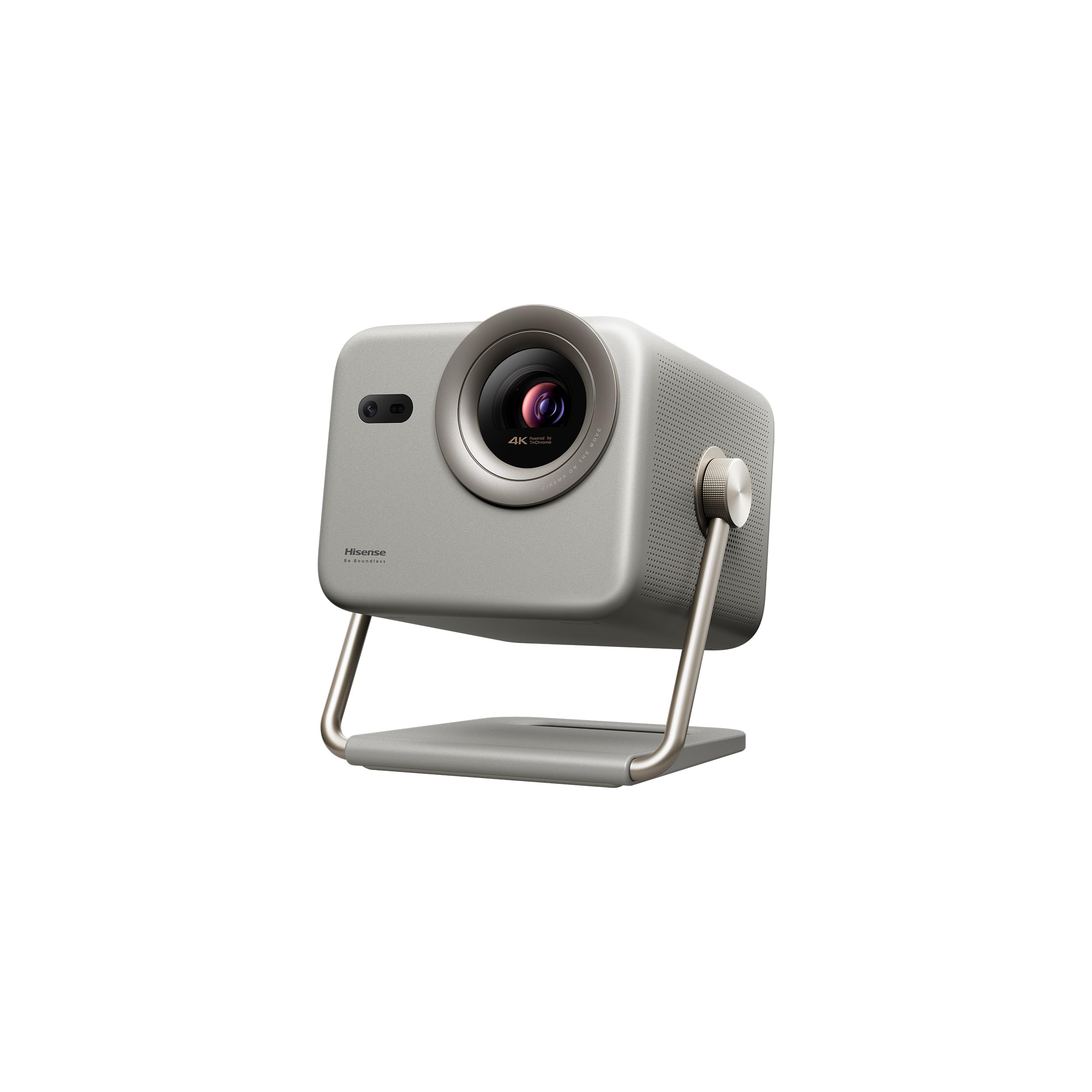
The Hisense M2 Pro is a triple-laser UST-style portable projector that brings a completely different optical architecture to the simulator conversation. Using a triple-laser light source, it produces color performance that rivals high-end OLED TVs — owners consistently report that the picture quality is indistinguishable from a 4K television when used in a dark room. The native 4K UHD resolution (3840×2160) is a clear step above the 1080p projectors in this guide, and Dolby Vision support optimizes brightness and contrast frame-by-frame for lifelike image quality.
The unit projects from 65 inches up to 200 inches with a 1.0–1.3 optical zoom that maintains full 4K resolution at any size. The AI-powered auto adjusting system handles focus, keystone, and screen alignment automatically. The portable form factor and included hard foam case mean you can move it between rooms easily. The VIDAA operating system comes with Netflix, YouTube, and Disney+ built-in. Owners praise the vibrant colors, deep blacks, and the fact that the triple-laser eliminates the rainbow effect visible on some DLP projectors.
The 1,300 ANSI lumen brightness is the limiting factor — this projector requires a dark or very dimly lit room to produce its best image. In a garage simulator with overhead lights on, the image will be washed out compared to the 3,000–5,500 lumen options on this list. The VIDAA OS has limited app and region availability outside the US, and some users report that the initial rainbow effect takes a day to disappear as the brain adjusts. The built-in speaker is basic. For a dedicated home theater space or a dark-room simulator, the M2 Pro delivers stunning image quality, but it is not designed for bright room use.
Why it’s great
- Triple-laser 4K UHD picture rivals high-end TVs
- Dolby Vision optimizes brightness and contrast dynamically
- Optical zoom maintains full 4K at any screen size
- Portable design with hard case for easy relocation
Good to know
- 1,300 lumens requires completely dark room for best image
- VIDAA OS has limited app and region availability
- Initial rainbow effect may be noticeable on day one
FAQ
Can I use a standard home theater projector for a golf simulator?
What is the minimum brightness I need for a garage simulator?
Do I need 4K resolution for golf simulation?
Should I choose a laser or lamp projector for my simulator?
Final Thoughts: The Verdict
For most golf simulator builders, the best golf projector is the Optoma GT2100HDR because it delivers the perfect balance of brightness, short throw convenience, and laser reliability at a semi-premium price. If you need absolute maximum brightness for a room with full ambient light, grab the ViewSonic LS740HD — its 5,500 lumens and dedicated Golf Mode make it the undisputed champion for bright-room simulation. And for budget-conscious builders who want reliable performance without spending for a laser, nothing beats the BenQ MW632ST as an entry-level workhorse that still delivers solid short throw performance and clarity.