
A graphics card running hot doesn’t just throttle your frame rates—it shortens the lifespan of the silicon underneath. Whether you are replacing a failed fan in an EVGA FTW3 or building a custom loop with push-pull 120mm rad fans, the core job of a GPU cooler is the same: move enough air to keep junction temperatures from spiking.
I’m Mohammad Maruf — the founder and writer behind Drink4Good. I’ve spent hundreds of hours cross-referencing fan curves, static pressure ratings, and real-world user reports to separate genuine thermal solutions from flashy RGB packages.
From multi-fan mining rig exhausts to single-fan OEM replacements, this guide walks you through the only specs that matter when picking the best gpu cooler for your specific build.
How To Choose The Best GPU Cooler
Every GPU cooler shares the same physics: a fan blade spins, air moves across a heatsink or radiator, and thermal energy leaves the die. But choosing the wrong fan—either too low static pressure for a radiator or the wrong physical size for your card’s shroud—will leave your GPU cooking regardless of how many RGB LEDs are glowing.
Fit First: OEM vs. Universal
If your EVGA 3080 Ti FTW3 fan just died, only a PLD09220S12H replacement will slot into the shroud screw holes. Universal 120mm case fans work when you are strapping them to a radiator in a custom loop or using an open-air mining frame. Measure your card’s fan cutout or radiator thickness before buying anything.
Static Pressure vs. Airflow (CFM)
For GPU radiators and dense fin stacks, static pressure (measured in mm-H2O) determines whether air punches through the resistance. High-CFM fans (70+ CFM) are ideal for open benches and case exhaust where there is no obstacle. A fan like the CORSAIR RS120 with 2.8 mm-H2O pressure is built for radiator duty; a high-CFM industrial fan is not.
PWM Range and Noise Floor
A fan that only spins at 2100 RPM will be loud all the time. Look for a wide PWM range—ideally starting at 600–800 RPM—so you can run silent at idle and ramp up only under load. The decibel rating at max RPM (around 36–40 dBA) tells you the loudest you will hear; the rating at 1000 RPM tells you how quiet your system will be at the desktop.
Quick Comparison
On smaller screens, swipe sideways to see the full table.
| Model | Category | Best For | Key Spec | Amazon |
|---|---|---|---|---|
| PANO-MOUNTS 6x120mm | Industrial Array | Mining rig & ventilation | 93 CFM each at 3000 RPM | Amazon |
| CORSAIR RS120 ARGB | Radiator Fan | High static pressure builds | 2.8 mm-H2O static pressure | Amazon |
| Cooler Master MF120 Lite | Value 3-Pack | RGB case airflow | 1750 RPM max speed | Amazon |
| inRobert PLD09220S12H | OEM Replacement | EVGA FTW3 repair | 3000 RPM, 0.55A | Amazon |
| MOUGOL RX 580 | Budget GPU | Entry-level gaming | Dual fans 1206 MHz core | Amazon |
In‑Depth Reviews
1. PANO-MOUNTS 6x120mm Adjustable Fan Array
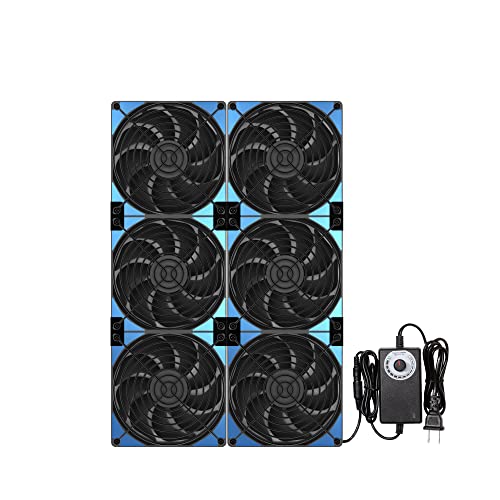
This is not a typical PC case fan—it is a six-unit 120mm array designed for open-air mining rigs, server racks, and crawl space ventilation. Each fan pushes 93 CFM at 3000 RPM with a stepless speed controller that lets you dial from 1,000 to 3,000 RPM across all six units. The magnetic screw mounting snaps onto any metal surface instantly, making it the fastest install in this category if you are attaching it to a server rack or metal mining frame.
For GPU mining or test bench setups where cards are not in a sealed case, this array moves enough air to drop ambient GPU temps significantly. The 40 dBA noise ceiling at full speed is noticeable—think loud desk fan—but at half speed the 6x120mm unit becomes whisper quiet while still clearing hot air from a bank of GPUs. Users consistently report dramatic cooling improvements in rooms that double as mining or gaming workspaces.
The main trade-off is size and power: this runs on AC power, not a motherboard header, so it works only in scenarios where you have a wall outlet nearby. It is overkill for a single GPU in a case but absolutely the right choice for multi-card rigs, greenhouse ventilation, or any situation where you need to exhaust a lot of hot air fast.
Why it’s great
- Six 120mm fans provide enormous total airflow for open-air rigs
- Stepless speed control adapts from silent to hurricane mode
- Magnetic screw installation takes seconds on metal surfaces
Good to know
- Requires wall AC power; not a standard PC fan header connection
- Bulk prevents use inside standard PC cases
2. CORSAIR RS120 ARGB 120mm PWM Triple Pack
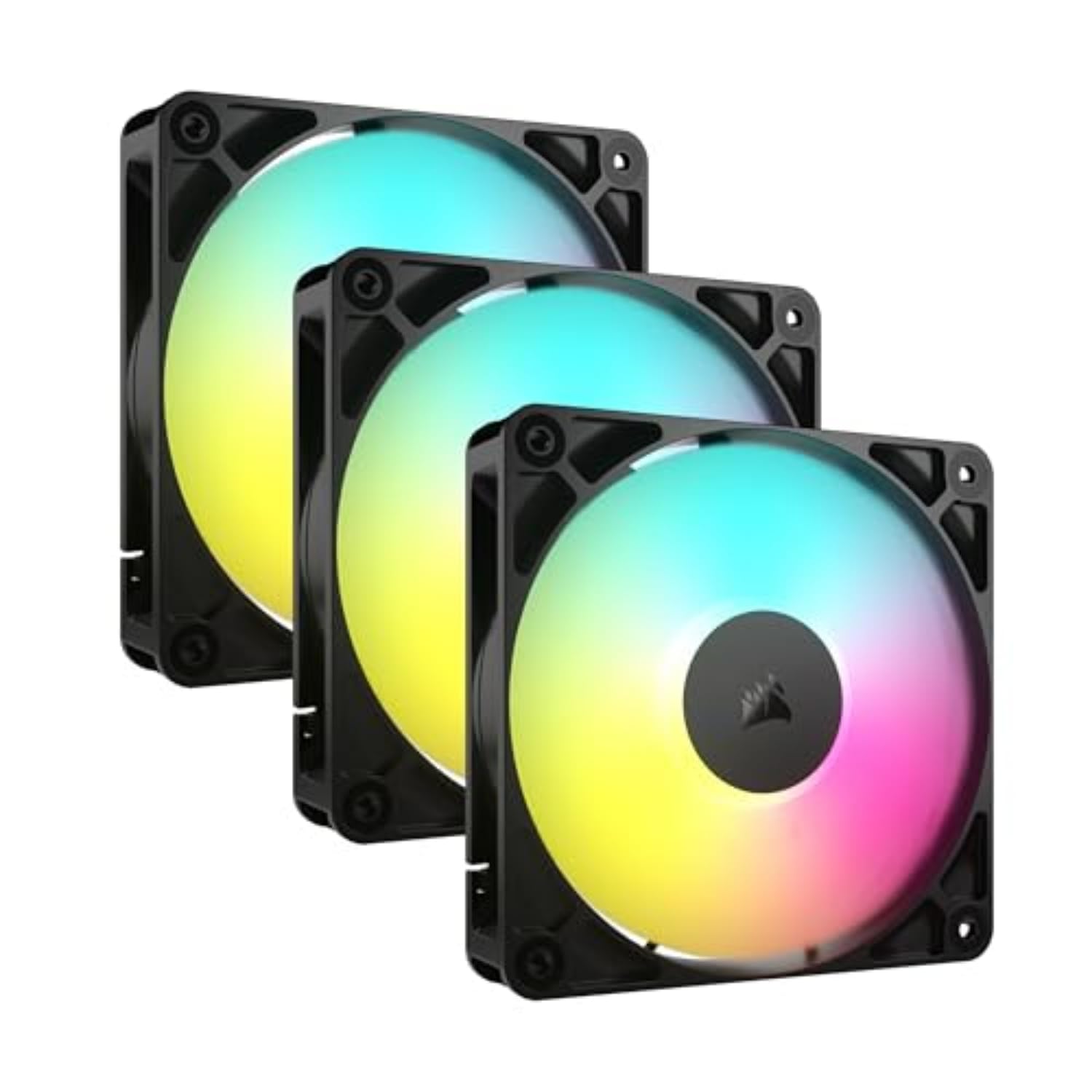
The CORSAIR RS120 is built for radiator mounting, not just case airflow. With a static pressure of 2.8 mm-H2O and a max speed of 2,100 RPM delivering 72.8 CFM, these fans push through dense fin stacks on AIO liquid coolers without stalling. The daisy-chain connection—one 4-pin PWM and one +5V ARGB cable for the entire chain—reduces cable clutter significantly compared to daisy-chaining individual fans through splitters.
Users who replaced stock case fans with the RS120 saw CPU load temps drop by 5°C or more on high-TDP chips like the 5800X3D. At idle these fans are dead silent, with only a gentle whoosh audible at max RPM. The eight built-in ARGB LEDs per fan deliver bright, customizable lighting that syncs through motherboard software or OpenRGB without needing a proprietary Corsair hub.
The cables are short—roughly 3 inches from the fan—which forces you to plan your routing carefully to reach the daisy-chain connectors. No rubber vibration pads are included, so you may want to add aftermarket anti-vibration mounts for absolute silence at high RPM. For the price, you get CORSAIR build quality, strong radiator performance, and easy RGB integration in one package.
Why it’s great
- High static pressure ideal for radiator and heatsink mounting
- Single-cable daisy-chain simplifies wiring immensely
- Idle noise floor is near silent; peak noise is controlled
Good to know
- Short fan cables require careful routing or extensions
- No rubber vibration dampeners included
3. Cooler Master MF120 Lite 120mm 3-Pack

The MF120 Lite is Cooler Master’s balanced option: not the highest CFM, not the highest static pressure, but a well-rounded 120mm fan that works for case intake, exhaust, or basic AIO radiator use. The redesigned hybrid frame improves airflow stability while the frosted blade design diffuses ARGB lighting evenly for a smooth glow rather than harsh point lights. PWM control spans 650 to 1,750 RPM, giving a wide enough range to stay quiet at the desktop and only ramp up under gaming load.
Real-world testing shows this fan drops case temperatures 1–3°C under load compared to stock OEM fans—modest but meaningful, especially in budget builds where thermal headroom is tight. The daisy-chain ARGB header extender lets you connect all three fans through a single motherboard header, keeping cable management clean. SignalRGB compatibility means you are not locked into a proprietary software ecosystem.
At max 1,750 RPM, these are quieter than most high-RPM fans thanks to the curved blade geometry that reduces turbulence. The plastic and PBT frame feels solid, though the fans lack the premium rubber pads found on higher-end competitors. For the price of a triple pack, you get reliable cooling, addressable RGB, and easy installation without breaking the budget.
Why it’s great
- Strong value for a triple-pack with ARGB and PWM
- Wide RPM range enables quiet idle and adequate load cooling
- SignalRGB compatible out of the box
Good to know
- Only 1750 RPM max; not for extreme high-CFM builds
- No anti-vibration pads or rubber isolation mounts
4. inRobert PLD09220S12H GPU Fan for EVGA FTW3
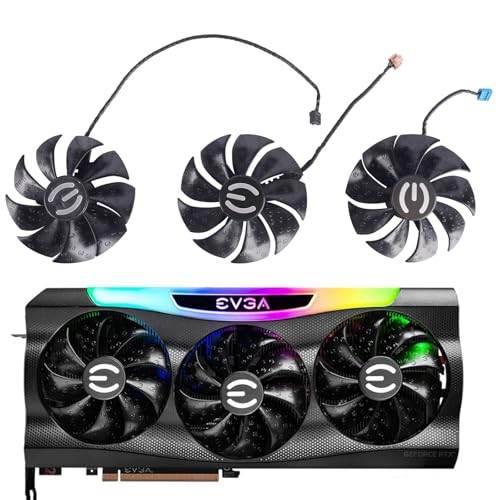
If an EVGA RTX 3070, 3080 Ti, or 3090 FTW3 fan starts making grinding noises or stops spinning entirely, only an OEM-spec replacement will fit the shroud screw pattern without modification. The inRobert PLD09220S12H is a genuine clone of the stock fan, running at 12V and 0.55A with a 4-pin connector that plugs directly into the graphics card’s PCB header. At 3,000 RPM max, it matches the original airflow spec precisely.
Users who performed the swap report that the fan is a literal exact drop-in replacement—same dimensions, same connector orientation, same screw alignment. The fan starts spinning immediately after installation and the card returns to normal thermal operation without errors or BIOS warnings. This is a repair part, not an upgrade, but a working fan is the only thing standing between your EVGA card and thermal shutdown.
The durability record shows a split: most units run for months without issues, but a minority of buyers report failure within 7 to 8 months. Because this is a third-party clone rather than an official EVGA part, the long-term bearing quality varies. If you need a quick fix to keep a high-end card alive, this works—just order a spare if you rely on the card daily.
Why it’s great
- Exact OEM dimensions and connector for EVGA FTW3 cards
- Restores normal GPU temperatures after fan failure
- Simple 4-screw DIY install with no soldering required
Good to know
- Some units show bearing wear within 7 months
- Only fits specific EVGA FTW3 models; not universal
5. MOUGOL AMD Radeon RX 580 8GB Graphics Card
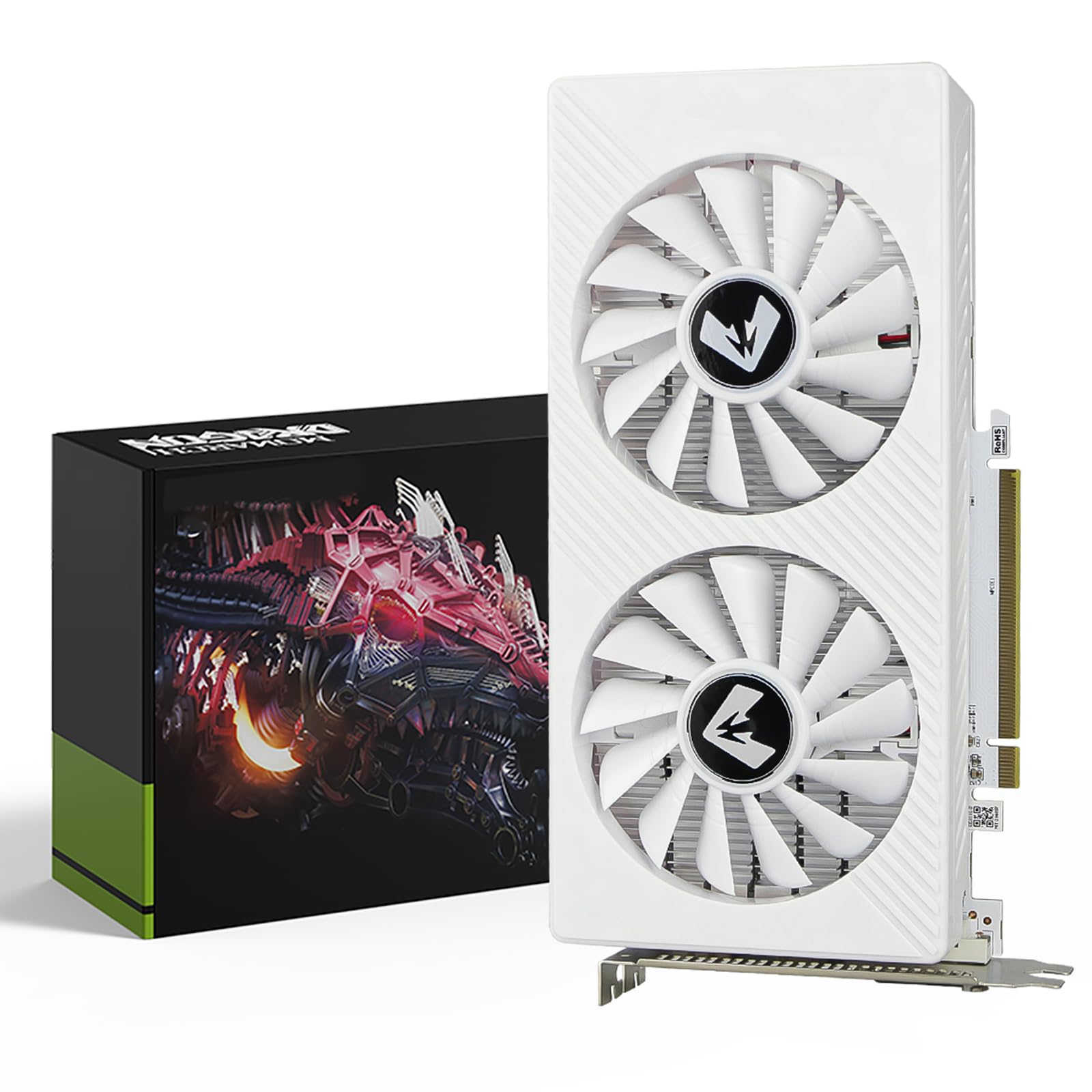
The MOUGOL RX 580 is a complete GPU with its own built-in cooler—two 80mm-style fans over an aluminum fin stack with heat pipes. This is not a replacement fan but rather a full entry-level graphics card for 1080P gaming. The dual-fan cooling solution keeps the 2048SP core at reasonable temperatures under load, with intelligent fan control that stops the fans entirely during light desktop use for near-silent operation.
With 8GB of GDDR5 memory on a 256-bit bus, this card handles Fortnite, GTA V, and Apex Legends at stable frame rates. The 1206 MHz core clock is modest, but the thermal management does not struggle because the TDP of the RX 580 is well within what a dual-fan 2-slot design can handle. Users consistently note that this card runs quieter and cooler than used RX 580 units with worn-out bearings.
The housing has a slightly 3D-printed look that feels less premium than a major-brand card, but the cooling performance is adequate for the price point. It supports three monitors via HDMI, DisplayPort, and DVI, making it suitable for both gaming and productivity. If you need a drop-in GPU with a functioning integrated cooler, this is the most affordable way to get one without piecing together separate components.
Why it’s great
- Complete GPU with integrated dual-fan cooling for 1080P gaming
- Fan stop at idle eliminates noise during desktop use
- Triple monitor support via HDMI, DP, and DVI
Good to know
- Outer housing looks cheaper than name-brand cards
- RX 580 architecture is dated for modern AAA titles
FAQ
Can I use a standard 120mm case fan as a GPU cooler replacement?
What RPM range is ideal for a GPU cooling fan?
Final Thoughts: The Verdict
For most users, the best gpu cooler winner is the CORSAIR RS120 ARGB because its 2.8 mm-H2O static pressure and wide PWM range make it ideal for radiator mounting in standard PC cases. If you need a massive ventilation array for multi-GPU mining or server cooling, the PANO-MOUNTS 6x120mm delivers the highest total airflow. And for an EVGA FTW3 card with a dead fan, nothing beats the inRobert PLD09220S12H for a precise drop-in fix.