
A racing game at 60 frames per second feels like wading through honey once you have seen the same track at 240 Hz. Every tiny pixel transition, every enemy strafe, every dark corner in a dungeon becomes a decisive advantage rather than a blurry guess. The sheer responsiveness of a fast refresh panel separates casual play from competitive dominance.
I’m Mohammad Maruf — the founder and writer behind Drink4Good. I have spent years dissecting monitor specifications, analyzing panel technologies, and cross-referencing real-world performance metrics to separate marketing hype from genuine hardware value in the gaming display market.
After methodically evaluating refresh rates, response times, color gamut coverage, adaptive sync compatibility, and panel uniformity across multiple tiers, the best led gaming monitor for your specific needs depends entirely on whether you prioritize raw speed, cinematic HDR, or the deepest possible contrast.
How To Choose The Best LED Gaming Monitor
Every gaming monitor is a bundle of trade-offs between speed, image quality, and cost. The panel technology you choose dictates contrast and viewing angles. The refresh rate defines how smooth motion appears. Understanding these measurable specs prevents you from overpaying for features your hardware cannot drive.
Refresh Rate and Response Time
Refresh rate, measured in hertz, tells you how many times the screen updates per second. A 144 Hz panel updates 144 times per second, while 240 Hz pushes that to 240. Response time, measured in milliseconds (ms), indicates how quickly a pixel changes color. A 1ms Gray-to-Gray (GtG) response prevents ghosting behind fast-moving objects. Pairing a high refresh rate with a low response time delivers the cleanest motion clarity.
Panel Type: IPS vs VA vs Mini-LED
IPS panels offer wide viewing angles and accurate colors, but native contrast usually sits around 1000:1. VA panels deliver superior contrast ratios of 3000:1 or higher, producing deeper blacks, though viewing angles are narrower. Mini-LED backlighting uses hundreds of individual dimming zones to boost contrast on IPS or VA panels, approaching OLED-level black levels without the burn-in risk.
Resolution and GPU Pairing
QHD (2560×1440) has become the sweet spot for gaming — it offers a sharp image without the GPU demand of 4K. A mid-range graphics card can drive high frame rates at QHD, while 4K UHD (3840×2160) demands top-tier hardware to maintain 100+ fps. Lowering resolution on a 4K monitor looks soft due to non-native scaling, so match the resolution to your GPU’s realistic output.
Quick Comparison
On smaller screens, swipe sideways to see the full table.
| Model | Category | Best For | Key Spec | Amazon |
|---|---|---|---|---|
| Alienware AW2725DM | Mid-Range | Balanced QHD gaming | 180Hz / 1ms GtG | Amazon |
| ASUS TUF VG27AQL5A | Mid-Range | Extreme motion clarity | 210Hz OC / 0.3ms | Amazon |
| AOC Q27G3XMN | Mid-Range | Mini-LED HDR gaming | 336-zone Mini-LED | Amazon |
| LG 27GR83Q-B | Mid-Range | High-refresh IPS | 240Hz / 1ms GtG | Amazon |
| INNOCN GA27T1M | Premium | Ultra-fast Mini-LED | 320Hz / 1152 zones | Amazon |
| KOORUI S2741LM | Premium | 4K dual-mode versatility | 160Hz UHD / 320Hz FHD | Amazon |
| Samsung Odyssey G7 G75F | Premium | Curved 4K immersion | 37″ 1000R curve | Amazon |
| MSI MPG 321URX | High-End | QD-OLED color accuracy | 0.03ms / True Black 400 | Amazon |
| ASUS ROG Swift PG32UCDM | High-End | No-compromise 4K HDR | QD-OLED / 240Hz / 0.03ms | Amazon |
In‑Depth Reviews
1. Alienware 27 Gaming Monitor AW2725DM

The Alienware AW2725DM delivers exactly what mid-range buyers need: a sharp QHD resolution, a smooth 180Hz refresh rate, and a 1ms GtG response time that eliminates visible ghosting during fast strafing. The 27-inch IPS panel covers 95% of DCI-P3, producing vivid reds and blues that make open-world environments feel rich and immersive rather than washed out.
VESA DisplayHDR 400 certification ensures highlights in games like Cyberpunk 2077 pop without crushing shadow detail. The hardware-based low blue light solution reduces eye strain during marathon sessions without shifting the entire image yellow — a meaningful advantage over software-based filters. The stand offers height, pivot, swivel, and tilt adjustments, so dialing in ergonomic comfort takes seconds.
One practical caveat: the full 180Hz refresh rate requires a DisplayPort connection. HDMI caps at 144Hz, which is still fast but not the monitor’s ceiling. There are no built-in speakers or a headphone jack, so plan for external audio. Considering the panel uniformity and color accuracy at this tier, it represents a balanced, no-regret choice for competitive and casual gamers alike.
Why it’s great
- Excellent out-of-box color accuracy with 95% DCI-P3 coverage
- Fully adjustable stand with height, pivot, and swivel
- Hardware low blue light preserves color accuracy
Good to know
- 180Hz only via DisplayPort; HDMI limited to 144Hz
- No built-in speakers or headphone jack
2. ASUS TUF Gaming VG27AQL5A

The VG27AQL5A pushes refresh rate boundaries in the mid-range segment with a 210Hz overclocked mode and an astonishing 0.3ms GtG response time. This combination makes motion clarity exceptionally sharp — fast-moving enemies in competitive shooters leave no perceptible trail. The Fast IPS panel maintains wide viewing angles, so colors stay consistent even when you lean back or share the screen.
ASUS’ Extreme Low Motion Blur Sync (ELMB Sync) eliminates ghosting and tearing simultaneously, a feature usually reserved for pricier displays. The DisplayWidget Center software lets you tweak settings with a mouse rather than fumbling with OSD buttons. A 130% sRGB color gamut overshoots the standard, delivering punchy, saturated visuals that look vibrant in well-lit rooms.
Some users report faint cracking noises from thermal expansion when the monitor powers on or off. The built-in speakers are usable for system sounds but lack the bass and clarity for immersive gaming. The contrast ratio sits at a standard IPS 1300:1, so deep blacks in dark scenes won’t match VA or Mini-LED panels. For sheer speed and motion handling, this monitor is hard to beat at its tier.
Why it’s great
- Industry-leading 0.3ms response time eliminates ghosting
- ELMB Sync combines blur reduction with VRR
- Software-based DisplayWidget Center for easy adjustment
Good to know
- Thermal expansion cracking noises reported by some users
- Speakers are functional but low quality
3. AOC Q27G3XMN

The AOC Q27G3XMN brings Mini-LED backlighting to the mid-range with 336 individual dimming zones, a feature set that usually demands a significantly higher investment. VA panel technology combined with Mini-LED delivers near-OLED black levels — true blacks in dark scenes without the blooming that plagues edge-lit IPS displays. VESA DisplayHDR 1000 certification means peak brightness hits over 1000 nits, making explosions and sunlight in games look blindingly realistic.
The 180Hz overclocked refresh rate (via DisplayPort) and 1ms GtG response time keep motion smooth. VA panels historically suffered from slower pixel transitions, but this generation shows minimal smearing in practice. The color gamut reaches 134% sRGB, so images look saturated and lively straight out of the box. AOC backs the panel with a 3-year zero-bright-dot warranty that includes one year of accidental damage coverage — uncommon at this price tier.
The bezel is thicker than modern frameless designs, which makes mounting a webcam on top of the monitor awkward. The OSD buttons feel cheap and unresponsive, requiring multiple presses to navigate. Local dimming can produce visible halos around bright objects on a black desktop background, though this effect disappears during gaming and video content.
Why it’s great
- 336-zone Mini-LED delivers true HDR with deep blacks
- VESA DisplayHDR 1000 certification for high brightness
- 3-year warranty includes accidental damage coverage
Good to know
- Thick bezel makes webcam placement difficult
- Local dimming halos visible on desktop backgrounds
4. LG 27GR83Q-B UltraGear

The LG 27GR83Q-B delivers a genuine 240Hz refresh rate over both DisplayPort and HDMI 2.1, making it one of the smoothest IPS panels in the mid-range. The 1ms GtG response time keeps motion clean, and the combination of NVIDIA G-Sync Compatibility and AMD FreeSync Premium means tearing-free gameplay regardless of your GPU brand. HDMI 2.1 bandwidth supports full 240Hz at QHD on next-gen consoles without compression artifacts.
Color performance is strong with 95% DCI-P3 coverage and VESA DisplayHDR 400, though the 1000:1 contrast ratio is typical IPS — blacks appear gray in a dark room. The 4-pole headphone out with DTS Headphone:X provides spatial audio through a single cable, a thoughtful addition for gamers who prefer headsets over desktop speakers. Dynamic Action Sync reduces input lag further, and the on-screen crosshair overlay helps in games that lack a built-in reticle.
Build quality is solid with a fully adjustable stand that includes height, pivot, and tilt. However, LG’s warranty service has drawn complaints — some users report lengthy return processes for dead pixels or shutdown issues. The lack of a USB-C input limits connectivity for modern laptops. For pure smoothness at 240Hz with console compatibility, this monitor is a strong contender.
Why it’s great
- Genuine 240Hz over HDMI 2.1 and DisplayPort
- Dual adaptive sync support for any GPU
- DTS Headphone:X spatial audio via 4-pole jack
Good to know
- IPS contrast ratio results in gray blacks in dark rooms
- Warranty service has been inconsistent for some buyers
5. INNOCN GA27T1M
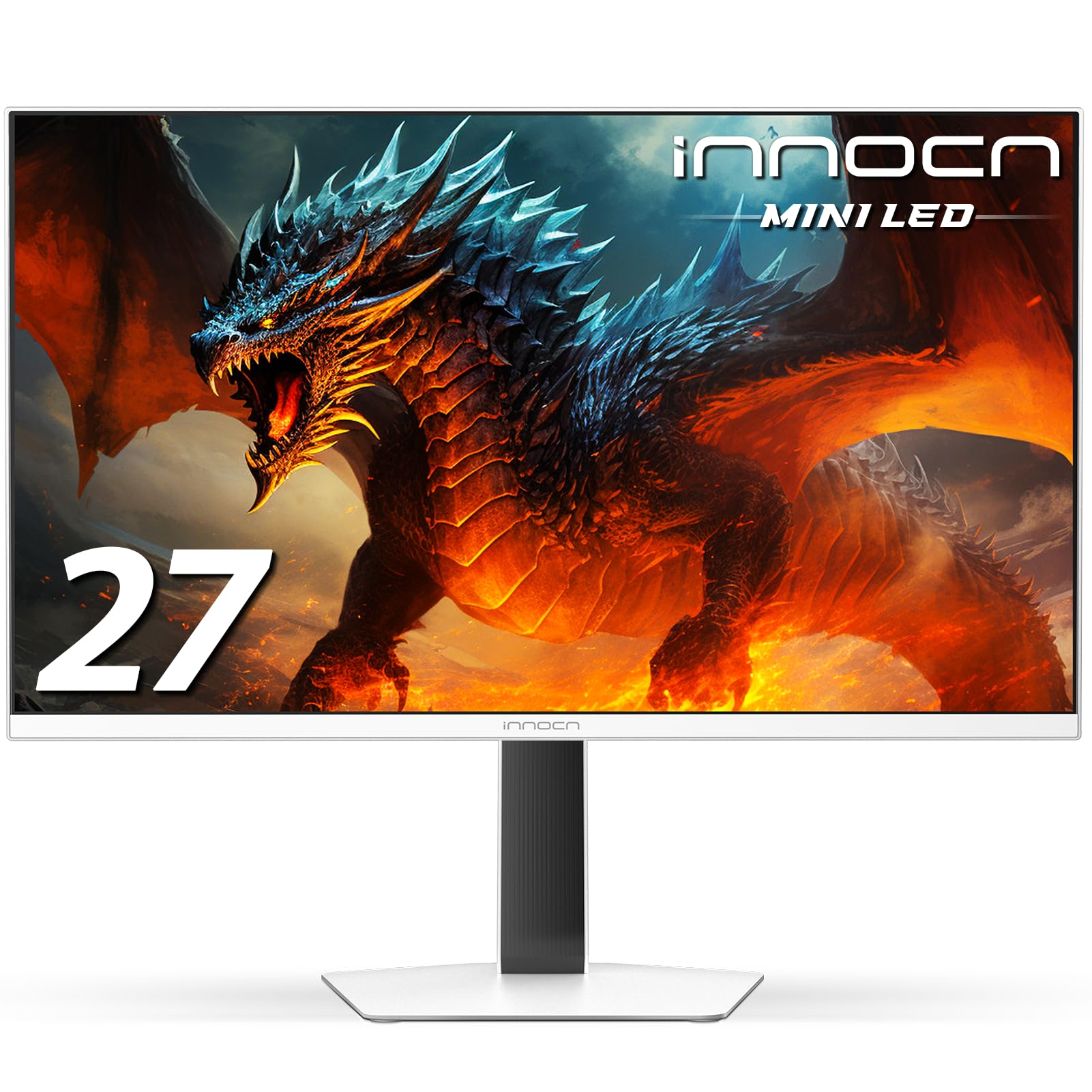
The INNOCN GA27T1M pushes performance into premium territory with a 320Hz refresh rate and an IPS panel backlit by 1152 Mini-LED dimming zones. The 0.5ms GtG response time ensures virtually zero motion blur, and the peak brightness of 1000 nits with VESA DisplayHDR 1000 support makes HDR content genuinely impactful. This combination of speed and backlight control is rare in the 27-inch QHD category.
MPCS (Moving Picture Clear and Smooth) technology further reduces perceived blur, giving competitive shooters an edge. The three-sided frameless design and integrated RGB lighting add visual flair to any setup. A light sensor automatically adjusts brightness based on room conditions, though it dips too low in dark environments — users report the sensor bottoms out at 11% brightness, which may feel dim during nighttime gaming.
A critical spec caveat: the HDMI 2.1 ports are locked to 144Hz at QHD resolution. Achieving the full 320Hz requires a DisplayPort 1.4 connection with DSC (Display Stream Compression), which introduces a brief wake-up delay. The metal stand looks stylish but occupies significant desk depth. For users who prioritize raw refresh rate and Mini-LED contrast, this monitor delivers exceptional value despite the connectivity quirks.
Why it’s great
- 320Hz refresh rate with 1152-zone Mini-LED backlight
- MPCS technology for enhanced motion clarity
- High peak brightness with HDR1000 certification
Good to know
- HDMI 2.1 limited to 144Hz; 320Hz requires DP with DSC
- Light sensor sets brightness too low in dark rooms
6. KOORUI S2741LM
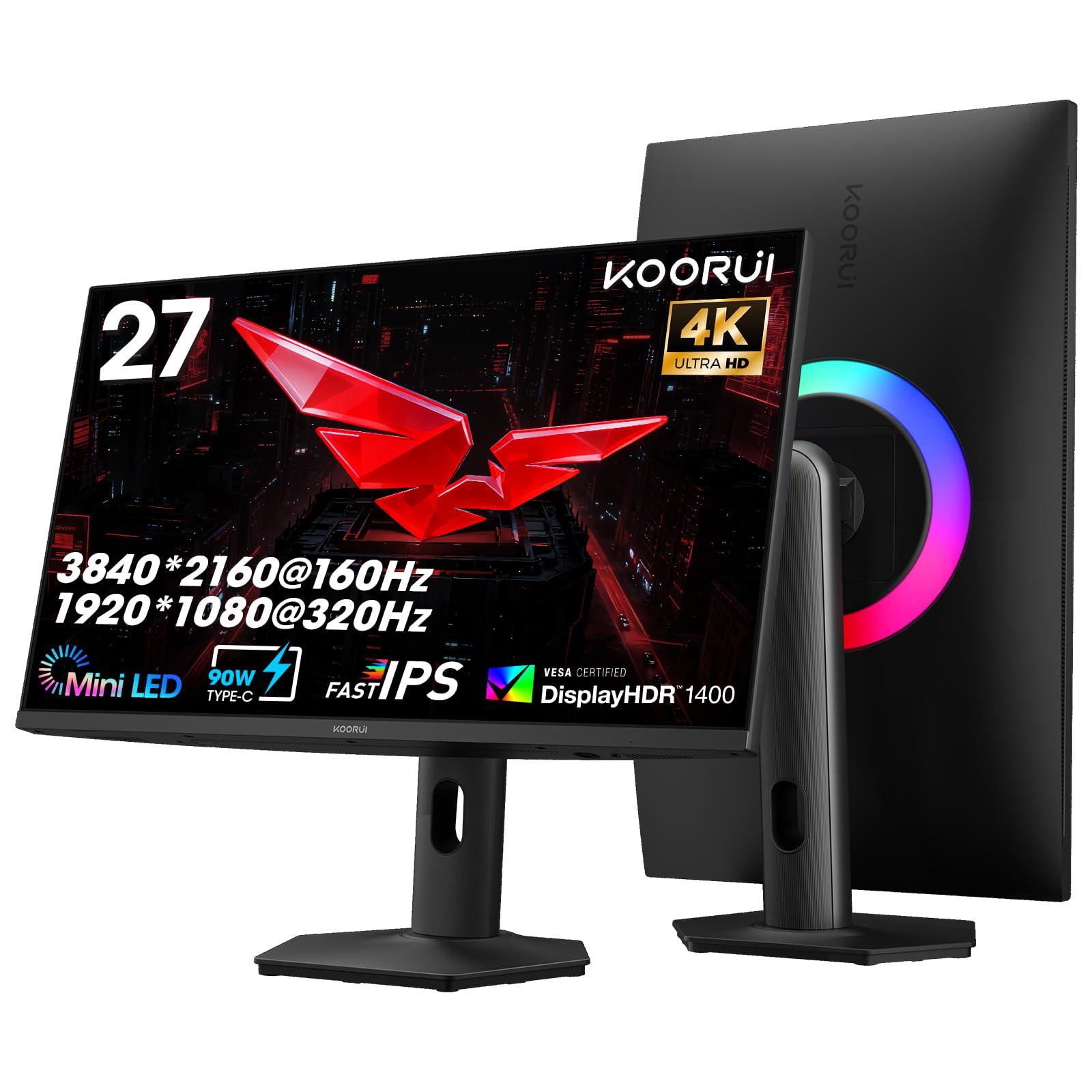
The KOORUI S2741LM introduces a dual-mode feature that lets you switch between 4K UHD at 160Hz for visually rich AAA titles and FHD at 320Hz for esports — all on a single 27-inch QD-Mini LED panel with 1152 dimming zones. The static contrast ratio of 300,000:1 creates deep blacks that rival OLED, and VESA DisplayHDR 1400 certification delivers peak highlights that make explosions and sunsets intensely bright.
Color accuracy reaches professional levels: 98% DCI-P3, 99% Adobe RGB, and a factory-calibrated Delta E of 0.55. Content creators can edit photos and video confidently without a separate calibration tool. The 90W USB-C port charges a laptop, transfers data, and carries video signal through a single cable — a convenience usually found on monitors costing significantly more. The stand offers full ergonomic adjustment including height, swivel, and pivot.
The OSD control takes some getting used to — the joystick menu is somewhat unintuitive at first. Some units exhibit a faint coil whine under certain brightness levels. The HDMI 2.1 ports support full 4K 160Hz on consoles, but achieving the 320Hz FHD mode requires the DisplayPort connection. For users who want a single monitor handling both high-resolution immersion and competitive frame rates, this is a uniquely flexible option.
Why it’s great
- Dual-mode switching between 4K 160Hz and FHD 320Hz
- Factory-calibrated Delta E 0.55 for pro-grade color
- 90W USB-C with full ergonomic stand
Good to know
- OSD menu navigation is not intuitive
- Faint coil whine reported at certain brightness levels
7. Samsung Odyssey G7 G75F

The Samsung Odyssey G7 G75F wraps your peripheral vision with a 37-inch 1000R curved VA panel and 4K UHD resolution, creating a cinematic field of view that flat monitors cannot match. The 165Hz refresh rate and 1ms GtG response time keep motion fluid, and VESA DisplayHDR 600 with FreeSync Premium Pro delivers smooth, tear-free gameplay with brighter highlights and deeper blacks than standard VA panels.
The 3000:1 native contrast ratio gives dark scenes genuine depth — shadows in horror games feel oppressive rather than washed out. The aggressive curve is especially effective at this size, pulling your eyes toward the center of the action without requiring head movement. Samsung’s CoreSync lighting technology extends colors beyond the screen edges, though the effect is subtle and not as impactful as Philips Ambilight.
The 37-inch size can overwhelm standard-depth desks — you need about 30 inches of viewing distance to comfortably take in the full display. The panel is not OLED, so blooming around bright HUD elements is visible in dark scenes. The stand is sturdy but large, taking up significant desk surface area. For gamers who prioritize immersion and contrast over pixel-speed, this curved screen provides a genuinely distinct experience.
Why it’s great
- 1000R curve creates immersive peripheral wrap
- VA panel delivers 3000:1 native contrast ratio
- FreeSync Premium Pro for tear-free VRR
Good to know
- Large footprint requires deep desk space
- Blooming visible around bright UI elements
8. MSI MPG 321URX

The MSI MPG 321URX represents a generational leap in image quality with its 32-inch 4K QD-OLED panel. True black levels mean pixels can turn completely off, creating infinite contrast that makes IPS backlight bleed a distant memory. The 240Hz refresh rate and 0.03ms GtG response time are effectively instantaneous — there is no perceivable motion blur even during the fastest movement in competitive shooters.
Color performance is outstanding: 99% DCI-P3 coverage, 1.07 billion colors, and Delta E ≤2 out of the box. VESA DisplayHDR True Black 400 certification ensures HDR content looks exactly as the creator intended, with specular highlights that punch without crushing shadows. The built-in KVM switch lets you control two devices with one keyboard and mouse, and the 90W USB-C port charges a laptop while carrying video and data.
OLED burn-in remains a consideration despite MSI’s OLED Care 2.0 suite that includes pixel shift, pixel refresh, and static screen detection. Text fringing from the QD-OLED subpixel layout is noticeable on white backgrounds at close distances, though it disappears during normal gaming and video viewing. The stand is large and deep — a monitor arm is recommended for desk setups. This is a premium display that excels in every measurable metric.
Why it’s great
- Perfect blacks with infinite contrast ratio
- 0.03ms response eliminates all motion blur
- KVM switch and 90W USB-C for multi-device setups
Good to know
- Burn-in risk requires OLED Care usage
- Text fringing visible on white backgrounds at close range
9. ASUS ROG Swift PG32UCDM

The ASUS ROG Swift PG32UCDM is the flagship 32-inch 4K QD-OLED monitor that sets the benchmark for gaming displays in 2025. The 240Hz refresh rate and 0.03ms GtG response time deliver virtually instantaneous pixel transitions, making motion appear hyper-realistic. The custom heatsink combined with graphene film reduces burn-in risk significantly — ASUS backs this with a 3-year warranty that includes burn-in coverage, a rare offering in the OLED monitor space.
Color performance is flawless: 99% DCI-P3 coverage, true 10-bit depth, and Delta E < 2 accuracy straight from the factory. VESA DisplayHDR 400 True Black compliance means HDR content achieves deep, inky blacks alongside bright highlights without blooming. The glossy screen finish enhances perceived contrast and color vibrancy compared to matte coatings, though reflections can be distracting in rooms with direct lighting behind the viewer.
DisplayWidget Center software provides easy access to OLED Care functions including pixel refresh, pixel shift, and uniform brightness. The optional uniform brightness mode locks luminance levels across the entire panel, which is useful for productivity work where OLED brightness fluctuations would be distracting. HDMI 2.1 supports full 4K 240Hz on consoles, and FreeSync Premium Pro eliminates tearing without VRR compromises. For buyers who want the absolute best image quality with comprehensive burn-in protection, this is the definitive choice.
Why it’s great
- Custom heatsink and graphene film minimize burn-in risk
- 3-year warranty includes burn-in coverage
- True 10-bit color with factory Delta E < 2
Good to know
- Glossy screen shows reflections in bright rooms
- Premium pricing reflects flagship-tier components
FAQ
Should I choose a 27-inch QHD monitor or a 32-inch 4K monitor for competitive gaming?
Is Mini-LED significantly better than standard IPS for gaming?
How important is HDMI 2.1 for a PC gaming monitor?
Can I use a QD-OLED monitor for daily productivity work without worrying about burn-in?
What is the ideal brightness setting for an LED gaming monitor in a dark room?
Final Thoughts: The Verdict
For most users, the best led gaming monitor winner is the Alienware AW2725DM because it combines QHD resolution, 180Hz refresh rate, and excellent color accuracy at a price that does not break the bank. If you want Mini-LED contrast with true HDR impact, grab the AOC Q27G3XMN. And for a no-compromise 4K experience with infinite contrast and burn-in warranty protection, the ASUS ROG Swift PG32UCDM delivers the definitive gaming display experience.