
That flat panel on your desk? It’s leaving performance on the table. A curved gaming monitor wraps the action around your peripheral vision, pulling you deeper into every race, firefight, and open world. But the market is flooded with spec sheets that blur together — 180Hz here, 1ms there — and the wrong choice means washed-out colors or a curve that feels more like a gimmick than an upgrade.
I’m Mohammad Maruf — the founder and writer behind Drink4Good. I’ve spent years cross-referencing panel technologies, refresh rate benchmarks, and real-world color gamut measurements to separate the genuinely immersive monitors from the marketing hype.
Whether you’re chasing silky-smooth 240Hz motion, true OLED blacks, or a budget-friendly ultrawide that actually delivers, this guide breaks down the nine best options you can buy today. Here is your definitive, researched-backed play for the best curved gaming monitor to match your rig and your budget.
How To Choose The Best Curved Gaming Monitor
Buying a curved gaming monitor means balancing panel technology against your GPU’s capabilities and your preferred game genres. These three factors will make or break your experience.
Panel Type: VA vs IPS vs OLED
VA panels deliver the highest native contrast ratio (3000:1 or more), meaning deep blacks and no backlight bleed — ideal for dark horror games and cinematic single-player titles. IPS panels offer superior color accuracy and wider viewing angles but struggle with poor black levels and IPS glow in dark rooms. OLED (including QD-OLED) is the premium standard: infinite contrast, per-pixel lighting, and response times under 0.1ms. The trade-off is potential burn-in risk and a higher price tag that only makes sense if you prioritize visual fidelity above all else.
Refresh Rate and Resolution: Matching Your GPU
A 240Hz monitor is wasted on a mid-range GPU that can’t push past 100 frames in your favorite shooter. For competitive esports (Valorant, Overwatch, CS2), prioritize high refresh rates even at 1080p or 1440p. For immersive RPGs and sim racing, a 165Hz–180Hz panel with WQHD or 4K resolution delivers a sharper image without demanding a flagship graphics card. Always check your GPU’s output at your target resolution before committing to a refresh rate ceiling.
Curvature and Aspect Ratio
Common curvature ratings are 1500R, 1800R, and 1000R — lower numbers mean a more aggressive curve. A 1500R or 1800R curve works best on 34-inch ultrawide panels, creating a natural wrap that reduces eye strain during long sessions. The 21:9 aspect ratio is the sweet spot for immersion and productivity, giving you roughly 30% more horizontal space than a standard 16:9 display. Avoid a super-aggressive 1000R curve on small screens (27 inches or less), as it can distort straight lines and make desktop work feel cramped.
Quick Comparison
On smaller screens, swipe sideways to see the full table.
| Model | Category | Best For | Key Spec | Amazon |
|---|---|---|---|---|
| Samsung Odyssey G8 G85SD | Premium OLED | Cinematic immersion + streaming | QD-OLED, 175Hz, 0.03ms | Amazon |
| Alienware AW3425DW | Premium OLED | Competitive + creative work | QD-OLED, 240Hz, 0.03ms | Amazon |
| Deco Gear 49″ QD-OLED | Ultrawide Flagship | Multitasking + sim racing | QD-OLED, 5120×1440, 240Hz | Amazon |
| Samsung Odyssey G7 G75F | High-End VA | High-res gaming + work | 5K2K VA, 180Hz, HDR 600 | Amazon |
| Alienware AW3423DWF | Premium OLED | Color-critical gaming | QD-OLED, 165Hz, 0.1ms | Amazon |
| Philips Evnia 34M2C6500 | QD-OLED Value | Budget OLED entry | QD-OLED, 175Hz, 1800R | Amazon |
| LG 34G630A-B UltraGear | Mid-Range Performance | Fast-paced competitive | VA, 240Hz, 1ms GtG | Amazon |
| ASUS TUF Gaming VG34VQ3B | Mid-Range Value | All-around gaming + productivity | VA, 180Hz, ELMB Sync | Amazon |
| Dell S3425DW | Mid-Range Productivity | Work + casual gaming | VA, 120Hz, USB-C 65W | Amazon |
| Sceptre C345B-QUT168 | Budget Ultrawide | Entry-level ultrawide | VA, WQHD, 180Hz, 1ms | Amazon |
| SANSUI 32″ 240Hz | Budget High-FPS | High-refresh on a budget | VA, 240Hz, 1080p | Amazon |
In‑Depth Reviews
1. Samsung Odyssey OLED G8 (G85SD)

The Samsung Odyssey OLED G8 combines a 34-inch QD-OLED panel with a glare-free coating that preserves deep blacks even in brightly lit rooms — a rare feat for OLED. Its 175Hz refresh rate and 0.03ms response time eliminate motion blur entirely, while the 21:9 Ultra-WQHD resolution (3440×1440) delivers a pixel density of 110 PPI, keeping text sharp for desktop work between gaming sessions.
What truly sets this monitor apart is its smart TV integration with built-in Samsung Gaming Hub, allowing cloud streaming from Luna, GeForce Now, and Xbox without a console. The Glare Free technology minimizes reflections without sacrificing contrast, and the Thermal Modulation System adjusts brightness to prevent burn-in on static elements like taskbars and logos. The Dynamic Black Equalizer automatically tweaks gamma in dark scenes, so you spot hidden enemies without washing out the image.
For video editors and designers, the DCI-P3 color coverage delivers accurate grading, and the included remote control makes toggling between work and gaming profiles seamless. The only adaptation needed is a slight gamma adjustment out of the box — the default warm tint is easily corrected in the OSD.
Why it’s great
- Glare Free QD-OLED panel with true blacks and infinite contrast
- Built-in Samsung Gaming Hub for cloud streaming without a PC
- Smart burn-in prevention with logo detection and pixel refresh
Good to know
- Default color temperature runs warm — requires OSD adjustment
- No built-in speakers; external audio needed
- Premium price reflects the flagship feature set
2. Alienware 240Hz QD-OLED (AW3425DW)

The AW3425DW is Alienware’s most aggressive ultrawide QD-OLED panel, pushing a 240Hz refresh rate alongside a 0.03ms GtG response time. That combination makes it one of the few monitors capable of eliminating ghosting and motion blur during 240 FPS competitive play while maintaining the deep blacks and infinite contrast ratio that OLED is known for. The 1800R curvature is gentle enough to feel natural in sim racing yet subtle enough for productivity work.
Color accuracy is certified with Delta E less than 2 and DCI-P3 99.3% coverage, making it viable for professional creative tasks. The monitor supports both AMD FreeSync Premium Pro and NVIDIA G-SYNC Compatible, so it plays nice with any modern GPU. VESA DisplayHDR TrueBlack 400 certification ensures HDR content retains shadow detail without blooming.
The stand offers full height, tilt, swivel, and slant adjustments with height markers for easy recall. A centralized 5-axis joystick and customizable AlienFX lighting round out the premium feel. The 3-year warranty includes OLED burn-in coverage, giving long-term buyers peace of mind. Some units may arrive with minor cosmetic imperfections, but the performance is unmatched at this refresh rate.
Why it’s great
- 240Hz refresh with 0.03ms response — elite competitive speed
- Delta E less than 2 color accuracy for creative work
- 3-year warranty with OLED burn-in protection
Good to know
- Brightness limited to 250 nits typical; not ideal for very bright rooms
- Text clarity on light backgrounds is slightly softer than IPS
- Premium price reflects QD-OLED panel cost
3. Deco Gear 49″ QD-OLED Ultrawide

The Deco Gear 49″ QD-OLED is a 32:9 super-ultrawide that essentially replaces two 27-inch QHD monitors without the bezel gap. Its 5120×1440 Dual-QHD resolution and 240Hz refresh rate deliver a cinematic field of view for flight sims, racing titles, and open-world RPGs. The 0.03ms response time and 1,500,000:1 contrast ratio mean zero ghosting and perfect blacks across the entire 49-inch curve.
Connectivity is future-proofed with USB-C 90W Power Delivery, HDMI 2.1, and DisplayPort 1.4 — all capable of driving the panel at full resolution and refresh rate. A built-in KVM switch and Picture-in-Picture (PIP) / Picture-by-Picture (PBP) support let you control multiple devices from a single keyboard and mouse setup, making it a productivity powerhouse for streamers and developers.
The QD-OLED panel covers a 131% sRGB color gamut with 1.07 billion colors, producing vibrant hues and deep blacks that IPS panels simply cannot match. RGB lighting on the back adds ambient flair. The large base can be a desk hog — consider a monitor arm. Some refurbished units have reported reliability issues, so buying new with a warranty is recommended.
Why it’s great
- 32:9 aspect ratio replaces dual monitor setups seamlessly
- USB-C 90W PD with KVM switch for clean cable management
- 240Hz + 0.03ms on a huge QD-OLED panel
Good to know
- Massive footprint requires a deep desk or monitor arm
- Power cable may arrive damaged if tightly folded in packaging
- Refurbished models have experienced failures; buy new
4. Samsung Odyssey G7 G75F (40″)

The Samsung Odyssey G7 G75F breaks from the 34-inch standard with a 40-inch VA panel at 5120×2160 (WUHD) resolution — essentially a 21:9 5K2K display. That pixel density makes it exceptional for productivity tasks that require fine detail and for games that support ultra-wide 4K. The 1000R aggressive curve fully wraps around your vision, creating the most immersive VA panel experience available at this size.
With VESA DisplayHDR 600 certification, brightness peaks at 600 nits for HDR highlights, and the static contrast ratio of 3000:1 delivers deep blacks without the blooming issues common in IPS panels. The 180Hz refresh rate and 1ms GtG response keep motion smooth, while AMD FreeSync Premium Pro eliminates tearing without added latency. The G7 G75F avoids OLED burn-in risk entirely while still delivering impressive contrast.
For users who split their time between office work and gaming, the VA panel’s even backlighting and clear text rendering are a practical advantage over OLED. The stand is large and solid but not the most attractive, and HDR implementation can feel inconsistent out of the box — some manual calibration improves the experience significantly.
Why it’s great
- 5120×2160 resolution offers massive screen real estate for productivity
- 1000R curve provides the most immersive VA wrap
- No burn-in risk with VA panel technology
Good to know
- Requires a powerful GPU to drive 5K2K at high frame rates
- HDR mode may need manual calibration to look right
- Base has a bulky design that occupies significant desk space
5. Alienware AW3423DWF

The AW3423DWF is a refined QD-OLED panel that prioritizes color accuracy and gaming performance at a slightly lower price than the newer 240Hz variant. Its 165Hz refresh rate and 0.1ms response time are more than enough for most gamers, and the 3440×1440 WQHD resolution at 34 inches delivers a 110 PPI density that balances sharpness with GPU demands.
What stands out is the Creator Mode in the OSD, which lets you toggle between DCI-P3 and sRGB color spaces with adjustable gamma settings — a feature rarely found on gaming monitors. The 1,000,000:1 contrast ratio produces true blacks, and the panel’s Quantum Dot layer enhances color volume beyond what WOLED panels can achieve. The 1800R curve is shallow enough for desktop productivity while still providing immersion in games.
The stand supports height, tilt, swivel, and slant adjustments with height markers, and the 3-year premium warranty includes burn-in coverage. Cable management channels through the stand keep the desk clean. Some users report minor scratches or smudges out of the box, but the included microfiber cloth handles light marks. At its effective price point, it remains one of the best value QD-OLED options available.
Why it’s great
- Creator Mode with DCI-P3 and sRGB switching for color-critical work
- 3-year warranty with OLED burn-in protection
- Excellent contrast and color volume via Quantum Dot layer
Good to know
- 165Hz refresh capped; not for 240 FPS competitive players
- Brightness of 250 nits typical may struggle in very bright rooms
- Some units may have cosmetic imperfections from factory
6. Philips Evnia 34M2C6500

The Philip Evnia 34M2C6500 brings QD-OLED technology to a more accessible price point without cutting essential specs. Its 34-inch 3440×1440 panel runs at 175Hz with Adaptive Sync, delivering the infinite contrast and vibrant colors that OLED is known for. The 1800R curve is comfortable for extended use, and VESA DisplayHDR TrueBlack 400 certification ensures HDR content maintains shadow detail.
Build quality is solid, with a plastic stand that is functional but not premium — VESA mounting is recommended for a cleaner setup. The monitor lacks built-in speakers, so external audio is required. The Ambiglow backlighting adds ambient bias lighting but is not as refined as competing implementations. The OSD menu is basic, with some options greyed out depending on input settings.
For buyers who want the OLED experience without spending flagship money, the Evnia delivers where it matters: image quality. The 4-year advanced replacement warranty is a strong bonus. Be aware of the mandatory pixel refresh cycle after 12 hours of use, which is standard for OLED longevity but can be briefly disruptive if you forget.
Why it’s great
- QD-OLED panel at a mid-range price point
- DisplayHDR TrueBlack 400 with deep black levels
- 4-year advanced replacement warranty
Good to know
- No built-in speakers; external audio required
- Menu system is basic with some limited options
- Mandatory pixel refresh after 12 hours can be disruptive
7. LG 34G630A-B UltraGear

The LG 34G630A-B is a 34-inch VA panel that hits 240Hz with a 1ms GtG response, making it a serious contender for competitive gamers who want ultrawide immersion without OLED burn-in concerns. Its 3440×1440 WQHD resolution strikes a strong balance between image sharpness and GPU demand, while the 21:9 aspect ratio provides the extra horizontal space that makes ultrawide gaming so compelling.
Color performance is solid with 95% DCI-P3 coverage and VESA DisplayHDR 400, producing vibrant highlights and reasonable black levels for a VA panel. The stand offers height, tilt, and swivel adjustments — rare at this price tier — and the slim bezel design minimizes distractions. Connectivity includes HDMI, DisplayPort, and USB-C with 15W PD, keeping cable clutter manageable.
Dynamic Action Sync reduces input lag for real-time response, while the Black Stabilizer lifts shadow details in dark game scenes. The built-in speakers are basic and best replaced by dedicated audio. The VA panel eliminates the ghosting that earlier VA monitors struggled with at high refresh rates, delivering clean motion clarity that rivals IPS panels in this category.
Why it’s great
- 240Hz refresh on VA with no ghosting — excellent for competitive play
- Height, tilt, and swivel adjustable stand included
- 95% DCI-P3 color gamut with DisplayHDR 400
Good to know
- Built-in speakers are basic; external audio recommended
- USB-C only delivers 15W PD — not enough for laptop charging
- Some users report occasional flickering that is resolved with reboot
8. ASUS TUF Gaming VG34VQ3B

The ASUS TUF VG34VQ3B combines a 34-inch VA panel with 180Hz refresh and ASUS’s Extreme Low Motion Blur (ELMB) SYNC technology, which reduces motion blur without requiring a separate backlight strobing mode. The 1500R curve is moderate enough for daily productivity while still delivering a noticeable wrap effect in racing and FPS titles. The WQHD resolution (3440×1440) keeps pixel density high at 110 PPI.
Color reproduction is strong with 90% DCI-P3 coverage and a 4000:1 static contrast ratio that produces deep, inky blacks superior to IPS panels at a similar price. FreeSync Premium ensures tear-free gaming on both PC and Xbox. The monitor includes DisplayPort, HDMI, and four USB 3.2 Gen 1 Type-A ports on a built-in hub, making peripheral management straightforward.
The stand is the weakest point — it offers tilt-only adjustment with no height or swivel, and the speakers are notably tinny and quiet. For most users, a VESA arm mount is a worthwhile upgrade. At its price, the panel quality and ELMB SYNC implementation make it a strong all-rounder for gamers who play both fast-paced shooters and slower narrative titles.
Why it’s great
- ELMB SYNC reduces motion blur without sacrificing brightness
- 4000:1 contrast ratio delivers deep blacks for VA
- Built-in USB hub for easy peripheral connections
Good to know
- Stand offers tilt-only adjustment — budget for a monitor arm
- Built-in speakers are very tinny and quiet
- No height adjustment out of the box
9. Dell S3425DW Plus

The Dell S3425DW is a productivity-first ultrawide with a 34-inch VA panel at 3440×1440 resolution and a 120Hz refresh rate — modest by gaming standards but buttery smooth for desktop work. Its USB-C port delivers 65W Power Delivery, making it a true single-cable docking solution for laptops. The 3000:1 contrast ratio produces excellent black levels for a VA panel, and the integrated speakers have been redesigned for fuller sound.
Color accuracy is a highlight, with 99% sRGB and 95% DCI-P3 coverage, and Dell’s ComfortView Plus reduces blue light emissions to 35% or less without shifting colors yellow — a real advantage for all-day use. AMD FreeSync Premium support ensures tear-free motion for casual gaming, and the VA panel’s deep blacks make HDR content look better than typical IPS office monitors.
Connectivity is limited to HDMI and USB-C with no DisplayPort, which may frustrate users with older GPUs. The VESA mount is recessed about a quarter-inch, requiring a specific bracket assembly for aftermarket arms. For buyers who prioritize ergonomic comfort and single-cable simplicity over maximum refresh rates, this is the best hybrid monitor on the list.
Why it’s great
- USB-C with 65W PD creates a clutter-free single-cable desktop
- ComfortView Plus reduces blue light without color shift
- 120Hz refresh with FreeSync Premium for casual gaming
Good to know
- No DisplayPort input — limited to HDMI and USB-C
- Not competitive for high-FPS esports at 120Hz ceiling
- VESA mount requires special bracket due to recessed design
10. Sceptre C345B-QUT168

The Sceptre C345B-QUT168 is a 34-inch VA ultrawide that brings WQHD resolution (3440×1440) and up to 180Hz refresh to a budget-friendly price bracket. The 1500R curve provides solid immersion, and the 1ms MPRT response keeps ghosting under control for the price. The 99% sRGB color gamut delivers accurate colors that punch above the cost.
A unique feature is the luminous backcover LED light strip that adds ambient glow — a nice touch for mood lighting. Connectivity includes two DisplayPort 1.4 ports and two HDMI inputs, giving flexibility for multi-device setups. The 1,000,000:1 dynamic contrast ratio produces reasonable black levels for a VA panel, though real-world static contrast is closer to typical VA standards.
Build quality reflects the price: the single bottom button controls power and menu navigation, which can be awkward in daily use. Some units report backlight bleed or horizontal line visibility at close range, and the included cable is DVI rather than HDMI or DisplayPort — you may need to purchase an appropriate cable separately. For budget-constrained buyers who want ultrawide immersion, this delivers on the core specs.
Why it’s great
- WQHD 3440×1440 at a budget ultrawide price point
- Up to 180Hz refresh with 1ms MPRT
- Luminous backcover LED adds ambient gaming lighting
Good to know
- Single button for power/menu is awkward to use
- Only includes DVI cable; needs separate HDMI/DP purchase
- Some units have backlight bleed or dead pixel issues
11. SANSUI 32″ 240Hz Curved Monitor
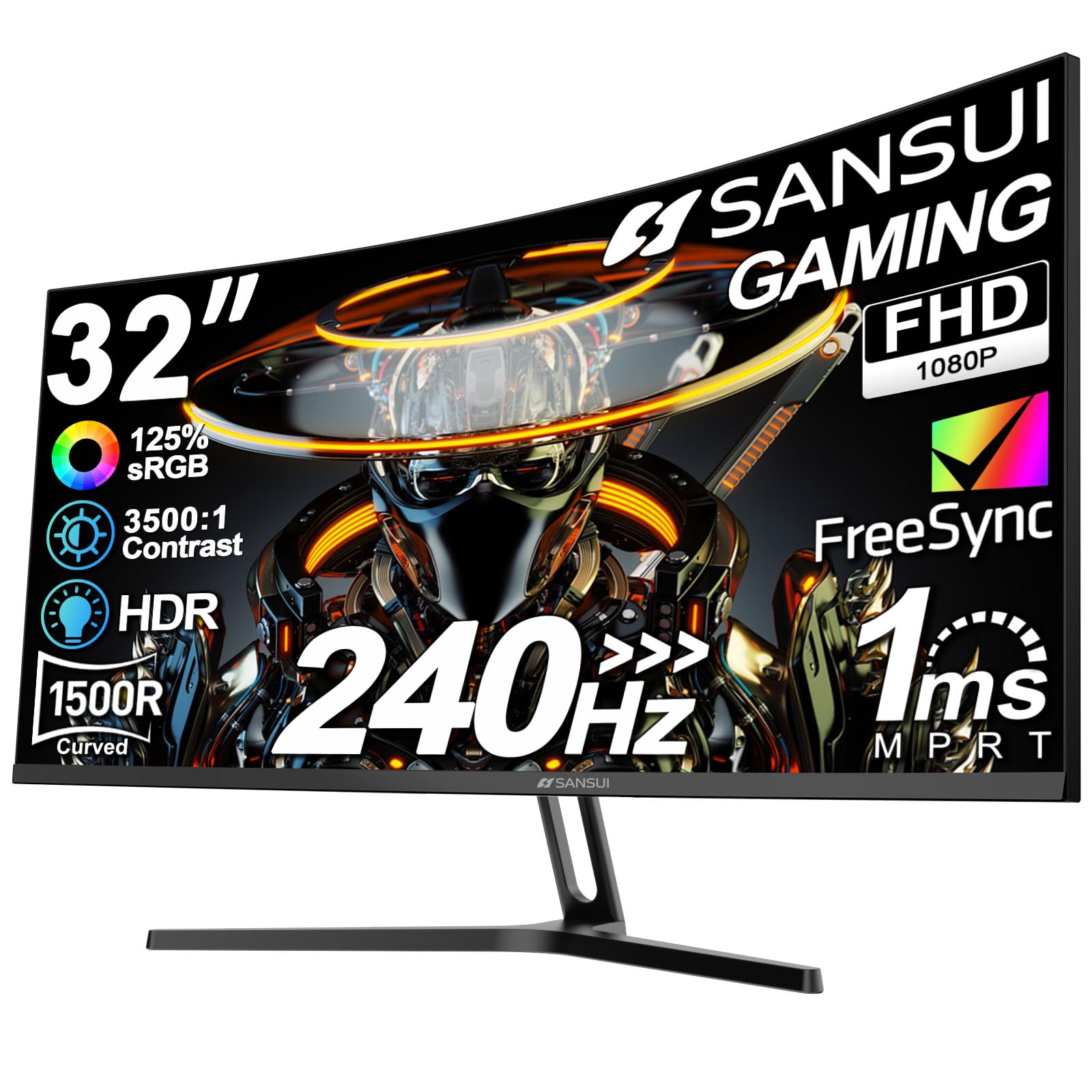
The SANSUI 32-inch curved monitor focuses on one thing: delivering a 240Hz refresh rate at 1080p on a tight budget. The 1500R curve and VA panel provide solid contrast at 3500:1, with 125% sRGB color gamut for punchy, vibrant colors that exceed typical entry-level monitors. The 1ms MPRT response keeps motion sharp during fast-paced shooters.
FreeSync support eliminates screen tearing, and the metal stand offers a sturdy foundation with tilt adjustment. VESA 100x100mm compatibility gives an upgrade path for monitor arms. The monitor includes a DisplayPort cable in the box, which is a welcome inclusion at this price. Low blue light and anti-flicker technology reduce eye strain during long sessions.
The 1080p resolution on a 32-inch panel results in a lower pixel density (around 69 PPI) — text and details won’t be as sharp as a 1440p display. There are no built-in speakers, so external audio is necessary. For competitive gamers who prioritize frame rate over resolution, this is a compelling entry-level choice that won’t break the bank.
Why it’s great
- 240Hz at a budget price — best value for high-FPS gaming
- 1500R curve with 3500:1 contrast for immersive VA experience
- Includes DisplayPort cable and sturdy metal stand
Good to know
- 1080p on 32-inch results in lower pixel clarity for text
- No built-in speakers; external audio required
- Limited to 1080p — not ideal for immersive single-player titles
FAQ
Does a 1500R curve feel natural for productivity work?
Can I use a curved gaming monitor for console gaming?
What GPU do I need for a 3440×1440 165Hz monitor?
Do curved monitors work for dual-screen setups?
Final Thoughts: The Verdict
For most users, the best curved gaming monitor winner is the Samsung Odyssey OLED G8 G85SD because it combines QD-OLED image quality with glare-free viewing and smart TV features, making it a versatile centerpiece for both gaming and entertainment. If you want the highest possible refresh rate on a QD-OLED panel, grab the Alienware AW3425DW. And for the most immersive ultrawide experience with multifunctional KVM capabilities, nothing beats the Deco Gear 49″ QD-OLED.