
A gaming desk isn’t just a table—it’s the foundation of your entire battle station. The wrong choice means cramped wrists, cluttered cables, and a wobble that throws off your aim. A proper setup delivers a rock-solid surface for your monitor array, built-in power to keep your rig charged, and smart storage that hides the mess so you can focus on the game.
I’m Mohammad Maruf — the founder and writer behind Drink4Good. I spend my days analyzing furniture engineering, material density, and the real-world ergonomics that separate a desk that lasts from one that sags after a year.
Whether you are building your first corner command center or upgrading to a sit-stand frame, the right gaming desks for under $900 deliver a professional-grade workstation without forcing you to compromise on stability or style.
How To Choose The Best Gaming Desks For Under $900
Choosing a gaming desk in this range means juggling size, storage, and motorized features. The most common mistake is focusing on RGB brightness instead of the frame’s load capacity and the board’s resistance to sagging over time. Below are the three non-negotiable factors to weigh before you buy.
Frame Construction & Weight Capacity
A desk’s frame is its skeleton. Look for a steel or alloy steel base with a T-shaped or U-shaped leg design—these resist lateral wobble when you’re leaning into a firefight. Weight capacity matters: a standard monitor arm, two 27-inch screens, a full-tower PC, and peripherals can easily exceed 150 pounds. Mid-range options around 220-pound capacity offer a comfortable safety margin.
Desktop Material & Thickness
Most desks in this segment use engineered wood—MDF or particleboard—with a carbon fiber or melamine veneer. The key spec is board thickness; anything below 0.6 inches risks warping under a clamp-on monitor arm. Premium models often feature a splice board design or a solid core that distributes weight evenly. A scratch-resistant surface also matters if you frequently reposition your keyboard and mouse.
Built-In Power & Cable Management
Having AC outlets and USB ports integrated into the desk eliminates the need for a separate power strip. Check the rated wattage—1,500W is common—and whether the USB ports are fast-charging (2.2A or higher). A cable management tray underneath keeps wires off the floor, but make sure it’s large enough to hold a surge protector. Some desks also include grommets for routing monitor cables cleanly through the desktop.
Quick Comparison
On smaller screens, swipe sideways to see the full table.
| Model | Category | Best For | Key Spec | Amazon |
|---|---|---|---|---|
| EUREKA ERGONOMIC Aero | Premium Fixed | Large streaming setups | 72″ x 24″, 400 lb capacity | Amazon |
| FLEXISPOT 71×32 | Premium Standing | Ergonomic sit-stand workflow | 71″ x 32″, 4 memory presets | Amazon |
| RedLemon 60″ Electric L | Mid Standing L | Corner sit-stand with drawers | 60″ x 60″, electric lift | Amazon |
| GTPLAYER 48″ Standing | Mid Standing | Compact height-adjustable desk | 48″ x 24″, 220 lb load | Amazon |
| EnHomee 104″ L Shaped | Premium L Fixed | Dual-person or massive corner desk | 104″ max length, 88 lb shelf | Amazon |
| AODK 79″ L Shaped 5-Drawer | Mid L Fixed | High-volume storage setup | 79″ wide, 5 fabric drawers | Amazon |
| AODK 66″/113″ Reversible | Mid L Fixed | Versatile L-to-long desk | 113″ long, file cabinet | Amazon |
| ODK 66″ L Shaped | Budget L Fixed | Budget corner setup with RGB | 66″ wide, 36″ center | Amazon |
| Bestier 71″ L Shaped | Budget L Fixed | Affordable corner with monitor stand | 71.5″ wide, 1500W outlet | Amazon |
In‑Depth Reviews
1. EUREKA ERGONOMIC Aero 72 Inch Gaming Desk
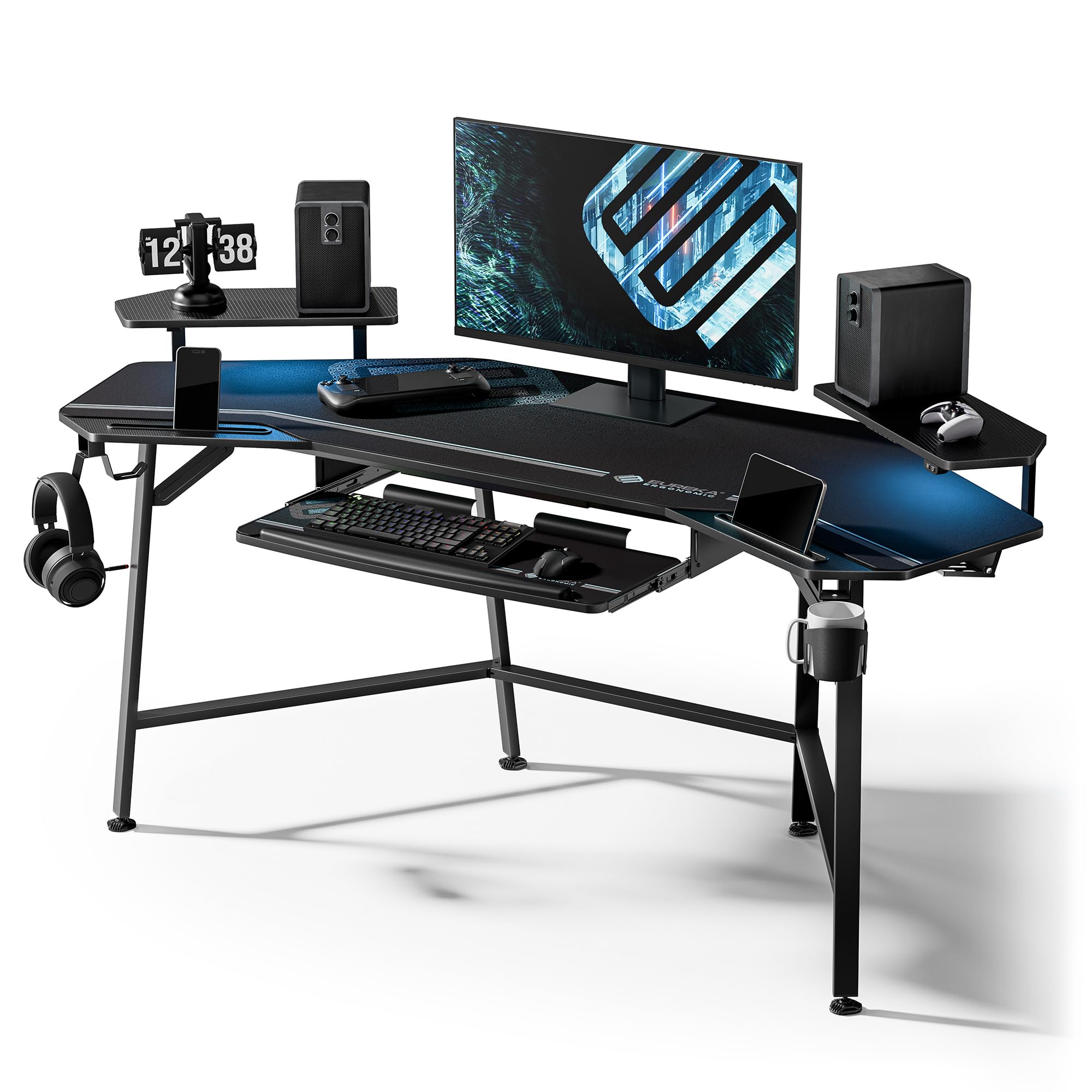
At 72 inches wide and 24 inches deep, the Aero is a full-size command center built for streamers and multi-monitor enthusiasts. The wing-shaped desktop adds surface area at the edges, and the carbon fiber texture resists scratches from constant mouse movement. The welded alloy steel frame supports up to 400 pounds—enough for three monitors, a full tower, and peripherals without a hint of flex.
The built-in RGB LED strip offers customizable scene modes, while the dual headphone hooks and cup holder keep accessories organized. Two power socket holders and cable management grommets allow you to route wires cleanly, and the full-desk extended mouse pad protects the entire surface. The pull-out keyboard tray includes a precision mouse pad for ergonomic typing.
Assembly requires two people due to the desk’s weight and size, but the labeled parts and clear instructions streamline the process. Note that the LED strip uses adhesive rather than screws for mounting, which some users found less secure over time. The wing shape leaves a slight gap when placed in a corner, so the Aero shines best against a flat wall.
Why it’s great
- Massive 72-inch surface supports triple-monitor setups
- 400-pound weight capacity ensures zero wobble
- Includes keyboard tray, mouse pad, and cable management
Good to know
- Wing shape is not designed for corner placement
- LED strip adhesive may lose grip over time
- Heavy assembly requires two people
2. FLEXISPOT 71×32 Inch Electric Large Standing Desk
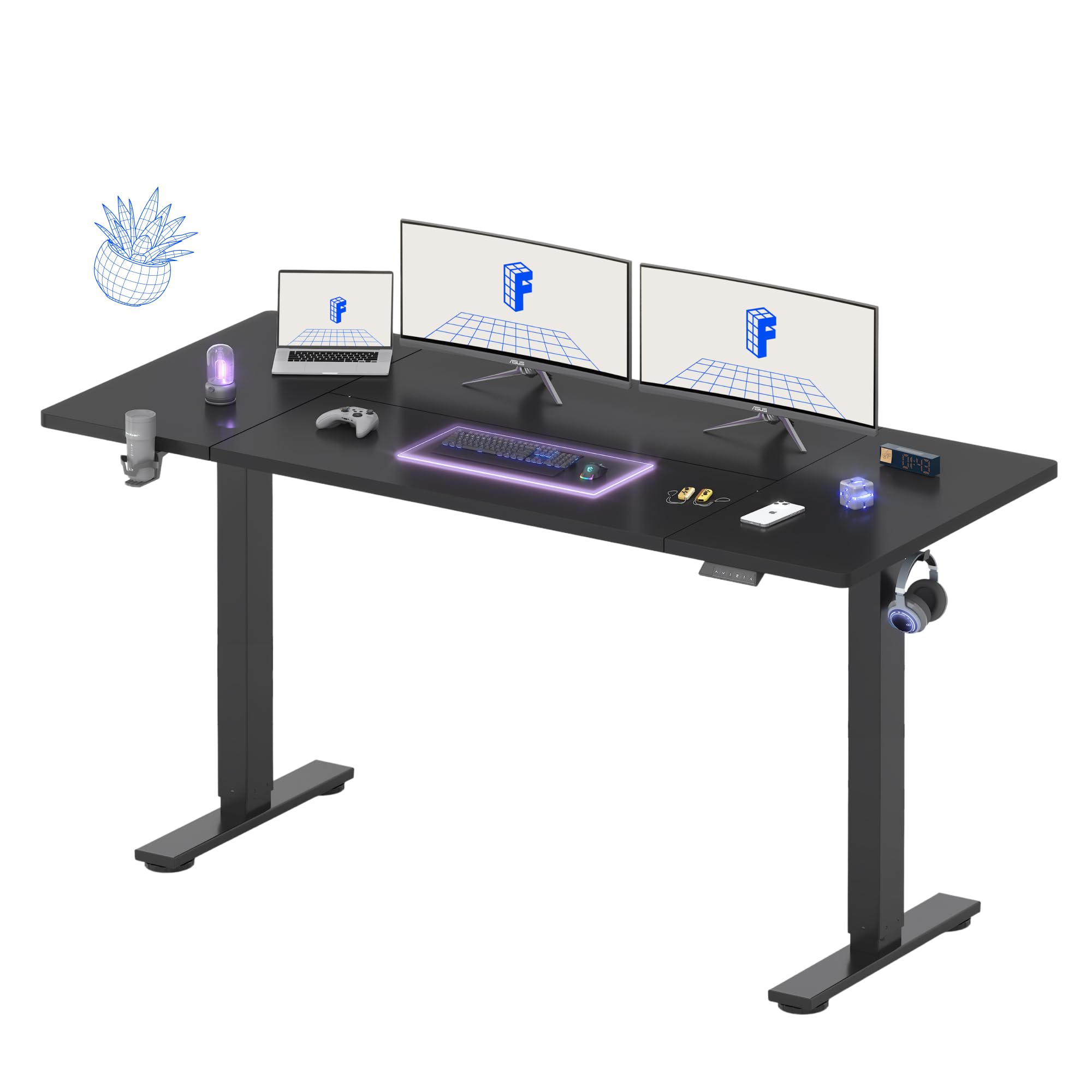
The FLEXISPOT’s 71-by-32-inch surface is unusually deep, giving you room to push monitors back and free up real forearm space. The dual-motor system moves silently between 28.9 and 46.5 inches, with four programmable height presets that make switching between sitting and standing seamless. The steel frame with wide feet delivers rock-solid stability even at maximum height, so your monitors won’t wobble during intense typing.
The splice board design uses two panels joined with a straight seam, which is fine for a full-desk mouse pad but may be noticeable if you run a single large mat. Cable management channels are integrated into the frame, and the included organizer keeps plugs tidy. A cup holder and hooks add convenience without cluttering the desktop.
Assembly is straightforward with the included manual, though a power drill speeds up the process. Some units may arrive with minor paint damage on the frame, but the overall build quality is excellent. FLEXISPOT backs the frame with a five-year warranty and the electronics with two years, which is above average for this price tier.
Why it’s great
- Extra 32-inch depth provides true forearm support
- Quiet dual-motor lift with four memory presets
- 5-year frame warranty for long-term peace of mind
Good to know
- Splice board seam may be visible under a single mouse pad
- Power drill recommended but not included
- Minor paint flaws reported on some frames
3. RedLemon 60 Inches L Shaped Electric Standing Desk

RedLemon brings the sit-stand experience to the L-shaped form factor, with a height range from 28 to 46 inches controlled by four programmable memory buttons. The 60-by-60-inch surface gives you dedicated zones: one side for gaming, the other for productivity. The monitor shelf elevates your screens to eye level, and the under-shelf storage holds office supplies without eating into your primary workspace.
Built-in power outlets and USB ports keep your rig charged, while the 360-degree rotating cup holder prevents spills during intense sessions. Two side drawers and a keyboard tray provide storage for small peripherals, and the RGB LED lights offer 12 scene modes for ambient mood. The antique white finish gives it a cleaner look than the typical all-black gaming aesthetic.
Assembly is rated at around 1.5 hours for two people, but some users note that the screw cover stickers don’t hold well. The drawers are smaller than standard file folders, so don’t expect to store legal-size documents. The keyboard tray’s positioning can conflict with larger monitor stands, so measure your gear beforehand.
Why it’s great
- Electric L-shaped with four height presets
- Rotating cup holder and dual side drawers
- Antique white finish diversifies the all-black trend
Good to know
- Drawers are too small for standard folders
- Screw cover stickers may peel off
- Keyboard tray can interfere with monitor stands
4. GTPLAYER Electric Standing Desk with Drawers
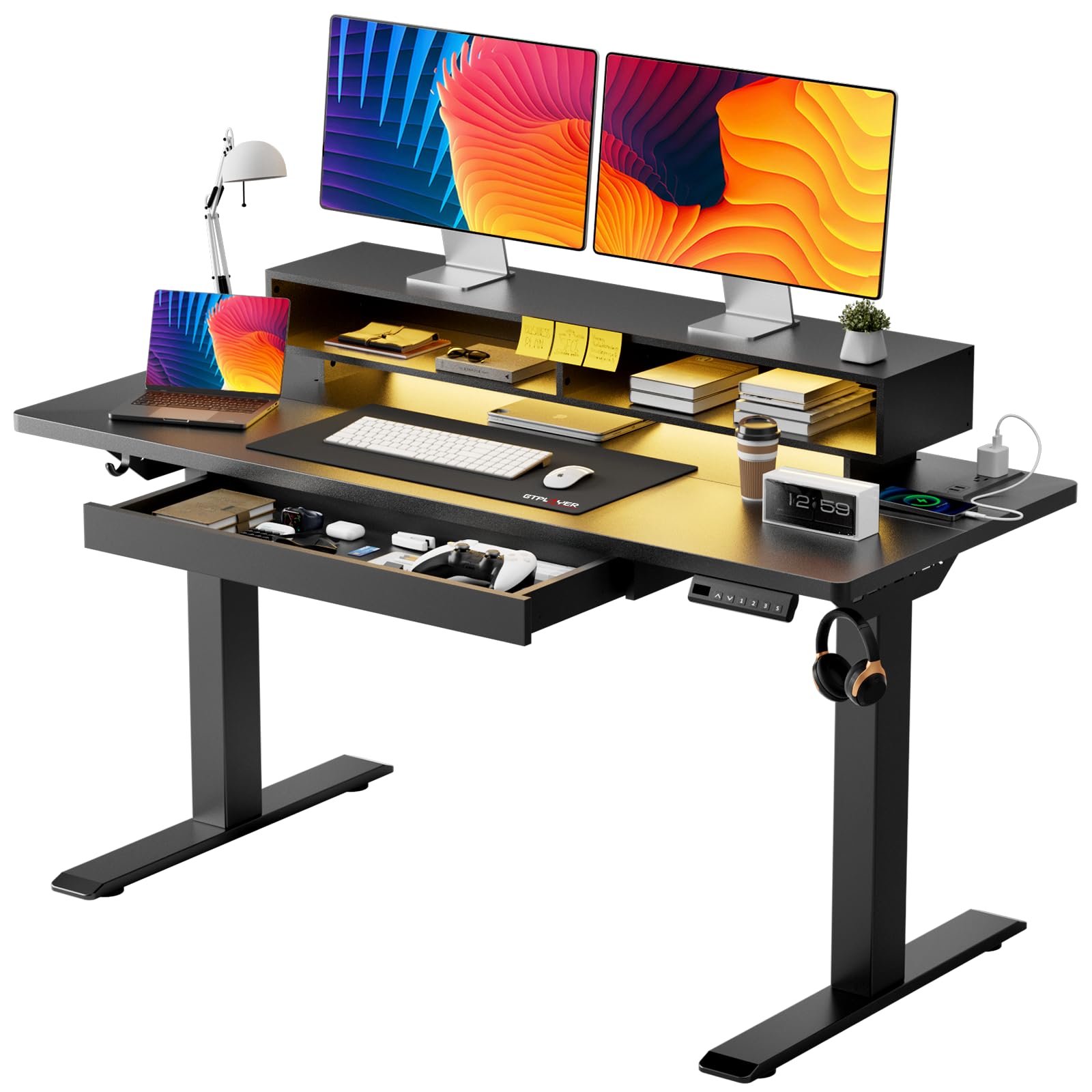
The GTPLAYER 48-inch standing desk is a space-efficient option that doesn’t skimp on ergonomics. The motor adjusts height from 28.3 to 48 inches with less than 55 dB of noise, making it quiet enough for shared spaces. The T-shaped steel frame holds up to 220 pounds, and the LED display with three memory presets lets you switch between sitting and standing positions instantly.
The standout feature is the built-in pull-out drawer embedded into the monitor shelf, which stores small items like pens, cables, and notebooks without wasting desk space. Two side hooks provide hanging storage for bags or headsets. The RGB LED strip offers 12 scene modes with five brightness levels, while the built-in power strip provides 2 AC outlets and 2 USB ports for device charging.
FSC-certified wood adds an eco-conscious element to the build. Assembly takes about 30 minutes thanks to pre-drilled holes, though some users reported initial issues with one side of the motor not engaging—typically fixed by reseating a connection. The 48-inch width is best for single-monitor setups or a laptop and one external screen.
Why it’s great
- Quiet motor under 55 dB for peaceful environments
- Pull-out drawer in monitor shelf saves desk space
- FSC-certified materials for sustainable sourcing
Good to know
- 48-inch width is too small for dual monitor arms
- Some units need reseating of motor connections
- LED lights may fail to respond to remote control
5. EnHomee 104” L Shaped Gaming Desk
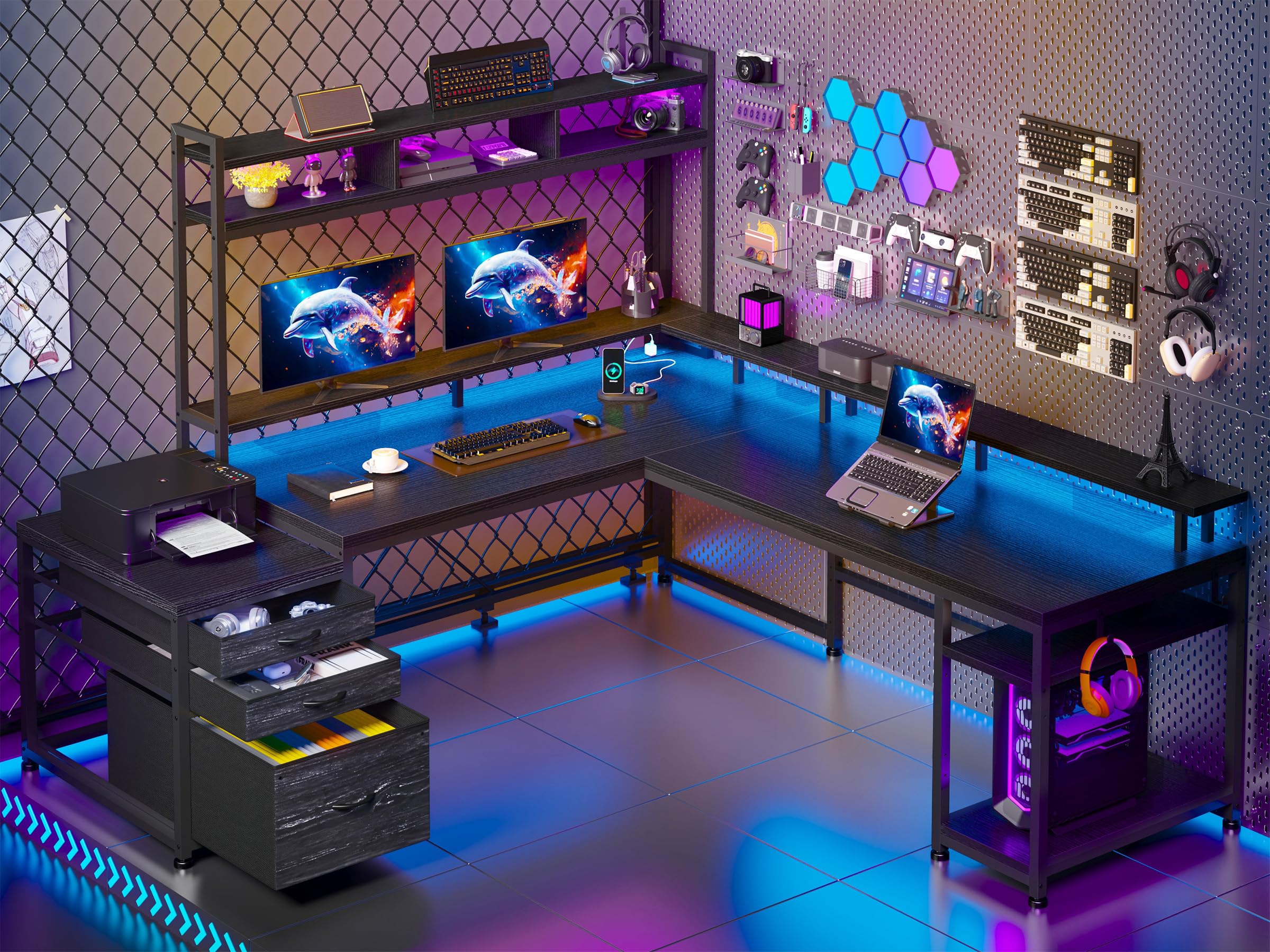
The EnHomee 104-inch desk is built for scale. It starts at 64 inches as a standard L-shape but can extend to 104 inches, making it the only option on this list that comfortably serves two people simultaneously. The detachable dual monitor stands (48 and 50 inches each) support up to 88 pounds, handling multiple large monitors or a single ultrawide with ease.
Four assembly modes mean you can orient it as a left or right corner desk, or even as a straight long desk. The built-in LED lights offer 20 static and 21 dynamic modes controlled by a remote with a 49-to-66-foot range. Four AC outlets and two USB-A ports provide ample charging for a full gaming rig and accessories. Three premium fabric drawers, open shelves, and a dedicated CPU compartment keep everything organized.
The LED strip’s adhesive is a weak point—many users found it fell off within weeks and replaced it with aftermarket strips. The fabric drawers are sturdy but not as rigid as wood alternatives. Assembly is time-consuming due to the number of parts, but the zoned weight capacities (up to 132 pounds on the upper shelf) ensure long-term stability.
Why it’s great
- Expands from 64 to 104 inches for dual-person use
- Dual monitor stands rated for 88 pounds total
- Four assembly configurations adapt to any room
Good to know
- LED strip adhesive fails under heat and humidity
- Fabric drawers feel less premium than wood
- Heavy assembly with many small parts
6. AODK 79 inch L Shaped Desk with 5 Drawers

The AODK 79-inch L-shaped desk prioritizes storage without sacrificing workspace. Five fabric drawers—including one file-size drawer for A4, letter, and legal documents—sit alongside 6-tier open shelves and a dedicated CPU stand. Two built-in power hubs each offer 3 AC outlets and 2 USB ports, totaling 6 AC and 4 USB ports across the desk.
The upgraded LED strip uses an odorless milky diffuser that softens the light, offering 10 colors and 10 dynamic modes. The 79-by-18.9-inch main desktop provides a 60.71-inch height at the corner, and the reversible layout fits left or right configurations. The black carbon fiber finish resists scratches and cleans easily with a damp cloth.
Assembly takes several hours with the included Allen key, and the instructions could be clearer regarding drawer orientation. The large file drawer’s metal rods feel unnecessary, and some users reported the LED controller is pre-set to colors they don’t prefer. Despite these quirks, the desk offers exceptional value for anyone who needs drawers, shelves, and power integrated into one unit.
Why it’s great
- Five fabric drawers including legal-size file drawer
- Two separate power hubs with 6 AC and 4 USB ports
- Milky diffuser LED strip for softer ambient lighting
Good to know
- Assembly instructions could mislead on drawer orientation
- Large drawer metal rods lack clear purpose
- Long assembly time with manual screw tool
7. AODK 66″ L Shaped Computer Desk with File Cabinet

This AODK desk offers two distinct builds: a 66-inch L-shaped corner desk or a 113-inch two-person straight desk. The reversible design lets you switch between left and right orientations, and the included file cabinet with two drawers handles letter, legal, and A4 documents. Four-tier fabric storage drawers round out the organization options, keeping power cords and office supplies out of sight.
The built-in power outlet provides 3 AC outlets and 2 USB ports, and the upgraded LED strip uses a milky diffuser for even light distribution. A 47.2-inch long monitor stand supports two monitors side by side, and the two under-desk storage shelves measure 18.1 by 11 inches—large enough for a CPU or office supplies. The vintage color scheme gives it a warmer look than typical black gaming desks.
Assembly is manageable with two people, though some users noted minor scuffs on panels out of the box. The wired LED remote is a drawback if you prefer wireless control. The desk’s depth after the monitor shelf is only about 12 inches of usable space, which may feel cramped for deep peripherals. Overall, it’s a solid choice if you need modularity and file storage.
Why it’s great
- Dual configuration: 66″ L or 113″ straight desk
- Includes two-drawer file cabinet for document storage
- 47.2-inch monitor stand supports dual monitors
Good to know
- Wired LED remote lacks wireless convenience
- 12-inch usable depth after monitor shelf is restrictive
- Minor scuffs reported on some panels
8. ODK 66″ L Shaped Gaming Desk with Power Outlet

The ODK 66-inch L-shaped desk is a budget-friendly entry into the corner desk world. The center desktop measures 36 inches—10 inches longer than many competitors in its price range—giving you extra elbow room for mouse movement. The reversible design works as a left or right corner desk, and the built-in 2-tier bookshelf and computer tower stand keep your gear organized.
The LED strip offers 10 colors and 10 lightning modes with a memory function that resumes the last setting. Three standard plug outlets and two USB ports handle basic charging needs. The MDF board with carbon fiber texture resists scratches, and the powder-coated metal frame provides adequate stability for most gaming setups.
Assembly takes 3 to 4 hours solo, though a helper cuts that time in half. Some users reported that one screw hole stripped during assembly, and the actual long side measures closer to 58 inches than the advertised 66 inches. The 18-inch desktop depth drops to about 12 inches of usable space after the monitor shelf, which may not accommodate deep peripherals like flight sticks.
Why it’s great
- 36-inch center desktop is wider than most budget options
- Built-in 2-tier bookshelf and CPU storage
- Reversible layout for left or right corner
Good to know
- Actual depth is 18 inches, shrinking to 12 after shelf
- Listed 66-inch width is closer to 58 inches
- One screw hole may strip during assembly
9. Bestier LED Gaming Desk with Power Outlets
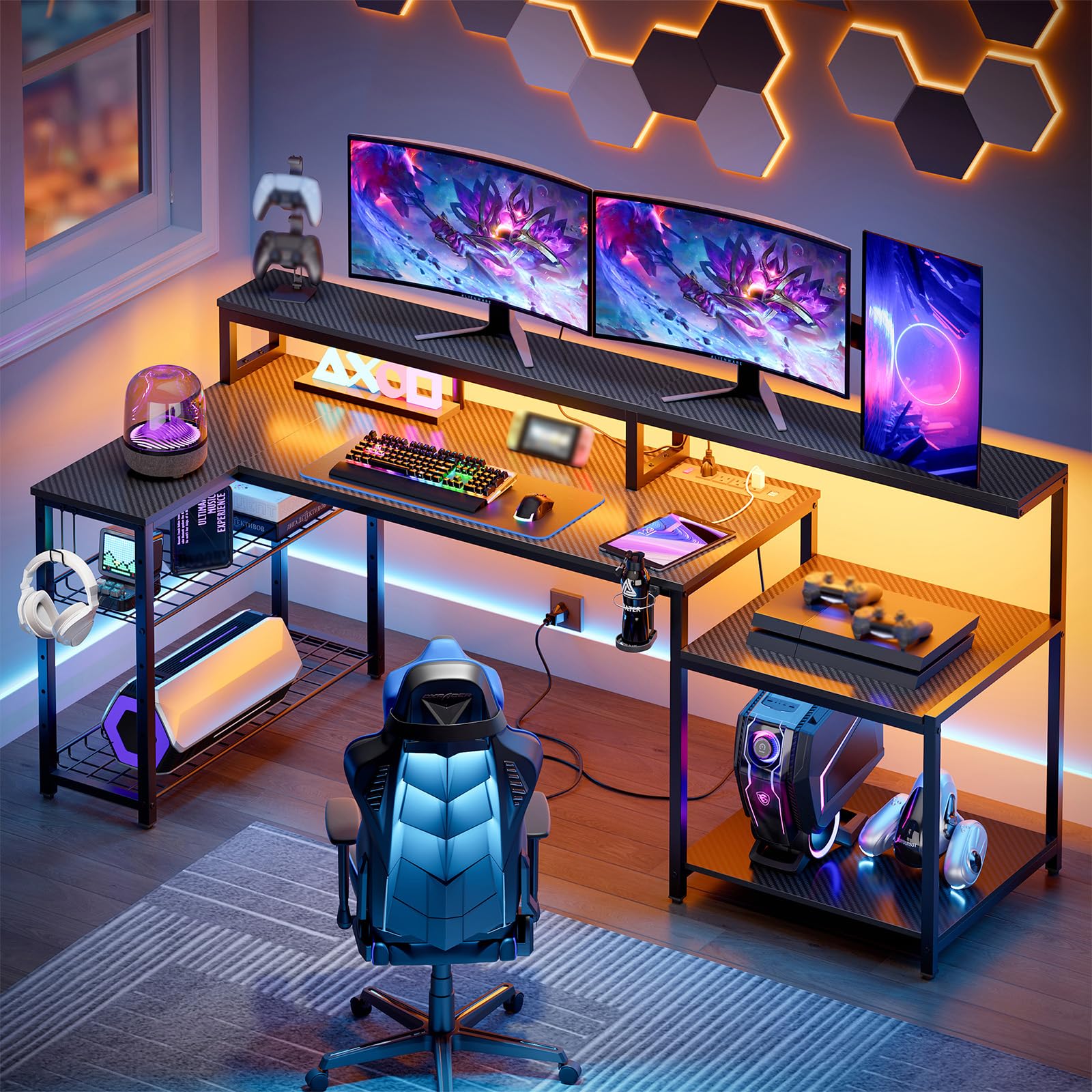
The Bestier 71.5-inch L-shaped desk delivers a clean aesthetic with practical features. The 3D carbon fiber texture surface is easy to clean and scratch-resistant, while the 5.9-inch monitor stand provides comfortable eye level for a 27-inch monitor. The L-shaped layout supports at least two monitors and a laptop, with a full-width design that lets you access both sides from one seating position.
Four AC sockets and two USB charging ports (rated at 1500W total) keep your devices powered. The RGB light strip under the monitor stand offers 20 static colors and 22 dynamic modes with adjustable speed and brightness. The metal grid shelf adjusts in height and angle, and the foldable cup holder and headphone hook have three installation positions for customization.
Assembly is straightforward, taking about 40 minutes for two people. Some users noted the LED strip’s placement is under the monitor stand rather than the desktop edge, limiting its visual impact. The top shelf to monitor shelf clearance is 10 inches, which is 4 inches less than expected—check your PC case height before relying on the top shelf. The cup holder is plastic, while the headphone hook is metal.
Why it’s great
- 71.5-inch surface supports dual monitors plus laptop
- 1500W power rating with 4 AC and 2 USB ports
- Adjustable metal grid shelf for custom storage
Good to know
- LED strip only illuminates under monitor stand
- Top shelf clearance is 10 inches, not 14
- Plastic cup holder feels less durable than metal
FAQ
Is a 60-inch L-shaped desk big enough for three monitors?
Do standing desk motors in this price range wear out quickly?
Final Thoughts: The Verdict
For most users, the gaming desks for under $900 winner is the EUREKA ERGONOMIC Aero because its 400-pound capacity and 72-inch surface handle triple-monitor streaming setups without any wobble. If you want a sit-stand desk with exceptional depth, grab the FLEXISPOT 71×32. And for a massive corner desk that accommodates two people, nothing beats the EnHomee 104-inch.