
Finding a graphics card that can handle modern titles without busting your budget is a delicate balancing act between memory bandwidth, core clock stability, and thermal efficiency. The sub- market is full of tempting options, but hidden pitfalls like power-locked BIOS versions or crippled memory buses can turn a “deal” into a frustrating paperweight.
I’m Mohammad Maruf — the founder and writer behind Drink4Good. I’ve spent years analyzing GPU market trends, sifting through thousands of user benchmarks, and cross-referencing real-world thermal performance with vendor spec sheets to separate genuine value from marketing fluff.
After a deep dive into current inventory, driver stability reports, and gaming benchmarks, the best gpu under 250 emerges as a clear winner for those who want genuine 1080p performance without hidden compromises.
How To Choose The Best GPU Under 250
The entry-level GPU market is a minefield of generational rebrands. A card that looks like an old favorite might have a neutered memory bus or fewer stream processors, so understanding the three key pillars of value is essential before you click “buy.”
Memory Bandwidth and VRAM Capacity
For 1080p gaming, 6GB of VRAM is the new baseline, but the memory bus width determines whether that memory is actually useful. A 256-bit bus on an RX 580 or an Intel Arc A580 delivers significantly more bandwidth to the GPU cores than a 128-bit or 96-bit alternative. When a game needs to stream textures quickly, narrow bus cards stutter — even if they have enough VRAM on paper.
Power Connectors and Pre-Built Compatibility
Many budget GPUs are designed for office pre-builts and small form factor (SFF) cases. Low-profile cards like the MSI GT 1030 or the Sparkle Arc A310 draw power solely from the PCIe slot, making them perfect drop-in upgrades. Mid-range and premium cards require a dedicated 6-pin or 8-pin power cable — check your existing power supply unit (PSU) wattage and connector availability before ordering.
Driver Maturity and OS Support
Older architectures like AMD’s Polaris (RX 580) have mature drivers on Windows and Linux, but they can’t keep up with modern DX12 Ultimate features. Intel Arc benifits from rapid driver improvements and supports ReBAR for optimal performance. Nvidia’s RTX 3050 offers the best ray tracing efficiency at this price point, but the lower-end GTX 1660 Super builds lack hardware acceleration for ray tracing entirely.
Quick Comparison
On smaller screens, swipe sideways to see the full table.
| Model | Category | Best For | Key Spec | Amazon |
|---|---|---|---|---|
| XFX RX 7600 | Premium | High-refresh 1080p / VR | 8GB GDDR6 128-bit | Amazon |
| ASRock Arc A580 | Mid-Range | 1440p Ready / XeSS | 8GB GDDR6 256-bit | Amazon |
| Gigabyte RTX 3050 | Mid-Range | Ray Tracing / Media PC | 6GB GDDR6 96-bit | Amazon |
| MSI RTX 3050 LP | Mid-Range | SFF Builds / HTPC | 6GB GDDR6 96-bit | Amazon |
| ZER-LON GTX 1660 Super | Value | 1080p High FPS | 6GB GDDR6 192-bit | Amazon |
| MAXSUN RX 580 | Budget | White Theme Builds | 8GB GDDR5 256-bit | Amazon |
| MOUGOL RX 580 | Budget | Triple Monitor Setup | 8GB GDDR5 256-bit | Amazon |
| Sparkle Arc A310 | Budget | Media Transcoding / NAS | 4GB GDDR6 64-bit | Amazon |
| MSI GT 1030 | Budget | 4K Playback / Office | 4GB GDDR4 64-bit | Amazon |
In‑Depth Reviews
1. XFX Speedster SWFT210 Radeon RX 7600

The XFX RX 7600 sits at the top of the premium tier, offering a boost clock of up to 2655 MHz on the RDNA 3 architecture. This provides a genuine generational leap over the Polaris-based cards in the same price range — better power efficiency, hardware AV1 encoding, and support for AMD FSR 3 upscaling. VR users will appreciate the smooth performance in titles like Half-Life: Alyx and Assetto Corsa.
With 8GB of GDDR6 on a 128-bit bus, the RX 7600 handles high-refresh 1080p gaming effortlessly. Users upgrading from a GTX 1650 Super reported dramatically faster load times and the ability to run Kayak VR at its highest preset. The dual-fan SWFT cooling solution keeps core temperatures in the upper 70s under load, especially after a driver update from initial setup.
The card is compact enough for standard ATX cases and draws power from a single 8-pin connector. Linux users will appreciate the out-of-the-box support with mesa and vulkan-radeon drivers — three displays were recognized immediately after installation.
Why it’s great
- Excellent 1080p / 1440p gaming performance with FSR 3
- Compact size fits most cases without clearance issues
- Rock-solid Linux driver support with mesa
Good to know
- Initial driver updates required for stable thermals
- 128-bit memory bus limits high-resolution texture streaming
2. ASRock Intel Arc A580 Challenger 8GB OC
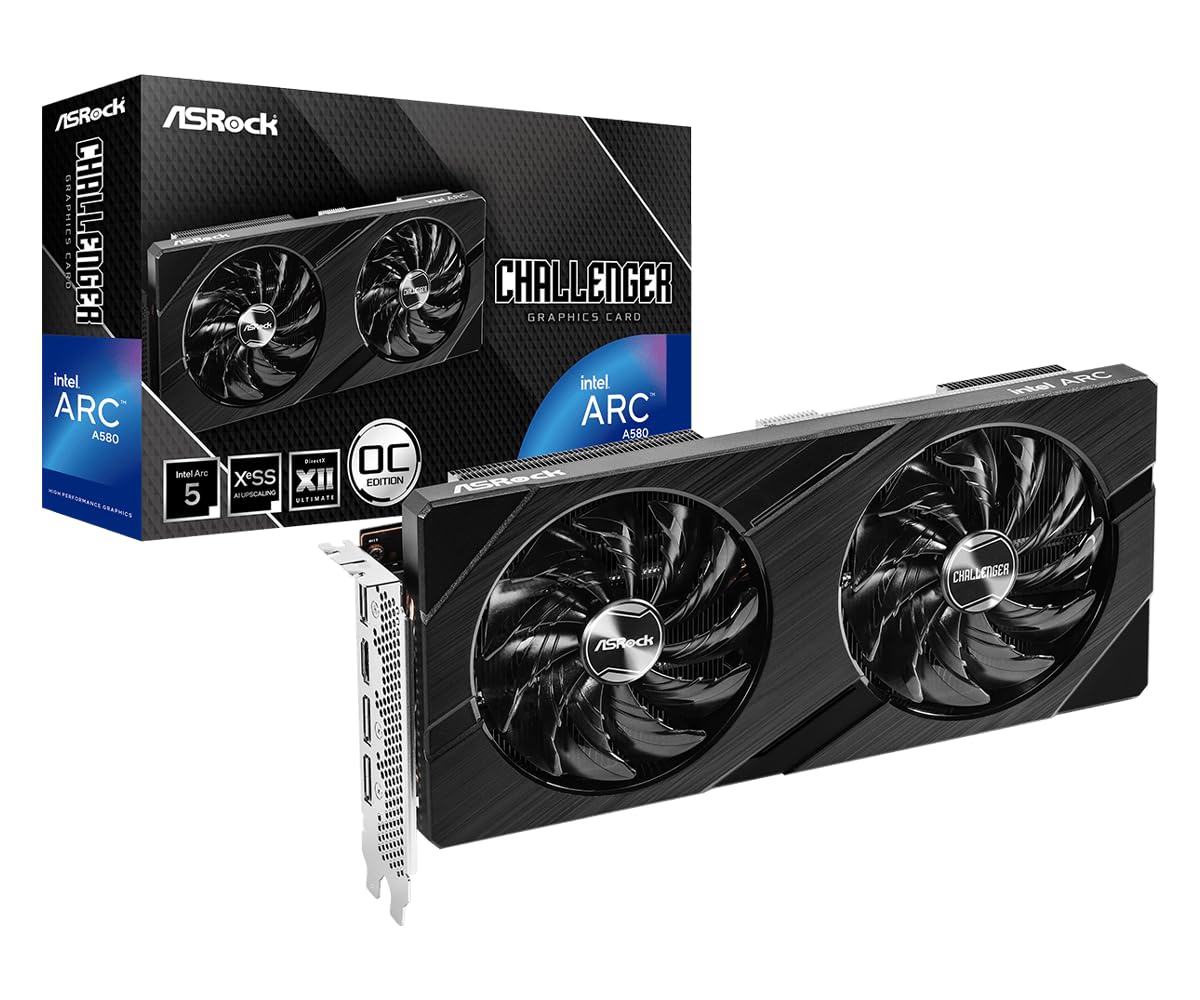
The ASRock Arc A580 brings a 256-bit memory bus and 8GB of GDDR6 to the table — a combination that typically costs more. Factory overclocked to 2000 MHz, it leverages Intel’s Xe HPG architecture with 384 XMX engines for AI-accelerated XeSS upscaling. This makes it a strong contender for 1440p gaming, despite being in the mid-range price bracket.
Users praise the 0dB silent cooling mode: the dual fans stop completely at low temperatures, making it ideal for quiet office work. Under load, temperatures max out around 74°C, and the thick metal backplate adds structural rigidity. The card supports DirectX 12 Ultimate natively and comes with DisplayPort 2.0 outputs for high-bandwidth monitors.
One caveat: the A580 requires two 8-pin PCIe power connectors and a 650W PSU recommendation, which may rule out older pre-builts. A small number of users reported scrambled video on DisplayPort after waking from sleep — switching to HDMI resolves this bug cleanly.
Why it’s great
- 256-bit memory bus provides excellent bandwidth for 1440p
- 0dB fan stop for silent operation at idle
- DisplayPort 2.0 support for future monitors
Good to know
- Requires ReBAR support for full performance
- DisplayPort sleep bug on some systems
3. GIGABYTE GeForce RTX 3050 WINDFORCE OC V2 6G

The Gigabyte RTX 3050 6G is the entry-level ray tracing card that doesn’t require an external power connection. It draws all its power from the PCIe slot, making it a drop-in upgrade for office PCs, HTPCs, and older pre-builts. The Nvidia Ampere architecture provides access to DLSS upscaling and hardware ray tracing — two features that are extremely rare at this budget level.
Despite the 96-bit memory bus, the card handles 1080p gaming with ray tracing enabled on less demanding titles like Minecraft. The dual WINDFORCE fans keep the core cool under load, and the card occupies only two slots. Users reported that it fits easily in media center PCs where clearance is tight.
This is not a card for high-refresh 1440p or heavy ray tracing, but for general 1080p gaming and productivity, it offers the best software ecosystem at this price. The 6GB VRAM is sufficient for texture-heavy titles at medium settings.
Why it’s great
- No external PCIe power cable required
- DLSS and ray tracing support in budget segment
- Compact dual-fan design fits SFF cases
Good to know
- 96-bit bus limits memory bandwidth
- Not suitable for heavy ray tracing workloads
4. MSI Gaming RTX 3050 LP 6G OC

The MSI RTX 3050 LP is the low-profile king of small form factor builds. It fits in Dell Inspiron 3471 SFF desktops without any modification and includes a low-profile bracket in the box. The dual fans use MSI’s Twin Frozr technology, which keeps the card cool and quiet — fans stop completely at zero RPM idle.
Gamers report solid 1080p performance at medium-high settings with 60+ FPS in most titles. DLSS Quality mode provides an additional boost without a noticeable visual hit. Ray tracing is available but requires dropping to lower settings for smoother frame rates — a fair trade-off for a card that doesn’t need an external power adapter.
One occasional complaint is a brief fan rattle on cold startup (about 10 seconds), which occurs in roughly 1 out of 25 power cycles. Outside that, the card runs near-silent and stays cool even after hours of Unreal Engine 5 workloads.
Why it’s great
- True low-profile design with included bracket
- Zero RPM idle fan mode for silent operation
- No external power required
Good to know
- Occasional fan clatter on cold startup
- 96-bit bus limits memory bandwidth
5. ZER-LON GeForce GTX 1660 Super 6GB

The GTX 1660 Super remains a staple for 1080p high-refresh gaming, and the ZER-LON version delivers the full 192-bit bus and 6GB of GDDR6 that made the architecture famous. It sits in a sweet spot — faster than the cut-down 96-bit RTX 3050 in raw rasterization, while being far more modern than the RX 580 refreshes. It supports up to 8K display output and three monitor setups.
Users upgrading from older GTX 1060 cards report a smooth plug-and-play experience without needing to change other components. The dual-fan cooling system stays quiet during light loads, and the card handles titles like Diablo IV at high settings with ease. The PCIe 3.0 compatibility makes it a perfect fit for older platforms like Intel’s 8th and 9th gen.
The card does lack hardware ray tracing support and AV1 encoding, which are present on the newer RTX 3050. ZER-LON also ships the card with minimal accessories — no adapters or driver disks — so ensure you have an available 8-pin power connector and internet access for drivers.
Why it’s great
- 192-bit bus provides high bandwidth for texture-heavy games
- Excellent 1080p high-refresh rasterization performance
- Easy drop-in upgrade for older platforms
Good to know
- No ray tracing or AV1 encoding support
- No accessories included in package
6. MAXSUN AMD Radeon RX 580 8GB 2048SP (White)

The MAXSUN RX 580 2048SP is a white-themed graphics card designed for builders who care about visual cohesion in their PC. It uses the Polaris 20 XL GPU with 8GB of GDDR5 on a 256-bit bus — the same memory bandwidth as much more expensive cards. The white PCB and white fans make it a natural fit for all-white gaming rigs.
Gaming performance is solid for 1080p at medium-high settings, with 144 FPS achievable in esports titles like Valorant and Fortnite. The triple output array (HDMI, DP, DVI) supports multi-monitor setups without adapters. Users note that the card handles 60 FPS in AAA games when settings are dialed down, though driver maturity on Polaris is excellent by now.
The rubbery plastic fan shroud feels cheaper than premium offerings, and the card’s specifications are slightly cut down from the original RX 580 — fewer shader units (2048 vs 2304) and lower clocks. Ensure your PSU can handle a 750W recommendation, as multiple users reported boot failures with 620W units.
Why it’s great
- Unique white aesthetic for themed builds
- Full 256-bit memory bus for texture streaming
- Mature drivers on Windows and Linux
Good to know
- Cut-down 2048SP shader count vs original RX 580
- Requires a PSU upgrade for some systems
7. MOUGOL AMD Radeon RX 580 8GB GDDR5
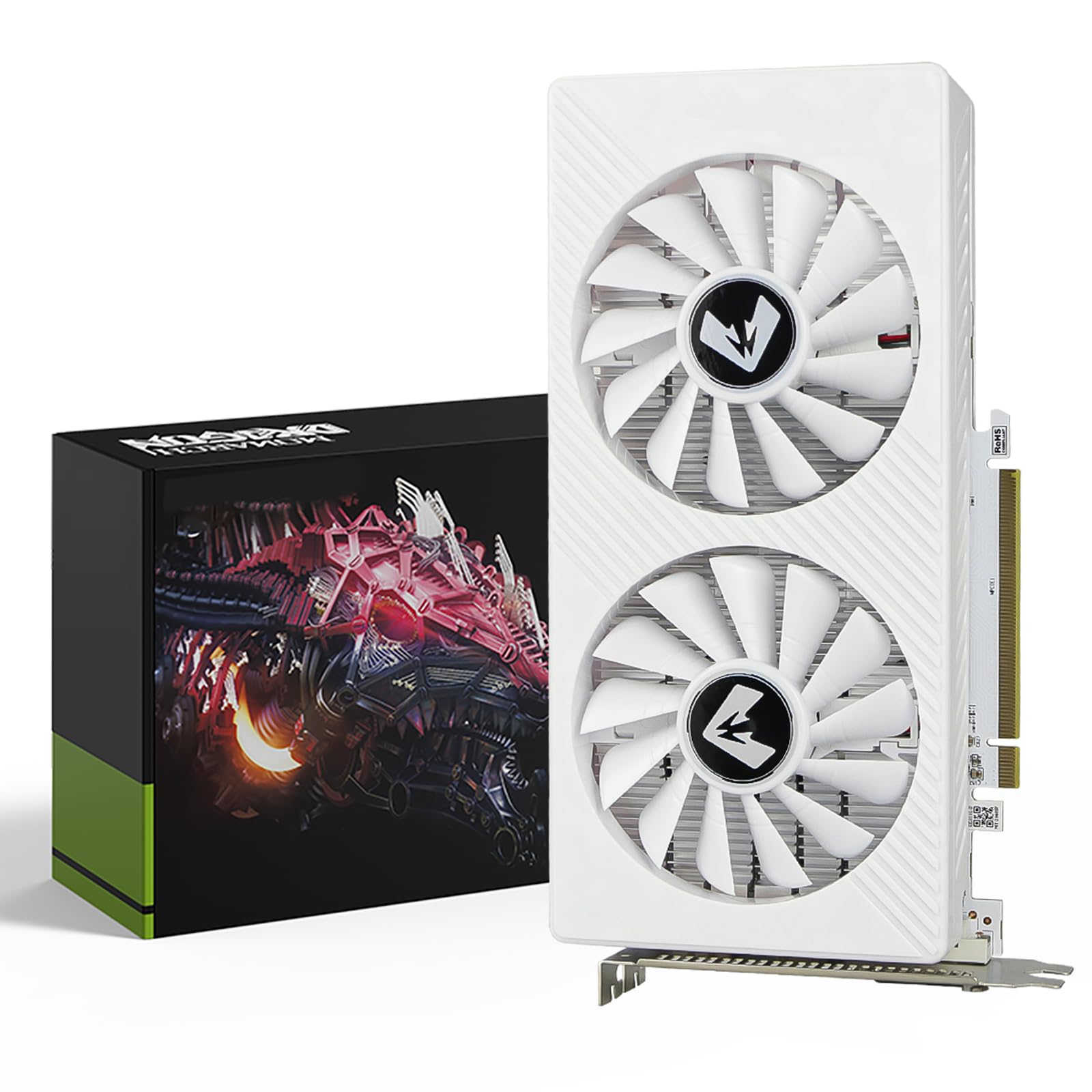
The MOUGOL RX 580 is a budget-friendly card that leverages the proven Polaris architecture with Samsung 8GB GDDR5 memory on a 256-bit bus. It is one of the cheapest ways to get a true 256-bit memory interface into a modern gaming PC. The card supports DirectX 12 and Vulkan, making it compatible with current game engines.
Users report solid 1080p gaming performance in titles like Fortnite, GTA V, and Apex Legends. The dual-fan cooling system and aluminum backplate keep thermals in check, and the card fits standard ATX mid-tower cases without clearance issues. Linux gamers using Bazzite or Arch reported good compatibility with AMD open-source drivers.
However, notable quality control concerns exist: one verified buyer reported the card’s power limit was locked at 50%, causing driver crashes and poor video quality. MOUGOL offers a support team for troubleshooting, but the inconsistency in performance suggests batch variance.
Why it’s great
- Very budget-friendly entry point with 256-bit memory
- Solid 1080p gaming for older titles
- Good Linux driver support
Good to know
- Reported power limit BIOS issues on some units
- Older architecture lacks modern features like ray tracing
8. Sparkle Intel Arc A310 ECO 4GB

The Sparkle Arc A310 ECO is designed specifically for media servers and workstation PCs, not gaming. Its 50W TDP and single-slot low-profile design make it one of the most power-efficient dedicated GPUs on the market. It includes a free short bracket for SFF cases and is ideal for Jellyfin or Plex transcoding, hardware accelerated video encoding, and streaming.
Users running it in media servers praise the fast 4K transcoding and the quiet operation under load. The Xe HPG architecture supports Intel XeSS upscaling and real-time ray tracing, but the 4GB VRAM and 64-bit bus make modern gaming impractical. Light gaming on low settings is possible, but this is not a gaming card.
The A310 requires Resizable BAR (ReBAR) support for optimal performance — without it, expect roughly 40% performance loss. The 50W design means no external power is needed, but the fan can produce a subtle droning tone that some users found noticeable in quiet rooms.
Why it’s great
- Extremely power-efficient 50W TDP design
- Excellent hardware video encoding for media servers
- Single-slot low profile with included bracket
Good to know
- Requires ReBAR for full performance
- Not suitable for modern gaming
9. MSI GeForce GT 1030 4GHD4 LP OC

The MSI GT 1030 4GHD4 LP OC is the most accessible entry-level card for upgrading old office desktops. It uses passive cooling (no fan), making it completely silent during operation. The low-profile design fits in HP ProDesk, Dell OptiPlex, and other pre-built SFF machines without modification. It supports 4K video playback on modern displays.
Users with older systems that had integrated graphics reported instant improvements in video quality and overall system responsiveness. The card supports up to 2560×1600 resolution and handles 4K streaming flawlessly. Installation takes about 2 minutes — plug in, install drivers, and the system works perfectly.
This is not a gaming card. The GDDR4 memory and 64-bit bus cannot handle modern game engines beyond very light 2D titles. It is strictly a media playback and office productivity upgrade. The passive heatsink stays warm but not hot even after hours of 4K video playback.
Why it’s great
- Completely silent passive cooling design
- Perfect drop-in upgrade for SFF office PCs
- Flawless 4K video playback support
Good to know
- GDDR4 memory is too slow for modern gaming
- 64-bit bus severely limits memory bandwidth
FAQ
Can a GPU with a 96-bit memory bus handle modern 1080p gaming?
Is it safe to buy a GPU from a brand with few reviews like ZER-LON or MOUGOL?
Does the XFX RX 7600 need a 650W power supply?
Can I use a GPU with GDDR5 memory in 2025?
What does “low profile” mean for a GPU?
Final Thoughts: The Verdict
For most users, the best gpu under 250 winner is the XFX Speedster SWFT210 RX 7600 because it delivers genuine RDNA 3 performance with 8GB VRAM, solid Linux support, and excellent 1080p high-refresh capabilities. If you need a low-profile card for a small form factor build, grab the MSI RTX 3050 LP — it fits tight cases and provides ray tracing and DLSS features. And for pure 1080p high-refresh gaming without ray tracing, nothing beats the raw rasterization performance of the ZER-LON GTX 1660 Super.