
Choosing a gaming monitor on a budget used to mean sacrificing resolution for speed or accepting washed-out colors for a high refresh rate. That trade-off is no longer necessary. The current market delivers genuine 1440p panels with 180Hz refresh rates, vibrant IPS color, and adaptive-sync support at price points that would have seemed impossible just a few years ago.
I’m Mohammad Maruf — the founder and writer behind Drink4Good. My research focuses on dissecting panel technology, refresh-rate overhead, color-gamut coverage, and real-world build quality to separate genuine value from marketing claims in the gaming monitor space.
The shortlist below represents the sharpest intersection of performance and affordability available today, giving you everything you need to confidently select the right value gaming monitor for your setup and your favorite titles.
How To Choose The Best Value Gaming Monitor
A smart buy in this bracket balances resolution, refresh rate, panel type, and connectivity without wasting money on gimmicks. Start by deciding whether your GPU and game library can drive 1440p at high frame rates, or if a faster 1080p panel serves you better in competitive shooters. From there, the decision narrows to stand quality, color accuracy, and which adaptive-sync ecosystem you need.
Resolution vs. Refresh Rate: Where to Lean
For most players, 1440p at 144–180Hz is the sweet spot. It provides a 78% pixel increase over 1080p — dramatically sharper text and finer detail — without demanding the same GPU horsepower as 4K. If you primarily play fast-twitch esports titles like Valorant or Apex Legends, a 240Hz 1080p panel may give you a slight competitive edge, but for open-world games, RPGs, and productivity, QHD is the clear winner.
Panel Technology: IPS, VA, and the Middle Ground
IPS panels dominate this list for a reason. They offer superior color accuracy, wider viewing angles, and consistent brightness across the screen. VA panels deliver deeper blacks and higher contrast ratios, which can look more dramatic in a dark room, but they often suffer from slower response times in dark transitions and can exhibit black-level smearing. For a value gaming monitor, a good IPS panel is almost always the safer bet.
Stand and Connectivity: The Hidden Upgrade
A flimsy stand that doesn’t offer height adjustment can undermine an otherwise fantastic monitor. Look for VESA 100x100mm compatibility as a fallback, but prioritize models with built-in tilt, swivel, and height adjustment if you spend more than a couple of hours at your desk. On the connectivity side, ensure the monitor has at least one DisplayPort 1.4 — HDMI 2.0 can limit refresh rate at 1440p, capping you at 144Hz instead of reaching 180Hz or higher.
Quick Comparison
On smaller screens, swipe sideways to see the full table.
| Model | Category | Best For | Key Spec | Amazon |
|---|---|---|---|---|
| ASUS TUF Gaming VG27AQ | Premium | All-around 1440p gaming & work | 165Hz / 1ms MPRT / IPS | Amazon |
| Dell 27 Plus S2725DSM | Premium | Ergonomic setup & built-in audio | 144Hz / 1ms MPRT / IPS | Amazon |
| Alienware AW2725DM | Premium | Console + PC hybrid gaming | 180Hz / 1ms GTG / IPS | Amazon |
| Samsung Odyssey G4 25″ | Mid-Range | Competitive 1080p esports | 240Hz / 1ms GTG / IPS | Amazon |
| ASUS TUF Gaming VG249QML5A | Mid-Range | High-FPS esports with full ergonomics | 240Hz / 0.3ms / Fast-IPS | Amazon |
| AOC Q27G41ZE | Mid-Range | 240Hz QHD on a tight budget | 240Hz / 0.3ms MPRT / IPS | Amazon |
| LG UltraGear 27GS60QC-B | Mid-Range | Immersive curved 1440p gaming | 180Hz / 1ms GTG / VA | Amazon |
| Acer Nitro KG271U | Budget | Entry-level QHD with high refresh | 180Hz / 0.5ms GTG / IPS | Amazon |
| Acer Nitro EDA320Q | Budget | Big-screen 1080p immersion | 180Hz / 1ms VRB / VA | Amazon |
In‑Depth Reviews
1. ASUS TUF Gaming VG27AQ

The ASUS TUF Gaming VG27AQ is a proven performer that balances image quality, speed, and build quality better than any other monitor in this bracket. Its 27-inch IPS panel delivers 99% sRGB coverage with vibrant, punchy colors straight out of the box, and the 155Hz overclocked refresh rate (advertised as 165Hz) keeps motion smooth in fast-paced shooters. The Extreme Low Motion Blur Sync technology eliminates ghosting effectively, making this a strong choice for both competitive and story-driven gaming.
Where this monitor separates itself is the ergonomic stand. Full height, tilt, swivel, and pivot adjustments give you precise positioning without needing a third-party VESA arm. The integrated dual 2W speakers are adequate for casual use, and the on-screen menu with Shadow Boost provides useful control over dark-scene visibility. Backlight bleed is minimal on most units, and the anti-glare coating does an excellent job in bright rooms.
Connectivity includes DisplayPort 1.2 and HDMI 2.0, so you can hit the full refresh rate on PC. The lack of USB-C or built-in USB hub is the only notable gap. Overall, the VG27AQ offers a rare combination of pro-level ergonomics and high-refresh IPS performance at a price that undercuts many competitors without the same feature depth.
Why it’s great
- Full height/swivel/pivot stand included
- Excellent 99% sRGB color accuracy
- Low motion blur with ELMB Sync
Good to know
- Speakers are weak compared to dedicated options
- No USB-C or integrated USB hub
2. Dell 27 Plus QHD Monitor S2725DSM

Dell’s S2725DSM is a refreshingly complete package for buyers who want dual-use capability — sharp QHD for work during the day and a smooth 144Hz for gaming at night. The IPS panel boasts a 1500:1 contrast ratio, noticeably richer than typical 1000:1 IPS panels, giving blacks more depth without crushing shadow detail. Text rendering is crisp thanks to the 109 PPI at 27 inches, making it one of the best options here for productivity alongside gaming.
The stand is the star of the show. Full height adjustment with a 150mm range, tilt, swivel, and pivot rotation means you can orient the monitor exactly as needed. The built-in dual 3W speakers are the best integrated audio on this list, delivering clear mids and usable volume for desktop use without external speakers. The ash white finish is a unique aesthetic alternative to the sea of black gaming monitors.
On the connectivity side, HDMI 2.1 (TMDS) and DisplayPort 1.4 ensure you can hit the full 144Hz at QHD. The 4-star TÜV-certified low blue light technology reduces eye strain without casting a yellow tint. The only trade-off is the 144Hz ceiling — if you need 180Hz or higher for esports, other options on this list offer faster refresh rates. But for a balanced experience, this Dell is exceptionally hard to beat.
Why it’s great
- Best-in-class ergonomic stand with full adjustability
- 1500:1 contrast ratio for deeper blacks
- Excellent built-in speakers for a monitor
Good to know
- 144Hz refresh rate is lower than some competitors
- No built-in camera for video calls
3. Alienware AW2725DM

The Alienware AW2725DM delivers premium aesthetics and reliable performance in a package that punches above its price tier. The 27-inch IPS panel covers 95% DCI-P3 and carries VESA DisplayHDR 400 certification, so games with HDR support show noticeably more saturated, lifelike colors compared to standard sRGB-limited monitors. The 180Hz refresh rate combined with a 1ms GTG response ensures smooth, tear-free motion in every genre.
Build quality is excellent — the stand is sturdy with full height, tilt, swivel, and pivot adjustment, making it easy to find the perfect viewing angle. The anti-glare screen is effective in bright rooms, and the hardware-based low blue light solution reduces eye strain without washing out color. The monitor also ships with both DisplayPort 1.4 and HDMI cables, a rare convenience.
Where it falls short is audio — there are no built-in speakers and no headphone jack, so you’ll need external audio. Additionally, the full 180Hz is only available over DisplayPort; HDMI caps at 144Hz. For gamers who want a sharp-looking display with excellent color and a premium brand badge without overspending, the AW2725DM is a compelling choice.
Why it’s great
- VESA DisplayHDR 400 with wide DCI-P3 coverage
- Full ergonomic stand included
- Premium build quality with iconic design
Good to know
- No built-in speakers or headphone jack
- 180Hz requires DisplayPort, not HDMI
4. Samsung Odyssey G4 25″

The Samsung Odyssey G4 is the top choice for competitive gamers who prioritize raw speed over resolution. Its 25-inch IPS panel hits 240Hz natively with a 1ms GTG response, and the combination of NVIDIA G-Sync Compatible and AMD FreeSync Premium ensures you stay tear-free regardless of your GPU brand. The 400-nit peak brightness is excellent for this class, making HDR content pop more than typical 250–300 nit budget monitors.
Color accuracy is genuinely impressive for a 1080p gaming panel, with 99% sRGB coverage out of the box. Samsung’s Ultrawide Game View lets you simulate a 21:9 aspect ratio by adding black bars — helpful for seeing more in racing or strategy games. The stand offers full height, tilt, swivel, and pivot adjustment, a rarity at this price point, and the Auto Source Switch+ feature is convenient for multi-device setups.
The 25-inch size means pixel density is higher than a standard 27-inch 1080p monitor, so text and images look noticeably sharper — great for mixed use. There are no built-in speakers, but the 3.5mm audio pass-through works well. If 1080p is your target and maximum frame rate is your priority, this Samsung delivers the best all-around package.
Why it’s great
- 240Hz native refresh with G-Sync and FreeSync
- Excellent 400-nit brightness and 99% sRGB
- Full ergonomic stand with pivot/swivel
Good to know
- No built-in speakers
- 25-inch size may feel small for some users
5. ASUS TUF Gaming VG249QML5A
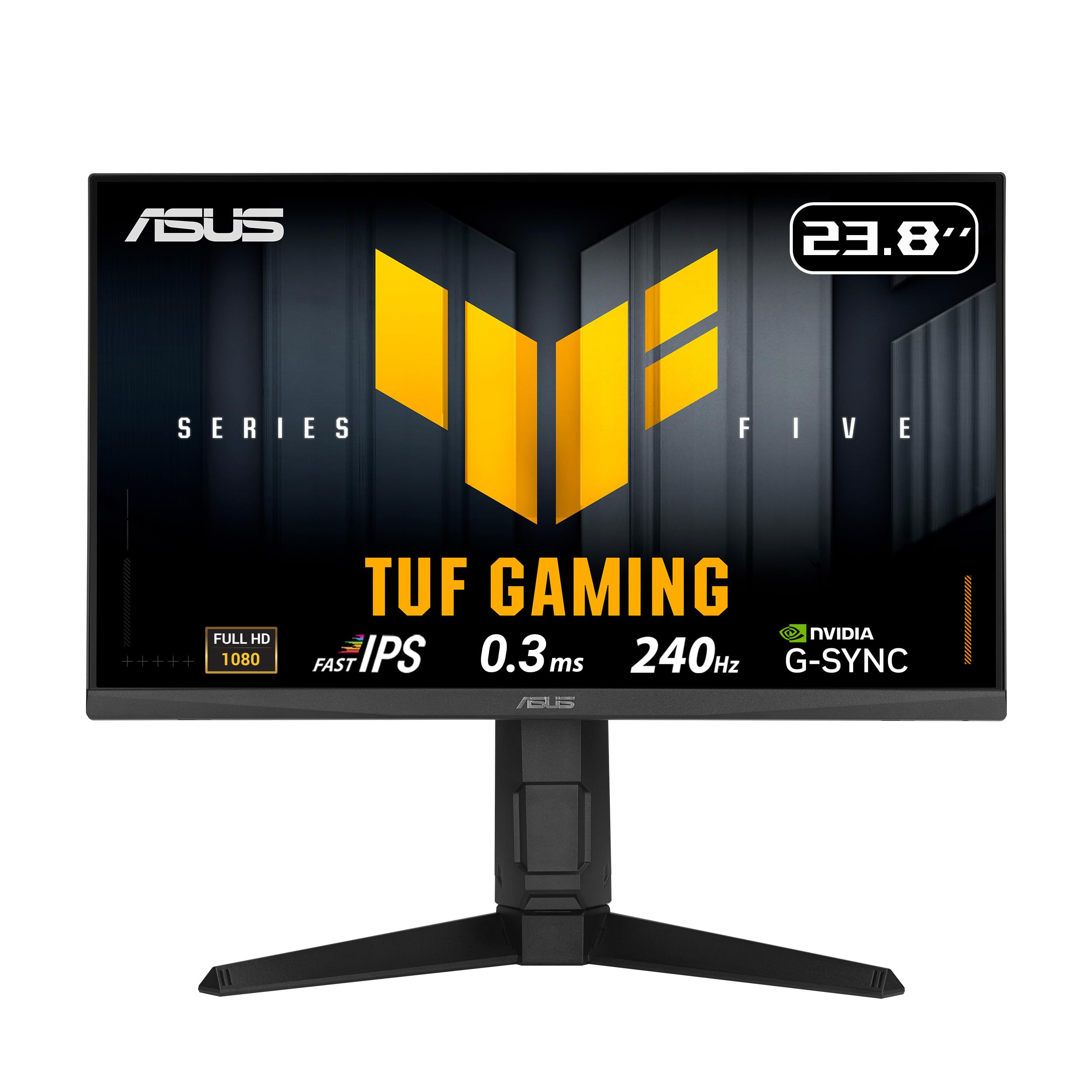
The ASUS TUF Gaming VG249QML5A is a 24-inch 1080p monitor built for pure performance. Its Fast-IPS panel delivers a 240Hz refresh rate with a 0.3ms response time, making it one of the fastest monitors available at this size and price. The ELMB Sync technology pairs motion blur reduction with variable refresh rate, giving you ghost-free imaging even during fast camera movements in competitive shooters.
Ergonomics are a major strength here. The stand offers 120mm height adjustment, pivot rotation, swivel, and tilt — a full range of motion that is rare on 24-inch monitors. The 99% sRGB coverage ensures colors look vibrant, and the TUF Gaming AI features — including AI crosshair and sniper mode — add value for competitive players who want an edge. The built-in speakers are functional for alerts and voice chat.
A finicky DisplayPort connection has been reported by some users, resulting in occasional blackouts, though this is not universal. The 23.8-inch size is ideal for those with limited desk space or who prefer a denser pixel pitch at 1080p. If your goal is maximum refresh rate with pro-level ergonomics, this ASUS model deserves a close look.
Why it’s great
- Ultra-fast 0.3ms response with 240Hz
- Full ergonomic stand with pivot
- ELMB Sync eliminates ghosting
Good to know
- Some units have finicky DisplayPort connection
- Only 1080p resolution
6. AOC Q27G41ZE

The AOC Q27G41ZE brings high-refresh QHD to an aggressively low price point, making it a standout for budget-conscious gamers who refuse to compromise on resolution. The 27-inch IPS panel runs at 240Hz out of the box and can be overclocked to 260Hz via the OSD, giving you one of the highest refresh-rate ceilings at 1440p in this price tier. The 0.3ms MPRT response practically eliminates motion blur.
Image quality is solid with 300-nit brightness and 1000:1 contrast. Colors are vibrant for an IPS panel, though some users note it runs slightly dimmer than expected. Adaptive-Sync supports both FreeSync and G-Sync Compatible, so it plays well with any modern GPU. The three-sided frameless design looks sleek on a desk, and the OSD includes useful gaming features like Shadow Control, sniper mode, and customizable crosshairs.
The main compromise is the stand. It offers only tilt adjustment (-3° to +21°) and lacks height or swivel, so you will likely want to use the 100x100mm VESA mount for proper ergonomics. Packaging has also been flagged as somewhat minimal, which could be a concern for shipping. That said, for pure refresh-rate-per-dollar at QHD, the AOC Q27G41ZE is nearly unbeatable.
Why it’s great
- 240Hz native with 260Hz overclock option
- QHD resolution with fast IPS response
- G-Sync Compatible and FreeSync support
Good to know
- Tilt-only stand requires a VESA mount for height
- Reported slightly dimmer than expected
7. LG UltraGear 27GS60QC-B

The LG 27GS60QC-B chooses a different path than the IPS-heavy competition by using a VA panel with a dramatic 1000R curve. The VA technology delivers a 3000:1 contrast ratio, which means blacks are genuinely black and HDR highlights pop more convincingly than on any IPS monitor in this list. The 180Hz refresh rate and 1ms GTG response keep motion smooth, and AMD FreeSync ensures tear-free performance.
The 1000R curvature matches the human field of view, creating a genuinely immersive experience for racing games, flight sims, and single-player adventures. The 99% sRGB coverage provides good color accuracy, though VA panels can show slight color shift at extreme viewing angles. The three-side borderless design looks clean, and the on-screen controls include Dynamic Action Sync to reduce input lag and Black Stabilizer for visibility in dark scenes.
The stand offers only tilt adjustment, which limits ergonomic flexibility, and the VA panel is susceptible to dark-level ghosting in certain response-time modes. Some users have reported HDMI handshake issues that require switching to DisplayPort. For gamers who prioritize contrast and immersion over pure speed and prefer a curved display, the LG UltraGear is a unique and compelling option.
Why it’s great
- Deep 3000:1 contrast ratio for rich blacks
- 1000R curve increases immersion
- 180Hz with FreeSync for smooth gaming
Good to know
- VA panel has dark-scene ghosting potential
- Tilt-only stand limits ergonomics
8. Acer Nitro KG271U

The Acer Nitro KG271U is the most affordable entry into 1440p high-refresh gaming on this list, making it a compelling starting point for anyone upgrading from 1080p. The 27-inch IPS panel covers 95% DCI-P3, delivering noticeably richer reds and greens than standard sRGB monitors, and the 180Hz refresh rate with 0.5ms GTG response ensures smooth gameplay across a variety of titles. AMD FreeSync keeps tearing at bay.
Image quality is impressive for the price. The zero-frame design maximizes screen real estate, and HDR10 support helps bright scenes look more dynamic despite the modest 250-nit peak brightness. The built-in speakers are functional for casual use, though they lack bass and volume. The monitor supports both DisplayPort 1.2 and HDMI 2.0, giving you flexibility for connecting consoles and PCs.
The biggest trade-off is the stand — it offers only tilt adjustment and feels somewhat flimsy, with users reporting wobble on less stable desks. VESA 100x100mm compatibility means you can easily replace it with a monitor arm or aftermarket stand. The on-screen controls use a rear-mounted joystick that works well. For gamers who want QHD on a strict budget and are willing to supply their own stand, the Acer KG271U is the gateway.
Why it’s great
- Best price for QHD + 180Hz combo
- Wide DCI-P3 95% color coverage
- Built-in speakers add convenience
Good to know
- Flimsy, tilt-only stand
- Only 250 nits brightness
9. Acer Nitro EDA320Q

The Acer Nitro EDA320Q takes a different approach by prioritizing screen size over resolution. Its 31.5-inch VA panel with a 1500R curve delivers an immersive viewing experience that is hard to match at this price point. The 1080p resolution is paired with a 180Hz refresh rate and 1ms VRB response, ensuring smooth motion in fast-paced games. AMD FreeSync Premium adds tear-free performance with a wider range than standard FreeSync.
The VA panel shines with a 100,000,000:1 dynamic contrast ratio, giving blacks real depth and making HDR content look noticeably better than on budget IPS panels. The 1500R curve wraps around your field of view, creating a natural sense of depth in racing games, shooters, and open-world titles. The zero-frame design makes the large screen feel even more expansive, and VESA 100x100mm compatibility allows for easy mounting.
At 1080p on a 31.5-inch diagonal, pixel density drops to roughly 70 PPI, which means individual pixels are visible at normal viewing distances — text won’t look as sharp as on a 27-inch 1440p monitor. There are no built-in speakers, so external audio is required. The stand offers only tilt adjustment. For console gamers or those who prioritize screen real estate over pixel density, the EDA320Q provides an enormous canvas for immersive gameplay.
Why it’s great
- Massive 31.5-inch curved screen for immersion
- Very high dynamic contrast ratio
- FreeSync Premium with 180Hz
Good to know
- 1080p resolution is less sharp at this size
- No built-in speakers
FAQ
Is 1440p worth it over 1080p for a value gaming monitor?
Do I need DisplayPort or HDMI for 1440p at 180Hz?
What does 1ms response time really mean?
Final Thoughts: The Verdict
For most users, the value gaming monitor winner is the ASUS TUF Gaming VG27AQ because it delivers the best all-around package of sharp 1440p resolution, a smooth 165Hz refresh rate, excellent color accuracy, and a fully adjustable ergonomic stand that eliminates the need for third-party mounts. If you want a monitor that can pull double duty for work and gaming with the best integrated speakers and ergonomics, grab the Dell 27 Plus S2725DSM. And for competitive players who want the highest possible frame rates on a budget, nothing beats the Samsung Odyssey G4 25″ for pure 240Hz esports performance.