
A widescreen gaming monitor isn’t just extra screen real estate — it’s a competitive advantage and a complete shift in how you experience a game world. The panoramic field of view pulls you into the action, revealing enemies hiding at the edge of a standard 16:9 panel and making racing, flight, and open-world titles feel genuinely immersive. But beyond the hype, the real value lives in the specific combination of resolution, refresh rate, panel technology, and curvature that matches both your hardware and your genre.
I’m Mohammad Maruf — the founder and writer behind Drink4Good. I’ve spent years analyzing monitor specifications, comparing real-world performance data from competitive gaming forums, and tracking how panel technologies like VA, IPS, and QD-OLED actually behave under sustained load to help you cut through marketing noise.
This guide breaks down the most important specs, compares the top contenders on the market, and delivers clear recommendations to help you find the best widescreen gaming monitor for your setup and budget.
How To Choose The Best Widescreen Gaming Monitor
Buying a widescreen monitor involves more than just picking a big curved display. You need to balance resolution with GPU capability, choose a panel type that matches your gaming priority, and ensure the refresh rate actually reaches your target frame rate.
Resolution vs. GPU Power
Standard widescreen QHD (3440×1440) offers a great balance of sharpness and performance. Ultra-wide 32:9 monitors at 5120×1440 or 3840×1080 demand significantly more from your graphics card. A mid-range GPU like an RTX 3060 or RX 6600 will struggle to push high frame rates on a 5K2K panel, so match the resolution to your hardware’s real-world output.
Refresh Rate and Response Time
Competitive gamers benefit most from 240Hz or higher, especially in fast-twitch shooters and racing sims. For single-player RPGs and strategy titles, 120Hz or 144Hz is adequate and easier on the GPU. Response time claims (1ms MPRT vs. 1ms GtG vs. 0.03ms OLED) reflect different measurement standards — real-world motion clarity is dictated by the actual pixel transition speed of your chosen panel type.
Panel Technology: VA, IPS, or OLED
VA panels deliver excellent contrast (3000:1 or higher) and deep blacks, making them strong for dark horror games and cinematic titles. IPS panels offer wider viewing angles and better color accuracy but suffer from lower contrast. QD-OLED provides perfect blacks, vibrant colors, and near-instant response times, but carries burn-in risk and higher cost. Your choice depends on whether you prioritize contrast, color work, or pure motion clarity.
Curvature and Screen Size
A 1500R or 1800R curvature wraps the screen around your field of vision, reducing eye strain and improving peripheral awareness. For 34-inch ultrawides, 1500R to 1800R is ideal. For 49-inch super ultrawides, a 1000R or 1800R curve is necessary to keep the edges within your natural sight. Flat widescreens exist but are less immersive for gaming.
Quick Comparison
On smaller screens, swipe sideways to see the full table.
| Model | Category | Best For | Key Spec | Amazon |
|---|---|---|---|---|
| ASUS ROG Swift PG32UCDMR | Premium QD-OLED | Best Overall – 4K Gaming | 240Hz, 0.03ms, QD-OLED | Amazon |
| Samsung Odyssey OLED G9 G91SD | Premium QD-OLED | Best Super Ultrawide OLED | 144Hz, 0.03ms, 32:9 OLED | Amazon |
| Alienware AW3425DW | Premium QD-OLED | Best 34-Inch QD-OLED | 240Hz, 0.03ms, 1800R curve | Amazon |
| Samsung Odyssey G7 G75F | High-End VA | Best 40-Inch Ultrawide 4K | 180Hz, 1ms, VA, HDR 600 | Amazon |
| LG 34G630A-B | Mid-Range VA | Best Value High Refresh | 240Hz, 1ms, VA, HDR 400 | Amazon |
| Gawfolk GF490D | Budget Super Ultrawide | Best Budget 49-Inch 240Hz | 240Hz, 1ms, 5120×1440 | Amazon |
| Deco Gear 49-Inch | Budget Super Ultrawide | Best Budget 49-Inch Work/Gaming | 144Hz, 1ms, 3840×1080 | Amazon |
| Dell S3425DW | Mid-Range VA | Best for Productivity + Casual Gaming | 120Hz, 0.03ms, VA, USB-C 65W | Amazon |
| Acer Nitro XZ342CU | Mid-Range VA | Best Entry-Level Ultrawide | 180Hz, 1ms, VA, HDR 400 | Amazon |
| Alienware AW3425DWM | Mid-Range VA | Best for Immersive Budget Gaming | 180Hz, 1ms, VA, HDR 400 | Amazon |
| ASUS TUF Gaming VG34VQ3B | Entry-Level VA | Best Value 180Hz Ultrawide | 180Hz, 1ms, VA, 90% DCI-P3 | Amazon |
In‑Depth Reviews
1. ASUS ROG Swift PG32UCDMR

The ASUS ROG Swift PG32UCDMR is the benchmark for high-end 4K gaming in 2025. Its 32-inch QD-OLED panel delivers a 3840×2160 resolution with a 240Hz refresh rate and a 0.03ms GtG response time, making it equally exceptional for fast-paced shooters and visually rich single-player titles. The DisplayPort 2.1 connectivity ensures full bandwidth to drive 4K at 240Hz without chroma subsampling, and the USB-C port delivering 90W Power Delivery keeps a gaming laptop powered with a single cable.
The OLED Care Pro system includes a Neo Proximity Sensor that automatically dims the screen when you step away, significantly reducing burn-in risk — a critical feature for a monitor at this price point. The 99% DCI-P3 coverage and Delta E < 2 factory calibration mean this screen is also viable for photo and video editing. The anti-flicker technology manages VRR transitions well, though some users report very brief flicker on loading screens, which is standard for OLED VRR behavior.
The stand is sturdy but large, requiring a deep desk, and the glossy screen can show reflections in bright rooms. However, the combination of DisplayPort 2.1, 90W USB-C, true 10-bit color, and integrated burn-in protections make this the most future-proof widescreen monitor available today. It earned the top spot for its uncompromised feature set.
Why it’s great
- 240Hz at native 4K with QD-OLED clarity
- OLED Care Pro with proximity sensor reduces burn-in fear
- DisplayPort 2.1 and 90W USB-C for future-ready connectivity
Good to know
- Glossy panel can reflect bright room lighting
- Stand base is large and may not suit small desks
- Premium price reflects flagship technology
2. Samsung Odyssey OLED G9 G91SD

The Samsung Odyssey OLED G9 G91SD redefines the super ultrawide experience with a 49-inch 32:9 QD-OLED panel at 5120×1440 resolution. The 144Hz refresh rate and 0.03ms response time deliver incredibly fluid motion across four vertical segments, effectively replacing a dual-monitor setup without a bezel split. The 1800R curvature wraps the massive screen around your peripheral vision, making racing sims and flight games genuinely immersive.
Color coverage is excellent with 99% DCI-P3, and the 1,000,000:1 contrast ratio creates perfect blacks with zero backlight bleed — something no VA or IPS panel can match. The inclusion of both G-Sync Compatibility and AMD FreeSync Premium Pro ensures smooth operation with both NVIDIA and AMD GPUs. Picture-in-Picture mode lets you run two input sources simultaneously, which is useful for streaming or work setups.
The main concern is OLED burn-in, despite Samsung’s thermal modulation system and Pixel Refresh features. Users report needing to run pixel cleaning routines, and the power cable is notably short for a monitor of this size. The warranty includes three years of burn-in coverage, which provides some peace of mind. For gamers who want the largest, most vibrant widescreen available without going to a 57-inch panel, this is the top choice.
Why it’s great
- Perfect blacks and vibrant QD-OLED colors
- True dual-monitor replacement at 32:9
- Supports both G-Sync and FreeSync Premium Pro
Good to know
- OLED burn-in requires active management
- Power cable may be too short for standard setups
- Requires strong GPU for native 5120×1440 gaming
3. Alienware AW3425DW

The Alienware AW3425DW takes the 34-inch QD-OLED formula and tunes it for competitive and cinematic gaming. With a 3440×1440 resolution, 240Hz refresh rate, and 0.03ms response time, it delivers the motion clarity required for fast-twitch shooters while the 1800R curve and QD-OLED contrast make RPGs and racing titles look stunning. The 99.3% DCI-P3 coverage and Delta E < 2 color accuracy mean this monitor can double as a professional editing display.
The Gamma Adjustment feature and built-in crosshair overlay are nice touches for competitive play. The stand offers full height, tilt, swivel adjustments, and the included VESA cover keeps the back clean for monitor arm mounting. Connectivity includes DisplayPort 1.4, HDMI 2.1, and a USB hub with Type-B upstream, though there’s no USB-C with power delivery, which is a slight miss for laptop users.
Some users note slightly lower brightness in bright rooms compared to high-end VA panels, and text clarity can show minor fringing due to the QD-OLED subpixel layout — though this is less pronounced than on earlier generation OLED monitors. The combination of high refresh rate, deep blacks, and professional color volume makes this an outstanding choice for gamers who also do creative work.
Why it’s great
- 240Hz QD-OLED with near-instant response
- 99.3% DCI-P3 color coverage for creative work
- Sturdy, fully adjustable stand with VESA cover
Good to know
- No USB-C power delivery
- Slightly less bright in bright rooms than high-end VA monitors
- Minor text fringing on some fonts
4. Samsung Odyssey G7 G75F

The Samsung Odyssey G7 G75F brings ultrawide 4K resolution (5120×2160) to a 40-inch VA panel with a 1000R curvature that tightly wraps around your vision. The 180Hz refresh rate with 1ms GtG response time is fast enough for most competitive titles, while the VESA DisplayHDR 600 certification and 3000:1 contrast ratio deliver noticeably deeper blacks and brighter highlights than standard HDR 400 monitors. The VA panel avoids the burn-in concerns of OLED, making this a safer bet for mixed-use setups with static UI elements.
The FreeSync Premium Pro certification ensures tear-free operation with AMD GPUs, and the monitor works with G-Sync Compatible mode on NVIDIA cards. The stand is functional with height and swivel adjustments, though the base is reportedly large. Color accuracy out of the box may require calibration for professional use, but general gaming and HDR content look vivid and detailed.
The 5120×2160 resolution is demanding — you’ll need at least an RTX 4080 or equivalent to maintain high frame rates in modern titles. For gamers who want the sharpness of ultrawide 4K without the burn-in anxiety of OLED, this is a compelling, future-facing option.
Why it’s great
- Ultrawide 4K (5120×2160) for sharp, immersive gaming
- Deep VA contrast with DisplayHDR 600
- No OLED burn-in risk
Good to know
- Requires powerful GPU for high-frame-rate gaming
- Stand base is large; may need deep desk
- Color calibration recommended out of box
5. LG 34G630A-B

The LG 34G630A-B packs a 240Hz refresh rate into a 34-inch VA panel at 3440×1440, making it one of the highest refresh rate mid-range ultrawides available. The 1ms GtG response time and FreeSync Premium support provide smooth, tear-free gameplay in fast shooters and racing games. The 95% DCI-P3 color gamut with VESA DisplayHDR 400 adds vibrancy without the cost of OLED, though peak brightness is limited to 300 nits.
Connectivity includes HDMI 2.0, DisplayPort, and USB-C with 15W power delivery — enough for charging peripherals but not a laptop. The stand offers height, tilt, and swivel adjustments, which is uncommon at this price point. Black Stabilizer and Dynamic Action Sync are useful for competitive play, brightening dark areas without overexposing highlights.
Some users note the monitor is very large for a 34-inch and recommend checking desk depth first. The built-in speakers are functional but mediocre, and the contrast ratio is listed as 3440×1440 (which appears to be a spec error — actual VA contrast is likely around 3000:1). For gamers who prioritize high refresh rate and smooth motion above all else, this is a strong mid-range contender.
Why it’s great
- 240Hz refresh rate for ultra-smooth gaming
- Height, tilt, and swivel adjustable stand
- USB-C connectivity reduces desktop clutter
Good to know
- Brightness limited to 300 nits
- USB-C limited to 15W power delivery
- Built-in speakers are basic
6. Gawfolk GF490D
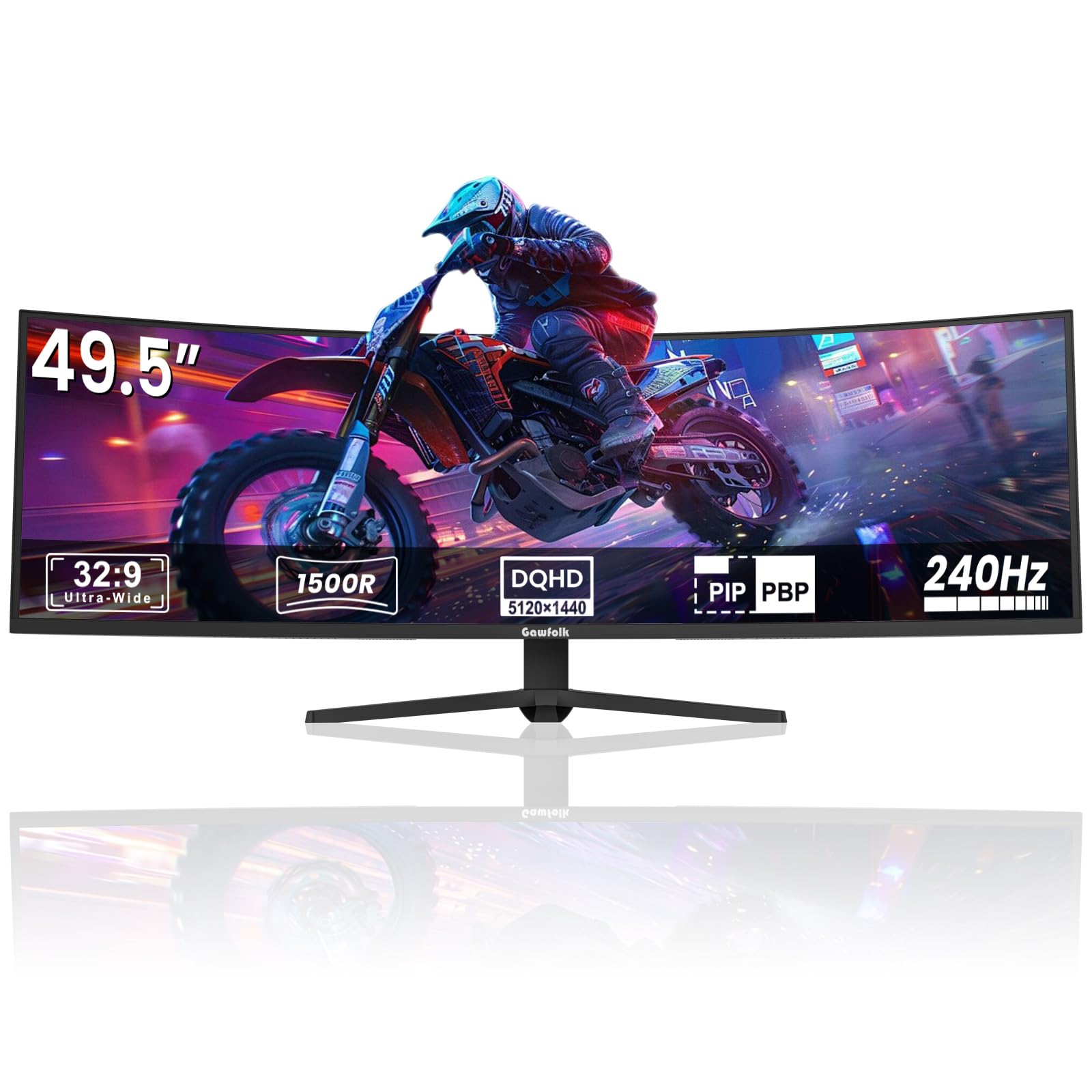
The Gawfolk GF490D offers a 49-inch 32:9 super ultrawide experience at 5120×1440 resolution with a 240Hz refresh rate — impressive specs for the entry-level premium tier. The VA panel delivers a 3000:1 contrast ratio and 85% NTSC color gamut, providing decent black levels and color saturation for immersive gaming. The 1500R curvature wraps the screen comfortably without excessive distortion at the edges.
FreeSync support helps reduce screen tearing, and the built-in crosshair overlay is a nice bonus for FPS games. The monitor is VESA mountable and relatively easy to set up. Build quality feels solid for the price, and image quality is good for a VA panel in this category.
Some users report screen flicker or ghosting issues, particularly when using adaptive sync, and the brand lacks the after-sales support of larger manufacturers. The 300 cd/m² brightness is adequate but not impressive, and the monitor does not include built-in speakers or USB-C connectivity. For budget-conscious gamers who want the largest possible widescreen with high refresh, this is an intriguing but risky option.
Why it’s great
- 49-inch 32:9 at 5120×1440 for immersive width
- 240Hz refresh rate for smooth motion
- VESA mountable with good build for price
Good to know
- Quality control issues reported (screen flicker)
- Limited after-sales support from smaller brand
- No built-in speakers or USB-C
7. Deco Gear 49-Inch Curved Ultrawide
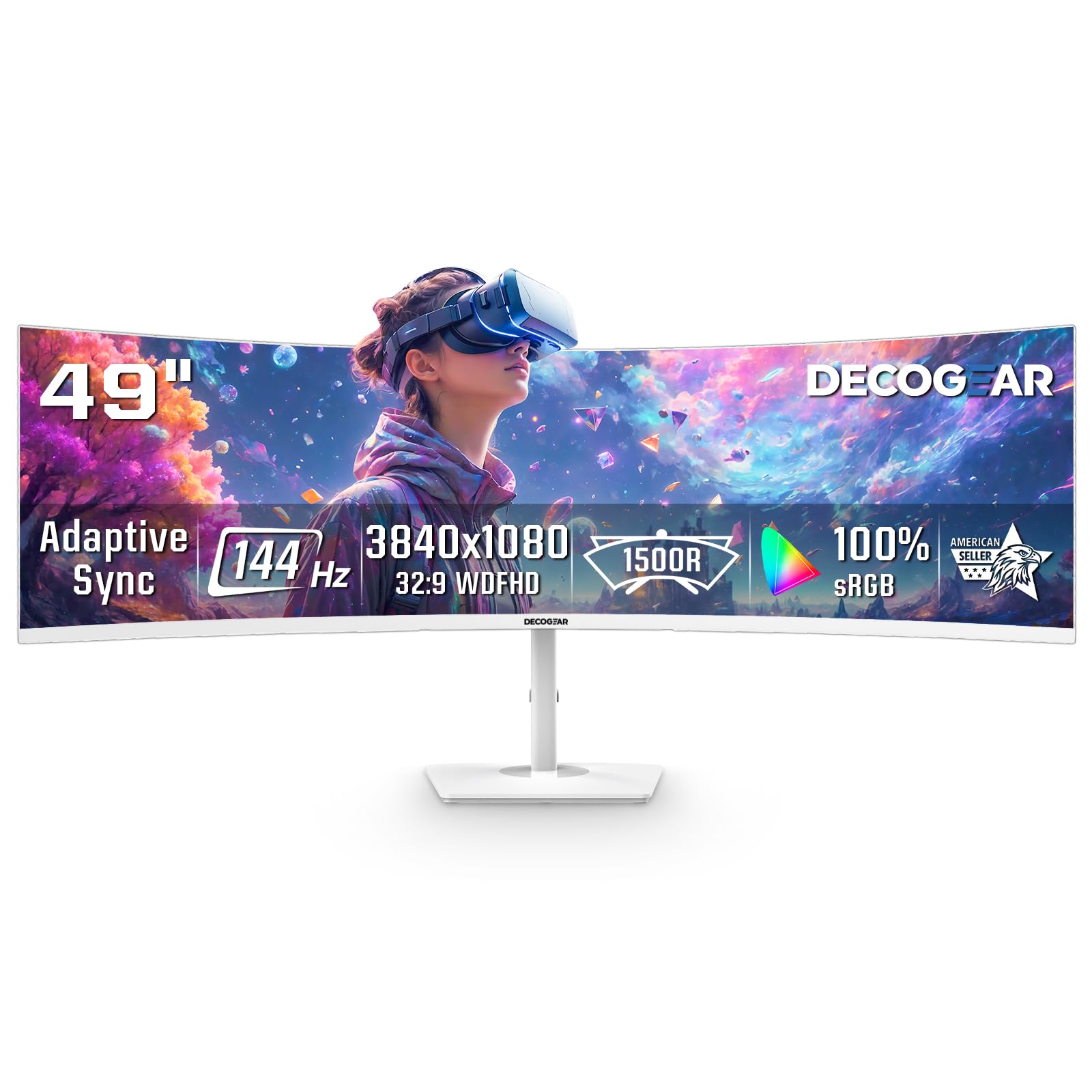
The Deco Gear 49-inch super ultrawide (32:9) at 3840×1080 resolution is designed for multitaskers who want a dual-monitor replacement without the GPU demands of higher resolutions. The 144Hz refresh rate with 1ms MPRT and Adaptive Sync (FreeSync and G-Sync compatible) provides smooth motion for casual to mid-level gaming. The 1800R curvature and 3000:1 contrast ratio on the VA panel produce decent black levels and immersion.
PIP/PBP modes allow you to connect two devices simultaneously, making it useful for a work laptop alongside a gaming PC. The white finish is a unique aesthetic option for bright gaming rooms. Resolution is modest (1080p vertical), which means lower pixel density — text and details won’t be as sharp as higher-resolution ultrawides, but the lower demand on your GPU allows for higher frame rates in games.
The power button is a reported weak point, with some users experiencing failure after several months. The 250 cd/m² brightness is on the lower end, and there is no audio output port. This monitor is best suited for users who prioritize screen width and multitasking over pixel density and peak brightness.
Why it’s great
- 49-inch 32:9 replaces dual monitors seamlessly
- PIP/PBP for two-device setups
- Low GPU load allows high frame rates
Good to know
- Power button build quality is a known issue
- Low pixel density at 3840×1080
- No audio output port
8. Dell S3425DW

The Dell S3425DW focuses on color accuracy and productivity rather than raw gaming speed. The VA panel covers 99% sRGB and 95% DCI-P3 with a 3000:1 contrast ratio, providing deeper blacks than IPS monitors and good color volume for photo editing and design work. The 120Hz refresh rate with FreeSync Premium is sufficient for casual and single-player gaming, though competitive players will want higher rates.
The USB-C port supports up to 65W power delivery, allowing a single cable to transmit video, data, and power to a compatible laptop — a huge desk-cleaning advantage. The improved ComfortView Plus reduces blue light emissions without washing out colors, making it suitable for long work sessions. The built-in speakers are better than most monitor audio, with deeper frequency response than previous Dell models.
The VESA mount recess is recessed about 1/4 inch, requiring specific brackets or spacers if you want to use a third-party arm. Port selection is limited to HDMI, USB-C, and USB-A — no DisplayPort, which may be an issue for desktop GPU users who prefer DP. This monitor is ideal for creative professionals who want a wide, color-accurate screen with some gaming capability.
Why it’s great
- USB-C with 65W power delivery for single-cable laptop setups
- Excellent sRGB and DCI-P3 color coverage for creative work
- ComfortView Plus reduces eye strain effectively
Good to know
- No DisplayPort input
- VESA mount design may require spacers
- 120Hz refresh rate limits competitive gaming
9. Acer Nitro XZ342CU

The Acer Nitro XZ342CU delivers a 34-inch 3440×1440 curved VA panel at 180Hz with 1ms VRB response time and FreeSync Premium, all at a competitive price point. The VESA DisplayHDR 400 certification and 100,000,000:1 dynamic contrast ratio provide good HDR performance for the price, though peak brightness is standard for the tier. The pixel pitch of 0.233mm ensures sharp text and detail.
The zero-frame design minimizes bezel distraction, and the stand offers height adjustment (3.93 inches) and tilt. VESA 100×100 compatible mounting is available for arm setups. Ports include one DisplayPort 1.4 and two HDMI 2.0, along with an audio out — adequate for multi-device setups, though HDMI 2.0 limits bandwidth for high-refresh-rate gaming via HDMI.
Some users report minor flickering during the first week of use that resolves over time, which may be a panel settling issue. The stand base is wide and may not fit narrow desks. The Acer Nitro XZ342CU is a solid entry-level ultrawide that offers genuine 180Hz performance and decent color for the price, especially for those new to widescreen gaming.
Why it’s great
- 180Hz refresh rate with FreeSync Premium
- Sharp 0.233mm pixel pitch for clear text
- VESA mountable and includes height adjustment
Good to know
- Potential early flickering during panel break-in
- Wide stand base may need large desk
- HDMI 2.0 limits bandwidth for high refresh rates
10. Alienware AW3425DWM

The Alienware AW3425DWM brings the brand’s design language to a budget-friendly 34-inch VA ultrawide with 3440×1440 resolution, 180Hz refresh rate, and 1ms GtG response time. The 1500R curve and FreeSync Premium support provide fluid, tear-free gameplay in most modern titles. Color coverage is 95% DCI-P3, and the VESA DisplayHDR 400 certification delivers acceptable HDR performance for the price.
The stand is a highlight — it offers full height, tilt, and swivel adjustments, and the base is compact, saving desk space compared to many competitors. Connectivity includes DisplayPort 1.4 and HDMI 2.1, which is a nice upgrade over HDMI 2.0 found on many similarly priced monitors. The monitor supports 10-bit color at 180Hz over DisplayPort.
The VA panel shows some bloom in high-contrast scenes, which is inherent to the technology. The built-in speakers are poor, and the USB hub only includes two Type-A ports with a Type-B upstream cable. For gamers who want a reputable brand with strong ergonomics and solid all-around specs at a controlled price, this is a safe, reliable buy.
Why it’s great
- Excellent height/tilt/swivel stand with compact base
- HDMI 2.1 for high-bandwidth console and PC connections
- 95% DCI-P3 coverage with DisplayHDR 400
Good to know
- VA bloom visible in dark scenes with bright objects
- Only two USB-A ports available
- Speakers are low quality
11. ASUS TUF Gaming VG34VQ3B

The ASUS TUF Gaming VG34VQ3B is an entry-level 34-inch ultrawide that delivers strong fundamentals for its tier. The 3440×1440 VA panel with a 1500R curve offers 180Hz refresh rate, 1ms MPRT response time, and ASUS Extreme Low Motion Blur Sync to reduce ghosting. The FreeSync Premium support ensures VRR compatibility out of the box. Color coverage is 90% DCI-P3, which is respectable for the price.
The 4000:1 static contrast ratio is notably higher than many VA monitors, providing deeper blacks and better shadow detail in dark games. The DisplayWidget Center software allows mouse-controlled settings adjustment, which is a convenience feature uncommon at this level. The included L-shaped screwdriver makes stand assembly simple.
The stand is non-adjustable and short, which is the primary compromise at this price point — you’ll likely want to use a VESA mount or third-party arm. The built-in speakers are weak and tinny, and the HDR performance is limited by the panel’s peak brightness. For the lowest entry point into 34-inch 3440×1440 widescreen gaming with a reliable brand, this monitor offers good value.
Why it’s great
- High 4000:1 static contrast ratio for deep blacks
- DisplayWidget Center for mouse-controlled adjustments
- ELMB Sync reduces motion blur effectively
Good to know
- Stand lacks height and tilt adjustment
- Built-in speakers are poor quality
- HDR performance limited by peak brightness
FAQ
What GPU do I need for a 3440×1440 ultrawide monitor?
Is a curved monitor better for gaming than a flat one?
Final Thoughts: The Verdict
For most users, the best widescreen gaming monitor winner is the ASUS ROG Swift PG32UCDMR because it delivers uncompromised 4K QD-OLED quality with a 240Hz refresh rate, DisplayPort 2.1, and robust burn-in protections. If you want the largest immersion possible, grab the Samsung Odyssey OLED G9 G91SD for its 49-inch QD-OLED panel. And for the best value at 34 inches, the LG 34G630A-B offers a rare 240Hz VA panel at a competitive mid-range price.